Narrative 2 - Understanding Organizational Departments

Narrative 2 - Understanding Organizational Departments

Behind the scenes of a successful ticketing system - BTS Series

Narrative 2 - Understanding Organizational Departments
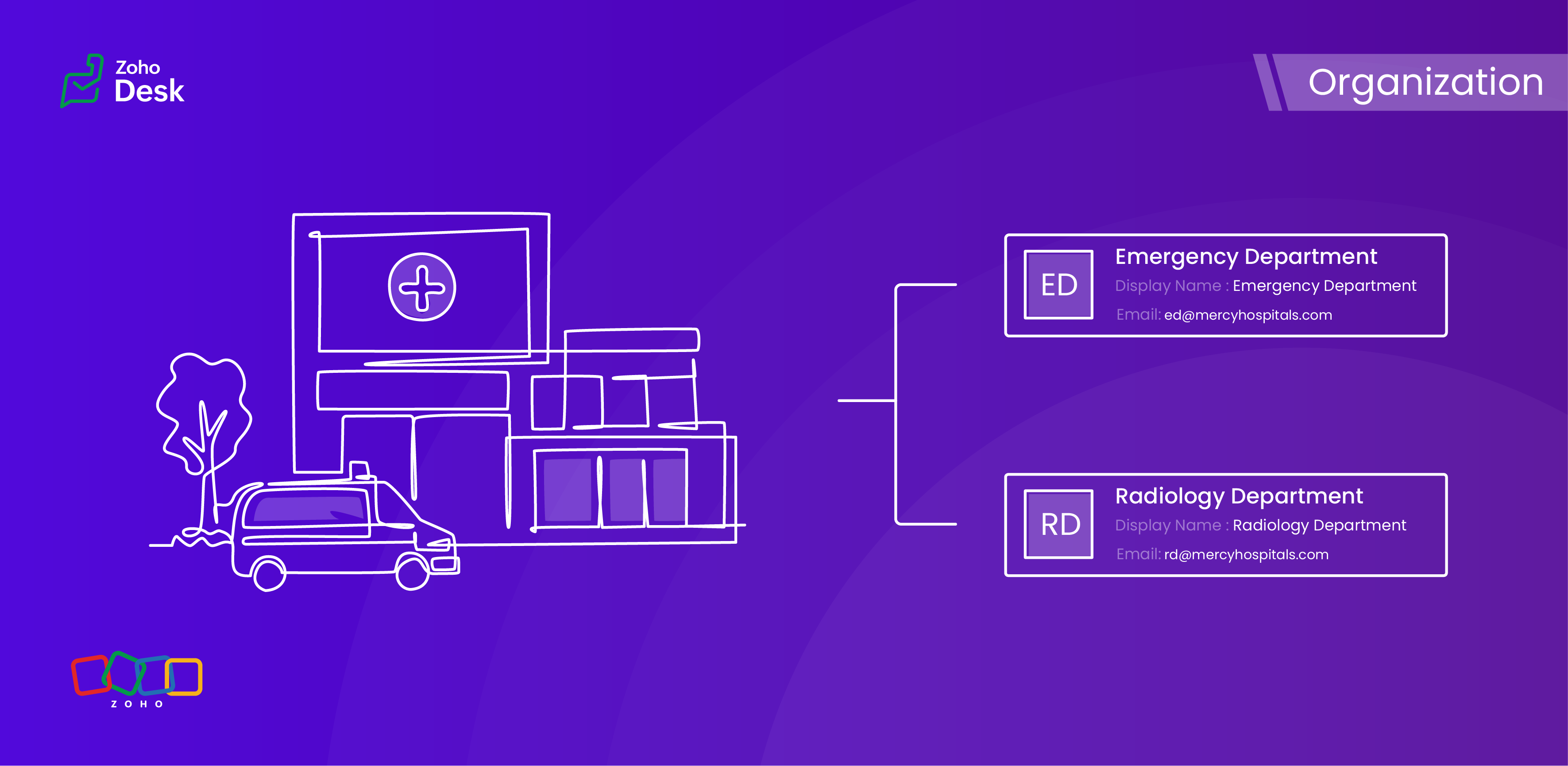


A ticketing system's departments are essential because they provide an organized and practical framework for handling and addressing customer support inquiries. Departments improve workflow by classifying inquiries and allocating them to the relevant teams, guaranteeing that a specialized agent handles every issue. 


This way, companies increase customer satisfaction and loyalty by improving response times and overall customer service quality. Departments guarantee a streamlined procedure that benefits both the support staff and the customers they serve by clearly defining roles and responsibilities.

Why employ organizational departments?

Ticket routing

Departments ensure that support requests are automatically directed to the right team with the right agent. This reduces delays and faster resolution by discarding unnecessary hand-offs.

Specialization

Typically, different teams, such as IT, HR, Billing, and Technical Support, handle various issues. In this case, departments are managed by experienced agents in their respective areas, thereby enhancing service quality.

Organized prioritization

Categorising tickets by department helps teams prioritise workloads based on urgency, service level agreements (SLAs), and impact, ensuring that critical issues are addressed promptly.

Accountability

Departments also assign clear responsibility for resolving tickets, preventing confusion over who should handle a request. This fosters accountability and reduces the risk of tickets being overlooked.

Monitoring

Departments enable granular analytics, allowing organizations to measure metrics (e.g., resolution time, backlog) for each team. This helps identify bottlenecks and optimize workflows.

Better customer experience

Proper department routing ensures customers interact with the right agents from the start, reducing frustration and improving satisfaction by avoiding misdirected queries.

Workflows made easy

Departments enable customized automation rules (e.g., auto-assignment, escalations) tailored to specific teams, streamlining processes and reducing manual effort.

Data privacy

Sensitive requests (e.g., Finance, Legal) can be restricted to authorized personnel, ensuring data privacy and Desk's regulatory compliance.

While departments segment teams, they also facilitate cross-department collaboration when needed (e.g., escalating a billing issue to IT for technical verification), maintaining structure while enabling cooperation.
Idea

Are contacts or accounts department-specific?


When a user raises tickets for various issues across different departments, each ticket must be explicitly linked to the relevant department. This ensures that the appropriate expert is assigned to address and resolve the problem effectively. Importantly, the user's contact details will remain consistent regardless of the department involved; therefore, the contact information should not be considered department-specific. This streamlined approach facilitates efficient communication and resolution while maintaining clarity and organisation within the ticketing system.


However, several other modules within the platform, such as Tickets, Knowledge Base, and Activities, do support department-specific associations. This feature enables you to align these modules with the relevant department, enhancing your workflow and improving departmental accountability.

Example - Hospital Management Service

In a hospital, the way departments are managed plays a crucial role in providing top-notch healthcare services. By organizing the hospital into different departments, each one guided by knowledgeable and skilled staff, we can not only improve how services are delivered but also make processes more efficient and ensure that everyone is held accountable. This structured approach not only fosters teamwork but also helps meet patients' needs more effectively, ultimately creating a better experience for them.

Organizational departments in a hospital

  1.  Emergency Department 
  2.  Surgical Department
  3.  Radiology Department
  4.  Pharmacy Department
  5.  Administration and Human Resources


This teamwork is vital for enhancing the quality of patient care and streamlining operations, creating a well-functioning machine that ultimately benefits everyone involved. When departments are well-structured, it fosters a sense of accountability across the board, which is essential in a healthcare environment. A well-organised hospital not only supports its staff but also delivers the best possible healthcare to those it serves.

Conclusion

Utilizing separate departments for your help desk establishes structure, efficiency, and expertise within ticketing systems, enabling you and your team to collaborate effectively without chaos. This leads to quicker resolutions, better use of resources, and a smoother experience for both customers and agents. Without these departments, support operations would likely become chaotic, sluggish, and more prone to unnecessary issues.


Please stay tuned for more Desk behind-the-scenes series.


Regards,


Kavya Rao

The Zoho Desk Team


    Nederlandse Hulpbronnen


      • Recent Topics

      • What is going on with GMail extension.

        Suddenly, it is popping up and saying "Please wait while we work our magic... 10%" and it sits there. Yesterday I waited for an entire hour call and it never got further. Today, it's not resolved. Is there a fix I can do? I've tried all the typical
      • Gmail is ramping up its email sender policy from November 2025

        Hello marketers, As you may be aware, Gmail introduced a guideline for bulk senders starting February 2024. If not, here's a quick refresher straight from Google: After this policy was announced first in 2023 and soft-implemented in February 2024, we
      • Collapsible Sections & Section Navigation Needed

        The flexibility of Zoho CRM has expanded greatly in the last few years, to the point that a leads module is now permissible to contain up to 350 fields. We don't use that many, but we are using 168 fields which are broken apart into 18 different sections.
      • Gmail is ramping up its email sender policy as of November 2025

        Hello marketers, As you may be aware, Gmail introduced a guideline for bulk senders starting February 2024. If not, here's a quick refresher straight from Google: After this policy was announced first in 2023 and soft-implemented in February 2024, we
      • Good news! Calendar in Zoho CRM gets a face lift

        Dear Customers, We are delighted to unveil the revamped calendar UI in Zoho CRM. With a complete visual overhaul aligned with CRM for Everyone, the calendar now offers a more intuitive and flexible scheduling experience. What’s new? Distinguish activities
      • Deluge Error Code 1002 - "Resource does not exist."

        I am using the following script in a Custom Button on a Sales Return. Basically, the function takes the information in the sales return (plus the arguments that are entered by the user when the button is pushed) and creates a return shipping label via
      • Zoho Analytics Export API

        Hi Team, I’m working on some integration tasks and wanted to confirm if it’s possible to retrieve a Zoho Analytics table as JSON data using a Deluge script. I’ve already stored my custom data from multiple sources and combined it into a single source.
      • Enhance Sign CRM integration

        Hello all, I'm working on a custom Deluge script to enhance the integration between Zoho CRM and Sign by using a writer merge template for additional flexibility. I want to replicate the post-sign document integration that exists between CRM and Sign
      • Items Below Reorder Point Report?

        Is there a way to run a report of Items that are below the Reorder Point? I don't see this as a specific report, nor can I figure out how to customize any of the other stock reports to give me this information. Please tell me I'm missing something s
      • Item images

        Can we get an "On hover" expanded image for items please ?
      • Ability to Create and Manage YouTube Video Chapters in Zoho Social

        Hi Zoho Social Team, How are you? We would like to request an enhancement to Zoho Social that would allow users to create and manage YouTube video chapters directly within the platform. Currently, Zoho Social does not support manually adding chapters
      • What happens to my current site SEO if i opt for zoho creator?

        I have an existing website and I need to use Zoho creators for the rapid creation of my webpage creation. Currently, my IT team is creating the web pages, but I am concerned about the SEO of my current website if I shift to zoho will i loose it all?
      • Automatic Portal invite

        We have numerous customers we move through a blueprint in deals, when they get to a certain point we need to give them portal access, how can this be done through deluge or a workflow?
      • Preview Emails with Merge Fields before sending

        Hello, Are there plans to preview an email with merge fields before sending out? Currently, all you see in the preview are the merge field values, but before I send out the email I want to make sure the merge is working. Also, the saved emails only show
      • User Filter not selecting All Items

        We are encountering 2 issues when using the user filter. When users are trying to search using the filter option, the OK button is grayed out. Users have to unselect or make a change before it filters properly. 2. When filtering and the OK button works,
      • Support Nested JavaScript Variables in PageSense Pop-up Targeting

        Hello Zoho PageSense Team, I hope you're doing well. I’d like to request a feature enhancement for the PageSense pop-up targeting functionality. Current Limitation: Currently, PageSense pop-ups can be triggered using simple JavaScript variables. However,
      • Cannot Invert Axis for Rankings

        Hi there I want to be able to create a ranking graph in Analytics/BI, with 1 at the top of the Y axis, but I am unable to invert the axis. Super simple example in Excel below. Higher rankings need to be higher up on the graph to give the correct visual
      • How to copy value from a single line field into a picklist field within a module's subform?

        Hello there, I have a single line field in a module's subform. I would like the value in the field to automatically update a picklist field within the same subform (both have items with the same names). Is this possible via function? Unfortunately, workflows
      • Committed Stock and To Be Received Stock via API?

        Is it possible to retrieve Committed Stock and/or To Be Received Stock for an Item via the API? I want to use this information for calculating the amount of inventory needed to be purchased.
      • Creating Email template that attaches file uploaded in specific field.

        If there's a way to do this using Zoho CRM's built-in features, then this has eluded me! I'm looking to create a workflow that automatically sends an email upon execution, and that email includes an attachment uploaded in a specific field. Email templates
      • Marketer’s Space - Automate a Personalized Holiday Workflow with Zoho Campaigns

        Hello marketers, Welcome back to another post in Marketer’s Space! From Thanksgiving through Christmas, you have a flurry of opportunities to connect with your audience. In this post, we’ll see how you can plan an entire month-long automated workflow
      • Zoho Inventory Custom Field Update

        Hello All, In this post I am describing how can we Update the Custom Field Value in Zoho Inventory. // Get Org ID orgid = organization.get("organization_id"); // Field Value resvp = ifnull(item.get("purchase_rate"),null); // Record ID iid = item.get("item_id");
      • Sorting columns in Zoho Projects

        Hi, In project management best practice, sorting columns (ascending, descending) is an important tool. Sorting dates to see the order of tasks starting, sorting on priority or even on planned hours is a must for an efficient project control. Currently,
      • Zoho CRM - Calendar Cards View - Let Users Decide What Is Displayed On Calendar Entries

        Imagine planning your week of face-to-face meetings across three counties. You’re trying to group appointments by location to make the best use of your time, but Zoho CRM’s calendar doesn’t show where each meeting is happening. You’re left trying to remember
      • Explore the Redesigned Quotes Module in Zoho Billing

        Dear users, We’re excited to introduce a refreshed look for the Quotes details page in Zoho Billing! This update brings you a more efficient user interface experience without changing your existing workflow. We've enhanced layouts with organized tabs,
      • Updating custom fields in Zoho Projects

        Hi I am wondering if anyone has experience with custom fields in Zoho Projects. I am struggling to update the field using either deluge or the api endpoint. My code is: //custom_Map = map(); custom_Map = {"UDF_DOUBLE_1":"0.27"}; update_Map = map(); update_Map.put("custom_fields",custom_Map.toList());
      • Zoho Inventory - How to pay a supplier up front then receive multiple deliveries

        How do we manage situations where we pay a supplier up front, then the receive the products in increments? Example Workflow: Create Purchase Order > Receive Bill for full amount > Receive Items 2 or more deliveries. Currently, once a Bill is created against
      • Pin multiple columns and adjust column widths in CRM subforms

        Hello all, Subforms act as secondary forms or tables in which you can associate multiple line items to a primary record and thereby ensure more structured and comprehensive data organization. We've made some recent enhancements to subforms. Here's what's
      • Zoho Books | Product updates | November 2025

        Hello users, We’ve rolled out new features and enhancements in Zoho Books. From translating email notification templates to the new transaction locking restrictions, explore the updates designed to enhance your bookkeeping experience. Making Tax Digital
      • How can I add or change the active customer in Zoho Projects?

        I'm trying to change the customer in an active Zoho project. Is it possible to add or change the customer?
      • Almacenamiento

        Hola, Quisiera saber como podría hacer para bajar el almacenamiento de 5gb a mis usuarios, en otras palabras los quiero ir limitando de la cuota real, y luego ir agregando poco a poco la cantidad hasta llegar a los 5gb que me dan en el plan free. 
      • What happens when someone clicks 'unsubscribe' in a zoho CRM email

        Hello, As per, i am going round in circles trying to find an answer to these 2 question. I have an email template that has an unsubscribe link in the footer in zoho CRM. First, what happens when someone clicks it - where does the contact get unsubscribed
      • Nimble enhancements to WhatsApp for Business integration in Zoho CRM: Enjoy context and clarity in business messaging

        Dear Customers, We hope you're well! WhatsApp for business is a renowned business messaging platform that takes your business closer to your customers; it gives your business the power of personalized outreach. Using the WhatsApp for Business integration
      • Zoho CRM - Scheduled Reports Which Contain Chart

        Hi Zoho CRM Team, I'm requesting that the Report Export and Scheduling feature be enhanced to include a chart, if one has been created on a report. At the moment I have a report which shows Sales This Week by Deal Owner and a pie chart at the top of the
      • Can I add Conditional merge tags on my Templates?

        Hi I was wondering if I can use Conditional Mail Merge tags inside my Email templates/Quotes etc within the CRM? In spanish and in our business we use gender and academic degree salutations , ie: Dr., Dra., Sr., Srta., so the beginning of an email / letter
      • Cadences

        I have just started using Cadences for follow-up up email pipeline. Is it just me or do you find the functionality very basic? For example, it will tell me (if I go looking for it) if someone has replied to a follow-up and been unenrolled; but it won't
      • Canvas View in Zoho Recruit

        Is it possible or would it be possible to have the new 'Canvas View' in Zoho Recruit?
      • Zoho Inventory - Move Orders

        Quick question about Move Orders... Why is there no status to say something like "Draft", "In Progress" and "Completed", similar to Transfer Orders? I'm assuming that when something needs to be moved it should be planned in Inventory, executed and then
      • Kaizen #215 - Workflow APIs - Part 3 - Create and Update Workflow Rules

        Welcome back to another week of Kaizen! Over the last couple of weeks, we’ve joined Zylker Cloud Services as they review and improve their workflows. In Part 1, we discovered and audited their sprawling workflow landscape. In Part 2, we learned how to
      • DataPrep Bigquery Connection failed

        Hello everybody, I want to create a connnection beetwen Bigquery and Dataprep but when I try to connect my project I got this error Loading tables has failed. Table list fetched from the data source expired.
      • Next Page