Schedule from AI with Zoho Bookings MCP Server
Greetings from the Zoho Bookings team!
We’re excited to introduce the Zoho Bookings MCP (Model Context Protocol) Server integration, a powerful new way to bring AI-driven automation into your scheduling workflows.
With MCP, you can connect Zoho Bookings to AI assistants like Claude, Cursor and other compatible tools, and manage appointments within your AI using simple conversational prompts.
What can you do with MCP?
- Book, reschedule, or cancel appointments using AI
- Check availability instantly without opening Zoho Bookings
- Manage team schedules with simple prompts
- Automate repetitive scheduling tasks
Why it matters
Instead of switching between apps or navigating through multiple screens, you can now handle your bookings directly from your AI tool. This reduces manual effort, saves time, and makes booking management more seamless.
How to get started
- Go to Admin Center → AI & Automations → Zoho MCP.
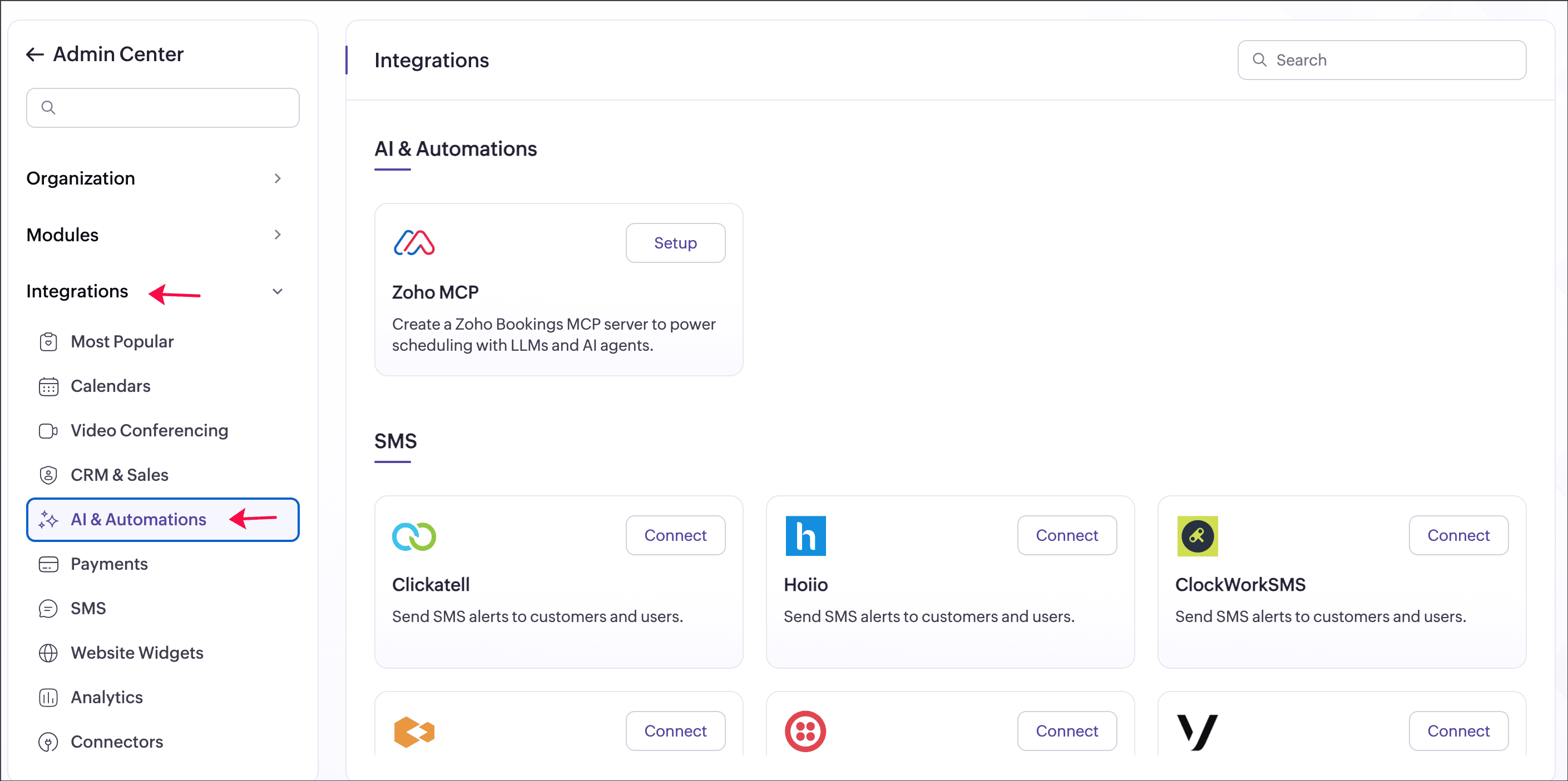
- Link it with your preferred AI assistant.
- Start managing bookings using natural language.

Perfect for
- Businesses handling high volumes of appointments
- Teams looking to automate scheduling workflows
- Users who prefer conversational, AI-driven interactions
We hope this enhancement helps you simplify scheduling and manage appointments more efficiently using AI. Share your feedback in the comments or email us at support@zohobookings.com—we’d love to hear from you!
Regards,
The Zoho Bookings Team