Block Candidates in Zoho Recruit
We’re introducing Block Candidate, which helps recruiters to permanently restrict a candidate from applying to current/future job openings. Once the candidate is blocked, they will no longer be able to participate in the recruitment process. This will enable you to focus on relevant candidates, helping you clear out unwanted/spammed candidates from your hiring pipeline.
Availability
Available For | Modules | Candidates, Applications |
Plans | Free, Standard, Professional, Enterprise | |
Editions | Both Staffing Agency & Corporate HR |
Why we built this
Recruiters regularly encounter candidates who pose operational, compliance, or trust-related risks like duplicate profiles, fake credentials, failed background checks, or abusive behavior. Manually tracking and preventing such candidates from re-entering the pipeline is inefficient and error-prone.
Block Candidate was built to help you:
- Stop repeated or fraudulent applications instantly
- Enforce hiring and compliance policies consistently
- Protect recruiters from unnecessary follow-ups and disruptions
- Maintain a clean and trustworthy candidate database
Blocking a Candidate
You can block a candidate directly from their record:
Path: Candidates / Applications module → Open record (Details page) → More options (⋯) → Block Candidate
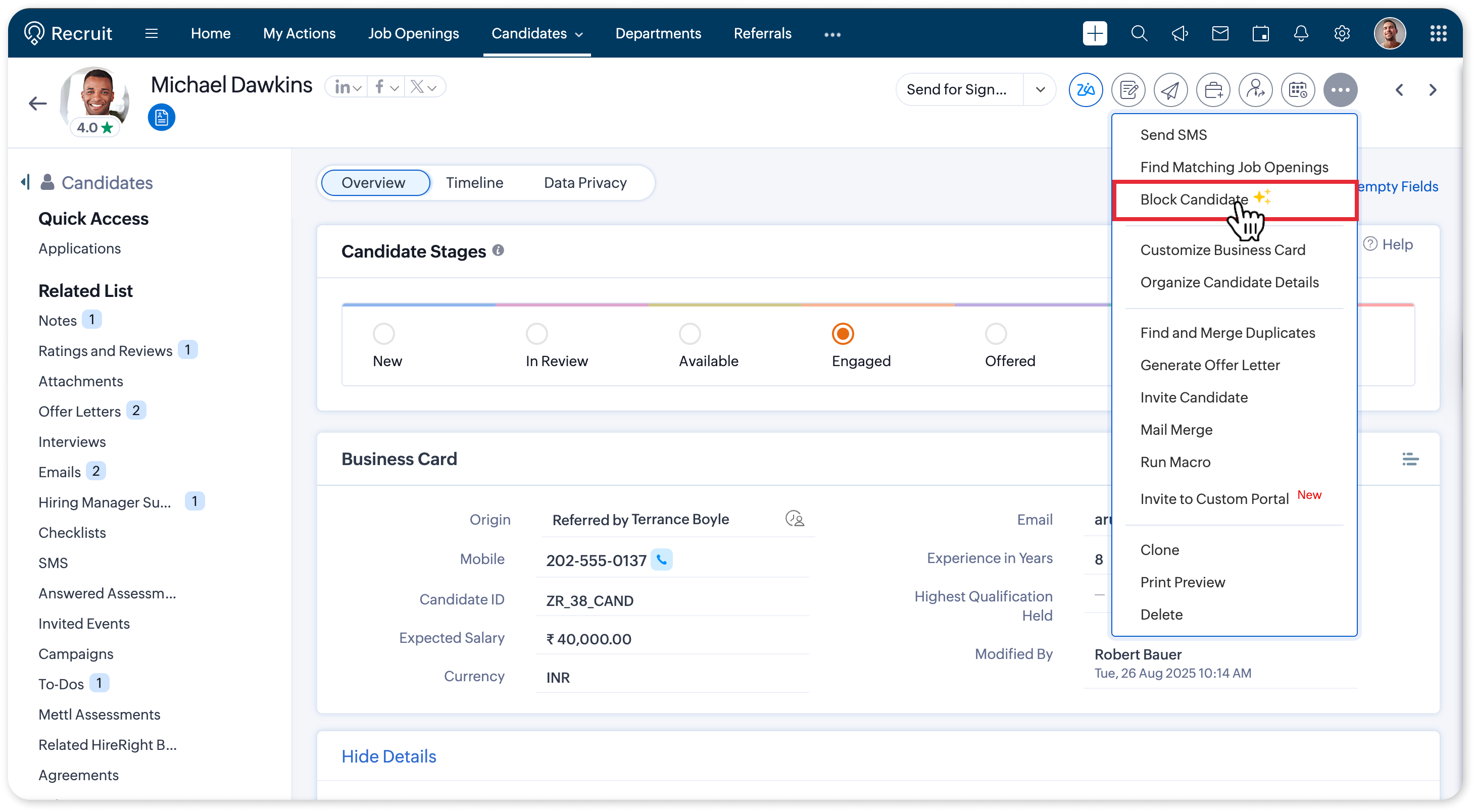

Info:
Add comments while blocking to capture context or internal reasoning. These comments are saved as Notes and can be viewed by hovering over the Candidate Blocked label on the record.
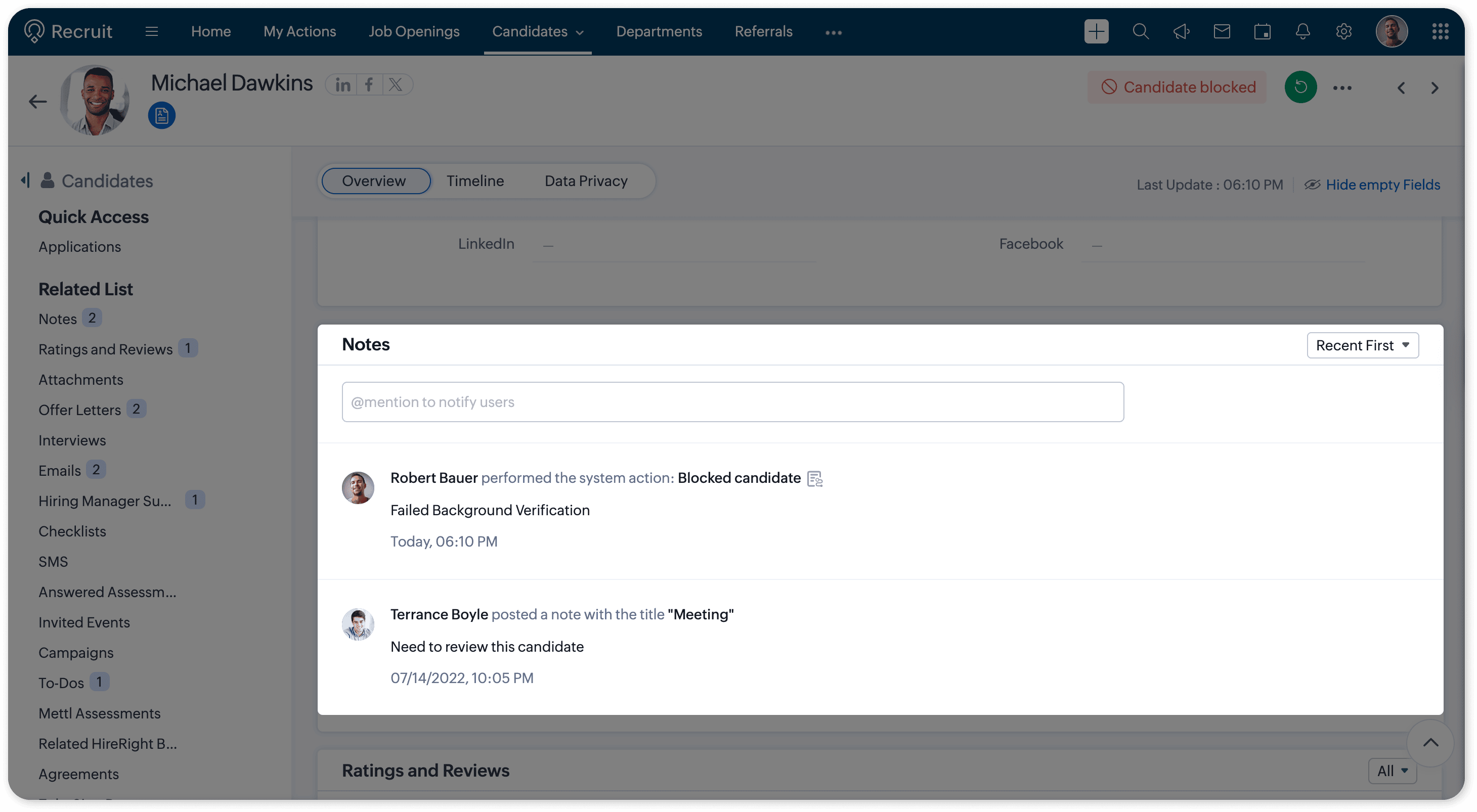
Add comments while blocking to capture context or internal reasoning. These comments are saved as Notes and can be viewed by hovering over the Candidate Blocked label on the record.
Unblocking a candidate
If a candidate needs to be unblocked:
Path: Candidates / Applications module → Open blocked record (Details page) → Unblock/Revert icon → Unblock
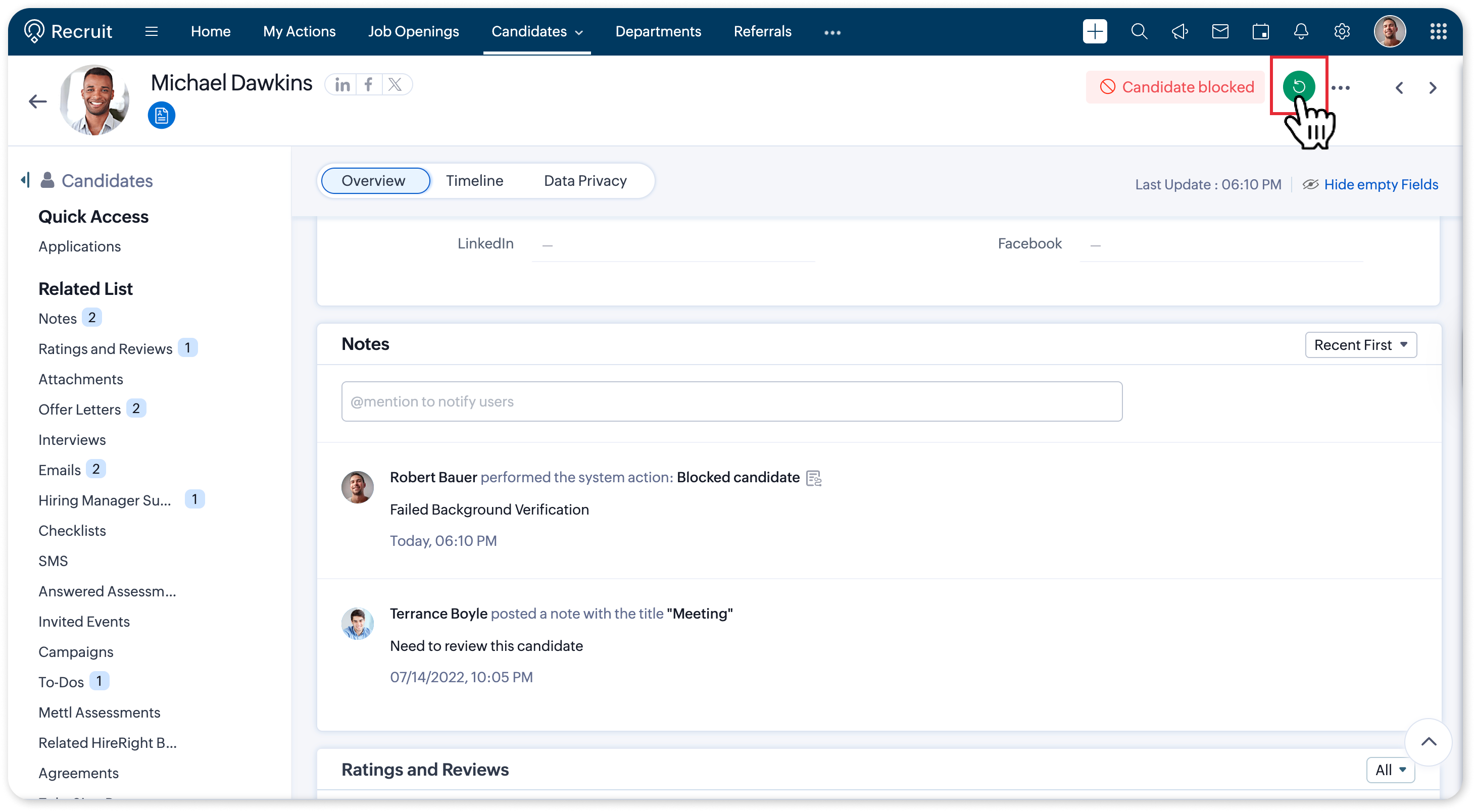
👉 To know more details and the impact areas, refer to the Block Candidate help documentation.
Tell us what you think
We’d love to hear how Block Candidate fits into your hiring workflows. Have questions or feedback? Drop a comment below or reach out to us at support@zohorecruit.com.
Regards,
Team Zoho Recruit