Early Access - Zoho Sites V2
Greetings from Zoho Sites team!
We’re super excited to announce that Zoho Sites V2 version is available for early access now.
During the past few months, we have been working really hard to improve your experience with Zoho Sites and we believe that our new features will help you enjoy your experience with Zoho Sites even more.
Here is the list of new features which is available in our new version.
1. Subsite
A Subsite is a micro-site which can be independent of the information of the original site, while still being a part of it.
You can create subsites when you want to offer content tailored to a diverse audience with independent business needs or services.
This feature will be require pro plan and subsite add-on. It will be available as trial add-ons until they are officially released.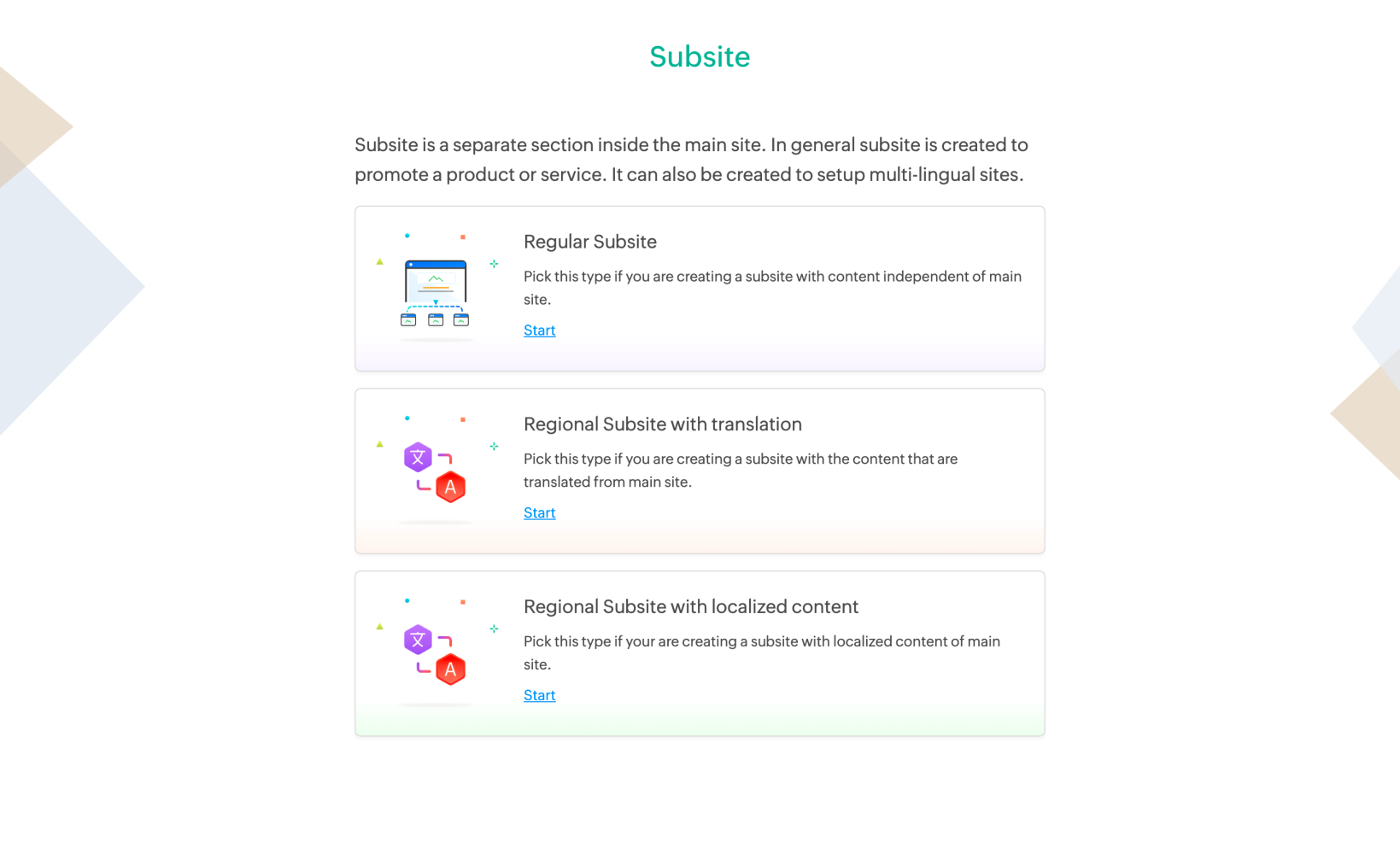
2. Multilingual
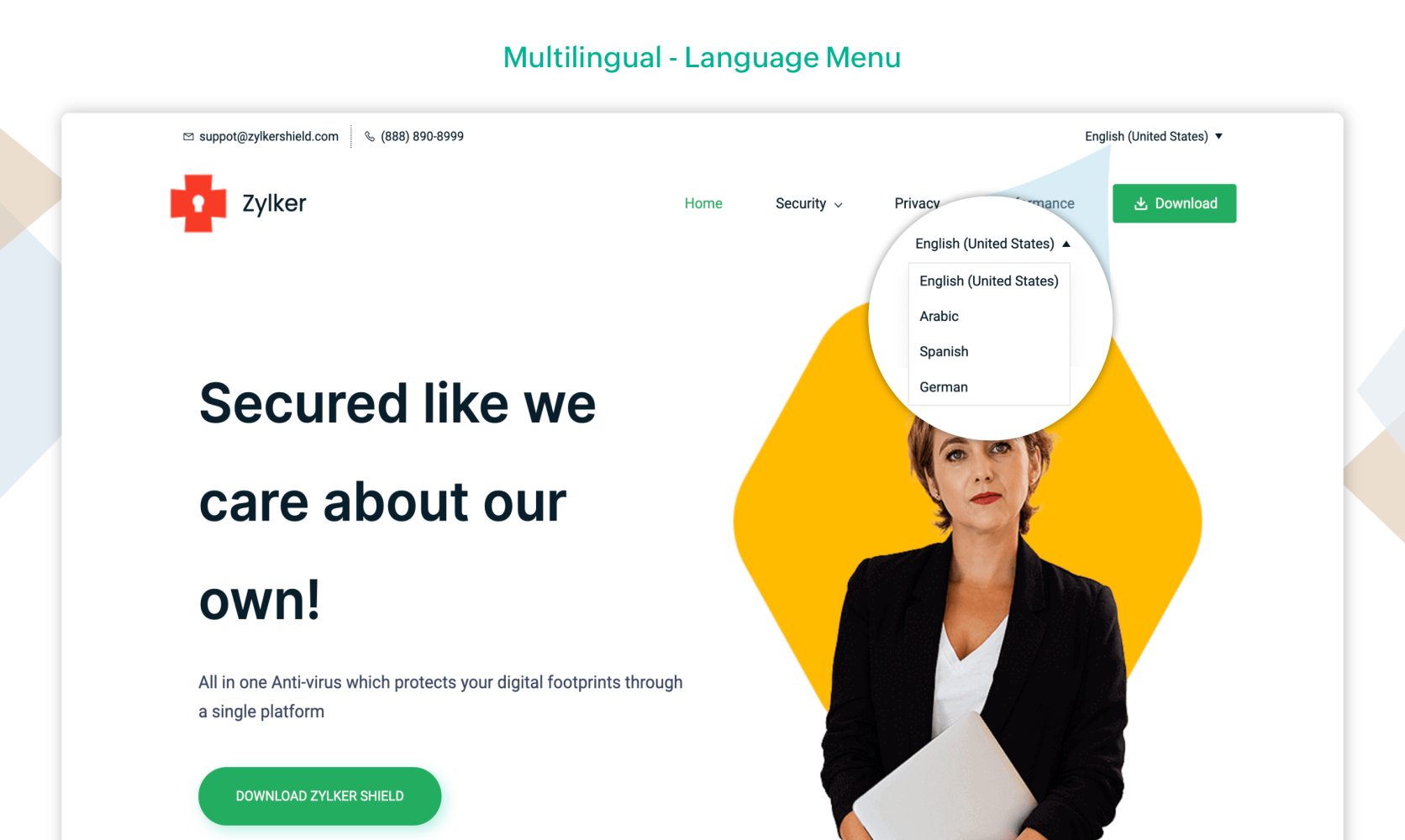
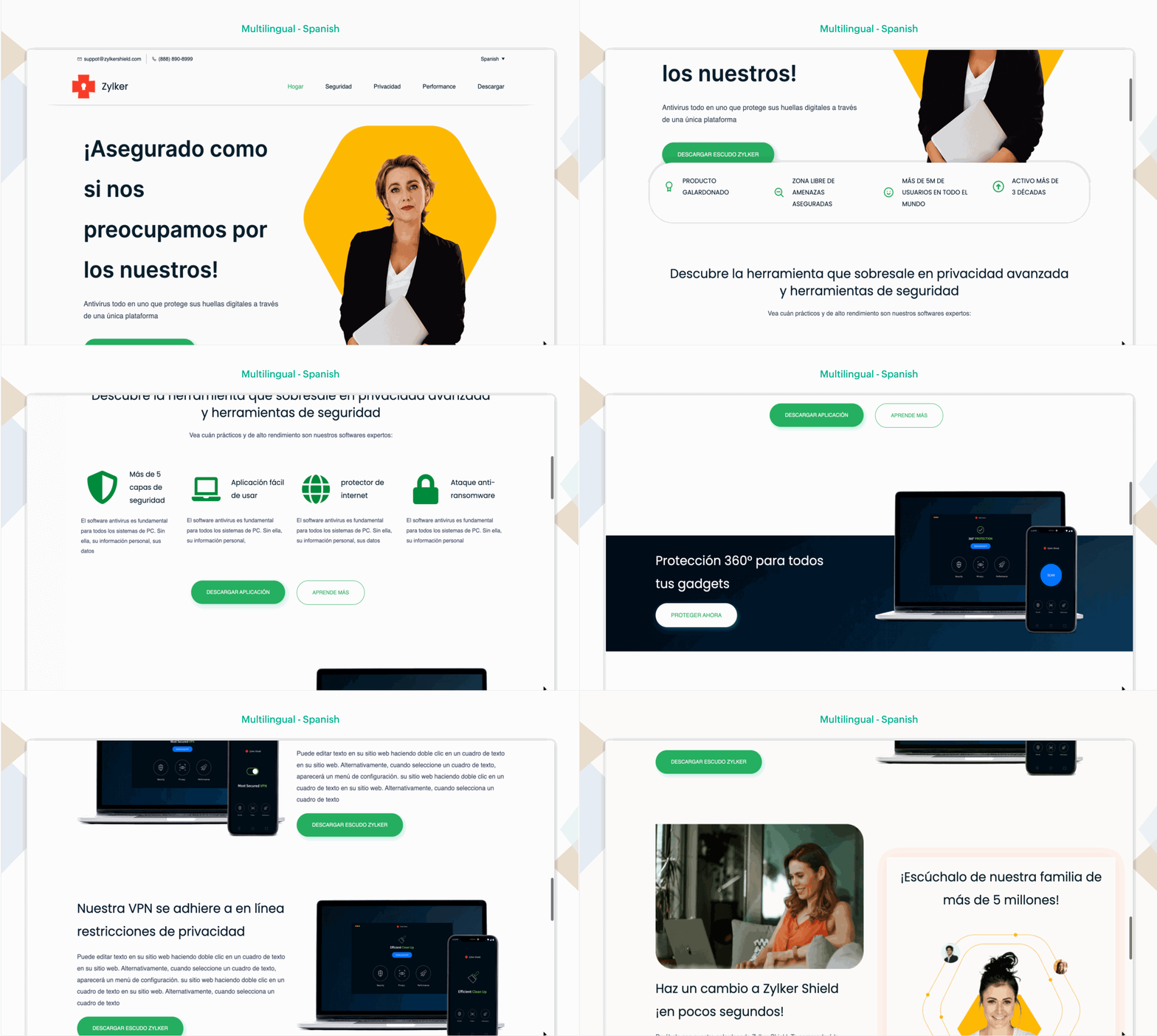
With the use of Multilingual feature, you can widen your audience by offering your website in multiple languages without the hassle of recreating it from scratch.
You can translate the content into your regional language for your subsite either through manual or automatic translations.
You also have the freedom to create new layouts, font styles, and upload different banner images in your subsite.
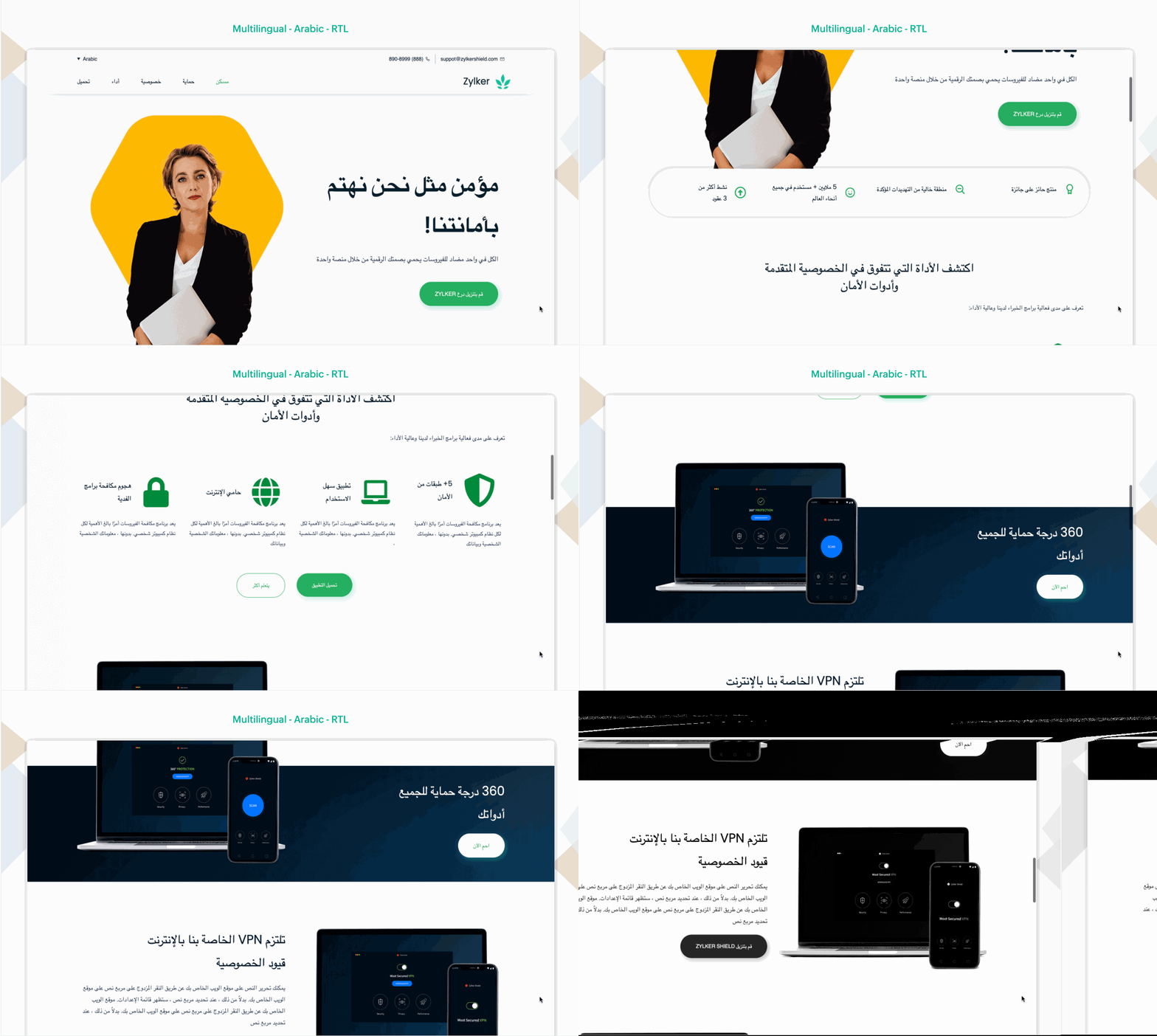
With Right-To-Left(RTL) support, you can set up website in languages like Arabic, Hebrew. This support will make websites accessible to native speakers of these languages, ensuring ease of readability.
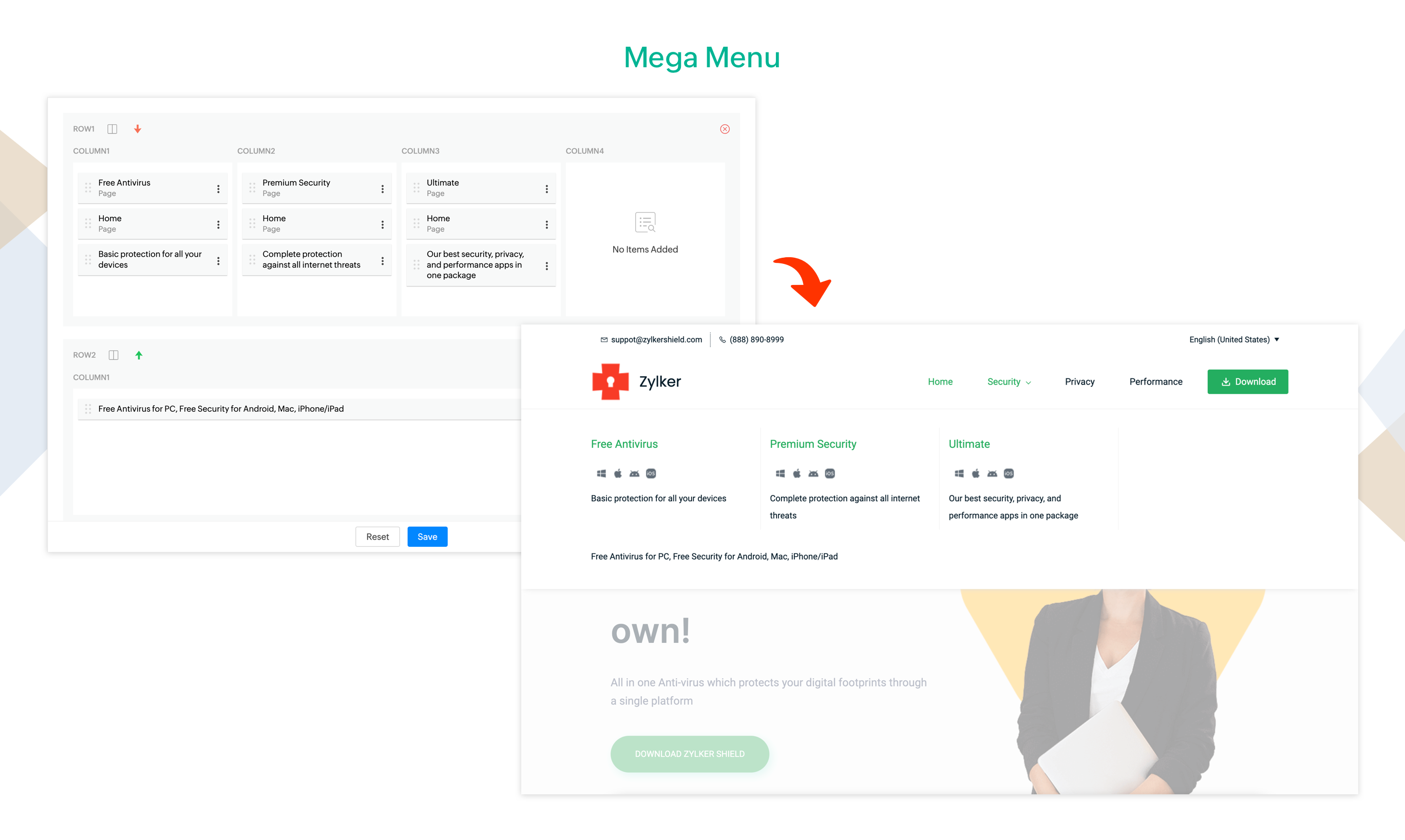
4. Mega Menu
Mega menu is a multi-level drop down menu that allows you to consolidate all of your website's navigation into a single menu.
They are an excellent design choice for accommodating a large number of options and for revealing lower-level site pages at a glance.
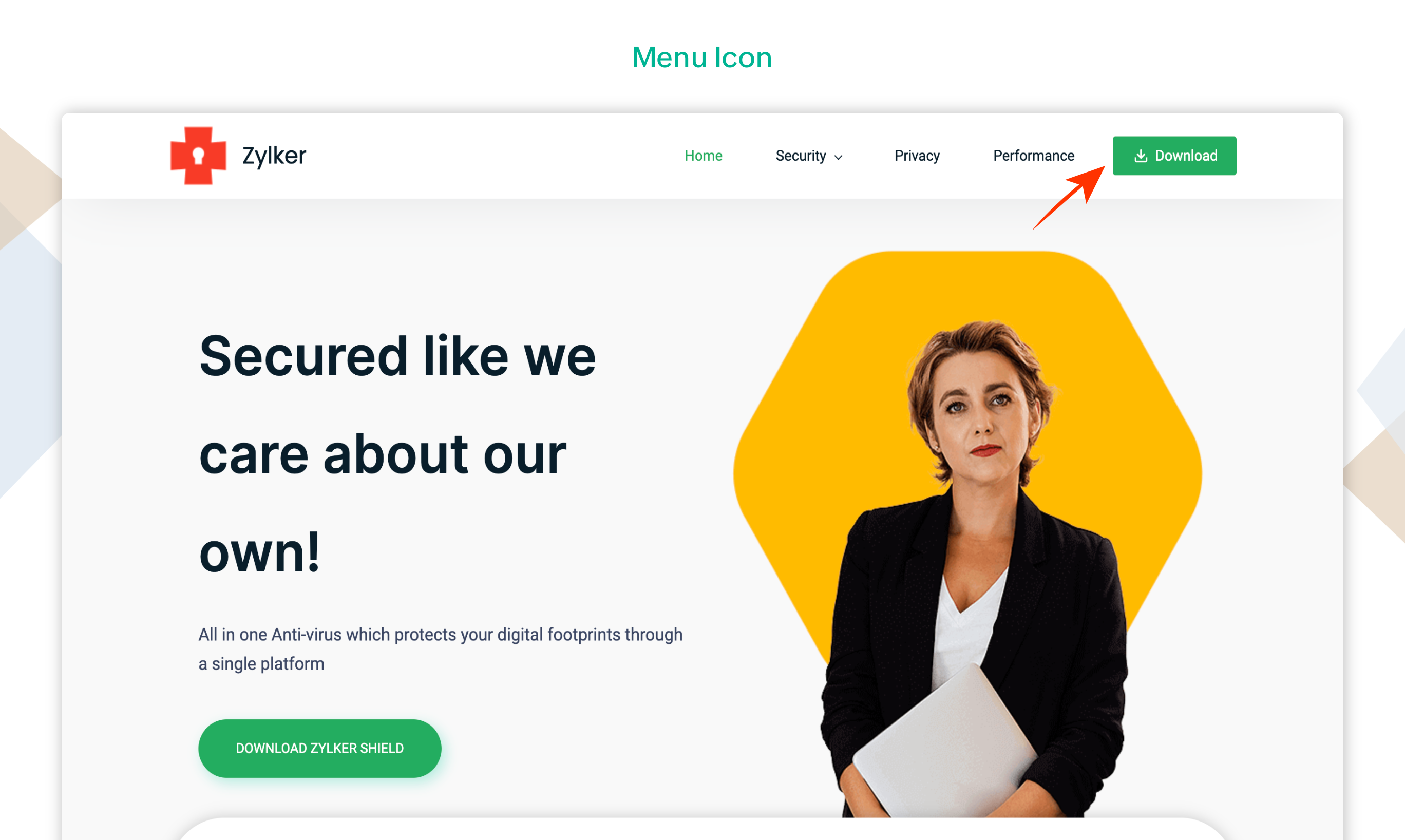
5. Menu Icon
Now you can give your menu items a visual touch by adding icons to them. They not only improve the appearance of your menu but also make it simpler to interpret.
This feature will be available as a part of pro plan.
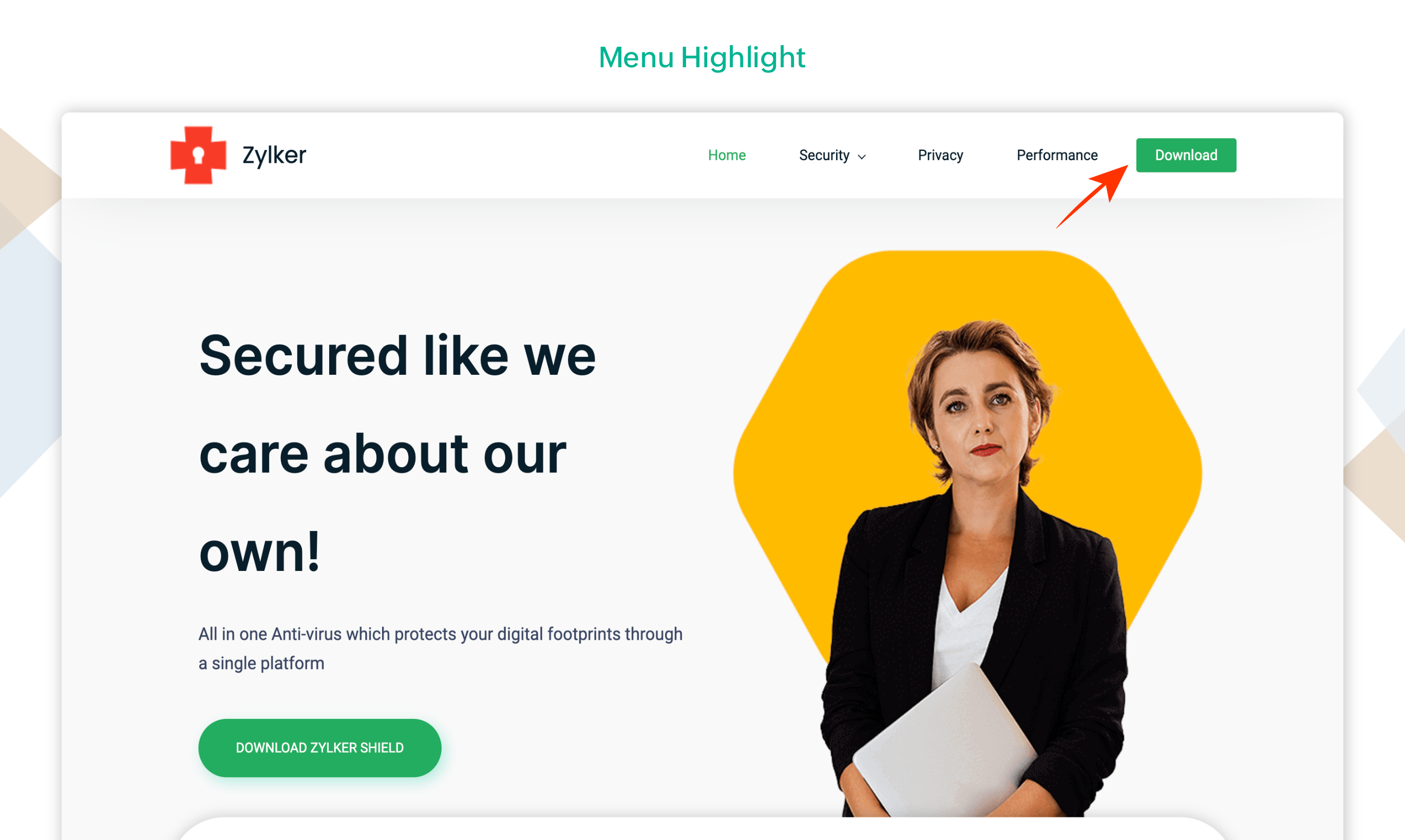
6. Menu Highlight
Highlighting a menu item makes it stand out from the rest. This will help grab your visitors attention immediately.
For instance, you can highlight the 'Contact Us' or ‘Get Started' or ‘Download’ menu item to guide your visitors to respective destination.
This feature will be available as a part of pro plan.
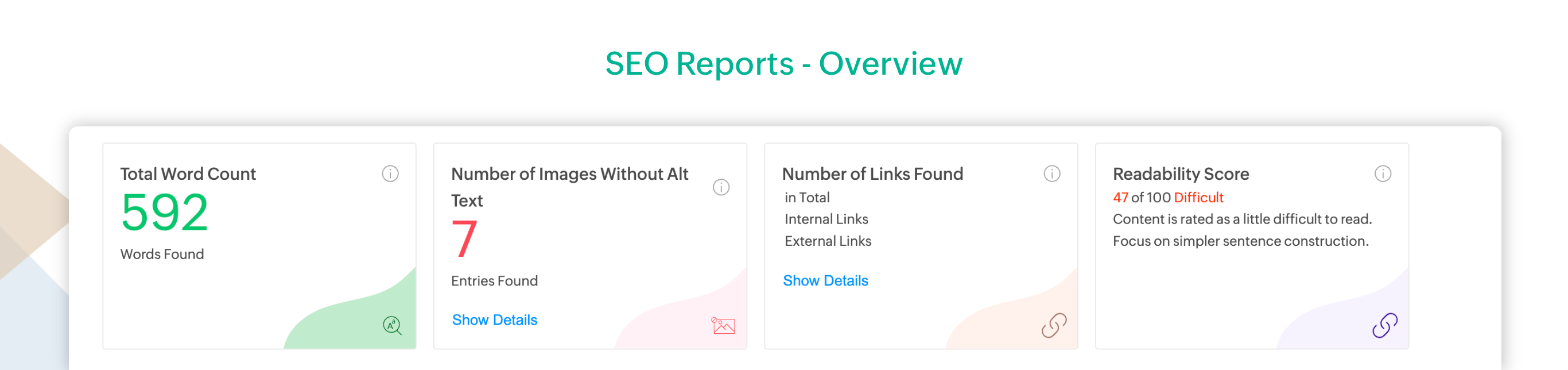
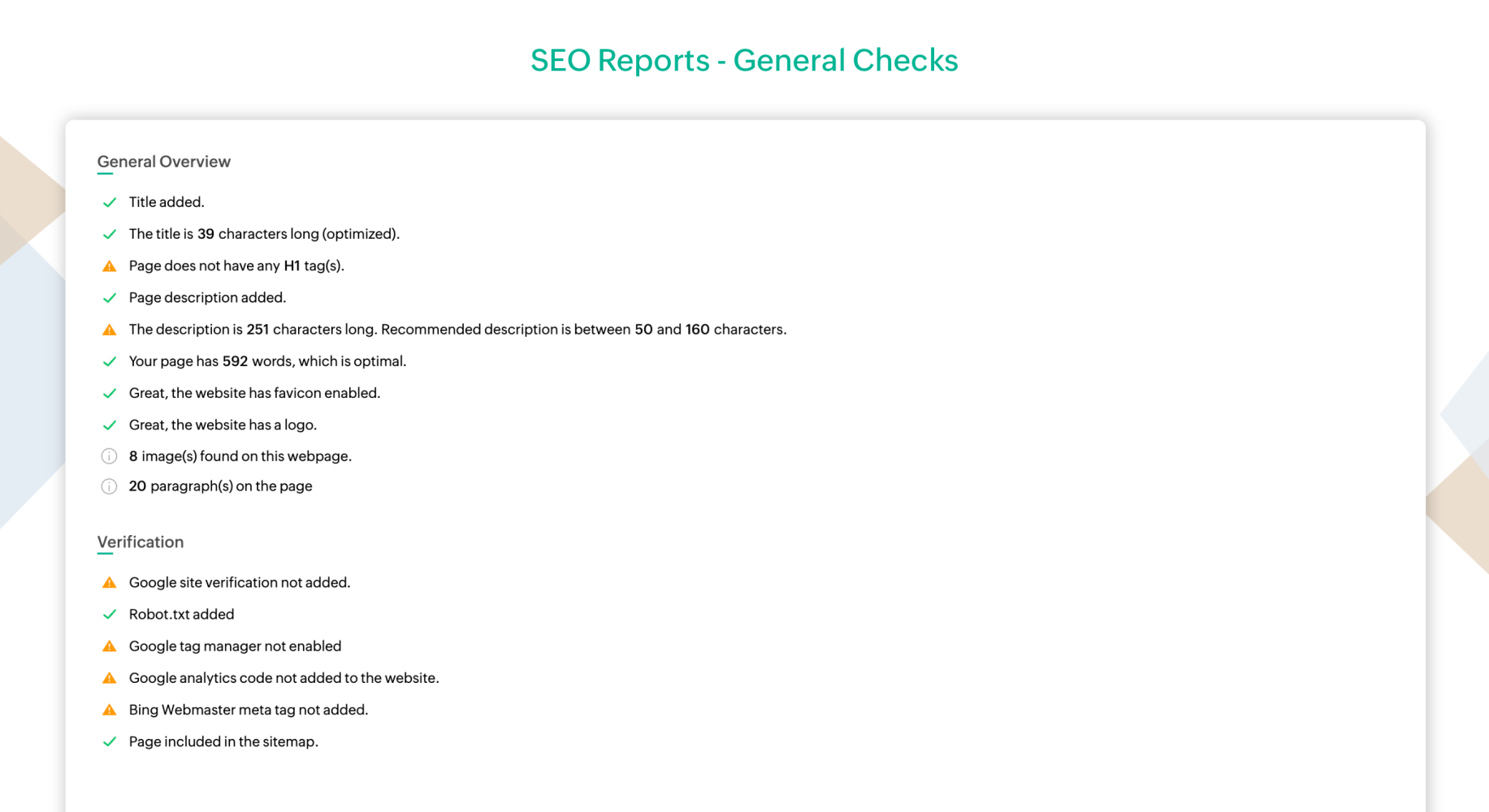
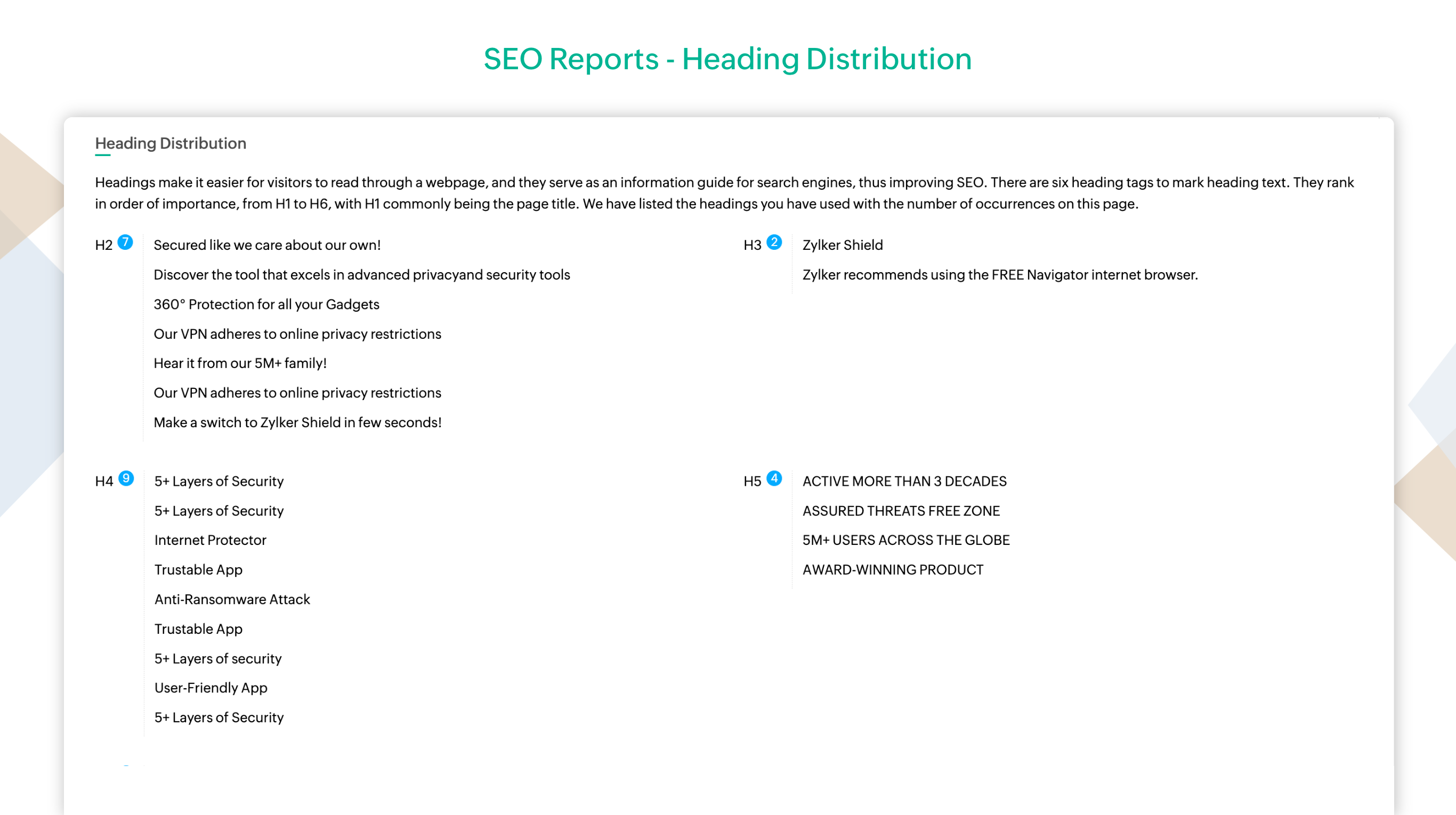
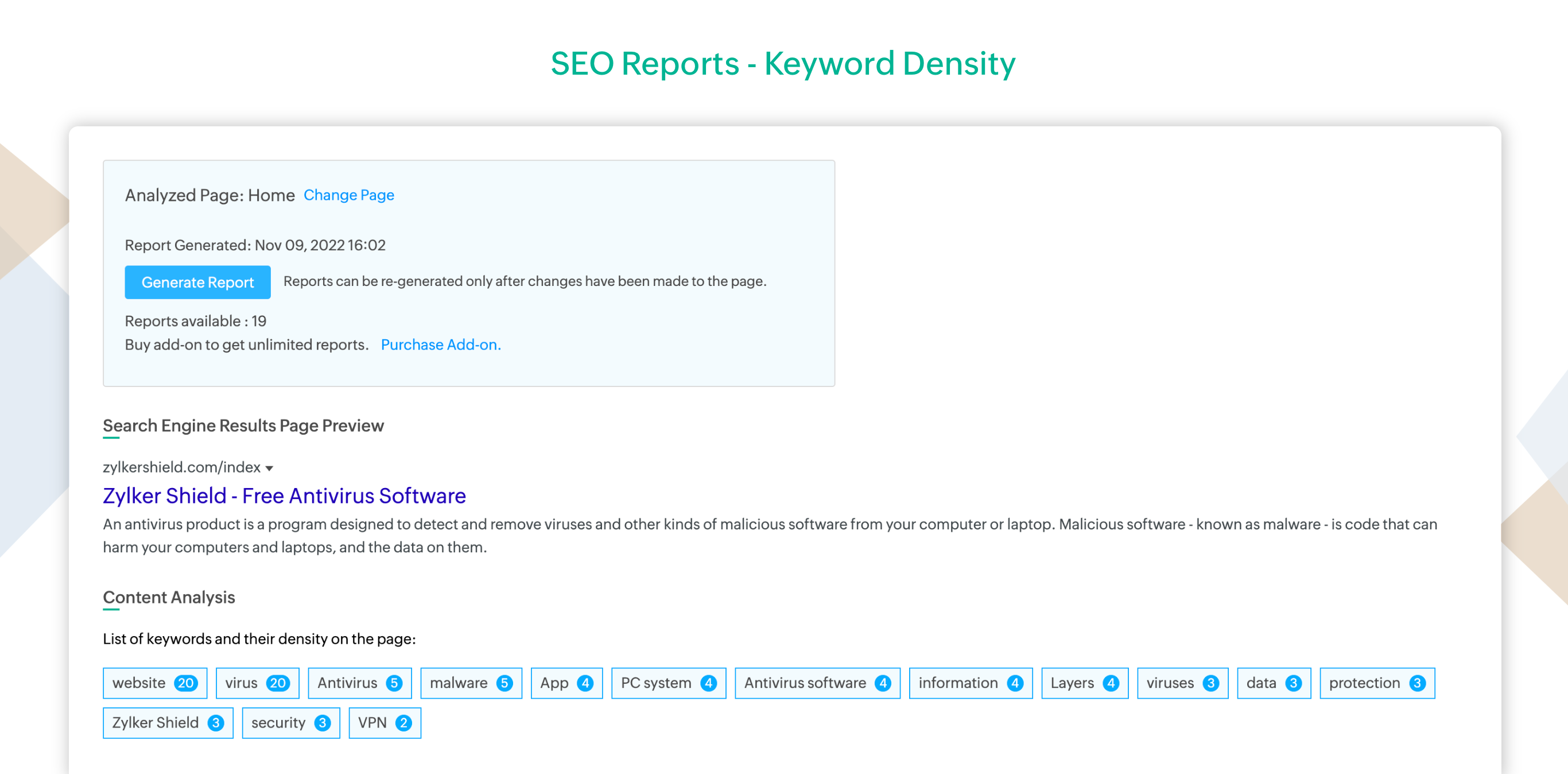
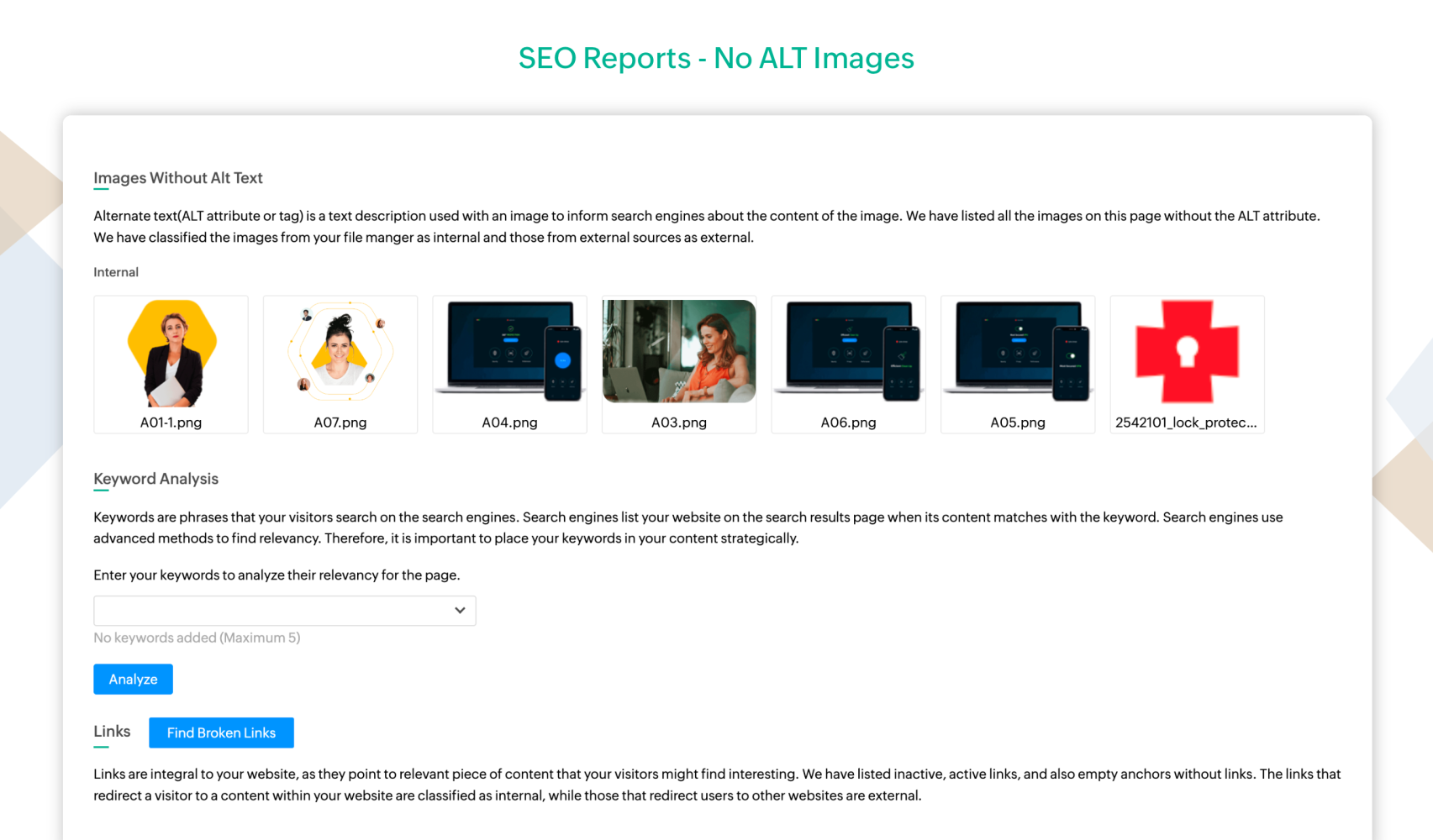
7. SEO Reports
This feature will be available as a part of pro plan.
8. Schema Generator
With Schema generator, your chances of being found for user queries are increased. Include information about your company, person, and nearby business on a webpage. These details are indexed by search engines, which improves the listing of your website on the search results.
This feature will be available as a part of pro plan.
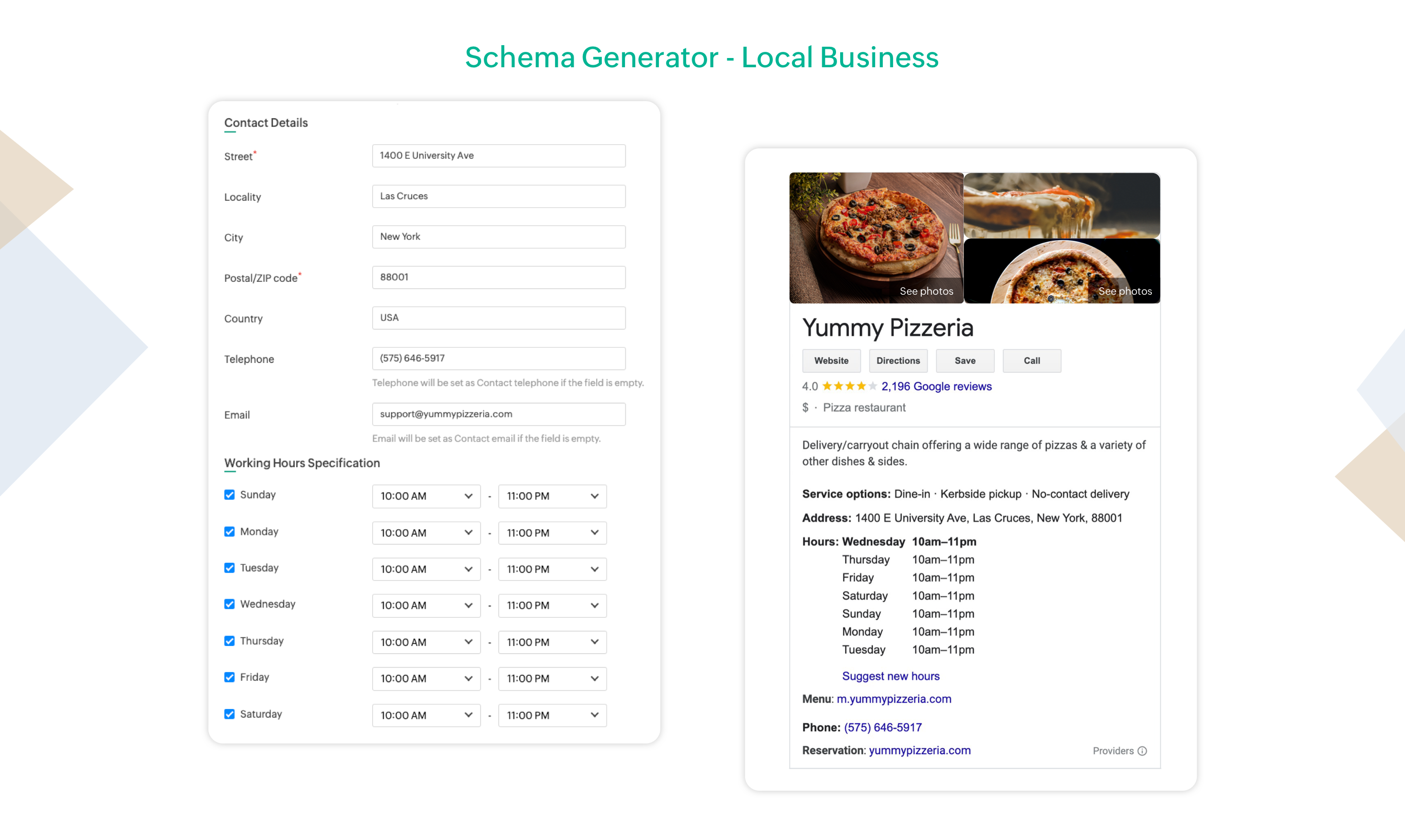
Learn more about how Google uses schema here.
https://developers.google.com/search/docs/appearance/structured-data/search-gallery.
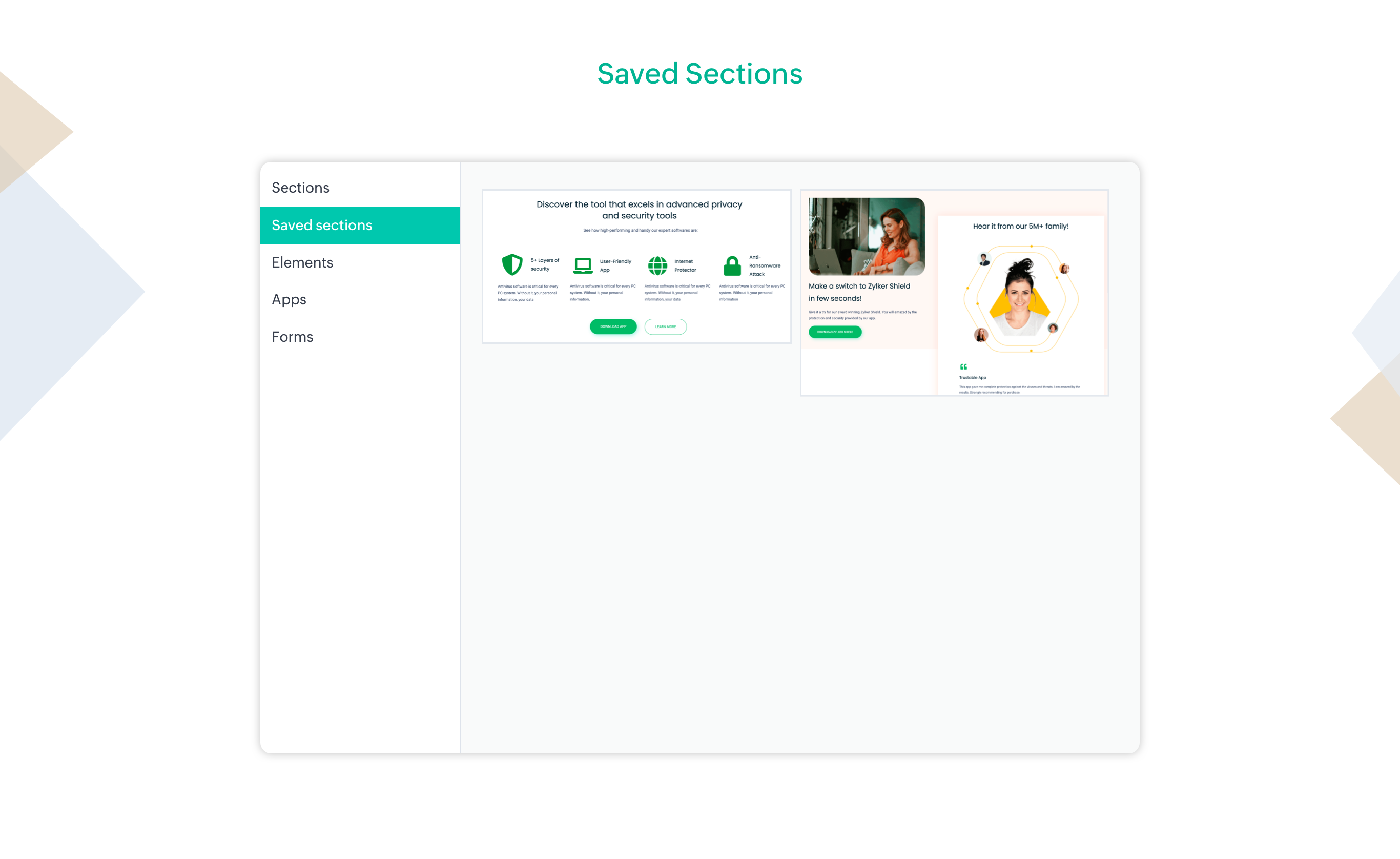
9. Saved Sections
You won't have to copy and paste the contents of a section that you like, each time you need it.
You can now have the sections saved to reuse it elsewhere in your website and save a substantial amount of time and effort.
This feature will be available as a part of pro plan.
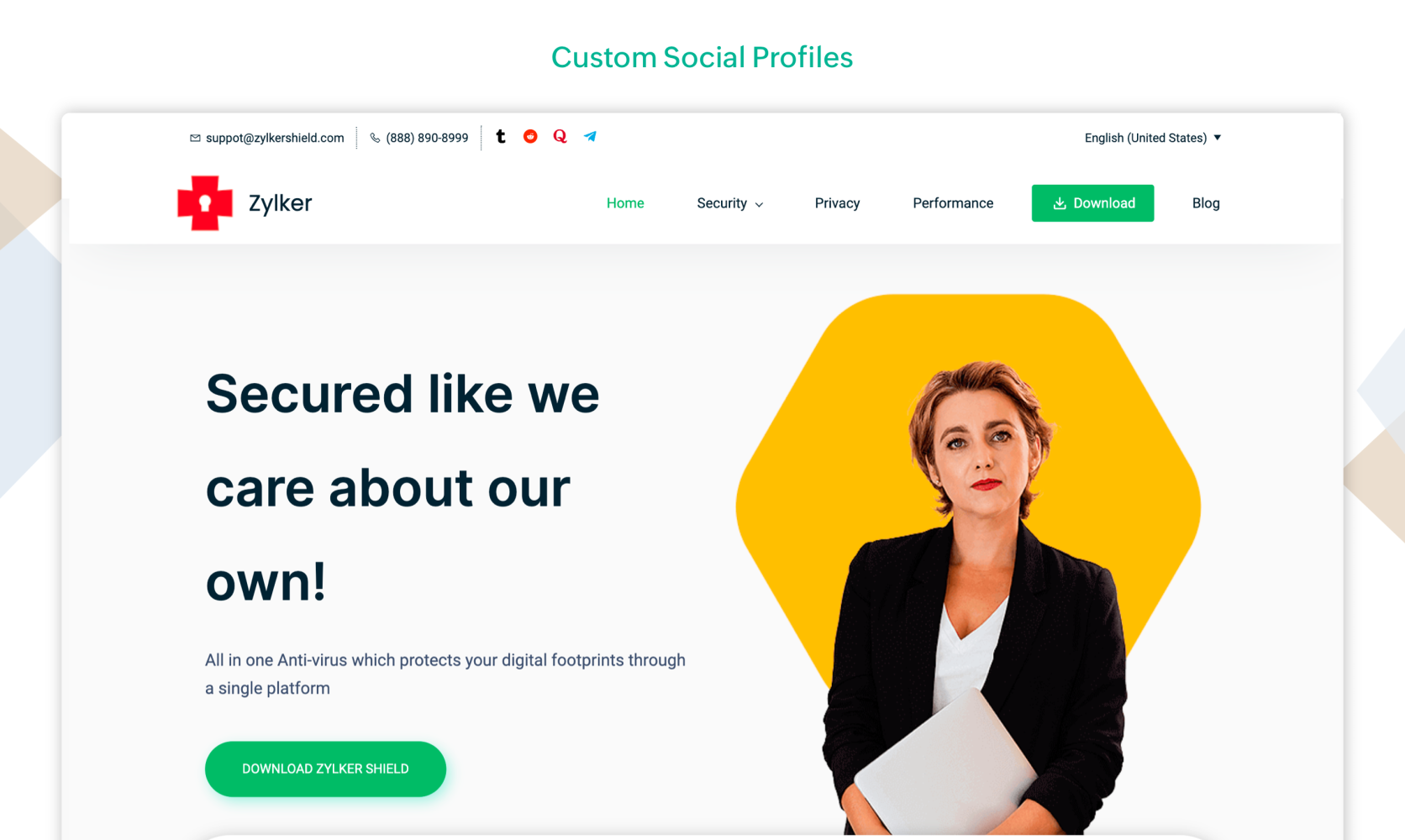
10. Custom Social Profiles
There are countless communities and social networks due to the constantly shifting online environment. You can now take full control over your business or personal brand by adding custom social profiles to your site. Give your customers a comprehensive view about your business by adding pages, profiles and any other custom link on your site.
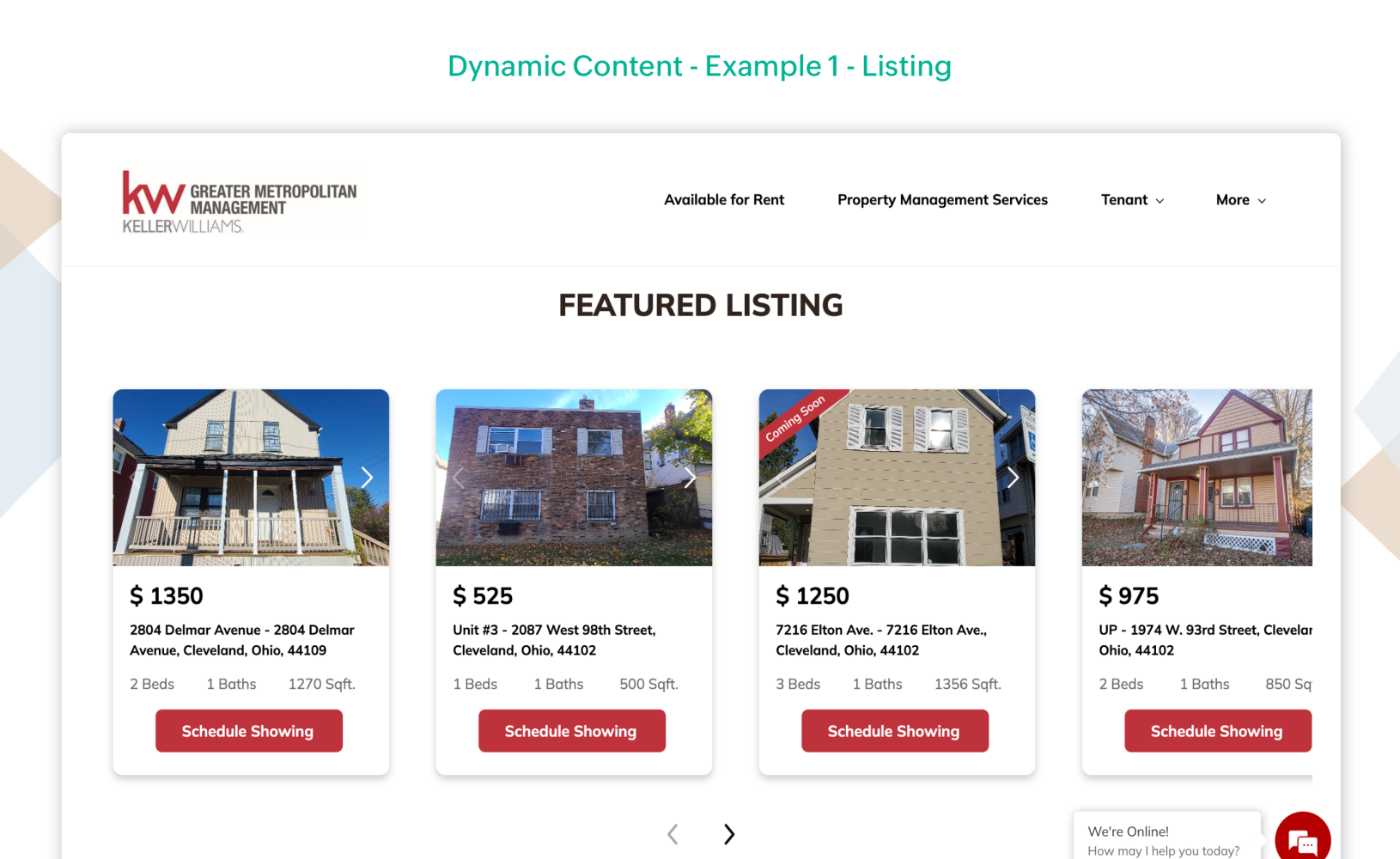
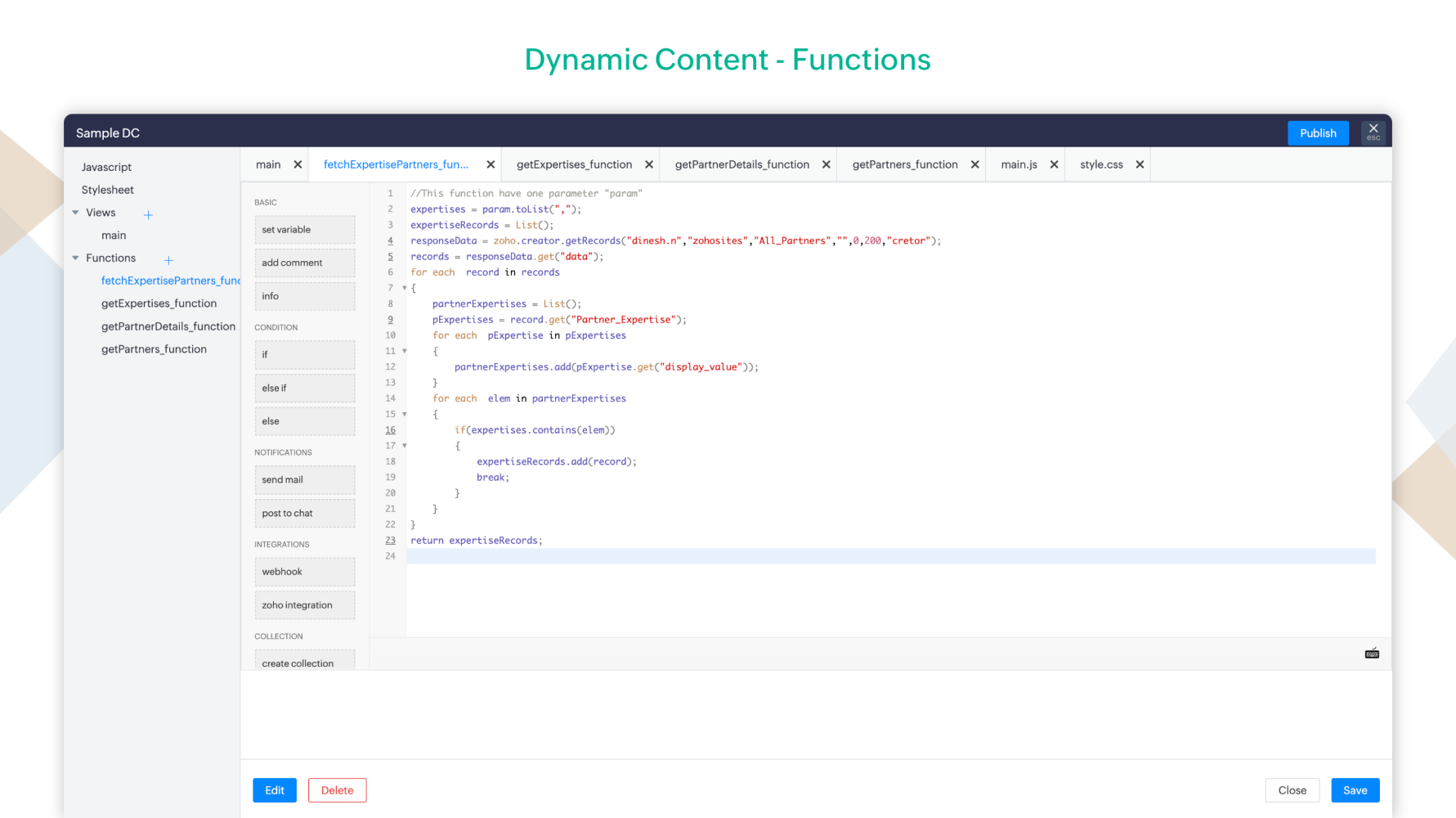
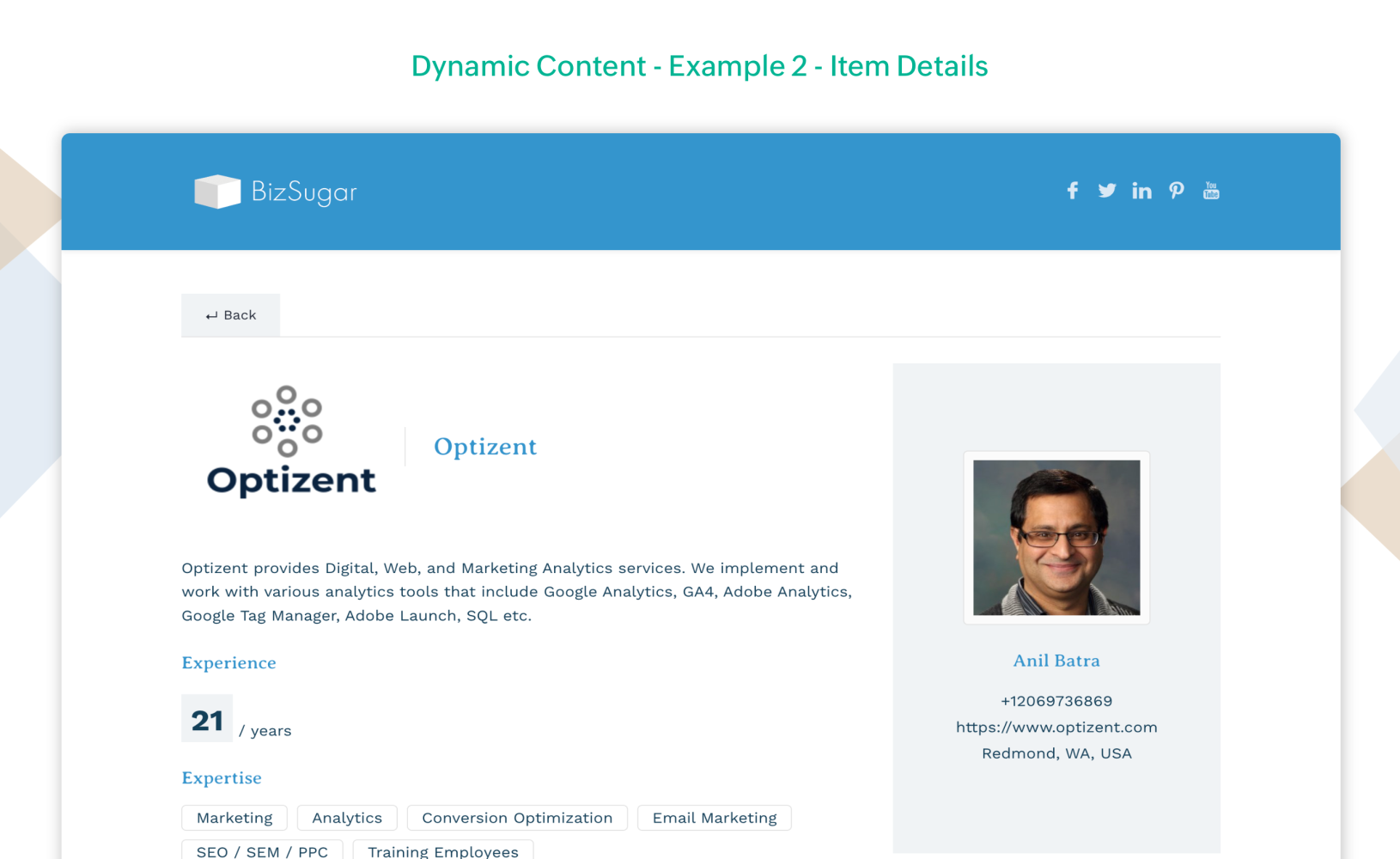
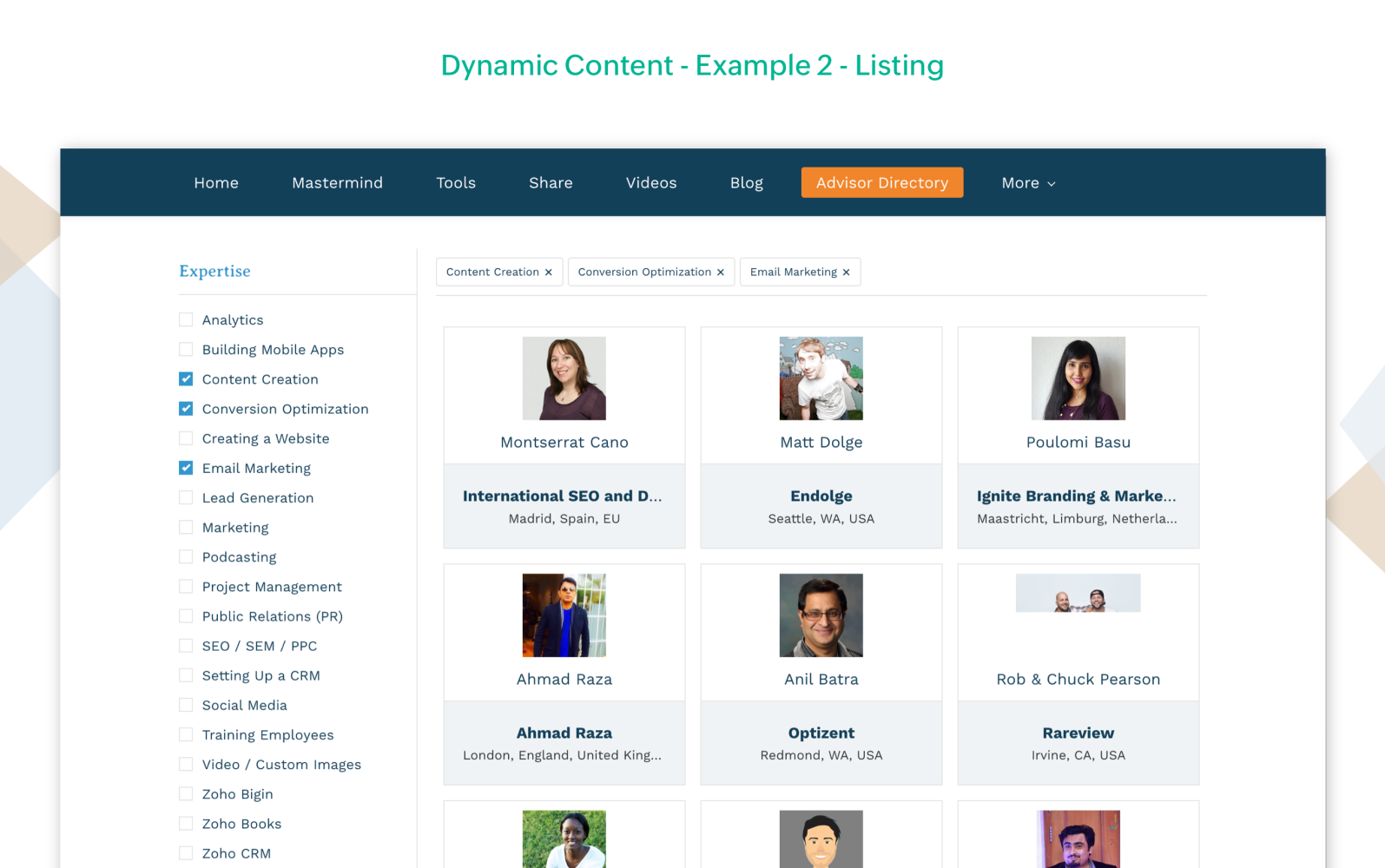
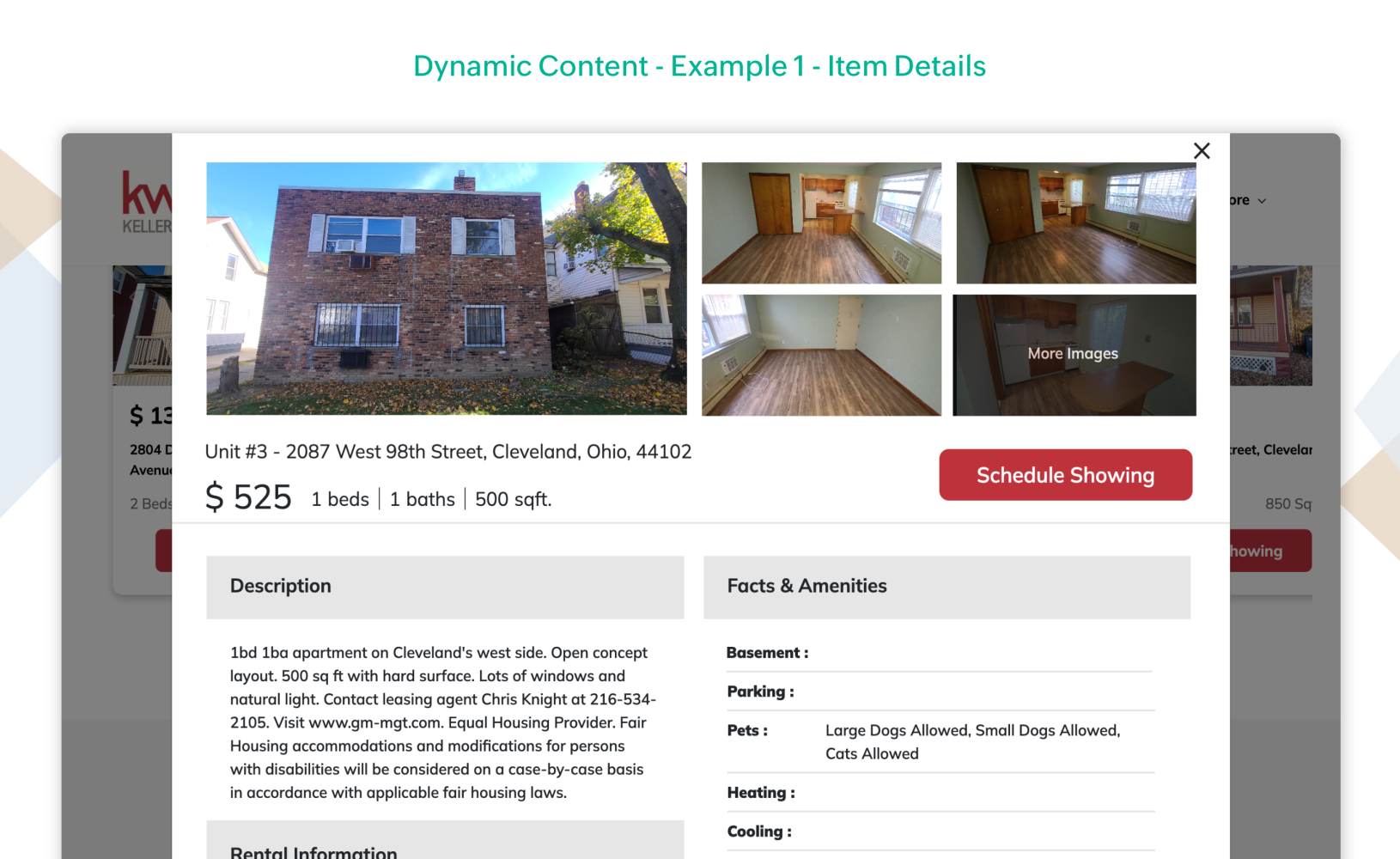
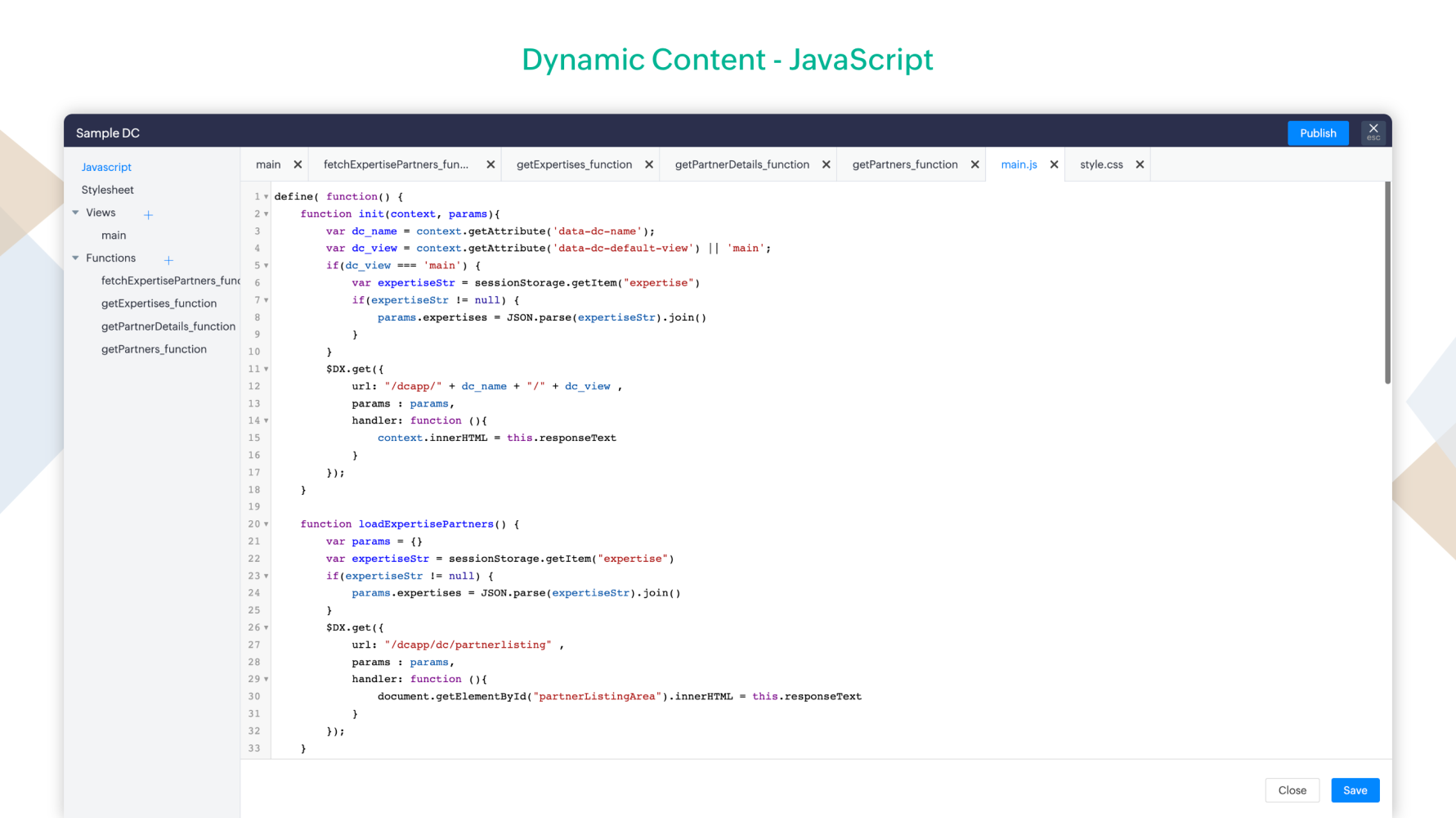
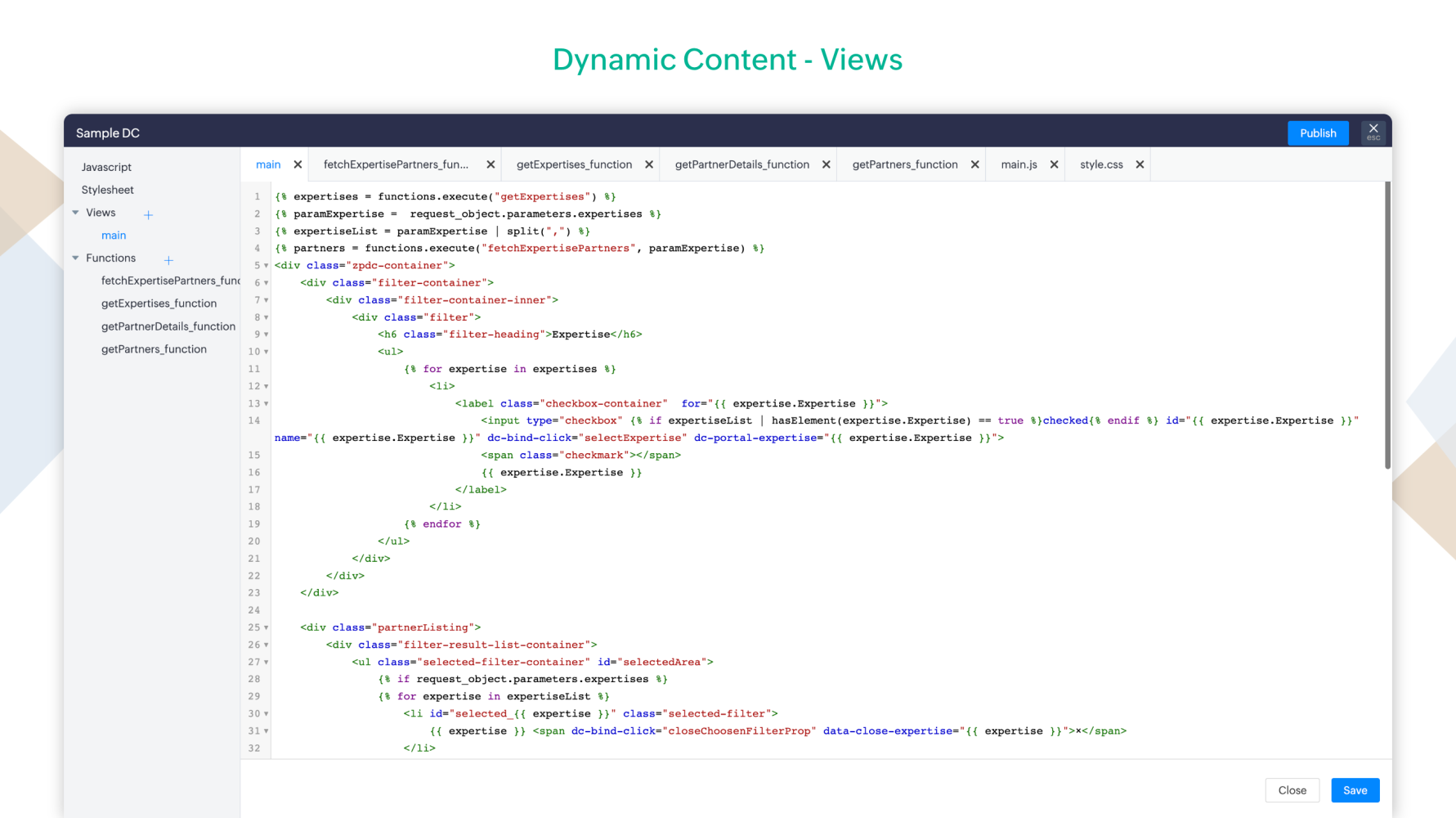
11. Dynamic Content
Dynamic content refers to website content that is not fixed or static, but changes based on user action. Use dynamic content on your website to display data from within Zoho or third-party services without updating the website every single time.
This feature will be available as a part of pro plan.
12. Individual page publish
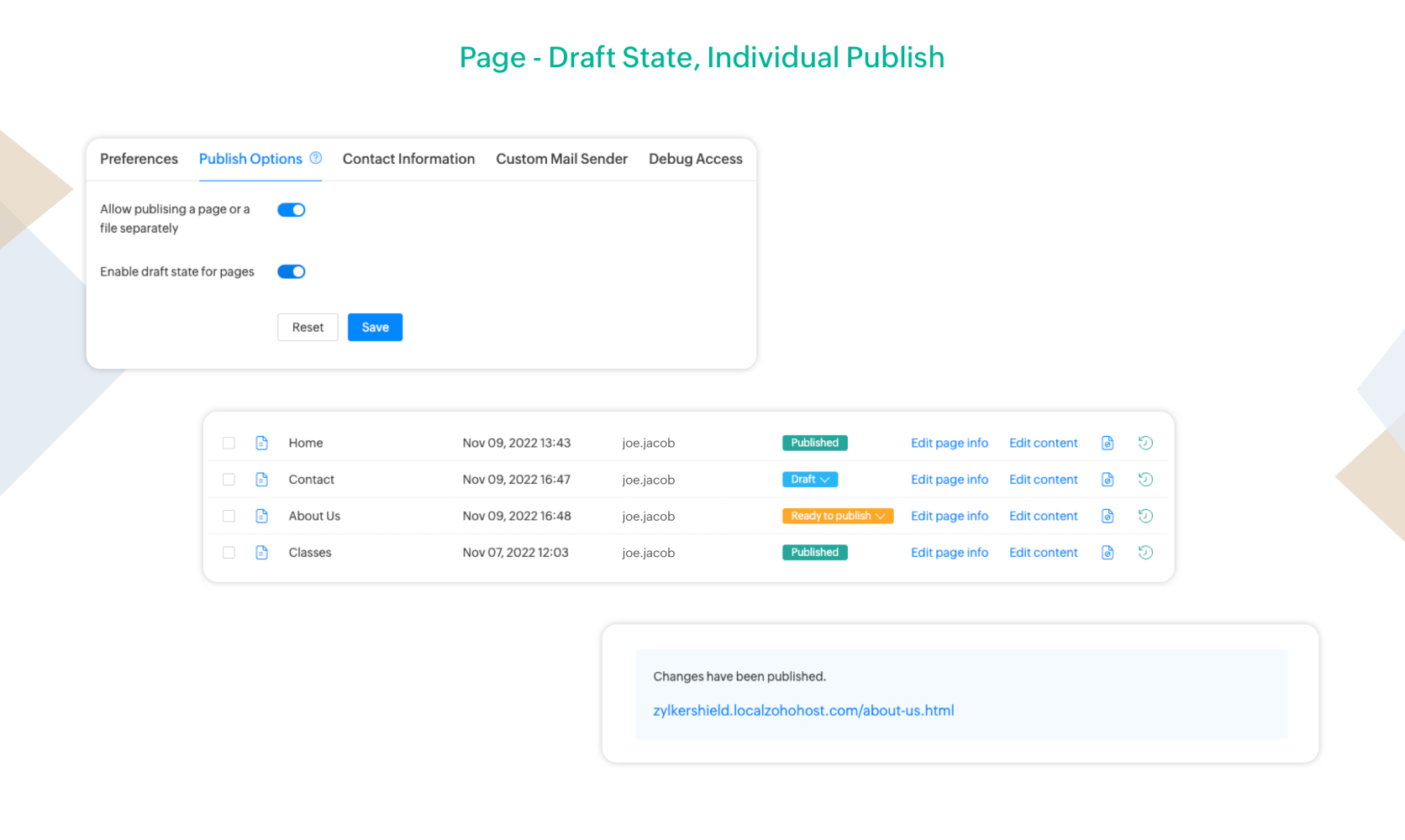
This feature gives you the flexibility to publish individual pages separately, without waiting for the rest of the website changes to be completed. If your page is partially completed, you can save that as a draft and ensure that it is not published when the website goes live.
This feature will be available as a part of pro plan.
13. New UI
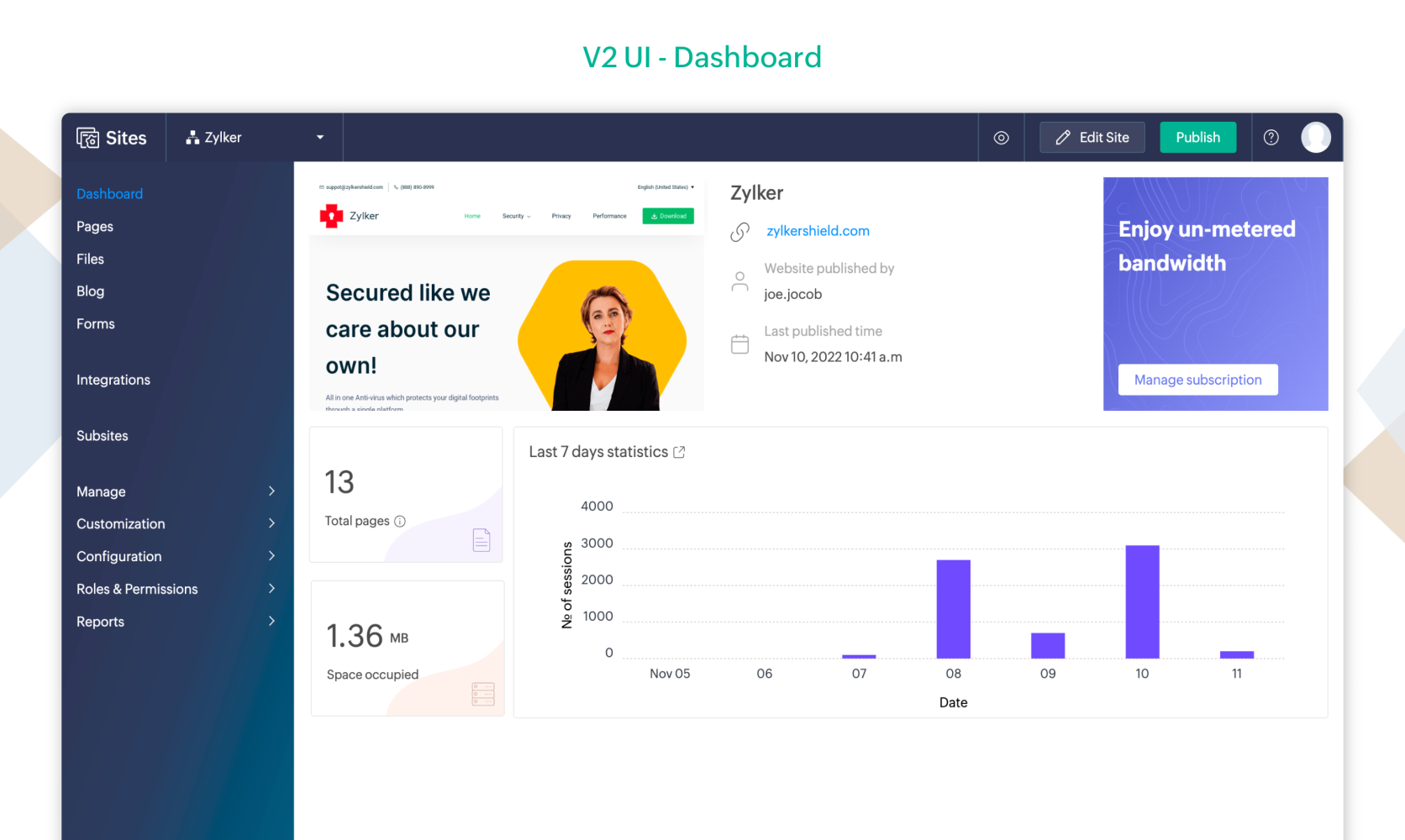
We have redesigned the Zoho Sites' dashboard and settings to enhance user experience. You can easily access customization, identify related features and navigate seamlessly through the product.
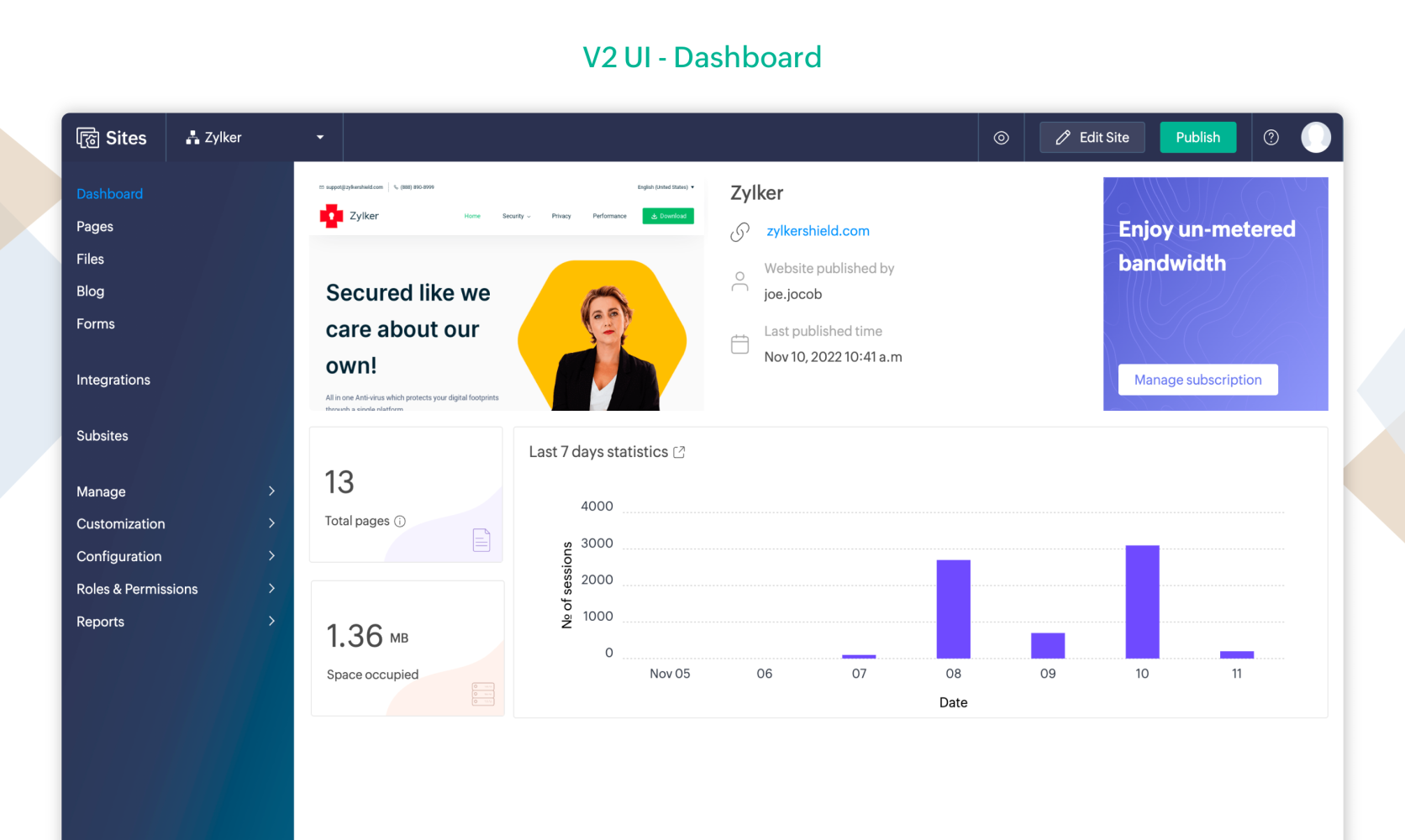
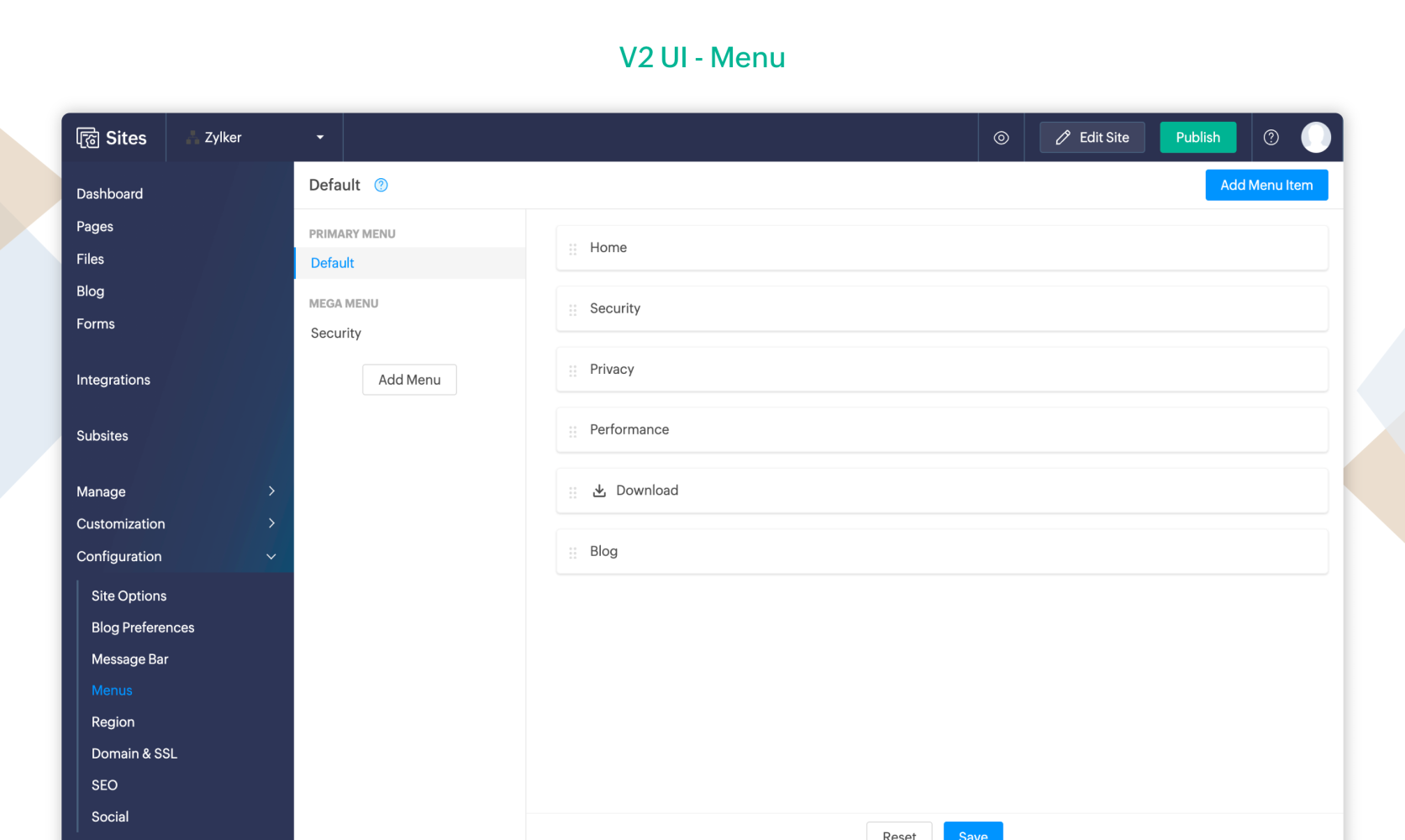
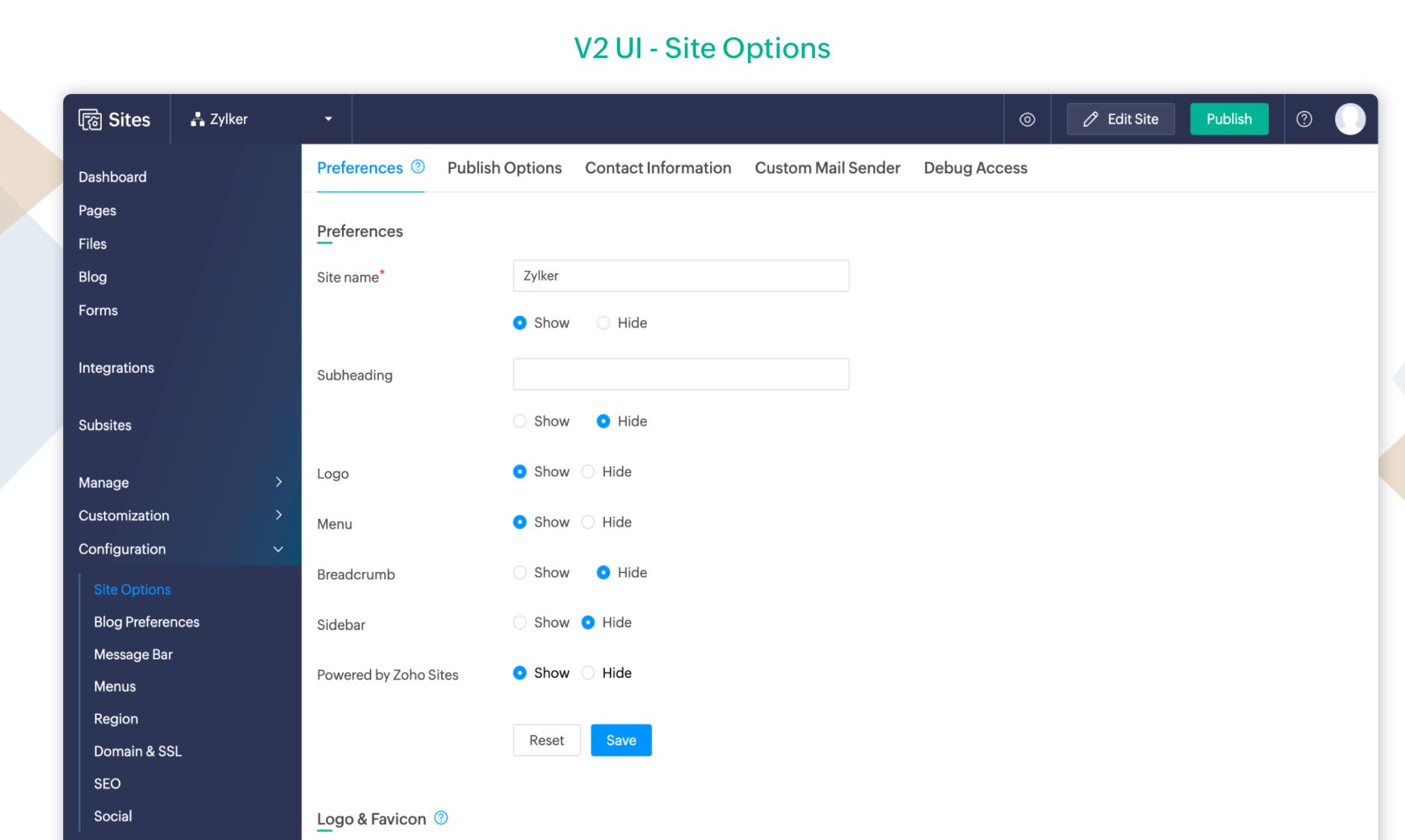
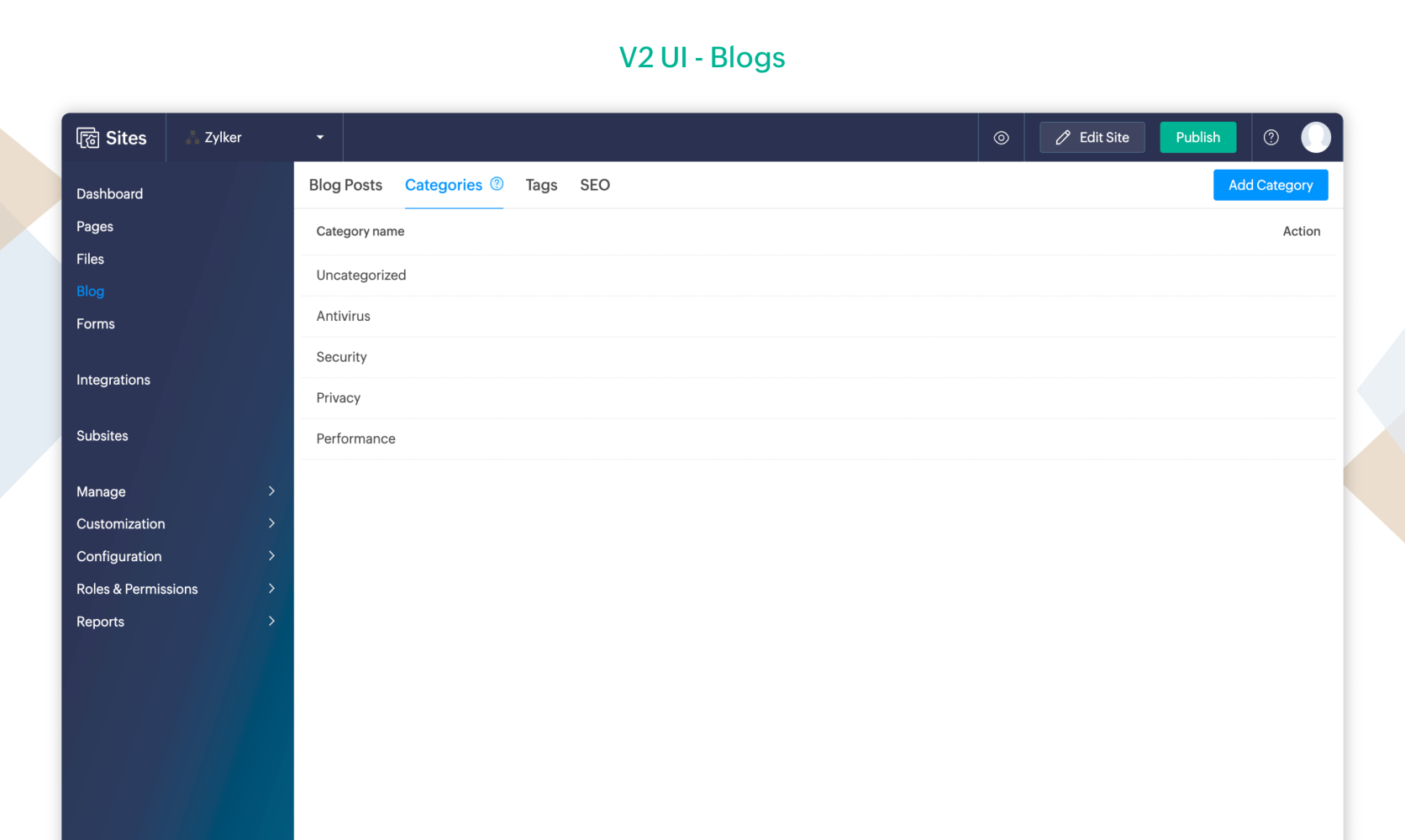
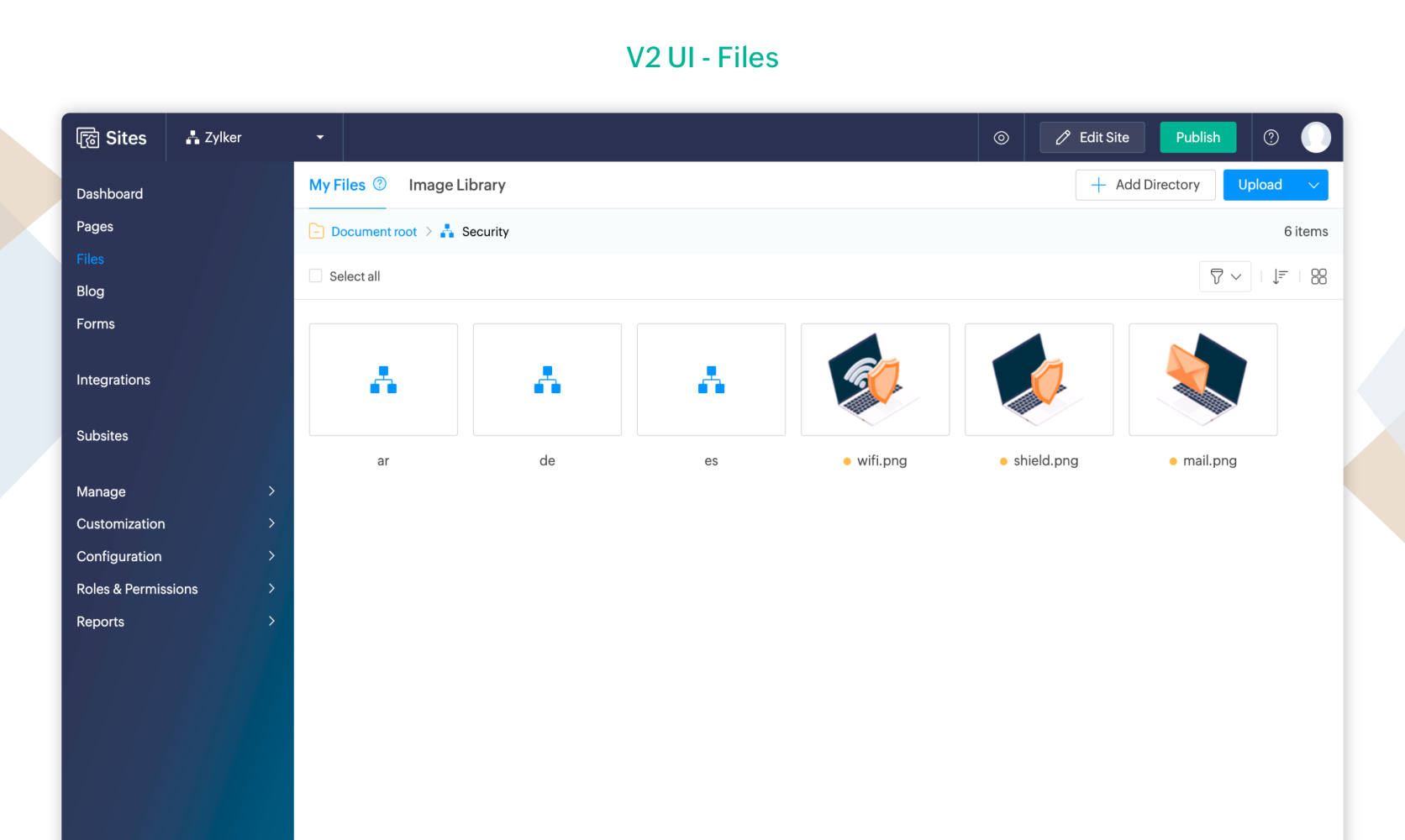
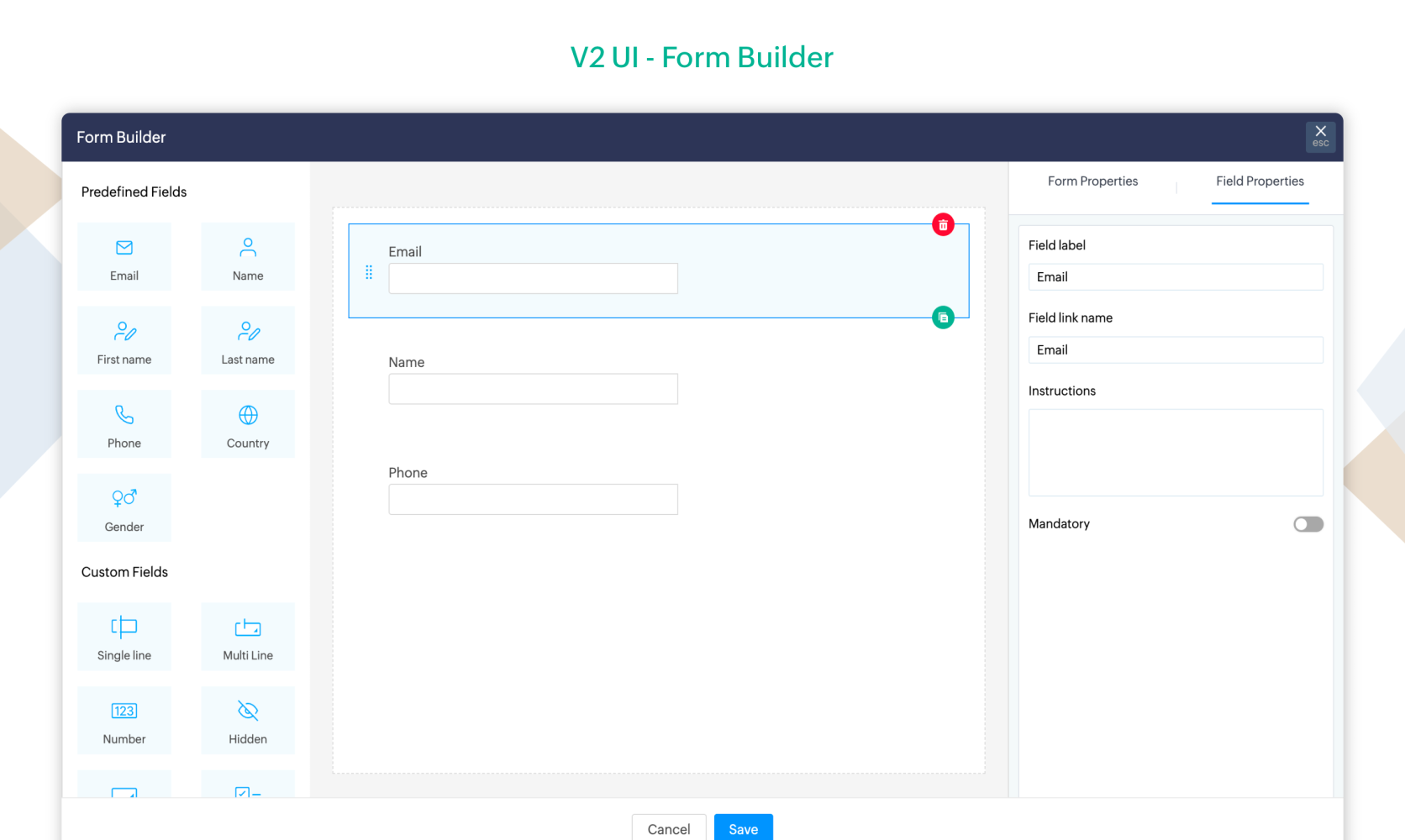
We hope these upgrades are helpful. You can try out these features by enabling in our early access program.
Enable early access here. https://sites.zoho.com/earlyaccess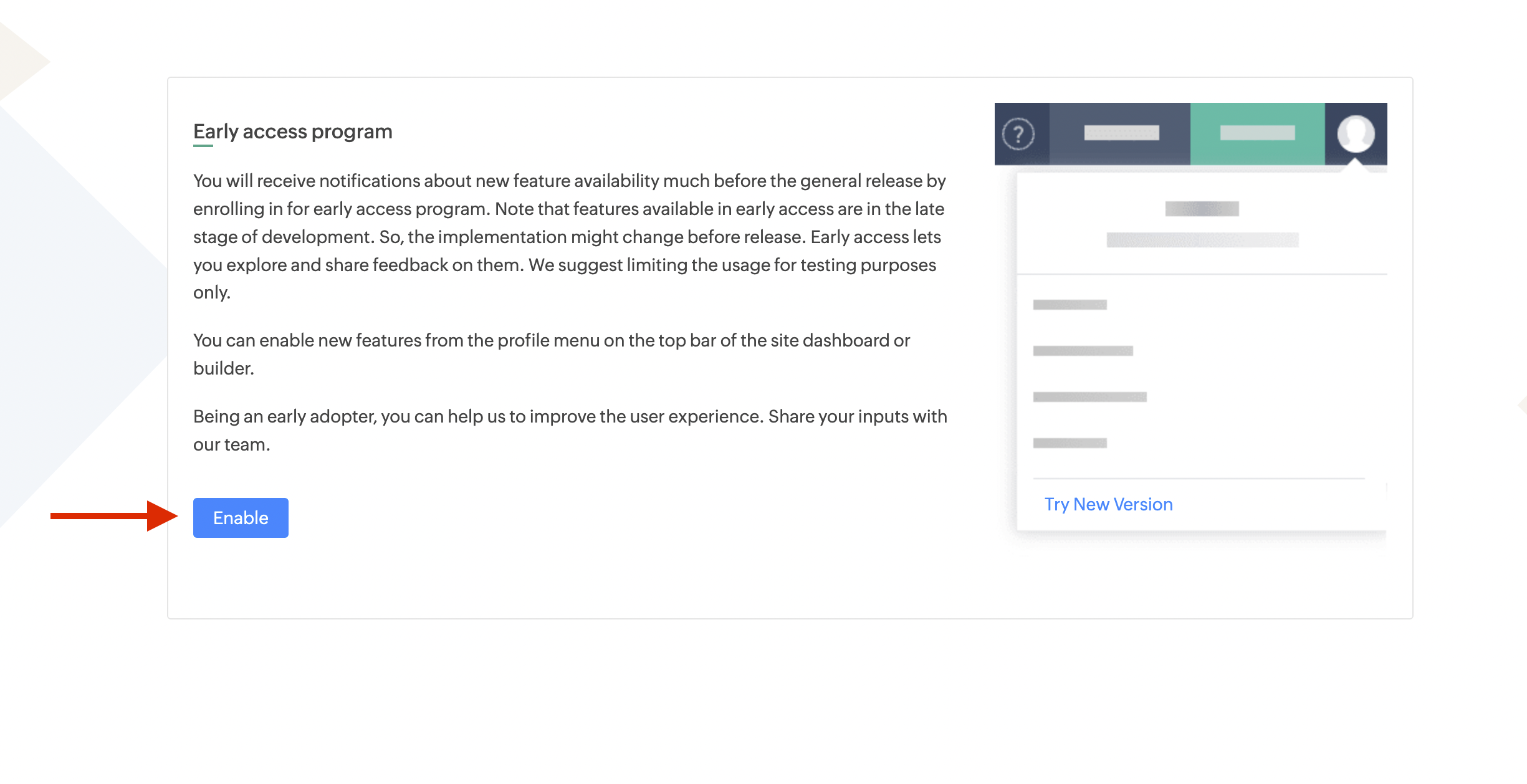
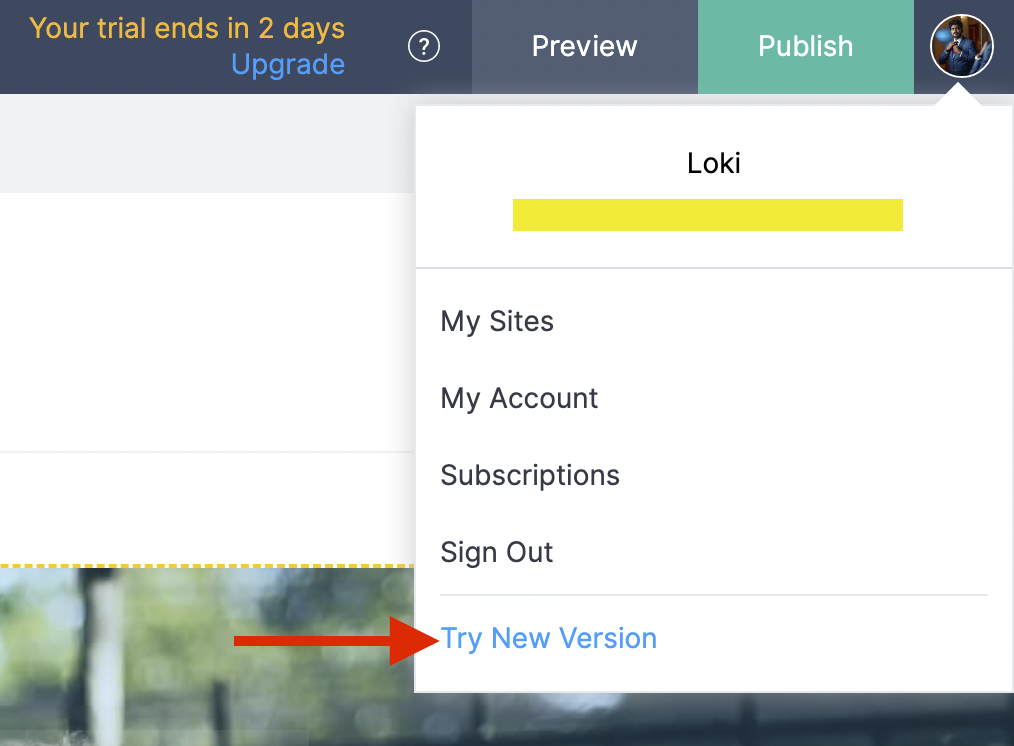
Once enabled, you can enable new features from the profile menu on the top bar of the site dashboard or builder.
We'd love to hear your feedbacks and suggestions. Feel free to reach out to us at support@zohosites.com
Cheers!
Topic Participants
Logaraj M
20079151897@zohoclosedAccount.com
Philipp Karch
Hari Krishna Raja M
Amit
Sticky Posts
Unveiling Zoho Sites 2.0 - A new dimension in website building
Dear Zoho Sites Users, We are thrilled to announce the launch of Zoho Sites 2.0 today! This refresh represents a significant step forward in the capabilities of Zoho Sites and is crucial for creating a lasting and positive impact on our customers' businesses.SEO for your Zoho Sites Website
Join our live webinar to learn how to use Zoho Sites' SEO tools to boost your website's ranking. Our product specialist will demonstrate everything you need to know about optimizing your web pages to make them search engine friendly. Register here for free: https://www.zoho.com/sites/webinars/Website Accessibility
I have two sites created in Zoho Sites which are both live. Some questions: 1. Are any of the template themes WCAG 2.1 AA compliant? 2. How do I change the format of a sub-heading in the header section? 3. Is there any way to add focus indication forVisual Editor Webinar
Join our FREE live webinar to learn how to use the Zoho Sites Visual Editor to easily design your website. Our product specialist will demonstrate how this tool will help you customize your website to suit your requirements. Register here: https://www.zoho.com/sites/webinars/Zoho Sites Webinar | Integrations
Join our FREE live webinar to learn how to integrate both Zoho and third-party products with your Zoho Sites website. Our product expert will demonstrate how to use these integrations to grow, manage, and retain the customers you bring in. Learn how to take your business forward and build stunningly robust and efficient websites. Register here: https://www.zoho.com/sites/webinars/
Recent Topics
Share Edit while in Workflow
There are times that while a writer document is in the middle of a workflow the user that's responsible for that stage of the workflow needs to bring in other people to work on the document. Currently there is no way for the user to be able to allow other'sHow can I use the API to add a drop-shipping address to a sales order for one-time use?
I need to be able to add a drop-shipping address for one-time use to a sales order via the API. Adding every such address to the contact (customer), then feeding the shippingaddress_id into the sales order, is not an acceptable approach; we have someNeed to set workflow or journey wait time (time delay) in minutes, not hours
Minimum wait time for both Campaigns workflows and Marketing Automation journeys is one hour. I need one or the other to be set to several minutes (fraction of the hour). I tried to solve this by entering a fraction but the wait time data type is an integerAuto sync Photo storage
Hello I am new to Zoho Workdrive and was wondering if the is a way of automatically syncing photos on my Android phone to my workdrive as want to move away from Google? ThanksAdd a way to connect Log360 Cloud logs with Zoho analytics
Hi, Several month ago Log360 Cloud was added to zoho one - and this is great. But as far as I see there is no prebuilt way to connect Zoho analytics to the logs we have in Log360 Cloud. Please add a prebuilt connection like we have for so many other zohosending email with another account
Hello there, i write there for an our costumer request. They want to send email from CRM with a different email (confirmed and added to zoho profile). For example they use account@zilium.com but with this account they want to send (not only with emailMajor journey crash and not loading. Zoho Marketing Automation
Hi all. Last night (19MAR, 2026) Marketing Automation for a specific journey completely crashed, and since the crash the specific journey has failed to load at all (blank journey canvas, no journey appears, no menu accessible) but other separate journey'sIzettle or Sumup Integration for Zoho Books.
The Stripe & Square clearing works great in Zoho Books. Any further integrations planned in the future for Izettle or Sumup? These card processors are very common for taking payments with a card reader.Is anyone experience missing functions in the new UI until hard refresh?
The set of functions including search is almost always missing upon loading an app in the new UI. If you refresh, the functions return. (see second screenshot) Anyone else experiencing this?Adding Images to a Quote in Zoho CRM
We are currently preparing to use Quotes in Zoho CRM and we are building out our Quote templates. We came across an issue of not being to add Images of the products to the Quote - specifically in the body of the Quote templates. This is a problem,Mail Search should allow grouping by conversation like Gmail.
Having switched from gmail I have found the search function hard to use. Mostly because mail is not grouped by conversation in search. If I search for a word when looking for a conversation had with someone then sometimes 10 emails will come up from theServer-based Appication API access for Social, Sites, Flow, Pages.
Hello, I am trying to hook up API access for a number of apps and I have hit a wall trying to add these scopes to the API feed. We cannot find the correct way to list the scope for these Zoho apps; Social, Sites, Flow, Writer. Error on web-page comesZoho Landing Page "Something went wrong" Error
Hello, Every time I try to create a new landing page, I receive a "Something went wrong" error with no explanation. I cannot create any new pages, which means we cannot use this application. I did create one landing page successfully over a month ago,Sync desktop folders instantly with WorkDrive TrueSync (Beta)
Keeping your important files backed up and accessible has never been easier! With WorkDrive desktop app (TrueSync), you can now automatically sync specific desktop folders to WorkDrive Web, ensuring seamless, real-time updates across devices. Important:Cliq iOS can't see shared screen
Hello, I had this morning a video call with a colleague. She is using Cliq Desktop MacOS and wanted to share her screen with me. I'm on iPad. I noticed, while she shared her screen, I could only see her video, but not the shared screen... Does Cliq iOS is able to display shared screen, or is it somewhere else to be found ? RegardsZoho → ShipStation Integration – Sales Order–Driven Fulfilment Workflow
Hello All, I’m reaching out to explore the best way to integrate a shipping tool into our inventory which will speed our process up. We are looking to integrate ShipStation into our existing order-to-fulfilment workflow, as we’re keen to standardise onNewby Questions - Vendors, Customers, and Income vs. Other Income Clarifications
Q1. For Deposits, there does not seem to be an option for "Income". "Other Income" is an option however. What is the process to add the option to assign a deposit to type "Income"? Q2. In many cases Vendors and Customer are the same. Vendors may purchaseZoho Booking - TIN vs ATIN & ITIN
Zoho Booking Vendors allows for TAX ID values of SSN, EIN, ATIN an ITIN. There is no option for TIN. What is the method to properly add TIN to the list of taxable values for companies? For reference: Social Security Numbers (SSN) Individual Taxpayer IdentificationBank Feed shows redacted description numbers (xxxx)
Hi All, Is there any way to change this behaviour? Either Zoho or Yodlee is redacting important numbers from the transaction description, preventing us from being able to easily recognise and reconcile transactions. For example, a transaction with a descriptionCan I write a check in Zoho Books with no associated bill?
This currently does not seem possible, and I have a client that desperately needs this function if I am able to convert them with Quickbooks. Thank you in advance for your reply.Handling large product migrations in Zoho?
Hi everyone, How do you usually manage large product catalog migrations (10K+ SKUs) into Zoho One? Main concerns I’m thinking about: Avoiding downtime Preventing data loss Keeping supplier and product relationships intact Do you prefer bulk imports orReassign Partially Saved Entries
Hi, I would like to be able to go to Partially Saved Entries and like the option to delete them I would like the option to multi-select and be able to reassign them to another user to complete (Such as when a user has left the company). Thanks DanPreventing auto-redirect to Parent Record on Save...
Our users often create records from the related list on th left side of the screen. They click the blue "plus" button to create the record. This is handy, but for some modules, or situations, they would like to remain on the record AFTER clicking "Save",Introducing Version-3 APIs - Explore New APIs & Enhancements
New Update - The end of life timeline for V2 APIs has now been extended to 30th June, 2026 Happy to announce the release of Version 3 (V3) APIs with an easy to use interface, new APIs, and more examples to help you understand and access the APIs better.Correlated subqueries not supported in Zoho Analytics. This creates huge limitations
Running into a major limitation in Zoho Analytics: correlated subqueries simply don’t work, even in completely standard SQL patterns inside a JOIN. Example: LEFT JOIN "Bills" b ON d."Id" = b."Deal ID" AND EXISTS ( SELECT 1 FROM "BillUnknown table or alias 'A1'
I would like to create a subquery but i am getting the following error: Unknown table or alias 'A1' used in select query. This is the sql statement: SELECT A1.active_paying_customers, A1.active_trial_customers, A1.new_paying_signup, date(A1.date_active_customers),Feature announcement - Introducing recipient authentication via Didit in Zoho Sign
Hi everyone! Zoho Sign already integrates with trusted providers like IDology (US), eID Easy (EU), and Stripe Identity. Today, we're excited to add another powerful option: Didit. Some benefits of using Didit: Unified ID verification Streamlined eKYCCRM x WorkDrive: File storage for new CRM signups is now powered by WorkDrive
Availability Editions: All DCs: All Release plan: Released for new signups in all DCs. It will be enabled for existing users in a phased manner in the upcoming months. Help documentation: Documents in Zoho CRM Manage folders in Documents tab Manage filesAll new Address Field in Zoho CRM: maintain structured and accurate address inputs
Availability Update: 29 September 2025: It's currently available for all new sign-ups and for existing Zoho CRM orgs which are in the Professional edition exclusively for IN DC users. 2 March 2026: Available to users in all DCs except US and EU DC. 24Super Admin Logging in as another User
How can a Super Admin login as another user. For example, I have a sales rep that is having issues with their Accounts and I want to view their Zoho Account with out having to do a GTM and sharing screens. Moderation Update (8th Aug 2025): We are workingWhat's New in Zoho POS - February 2026
Hello everyone, Welcome to Zoho POS’s monthly updates, where we share our latest feature updates, enhancements, events, and more. Let’s take a look at how February went. Purchase and sell items on different units We have introduced a unit conversion functionalityRegarding the integration of Apollo.io with Zoho crm.
I have been seeing for the last 3 months that your Apollo.io beta version is available in Zoho Flow, and this application has not gone live yet. We requested this 2 months ago, but you guys said that 'we are working on it,' and when we search on GoogleMessage as bot
I would like to be able to send a Cliq message truly as a bot. the current implementation of this function, while it sends the message as a bot it sends that message inside a chat from the user how authenticated the flow cliq connection instead of directlyUsing a custom single line External ID form as merge fields in templates
Hey everyone, We're looking to integrate a few external systems better with our Zoho CRM, and we had hoped to use external fields for this purpose. In this case, it would mean being able to use our own inoice system's invoice numbers are a direct id compatibleBuild an approval management system with Custom Modules
Dear users, Task management is at the heart of project management. But not all tasks are created equal. You can have your tasks reviewed before any work begins, to improve transparency or stay within budget or as part of your process. Zoho Projects allowsCRM's sandbox now supports the Zoho Desk integration
Hello everyone, Sales and customer support teams often collaborate to solve tickets and identify pain points. In Zoho's suite of products, sales teams primarily use Zoho CRM while customer support teams work in Zoho Desk. These two tools are often integratedCountries List Global Set- Complete with Phone Country Code and Continent.
Dear Zoho Team I saw your recent addition to the Global Sets regarding the Countries list and states. While working on it, why didn't you also add things like Continent and Phone Country Code? Also, some ISO codes from some Countries/regions are mismask Customer phone number and agents cant see customer phone number
Is there any way we can integrate Zoom Phone with Zoho CRM while ensuring that customer phone numbers remain masked? We need a solution where agents can make outbound calls but cannot see customer phone numbers. Please let us know if there is any solutionZoho Community Digest — Marzo 2026
¡Hola, comunidad! Un mes más os traemos las novedades más interesantes de Zoho para marzo de 2026, incluyendo actualizaciones de producto publicadas oficialmente, cambios de políticas y noticias del ecosistema. ¡Gracias por venir a los Workshops de Madrid!Files Uploaded to Zoho WorkDrive Not Being Indexed by Search Engines
Hello, I have noticed that the files I upload to Zoho WorkDrive are not being indexed by search engines, including Google. I’d like to understand why this might be happening and what steps I can take to resolve it. Here are the details of my issue: FileNext Page