Introducing LiveCast in Zoho Show
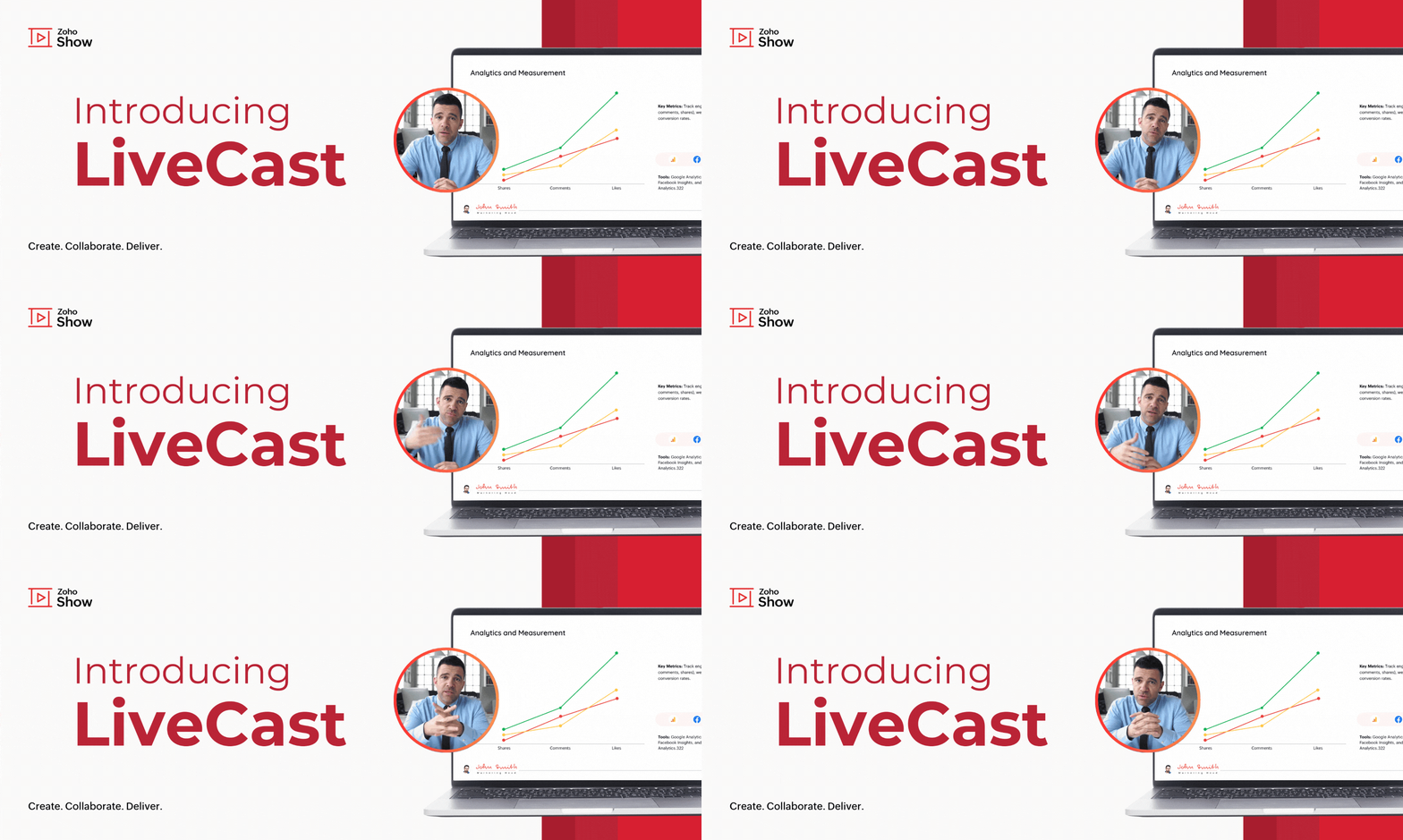
As the world goes digital, the human touch in how we do things often fades away. In such a scenario, personal connections can make all the difference—whether you're pitching your next big idea, conducting team training, or delivering a client presentation.
One way to build these connections is by letting your audience see you while you present. To make this possible, we’re excited to introduce LiveCast in Zoho Show!
This feature enables you to display your live video in slides, ensuring your audience will be able to view your presence as well as your content.
To get this done, you first need to insert a camera shape into your slide.
How to insert a camera shape into your slide
Find this option under Media in the Insert pane at the top of your screen.
You'll also be able to customize the shape and background in this window before adding it to your slides. Click Insert to insert the camera shape into your slide.

You can modify these options later by clicking on the camera shape. This will open the Media tab under formatting options by default, where you can change the frame shape and background image.

When you start your slideshow, your video will be automatically displayed to the audience once you present the slide. This will be useful especially during the intro,
Q&A sessions, conclusions, and other slides with complex information.
Transform your presentations into interactive experiences using LiveCast. From now on, your audience won't just be looking at slides—they’ll see you, engage with your message, and connect on a personal level. Try it out and let us know what you think in the comments section below.
Refer to this help article to learn more about this feature.
Topic Participants
Loshini D
Philipp Karch
Monisha P R
Sticky Posts
Introducing Zoho Show extension in Your Chrome Browser
Hi everyone, Over the years, Chrome's feature-rich support extensions have grown to offer additional ways to easily access your favorite tools from anywhere. Today, Zoho Show is excited to announce our integration with Google Chrome as an extension app to help build and access presentations directly from your browser. Zoho Show for Google Chrome is a free extension that allows you to dive straight into drafting your presentation material. Simply install the Show extension from the Chrome Web StoreTake your presentations anywhere with the Zoho Show app for iOS
We're excited to announce the launch of the Show app for iOS. Our new presentation app gives you the power to view and present slideshows on your iPhone and iPad devices wherever and whenever you want. The Show iOS app has a host of features that will make your presentations engaging and dynamic: Access all your presentations with a single tap Sign in to your Zoho Show account to view your slides and deliver presentations on-the-go. The app stores all the presentations you've created in the MyIntroducing All New Zoho Show - Create and Design Stunning Presentations.
Hello, Whether you're a first-time presenter or an expert looking to make a lasting impression, Zoho Show is the tool for you. Whatever your expertise, the All New Zoho Show's contextual user interface lets you create all kinds of slides, from plain text on a simple background to complex presentations with animations, tweets, charts, media files, and lots more. The UI doesn't leave you to figure everything out yourself, but presents something you can easily use. It's clear, obvious, and intuitive.Three smart ways to share your presentation with Zoho Show.
"What is the best way to share a presentation?", a lingering question that is asked after every live session or a meeting. Sharing presentations can be time consuming. It can be done, either by attaching the file to an email or by saving it in a pen drive. But what happens when your file size is large or your team is spread across the globe? Zoho Show lets you share your presentations both internally and externally without worrying about the file size. You can share your slides as a link and decideConvey Your Ideas and Convince Your Audience with Zoho Show
Visual presentations are highly impactful and it is a no-brainer that your audience gets attracted to them. The use of images and videos help you reach your objectives by emphasizing your ideas more effectively. According to the psychologist Jerome Bruner of New York University, "people only remember 10% of what they hear and 20% of what they read, but about 80% of what they see and do." For example, if the above data on its own, was presented visually, there is an 80% chance that the information
Recent Topics
Weekly Tips : Make your email content error free with Spell check in Zoho Mail
As someone who writes multiple emails a day, we are bound to make both grammatical and spelling errors. Most of them we may not even notice, and even if we do, we may not have the time to correct each one individually when we are in a hurry. So how doIntroducing Enhanced Storage Management
We’re excited to roll out two new enhancements in Zoho Recruit, Subscription Information and Storage Management — designed to give admins complete visibility into subscription details, feature limits, and storage consumption — all from one place insidehow to download all my files
We are in the middle of zoho docs to zoho workdrive migration. I can not access my zoho docs page. I get redirected immediately to a zoho workdrive page. I would like to download all my files so that I have a backup in case something goes wrong with theConvert Zoho Books SalesOrder - Invoice
Converting a Zoho Books Sales Order into an Invoice Using the SalesOrder Convert API Hello Zoho Developers, Today, we are sharing a simple and effective solution to convert a Zoho Books Sales Order into a Zoho Books Invoice using the SalesOrder ConvertZoho Expense - Report Templates
Hi Expense Team, I do a recurring trip once every week which has the same cost: Per diem Milage Toll Payment It would be great if there was a feature which allowed me to clone a previously submitted report or create a template reports. This would saveHow to add tabular data when execute Add Record API
Hi everyone! I was send api updateRecord follow by this request url : https://people.zoho.com/people/api/forms/json/<formLinkName>/updateRecord with parameters "inputData", "tabularData", "recordId". Ex picture below And response success: But. When ITip #51- Centralized Contact Management for Better Remote Support- 'Insider Insights'
For our final topic of November, we’re diving into one of the most helpful features in Zoho Assist, the Contacts section on Zoho Assist;s dashboard. Whether you’re managing multiple clients, tracking past sessions, or simply looking to streamline yourUsing gift vouchers
We would like to be able to offer a limited number of gift vouchers, of varying values, to our customers, and are looking for the best way to do this. We have looked at Coupons and Gift Certificates, but neither seem to fit the bill perfectly. Coupons:Say Hello to Telephony in Zoho FSM
Zoho FSM now brings complete telephony support so your team can manage inbound and outbound calls without switching tabs. Faster responses, smarter routing, and total call visibility—all in one place. Choose the telephony setup that works for you Zoho’sZoho Sign - Zoho CRM extension upgrade
Hi everyone, We've updated Zoho Sign extension for Zoho CRM with significant internal changes. Impact on existing Zoho Sign extension users Users using the extension without customization If you are using the integration without implementing Zoho Sign'sSent mail sort by date disappeared
Hello, We used to be able to sort the emails by date in the sent folder, but this feature has recently disappeared. Can we bring it back?E-Invoicing in Belgium with Zoho Inventory
Starting January 1, 2026, Belgium is introducing mandatory electronic invoices (e-invoicing) for all B2B transactions between VAT-registered businesses. Invoices and credits notes must be exchanged in a prescribed digital format. How E-Invoicing WorksEmployee ID is not correct in get records api V2 for leave
Hi Team, We are facing an issue when calling the Get Records API V2. The employee.id returned in the response is not the actual employee record ID in Zoho People. As a result, our integration is forced to make an additional Get Record API call for everyFormatting Mailing Labels
I want to use the "Print Mailing Labels" function on the drop down list, but I am not seeing a way to change the formatting on the mailing labels. At the moment, the information that appears on the mailing labels ARE NOT mailing addresses, but randomZoho People. Updating TabularData
I am trying to update tabular data in the record. I always have the same response. I have checked many times. Section ID is correct. May be something wrong with request structure itself. Can someone help me. Body content type: form urlencoded query paramsCanvas View - Print
What is the best way to accomplish a print to PDF of the canvas view? Latest update (27th November 2025): We are excited to announce that the Canvas Print View is now available! We encourage you all to try it out and share your feedback with us. LearnNew to automation - please help
Hi there! We are new to automations in Zoho. We built out one automation campaign and it seems to be firing off for some people but others not. Please advise what's the best practice or if anything we should tweak. Thank you so much!Zia Conversation Summary: Context at a glance for every customer interaction
Hello everyone! Every customer conversation tells a story—but in CRM, that story is rarely in one place. A sales rep moving between multiple leads has to reopen long email threads, check call remarks, and revisit meeting notes just to remember what wasHow to update Multi File upload field
Assume that i have a multi file upload field,how can i update the same field again?How to set a fixed width of column/cells
Is there a way to set a 'fixed' width for cells in zoho sheet? I know how to adjust the size of the colums.... but after I past a large block of text into a cell, it expands the cell size again. (yes, I have turned off word wrap) How can I set a fixed width so the cells don't change size each time I add data to a cell? Thanks.Workdrive Oauth2 Token Isn't Refreshing
I have set up oauth for a bunch of zoho apis and have never had a problem with oauth. With workdrive i am using the exact same template i usually use for the other zoho apps and it is not working. All requests will work for the first hour then stops soSingle Portal for Multiple Apps
Hello, I'm just getting started with Zoho and I'm very overwhelmed. I am currently using the free trial of Zoho One, but if I can figure it out, I intend to upgrade to the paid version. Zoho One, of course, gives me access to an entire suite of services/applications. One of the things I'd like to do is have a single place for clients (customers?) to log in and view current projects, invoices, contact information, etc. A single login for my clients. A single portal. I've come across documentation【開催報告】 大阪 ユーザー交流会 2025/11/20(木)Zoho CRM Plus 活用のアイデアとデータの“見える化”
皆さま、こんにちは。コミュニティチームの中野です。 11/20(木)に、大阪 ユーザー交流会を開催しました。本投稿では、その様子をお届けします。 当日の登壇資料などもこちらに共有しますので、参加できなかった皆さまもご参照ください。 (Zoho 社員セッションの登壇資料については、11/28(金)に開催予定の東京回の開催報告で共有いたします) 今年2回目の開催となる大阪 ユーザー交流会では、株式会社KDDIウェブコミュニケーションズ 山田さんによる Zoho CRM Plus の事例セッションのほか、「ZohoWeekly Tips: Secure your attachment downloads with Zoho Mail
Safety is one of our main concerns, whether it’s about device security or online protection. We use tools like fingerprint scanners, facial recognition, and two-factor authentication to keep our devices and email accounts secure. We use methods like OTPEvery rating counts: Shaping customer experience
We are back to that beautiful time of the year. It is the season to reflect, be thankful, and appreciate everything that has happened throughout the year. Thanksgiving is a time we connect with our family, friends, and relatives to strengthen relationships,Paging through API results. a major gap in your documentation.
There is no way for me. to get all of my data through a single API call. Typically REST APis have mechanisms for paging through API results. But the documentation for the API I am using: https://desk.zoho.com/DeskAPIDocument#Introduction Has no mentionHow to remove duplicate contacts
Custom Field for Subscription
Hi, I can't find a way to add a custom field (to contain a license key generated from our software) against a subscription? Is the only place to add this information in the Invoice module (as custom field for invoice)? When a customer views his subscription via the customer portal, there appears no way to display a license key for them? The invoice is not the natural place to store a license key for a particular subscription, so where else can this be stored and displayed?Custom View and Custom Fields on Zoho Books
Hi, I have some custom fields on Estimates and Invoices. I also use Custom Views so I can have a lot of information at a glance. I want to include my custom fields as columns in my custom views of estimates / invoice, but it looks like is not possible.Cannot Access Subform Display Order in Deluge
As highlighted in this community post, we still have to deal with the significant limitation of not being able to access the user-sorted order of subform rows through Deluge. This creates a major disconnect between the UI capabilities and backend automation,"Wrong password or login" Problem to configure Zoho on MAIL App on my Macbook
Hi, I'm having problems to configure my e-mail on my MAIL App(Macbook pro). My e-mail is hari@trespontoum.net Actually was working perfectly, and still working on my Iphone. My MAIL App prompt me that my login or password is wrong. I tried to change 3Dropdown data depends on filters in another field.
In my quote form I have a lookup field called Reseller that pulls from Accounts. I would like it to pull from Accounts, but only those accounts with an account field 'Type' where that is 'Reseller'. Does anyone know a way to do this? Similarly, I'd likeIs it possible to adjust the web browser tab title (when a ZoHo Desk ticket is opened)
Hi All, When I open a ZoHo Desk ticket in a web browser, the tab title (text that appears at the top of the browser tab) uses the logic: *company icon picture* (xxxx) #ticket number - company name See below (highlighted in red) for reference. CompanyAdd Attachment Support to Zoho Flow Mailhook / Email Trigger Module
Dear Zoho Support Team, We hope you are well. We would like to kindly request a feature enhancement for the Mailhook module in Zoho Flow. Currently, the email trigger in Zoho Flow provides access to the message body, subject, from address, and to address,Collections Management: #7 Common Mistakes during Payment Collection
Payment collection may appear straightforward in most cases. Still, as your customer base expands and transaction volume increases, it becomes clear that even small inefficiencies can lead to delayed payments, increased support load, or even revenue loss.Recruit paid support?
Hi all, Could anyone who has paid support package advise if it provides value for money with regards to support response times? Exploring the idea as unfortunately when we have faced issues with Recruit it has been a 7+ day timescale from reporting toSortie de Zoho TABLE ??
Bonjour, Depuis bientôt 2 ans l'application zoho table est sortie en dehors de l'UE ? Depuis un an elle est annoncée en Europe Mais en vrai, c'est pour quand exactement ??Rename Record Summary PDF in SendMail task
So I've been tasked with renaming a record summary PDF to be sent as part of a sendmail task. Normally I would offer the manual solution, a user exports the PDF and uploads it to a file upload field, however this is not acceptable to the client in thisLimitation with Dynamic Email Attachment Capture
I've discovered a flaw in how Zoho Creator handles email attachments when using the Email-to-Form feature, and I'm hoping the Zoho team can address this in a future update. The Issue According to the official documentation, capturing email attachmentsRecruit API search
Hi all, Attempting to call the search api endpoint from Postman using the word element as mentioned in api docs Search Records - APIs | Online Help - Zoho Recruit When making the call to /v2/Candidates/search?word=Saudi receive response of { "code": "MANDATORY_NOT_FOUND",Next Page