Let customers reach you easily with the Zoho SalesIQ - Telegram IM Channel Integration

Let customers reach you easily with the Zoho SalesIQ - Telegram IM Channel Integration

We are now living in the era of instant messaging where every single person around us will have at least two instant messaging apps on their mobile phones. And that very well includes your customers. It is important for businesses to be able to communicate with and assist customers, on the platforms that they are most likely to use.
In this post, we will be discussing about the benefits of Zoho SalesIQ's integration with one such instant messaging app, Telegram. We have made a few changes to our Telegram Channel configurations recently. Let's take a look.

How does the Telegram integration in SalesIQ work?

The Channels feature of SalesIQ allows for seamless integration of your SalesIQ with Telegram.
  • It removes the hassle of your operators, switching between various apps to assist your website visitors.
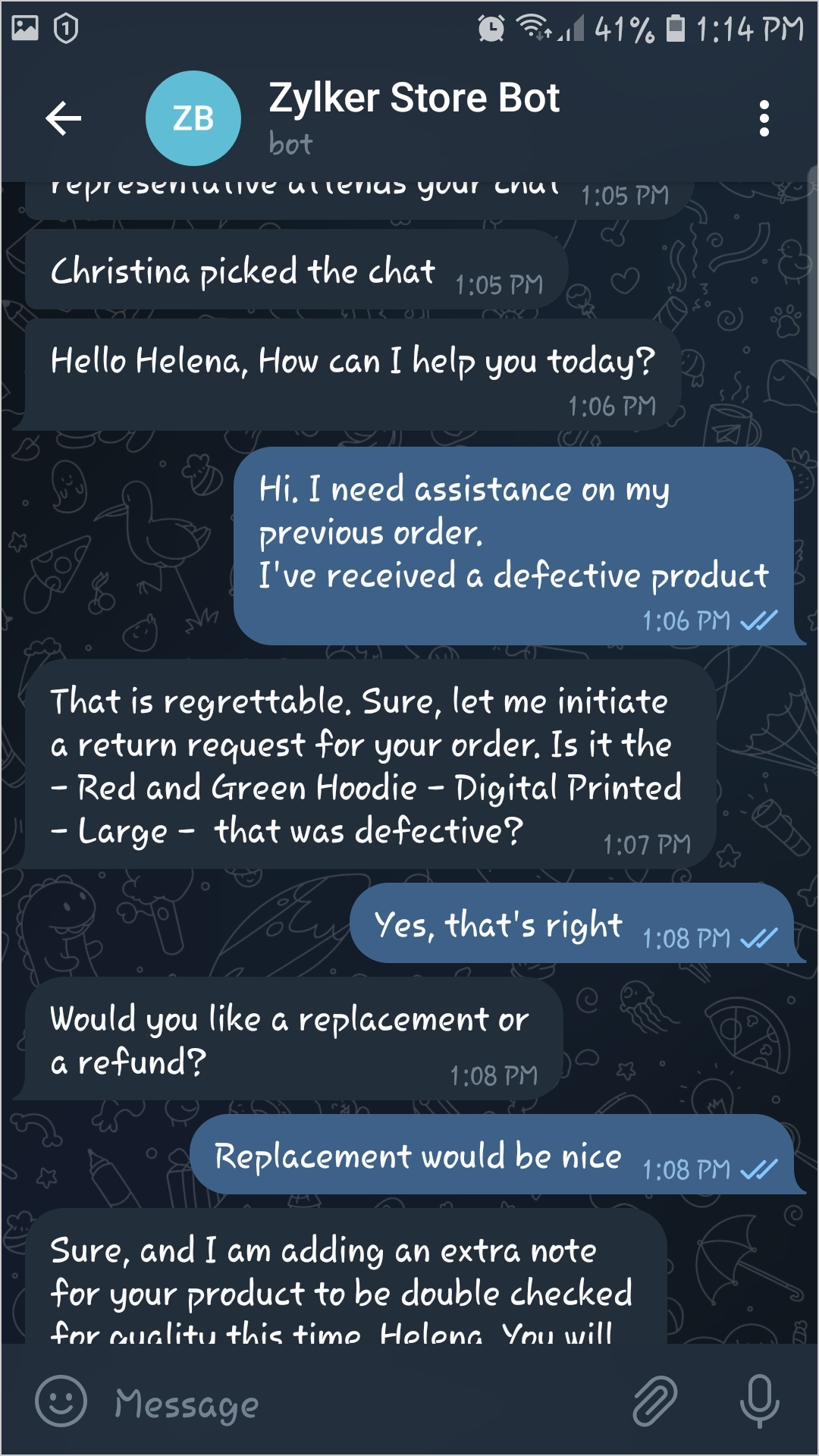
  • When a visitor sends a message on the particular business' telegram bot, the operator will be notified on their SalesIQ dashboard directly, and can reply to the visitor immediately.
  • Connecting and communicating with a business' telegram bot will connect the telegram user to a SalesIQ operator for immediate assistance.
  • Through this integration, telegram users can easily locate your business' telegram bot, using the telegram search bar.

Recent configuration changes made to the Telegram Channel on SalesIQ

We have made a few changes in the Telegram channel configurations recently. While our old configurations had multiple steps to sync your business' Telegram bot to SalesIQ, the new and refined method of integration cuts down a lot of the steps from the previous process.

New and simplified Configuration steps

Our new, streamlined process does not call for a mobile number as the the key aspect of linking Telegram with SalesIQ.
  • The new configuration requires businesses to have a bot on Telegram already.
  • Now, users just need to enter their business telegram bot's API Key directly on the Channels page of SalesIQ.
  • This will get their SalesIQ integrated with Telegram directly, eliminating all the other steps that was previously done.
Please visit our user guide for more details on the configurations.


Benefits of integrating Telegram to SalesIQ

Now let's get to know some of the advantages of integrating your SalesIQ with Telegram.
  • Your operators can straightaway take up incoming telegram chats within their SalesIQ dashboard and wouldn't need to log on to any other device or app for assisting customers.
  • Operators will have the option to reopen conversations that were missed and can respond to visitors even when the visitors are offline. Unlike on the website, here the visitors need not be online to receive assistance via telegram.
  • The Operators will be able to use the widget functionalities for the Telegram visitors i.e., their details can be easily pushed to Zoho CRM, they can be added to the required campaigns with Zoho Campaigns and their tickets can also be managed on Zoho Desk.
  • SalesIQ admins can use the Channel filter in the chats section to filter out the telegram chats alone, for further analysis.
  • Your visitors, leads and customers who are telegram users, wouldn't have to log on to your website and then initiate a chat via the chat widget for support. They can simply connect with your SalesIQ operators directly from their Telegram inbox.
  • All the chats with Telegram visitors will be safely saved on telegram and can be accessed anytime in the future.
  • Visitors and operators can use the voice notes option and also share images, videos and other files for better communication and understanding.
Thank you for reading through. We hope you found this post helpful. For more details on the Telegram channel configurations, please check out our updated help guide here.

Webinar Alert! - We are hosting a free webinar exclusively on the various instant messaging channels on SalesIQ on 24th Aug 2022. Book your slots here

    • Recent Topics

    • Writer is horrible

      Form filling is about unusable for complex forms! I am so tired of it.
    • Zoho Finance Limitations 2.0 #5: Can't select "Account Id" if creating Custom Links in Related Panel (but it's available for Custom Buttons)

      When creating a custom link within the Zoho Finance module there is no option to select the "Account Id". If creating a Custom Button, it's available. Any plans to make this available within a reasonable timeframe? ======== Perspective: using Zoho finance
    • Zoho Cliq not working on airplanes

      Hi, My team and I have been having this constant issue of cliq not working when connected to an airplane's wifi. Is there a reason for this? We have tried on different Airlines and it doesn't work on any of them. We need assistance here since we are constantly
    • Can Zoho CRM Emails be used in Zoho Analytics in any capacity?

      We're wanting to display details about Lead Activity in regular reports through Zoho Analytics but we're having difficulty integrating Emails at all. We'd like to be able to note when an email is received and when it is sent somewhere other than just
    • CRM Portal Lookup Linkage and Related Fields

      hi, if someone can give me the right path, would be greatly appreciated. we want to do a customer portal for our partners who we issue work orders for our customers, the linkage via lookup fields Partner -> Work Order -> Customer in our portal, the primary
    • Mirror Component in Zoho CRM: Access real-time related data without leaving your record

      Hi everyone, This feature is now available for the JP, CA, SA, UAE, and AU DCs. We're excited to bring to you Zoho CRM's mirror component, which presents relevant data on a record's details page and keeps everything users need in one place without having
    • [Free Webinar] New portal page customization in Zoho Creator - Creator Tech Connect

      Hello everyone, We’re excited to invite you to another edition of the Creator Tech Connect webinar. About Creator Tech Connect The Creator Tech Connect series is a free monthly webinar featuring in-depth technical sessions designed for developers, administrators,
    • #11 Stop Absorbing Cost That Client Should Pay

      One of the easiest ways of losing profit in a business isn't losing a customer. It's forgetting to include the expenses that are incurred for half of your customers. A taxi ride to a client location A software subscription purchased for a project. Domain
    • Related products & AI product recommendations through commerce API.

      Hello Zoho team I’m looking to add related products and AI product recommendations to my Zoho Commerce webshop with custom storefront. Is this supported through the API? And if not, is this on your roadmap? Thanks in advance David
    • Can you sell Subscriptions using Zoho Commerce?

      In addition to physical products and the apparently coming soon 'Digital Products', it is possible to sell Subscriptions using Zoho Commerce?
    • Zoho Commerce B2B

      Hello, I have signed up for a Zoho Commerce B2B product demo but it's not clear to me how the B2B experience would look for my customers, in a couple of ways. 1) Some of my customers are on terms and some pay upfront with credit card. How do I hide/show
    • A method for renaming tab titles in Creator to display more relevant information

      Hi Zoho Devs, Updates: Rules Export File attached; you can now import this into Tab Modifier instead of manually entering the rules yourself) 2022-06-08: Updated rules so that crm.zoho.com tabs are not affected; uploaded new .json import file 2022-06-09:
    • Bulk upload images and specifications to products

      Hi, Many users have asked this over the years and I am also asking the same. Is there any way in which we can bulk upload product (variant) images and product specifications. The current way to upload/select image for every variant is too cumbersome.
    • Billing Status Update

      Hello Latha, I’m working on a new automation (deluge) to fulfill one of our requirements. In this automation, there is a step to update the Work Order billing status from “Not Yet Invoiced” to “Non-Billable.” I tried to find the API information relevant
    • Problem with CRM Connection not Refreshing Token

      I've setup a connection with Zoom in the CRM. I'm using this connection to automate some registrations, so my team doesn't have to manually create them in both the CRM and Zoom. Connection works great in my function until the token expires. It does not refresh and I have to manually revoke the connection and connect it again. I've chatted with Zoho about this and after emailing me that it couldn't be done I asked for specifics on why and they responded. "The connection is CRM is not a feature to
    • Conditional Drop Downs

      Am I the only one that has a problem when setting up the same project for multiple customers - resulting in a HUGE number of projects (e.g. Project A - customer 1, Project A - customer 2, Project A - customer 3 etc.). OR, am I doing it wrong? What results
    • Getting Project Template List using the REST API

      I am trying to confirm that I can use the REST API to create a project using a project template. The API documentation indicates this is possible by providing the Template ID, but it is not clear at all how to get a list of available Project Templates
    • Can't delete shared mailbox emails from mobile app

      I have the mobile app on iOS and cannot seem to find a way to delete an email from a shared mailbox. Is there something I'm missing here? Michael
    • From Zoho CRM to Paper : Design & Print Data Directly using Canvas Print View

      Hello Everyone, We are excited to announce a new addition to your Canvas in Zoho CRM - Print View. Canvas print view helps you transform your custom CRM layouts into print-ready documents, so you can bring your digital data to the physical world with
    • Boost your CRM communication with new font types, sizes, and default reply-to options while composing emails

      Hello Everyone, We’re excited to introduce a series of impactful enhancements to the email composer settings in Zoho CRM. These updates enable you to personalize and optimize your customer interactions with greater efficiency. So what's new? Add custom
    • Associate records via the Multi-select lookup RELATED LIST via API

      In the REST API, is there a way to associate records for a multi-select lookup related list other than via the linking module? There are two methods for the lookup: 1. via insert records API 2. via the linking module ...as described in https://help.zoho.com/portal/en/community/topic/kaizen-125-manipulating-multi-select-lookup-fields-mxn-using-zoho-crm-apis
    • OAuth integration issues

      I'm experiencing persistent OAuth errors when trying to connect Make with Zoho API. I've tried multiple approaches but keep encountering the following issues: First error: 'Invalid Redirect Uri - Redirect URI passed does not match with the one configured'
    • Zoho Books Placeholder: Inventory Counts

      I was hoping to figure out how to find the placeholders for inventory counts by item. We use Location based inventory tracking, so I dont know if that affects things. I want my PDF and Printed PICK LISTS to show the Quantity Available to Pick. I have
    • Blueprint Not Triggering When Lead Status Is Updated by Workflow (IndiaMART Integration)

      I have set up a blueprint that triggers when a lead’s status is “New Lead.” Our CRM is integrated with IndiaMART, and when leads are created from IndiaMART, their Lead Status is initially set to None. To handle this, I created a workflow that automatically
    • Le cauchemar de PEPPOL avec Zoho Books

      Après de longues hésitations — car je défends toujours les produits Zoho malgré leurs imperfections —, je me suis décidé à poster cet avis sur ce forum. En effet, depuis plus de 5 mois, les nombreux soucis relatifs à la facturation par PEPPOL semblent
    • Overview on users IMAP settings

      We have about 30 users who all have the channels/email/email configuration/IMAP integration/O365 enabled and emails are synchronized. Here my problem: Passwords for the email accounts are expiring on individual bases and most of the users forget to update
    • Introducing Offline Signature in Zoho Contracts

      We are excited to announce a new feature that brings even more flexibility to your contract execution workflow — Offline Signature. What is Offline Signature? The Offline Signature feature enables organizations to manage contracts that are signed outside
    • URGENT ESCALATION — Unresolved Datacenter Conflict: Zoho Recruit .in vs Zoho Apps .com | Business-Critical Issue

      ━━━━━━━━━━━━━━━━━━━━━━━━━━━━━ ISSUE SUMMARY ━━━━━━━━━━━━━━━━━━━━━━━━━━━━━ Our organisation has existing Zoho accounts registered under the US datacenter (.com). We have onboarded Zoho Recruit under the India datacenter (.in) at https://recruit.zoho.in/
    • Accepting Event from Outlook Client

      I've noticed this behavior for a few years now. If an Event is created from CRM and sent to participants and the participant accepts the invitation using Outlook client, Zoho event won't be updated as "Going" it only works if the recipient accepts it
    • Link webform to a job opening

      I have a webfrm embeded on my website and everytime a candidates fill the form, their candidate status is to new. Is it possible that it links to a specific job opening instead of me having to assing it manually ? Thanks
    • Zoho CRM Integration Form + Custom Fields

      Hi! I've created an Integration Form from Zoho CRM's Vendors Module, but I can choose a few standard fields and no custom fields I've created in Zoho CRM. There is a plan to add this feature soon? Thanks in advance.
    • Canvas Detail View Related List Sorting

      Hello, I am having an issue finding a way to sort a related list within a canvas detail view. I have sorted the related list on the page layout associated with the canvas view, but that does not transfer to the canvas view. What am I missing?
    • Cross Module Filtering – Use Fields from Lookup modules in Custom Views criteria and Advanced Filters

      Hello everyone, Zoho CRM now enables you to achieve deeper filtering of records in a module, using fields of a lookup, thereby enhancing your data management experience manifold. This filtering based on lookup module fields is now available in advanced
    • Recent enhancements made to workflow rules

      Greetings, I hope all of you are doing well. We're happy to announce a few recent enhancements we've made to Bigin's workflows. We'll go over each one in detail, but for now these updates can be broadly categorized into two parts: Enhancements to workflow
    • How do I get my cell height to auto adjust?

      I'm evaluating Zoho Sheet as a replacement for Google Spreadsheet. Using latest version of Safari, and experiencing the same issues in Chrome. A few bugs/things I can't figure out: Auto adjusting cell height when importing from Google Docs or creating a new document Turning off the auto date formatting for X.Y.Z where they are all integers.. (This is extremely important, as our requirements are written as outlines.. "X.Y.Z" corresponds to a requirement ID.. which is then turning into a date) The
    • Marketing Tip #36: Optimize your online store for AI search

      Search is changing fast. Along with traditional search engines, AI-powered search and recommendation experiences are becoming a bigger part of how customers discover products online. Stores that are well-organized, descriptive, and consistent are more
    • Create a "My saved custom themes" section in Zoho Forms

      Hi! I created lots of forms for my company that we embed on the website with a custon design. It is a pain not to be able to save a custom layout as a template and just not to have to do it again! So could you add a gallery like : "My saved themes" ?
    • Automating CRM backup storage?

      Hi there, We've recently set up automatic backups for our Zoho CRM account. We were hoping that the backup functionality would not require any manual work on our end, but it seems that we are always required to download the backups ourselves, store them,
    • Introducing Spotlight Forms

      Hey form builders! If someone opens your form, sees the wall of fields ahead, and quietly closes the tab. It may not be because the questions were hard. It could be because the experience felt like too much. Which is why we have now introduced a new form
    • BUG and HANGUP - Add Row with Fields DOUBLES the amount of rows instead of Adding Just 1 Row

      As it says in the title, there is a bug with forms generated with Zoho Writer where the Add Row With Fields ends up DOUBLING the amount of rows instead of Adding just 1 row.
    • Next Page