Making Email More Secure: Understanding DKIM and SPF

Making Email More Secure: Understanding DKIM and SPF

Imagine you’re sending an important letter to a friend. You write your message, put it in an envelope, and drop it in the mailbox with your address (From Address) and your friend's address (To Address). But what if someone along the way tampers with your letter, changes the contents, or even forges a letter pretending to be you? Your friend might receive a completely different message, or worse, never get it at all.
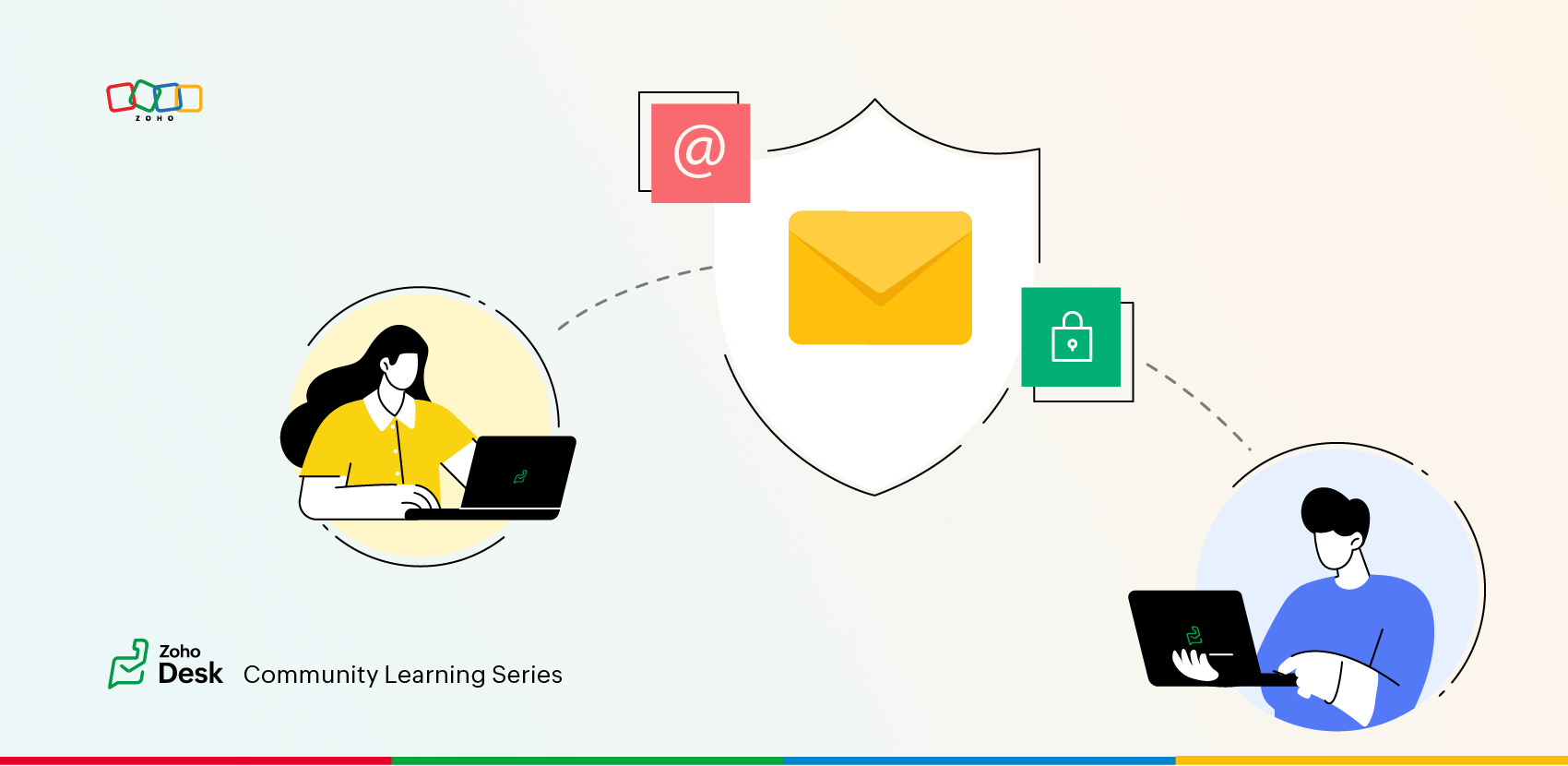


This is exactly the kind of problem businesses face with email security. Just like traditional letters, emails can be intercepted, modified, or forged. To protect email communication, organizations use two important security measures: DKIM (DomainKeys Identified Mail) and SPF (Sender Policy Framework).
Zylker Techfix encountered a major issue without these security measures : customers weren’t receiving support emails. Some emails bounced back, while others landed in spam folders. Without DKIM and SPF, email providers couldn’t verify whether Zylker’s emails were genuine or forged.

Understanding DKIM

Like official letters have signatures or company seals to prove authenticity, DKIM (DomainKeys Identified Mail) does the same for emails.

DKIM : The Signature Seal for Emails

  • DKIM attaches a cryptographic signature to every email you send.
  • When the recipient’s email service (like Gmail, Outlook, or Yahoo) gets the email, it checks this signature against your company’s domain records.
  • If the signature matches, the email is verified as authentic and delivered safely.
  • If the signature is missing or doesn’t match, the email might get rejected or marked as spam.

Adapting Custom SMTP for Public Domains

Using email forwarding and two-factor authentication, Zylker Techfix used public domains like Microsoft and Google with Zoho SMTP. Configuring DKIM was not the solution in this case; instead, the Custom SMTP setup within Zoho Desk resolved the issue. To further enhance security, they could enable Custom SMTP OAuth for a passwordless configuration.

Why did Zylker Techfix Implement DKIM?

Zylker Techfix used organization-level email addresses from a domain procured through their official website. These addresses were used by different departments. However, they faced email bounces due to authentication failures when sending messages via Zoho’s servers. This disrupted their customer support services, as bounced emails prevented ticket creation.
To resolve this, they enabled DKIM authentication in Zoho Desk. The setup was simple:
  1. Added the DKIM public key as a TXT record in their DNS settings.
  2. Verified the key using the "Verify" option in Zoho Desk.
  3. Ensured all outgoing emails carried the DKIM signature to authenticate email communications.
By enabling DKIM, Zylker Techfix significantly improved email deliverability, reduced email tampering, and prevented spoofing.

Understanding SPF

Now imagine you’re sending the package to your friend through a trusted courier service like FedEx or UPS. If someone tries to deliver a fake package using their branding, the courier service will refuse to accept it.
SPF (Sender Policy Framework) works in the same way—it ensures that only authorized mail servers can send emails on behalf of your domain.

SPF: The "Authorized Courier"

  • SPF acts as a list of trusted email servers that are allowed to send emails from your domain.
  • When an email is received, the recipient's email provider checks whether it came from an authorized server.
  • If the email comes from a trusted source, it is delivered; else it is rejected or marked as spam.

How did Zylker Techfix implement SPF?

Set up SPF by specifying specified email services as their authorized email senders.
To improve security, Zylker Techfix set up SPF records to tell email providers:
"Only emails sent from Authorized email servers should be considered legitimate. If an email comes from another server, don’t trust it!"

The Benefits
Setting up SPF prevented spam, fraudulent emails, and email spoofing while ensuring better email deliverability. 
After implementing DKIM and SPF, email deliverability improved, customers received emails without issues, and communication became more secure and professional.

Final Thoughts for Every Business
Whether you’re a small startup or a large enterprise, email security matters. Without DKIM and SPF, your business risks lost emails, email spoofing or tampered messages. 
Enable DKIM and SPF today!


    • Sticky Posts

    • Register for Zoho Desk Beta Community

      With the start of the year, we have decided to take a small step in making the life of our customers a little easier. We now have easy access to all our upcoming features and a faster way to request for beta access. We open betas for some of our features
    • Share your Zoho Desk story with us!

      Tell us how you use Zoho Desk for your business and inspire others with your story. Be it a simple workflow rule that helps you navigate complex processes or a macro that saves your team a lot of time; share it here and help the community learn and grow with shared knowledge. 
    • Tip #1: Learn to pick the right channels

      Mail, live chat, telephony, social media, web forms—there are so many support channels out there. Trying to pick the right channels to offer your customers can get pretty confusing. Emails are most useful when the customer wants to put things on record. However, escalated or complicated issues should not be resolved over email because it's slow and impersonal.  When you need immediate responses, live chat is more suitable. It's also quick and convenient, so it's the go-to channel for small issues. 
    • Welcome to Zoho Desk Community - Say hello here!

      Hello everyone! Though we have been here for a while, it’s time to formally establish the Zoho Desk Community; we’re really happy to have you all here! This can be the place where you take a moment to introduce yourself to the rest of the community. We’d love to hear all about you, what you do, what company or industry you work for, how you use Zoho Desk and anything else that you will like to share! Here’s a little about me. I am Chinmayee. I have been associated with Zoho since 2014. I joined here
    • Webinar 1: Blueprint for Customer Service

      With the launch of a host of new features in Zoho Desk, we thought it’ll be great to have a few webinars to help our customers make the most of them. We’re starting off with our most talked about feature, Blueprint in Zoho Desk. You can register for the Blueprint webinar here: The webinar will be delivered by our in-house product experts. This is a good opportunity to ask questions to our experts and understand how Blueprint can help you automate your service processes. We look forward to seeing
    • Recent Topics

    • Zoho CRM for Everyone's NextGen UI Gets an Upgrade

      Hello Everyone We've made improvements to Zoho CRM for Everyone's Nextgen UI. These changes are the result of valuable feedback from you where we’ve focused on improving usability, providing wider screen space, and making navigation smoother so everything
    • Is it possible to sync data every 5–10 minutes in Zoho Analytics (CRM or Excel imports)?

      Hello Team, I want to know if Zoho Analytics supports near real-time syncing of data from different sources. My requirements: I am importing data from Zoho CRM → Zoho Analytics I also have some datasets maintained in Excel/CSV I want both data sources
    • how to add subform over sigma in the CRM

      my new module don't have any subform available any way to add this from sigma or from the crm
    • Reporting Limitation on Lead–Product Relation in Zoho CRM

      I noticed that Zoho CRM has a default Products related list under Leads. However, when I try to create a report for Lead–Product association, I’m facing some limitations. To fix this, I’m considering adding a multi-lookup field along with a custom related
    • Zoho Projects - Project Details on the Project Menu

      Hi Project's team, I've helped may businesses setup and use Zoho Project and one thing I see time and time again is confusion on where to find the Project Details information. I would be much more intuitive if Project Details was on the menu before Dashboard.
    • Zoho Projects - Add Feed to Project Tabs

      Hi Projects Team, I'm working on a lightweight communications requirement for one of my customers in relation to communicating with their client users via Zoho Projects. I noticed that the Feed is only available in the Collaboration section, but you can
    • Zoho Projects - Visual improvement to parent and sub-task relationship

      Hi Projects Team, My feature request is to improve sub-task visibility. Please see screenshot below. I really think parent child relationships could be visually improved. Even if the first letter of the parent task was inline with other same level tasks
    • Zoho Logs - Not seeing logs since 30 Nov

      Hi, we have a few functions running, I am testing some new ones and noticed that although I can see executions, I cannot see any logs, even when the first line on the functions is a log. I reviewed some existing functions, one of which is invoked on a
    • Flow - Fetch info from drop down in another module

      I am running into a road block which I thought would be a simple task. My goal - The account is assigned to a "route" which can be selected from a drop down menu and adds a tag to the account accordingly (easy enough). Now when I create a task for this
    • Problem with signature on zoho survey

      Hello, I'm trying to export individual responses with signatures on zoho survey. But the signatures on some of my surveys are not exported as the original image, but as a generic image, same for all (screen joins). Is there a solution to have the signatures
    • Show unsubscribed contacts ?

      Hello, I would like to display the unsubscribed contacts. Unfortunately, I do not have this subscription type as described in the documentation (https://help.zoho.com/portal/en/kb/marketing-automation-2-0/user-guide/contacts/contact-management/articles/subscription-type-24-1-2024#Subscription_Type_field.)
    • Widget shows error

      Hi, May I ask why below characters will be auto added into the widget link and how to solve this error? As my widget shows 404 error now. ?serviceOrigin=https%3A%2F%2Fcrm.zoho.com&frameorigin=https%3A%2F%2Fcrm.zoho.com
    • Zoho Developer Community Hackathon 2025 is LIVE!

      Hey developers! It’s that time of the year again — the Zoho Developer Community Hackathon 2025 is officially open for registrations! If you’ve been waiting for a chance to stretch your skills, try something new, or finally bring that idea to life, this
    • Converted Leads Not Showing in Lead Reports

      Converted leads are not showing in the Lead reports. How can I make converted leads visible in the report,
    • Can I open PST file on Windows without Outlook?

      Yes, you can open PST file on Windows even if Outlook isn’t installed by using a dedicated MSOutlookHelp PST viewer tool. These programs are designed to work independently of Outlook and let you read the entire contents of a PST file, including emails,
    • Text widgets in dashboards

      Having a text widget in a dashboard would help immensely. It would allow adding links to related documents, relevant CRM views, etc. It would allow adding explanations of the data displayed in the other widgets, about how to interpret them or about filtering.
    • Read webpage - MSXML2.ServerXMLHTTP

      I have the following VBA script, put together from various sources (mainly zoho forum/help/support, so it once worked, I guess): private Sub GetListOfSheets() Dim url As String Dim xmlhttp As Object Dim parameters As String Dim html As String range("B1").value
    • [Webinar] Zoho Writer for content creators and publishing houses

      Managing multiple drafts, edits, and client reviews doesn't have to slow you down. Join our upcoming webinar to see how Zoho Writer helps content creators and publishing houses create, edit, and publish seamlessly—all in one place. You'll learn how to:
    • Adding Reports to Portals

      Is there a way to add Reports to portals so only the user can see report templates relevant to them?
    • How to assign one Manual to multiple Spaces?

      Hello, I have two spaces, one called tech knowledge and the other one called HR knowledge. I have a manual that is called HR tech. I want to assign this manual to HR knowledge and tech knowledge. How should I do that?
    • How can I assign courses to Spaces?

      How can I make courses show up here in this space?:
    • When will Zoho Learn be able to support SCORM files on the mobile app?

      When I click the SCORM content, I just get a message saying it's not possible yet. Yet implies that it will be coming soon. All I'm asking for is a realistic timeline so I know whether or not to invest my time in using it. If it will be soon, then I will
    • Announcing new features in Trident for Windows (v.1.35.6.0)

      Hello Community! Trident for Windows just got better with an update that makes working with your emails even more efficient. Let’s dive into what’s new! Work with PST files more efficiently. You can now do more than just view mounted PST files. You can
    • AI feature in Zoho Desk suggesting answers based on past ticket threads

      Hi I would like to suggest something that would be very useful : instead of suggesting answers based on the Knowledge Base, I think it would be great if Zia could analyze the history of all customer and agents threads, to suggest answers in new tickets.
    • Work Order Assignment for Engineers Handling Their Own Requests

      I’m setting up FSM for a business where there are multiple engineers, but each engineer handles their own process end-to-end receiving the service request, creating the work order, and completing the field service job. I noticed that I must create an
    • Marketing Tip #9: Track your traffic sources

      Not all marketing channels work equally well. Knowing whether your visitors come from Google, Instagram, or email helps you focus on what actually drives sales. Try this today: Check your Zoho Commerce reports or connect Zoho PageSense to see your top
    • Google Analytics import data inaccurate (as of October 11, 2025)

      We have Zoho Analytics connected to GA4 to import daily event data. This has been running without issue for a couple of years. However, a month ago we started noticing discrepancies. All data until October 10 lines up perfectly - October 11 onward is
    • Can't make a document editable to anyone

      Hey everyone, I am using Zoho Workdrive and trying to share a document so that it is editable by anyone with the link. I am trying to convince people to shift from Google to Zoho, but they don't have accounts yet. When I try to change the share settings
    • E-Invoicing in Belgium with Zoho Billing

      Starting January 1, 2026, Belgium is introducing mandatory electronic invoices (e-invoicing) for all B2B transactions between VAT-registered businesses. Invoices and credits notes must be exchanged in a prescribed digital format. How E-Invoicing works
    • Zoho Voice lance BYOC (Bring Your Own Carrier) : intégrez votre opérateur

      Pour accompagner sa croissance, une entreprise a besoin d’une infrastructure téléphonique flexible et évolutive. Les solutions de téléphonie s’adaptent aux exigences du centre de contact, tout en intégrant aisément les opérateurs locaux de votre choix.
    • Synchronise item image between Zoho Commerce and Zoho Books/Inventory/CRM

      Here is a blindingly simple idea to tie several Zoho products together. Zoho - please include a method to synchronise the item image (or images) from one Zoho application to another. For example, if you upload an item image in Zoho Inventory, a user should
    • Zoho Recruit Slow and Freezing on all screens

      We have had an issue with Zoho Recruit for weeks being extremely slow and at times freezing.  We have 100 mega internet, and I went into each computer and updated the virtual memory so there is more available.  Also restarted all computers daily.  Still having the issues.  Almost unable to work.
    • Prevent accidental duplicate entry of Customer Ordersome

      Zoho Support has confirmed that Zoho currently does not have any method (using Deluge, flow or any other method) to alert a user when a sales order has been entered twice using the same customer reference number (i.e. a duplicate). Most ERP platforms
    • Zoho Books | Product updates | November 2025

      Hello users, We’ve rolled out new features and enhancements in Zoho Books. From translating email notification templates to the new transaction locking restrictions, explore the updates designed to enhance your bookkeeping experience. Making Tax Digital
    • Insert Image into Notebook page

      Prior to today, I could add images to my notebook pages. Today when I tried to do this I got an error message that said something like, "There's been a problem on our end. Try again later." So, I've tried all the ways I know how, but I can't insert an
    • 【開催報告】名古屋 ユーザー交流会 Vol.2 2025/11/21 Zoho Analytics / Inventory で実現する在庫の"未来予測"

      ユーザーの皆さま、こんにちは。コミュニティチームの中野です。 11/21(金)に名古屋 ユーザー交流会 を開催しました。 本投稿では、当日実施したセッションの様子及び投影資料をお届けします。 会場にて参加できなかった皆さまも、ぜひご参照ください。 (Zoho 社員セッションの登壇資料については、11/28(金)開催の東京回の開催報告で共有いたします) 今年2回目の開催となる名古屋 ユーザー交流会では、株式会社エンツナクリエイト 野末さんによる Zoho Analytics / Inventory
    • Is there a way to automatically add Secondary Contacts (CCs) when creating a new ticket for specific customers?

      Some of our customers want multiple contacts to receive all notifications from our support team. Is there a way to automatically add secondary contacts to a ticket when our support team opens a new ticket and associates it with an account? This would
    • Improved RingCentral Integration

      We’d like to request an enhancement to the current RingCentral integration with Zoho. RingCentral now automatically generates call transcripts and AI-based call summaries (AI Notes) for each call, which are extremely helpful for support and sales teams.
    • Edit Pinned Comments in Zoho Desk

      It's great that private comments can now be pinned to the top of the ticket but what would be extremely helpful would be to allow for the pinned comment to be edited vs. having to find the comment in the ticket to edit it.
    • Updating Secondary Contact (CCs)

      We use Zoho Forms to capture the user request and integrated with Zoho Desk to raise tickets. Active Microsoft login is captured in our Zoho forms and registered as Primary contact in Zoho desk ticket. We also an have an option to raise ticket on behalf
    • Next Page