Digest Maart 2025 - Een terugblik op de Zoho Community van Maart
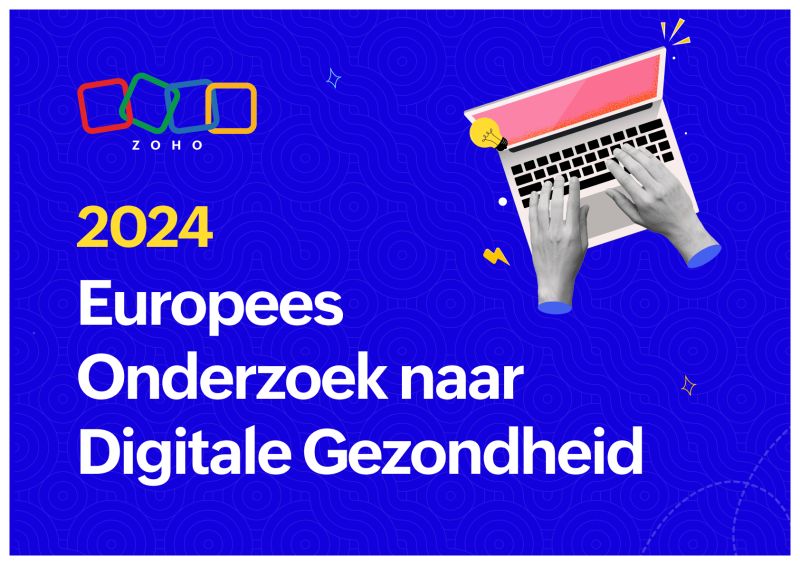
In het Europese onderzoek naar digitale gezondheid van Zoho wordt de digitale gezondheid van bedrijven onderzocht binnen vijf markten in Europa: het VK, Frankrijk, Duitsland, Spanje en Nederland. De onderzochte bedrijven worden beoordeeld op hun werkwijzen op het gebied van digitale transformatie. Hoe presteert uw land en wat is belangrijk als het gaat om het verbeteren van uw digitale gezondheid?
Hoogtepunten
- Gemiddeld is de digitale gezondheid gestegen van 35% naar 45% Het percentage ondervraagden met een slechte digitale gezondheid is gestegen van 34% naar 40%
- Kleine bedrijven (25-250 medewerkers) hebben nog steeds de minste kans op een goede digitale gezondheid (20%), maar er is wel een stijging ten opzichte van 12% in 2023
Lees nu het volledige rapport over het Europese onderzoek naar digitale gezondheid 2024 hier.
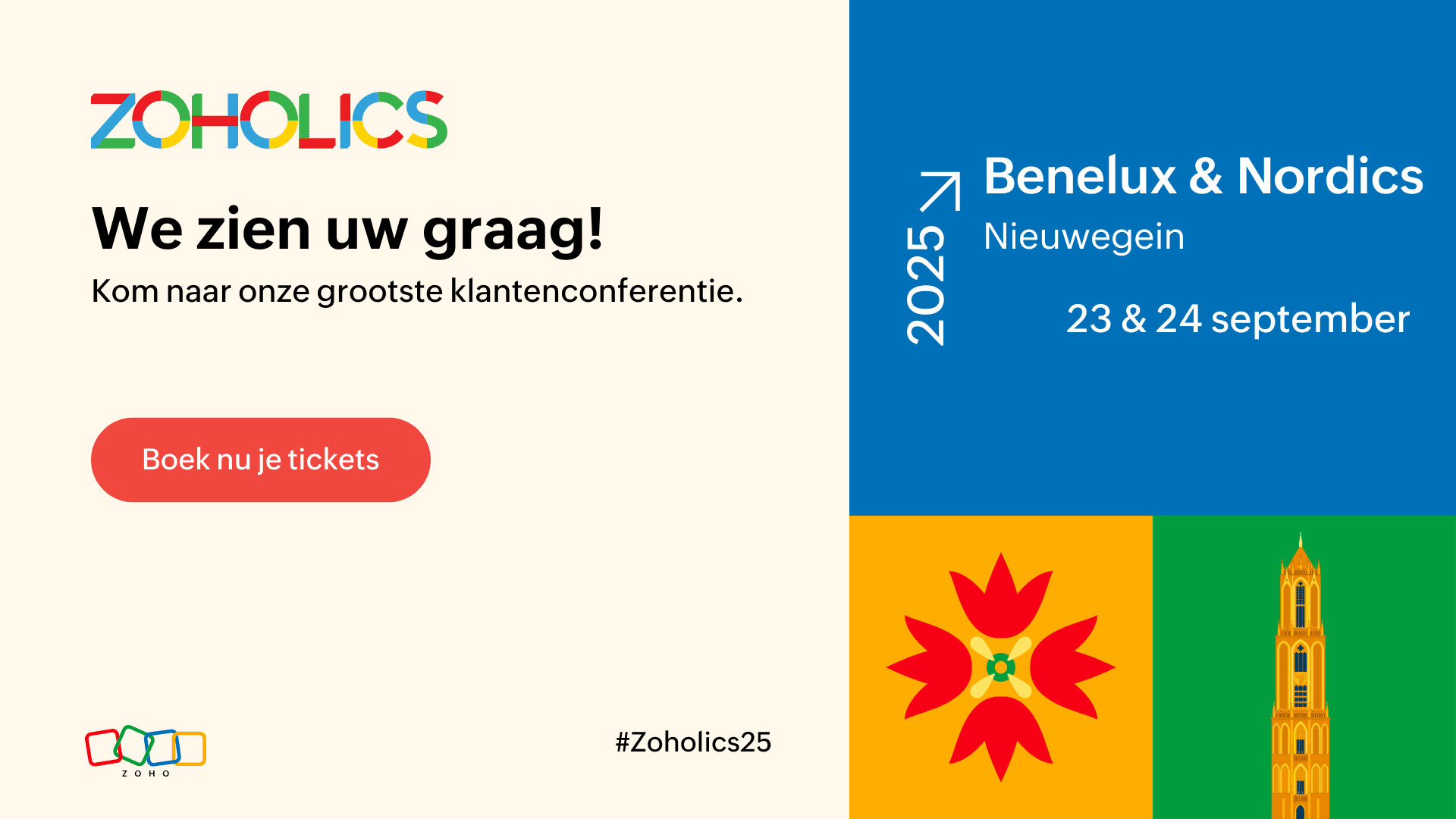
Zoholics 2025 is nog beter geworden
Zoholics Benelux en Nordics organiseert workshops door onze productverwachters om uw dagelijkse bedrijfsvoering te verbeteren. Dit is uw kans om een gecertificeerde Zoho-expert te worden en uw bedrijf naar een hoger niveau te tillen!
De 3 workshops zullen gaan over:
- CRM & Klantenondersteuning
- BI & Data Analytics
- Zoho Developer
U kunt rekenen op 15 uur praktijkgerichte training onder begeleiding van experts, ontworpen om van u een Zoho power user te maken. Stel vervolgens uw vaardigheden op de proef en laat u certificeren!
Ga naar huis met concrete, bruikbare inzichten en een certificering waarmee u zichzelf kunt onderscheiden.
Lees hier wat eerdere deelnemers te zeggen hebben & bekijk hier de volledige agenda!
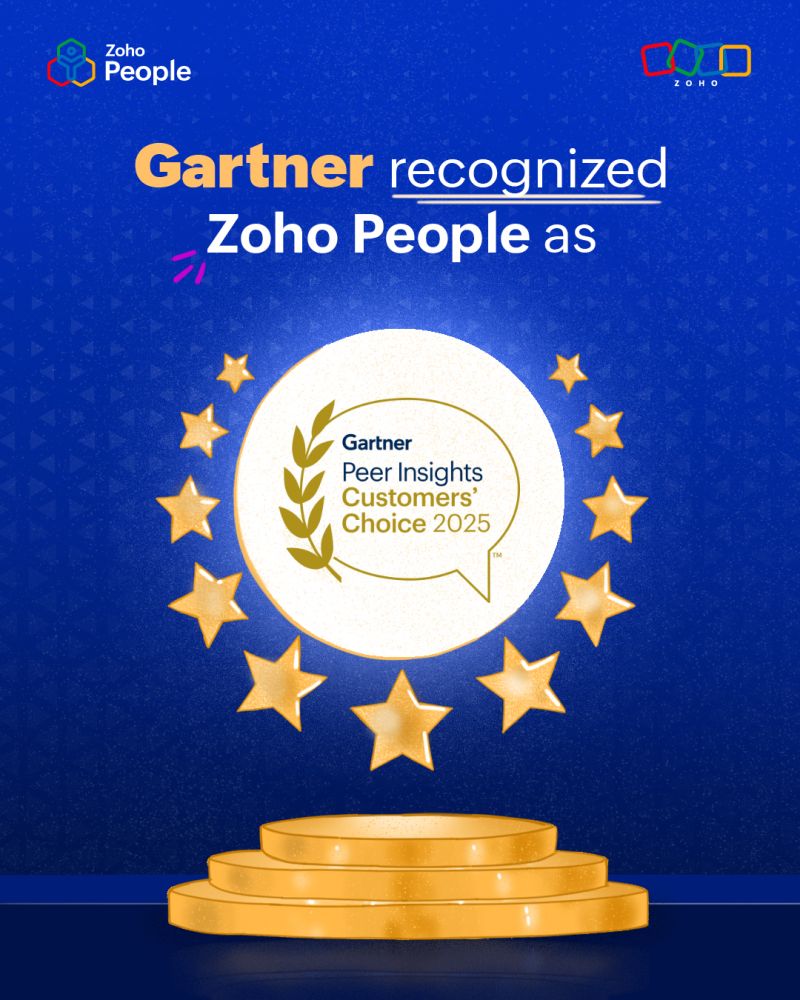
We blijven bedrijven in de Benelux & Nordics ondersteunen om op de hoogte te blijven van:
- Ondersteuning in meerdere talen voor een naadloze ervaring
- Flexibiliteit in de cloud om HR altijd en overal te beheren
Wij willen onze geweldige klanten, medewerkers en partners enorm bedanken voor hun vertrouwen en steun. Jullie feedback en harde werk voeden onze missie om HR eenvoudig, naadloos en werknemervriendelijk te maken.
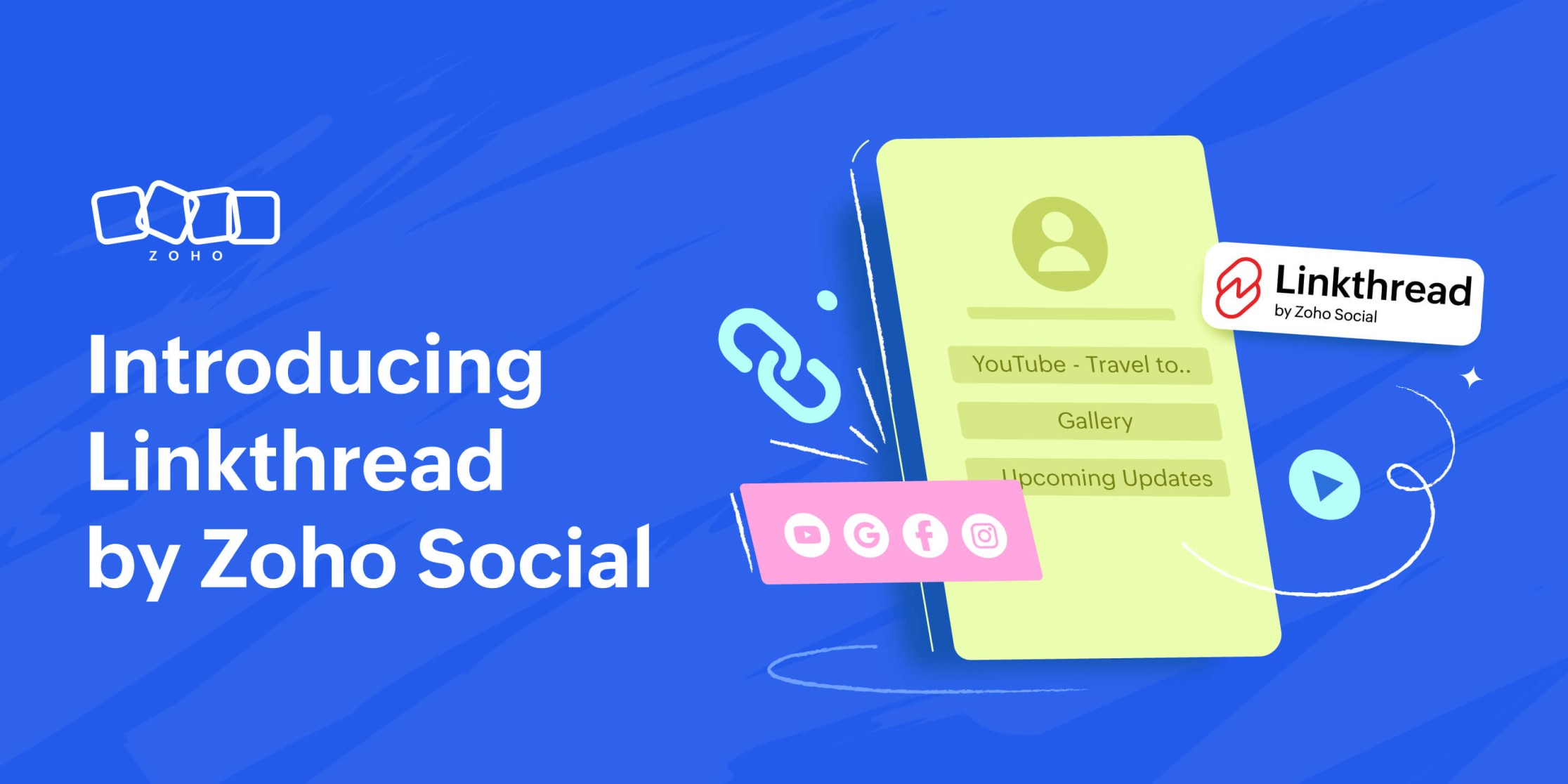
Nu Q1 ten einde loopt, brengen we graag functies en tools om uw reis naar social mediamarketing in Q2 moeitelozer te maken, en vandaag hebben we een gloednieuwe tool die we graag aan u voorstellen. We weten hoe belangrijk het is om elke link te laten tellen voor je merk, dus hier is Linkthread van Zoho Social - onze eigen link in bio-tool.
Linkthread is de perfecte manier om die ene link in uw social media bio te veranderen in een aanpasbare opslagplaats voor uw merk.
U kunt een verscheidenheid aan inhoud toevoegen, zoals:
- Een persoonlijk welkomstbericht
- Links naar je sociale-mediaprofielen
- Promotiefilmpjes of -video's
- Getuigenissen van klanten
Dit alles is snel en eenvoudig toe te voegen vanuit het Linkthread dashboard en kan binnen enkele minuten worden gedaan! Met de volledig aanpasbare opties die beschikbaar zijn in de tool, kunt u kiezen uit verschillende lettertypen, thema's en ontwerpstijlen om uw pagina in te richten op een manier die de kijkers zal aantrekken. Zodra alles is ingesteld en de pagina is gepubliceerd, kunt u de prestaties van uw pagina volgen via de gedetailleerde analyses die beschikbaar zijn in de tool.
Ontdek hier de lancering van Linkthread!
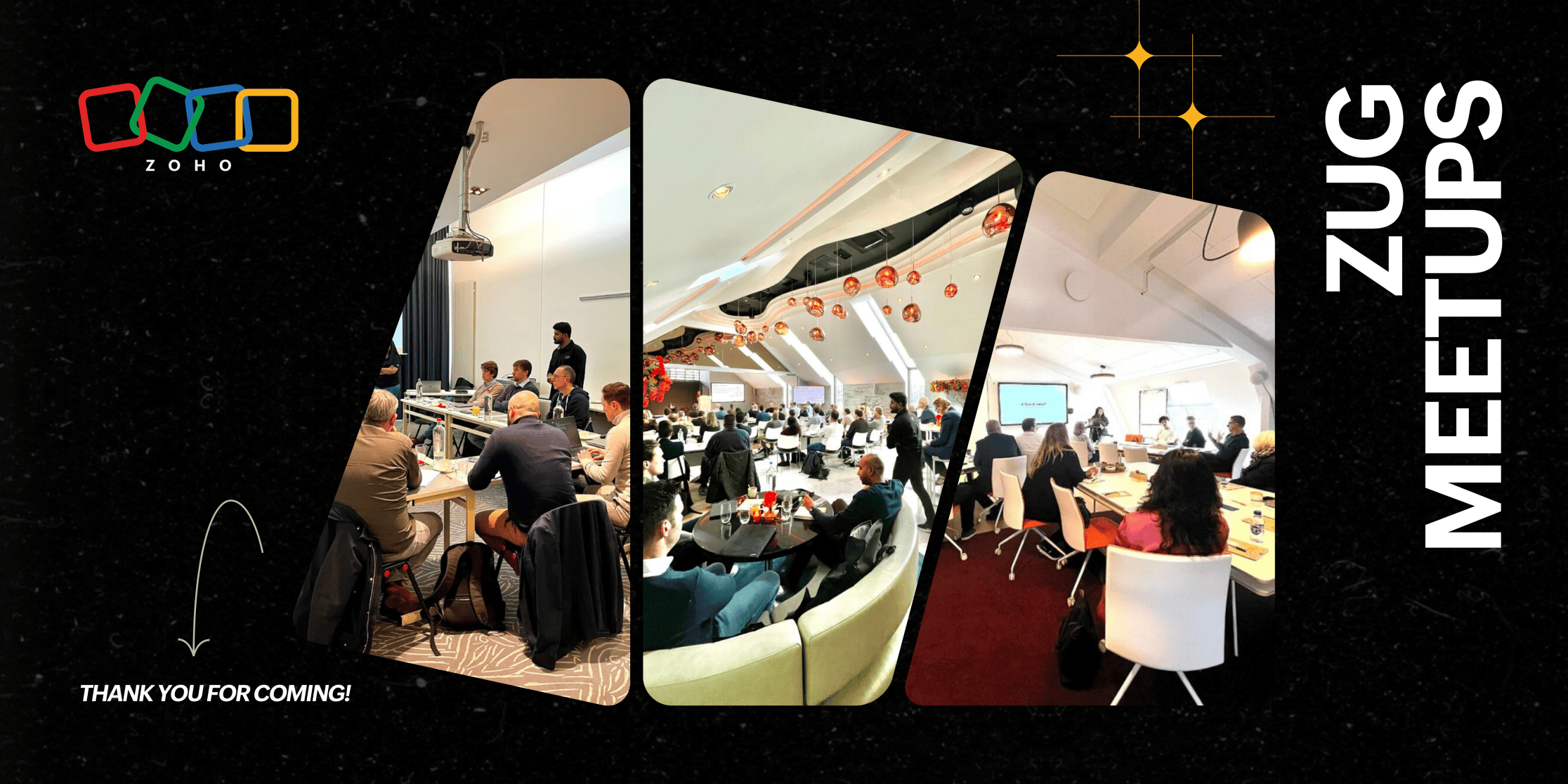
De Zoho User Group (ZUG) meetups in Utrecht, Brussel en Kopenhagen waren een daverend succes en vulden de zalen met betrokken gebruikers die graag met elkaar in contact wilden komen en wilden leren. In Utrecht zagen we een volle zaal met deelnemers, variërend van kleine bedrijven tot grotere ondernemingen, waar waardevolle discussies ontstonden over de tools van Zoho. De meetup in Brussel, hoewel intiemer, trok toegewijde gebruikers die van ver kwamen, waardoor er diepgaande 1:1 gesprekken mogelijk waren. In Kopenhagen kwamen klanten uit heel Denemarken bijeen, sommigen namen een drie uur durende treinreis om deel te nemen aan het evenement, wat de kracht van onze samenwerking in de Benelux en Nordics benadrukt.
Belangrijke onderwerpen zoals CRM Portals & Canvas, Zoho Desk en Voice zorgden voor inzichtelijke vragen en antwoorden, waarbij de aanwezigen de directe toegang tot Zoho experts op prijs stelden. De overweldigende positieve feedback benadrukte de waarde van persoonlijke interacties, de relevantie van de discussies en de behoefte aan meer lokale evenementen. Met zoveel enthousiasme is het duidelijk dat de aanwezigheid van Zoho's community in Europa steeds sterker wordt en we zijn enthousiast om door te gaan met het opbouwen van deze zinvolle verbindingen!
Maak binnenkort kennis met Zia Agents, Zoho's next-gen AI platform voor volledig autonome bedrijfsvoering!
Zia Agents houdt uw bedrijf efficiënt in beweging.
Meld u aan voor de wachtlijst hier!

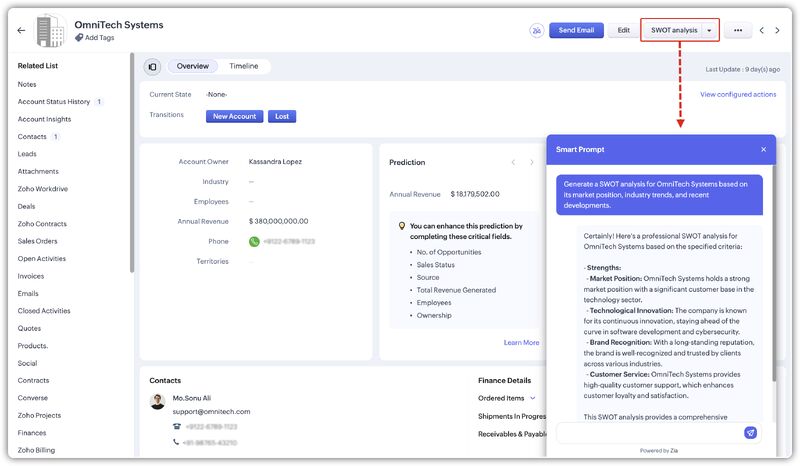
Met de geheel nieuwe prompt builder voor aangepaste knoppen kunt u nu uw eigen AI-instructies maken om op maat gemaakte inhoud, suggesties of samenvattingen te genereren op recordpagina's.
Ontdek het hier!
Blijf op de hoogte van het laatste nieuws, productupdates, exclusieve evenementen en nog veel meer. Bent u al lid? Blijf dan deelnemen en help de Zoho Benelux Community te laten schitteren! 🌟
Met vriendelijke groeten,
Topic Participants
Andre Shamray
Sticky Posts
Virtual Community Meetup over Canvas voor Zoho CRM
Beste Community leden, Wij nodigen jullie graag uit voor de Virtuele Community Meetup over Canvas voor Zoho CRM! Met Canvas kun je de gebruikersinterface van Zoho CRM herontwerpen tot een gebruiksvriendelijke en dynamische tool. Deze oplossing vereenvoudigtTips & Tricks #01 Top 10 Zoho CRM Integraties
Wij helpen jou graag om het beste uit je CRM te halen. Zoho CRM ondersteunt verschillende Apps en Add-ons die jouw efficiëntie kunnen verbeteren wanneer je met sales leads, prospects en klanten werkt. Integratie is mogelijk met een uitgebreide set aanWebinar - Nieuwe Canvas Functie voor Zoho CRM
Wij nodigen jou graag uit voor de Webinar over de nieuwe Canvas-functie van Zoho CRM! Tegenwoordig zien alle CRM-softwares er hetzelfde uit: rijen met data op een witte achtergrond met een contrasterende kleur bovenaan en aan de randen. Dat is NU verledenAsk the Experts #1 Online Forum Q&A over Canvas voor Zoho CRM
Beste Community leden, Zoals jullie weten lanceerde Zoho CRM deze maand Canvas, de eerste CRM Designstudio in de branche! Met Canvas is het mogelijk om creatieve en praktische ontwerpen te creëren zonder enige kennis van programmeren te hebben. Het isOntdek onze nieuwe Canvas functie voor CRM
Het gehele Zoho team is verheugd om onze nieuwe Canvas functie te introduceren, de enige functie binnen de branche die u in staat stelt om het ontwerp van uw CRM aan te passen! Canvas is een ingebouwde designstudio in Zoho CRM, waarmee u uw gebruikersinterface
Recent Topics
Live Webinar: Getting Started with Zoho WorkDrive - A Complete Overview
Hello everyone, We’re excited to invite you to our upcoming live webinar! Discover how to set up your team, bring in your data, and make the most of WorkDrive’s collaboration, organization, AI, and security capabilities. This session is perfect for anyoneCalendly One-way sync- Beta Access
Hello Community, Many of our Zoho Calendar users have expressed their interests in Zoho Calendar and Calendly integration. We've been tightly working on with Calendly team to provide a two-way sync between Calendly and Zoho Calendar. However, there haveThe year that was at Zoho Calendar 2023- Part 2
In continuation with our previous post on all the exciting updates and improvements that have shaped Zoho Calendar over the past 12 months, Lets delve into more: Bring your calendars together- Introducing Zoho Calendar and Outlook calendar synchronisationTip of the week #18: Change the event organizer in Zoho Calendar.
We cannot always be available to conduct an event when we organise one. In these circumstances, you can use Zoho Calendar to change the event organizer at any moment before the event begins. This way, you can avoid cancelling the event while still takingTip of the week #20: Create and manage multiple personal calendars.
Zoho Calendar provides users with the facility to create and manage as many calendars as required. All these calendars can be managed and edited as per user requirements. You can alter the calendar view, make changes to the calendar theme, share the calendarTip of the week #24: Subscribe to the calendars of a Zoho Calendar user.
Calendars that are created by Zoho Calendar users can also be added to your Zoho calendar. All public calendars listed by the users will be available when you enter the email address. You can choose the calendar you need to subscribe to. Once the emailTip of the week #26: Import/ Export calendars in Zoho Calendar.
Any calendar on the web or calendars that you create in any other calendar application can be imported in to Zoho Calendar. This will help you to add the events from the calendars that you import to your Zoho Calendar. You also have the option to exportRemoving calendar for zoho email group
How do I make it so that an email group created in Zoho Mail does NOT have a calendar? I have a couple groups for our phone systems voicemails - one for each department. Voicemail recordings are sent to this groups email address so they have access toTip of the week #27: Edit personal calendars in Zoho Calendar.
In Zoho Calendar, the personal calendars you create can be edited to make changes you need to make. Edit a Personal Calendar The following changes can be made to the personal calendar by editing it: Calendar title Calendar color Reminders and DescriptionTip of the week #28: Show/ hide, enable/ disable and empty/ delete your calendars in Zoho Calendar.
The popularity of online calendars has soared in recent years. It's used both for personal and professional reasons. Calendars have evolved into an effective productivity tool in our lives, from creating events for birthdays and anniversaries to schedulingTip of the week #30: Share calendars publicly in Zoho Calendar.
In Zoho Calendar, calendars that are created under My Calendars can be shared publicly. Making your calendar public allows others to view it. When you need to share your calendar with a larger group, public sharing can help. You can restrict others fromTip of the week #31: Share your personal calendars within organization.
Keep your Organization members aware of what's happening. In Zoho Calendar, you can share your personal calendar with all the members in your organization using the Share with org option.When you enable org sharing for a particular personal calendar,Tip of the Week #33: Appointment scheduler in Zoho Calendar.
In Zoho Calendar, you can use the Schedule Appointment option to share your appointment request form with the public, allowing people to fill out the form to request an appointment with you. This form can be embedded on your website or blog. VisitorsTip of the Week #34: Embed Calendars using Zoho Calendar
You can make your calendars public and visible to the general public by embedding them in your websites/blogs using Zoho Calendar. You can use the embed code to add your own calendars to your website's/ blog's HTML code, and the calendar will appear onTip of the week #35: Migrate to Zoho Calendar from Google Calendar.
If you are looking to move your Google Calendar events to Zoho Calendar, never worry about missing out the events from your Google Calendar. You can migrate the events from Google Calendar using the export option and import it to Zoho Calendar and manageTip of the week #36: Migrate to Zoho Calendar from Outlook Calendar.
If you've been using Outlook calendar and looking to migrate to Zoho Calendar, you can seamlessly export your calendars from Outlook and import them into Zoho Calendar without losing any events, participants, and the reminders set for each event. To migrateShared calendar issues and duplications
Apparently there was a calendar update? Now when I schedule an event for a team member that has shared his calendar with me, the event makes me the organizer and adds the event to my calendar as well. Previous to this "update" I would scheduled an eventSubscribed Calendar
Hi i have subscribed to a calendar for Holidays in Canada it shows all the holidays perfectly but every one of them has the word Canada before the rest of the name is there a way to remove that word Canada? It takes up a lot of space in the square onThe year that was at Zoho Calendar 2023- Part 1
Hello, amazing community members! Happy new year from all of us here at Zoho Calendar. As we begin the new year, we'd like to thank each and everyone of our community members for your unwavering support and love that you have shown for Zoho Calendar.Zoho Calendar 2024: A Year in Review
Hello, community members! Happy new year from all of us here at Zoho Calendar. As we turn the page to a new year, we extend our heartfelt gratitude to every member of our Zoho Calendar community for your continued support and enthusiasm. Your feedbackZoho Calendar not syncing correctly with personal Google Calendar
Coming to this forum as Zoho Calendar support team is not responding, any more. For the past 8 weeks, I have been having an issue with Zoho Calendar not syncing with my personal Google Calendar correctly. I subscribed to Zoho Calendar iCal in my personalZeptomail API error 500 internal server error
Hi Everyone, getting this eror continuously! Can anyone please guide around the same! Zeptomail API error 500 internal server error Best RegardsWaiting multiple days to buy credits, causing my website to suffer
So I own a fairly large website that gets a lot of registered users. I use transmail send activation emails, and also forgot password emails. I sent an email to zoho's presales team when I was only at 4K/10K emails sent, hoping to buy more credits beforeFollow up
Hello, I sent a message 2 days ago but I don't receive any response and I cannot find my ticket here. this is the ticket: Your ticket has been created with the ticket ID 68925465 and subject "Fwd: Fishing-alert" looking forward to seeing your response.What's new in TransMail!
Note: TransMail is now ZeptoMail. Click here to know more. Hello again, everyone! We've recently crossed the 6 months mark of TransMail's launch. In this time post our launch, we have been constantly working on updating our platform and adding new featuresJune 2021 in TransMail!
Note: TransMail is now ZeptoMail. Click here to know more. Hello again, everyone! Hope you and your loved ones are doing well. If you're doing less than fine, we truly hope that things only get better for you. We've had a few updates in the past monthTransMail has a new name—ZeptoMail!
Tried navigating to TransMail's community forum but see a different name now? That's because TransMail has a new name. TransMail is now ZeptoMail! As we’ve grown from an internal service used mainly by other Zoho products to an up-and-coming competitorJuly 2021 in ZeptoMail!
Note: TransMail is now ZeptoMail. Click here to know more. Hello again, everyone! Hope you and your loved ones are doing well. We've had a few updates in the past month in ZeptoMail—some new features and some important announcements. Take look at whatSend Email From the ZeptoMail BY API
What is Zeptomail:- Transactional email service with reliable and fast delivery How we can Create a Connection for Zeptomail in Zoho CRM Go to the Setup Click on Connection Enter Connection Details:- Generate Consumer Key & Consumer Secret Using ZohoCustomer email on Opencart 3
When I place an order, 2 emails are sent: 1) administrator 2) to the user The administrator receives a beautiful letter, but the user receives a damaged letter (see screenshot). What could be the problem?[Announcement] Insert image from URL changes in Zoho Writer
Hi Zoho Writer users! We'd like to let you know that we've changed the behavior of the Insert image from URL option in Zoho Writer for security reasons. Earlier behavior Once you inserted an image URL in a Writer document, the image would be fetched fromDynamic Signature - Record owner
Hi everyone, I’m using Zoho Writer merge templates from Zoho CRM and have two questions: Owner signature: How can I automatically insert the CRM record owner’s signature in the merged document? I’m not sure where this signature is stored or how to referenceWriter sing up problom
Zoho writer sing up prolom faceUnable to copy into a new document
Whe I create a new Writer doc and attemp to copy and past I get this message. The only way to copy into a document is I duplicate an existing document, erase the text and save it under a different name and then paste the information. Not ideal. Can you[Webinar] Live demos and user Q&A with Zoho Writer product experts
Join us on June 12, 2025 for live demos based on your use cases and real-world scenarios raised via form. This is also an opportunity to get your questions answered directly by product experts from the Zoho Writer team. Webinar agenda Live demos basedZoho Writer's built-in citation and bibliography generator
Hey researchers and writers! Do you manually format citations and bibliographies, spending hours jumping between apps and tabs? If so, then check out Zoho Writer's built-in "Citations and Bibliography" feature. Imagine you're writing a thesis on the futureSingle and group checkboxes in Zoho Writer's fillable forms
Hey Writer Fam, Are you making the most out of single and group checkboxes in fillable forms in Zoho Writer? Here is a handy tip to optimize your use of checkboxes, both single and group, and enhance your data collection process. Single checkboxes: SingleCollaborate efficiently with Zoho Writer's track changes feature
Hi Zoho Writer Community, Zoho Writer's track changes feature is a simple, built-in solution that helps you and your team work together efficiently. Instead of juggling multiple versions of a document or building up a long email chain of comments, eachZoho Writer's WordPress extensions
Hey Zoho Writer users! Say goodbye to all your WordPress content publishing woes with Zoho Writer's WordPress extensions. Publish content with all your formatting and images, republish content when you update a document, and more—from a single windowTime-saving table hacks
Hey Zoho Writer Community, Do you find yourself using a lot of tables in your documents? We're here to share some of our time-saving hacks that will help you work more efficiently, organize your data, and make your documents look neat and professional.Next Page