Introducing Lead Capture: Empower exhibitors to capture leads effortlessly
Introducing Lead Capture: Empower exhibitors to capture leads effortlessly


Events provide a great opportunity for exhibitors to generate awareness and engage with potential customers. Efficiently distributing attendee information to exhibitors through a seamless and secure way is of paramount importance.

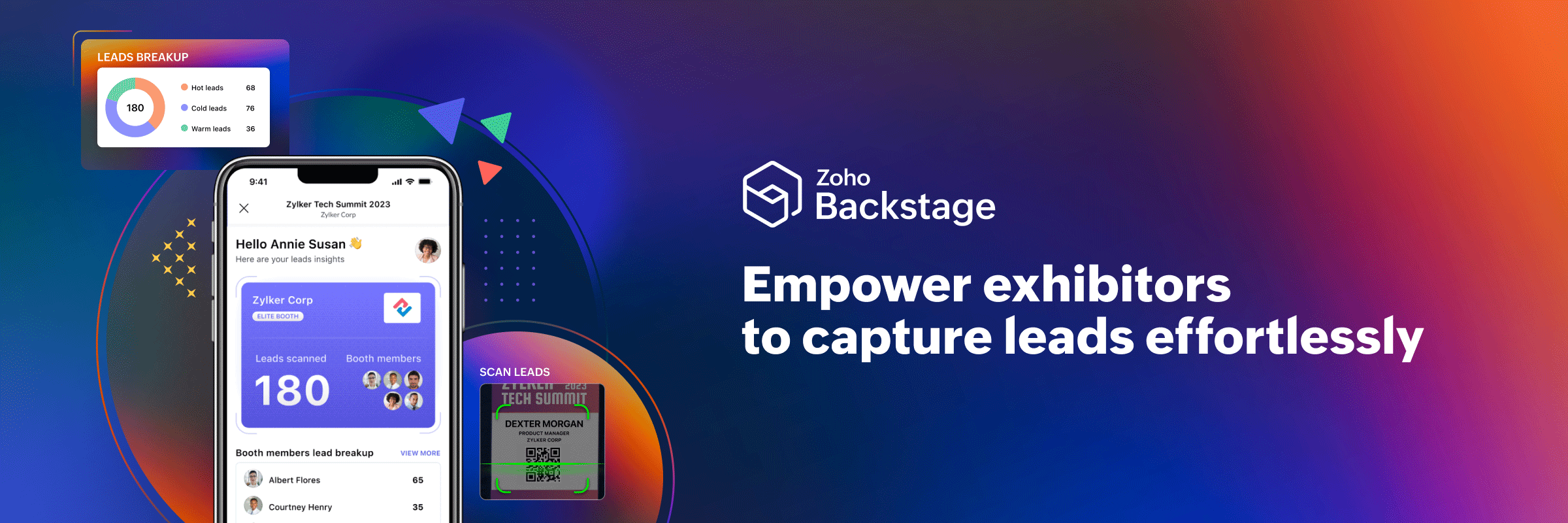
Introducing Lead Capture in Zoho Backstage to help exhibitors streamline the collection, qualification, and management of leads. So how can your exhibitors benefit from using this feature?

Manage access control
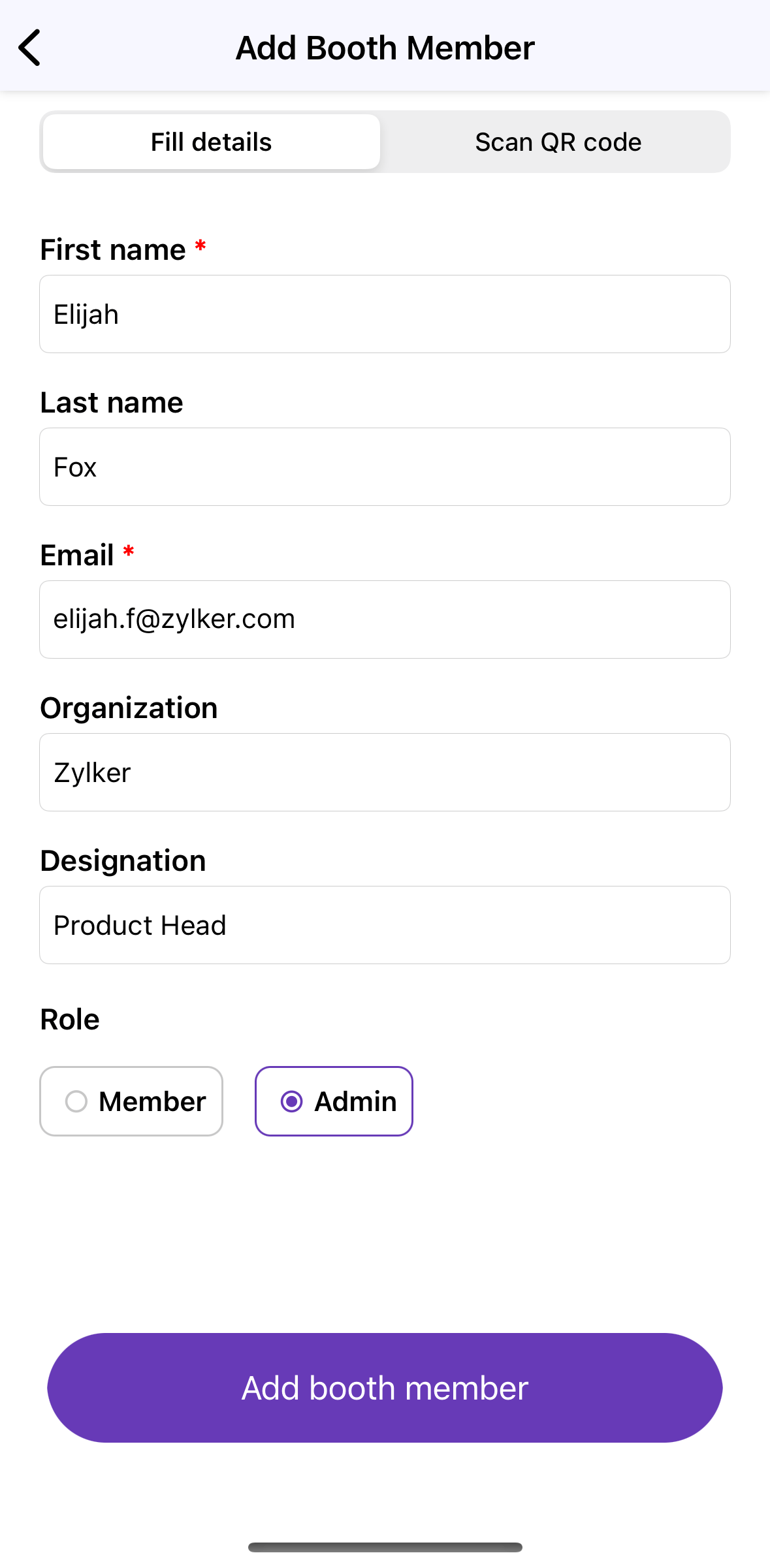


Stay organized by managing booth members and their access permissions, which can be set at the category level, giving you to have granular control over which exhibitors have access to the Lead Capture tool. Exhibitors can invite members and add their details on the go right from the mobile app. When adding booth members, assigning them a role—admin or member—will also tailor their access and provide them with the appropriate level of permission.

Capture leads instantly
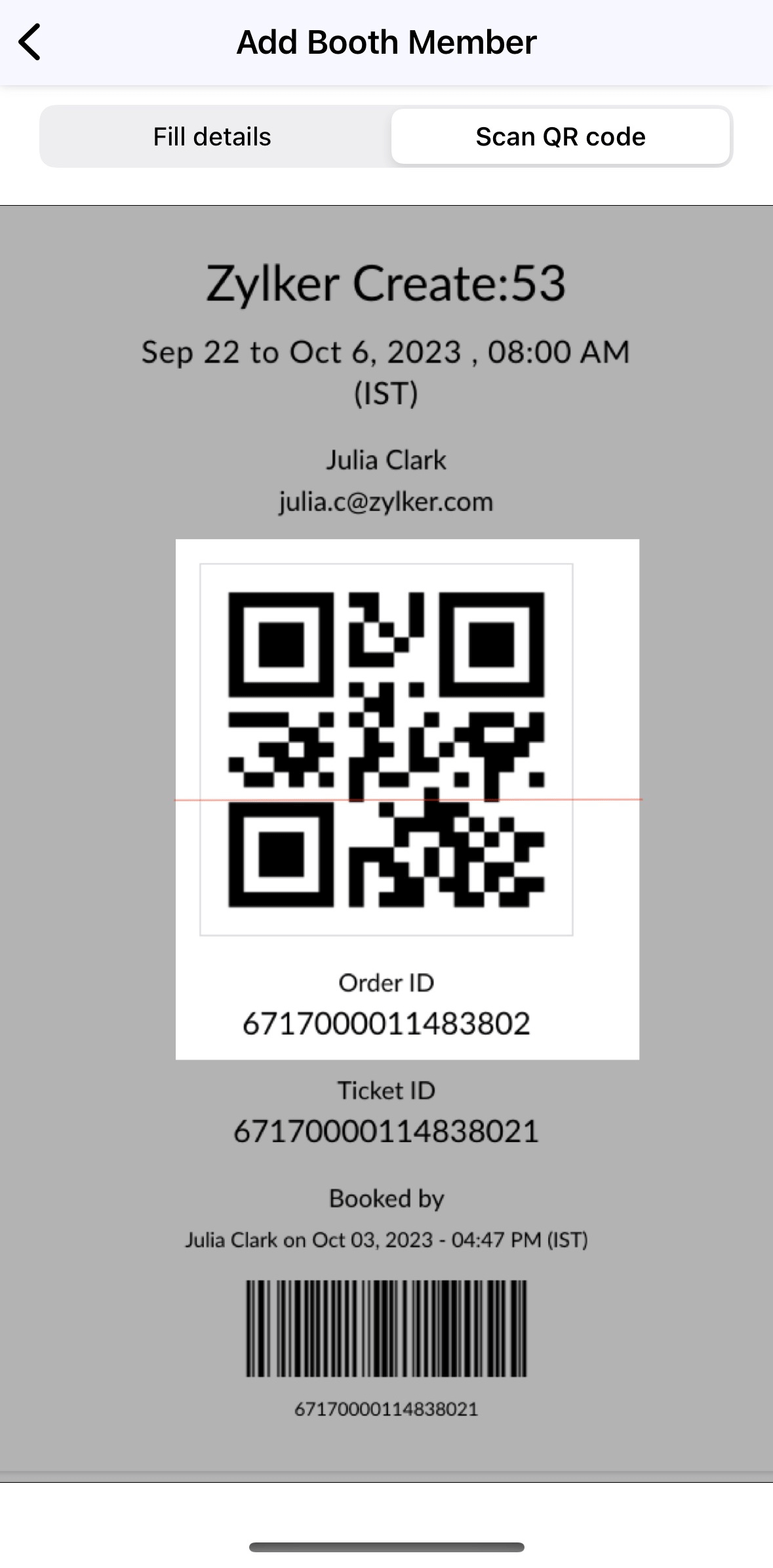

Move away from manual data entry and improve exhbitor-attendee interactions with higher ROI for exhibitors. Leads can be added swiftly and accessed digitally using the mobile app. The My leads option in the left panel in an event can be used to open Lead Capture. A participant's QR code can be scanned to fetch their lead information. With two scanning options available—Quick scan and Scan and qualify—these details can be captured instantly.

Qualify leads with additional notes
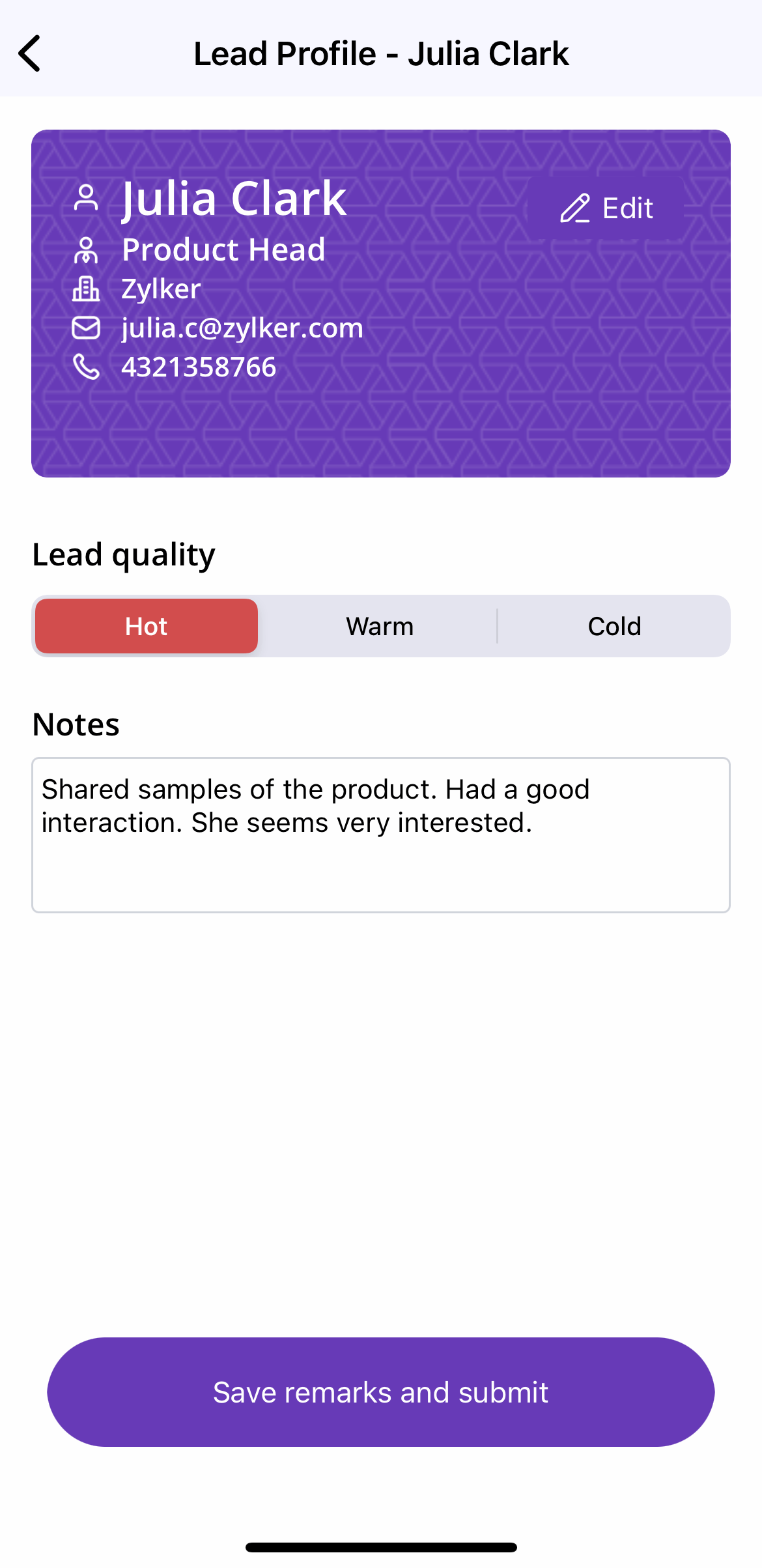


With the Quick scan option, only the QR code needs to be scanned in order to save the lead to your list. The lead quality will automatically be set as hot. With the Scan and qualify option, simply review pre-filled lead details, rate the lead's quality, and provide any additional notes or insights about your conversation. Recording notes specific to each lead can empower exhibitors to tailor their approach for future follow-up efforts, increasing the probability of converting prospective leads to customers.

View collected lead summary 
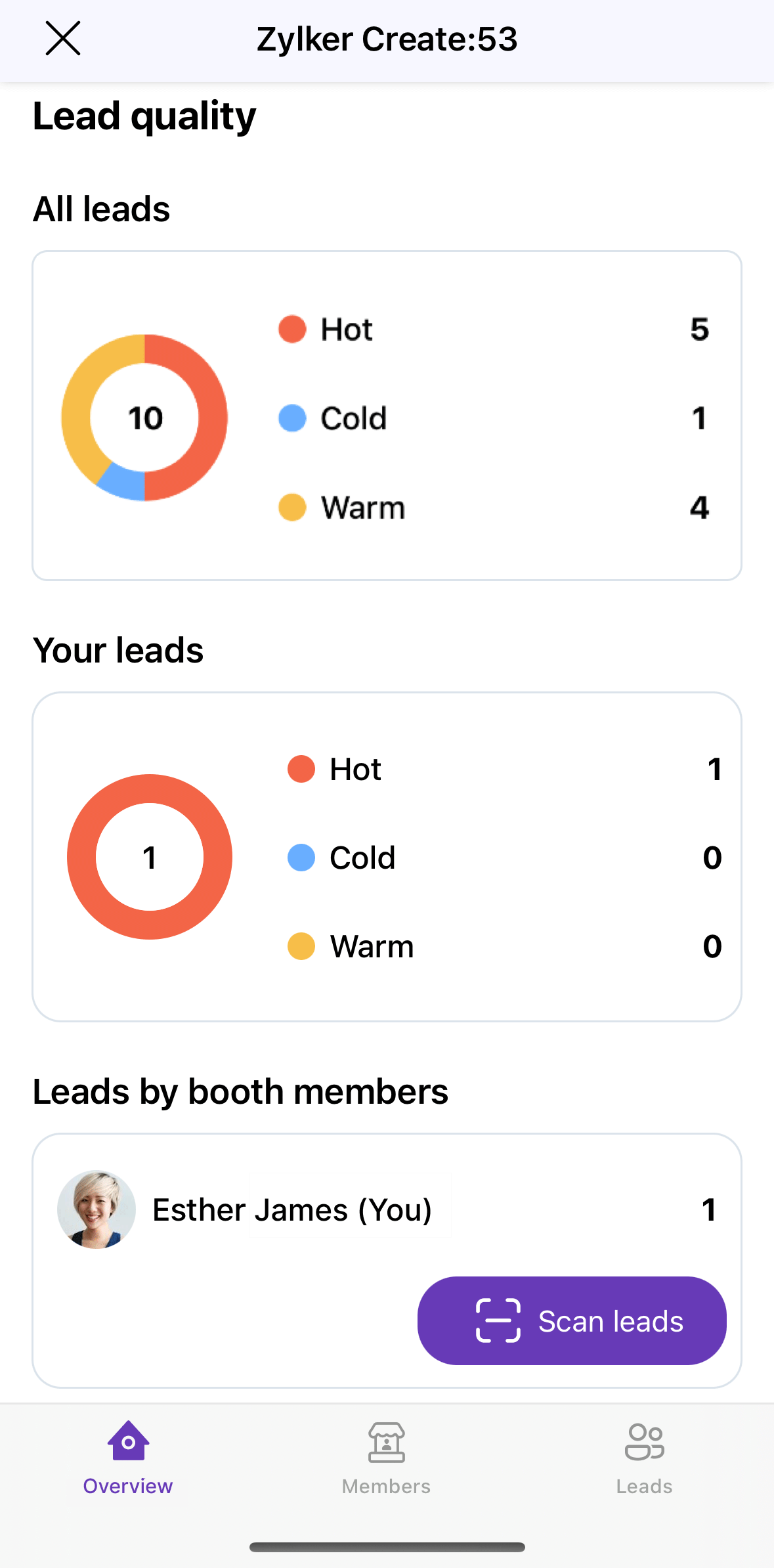


Lead reports can be viewed in real time as leads are captured at the event. Exhibitors can view individual lead profiles to get a comprehensive view of each attendee.

Booth members can filter and segment leads based on criteria such as lead quality and the booth member who captured the lead.

The lead list can also be kept up to date with the flexibility to edit saved information. Updates or corrections made to entered details will maintain its accuracy and relevancy. Also, when a particular lead no longer fits the desired customer profile, they can be deleted.

Securely export leads
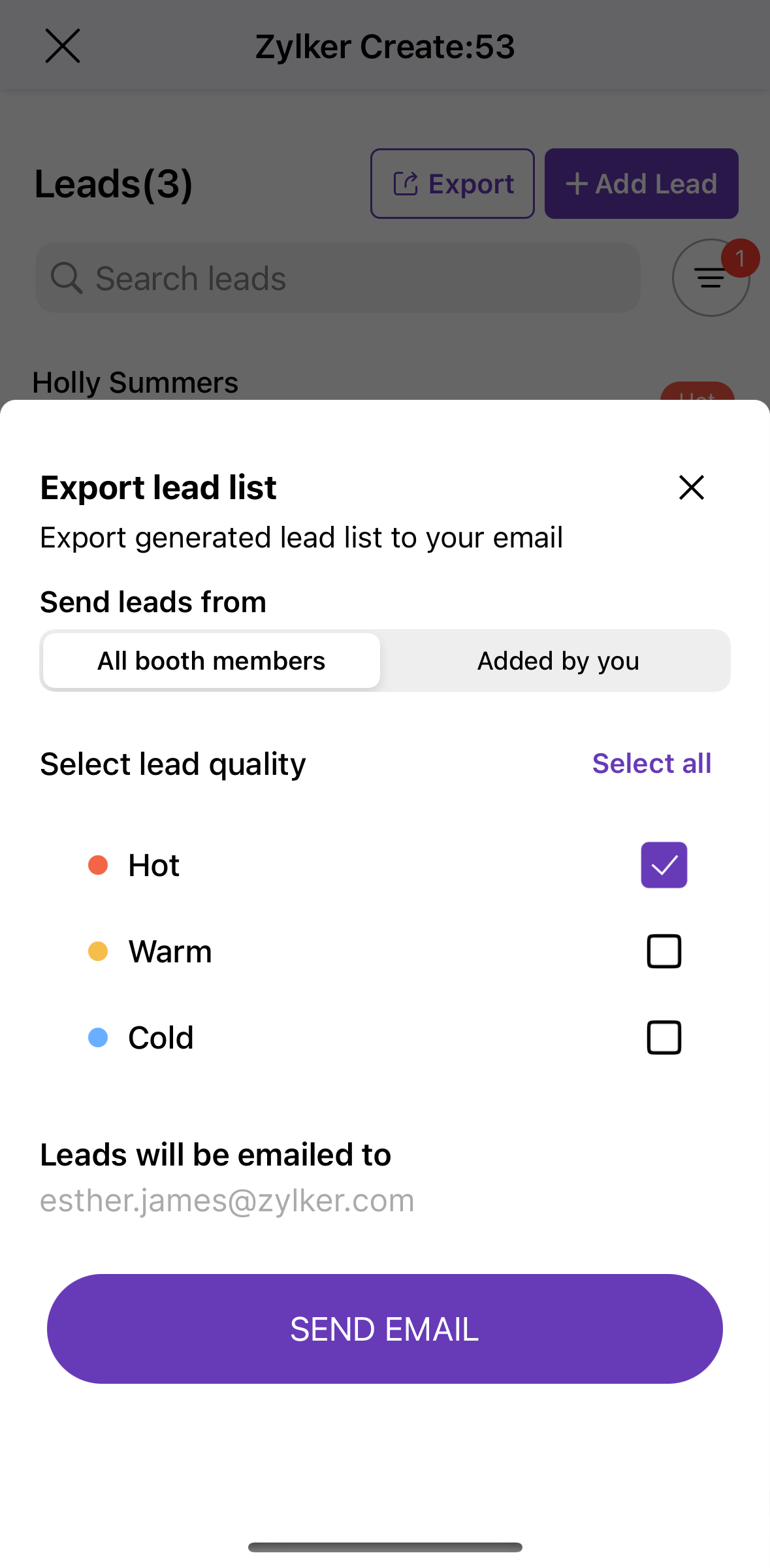


Finally, you can safely export the lead list directly by email. As an enhanced security measure, the lead list is sent as a password-protected email attachment. Only booth admins will be allowed to export the report. This can then be selectively shared with the people who are authorized to access the information.

Equip exhibitors at your next event with Lead Capture and let us know how it went in the comments below. We're always looking for feedback on how we can improve our product to serve your needs better. You can also start a discussion about this in our community or write to us at support@zohobackstage.com for any product-related questions.
 
Happy organizing!

    • Sticky Posts

    • Important notice: Changes in sender domains

      Hello Backstage users, This is a heads-up about a major change with sender domains in Zoho Backstage. In response to Google's new guidelines for email senders, Backstage won't be able to send emails with the sender domain "gmail.com" or "googlemail.com".
    • Announcing Backstage OnAir, our in-house virtual events solution

      These past months have seen a huge rise in the number of virtual events with some of the biggest events of the year going online. Though there's little possibility for virtual events to completely replace in-person ones, COVID-19 has shown how flexible
    • Introducing the mobile app for event organizers

      It doesn't matter if you're planning your first trade show or an annual executive retreat—organizing an event requires your undivided attention. This is especially true on event day, when things can quickly get out of hand. So how can you stay on top of everything happening at your event? Introducing the Zoho Backstage for Event Organizers mobile app, for Android and iOS—designed to improve and simplify your event management. Getting things started on time, checking in attendees on event day, following
    • Announcing Zoho Backstage: Your complete event management software

      With just a few months till the event, you're still racking your brain. Did you advertise to the right audience? Is your event website design appealing? How will you keep attendees engaged and interested during sessions? It doesn't matter if you're organizing
    • Recent Topics

    • Marketer's Space: Unable to select a sender address? Here's the fix

      Hello Marketers, Welcome back to yet another post! So you've added a sender address in Zoho Campaigns and later found that you're not able to select it while creating an email campaign. Has this ever happened to you? If so, don't worry—you're not alone.
    • Loading Project Balances in ZOHO Books for each project

      Hello, What is the best method for loading project balances actual and budget into ZOHO books to provide tracking to our project managers. We have projects and federal awards (also treated as projects) which span multiple years. We are converting from
    • Auto-Invite Users to Portals in Zoho CRM based on Conditions

      Hello Everyone, You can now automate portal invitations in Zoho CRM with the new Auto-Invite users feature in Portal management. No more manually enabling portal access one by one. With this enhancement, you can automatically send invites for users to
    • Scale up your writing style with content analysis tool in Knowledge Base

      Hello everyone, Sometimes writers may have strong knowledge about the subject but may find it challenging to articulate clearly or produce comprehensible, jargon free content. To make the process easier and to ensure consistent, high-quality articles,
    • Zoho Books "Update" Trigger for Zapier?

      Hi Zoho Team, I've been in talks with Zapier about using their services to connect my Zoho Books account to various apps, but I require an additional trigger beyond the "New" trigger. I require an "Update" trigger, which will allow me to filter and create Zaps only when certain conditions are fulfilled on the Zoho Books end before I automate a separate app. Specifically this will help me create invoices in QuickBooks Online only when payments are recorded in Zoho Books, rather than when a new invoice
    • How to prevent editing of closed tickets in Zoho Desk?

      I would like to confirm whether it is possible to completely prevent agents from editing tickets once their status is set to Closed. Is there any configuration, permission, or best practice in Zoho Desk to ensure that closed tickets remain read-only and
    • Zoho Desk Limitations

      Good day, all, I would like to know whether others share my frustration with some of Zoho's limitations. Don't get me wrong, I like Desk (and I also have a subscription for Analytics), I have been with them for close to 10 years, and unfortunately, I
    • Cliq iOS can't see shared screen

      Hello, I had this morning a video call with a colleague. She is using Cliq Desktop MacOS and wanted to share her screen with me. I'm on iPad. I noticed, while she shared her screen, I could only see her video, but not the shared screen... Does Cliq iOS is able to display shared screen, or is it somewhere else to be found ? Regards
    • Is it possible to remove filtering options?

      My CRM has a lot of custom fields that should not be used in filters or views. Fields that are automated and exist only to store temporary values that get used in functions. These create a lot of noise in the list of fields to filter. Isn't there any
    • New Mandatory One-Click Unsubscribe Link Overshadowing Custom Unsubscribe Link

      I was recently informed by Zoho CRM Support that they are now mandated by the large email service providers like Google and Yahoo to provide a one-click unsubscribe option in the header (not the body) of all mass emails. I have a custom unsubscribe link
    • how to undoreconciled transaction

      how to undo reconciled transaction
    • Can I export all attachments from Zoho CRM?

      Can I export all attachments from Zoho CRM?
    • Exciting Updates to the Kiosk Studio Feature in Zoho CRM!

      Hello Everyone, We are here again with a series of new enhancements to Kiosk Studio, designed to elevate your experience and bring even greater efficiency to your business processes. These updates build upon our ongoing commitment to making Kiosk a powerful
    • Change eMail Template for Event-Invitations

      Hello ZOHO-CRM Team How I can change the eMail Template for Event-Invitations? I work with the German Version of the Free Version. I know how I can modify eMail alerts or Signature Templates, but where I can other eMails modify you send out? Thank you for your answer. Regards, Juerg
    • Right-Click Pipeline to Open in New Tab

      Please add the ability to right-click on a pipeline to open it in a new tab
    • Service Title in Service Report Template Builder

      I am currently working on the Service Report Template Builder in Zoho FSM. I have created three separate service report templates for different workflows: Preventive Maintenance Report Requested Service Report Installation Report My issue is that I cannot
    • Zoho Sign for Zoho Projects

      Documents authorization and validation with signature is now easier in project management with Zoho Projects' Zoho Sign extension. Sign documents or send them for signatures directly from tasks and issues using Zoho Sign extension in Zoho Projects. Extension
    • Deluge Learning Series – Best Practices in Deluge | December 2025

      We’re excited to bring you the next session of the Deluge Learning Series, focused entirely on writing cleaner, faster, and more reliable Deluge code. In this edition, we’ll dive deep into the essential best practices every Deluge developer should follow
    • Associate a Contact to a Campaign using deluge?

      If I want to add one record to another related list, which zoho function do I use? zoho.updateRelatedRecord is not it I don't think.  I simply want to take a "Contact" and associate it to a "Campaign" using deluge.  Can anyone help? contactId = 5122008000000796037;
    • Add "Groups" above "Users" in the Zoho Forms Left Menu

      Hi, We have Groups but you have to go to a Form and Share or use the Directory App to manage them, please add "Groups" above "Users" in the Zoho Forms Left Menu so you can manage them in 1 place within Zoho Forms too. Thanks Dan
    • What tool is best to import PST to Zoho Mail?

      The best tool to import PST to Zoho Mail is Aryson PST Converter, as it offers direct and secure migration without data loss. Zoho Mail does not support native PST file imports, so using a professional tool is the most reliable solution. Aryson PST Converter
    • Changing field types

      Question im a Zoho CRM user and curious, if I change a flied type from single or multi line text to a URL field type will i lose the data in the field or will it be converted to website link automatically. Thanks
    • Adding Taxes to paid consultations in Zoho Bookings

      I created a 'paid' consultation under Zoho Booking and integrated it with payment gateways for online/instant payment before a booking is done. How can I add 'taxes' to the price of consultation? I can add taxes to other Zoho apps (liks Books, Checkout,
    • Zoho CRM Reports Module on Mobil App

      I have the mobile app and the reports module doesn't appear in the sidebar for some reason. I saw a Youtube video where the user had the Reports module on mobile. Is there a setting to show it on mobile? Thanks.
    • Inquiry on Help Centre Tab Customisation

      Hi Zoho team, I’m wondering if it’s possible to further customise the Help Center tabs, specifically the descriptions under Knowledge Base, Community, and Tickets. While the current setup allows customising tab names, being able to tailor the descriptions
    • Passing a form object to a function

      Suppose I have a sort_order field in multiple tables and I want to increment it by +1 onCreate of a new record. Is there a way to pass the form object as an argument into the function to keep things DRY? The following function from Zia works, but I'd
    • Can you copy and paste a page within a form?

      I have been looking at trying to copy/duplicate a whole page within a form. I can't see how I can do this without having to add all the data in again. This is very time consuming. Any help would be great.
    • SMS to customers from within Bigin

      Hi All, Is there anyone else crying out for Bigin SMS capability to send an SMS to customers directly from the Bigin interface? We have inbuilt telephony already with call recordings which works well. What's lacking is the ability to send and receive
    • Unable to sort as Descending order

      Trying to change the sort order for a lookup field (checkboxes) from Ascending to Descending and keep getting an error in Deluge that the order must be Ascending Did anyone ran into this? Thanks Eyal
    • How do I copy an email message to one or more other folders?

      I can move a message to another folder using the "move to" option but I can't figure out how to copy a message. 
    • New feature request: Allow copy of email message to another folder

      Hello Zoho team, This is a suggested new feature to allow copy an email message to either another folder or the same folder. Within the same Zoho account. This is not a support request about "label". This is a suggested new feature to allow copies of
    • Hotmail is blocking the zoho mail IP

      Greetings, Since last Tuesday (5 days ago today) I wrote to Zoho support and I still haven't received a single response (Ticket ID: 2056917). Is this how you treat people who pay for your email service? I am making this public so that those who want to
    • Desk DMARC forwarding failure for some senders

      I am not receiving important emails into Desk, because of DMARC errors. Here's what's happening: 1. email is sent from customer e.g. john@doe.com, to my email address, e.g info@acme.com 2. email is delivered successfully to info@acme.com (a shared inbox
    • Creator Simplified #11: Create a custom button to download files

      Hey there! This time, let's see how to create custom buttons to download the files uploaded in the file upload field. Sample use-case A training app has a module that provides the materials for all the available courses. Students can click on the corresponding
    • Hide horizontal lines at bottom of form

      Hi I have a page with 3 forms embedded in html snippets. On each of the forms I can hide the submit button easily but I am left with the horizontal lines that bound that section and I cannot figure out to remove them (see below for the two sets of horizontal
    • Autosaving of Form Field

      HI can anyone suggest a way of autosaving or simulating an autosave function for a specific field in a form. The story is as follows. I have a bunch of technicians who write notes on how they do a repair. Sometimes they write for a couple of hours the troubleshooting process. If they click incorrectly, press ESC, Cancel or the browser crashes the information is lost which can be heartbreaking so my guys use notepad and then copy the information in. The only way around this is to click submit on the
    • Zoho Tracking Image location

      So we've been having an issue with tracking email opens. Specifically in Gmail. Our emails are not that long either, maybe 4 sections of image/250 characters of text/button per section.  But all my test accounts I used via Gmail we're showing opens. But then come to find out the tracking image is at the very bottom of the email. So If the message is clipped (It always just clips our social icons on the bottom) and the user doesn't click the show more button it never tracks the open.  Looking at other
    • AI Interview Insights: Turn Recorded Interviews into Quick Transcripts & Summaries

      Evaluating interviews shouldn’t require replaying long recordings or taking manual notes. With AI Interview Insights, you can now review complete transcripts and AI-generated summaries of your One-way (Recorded) interviews right inside Zoho Recruit. This
    • How do I associate pricebooks to a customer?

      I setup a few pricebooks, that worked fine. But now the only thing I can do with it, when I enter a quote or sales order, I can select which pricebook to use, but I have to do this product by product every time I add one. Is there a way to connect a pricebook
    • Employee Appraisal Applicability - Why is Date of Joining Hard-Coded?

      In the new (to me, at least) Performance Appraisal Cycle wizard, it's possible to set criteria to determine for whom the appraisal process should apply. This makes sense on its face. However, one MUST use the Date of Joining criterion as a filter. Why
    • Next Page