Introducing the Zoho Show Windows app
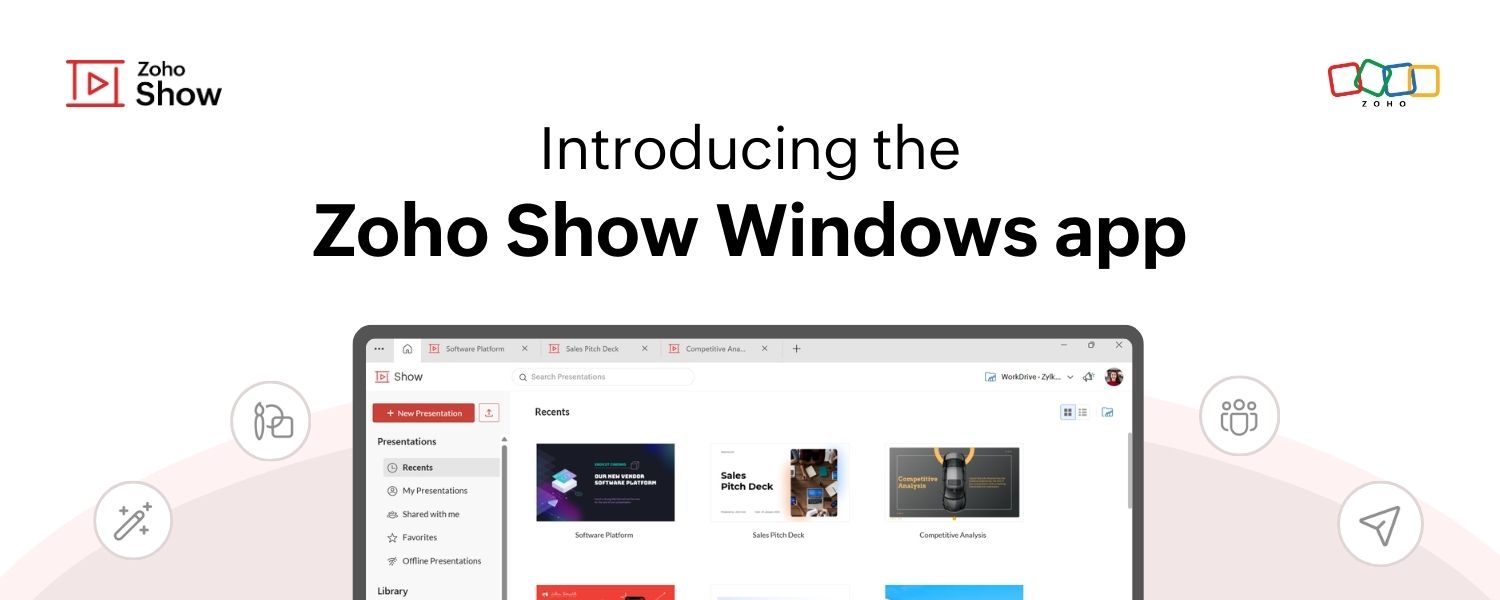
Hello everyone!
We’re excited to announce the launch of the Zoho Show app for Windows! You can now create, access, collaborate on, and deliver presentations right from your desktop.
Use without signing up
You no longer have to wait till you can create a new account or log in to your existing account to work on presentations. With Show's Windows app, you can get started right after launching it and sign in anytime later to save your presentations to your account.
Create and access presentations offline
The web app currently allows you to access the last five presentations you were working on while offline by setting up offline mode.

Work on multiple presentations simultaneously
Collaborate with your team in real time, just like on the web version. Log in to your account on the Windows app to share, co-edit, publish, or even broadcast your presentations directly from your desktop.
Topic Participants
Loshini D
Sticky Posts
Introducing Zoho Show extension in Your Chrome Browser
Hi everyone, Over the years, Chrome's feature-rich support extensions have grown to offer additional ways to easily access your favorite tools from anywhere. Today, Zoho Show is excited to announce our integration with Google Chrome as an extension app to help build and access presentations directly from your browser. Zoho Show for Google Chrome is a free extension that allows you to dive straight into drafting your presentation material. Simply install the Show extension from the Chrome Web StoreTake your presentations anywhere with the Zoho Show app for iOS
We're excited to announce the launch of the Show app for iOS. Our new presentation app gives you the power to view and present slideshows on your iPhone and iPad devices wherever and whenever you want. The Show iOS app has a host of features that will make your presentations engaging and dynamic: Access all your presentations with a single tap Sign in to your Zoho Show account to view your slides and deliver presentations on-the-go. The app stores all the presentations you've created in the MyIntroducing All New Zoho Show - Create and Design Stunning Presentations.
Hello, Whether you're a first-time presenter or an expert looking to make a lasting impression, Zoho Show is the tool for you. Whatever your expertise, the All New Zoho Show's contextual user interface lets you create all kinds of slides, from plain text on a simple background to complex presentations with animations, tweets, charts, media files, and lots more. The UI doesn't leave you to figure everything out yourself, but presents something you can easily use. It's clear, obvious, and intuitive.Three smart ways to share your presentation with Zoho Show.
"What is the best way to share a presentation?", a lingering question that is asked after every live session or a meeting. Sharing presentations can be time consuming. It can be done, either by attaching the file to an email or by saving it in a pen drive. But what happens when your file size is large or your team is spread across the globe? Zoho Show lets you share your presentations both internally and externally without worrying about the file size. You can share your slides as a link and decideConvey Your Ideas and Convince Your Audience with Zoho Show
Visual presentations are highly impactful and it is a no-brainer that your audience gets attracted to them. The use of images and videos help you reach your objectives by emphasizing your ideas more effectively. According to the psychologist Jerome Bruner of New York University, "people only remember 10% of what they hear and 20% of what they read, but about 80% of what they see and do." For example, if the above data on its own, was presented visually, there is an 80% chance that the information
Recent Topics
sending email with another account
Hello there, i write there for an our costumer request. They want to send email from CRM with a different email (confirmed and added to zoho profile). For example they use account@zilium.com but with this account they want to send (not only with emailMajor journey crash and not loading. Zoho Marketing Automation
Hi all. Last night (19MAR, 2026) Marketing Automation for a specific journey completely crashed, and since the crash the specific journey has failed to load at all (blank journey canvas, no journey appears, no menu accessible) but other separate journey'sIzettle or Sumup Integration for Zoho Books.
The Stripe & Square clearing works great in Zoho Books. Any further integrations planned in the future for Izettle or Sumup? These card processors are very common for taking payments with a card reader.Is anyone experience missing functions in the new UI until hard refresh?
The set of functions including search is almost always missing upon loading an app in the new UI. If you refresh, the functions return. (see second screenshot) Anyone else experiencing this?Adding Images to a Quote in Zoho CRM
We are currently preparing to use Quotes in Zoho CRM and we are building out our Quote templates. We came across an issue of not being to add Images of the products to the Quote - specifically in the body of the Quote templates. This is a problem,Mail Search should allow grouping by conversation like Gmail.
Having switched from gmail I have found the search function hard to use. Mostly because mail is not grouped by conversation in search. If I search for a word when looking for a conversation had with someone then sometimes 10 emails will come up from theServer-based Appication API access for Social, Sites, Flow, Pages.
Hello, I am trying to hook up API access for a number of apps and I have hit a wall trying to add these scopes to the API feed. We cannot find the correct way to list the scope for these Zoho apps; Social, Sites, Flow, Writer. Error on web-page comesZoho Landing Page "Something went wrong" Error
Hello, Every time I try to create a new landing page, I receive a "Something went wrong" error with no explanation. I cannot create any new pages, which means we cannot use this application. I did create one landing page successfully over a month ago,Sync desktop folders instantly with WorkDrive TrueSync (Beta)
Keeping your important files backed up and accessible has never been easier! With WorkDrive desktop app (TrueSync), you can now automatically sync specific desktop folders to WorkDrive Web, ensuring seamless, real-time updates across devices. Important:Cliq iOS can't see shared screen
Hello, I had this morning a video call with a colleague. She is using Cliq Desktop MacOS and wanted to share her screen with me. I'm on iPad. I noticed, while she shared her screen, I could only see her video, but not the shared screen... Does Cliq iOS is able to display shared screen, or is it somewhere else to be found ? RegardsZoho → ShipStation Integration – Sales Order–Driven Fulfilment Workflow
Hello All, I’m reaching out to explore the best way to integrate a shipping tool into our inventory which will speed our process up. We are looking to integrate ShipStation into our existing order-to-fulfilment workflow, as we’re keen to standardise onNewby Questions - Vendors, Customers, and Income vs. Other Income Clarifications
Q1. For Deposits, there does not seem to be an option for "Income". "Other Income" is an option however. What is the process to add the option to assign a deposit to type "Income"? Q2. In many cases Vendors and Customer are the same. Vendors may purchaseZoho Booking - TIN vs ATIN & ITIN
Zoho Booking Vendors allows for TAX ID values of SSN, EIN, ATIN an ITIN. There is no option for TIN. What is the method to properly add TIN to the list of taxable values for companies? For reference: Social Security Numbers (SSN) Individual Taxpayer IdentificationBank Feed shows redacted description numbers (xxxx)
Hi All, Is there any way to change this behaviour? Either Zoho or Yodlee is redacting important numbers from the transaction description, preventing us from being able to easily recognise and reconcile transactions. For example, a transaction with a descriptionCan I write a check in Zoho Books with no associated bill?
This currently does not seem possible, and I have a client that desperately needs this function if I am able to convert them with Quickbooks. Thank you in advance for your reply.Handling large product migrations in Zoho?
Hi everyone, How do you usually manage large product catalog migrations (10K+ SKUs) into Zoho One? Main concerns I’m thinking about: Avoiding downtime Preventing data loss Keeping supplier and product relationships intact Do you prefer bulk imports orReassign Partially Saved Entries
Hi, I would like to be able to go to Partially Saved Entries and like the option to delete them I would like the option to multi-select and be able to reassign them to another user to complete (Such as when a user has left the company). Thanks DanPreventing auto-redirect to Parent Record on Save...
Our users often create records from the related list on th left side of the screen. They click the blue "plus" button to create the record. This is handy, but for some modules, or situations, they would like to remain on the record AFTER clicking "Save",Introducing Version-3 APIs - Explore New APIs & Enhancements
New Update - The end of life timeline for V2 APIs has now been extended to 30th June, 2026 Happy to announce the release of Version 3 (V3) APIs with an easy to use interface, new APIs, and more examples to help you understand and access the APIs better.Correlated subqueries not supported in Zoho Analytics. This creates huge limitations
Running into a major limitation in Zoho Analytics: correlated subqueries simply don’t work, even in completely standard SQL patterns inside a JOIN. Example: LEFT JOIN "Bills" b ON d."Id" = b."Deal ID" AND EXISTS ( SELECT 1 FROM "BillUnknown table or alias 'A1'
I would like to create a subquery but i am getting the following error: Unknown table or alias 'A1' used in select query. This is the sql statement: SELECT A1.active_paying_customers, A1.active_trial_customers, A1.new_paying_signup, date(A1.date_active_customers),Feature announcement - Introducing recipient authentication via Didit in Zoho Sign
Hi everyone! Zoho Sign already integrates with trusted providers like IDology (US), eID Easy (EU), and Stripe Identity. Today, we're excited to add another powerful option: Didit. Some benefits of using Didit: Unified ID verification Streamlined eKYCCRM x WorkDrive: File storage for new CRM signups is now powered by WorkDrive
Availability Editions: All DCs: All Release plan: Released for new signups in all DCs. It will be enabled for existing users in a phased manner in the upcoming months. Help documentation: Documents in Zoho CRM Manage folders in Documents tab Manage filesAll new Address Field in Zoho CRM: maintain structured and accurate address inputs
Availability Update: 29 September 2025: It's currently available for all new sign-ups and for existing Zoho CRM orgs which are in the Professional edition exclusively for IN DC users. 2 March 2026: Available to users in all DCs except US and EU DC. 24Super Admin Logging in as another User
How can a Super Admin login as another user. For example, I have a sales rep that is having issues with their Accounts and I want to view their Zoho Account with out having to do a GTM and sharing screens. Moderation Update (8th Aug 2025): We are workingWhat's New in Zoho POS - February 2026
Hello everyone, Welcome to Zoho POS’s monthly updates, where we share our latest feature updates, enhancements, events, and more. Let’s take a look at how February went. Purchase and sell items on different units We have introduced a unit conversion functionalityRegarding the integration of Apollo.io with Zoho crm.
I have been seeing for the last 3 months that your Apollo.io beta version is available in Zoho Flow, and this application has not gone live yet. We requested this 2 months ago, but you guys said that 'we are working on it,' and when we search on GoogleMessage as bot
I would like to be able to send a Cliq message truly as a bot. the current implementation of this function, while it sends the message as a bot it sends that message inside a chat from the user how authenticated the flow cliq connection instead of directlyUsing a custom single line External ID form as merge fields in templates
Hey everyone, We're looking to integrate a few external systems better with our Zoho CRM, and we had hoped to use external fields for this purpose. In this case, it would mean being able to use our own inoice system's invoice numbers are a direct id compatibleBuild an approval management system with Custom Modules
Dear users, Task management is at the heart of project management. But not all tasks are created equal. You can have your tasks reviewed before any work begins, to improve transparency or stay within budget or as part of your process. Zoho Projects allowsCRM's sandbox now supports the Zoho Desk integration
Hello everyone, Sales and customer support teams often collaborate to solve tickets and identify pain points. In Zoho's suite of products, sales teams primarily use Zoho CRM while customer support teams work in Zoho Desk. These two tools are often integratedCountries List Global Set- Complete with Phone Country Code and Continent.
Dear Zoho Team I saw your recent addition to the Global Sets regarding the Countries list and states. While working on it, why didn't you also add things like Continent and Phone Country Code? Also, some ISO codes from some Countries/regions are mismask Customer phone number and agents cant see customer phone number
Is there any way we can integrate Zoom Phone with Zoho CRM while ensuring that customer phone numbers remain masked? We need a solution where agents can make outbound calls but cannot see customer phone numbers. Please let us know if there is any solutionZoho Community Digest — Marzo 2026
¡Hola, comunidad! Un mes más os traemos las novedades más interesantes de Zoho para marzo de 2026, incluyendo actualizaciones de producto publicadas oficialmente, cambios de políticas y noticias del ecosistema. ¡Gracias por venir a los Workshops de Madrid!Files Uploaded to Zoho WorkDrive Not Being Indexed by Search Engines
Hello, I have noticed that the files I upload to Zoho WorkDrive are not being indexed by search engines, including Google. I’d like to understand why this might be happening and what steps I can take to resolve it. Here are the details of my issue: FileHow can we get payment status updates for payment links in Zoho Books using webhooks?
When we create and share a payment link in Zoho Books, is there a way to know when the payment is updated? Can we use webhooks to get real-time updates for payment link status instead of checking manually?Uplifted homepage experience
Editions: All editions. Availability update: 17th February 2026: All editions in the CA and SA DC | JP DC (Free, Standard and Professional editions) 23 February 2026: JP (All Editions) | AU, CN (Free, Standard, Professional editions) 27 February 2026:【Zoho CRM】住所項目のアップデート:構造化された正確な住所入力を実現
ユーザーの皆さん、こんにちは。Zoho コミュニティグループの中野です。 今回は「Zoho CRM アップデート情報」の中から、住所項目に関するアップデートをご紹介します。 アップデートの概要 これまでの住所項目は、自由入力形式のテキスト欄が中心でした。 そのため、入力者によって書き方がバラバラになりやすく、データの検索やレポート集計が難しいという課題がありました。 今回追加された新しい住所項目では、住所を構造化されたフォーマットで管理できるようになりました。 以下の要素をそれぞれ個別の項目として分割して管理します。How to hide Activity Side Panel
How do you hide the activity side panel? Clicking on the link and reviewing the activity does not remove it and it does not seem to timeout. I have any activity that have been listed there since January. Thank you.This version of app doesn't support this notecard type Error
So this problem is happening for any notes created within the last week, as well as any note recently edited on Android. I can open them on my phone fine, but they don't open on the website version. They DO work on the desktop app version. It's just webNext Page