Narrative 11: Are your customers happy?

Narrative 11: Are your customers happy?

Behind the scenes of a successful ticketing system: BTS Series

Narrative 11: Are your customers happy?
Quote
Happiness isn't just something you experience; it's something you remember.  
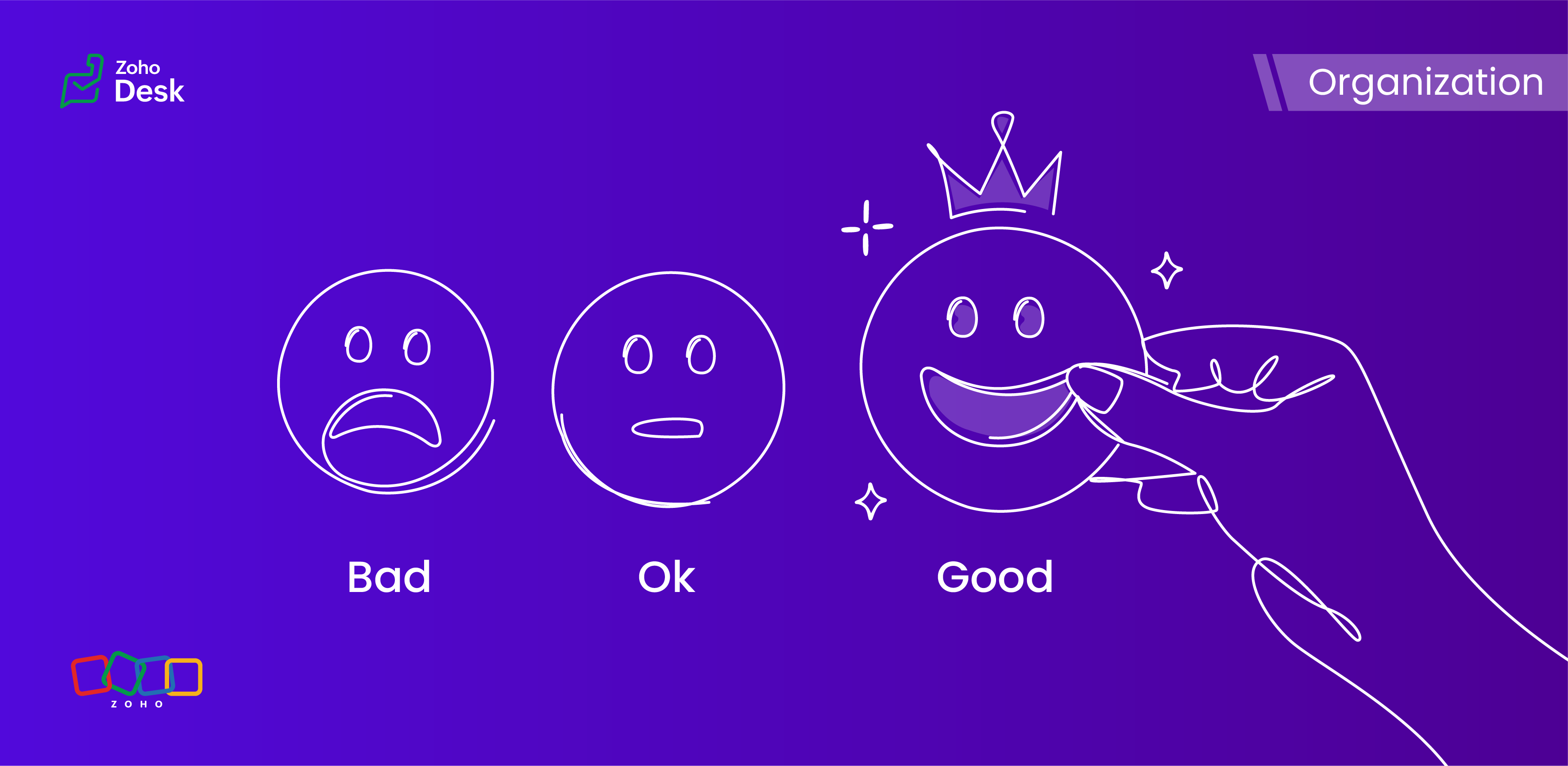
Hear your customers' voices by enabling customer happiness ratings in Zoho Desk. A customer's happiness rating helps you see what they think about the support they received each time they receive a response or when their ticket is closed. You can also use the integrated analytics to monitor your agents' ratings across different contacts, accounts, and time frames.

What is customer happiness?

Customer happiness refers to a customer's overall satisfaction and positive experience with a product, service, or brand. It encompasses the customer's emotional relationship with the service and its offerings. Customer happiness is often measured through customer satisfaction surveys, feedback, and repeat business, and is a crucial aspect of building strong and long-lasting customer relationships. Happy customers are likely to be loyal, advocate for the brand, and contribute to the company's success.

Customer happiness vs. satisfaction 

At first glance, customer happiness and customer satisfaction appear to be two sides of the same coin. Both are aiming to create a positive experience and make customers feel good about the service they receive. But there's an essential difference between the two.
Customer satisfaction is about meeting expectations. If you hit the mark or exceed specific goals, your customers feel satisfied. If you miss the mark, they end up dissatisfied. It's a more straightforward and measurable reflection of how well you perform in relation to what customers expect.
Customer happiness, however, is a bit more nuanced and emotional. It's less about ticking boxes and more about the overall feeling customers have about your service. Whether every specific expectation is met might matter less than how delighted and connected they feel after interacting with you.
Focusing on customer happiness rather than just satisfaction can bring greater rewards. Happy customers tend to stay loyal longer, keep coming back, and spread positive word of mouth. In today's competitive world, nurturing that lasting happiness is what truly sets a business apart.
So, while satisfaction keeps customers content today, happiness builds lasting relationships for tomorrow.

How do you keep them truly happy?

Pay attention to their pain points

In general, customers want to feel valued and heard. Regularly ask for and document feedback during customer conversations. You'll often discover that one customer's pain points are affecting others as well.

Leverage technology

Using the right technology makes each customer's journey smoother and helps deliver a personalized support experience. Implementing a live chat system with AI-assisted chatbots is one way for businesses to enhance communication and guide interactions with customers more effectively.

Meet customers on their level

Invest in your omni-channel customer service strategy to ensure that it's always easy for your customers to communicate with your business. Discover which channels your customers use most frequently to communicate with businesses, and ensure you have a presence on those support channels.

Building meaningful relationships

Utilize the Desk system to monitor, manage, and organize all of your customer interactions effectively. This allows you to retrieve customer history data easily and build stronger connections during your interactions with them.

Personalize the customer experience

Customers expect businesses to recognize their unique needs, and personalization enhances both customer satisfaction and happiness by enabling you to customize the experience according to individual habits, preferences, and behaviors.

Service standards

Customers expect businesses to uphold high customer service standards. The key areas that matter most to customers include timely responses to inquiries and taking responsibility for errors.

Offer incentives 

Everyone appreciates a bit of motivation and acknowledgement. Incentives can attract potential customers, while rewards can motivate current customers to remain loyal and purchase more licenses.

Collect feedback and act on it

This final approach underscores the importance of customers sharing their opinions. When you ask them how they feel about your business relationship, customers are often willing to provide feedback. Additionally, maintaining regular contact with customers helps ensure that your insights remain clear and relevant.
Quote
Customer happiness is key! 

Wrapping up our discussion of customer happiness

Organizations need to measure customer satisfaction and happiness effectively to identify areas for improvement, strengthen retention, and foster loyalty by demonstrating a commitment to meeting customer needs. These ratings also help support agents by providing feedback that enables them to deliver more effective support. 

In summary, customer satisfaction and happiness ratings are crucial metrics for evaluating the effectiveness and impact of a help desk. In Zoho Desk, these features help users deliver a better customer experience and promote long-term business growth.


Please stay tuned for more in the Desk behind-the-scenes series.


Kind regards,


Kavya Rao

The Zoho Desk Team


    • Recent Topics

    • What's New - May 2026 | Zoho Backstage

      Another month, another round of improvements in Zoho Backstage. We’ve been busy refining existing experiences and introducing new capabilities to help you plan, manage, and deliver successful events with less effort. Here’s a quick look at everything
    • Recurring Events Not Appearing in "My Events" and therefore not syncing with Google Apps

      We use the Google Sync functionality for our events, and it appears to have been working fine except: I've created a set of recurring events that I noticed were missing from my Google Apps calendar. Upon further research, it appears this is occurring
    • Product sorting in Zoho Commerce - how can I influence standard behaviour?

      Hello Zoho, I want to sort my products by e.g. name, SKU (Ascending / Descending) or by another attribute. I could neither find any solution in the settings, nor an entry in this help. Can you advice how this would work? Seems the standard sorting is
    • Dynamically prefill ticket fields

      Hello, I am using Zoho Desk to collect tickets of our clients about orders they placed on our website. I would like to be able to prefill two tickets fields dynamically, in this case a readonly field for the order id, and a hidden field for the seller
    • Price Managment

      I have been in discussions with Zoho for some time and not getting what I need. Maybe someone can help explain the logic behind this for me as I fail to understand. When creating an item, you input a sales rate and purchase rate. These rates are just
    • Workflow Assistance in Zoho CRM

      Our client's sales team visits customers on-site and currently fills a physical paper form to capture customer details, and then separately re-enters the same data into Zoho CRM via the mobile app — resulting in double data entry. We want the salesperson
    • Integration problem between zoho crm and zoho forms for an update in zcrm, with two mapped custom fields

      Hello everyone, I need to correct an existing integration between Zoho CRM and Zoho Forms: the use case is that a user needs to send an email to a contact, who will click on a button in this email, redirecting to a Zoho Forms. The contact can update or
    • Delivery Note without services

      Hi all, It there a possibility to create a delivery note from an invoice without the listed services "idem type: service"? Thank you in advance, Michel
    • Automation Series: Auto-assign Task Followers

      As task progresses, several users are required to stay aware of the updates to plan their upcoming work items efficiently. Manually adding users as followers for an active task might create additional overhead. With this automation, followers can be added
    • Send Email Directly to Channel

      Hi, We are coming from Slack. In Slack each channel has a unique Email address that you can send emails too. I currently forward a specific type of email from my Gmail InBox directly do this channel for Verification Codes so my team doesn't have to ask
    • Terms & Conditions

      I have defined Terms & Conditions in the invoice setting and have set %TermsAndCondition% where I want it to appear but nothing shows up in that area. Is this something we have to define per invoice or can we have a global variable?
    • Billing Status Update

      Hello Latha, I’m working on a new automation (deluge) to fulfill one of our requirements. In this automation, there is a step to update the Work Order billing status from “Not Yet Invoiced” to “Non-Billable.” I tried to find the API information relevant
    • Export to pdf. Images not showing

      My report contains a column with images. When I export it as a list, the images do not show in the PDF document. I have published the report but the images are still not visible. What should I do so that the photos appear in the export?
    • Zoho CRM Kiosk question – Passing Screen Fields to a Function

      I am building a Kiosk in Zoho CRM to create new Supplier (Vendors) records. Current setup: Screen 1 contains user input fields: Supplier Name (Vendor_Name) First Name (First_Name) I created a Deluge function: createSupplier(vendor_name, first_name) The
    • パスワード

      ログインするためのパスワード取得したい。
    • Associate Zoho Project with Deal that is in a specific stage?

      Hi there, When a deal hits a certain stage, I'd like to associate it with an pre-exisiting zoho project? I am using blueprints. Using a custom function and deluge, how could I do this? I was thinking that the easiest option would be the modify the pre-made
    • [Product Update] Locations module migration in Zoho Books integration with Zoho Analytics

      Dear Customers, As Zoho Books are starting to support an advance version of the Branches/Warehouses module called the Locations module, users who choose to migrate to the Locations module in Zoho Books will also be migrated in Zoho Analytics-Zoho Books
    • Canvases Auto-Skewing/Adding Scroll Bars When They Were Not There Prior

      Is anyone else noticing rendering issues in their canvases today? It seems to be mainly icons which now have scroll bars added which makes them all look off, though some fields seemed to revert to squished length as well. Were the icons replaced with
    • New UI for Writer - Disappointed

      I've been enjoying Zoho Writer as a new user for about 6 months, and I really like it. One of my favorite things about it is the menu bar, which you can hide or leave out while still seeing most of your page because it is off to the left. I think this
    • Client Script Button in Related List become invalid

      Hi, I am the admin of our organization. And I setup a client script button in related list to raise payment refund request While this button become non selectable recently. I believe there is something wrong from zoho as this button had run for a year.
    • SMTP outgoing problem

      Hello I have a website where the SMTP email is connected through Zoho Mail SMTP. Today I am no longer receiving emails from the website. Joomla shows that the email was sent successfully, but I do not receive it.
    • Fiscal year setting

      Hi, I am looking into using Zoho Books. I cannot understand the organisation fiscal year setting. Our fiscal year runs from 1 April to 31 March. In the organisation profile, I need to set Fiscal Year to “April to March” and Start Date to “2” for the period
    • Issue with payments on invoices

      Hello, I’m having the following issue. When I create an invoice and try to apply a partial payment in a single transaction, the system does not allow it — it only allows full payment. Is this the expected behavior, or am I missing some configuration?
    • auto add as member the contact owner

      is there a way that i can make a zoho flow that will add the owner of the contact as a member of the chat after the round robin assignment?
    • Welcome to Zoho CommunitySpaces

      Hello everyone, This is your space to ask questions, share ideas, and connect with others building and growing their own communities. For those new here, Zoho CommunitySpaces is a platform for building and managing online communities—from discussion spaces
    • Announcing new features in Trident for Windows (v.1.20.4.0)

      Hello Community, Trident for Windows is here with some new features to elevate your work experience. Let's take a quick look at what's new. Export emails. You can now export emails in the .eml file format as compressed zipped files to create a secure
    • Announcing new features in Trident for Windows (v1.14.5.0)

      Hello Community, Trident for Windows is here with new features to elevate your workplace productivity. Let's take a quick look at what's new. Add and edit contacts Previously, you could view all of your personal and organizational contacts in Trident.
    • Announcing Trident desktop app for Zoho Mail & Zoho Workplace users

      Hello Community, I hope you are doing well and staying safe. As you know, our Mail & workplace teams have been constantly working on adding more value to our offerings to ensure you and your organization continue enjoying your Zoho experience. As part
    • Quick way to add a field in Chat Window

      I want to add Company Field in chat window to lessen the irrelevant users in sending chat and set them in mind that we are dealing with companies. I request that it will be as easy as possible like just ticking it then typing the label then connecting
    • Please Remove the Confirmation Popup

      Currently, every time a recruiter changes the status of a candidate in Zoho Recruit, a popup confirmation appears that requires clicking “OK, Got it” before proceeding. This creates unnecessary friction in the workflow, especially for users handling high
    • Team Module Issues?

      We are testing Team Licenses for use by our Customer Service staff. I created a Teamspace called CSR and only assigned two users to this space: Administrator (me) and “Team License Test.” Team License Test is assigned to the Team User profile, with a
    • Announcing new features in Trident for Windows (v.1.41.5.0)

      Hello Community! Trident for Windows just received an exciting update with new ways to collaborate and stay organized without leaving your workspace. Let’s take a look at what’s new! Integrate Zoho Meeting with Trident. You can now schedule, start, and
    • Zoho ERP | Product updates | June 2026

      Hello users, We launched Zoho ERP on January 23, and since then, our goal has been to help businesses streamline and manage their operations with greater efficiency, flexibility, and control. Since the launch, we've continued to enhance the platform every
    • Zia Agent activation in Zoho Desk forces new Organization creation instead of deploying to existing one

      While attempting to complete the deployment and activation sequence of a new Zia Agent within our existing Zoho Desk environment, the activation process failed on the user interface, throwing a generic error (see print). However, despite the activation
    • Allow native Webhooks to authenticate via Connections

      Allow native Webhooks to authenticate via Connections (Basic Auth) instead of plaintext custom headers Summary Please allow native Webhooks (Workflow Rules > Instant Actions > Webhooks) to authenticate against the destination endpoint using the existing
    • How do page versions work these days?

      I thought that Zoho Wiki had the capability to display previous versions of a page, and optionally reinstate them. But I can't find a current doc on this subject -- is there one? From what I remember, that capability was accessed via the Version number
    • Warehouse -> Locations Transition Causing Errors

      After saying "okay" to the transition from 'warehouses' to 'locations', I've now got shipped Sales Orders that I cannot invoice. How does one proceed?
    • Problem with the blueprint flow.

      Scenario: 3 departments in a single environment: A-B-C agents from department 1 D-E-F agents from department 2 G-H agents from department 3 Since we've been using Zohodesk (2023), agents can assign tickets to the correct department using the blueprint
    • Ability to run report over 180 days

      Is there a reason Zoho limits the ability to run reports for records older than 180 days? In my view, the only reason I can think of is that it forces us to pay for Advanced Analytics (which I do).
    • Cloning a View

      When I clone a View, it doesn't make a copy; it only creates a new copy with the same default fields as if I were creating a new view. What is the purpose of cloning if it doesn't bring in the same fields? Thanks Rudy
    • Next Page