Password-Protected PDFs in Zoho Forms

Password-Protected PDFs in Zoho Forms

Hello form builders,

PDFs generated from your form submissions travel through email, across devices, and between hands you didn't intend.

For a restaurant's event inquiry, that's fine. But for a signed legal agreement, a loan application, or personal health information? 

Zoho Forms now lets you put a lock on those PDFs.

Introducing PDF Password Protection built directly into the Default PDF Editor.


Before anyone can open a PDF generated from a submission, they'll need the right password.

The interesting part is that the password doesn't have to be static. You can build it dynamically from the respondent's own answers.
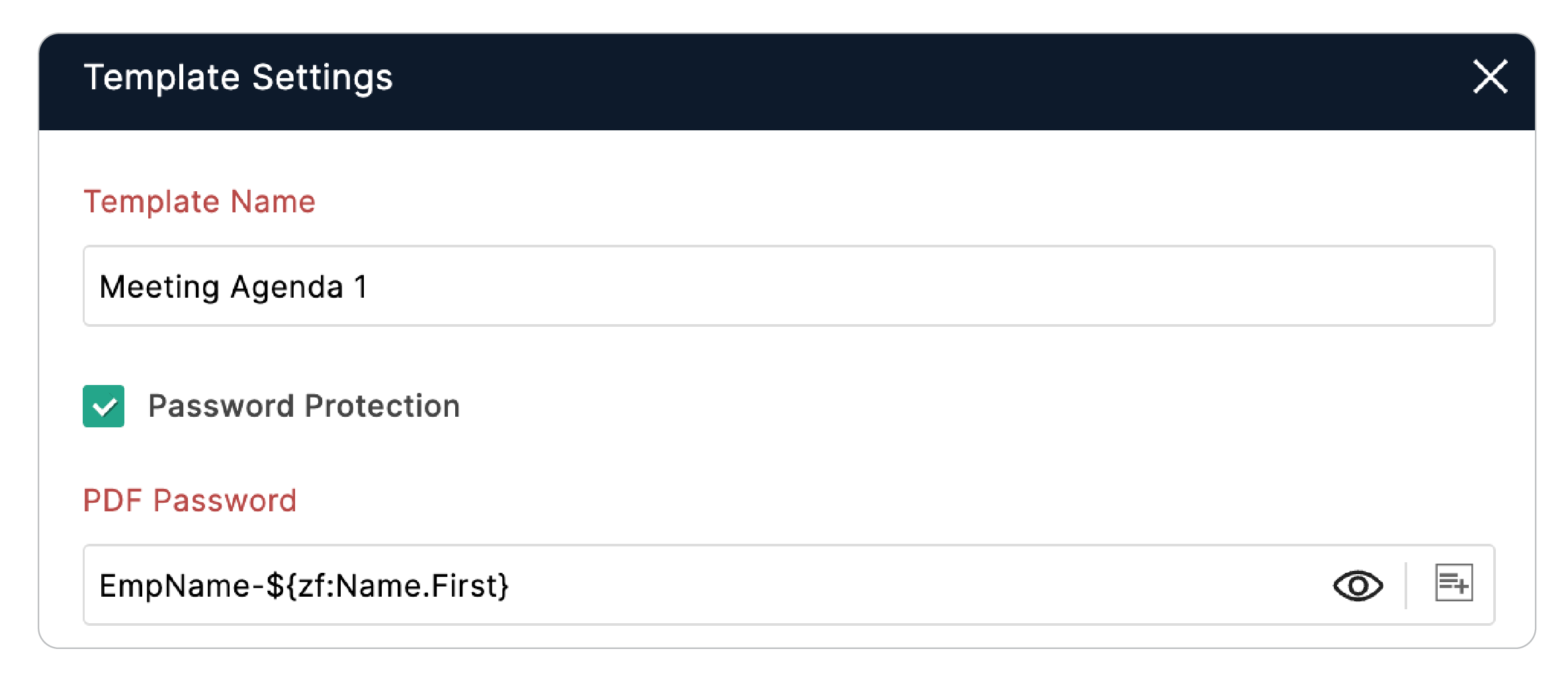

Running a client intake form? Set the PDF password to a combination of the client's first name, date of birth, and a static word so every PDF gets a unique password tied to the person who submitted it, and impossible to guess without knowing their data.

To enable it:
  1. In the PDF Editor > My Templates, hover over the desired template. 
  2. Hover over the horizontal ellipsis and click Settings
  3. In the Template Settings popup, enable the Password Protection checkbox.


If you're already generating PDFs from submissions, this takes under a minute to set up.


Cheers,
Samhita

    • Sticky Posts

    • New field in Zoho Forms: Validate structured data with the Regex field

      Have you ever received form submissions where the information looked almost correct but wasn't quite in the format you expected? Maybe an employee ID was missing a character. A PAN number was entered in lowercase. A license number had an extra space.
    • Password-Protected PDFs in Zoho Forms

      Hello form builders, PDFs generated from your form submissions travel through email, across devices, and between hands you didn't intend. For a restaurant's event inquiry, that's fine. But for a signed legal agreement, a loan application, or personal
    • Introducing Spotlight Forms

      Hey form builders! If someone opens your form, sees the wall of fields ahead, and quietly closes the tab. It may not be because the questions were hard. It could be because the experience felt like too much. Which is why we have now introduced a new form
    • Access millions of Unsplash photos directly from the Theme Builder

      Hello form builders, We're excited to introduce a new enhancement to the Zoho Forms Theme Builder. You can now browse and apply millions of high-quality images from Unsplash without leaving the Theme Builder. There's no need to download images, switch
    • Introducing the Yes/No field: Binary decisions made beautiful

      Greetings, form architects! What would you do when you need a simple yes/no answer on your form? Normally, you add a Radio field. Type Yes. Type No. Until now. The new Yes/No field is purpose-built for binary decisions. It is preconfigured, visually consistent,