Introducing Assessment Summary in Zoho Recruit
Availability
Available for | Modules | Candidates, Assessments |
Plans | Enterprise, People Plus, and Zoho One | |
Editions |
What's new
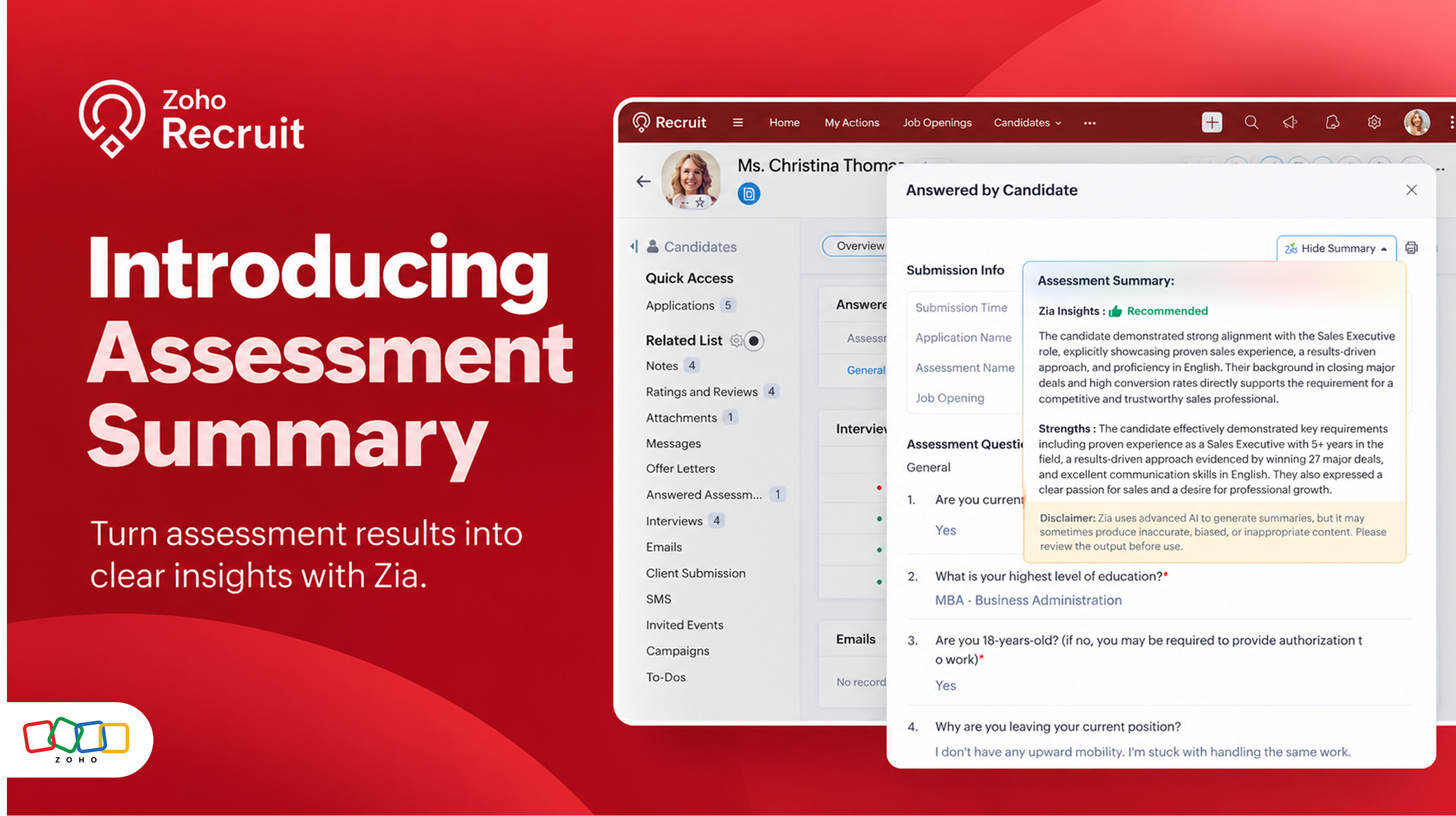
Assessment Summary provides a concise overview of a candidate's assessment performance, including key insights and a recommendation indicator to support hiring decisions.
The summary includes:
Performance insights: Understand the candidate's assessment results at a glance.
Key Strengths/Concerns: Highlight the candidate's strengths and areas of concern based on their assessment performance.
Recommendation indicator: Review whether the candidate is Recommended, Consider, or Reject.
How it works
Go to Setup > Zia > Zia Summary.
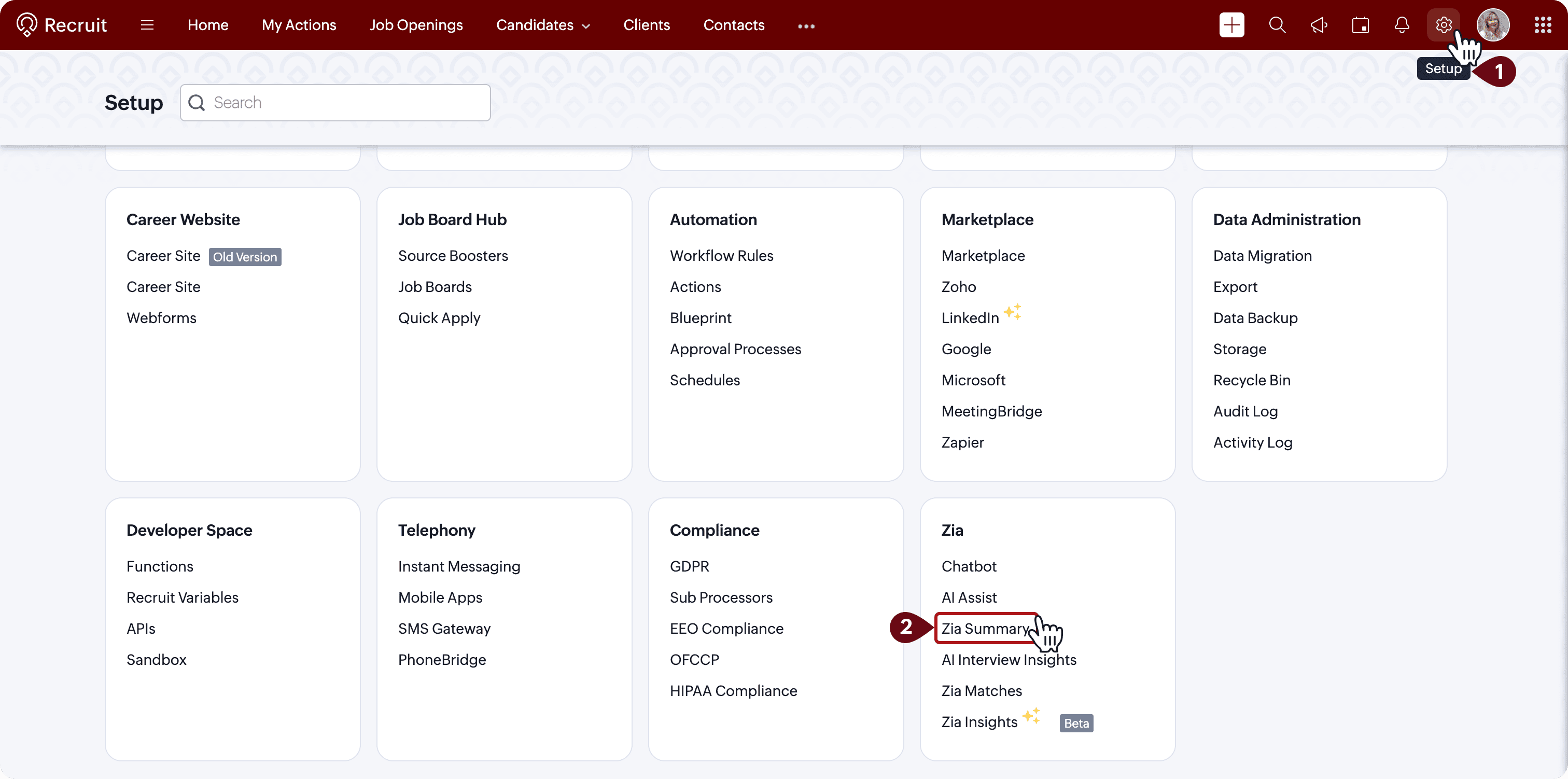
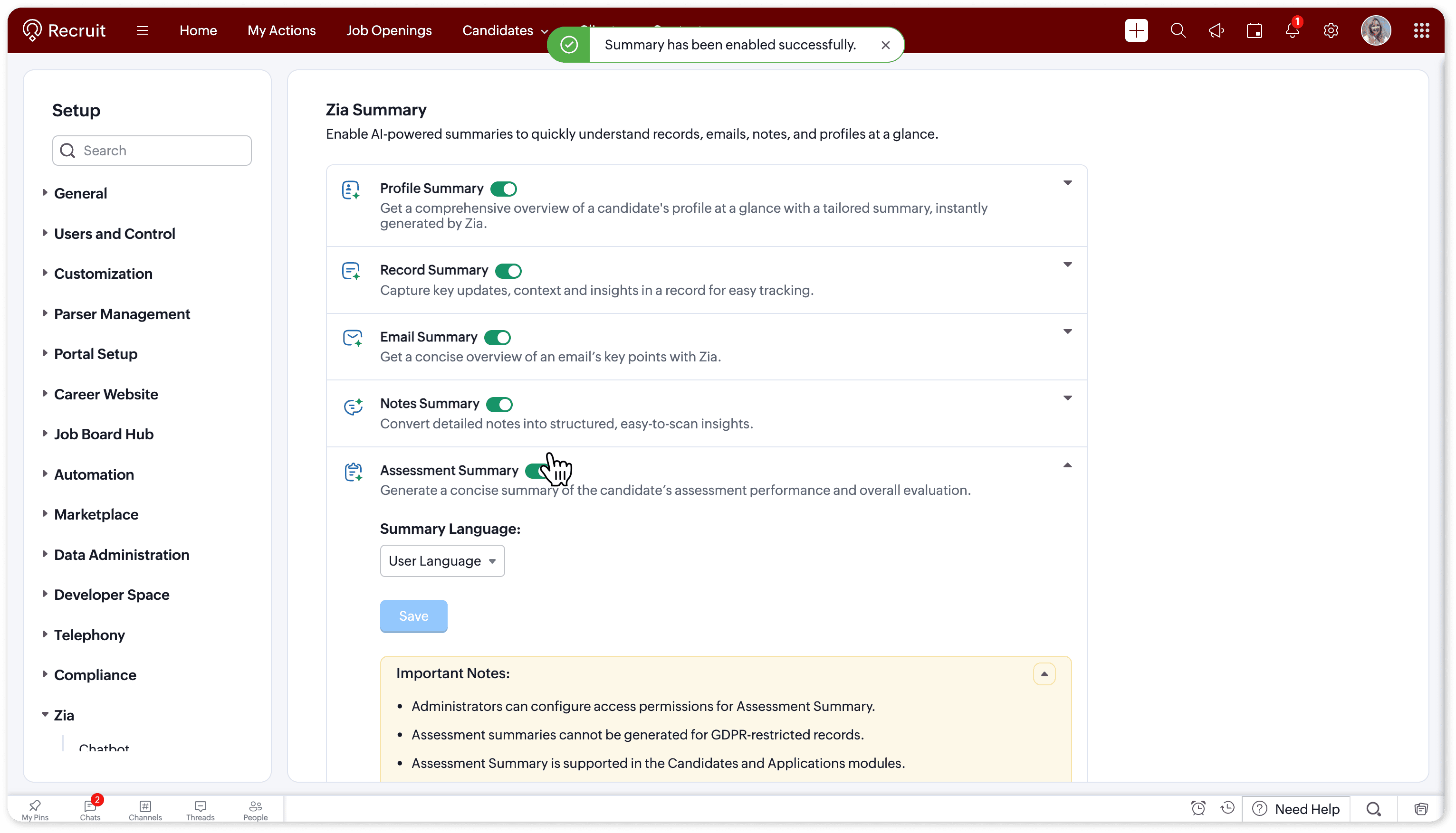
Enable the Assessment Summary toggle, configure the summary language, and click Save.
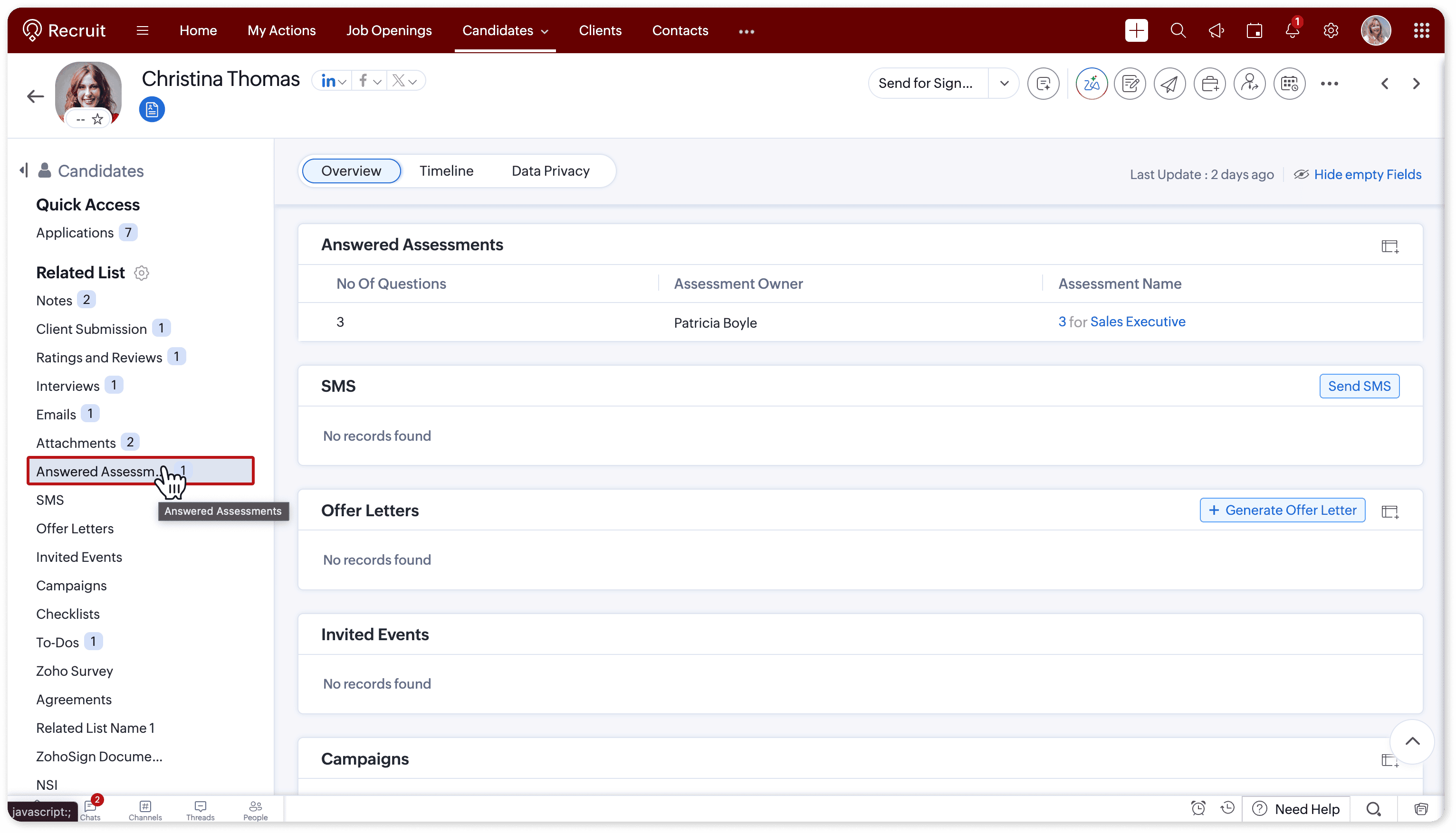
Open a candidate record in the Candidates module.
Navigate to the Answered Assessments related list and open an answered assessment.
Click Assessment Summary to view the AI-generated summary.
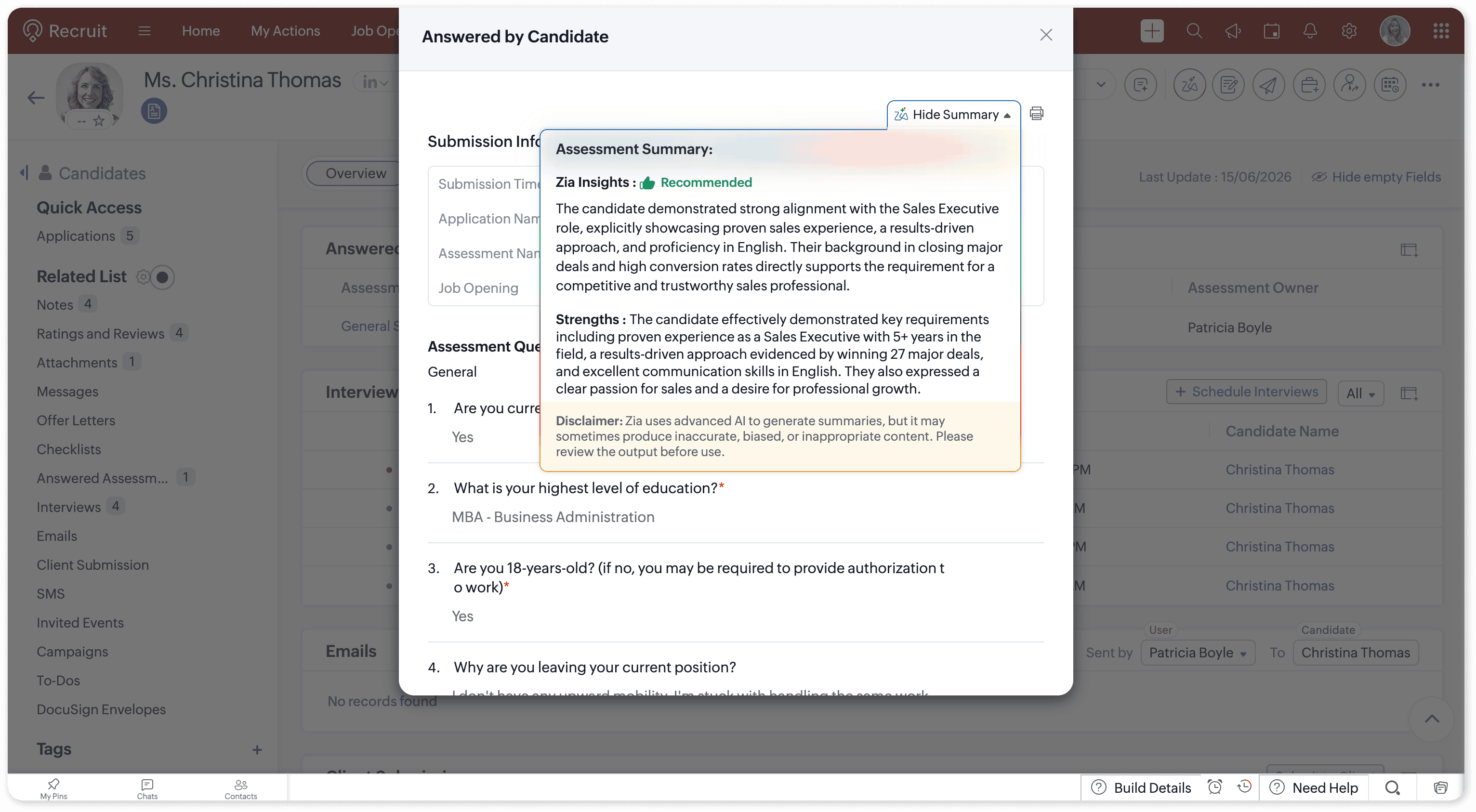
Zia analyzes the assessment results and generates a concise summary of the candidate’s performance and overall evaluation. The summary includes performance insights and a recommendation indicator, such as Recommended, Consider, or Reject.
 Note: AI-generated summaries may vary based on the available assessment data. Review the summary alongside the original assessment results before making hiring decisions.Learn more
 For detailed instructions, refer to the Assessment Summary help documentation.
Tell us what you think
Try Assessment Summary and let us know how it helps your team evaluate candidates. Share your feedback in the comments below or write to us at support@zohorecruit.com.
Regards,
Team Zoho Recruit