¡Muchas gracias por participar a los Meetups de Usuarios de Zoho! Y Novedades del ecosistema Zoho
¡Hola Comunidad de Zoho en Español! 👋
Después de un breve lapso de tiempo, volvemos con una nueva edición de nuestro Community Digest, donde te contamos las novedades de los productos de Zoho en los últimos meses. Estas mejoras se centran en nuestros productos como CRM, Projects, Forms y Commerce, y refuerzan tres pilares clave del ecosistema Zoho: la IA, la automatización y la experiencia de usuario.
Meetup de Usuarios de Zoho
Primero, queremos agradecer a la comunidad de usuarios de Barcelona y Valencia por una sesión muy productiva: durante nuestro Meetups de usuarios de Español Zoho Community, hablamos de funcionalidades clave de SalesIQ y CRM, descubrimos nuevas formas de optimizar procesos y además aprovechamos para hacer networking. ¡Todo un lujo de jornada en la mejor compañía!
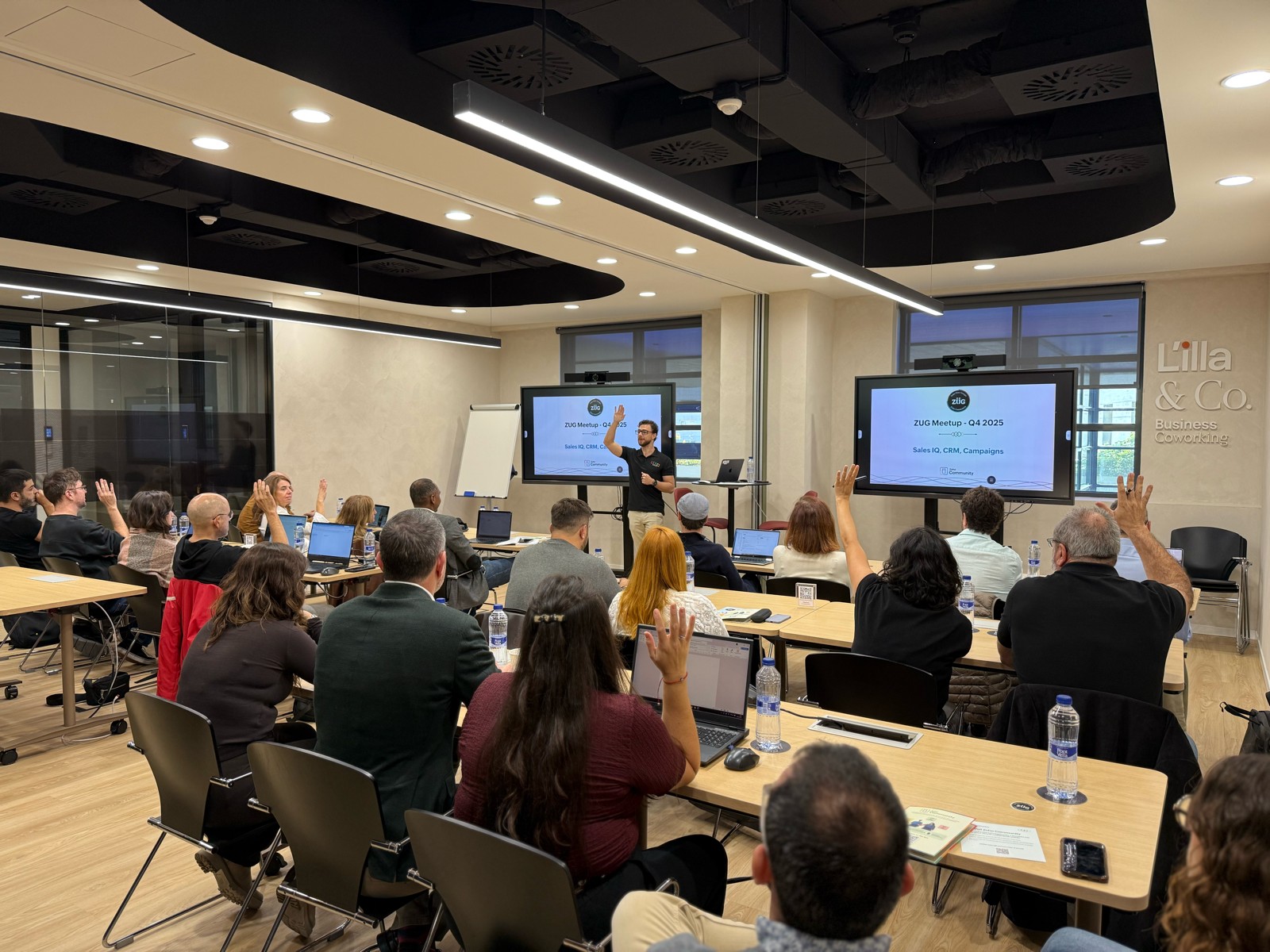

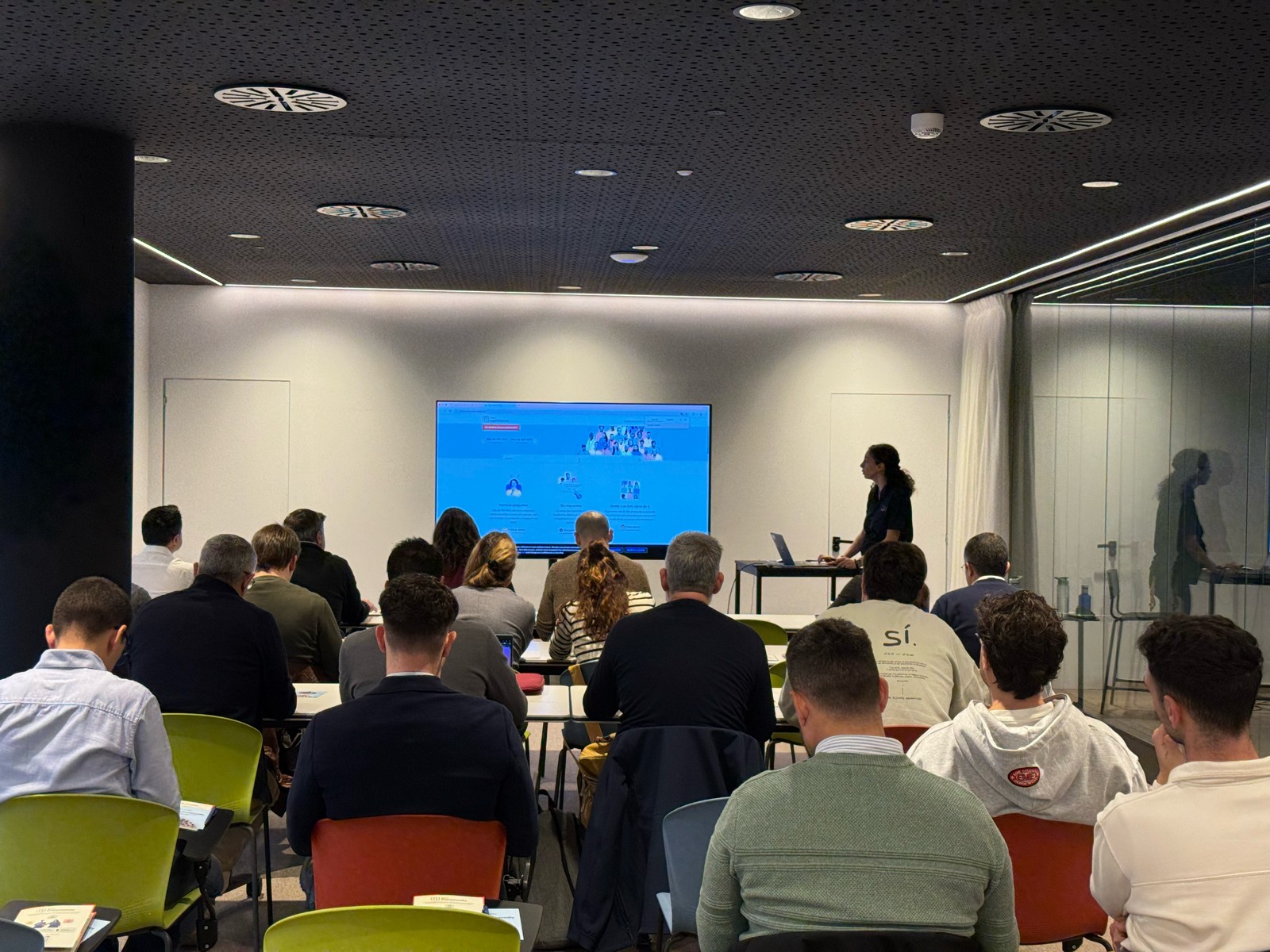

Y ahora sí, vamos con las novedades de nuestras herramientas. Prepárate, porque en estos últimos 6 meses han pasado muchas cosas:
1) Zoho CRM: Más inteligencia, más control y más flexibilidad
Nuestro producto estrella ha presentado algunas mejoras muy relevantes para una mejor gestión de los datos de clientes y de tu ecosistema Zoho:
- CommandCenter 2.0. Para que puedas automatizar mejor tus recorridos, CommandCenter ha presentado las siguientes actualizaciones: 1) Una nueva interfaz más visual e intuitiva. 2) El uso de “signals”, que te permiten activar transiciones basadas en eventos provenientes de diversas fuentes. 3) Los “stages” ya no dependen de un único módulo, sino que permiten transversalidad entre varios.
- Zia LLM: Nuestra IA también se ha actualizado y ahora ZIA te ofrece sugerencias más seguras y rápidas y funciones de IA generativa integradas para no depender de de inteligencia artificial proveedores externos.
- Control de visibilidad: Ahora puedes dar permisos basados en los perfiles de los usuarios para gestionar quién puede ver la línea de tiempo y el historial de interacciones.
- Canvas mejorado: Hemos añadido un nuevo componente en formato cuadrícula para organizar datos de manera más flexible. Y Soporte para layouts responsivos mediante “breakpoints”.
- CRM for Everyone: Llevamos ya tiempo anunciando CRM for everyone, y desde el Q2 ya está aquí. Descubre una nueva forma de habilitar a tus equipos de marketing, atención al cliente o finanzas para que puedan colaborar dentro del CRM de forma más ágil.
- Integración con Microsoft Graph API: Ahora aseguramos una mejor conectividad con Outlook/Microsoft 365 mediante la conexión con Graph API.
2) Zoho Projects: Mejor control y mayor claridad en la gestión del trabajo
En los últimos meses, Zoho Projects ha introducido mejoras directamente relacionadas con productividad, permisos y organización.
- Access Control en Time Logs: Gracias a la jerarquía de usuarios ahora puedes definir quién puede ver, añadir, editar o eliminar registros de tiempo dentro de su equipo y realizar acciones masivas para borrar time logs propios.
- Campos URL ampliados: Los campos URL en layouts de tareas ahora admiten hasta 1.000 caracteres, permitiendo enlaces más completos.
- Reutilización de listas de tareas: Puedes utilizar listas de tareas ya existentes dentro de tus plantillas, agilizando la creación de nuevos proyectos.
- Integración mejorada con Zoho Flow: Ahora puedes usar Zoho Flow para automatizar acciones desde reglas de workflow o blueprints dentro de Projects.
3) Zoho Forms: Mejor accesibilidad en tus formularios, ahora más modernos y conectados
Zoho Forms también ha presentado una gran cantidad de novedades durante estos últimos meses:
- Diseño en cuadrícula (grid layout): Ya puedes organizar tus formularios en 1, 2 o 3 columnas, mejorando su estética y su legibilidad.
- Verificación OTP integrada: Los formularios pueden solicitar OTP (para email/teléfono) sin salir de la pantalla.
- Múltiples cuentas de WhatsApp Business (para Zoho One) : Hemos ampliado la compatibilidad en cuanto a las cuentas de Whatsapp para aquellos equipos que manejan más de un canal de WhatsApp Business.
- Accesibilidad WCAG 2.2 AA : Zoho Forms ahora cumple con el estándar de accesibilidad WCAG 2.2 nivel AA, haciendo los formularios más inclusivos.
- Configuraciones mejoradas de Data Push: Ahora es posible enviar datos de campos específicos mediante configuraciones más precisas en “Post Submission Tracking”.
4) Zoho Commerce 2.0: Más rápido, más global, más personalizable
Hemos presentado oficialmente Commerce 2.0, una actualización de alto impacto que mejora rendimiento, diseño y capacidades globales:
- 15+ temas profesionales: Ahora puedes elegir entre más de 15 temas totalmente personalizables para construir tiendas modernas sin necesidad de utilizar código.
- Rendimiento optimizado: Ahora puedes hacer uso de CDN (Content Delivery Network) y además hemos implementado un código más ligero, reduciendo los tiempos de carga.
- Nuevas integraciones de envío
- Checkout multimoneda: Te facilitamos vender fácilmente en distintos mercados internacionales con el checkout multimoneda.
- Nuevos informes y auditoría: Informes más detallados (p. ej., ventas por cupón) y activity Logs / Audit Trail para un seguimiento completo de acciones en la tienda.
Es increíble todo lo que avanza la tecnología en 6 meses, y nuestras mejoras siguen enfocadas a hacer mejor uso de la automatización, la colaboración entre equipos y la creación de experiencias más inteligentes y ágiles, sin perder el foco en el uso de la IA.
¿Qué te parecen estas actualizaciones? ¿Hay alguna que vayas a implementar? ¡Cuéntanoslo en comentarios!
¡Nos vemos en el próximo Digest!
Topic Participants
Lorenza Pasca
Recent Topics
Issue with "Send Email" from Quotes not loading Email Template data
Hi everyone, I'm currently experiencing an issue when using the "Send Email" option from a Quote record in Zoho CRM. What’s happening: When I go to the Quotes module and select a record, then click Send Email, the attached file (Quote) correctly pullsSuggestions for Improved Table Management and Dashboard Filter Controls in Zoho Analytics
Dear Zoho Analytics Community, I hope you are doing well. I would like to share a few suggestions based on issues I am currently experiencing while working with visualizations and dashboards. Firstly, when I create a new visualization using the Sales-OrderIntroducing Rollup summary in Zoho CRM
------------------------------------------Moderated on 5th July'23---------------------------------------------- Rollup summary is now available for all organizations in all the DCs. Hello All, We hope you're well! We're here with an exciting update thatZoho Projects and CRM Integration in Analytics
Hi Team, In Zoho CRM, I’ve integrated CRM with Zoho Projects and associated a project within the CRM. The integration is visible under the Deals module. However, I’m unable to find this data in Zoho Analytics. Does anyone know where this information isCursor lands on disabled fields when tabbing through forms
As of yesterday, form behavior has changed w/ regard to disabled fields. Previously when tabbing through a form the cursor would skip over disable fields (as would typically be desired). But now the cursor is landing on all disabled fields, in all ofPermission query
we have two permission settings i.e 'user permission ' & 'portal user permission' and both have the same setting that we enable for our users, Now those who have access to user permission can see a button on the pivot table, "regenerate" but those whoZoho Forms sheet prefil
I've been using zoho sheet prefill for a week and it was working perfectly, as soon as i deleted the particular sheet and replaced it with another one no matter what I do it cant find the record and i get this message. Could you please assist me to resolve"Create Deal" button should default to the currently selected layout/pipeline
When viewing Deals in Kanban or List view with a specific layout and pipeline selected, clicking "Create Deal" should default to that same layout — not the profile's default layout. Currently it always opens the default layout regardless of context, requiringZoho mail admin panel not opening
Canvas: is it possible to have a fixed header?
Hello. Does Canvas provide the option to have a fixed header, similar to the standard view? It would also be interesting for other parts of the interface, like the header or sidebar of the tab section. Thanks!Removing Related Modules Lookup Fields Assignment / Relationship
Issue: When creating a related list, I accidently selected module itself creating a circle reference. See attached. Situation: I wish to relating a custom module called "Phone Calls" to Leads and Contacts. Outcome: 1) I either want to remove the thisZoho LandingPage pricing update: Essentials plan is now fully free!
Hello Everyone, We have updated the Zoho LandingPage pricing structure. The Essentials plan, previously priced at $9 per month for 1,000 visitors, is now fully free, and the visitor limit has been increased to 5,000. With this change, users can startZOHO.CRM.UI.Record.open not working properly
I have a Zoho CRM Widget and in it I have a block where it will open the blocks Meeting like below block.addEventListener("click", () => { ZOHO.CRM.UI.Record.open({ Entity: "Events", RecordID: meeting.id }).catch(err => { console.error("Open record failed:",Zoho Survey – Page Skip Logic Not Working
Hi everyone, I'm experiencing an issue with the page skip logic in Zoho Survey. Last week, it was working fine, and I haven’t changed anything in the settings. However, today the skip logic is not working at all. I also tried testing it with differentAutomatically create an Delivery Challan basis a Sales Order.
Hi, I wanted to know if there is a possibility to automatically populate a Delivery Challan basis a Sales Order. Is it possible to do this with custom functions? If yes, how?Zoho Form URL displays incorrect name
Hi, I have a form I created called "Design Request form". It displays this way everywhere I look. However, in the URL, it shows up as "DesignJobRequestFormFINAL011325PROOFV1B" and I'm not sure why. I can't find where to fix this. Does anyone have anyIntroducing Radio Buttons and Numeric Range Sliders in Zoho CRM
Release update: 1. 2 March 2026: Currently out for CN, JP, AU and CA DCs (Free and standard editions). For other DCs, this will be released by mid-March. Hello everyone, We are pleased to share with you that Zoho CRM's Layout Editor now includes two newFinding rhythm through poetry
Poetry has long been a powerful form of expression, discovery, and reflection. For many, it is a way to pen down their thoughts and experiences. The "poetic license" allows writers to shape their words with rhythm and flow. This year, on World PoetryZoho Desk Ticket SLA Level
Hello, we have 2 levels of SLA escalation for our Tickets. Is there a way to display on the ticket information the level of SLA escalation the ticket currently on? I am aware that we can see in the ticket history the level of escalation that has beenAllow Font Size 11 in Editors...
That is basic functionality...【まだ間に合う!】Zoho ユーザー交流会 | AI活用・CRM・Analytics の事例を聞いて、ユーザー同士で交流しよう!
ユーザーの皆さま、こんにちは。コミュニティチームの藤澤です。 3月27日(金)に東京、新橋で開催する「東京 Zoho ユーザー交流会 NEXUS」へのお申し込みがまだの方は、この機会にぜひお申し込みください!(参加無料) ーーーーーーーーーーーーーーーーーーーーーーーーーーーーーーーーーーーー イベントの詳細はこちらから▷▷ https://www.zohomeetups.com/tokyo2026vol1#/?affl=communityforumpost3 ーーーーーーーーーーーーーーーーーーーーーーーーーーーーーーーーーーーーWhere is the scheduled report in New UI?
Hi Team, Seems there is not such a field in New UI, hence I have to switch to old UI to handle request..Building a Simple Raspberry Pi + Keypad IoT PoC with Zoho Flow
I want to share a simple IoT PoC I recently built that connects a Raspberry Pi to Zoho Flow and Zoho Creator. The goal was to send PIN input data from a hardware keypad to Zoho and trigger a servo and buzzer for visual/audible feedback. This can serveWhat's New in Zoho Billing | January 2026
Excited about the latest enhancements in Zoho Billing? Our January updates bring an intelligent AI assistant, smarter subscription management, and improved tax compliance, saving you time and reducing manual work. Dive into the details below to see howIs there a way to sell in a practical method multiple subscriptions of the same product? i.e. domain names
In evaluating Zoho Billing, a hurdle to adopting it is that Zoho Billing does not seem designed to support businesses that sell multiple subscriptions of the same product. In our case, we need to sell and manage several domain names per client. Am I rightUpdate P_Leave: code: 7052 "Employee_ID": "Enter Employee ID"
Hi, Zoho People - Update Leaves Can someone assist? ------------------------------------------------------------------------------------------ col = Collection(); col.insert("recordid":id); col.insert("Date_Check_Approval":zoho.currentdate); info zoho.people.update("P_Leave",col.toMap());Can't change form's original name in URL
Hi all, I have been duplicating + editing forms for jobs regarding the same department to maintain formatting + styling. The issue I've not run into is because I've duplicated it from an existing form, the URL doesn't seem to want to update with the newCan't rename groups on Mac desktop app
I'm working on an up-to-date Mac with a freshly downloaded Notebook app. I'm trying to rename a group within a notebook. Here I have, left to right, a note, a group, and a note. I select the group. On the top left, I select Action. On the dropdown, "Rename"Strange behavior in CRM Number Field – Characters allowed but not "e"?
Hi everyone, Has anyone faced this strange issue in Zoho CRM? In a Number field, it is possible to type some characters, but the character "e" cannot be entered. This was really surprising to me. Normally, a number field should restrict all charactersBest Way to Manage Approvals Within Blueprint Stages?
Hi, I am working on a requirement involving Blueprint and approval logic in Zoho CRM and would appreciate some guidance. I understand that approval processes do not trigger when a record is currently within a blueprint, which makes it challenging to implementMarketing Tip #25: Grow your social presence with a simple posting routine
Consistency is one of the biggest growth drivers on social media. Regular content keeps your store visible and helps customers remember you. Even 3–4 posts a week can build momentum over time. The easiest way to stay consistent is to stop trying to createHow to update "Lead Status" to more than 100 records
Hello Zoho CRM, How do I update "Lead Status" to more than 100 records at once? To give you a background, these leads were uploaded or Imported at once but the lead status record was incorrectly chosen. So since there was a way to quickly add records in the system no matter how many they are, we are also wondering if there is a quicker way to update these records to the correct "Lead Status". I hope our concern makes sense and that there will be a fix for it. All the best, JonathanBring your own credentials (BYOC) for connections in Zoho Creator
Hello everyone, We're excited to announce an important step forward in how integrations and authentications work in Zoho Creator. Zoho Creator is a versatile platform for integrations, enabling you to connect with thousands of third-party services usingProject Management Bulletin: March, 2026
We are passionate about equipping our users with efficient solutions that help them run their businesses successfully. Our collective efforts over the past 2 years have culminated in the launch of Sprints 3.0— built with reliable features, impactful integrations,Composite items inside of composite items; bill of materials needed
Hi Zoho and Everyone, I am evaluating whether Zoho Inventory will work for my small business. I grow and harvest herbs and spices but also get from wholesalers. I use all these items to make herbal teas, but also sell them as individual items on my Shopify store and Etsy. I discovered the composite item bundling and am wondering if I could get some assistance since there is no bill of materials: Our herbal company's best selling tea is a sleepytime tea. Sleepytime Tea can be purchased in three weightsAutomation Series: Sync Task Status with Zoho Desk Tickets
In Zoho Projects, you can automatically close and reopen an associated Zoho Desk ticket when the status of a task is changed. This syncs the current state of the task with the support ticket without manual updates. For instance, a support team handlingAuto-Generate Line Numbers in Item Table Using HTML & CSS Counters (Zoho Books & Zoho Inventory Custom Templates)
<div> <style> /* Start counter from 0 inside tbody */ tbody#lineitem { counter-reset: rowNumber; } /* Increment counter for each row */ tbody#lineitem tr { counter-increment: rowNumber; } /* Show counter value in first column */ tbody#lineitem tr td:first-child::beforeDoes zoho inventory need Enterprise or Premium subsrciption to make Widgets.
We have Zoho One Enterprise and yet we can't create widgets on inventory.Zoho CAMPAIGNS working hours
Hi I use Campaigns Automation workflows to automate follow-ups to my Leads. I discovered this weekend that emails are being sent out on Sundays. How do I limit my Campaigns outgoing emails to business working hours? This is very important! Thanks, DDepositing funds to account
Hello, I have been using Quickbooks for many years but am considering moving to Zoho Books so I am currently running through various workflows and am working on the Invoicing aspect. In QB, the process is to create an invoice, receive payment and thenNext Page