Add Claude in Zoho Cliq

Let’s add a real AI assistant powered by Claude to your workspace this week, that your team can chat with, ask questions, and act on conversations to run AI actions on.
This guide walks you through exactly how to do it, step by step, with all the code you'll need.
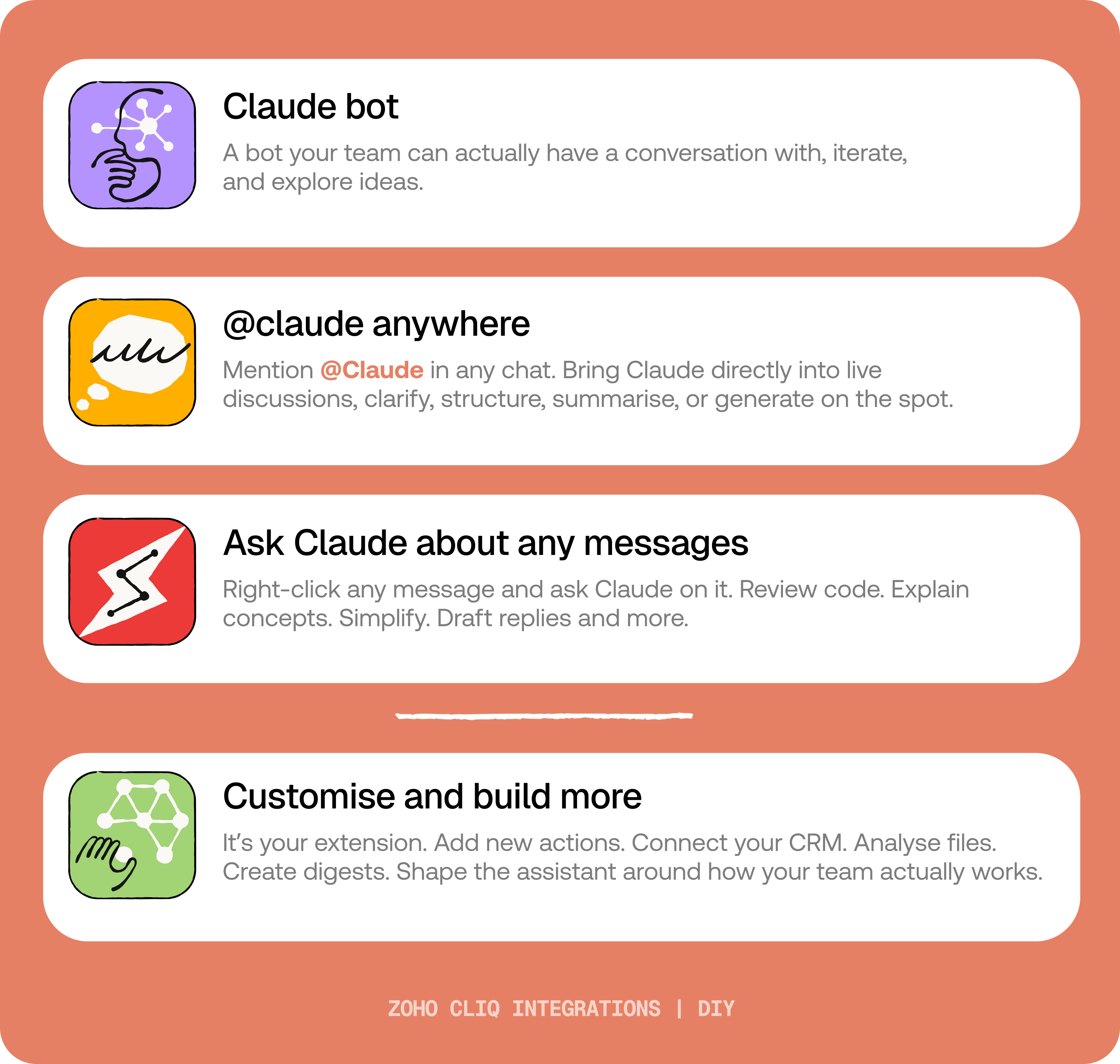
By the end of this guide, you’ll have:
- A Claude bot inside Zoho Cliq to have real back-and-forth conversations.
- The ability to @mention Claude in any channel and reply to a message and ask Claude to act on it.
- A message action to act on messages in Cliq by Claude. Additionally, pre-built actions to review code, generate mind maps, draft a reply for the selected message, or explain it like you’re new.
 Before you start:
1. A Zoho Cliq account with Developer access.
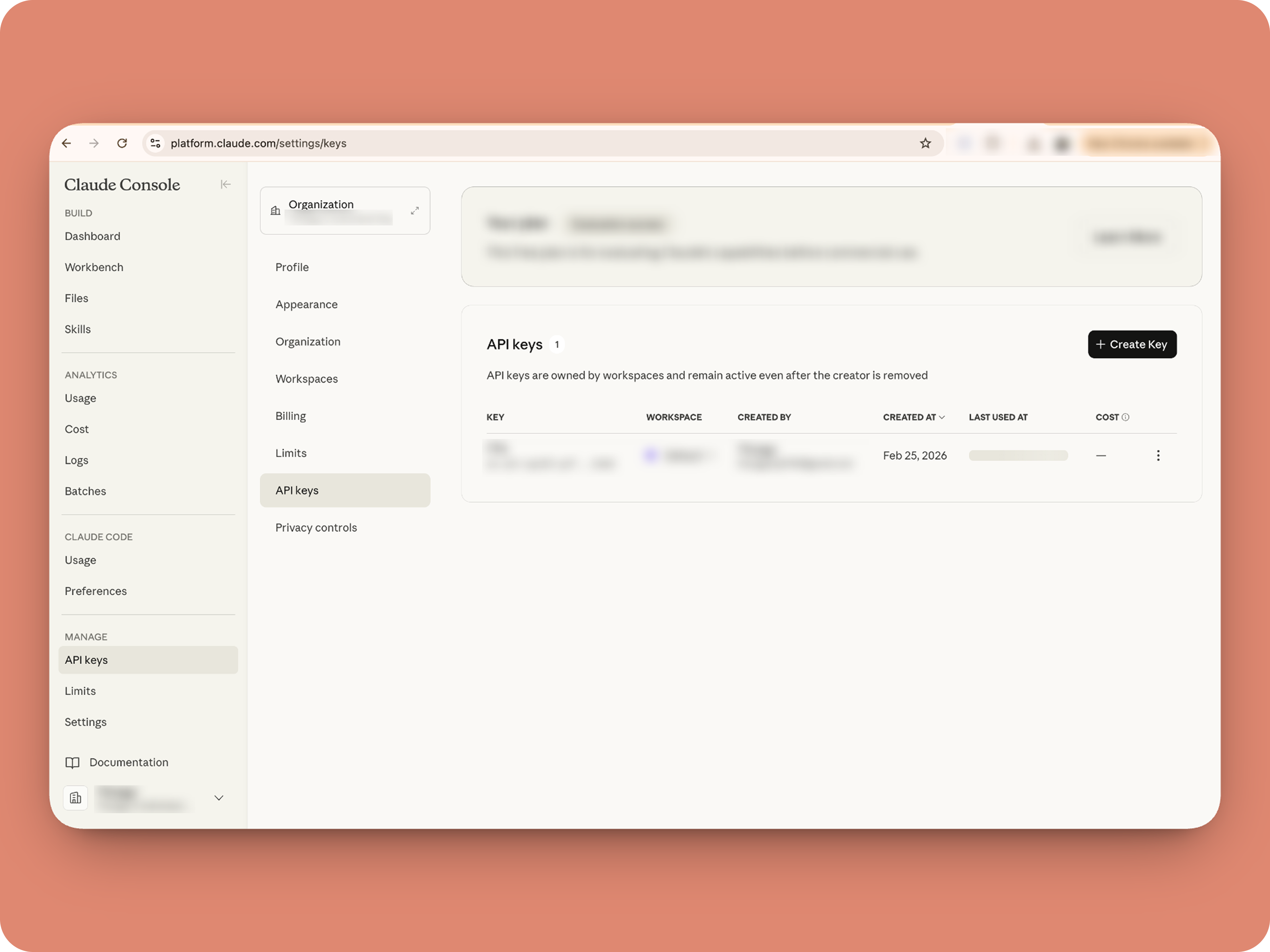
2. An Anthropic API key
3. Basic comfort with Deluge (optional — all code is provided 😉)
A. How to get an Anthropic API key?

B. Create a Connection
1. Go to the Connections module (in Bots & Tools) → Create Connection
2. Add a Connection name, for eg. "readmessageandfile"
3. Select:
ZohoCliq.Attachments.READ
ZohoCliq.Messages.READ
4. Create
Click Create, then authorize the connection. Copy the connection name, you'll paste it into the handlers in the next steps.
How to start
Go to Zoho Cliq → Settings → Bots & Tools
Claude Bot:
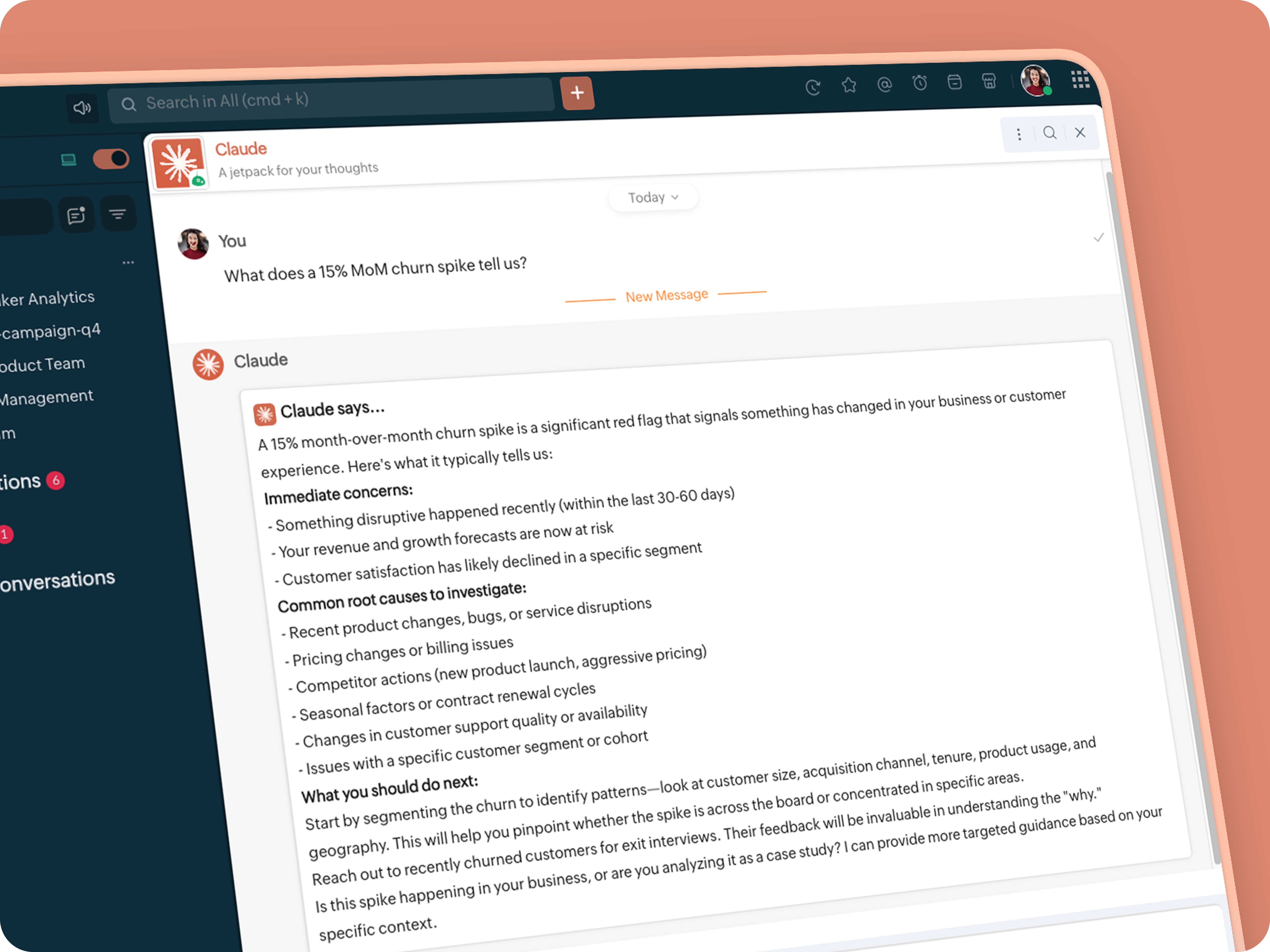
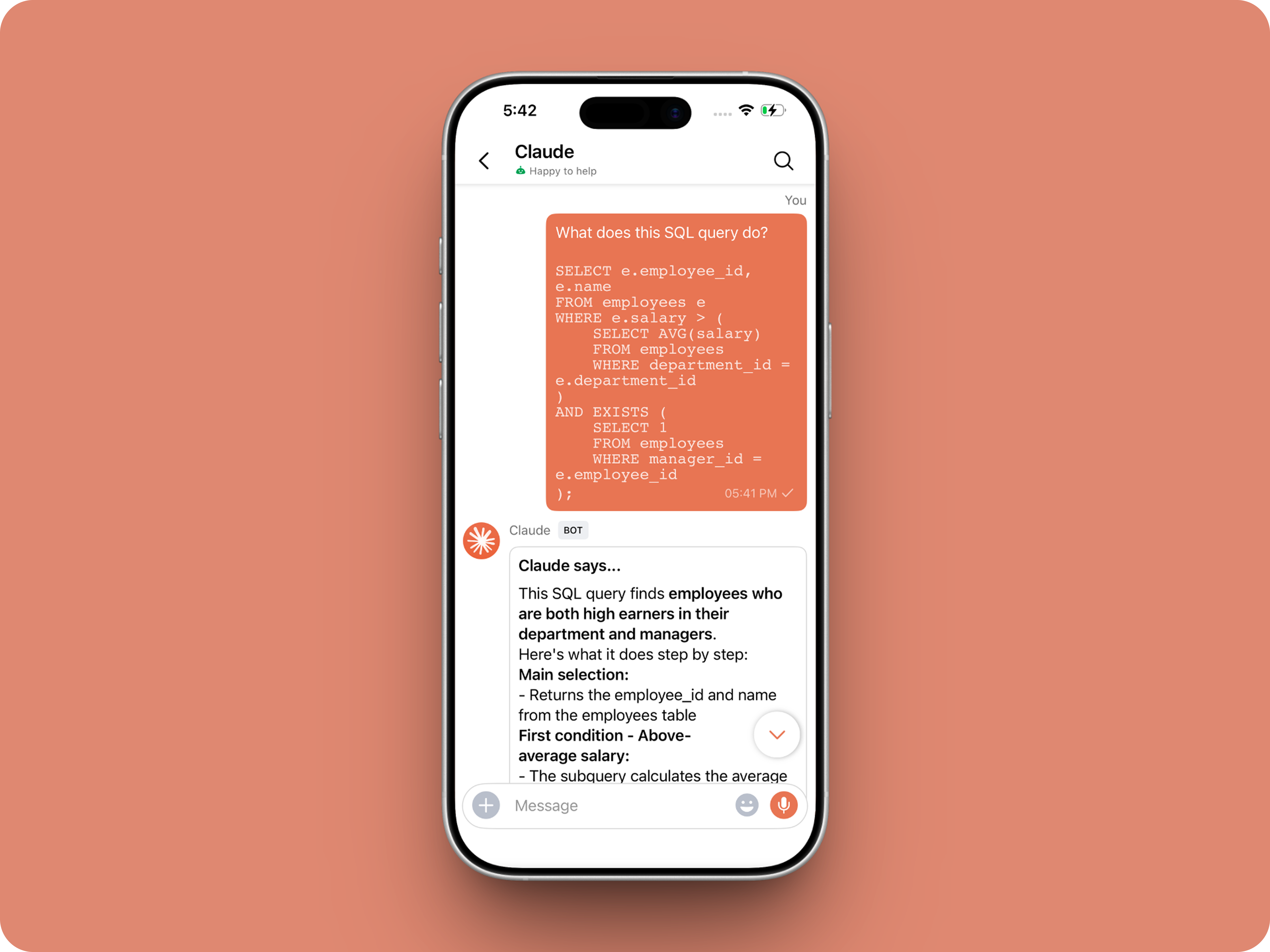
Go to Bots → Create Bot.
Name it Claude and give it any description of choice.
First, let's create a Message handler to handle the conversations first.
Click edit code and copy paste the below code in it (follow along the comments to understand what each part does)
One API endpoint. That's all.
Both the bot and the message action use the same single Anthropic endpoint: POST /v1/messages. The only thing that changes between them is the system prompt and what you put in the messages array. Once you understand that, the rest is just assembly.
Explore API docs →
Message Handler: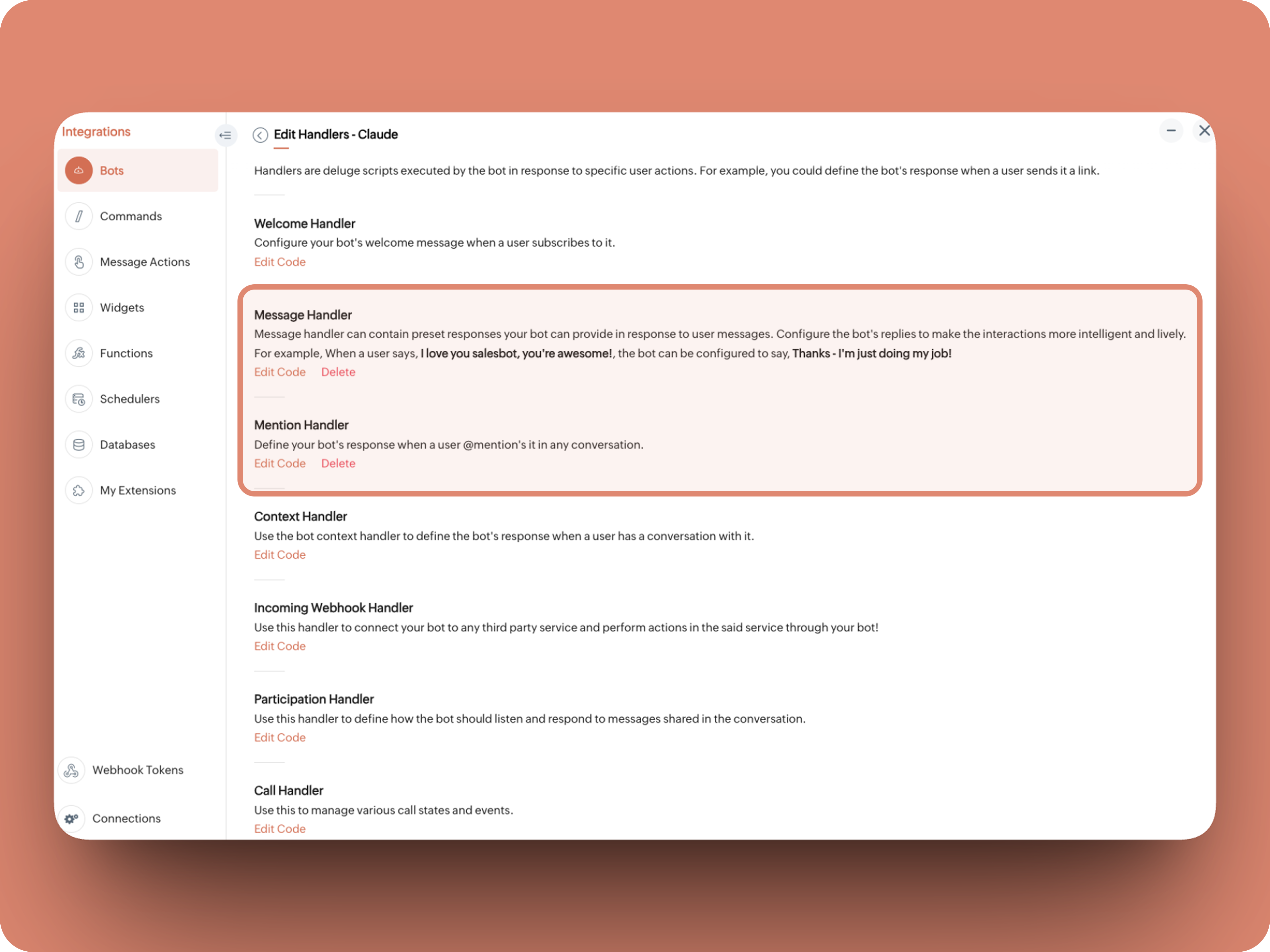
What does this do: Fetches last 10 (customizable - but keep message limit small ( around 10–15 to avoid token overuse)) chat messages for additional context and enables natural chat conversations
- info environment;
- botUniqueName = "BOT-UNIQUE-NAME";
- // Replace with your bot unique name
- cliqBaseUrl = environment.get("base_url");
- fetchRecentMessages = invokeurl
- [
- url :cliqBaseUrl + "/api/v2/chats/" + chat.get("id") + "/messages?limit=10"
- type :GET
- connection:"CONNECTION-NAME"
- //Read below how to create a connection, and paste here:
- ];
- info fetchRecentMessages;
- contentList = list();
- contentList.add({"role":"user","content":"Act as a conversational assistant. Reply to the message below in a friendly, informative, and well-organized way.\n\nGuidelines:\n- Respond only to the message provided.\n- Do not use memory or external context.\n- Be warm but professional.\n- Be clear and structured (use short paragraphs or bullet points if helpful).\n- Provide helpful details or clarification where useful.\n- If something is unclear, ask a polite follow-up question.\n- If action is needed, suggest a simple next step.\n- Do not include meta commentary.\n- Output only the reply.\n\n\nSTRICTLY USE * FOR BOLD, AND NEVER ** FOR BOLD MARKDOWN."});
- allMessages = fetchRecentMessages.get("data");
- for each data in allMessages
- {
- type = data.get("type");
- if(type == "card" || type == "text")
- {
- getMessage = data.get("content").get("text").replaceAll("\n"," ");
- senderID = data.get("sender").get("id");
- if(senderID.startsWith("b-"))
- {
- contentList.add({"role":"assistant","content":getMessage});
- }
- else
- {
- contentList.add({"role":"user","content":getMessage});
- }
- }
- }
- info contentList;
- // Set up API headers
- apiHeaders = Map();
- apiHeaders.put("anthropic-version","2023-06-01");
- apiHeaders.put("Content-type","application/json");
- apiHeaders.put("X-Api-Key","INSERT-API-KEY-HERE");
- // Don't forget your API key!
- model = "claude-sonnet-4-5-20250929";
- requestPayload = {"max_tokens":1024,"messages":contentList,"model":model};
- // Make API call to Claude
- claudeApiResponse = invokeurl
- [
- url :"https://api.anthropic.com/v1/messages"
- type :POST
- parameters:requestPayload + ""
- headers:apiHeaders
- detailed:true
- ];
- info claudeApiResponse;
- if(claudeApiResponse.get("responseCode") == 200)
- {
- responseBody = claudeApiResponse.get("responseText");
- parsedResponse = responseBody.toMap();
- claudeMessage = parsedResponse.get("content").get(0).get("text").replaceAll("\n\n","\n").remove("---").remove("#");
- if(claudeMessage.length() > 4000)
- {
- claudeMessage = claudeMessage.subString(0,4000) + "...";
- }
- info "Claude's Response: " + claudeMessage;
- }
- else
- {
- responseBody = claudeApiResponse.get("responseText");
- parsedResponse = responseBody.toMap();
- claudeMessage = "*" + parsedResponse.get("error").get("type") + "* \n" + parsedResponse.get("error").get("message");
- info "API Error: " + claudeApiResponse;
- }
- responseContent = {"text":claudeMessage,"card":{"title":"Claude says...","icon":"https://uxwing.com/wp-content/themes/uxwing/download/brands-and-social-media/claude-ai-icon.png"}};
- info responseContent;
- info zoho.cliq.postToBot(botUniqueName,responseContent);
- return Map();
⚙️ Replace These Placeholders
BOT-UNIQUE-NAME (ⓘ How to find it?)
CONNECTION-NAME
INSERT-API-KEY-HERE
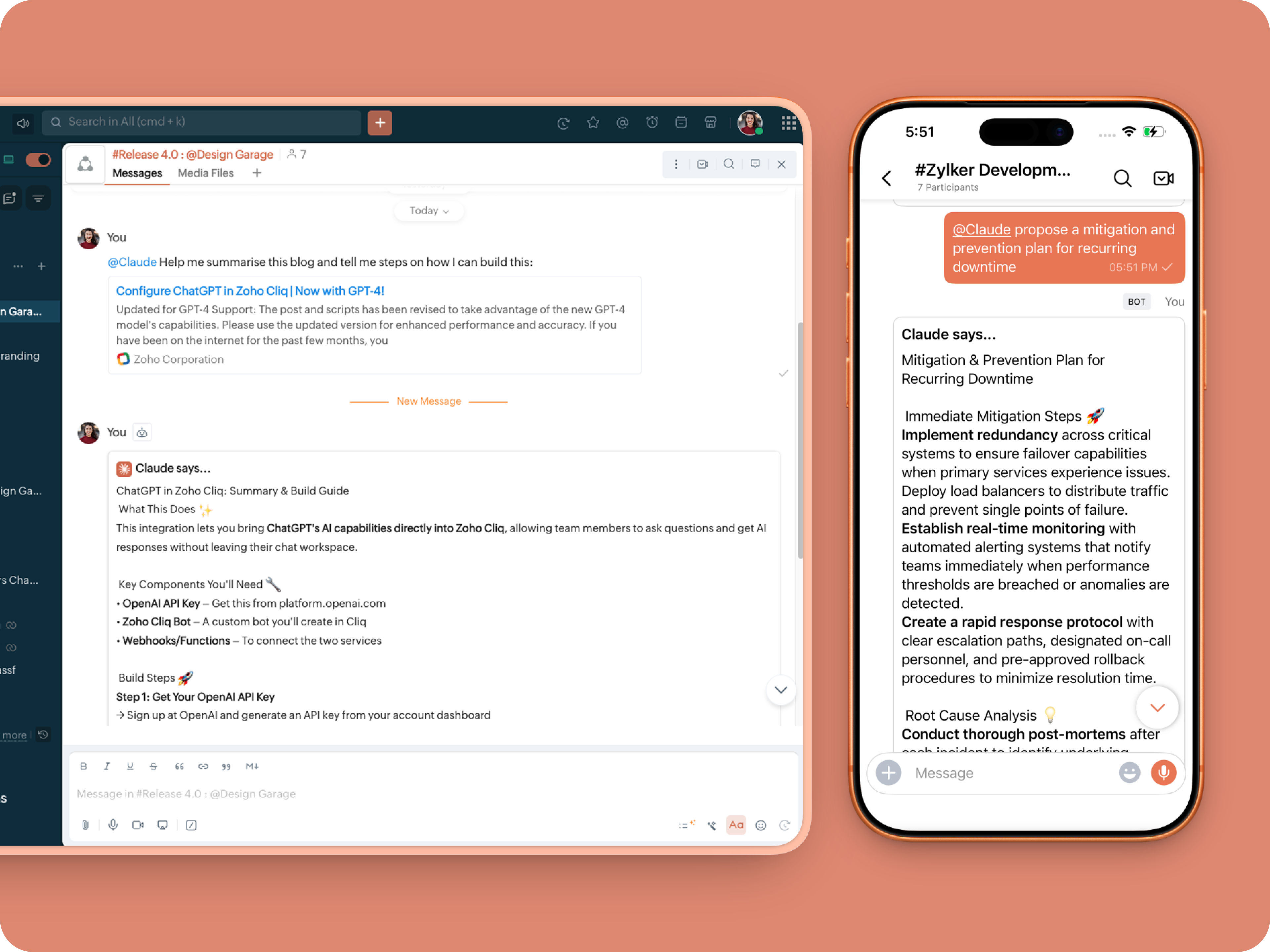
What does this do: This is to allow Claude to be @mentioned in any chat.
- userMessageText = "";
- fileAction = false;
- repliedMessage = false;
- if(message_details.get("message").containKey("replied_message"))
- {
- repliedMessage = true;
- replyMessageID = message_details.get("message").get("replied_message").get("id");
- messageType = message_details.get("message").get("replied_message").get("type");
- if(messageType == "text" || messageType == "card")
- {
- userMessageText = message_details.get("message").get("replied_message").get("text");
- }
- else
- {
- fileType = message_details.get("message").get("replied_message").get("file").get("type");
- if(fileType != "application/pdf")
- {
- return {"type":"banner","text":"Only PDF files are supported for this action","status":"failure"};
- }
- else
- {
- fileAction = true;
- }
- }
- }
- promptInstruction = "\"### Instructions ⓘ \nProvide a human-digestible, highly organized response (300-500 characters). Break down your output into bite-sized paragraphs and use bolding to guide the reader's eye. *Strictly avoid tables.* Use plenty of white space and only ### headings for a clean look. \n\n ### Formatting Protocol • \n - Bold: *text* \n - Italic: _text_ \n - Strike: ~text~ \n - Underline: __underline__ \n - Headers: ### Title \n - Quote: \"quote\" \n - Blockquote: > text \n - Bullets: Use • or → for lists \n - Emojis: Use ✨, 🚀, or 💡 to highlight key takeaways \n - Separator: --- \n\n ### and replace ** to *";
- userPrompt = "";
- if(message.trim().length() > 0)
- {
- userPrompt = "Action: " + message + "\n\n\n" + userMessageText + "\n\n\n" + promptInstruction;
- }
- else
- {
- userPrompt = "Action: " + userMessageText + "\n\n\n" + promptInstruction;
- }
- // Set up API headers
- apiHeaders = Map();
- apiHeaders.put("anthropic-version","2023-06-01");
- apiHeaders.put("Content-type","application/json");
- apiHeaders.put("ENTER-APIKEY-HERE");
- // Don't forget your API key!
- // Check if message is text-only or contains a file
- if(!fileAction)
- {
- // Handle text-only message
- requestPayload = {"max_tokens":1024,"messages":{{"content":userPrompt,"role":"user"}},"model":"claude-sonnet-4-5-20250929"};
- }
- else
- {
- // Handle message with file attachment
- uploadedFile = invokeurl
- [
- url :message_details.get("message").get("replied_message").get("file").get("url")
- type :GET
- connection:"ENTER-CONNECTION-NAME"
- ];
- info uploadedFile;
- // uploadedFile = message.get("content").get("file").get("name");
- base64EncodedFile = zoho.encryption.base64Encode(uploadedFile);
- if(message_details.get("message").get("replied_message").containKey("comment"))
- {
- comment = message_details.get("message").get("replied_message").get("comment");
- userPrompt = userPrompt + "\n" + comment;
- }
- else
- {
- userPrompt = userPrompt;
- }
- mediaType = "application/pdf";
- requestPayload = {"max_tokens":1024,"messages":{{"role":"user","content":{{"type":"document","source":{"type":"base64","media_type":mediaType,"data":base64EncodedFile}},{"type":"text","text":userPrompt}}}},"model":"claude-sonnet-4-5-20250929"};
- }
- info requestPayload;
- // Make API call to Claude
- claudeApiResponse = invokeurl
- [
- url :"https://api.anthropic.com/v1/messages"
- type :POST
- parameters:requestPayload + ""
- headers:apiHeaders
- detailed:true
- ];
- info claudeApiResponse;
- // Extract the actual text response
- if(claudeApiResponse.get("responseCode") == 200)
- {
- responseBody = claudeApiResponse.get("responseText");
- parsedResponse = responseBody.toMap();
- claudeMessage = parsedResponse.get("content").get(0).get("text").replaceAll("\n\n","\n").remove("---").remove("#");
- if(claudeMessage.length() > 4000)
- {
- claudeMessage = claudeMessage.subString(0,4000) + "...";
- }
- info "Claude's Response: " + claudeMessage;
- }
- else
- {
- responseBody = claudeApiResponse.get("responseText");
- parsedResponse = responseBody.toMap();
- claudeMessage = "*" + parsedResponse.get("error").get("type") + "* \n" + parsedResponse.get("error").get("message");
- info "API Error: " + claudeApiResponse;
- }
- responseContent = {"text":claudeMessage,"card":{"title":"Claude says...","icon":"https://uxwing.com/wp-content/themes/uxwing/download/brands-and-social-media/claude-ai-icon.png"}};
- info responseContent;
- if(repliedMessage)
- {
- responseContent.put("reply_to",replyMessageID);
- }
- info zoho.cliq.postToChat(chat.get("id"),responseContent);
- return Map();
Message Action
What does it do: Allow Claude to act on any message or file.
 ⓘ For files, we've extended this to only PDF file formats for now to keep implementation predictable and to avoid unsupported file formats
What we're adding:
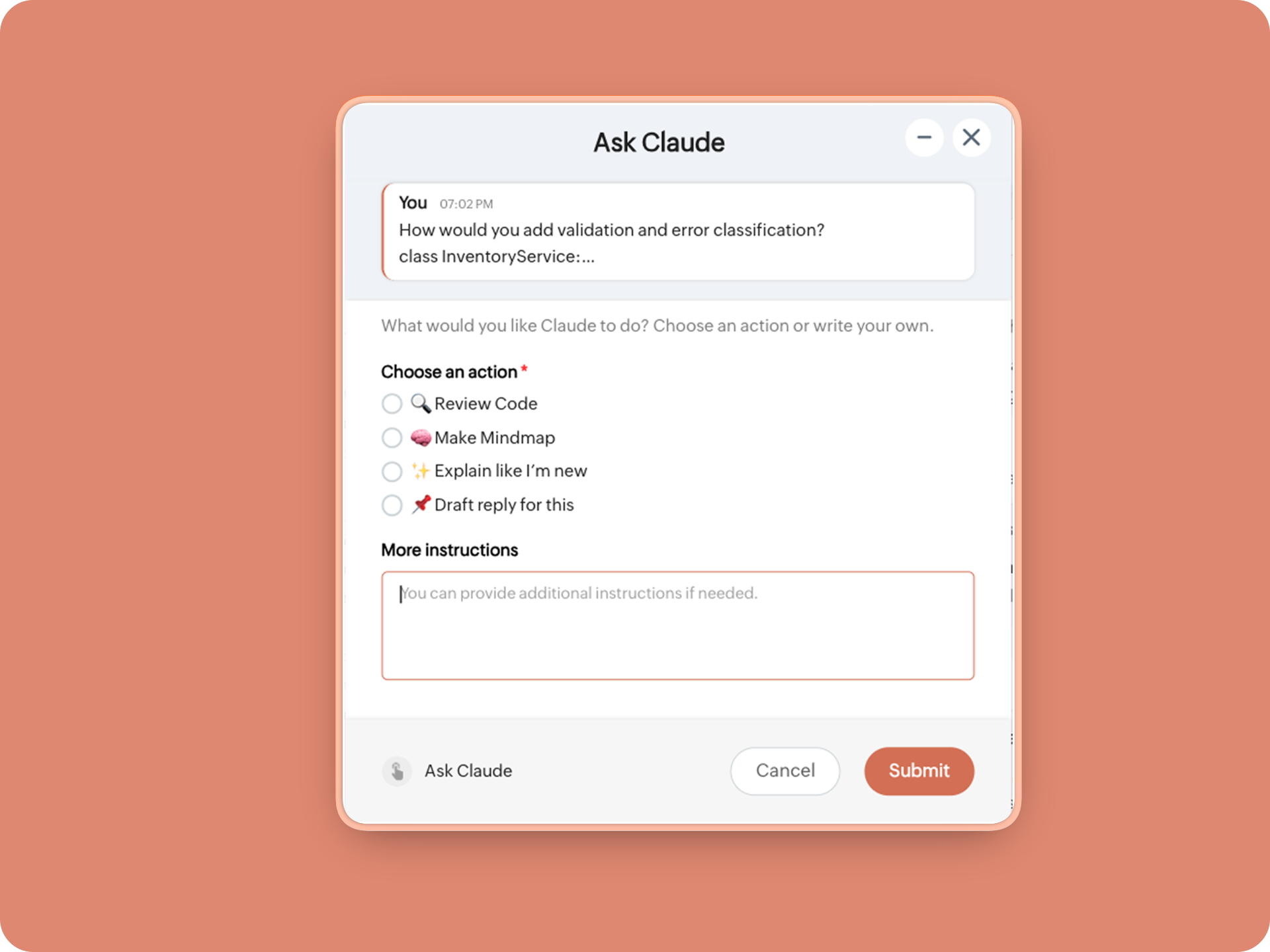
1. When executed on any message, a form opens to prompt:
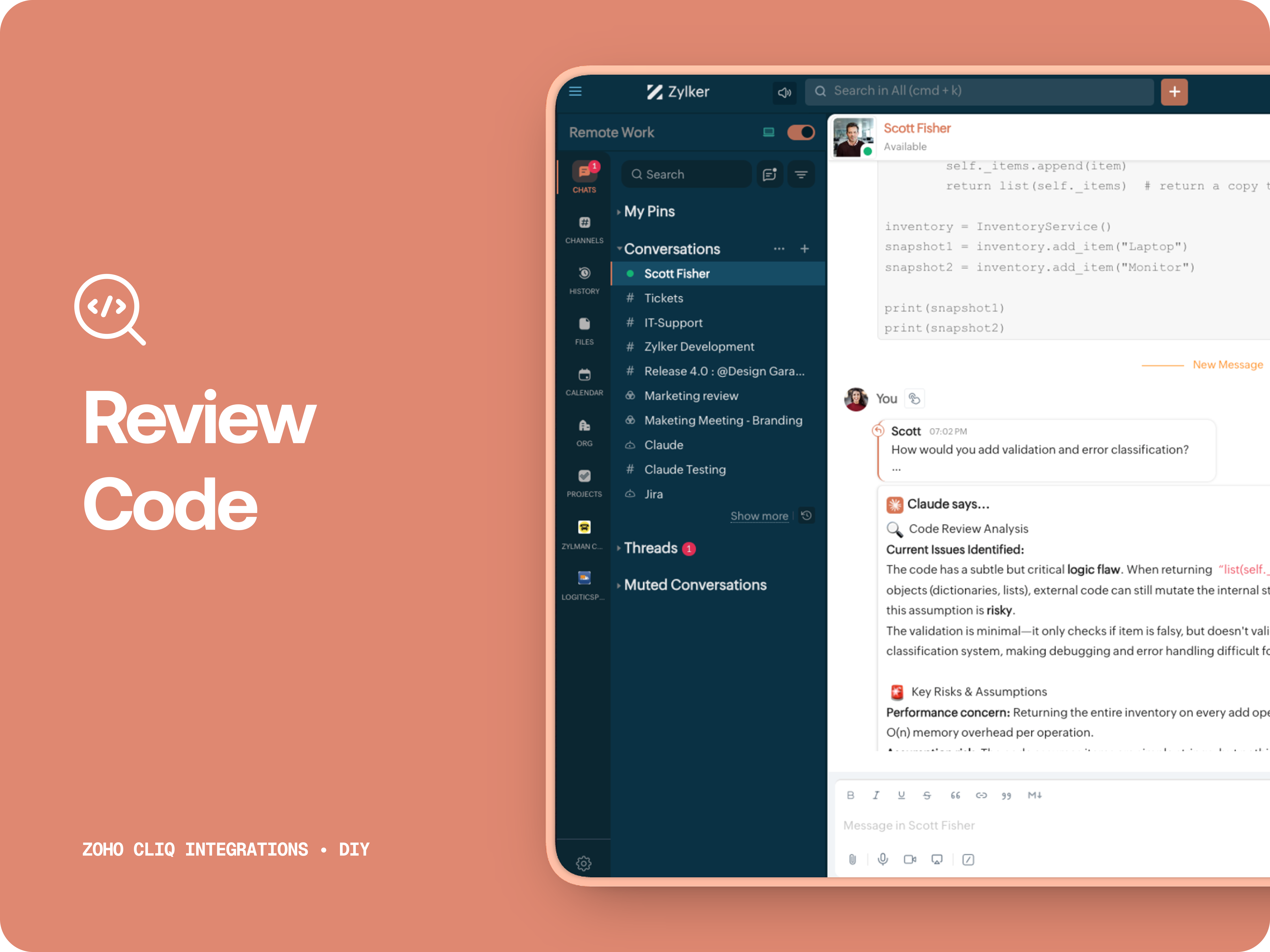
A. 🔍 Review code
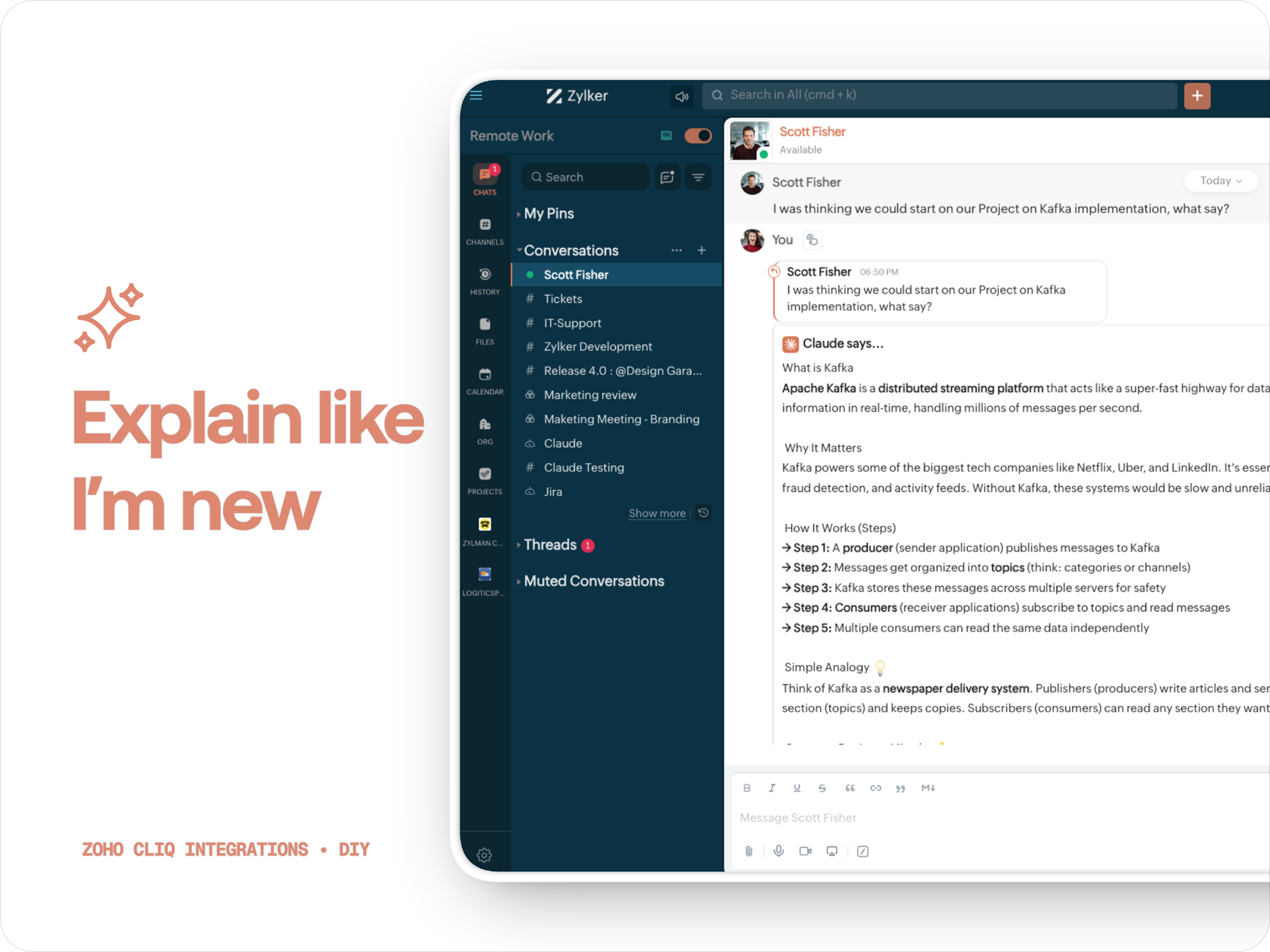
Claude teaches you what it is, why it matters, how it works, an analogy or common mistakes for any concept.
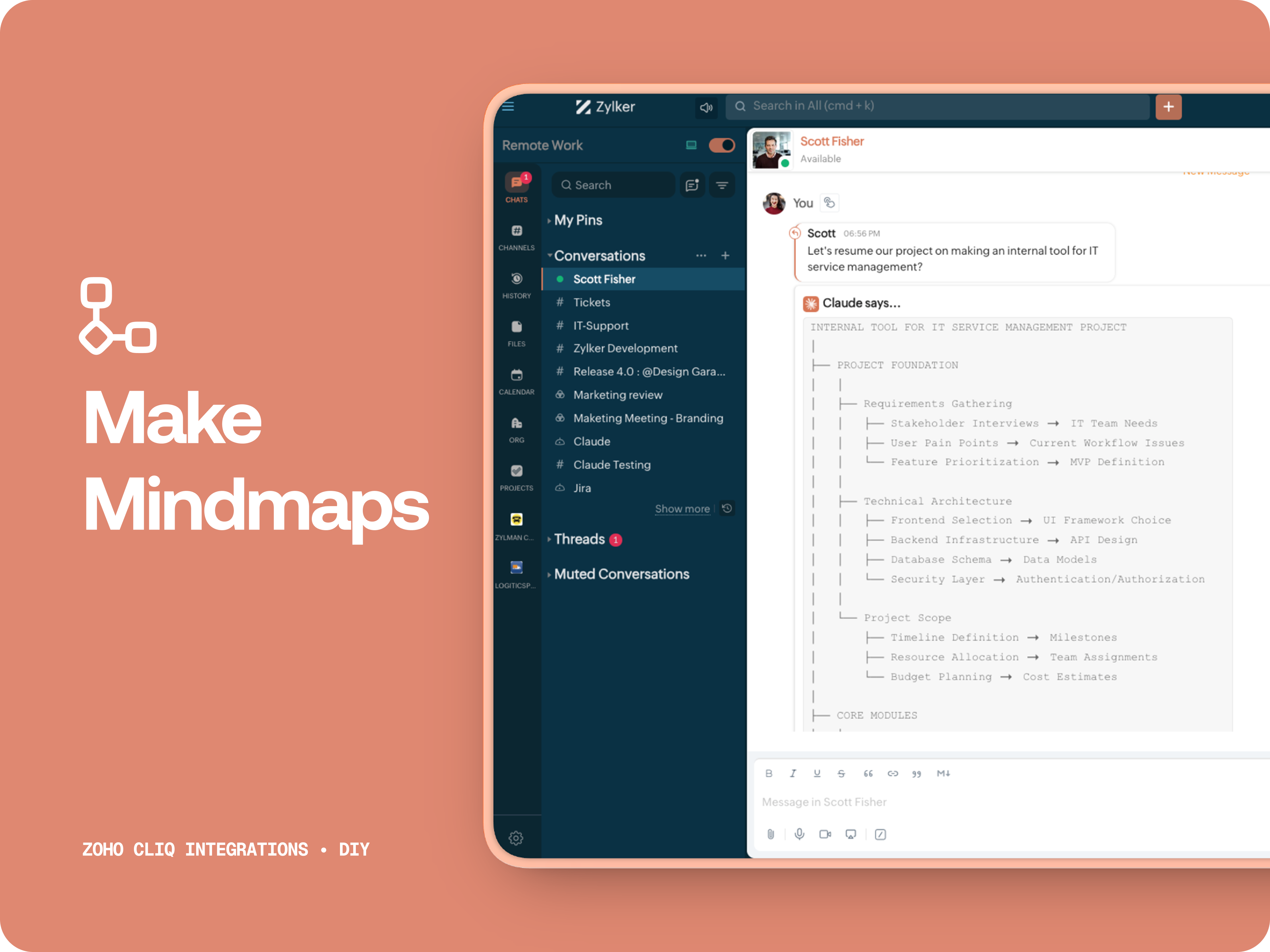
C. 🧠 Make Mindmap
Converts content into a structured ASCII flow chart for explaining system designs, feature breakdowns or general product thinking.
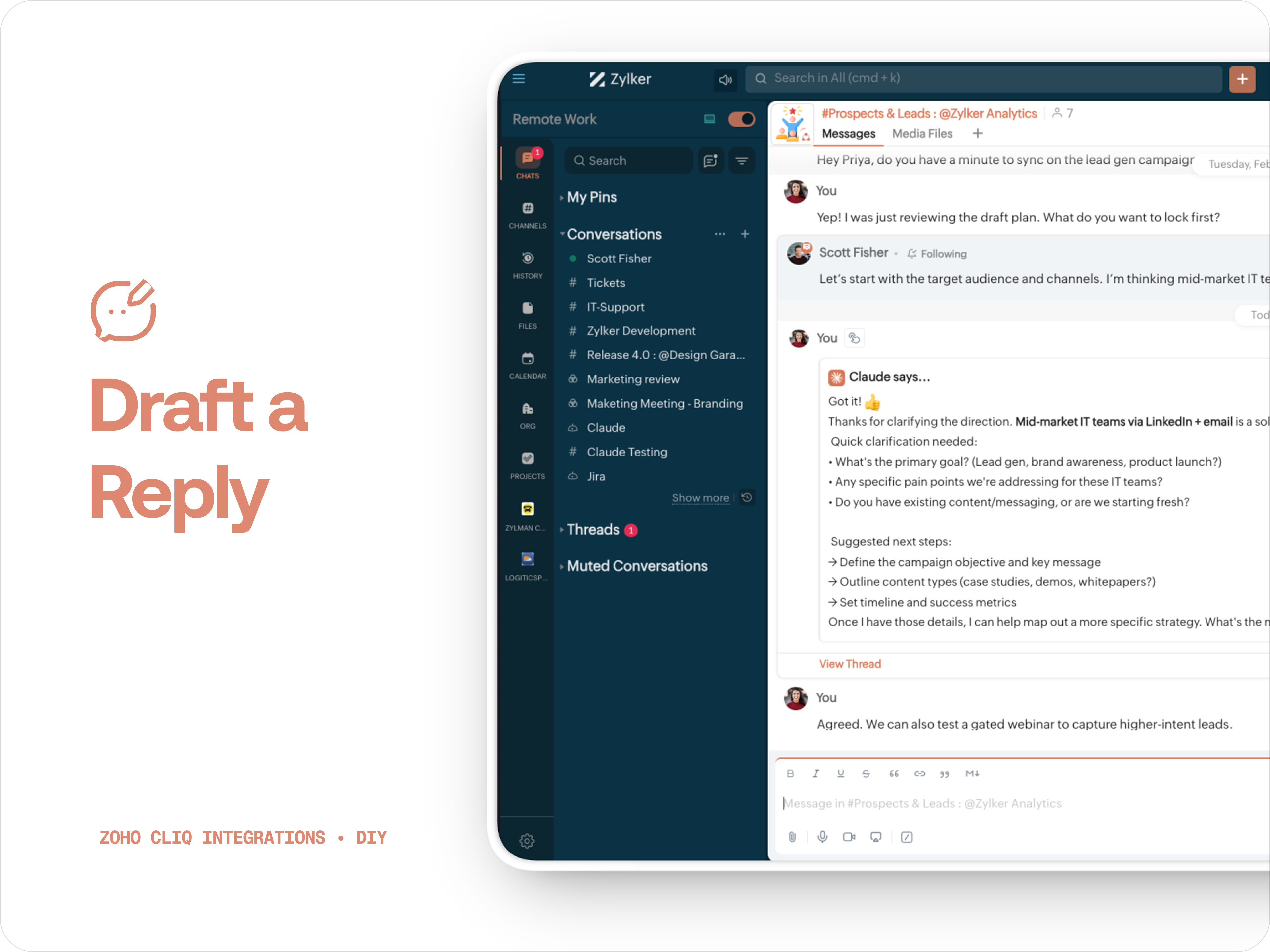
D. 📌 Draft a reply
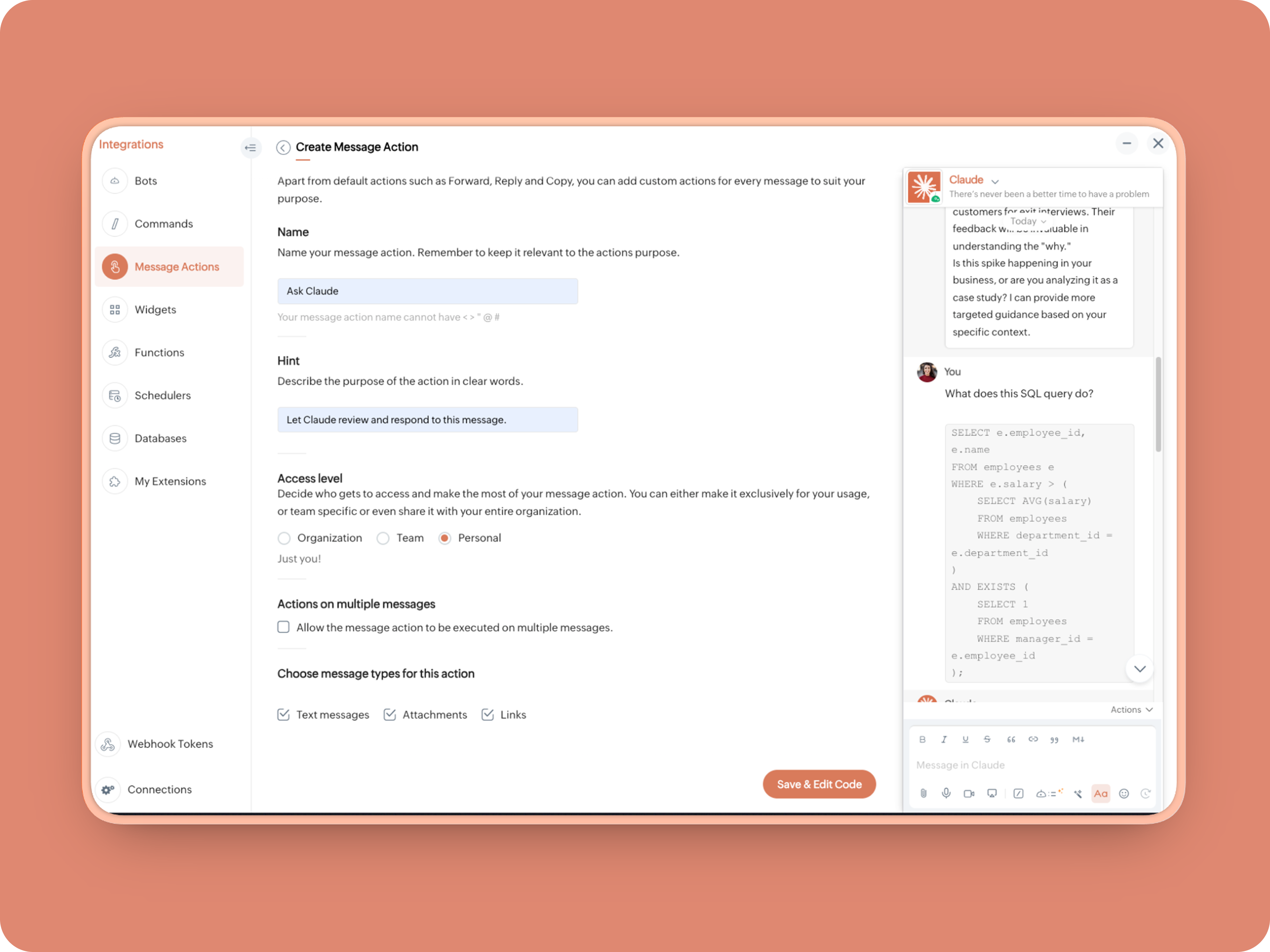
How to create:
1. Create a Message Action, name it Ask Claude and give any description of your choice.
- info message;
- returnForm = false;
- if(message.get("type") == "file")
- {
- fileType = message.get("content").get("file").get("type");
- if(fileType != "application/pdf")
- {
- return {"type":"banner","text":"Only PDF files are supported for this action","status":"failure"};
- }
- }
- inputs = list();
- inputs.add({"label":"Choose an action","name":"action","mandatory":true,"type":"radio","options":{{"value":"reviewcode","label":"🔍 Review Code"},{"value":"explainthis","label":"🧠 Make Mindmap"},{"value":"ExplainlikeImnew","label":"✨ Explain like I’m new"},{"value":"Draftreplyforthis","label":"📌 Draft reply for this"}}});
- inputs.add({"label":"More instructions","name":"additionalInstructions","placeholder":"You can provide additional instructions if needed.","min_length":"0","max_length":"500","mandatory":false,"type":"textarea"});
- return {"type":"form","title":"Ask Claude","hint":"What would you like Claude to do? Choose an action or write your own.","name":"INSERT-FUNCTION-NAME","button_label":"Submit","inputs":inputs,"action":{"type":"invoke.function","name":"INSERT-FUNCTION-NAME"}};
Form Function:
1.Go to Functions → Name your function (Eg. askclaude) and add description
2. Select Form function
3. Create
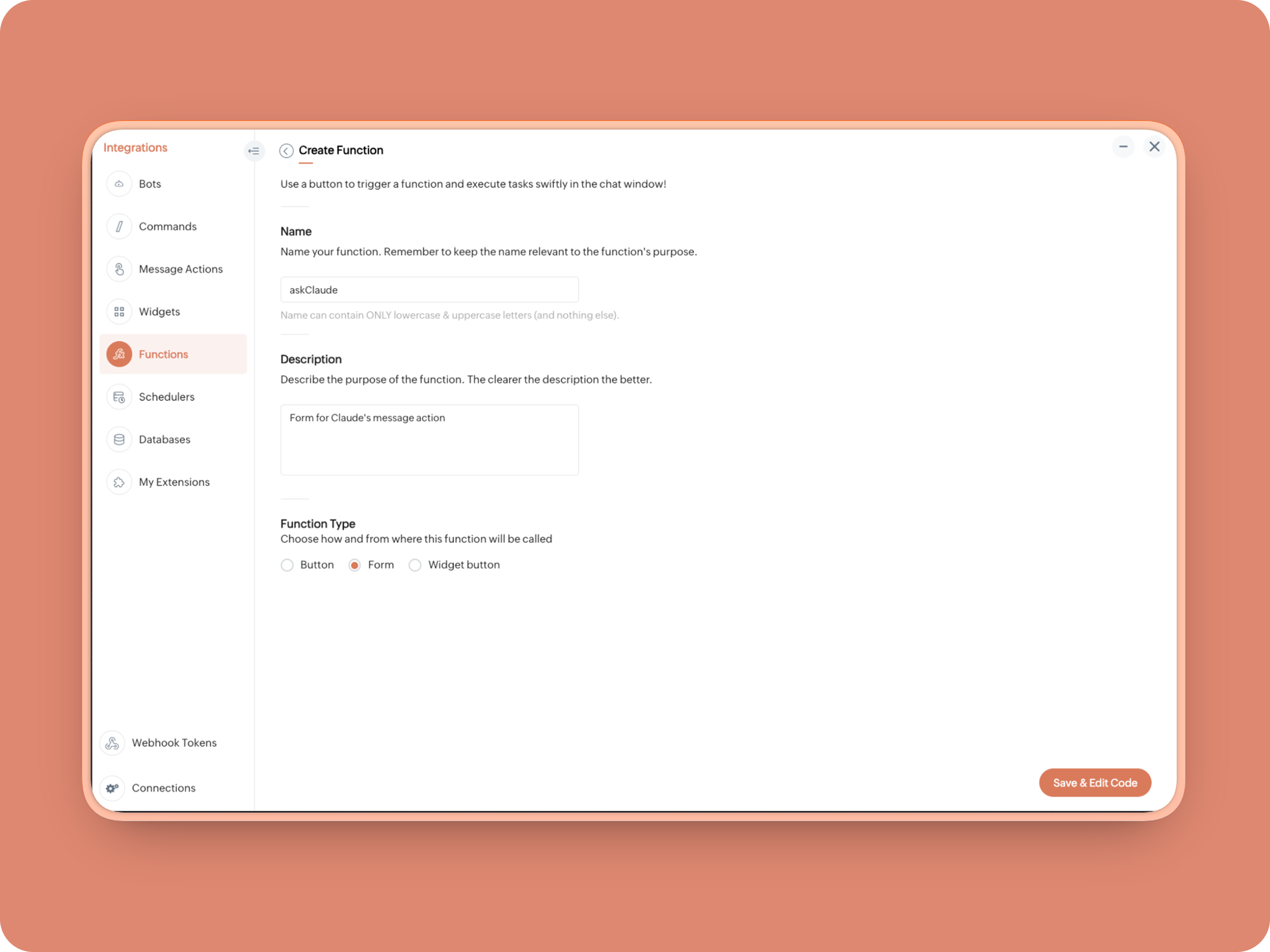
Once created, in the Form Submit Handler, paste this code:
- info form;
- info message;
- // Set up API headers
- apiHeaders = Map();
- apiHeaders.put("anthropic-version","2023-06-01");
- apiHeaders.put("Content-type","application/json");
- apiHeaders.put("ENTER-APIKEY-HERE");
- // Don't forget your API key!
- actionType = form.get("values").get("action").get("value");
- promptInstruction = "\"### Instructions ⓘ \nProvide a human-digestible, highly organized response (250-300 characters). Break down your output into bite-sized paragraphs and use bolding to guide the reader's eye. *Strictly avoid tables.* Use plenty of white space and only ### headings for a clean look. \n\n ### Formatting Protocol • \n - Bold: *text* \n - Italic: _text_ \n - Strike: ~text~ \n - Underline: __underline__ \n - Headers: ### Title \n - Quote: \"quote\" \n - Blockquote: > text \n - Bullets: Use • or → for lists \n - Emojis: Use ✨, 🚀, or 💡 to highlight key takeaways \n - Separator: --- \n\n ### and replace all ** to *";
- if(actionType == "reviewcode")
- {
- userPrompt = "🔍 You are a senior engineer. \nReview this code: \n• List bugs or logical errors \n• Note assumptions and risks \n• Suggest improvements \n• Provide corrected code \n• Explain why your version is better\n\n\n" + promptInstruction;
- }
- else if(actionType == "explainthis")
- {
- userPrompt = "🧠 You are a systems thinker. \n•Convert the input into a visual flow chart using plain text. \n•Strict Output Rules \n•Output ONLY inside a triple backtick code block \n•Do NOT use Mermaid \n•Do NOT write paragraphs \n•Do NOT explain anything \n•Do NOT use bullet lists outside structure \n•Use ASCII connectors to form a real flow chart \n•Use arrows (→, ↓, ↳, ├──, └──) to show relationships \n•Maintain clear hierarchy and spacing \n•One single root at the top \n•Logical directional flow (top → down) \n•Structure Requirements \n•Root node at top \n•First-level branches below \n•Subpoints indented \n•Cross-links if relevant \n•Clean spacing \n•No duplicated nodes \n•Required Format Example \n•MAIN IDEA \n•Branch 1 -> Subpoint -> Subpoint \n•Branch 2 -> Subpoint ->Subpoint \n•Branch 3 -> Subpoint -> Subpoint\n\n\n" + promptInstruction;
- }
- else if(actionType == "ExplainlikeImnew")
- {
- userPrompt = "✨ You are a teacher for beginners. \nExplain: \n• What it is \n• Why it matters \n• How it works (steps) \n• A simple analogy \n• One common beginner mistake\n\n\n" + promptInstruction;
- }
- else if(actionType == "Draftreplyforthis")
- {
- userPrompt = "📌 You are a professional responder. \nReply to this message: \n• Directly address main point \n• Ask for clarification if needed \n• Suggest next steps \n• Keep it concise and clear \n• Make sure message in a buisness casual tone, consise, human written.\n\n\n" + promptInstruction;
- }
- if(form.get("values").get("additionalInstructions").length() > 0)
- {
- userPrompt = userPrompt + "\n" + form.get("values").get("additionalInstructions");
- }
- // Check if message is text-only or contains a file
- if(message.get("type") == "text" || message.get("type") == "card")
- {
- // Handle text-only message
- userMessageText = message.get("text");
- requestPayload = {"max_tokens":1024,"messages":{{"content":userPrompt + "\n\n" + userMessageText,"role":"user"}},"model":"claude-sonnet-4-5-20250929"};
- }
- else
- {
- // Handle message with file attachment
- uploadedFile = invokeurl
- [
- url :"https://cliq.zoho" + environment.get("tld") + "/api/v2/files/" + message.get("content").get("file").get("id")
- type :GET
- connection:"ENTER-CONNECTION-NAME"
- ];
- info uploadedFile;
- base64EncodedFile = zoho.encryption.base64Encode(uploadedFile);
- if(message.get("content").containKey("comment"))
- {
- comment = message.get("content").get("comment");
- userPrompt = userPrompt + "\n" + comment;
- }
- else
- {
- userPrompt = userPrompt;
- }
- mediaType = message.get("content").get("file").get("type");
- mediaType = "application/pdf";
- requestPayload = {"max_tokens":1024,"messages":{{"role":"user","content":{{"type":"document","source":{"type":"base64","media_type":mediaType,"data":base64EncodedFile}},{"type":"text","text":userPrompt}}}},"model":"claude-sonnet-4-5-20250929"};
- }
- info requestPayload;
- // Make API call to Claude
- claudeApiResponse = invokeurl
- [
- url :"https://api.anthropic.com/v1/messages"
- type :POST
- parameters:requestPayload + ""
- headers:apiHeaders
- detailed:true
- ];
- // info claudeApiResponse;
- // Extract the actual text response
- if(claudeApiResponse.get("responseCode") == 200)
- {
- responseBody = claudeApiResponse.get("responseText");
- parsedResponse = responseBody.toMap();
- claudeMessage = parsedResponse.get("content").get(0).get("text").replaceAll("\n\n","\n").remove("---").remove("#");
- if(claudeMessage.length() > 4000)
- {
- claudeMessage = claudeMessage.subString(0,4000) + "...";
- }
- info "Claude's Response: " + claudeMessage;
- }
- else
- {
- responseBody = claudeApiResponse.get("responseText");
- parsedResponse = responseBody.toMap();
- claudeMessage = "*" + parsedResponse.get("error").get("type") + "* \n" + parsedResponse.get("error").get("message");
- info "API Error: " + claudeApiResponse;
- }
- responseContent = {"text":claudeMessage,"card":{"title":"Claude says...","icon":"https://uxwing.com/wp-content/themes/uxwing/download/brands-and-social-media/claude-ai-icon.png"},"reply_to":message.get("id")};
- info responseContent;
- info zoho.cliq.postToChat(chat.get("id"),responseContent);
- return Map();
When triggered: Opens a form → User selects an action → Adds additional instructions → Submits → Claude processes the selected message
What you built today is just the foundation.
Shape it around how your team actually works. Extend it to turn discussions into action items, review PRs before they’re merged, generate standup updates, extract tasks automatically, or create knowledge snippets from resolved threads.
Start with one real pain point. Solve it well. Then layer more intelligence on top.
The structure is already there. The possibilities are yours.
🔗 Explore Zoho Cliq: Developer Platform
🔗 Explore Anthropic API Docs
Topic Participants
Riya Raghunath
Sticky Posts
Cliq Bots - Post message to a bot using the command line!
If you had read our post on how to post a message to a channel in a simple one-line command, then this sure is a piece of cake for you guys! For those of you, who are reading this for the first time, don't worry! Just read on. This post is all about howAdd Claude in Zoho Cliq
Let’s add a real AI assistant powered by Claude to your workspace this week, that your team can chat with, ask questions, and act on conversations to run AI actions on. This guide walks you through exactly how to do it, step by step, with all the codeAutomating Employee Birthday Notifications in Zoho Cliq
Have you ever missed a birthday and felt like the office Grinch? Fear not, the Cliq Developer Platform has got your back! With Zoho Cliq's Schedulers, you can be the office party-cipant who never forgets a single cake, balloon, or awkward rendition ofAutomate attendance tracking with Zoho Cliq Developer Platform
I wish remote work were permanently mandated so we could join work calls from a movie theatre or even while skydiving! But wait, it's time to wake up! The alarm has snoozed twice, and your team has already logged on for the day. Keeping tabs on attendanceCustomer payment alerts in Zoho Cliq
For businesses that depend on cash flow, payment updates are essential for operational decision-making and go beyond simple accounting entries. The sales team needs to be notified when invoices are cleared so that upcoming orders can be released. In contrast,
Recent Topics
Don't Allow Customer to Edit Values After Submitting Ticket
After a customer submits a ticket through the customer portal, they can go into the ticket and see some of the values from the questions they answered in the sidebar. Currently, a customer can edit these values even after they submitted them. This makes no sense. We ask very specific questions that we don't want customers to later change! Please disable the ability for customers to edit the values to their submission questions in the portal. Screenshot attached.Analytics <-> Invoice Connection DELETED by Zoho
Hi All, I am reaching out today because of a big issue we have at the moment with Zoho Analytics and Zoho Invoice. Our organization relies on Zoho Analytics for most of our reporting (operationnal teams). A few days ago we observed a sync issue with thetext length in list report mobile/tablet
Is there a way to make the full text of a text field appear in the list report on mobile and tablet? With custom layouts, the text is always truncated after a certain number of characters.Automation #4 - Auto Delete Tickets based on Rules
This is a monthly series in which we pick some common use cases that have been either discussed or most asked about in our community and explain how they can be achieved using one of the automation capabilities in Zoho Desk. Unwanted tickets spammingZoho Community Digest — Enero 2026
¡Hola, comunidad! 🌟 Aquí os traemos las novedades más interesantes de Zoho durante este mes de enero, incluyendo actualizaciones de productos, integraciones y un recordatorio sobre los workshops certificados que vuelven a España. 🎓 Eventos y ComunidadAutomation #3 - Auto-sync email attachments to tickets
This is a monthly series where we pick some common use cases that have been either discussed or most asked about in our community and explain how they can be achieved using one of the automation capabilities in Zoho Desk. Most of our customers use emailAutomation #11 - Auto Update Custom Fields with Values from Emails
This is a monthly series designed to help you get the best out of Desk. We take our cue from what's being discussed or asked about the most in our community. Then we find the right use cases that specifically highlight solutions, ideas and tips to optimizeAutomation #13 - Auto assign tickets based on agent shift time
This is a monthly series designed to help you get the best out of Desk. We take our cue from what's being discussed or asked about the most in our community. Then we find the right use cases that specifically highlight solutions, ideas and tips to optimizeAutomation #14: Capture Jira Issue Key/ID in a Ticket Custom Field
Hello Everyone! This month's edition brings you a custom function to consolidate your records associated with Jira integration. Jira integration enables support engineers and R&D units to collaborate seamlessly on feature development, product improvement,Automation #16: Automate Ticket Reopening on Scheduled Timestamp
Hello Everyone! This edition uncovers the option to schedule reopening a ticket automatically. Zylker Finance tracks insurance policyholder activities through Zoho Desk. For policyholders who pay monthly premiums, tickets are closed upon payment completion.Automation#19:Auto-Close Tickets Upon Task Completion
Hello Everyone! We’re excited to bring you another custom function this week. In this edition, we’ll show you how to automatically close tickets when all associated tasks are marked as completed. Let’s see how ZylkaPure, a leading water filter company,Automation #15: Automatically Adding Static Secondary Contacts
Rockel is a top-tier client of Zylker traders. Marcus handles communications with Rockel and would like to add Terence, the CTO of Zylker traders to the email conversations. In this case, the emails coming from user address rockel.com should have TerenceImproved UX design for Projects CRM integration
The current integration embeds the entier projects inteface into the CRM this is confusing and allows users to get lost. For example as a user i navigate to an account and go down to the related projects list and want to get information about a specificTransformer vos stocks en décisions intelligentes avec Zoho Inventory et Zoho Analytics
Zoho Inventory permet de suivre facilement les niveaux de stock et d’anticiper les restockages. Pour de nombreuses entreprises, cela suffit à gérer les opérations au quotidien. Mais à mesure que l’activité se développe, cette clarté peut commencer à montrerSecurity Enhancements | Migrate to the Updated Policies
Hello everyone, Zoho Directory's security policies have been updated and reorganized into three new policies with features that enhance the overall organization security. These policies provide a stronger and more secure sign-in methods and improve theBring Zoho Shifts Capabilities into Zoho People Shift Module
Hello Zoho People Product Team, After a deep review of the Zoho People Shift module and a direct comparison with Zoho Shifts, we would like to raise a feature request and serious concern regarding the current state of shift management in Zoho People.How to block a WhatsApp user for sending spam
Is there a way to block those whatsapp users that just come to play and annoy our service, they also spam us. We have a waba service with sales iqInquiry regarding auto-save behavior for Zoho Sign Embedded Sending
Dear Zoho Support Team, I am currently integrating Zoho Sign's Embedded Sending functionality using iframes on my website. I would like to know if there is a way to ensure that the document state (including any added fields) is automatically saved asIntroducing Connected Records to bring business context to every aspect of your work in Zoho CRM for Everyone
Hello Everyone, We are excited to unveil phase one of a powerful enhancement to CRM for Everyone - Connected Records, available only in CRM's Nextgen UI. With CRM for Everyone, businesses can onboard all customer-facing teams onto the CRM platform toAutomation#17: Auto-Create Tasks in Zoho Projects Upon Ticket Creation in Zoho Desk
Hello Everyone, This edition delivers the solution to automatically create a task in Zoho Projects when a ticket is created in Zoho Desk. Zylker Resorts uses Zoho Desk for bookings and handling guest requests. Zylker resorts outsources cab bookings toAutomation#20 : Auto-Add Ticket Tags based on Keywords
Hello Everyone! Welcome to unveiling custom functions on our Community series. This week's post lets you add tags to your tickets automatically based on the keywords in the ticket subject and the ticket thread. Discover how this custom function helpsAutomation#21: Track Ticket Transfers Across Departments
Hello Everyone! With Halloween just around the corner, we'd like to let you know the Zoho Desk team is always there to sweep away your customer service troubles! This week, we’re excited to introduce a custom function that tracks tickets moved betweenEmail Integration - Zoho CRM - OAuth and IMAP
Hello, We are attempting to integrate our Microsoft 365 email with Zoho CRM. We are using the documentation at Email Configuration for IMAP and POP3 (zoho.com) We use Microsoft 365 and per their recommendations (and requirements) for secure email we haveHomepage not assignable to group
MS Teams for daily call operations
Hello all, Our most anticipated and crucial update is finally here! Organizations using Microsoft Teams phone system can now integrate it effectively with Zoho CRM for tasks like dialling numbers and logging calls. We are enhancing our MS Teams functionalityAutomation#22 Track Ticket Duration at Specific Status
Hello Everyone! Welcome back to the Community Learning Series! Today, we explore how Zylker Techfix, a gadget servicing firm, boosted productivity by tracking the time spent at a particular ticket status in Zoho Desk. Zylker Techfix customized Zoho Desk’sAutomation#23: Automate Guided Conversations in Zoho Desk with Business Hours
Hello Everyone, This week's edition introduces a custom function designed to automate Guided Conversations in Zoho Desk, based on your business hours. With this feature, you can align the bot's behavior with your business schedule, ensuring a smooth andAddress changes in quote form
When entering a quote, the first piece of information required is the Account, which properly populates the billing and shipping address fields. Then I use the lookup function to select a contact, and when I do, the billing and shipping addresses areAutomation#24: Auto-Update custom field from Accounts to Tickets
Hello Everyone! Welcome back to the Community Learning Series! This episode dives into how Zylker Techfix streamlines account-related ticket references. Previously, employees had to manually check account details to retrieve specific customer information,Kaizen #227 : Client Script Support for List Page (Canvas)
Hello everyone! Welcome to another week of Kaizen. In today's post lets see how Client Script can be used in Canvas List Page to mask sensitive information from specific roles and add colors to Canvas List Page records based on custom criteria.This useAutomation#25: Move Tickets to Unassigned When the Owner Is Offline
Hello Everyone, Welcome to this week's Community Series! 'Tis the holiday season—a time when work often takes a brief pause. The holiday spirit is in full swing at Zylker Techfix too, with employees taking some well-deserved time off. During this period,Automation#27: Retain Ticket Owner on Moved Tickets
Hello Everyone! This week, we present to you a custom function that retains the ticket owner when a ticket is moved from one department to another. Here’s more to help you understand the custom function: At Zylker Techfix, Alex, the Support Engineer managesAutomation#28 Notify Agents on Article Expiry
Hello Everyone! This week, we’re bringing you a feature that notifies your team when articles in the Knowledge Base are set to expire to keep your content relevant and helpful for customers. The Zoho Desk's Knowledge Base is an asset for customers toAutomation#29 Retain ticket status on moved tickets
Hello Everyone, Hear out Zylker Techfix’s Success Story on Smoother Ticket Transitions! Zylker Techfix, a gadget servicing firm committed to quick repairs and timely deliveries, faced a challenge when ticket statuses changed automatically while movingAutomation#32:Auto Add New Portal Users to the Help Center User Groups
Hello Everyone, Introducing a custom function that automates the process of adding new portal users to Help Center user groups, making user management effortless! By default, Zoho Desk allows you to assign new portal users to groups manually. But withAutomation#34 : Automate Email threading for Ticket notification
Hello Everyone, It's been a while since we've presented an automation. However, our community has been buzzing with ideas, use cases, and discussions with our community experts and Ask the Experts session. So, here we are again, presenting an automationAutomation#35 : Auto-Add Comments under the Owner's Name in Tickets via Macros
Hello Everyone, This week's custom function provides simple steps to configure a Macro for adding comments to tickets with the name of the Comment owner. When managing tickets, you can use the Comment feature to communicate internally with your team andAutomation#36: Auto-create time-entry after performing the Blueprint transition
Hello Everyone, This week’s edition focuses on configuring a custom function within Zoho Desk to streamline time tracking within the Blueprint. In this case, we create a custom field, and request the agent to enter the spending time within the singleAutomation#33: Automate Splitting Names for Existing Contact Records
An organized directory – who doesn't love one? Previously, we explored how to split contact names into First Name and Last Name for new contacts in Zoho Desk. But what about existing contacts already in your database? This week, we bring you a customWorkqueue
I really like the idea of the Workqueue generally - it will be really useful. What it seems to lack however, is the ability to customise it properly. I want to be able to show a custom view rather than just "My Leads" and "Leads Assigned in Last 3 hours".Next Page