Design & Print Data Directly using Canvas Print View
Hello Everyone,
We are excited to announce a new addition to your Canvas in Zoho CRM - Print View. Canvas print view helps you transform your custom CRM layouts into print-ready documents, so you can bring your digital data to the physical world with ease.
Whether you’re printing labels for shipping, creating personalized forms, or need to document one particular record's information, this feature gives you the control and flexibility to design, customize, and print right from your CRM.
What can you do with Print View?
With Canvas Print View, you can print out a single record's data or a few selected records' data or even the total number of records per page onto physical sheets directly from your CRM account to your hands. Simply :
- Design a custom layout using Canvas by pulling details automatically from your CRM modules
- Generate a clean, printable sheet of mailing labels
- Print information out on standard paper sizes like A4 or Letter from your selected module,
- Automatically display cutting lines to guide separation for
- Save time and reduce manual errors without leaving your CRM
Scenario 1: Print Shipping labels from your CRM Account
Imagine you’re running a shipping or courier service, and you manage all your customer data within Zoho CRM. Your team needs to generate address labels for daily deliveries. You can use the print view to :
- Create a custom mailing label layout using Canvas and get customer contact details automatically from your contact module.
- Generate a clean, printable sheet of mailing labels
- Choose to display cutting lines to guide label separation
- Finally, print them out on standard paper sizes like A4, Letter from your selected module
And, Voila! Your team now has all the address labels they need for daily deliveries.
Look at the GIF below to understand how Canvas Print View works for print mailing labels.
Scenario 2 : Print Service Report Forms in an Auto-shop Repair Firm
Say, you run an automobile service centre, and you use Zoho CRM to track customer vehicles, service requests, complaints, and repair details. After completing a repair job, the technician updates the service record in CRM with details such as the vehicle model, service type, parts replaced, labour cost, and total cost.
Using the Print View feature in Canvas, the service centre generates a Service Report that includes:
- Customer name, email, and phone number
- Service number and Service date
- Vehicle Name, Complaint, and Feedback
Now, you can hand this printed report to the customer as proof of service where both the technician and the customer can be signed for acknowledgment and stored in the customer’s file as part of their service history. This is any day better than giving customers a rough invoice or verbal update, and encourages repeat visits for future services.
The GIF below will help you understand how Canvas Print View works for such scenarios.
Other examples where you can use this feature
Similarly, you can use the Print View feature of Canvas to create printable sheets for other scenarios, such as :
- Create academic course sheets, promotion letters and more automatically from the courses module,
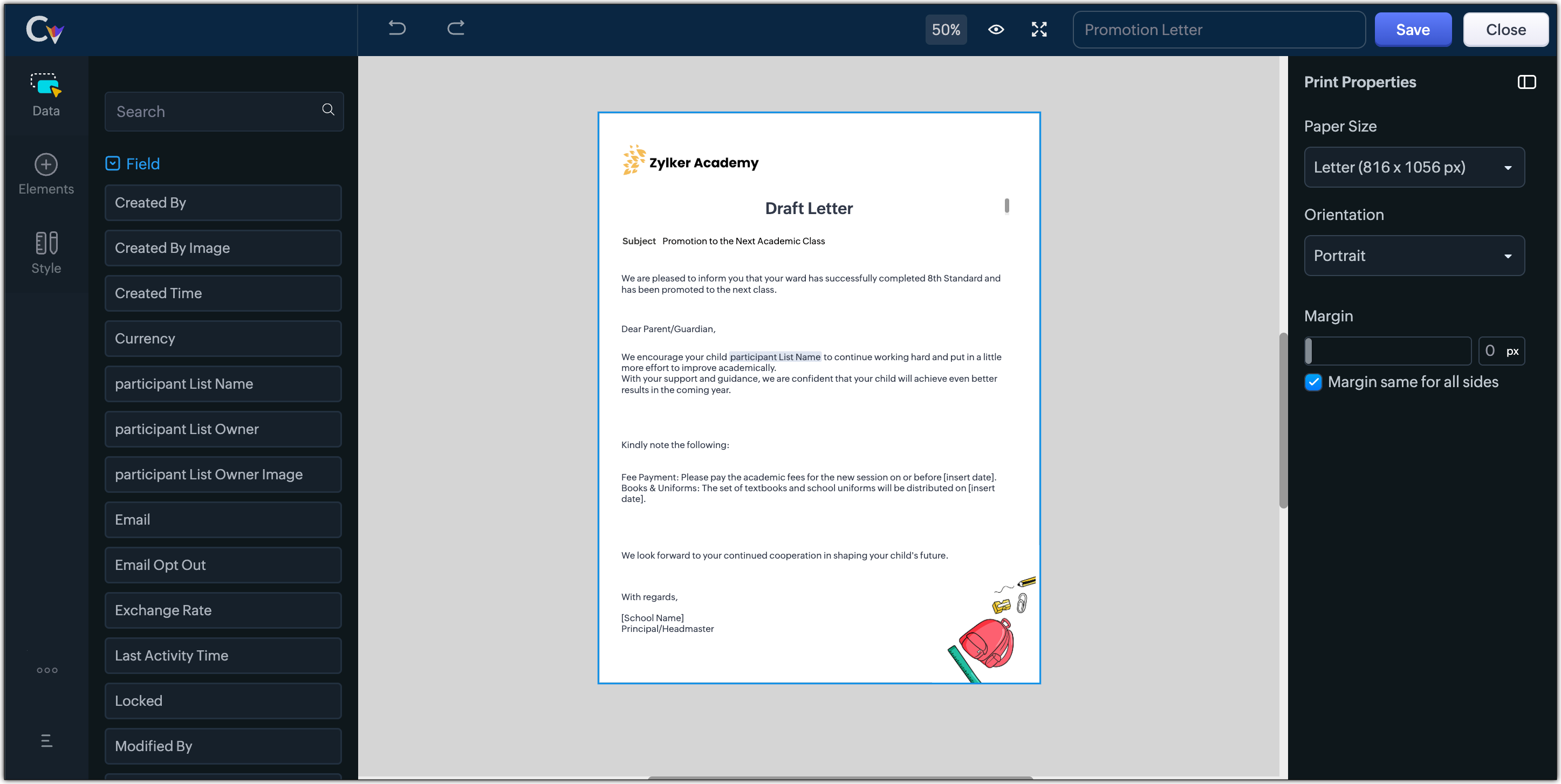
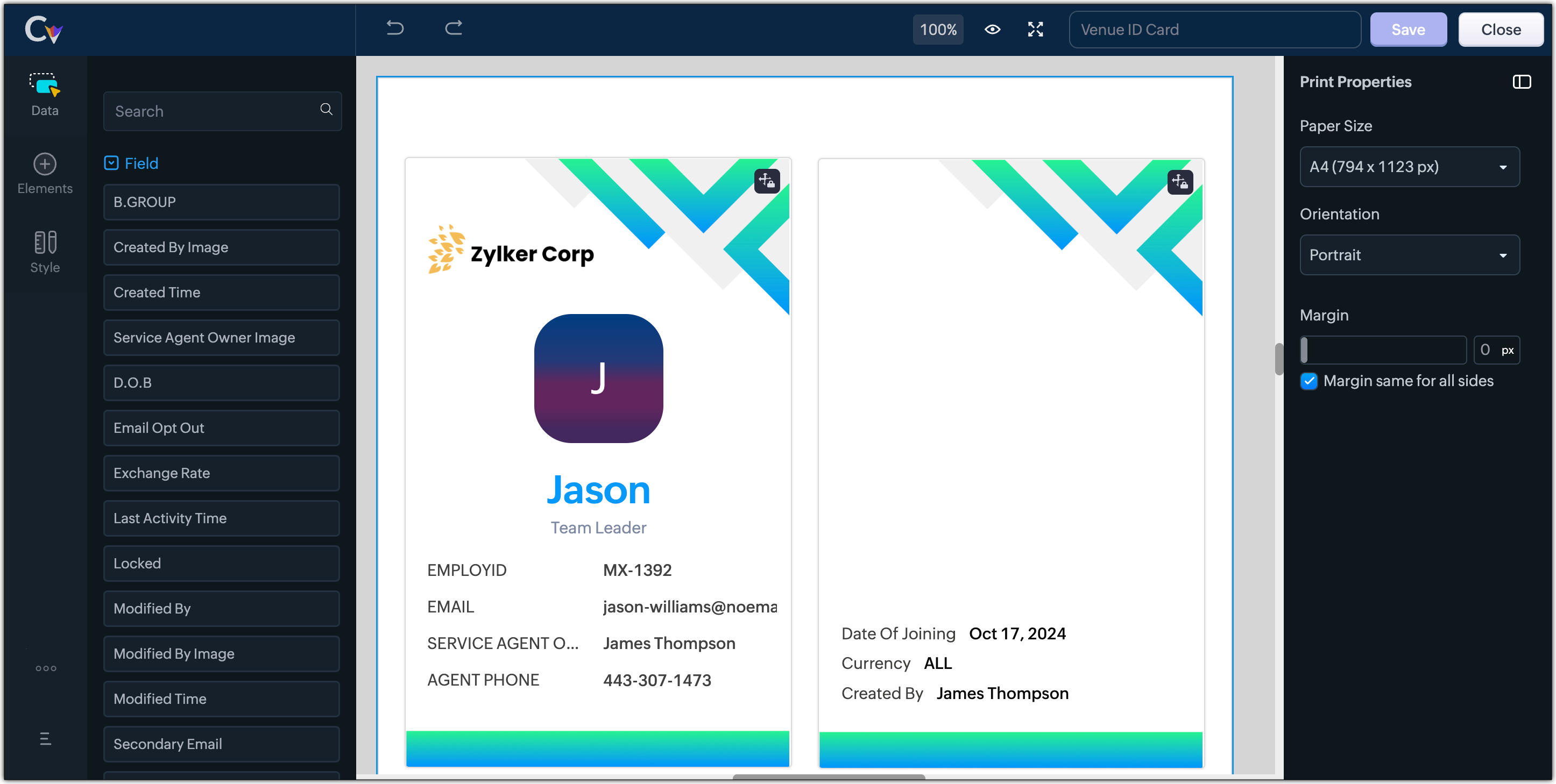
- Resume, id card, or other identification forms for marketing activities or related events,
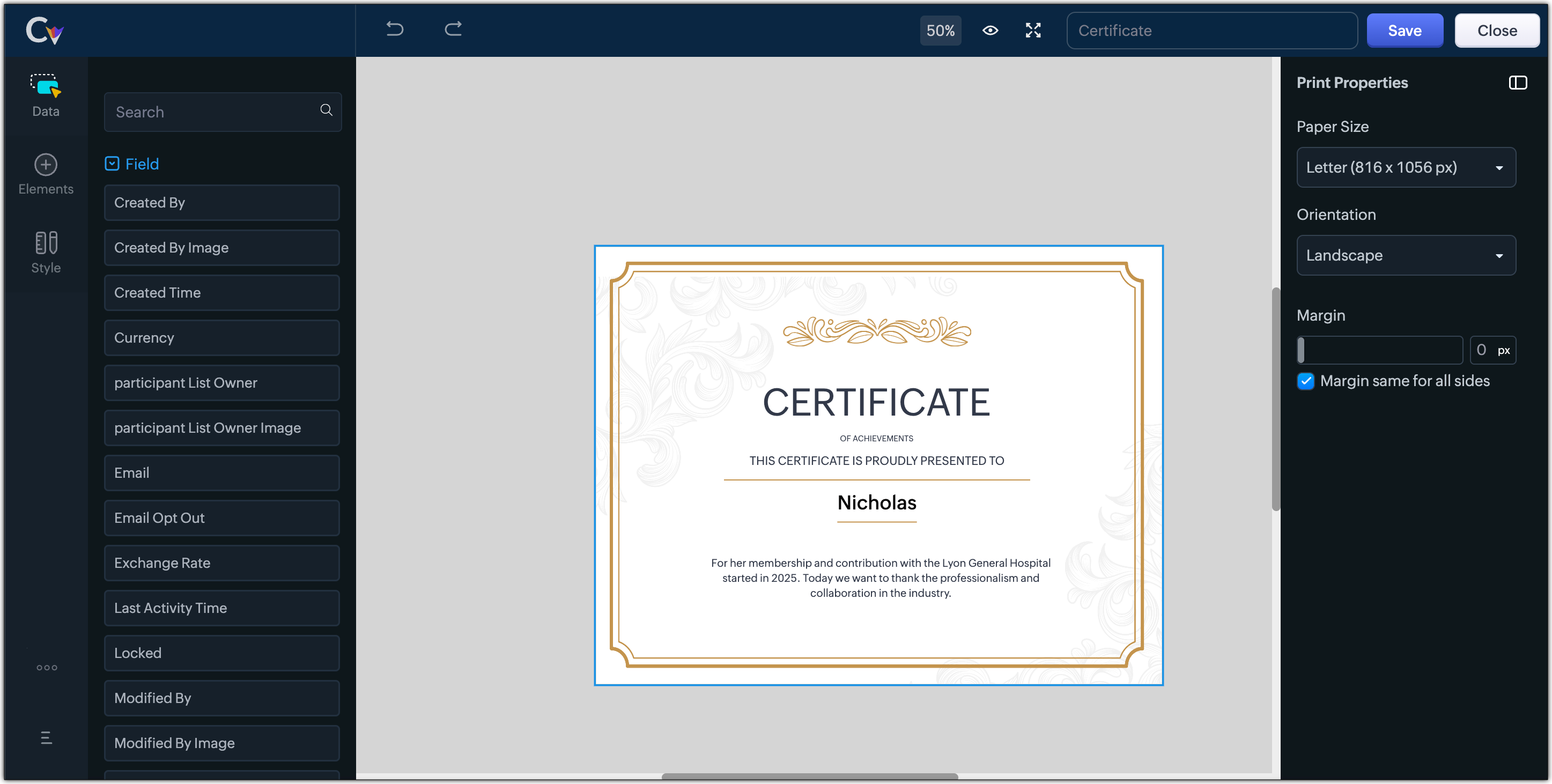
- Certificates, contracts, agreements, or guarantees that need to be manually attested by customers
Customization Options to print Mailing labels
Canvas Print View offers a wide range of customization options to help you design exactly how you want to print out your mailing labels. The options available are :
- Paper Sizes: Choose from Mailing Label formats based on your printing needs
- Orientation: Switch between Portrait or Landscape mode to suit your layout design
- Margins: Define precise margins for your printout or apply the same margin on all sides with a single click
- Print record in :
- Choose to print the mailing labels per page or in a list or in a Grid.
- To print mailing labels per page, users can choose the same margin for all sides and align center options.
- To print mailing labels in a list, users can choose the same margin for all sides, align center and cutting lines options.
- To print mailing labels in a grid, users can choose the same margin for all sides, align center, auto width, and cutting lines options.


Note :
- Align Center : Aligns your content to the center of the page or adjust freely
- Auto Width : Enable this setting to fit content dynamically within the layout
- Cutting Lines : Add visible cutting guides to clearly separate labels or sections on the page
Customization Options to print A4 or Letter format information
The customization options available for printing information in A4 or Letter paper sizes are :
- Margins: Define precise margins for your printout or apply the same margin on all sides with a single click.
- Print record in : Choose to print the information per page or in a list.
- To print information per page, users can only choose to apply the same margin for all sides.
- To print mailing labels in a list, users can choose to apply the same margin for all sides and enable cutting lines to guide separation.


Availability : This feature is available to all users except for IN DC users. It will be opened up for the Indian data centre users shortly.
No more exporting, formatting, or jumping between tools to generate print-ready documents. Canvas Print View can be your print-buddy that can let you tailor documents to suit your business requirements.
Head over to your Canvas builder, select the Print View option, and start creating beautifully customized templates that work on paper just as well as on screen.
Feel free to comment below if you need any assistance from us!
Thanks & Regards
Serena Woolridge
Topic Participants
Serena Woolridge
Andres
Emily Verger
Zohoboy
Ishwarya SG
Sticky Posts
Good news! Calendar in Zoho CRM gets a face lift
Dear Customers, We are delighted to unveil the revamped calendar UI in Zoho CRM. With a complete visual overhaul aligned with CRM for Everyone, the calendar now offers a more intuitive and flexible scheduling experience. What’s new? Distinguish activitiesVoC in Zoho CRM is now data savvy: Explore response drilldown, summary components and participation in CRM criteria
VoC has all the goods when it comes to customer intelligence—which is why we're constantly enhancing it. We recently added the following: A customer drilldown component that shows you the list of prospects and customers behind a chart's attribute ExpandedWrapping up 2025 on a high note: CRM Release Highlights of the year
Dear Customers, 2025 was an eventful year for us at Zoho CRM. We’ve had releases of all sizes and impact, and we are excited to look back, break it down, and rediscover them with you! Before we rewind—we’d like to take a minute and sincerely thank youPresenting ABM for Zoho CRM: Expand and retain your customers with precision
Picture this scenario: You're a growing SaaS company ready to launch a powerful business suite, and are looking to gain traction and momentum. But as a business with a tight budget, you know acquiring new customers is slow, expensive, and often deliversCreate and populate a record in an instant: Introducing zero-shot field prompting to Zia's ICR
A couple of months ago, we upgraded our in-house AI image detection and validation tool, Zia Vision, with intelligent character recognition (ICR). By training Zia with sample images, you could create and enrich CRM records with data extracted from standard
Recent Topics
Zoho UAE SMS/WHATSAPP
Hello everyone, so I have a question as regards DC and their impact on automation, integration and app usage. For example I am working with a UAE clientniw but each time I tried to connect their WhatsApp and sms then automate their process I tend to receiveLooking to Flag or Tag contacts/ accounts on Zoho Desk?
I am looking for a way to flag certain accounts and make it obvious on the views pages. So for example if a has a certain package or needs extra attention it is clear before even clicking on the ticket. This could be via adding a tag or flag onto an account,setting date-time field from string
hello everyone, i hope someone could help me. i have a date-time field in a form that i want to fill in from two separate fields of date, and time. i need to combine the two fields to a one date-time field but can make it work. i tried to convert theCalendars and CRM Contacts
I'm finding having multiple calendars in Zoho One so confusing. I have a few questions so I can get this straight. We have a meeting room that we have set up as a resource in Calendar. Can this be set up in Bookings and the CRM Calendar? Using Zoho Calendar,Announcing new features in Trident for Mac (v1.23.0)
Hello everyone! Trident for macOS (v.1.23.0) is here with interesting features and thoughtful enhancements to elevate your workplace communication and productivity. Here's a quick look at what's new. Record your meetings. You can now record audio andApplying a record template
Hi all, I can't figure this out. I hope you can help. The scenario: We have learners who have to complete a 'digital' journal with tasks in order to qualify. Those tasks, once completed, need a final signature from their 'Mentor', which will trigger theirQuickbooks invoice with Zoho Creator
Is it possible to push data from Zoho Creator directly to an invoice on QuickBooks? If so, where can I find information on how to do this?Help: Capture full page URL in hidden field when same Zoho Form is embedded on multiple pages (iframe)
Hi all, Goal Use one Zoho Form across multiple pages and record the exact page URL (incl. subdomain + path + hash) where the user submitted it. Example pages: https://www.example.com/cargo/ https://www.example.com/cargo/containers/#contact https://cargo.example.com/auto/Automatically Populate fields - HELP!
There have been many discussions on this but I still can't seem to get it to work for me. I am trying to create a lookup field and have other fields automatically populate. Based on the instructions in the Help Center, I should be using the "on user input". It's just not working, here is the layout... Both forms are in the same application. Current form is called Add Note, form to fetch records from is called Add Client. Lookup field is called Select_Client_ID related field in fetch form is calledPush notifications to portal users
Hi all, it is possible to send push notifications to portal users?Rename the attachment from record template pdf in the sendmail deluge script
Hello Zoho, I urgently need a feature to rename record templates that I send via the sendmail feature. The program I created sends emails to clients with an invoices that have been created in the invoice database. If the user selects 3 invoice numbers,Alt Text On Multiple Images
I'm using Zoho Social to post to a charity website. Often the posts have multiple images, but it seems there is only one field for Alt Text. Does that mean I can only include it for the first image? Or is there a way to add alt text for all the imag[SOLVED] Getting 401 when trying to download ticket attachment via API
I'm able to use the API just fine to access ticket content. But I cannot download ticket attachment, keep getting 401 Client Error. Example: https://desk.zoho.com.au/api/v1/tickets/{ticket_id}/attachments/{attachment_id}/content?orgId={org_id} For headers,Zoho project – Workdrive integration.
Hello everyone, I was wondering something, we did the Zoho projects integration with Zoho Workdrive but nowhere during this integration we could set the location of the folders that would be automatically created in Workdrive. As I understand it, it createsScriptを埋め込みたくてOn User Inputを探しているのですが・・・
編集モードで、Scriptを埋め込みたい項目を選択し、「項目のプロパティ」パネルで、その下のほうに「フィールドアクション(Field Actions)」という見出しがあると聞いたのですが、そもそも、それが見つかりません。そのために、On User Inputなどのイベントが選べません。 画面の英語を日本語に訳しているためにわけわからん状態になっているのかも知れませんが、わかる方、いらっしゃいますか?Problem with cloud query exceeded
When making a call I get this error, It is associated with a function in node that calls external APIs This is the code //tokenConsultar = thisapp.ObtenerToken(); //input.token = tokenConsultar.get("output").toMap().get("token");Showing Total of Funnel Chart Legend (With Values) Items
Hi, We are using the funnel type chart for displaying our zCRM sales pipeline stages and associated sum of deals in each stage. We have configured the legend to show the associated value (Deal Amount (Sum)) for each stage adjacent to the legend items (Stages). Is there a way to display the total of the values in the same chart? For example, at the bottom of the legend or maybe as a #merge placeholder in the legend title?How to Convert VCF Contacts to CSV using Excel
Many users switch from traditional address books to digital formats like vCard and CSV. These formats allow users to easily manage their contacts. However, a difficulty comes when you need to transfer your contact information to another application orField authorization for Linking module in Zoho CRM portal
Hi guys! Currently building a customer portal for one of my clients, and I ran into a bit of a roadblock while using a multi-select lookup field. The issue is that there is no way to hide or define access in the linking module created by this multi-selectKaizen #63 - Layout Rules in Zoho CRM
Hello and welcome to another week of Kaizen! This week, we will be discussing Layout Rules in Zoho CRM. If you need to modify the layout of a module based on user inputs, or to show or hide sections based on the value of a specific field, we have got"Trigger flow for each entry" not working
I've read this article on how to trigger a flow for each entry in my array. https://help.zoho.com/portal/en/kb/flow/user-guide/create-a-flow/articles/webhook-trigger#Trigger_flow_for_each_entry I cannot get the flow to run for each variant in this JSONZoho CRM Portals - allow access per account
Hello all, I am trying to set up a portal for our customer but I seem to be hitting an obstacle and I am not sure if it is my problem or a limitation in the software. So basically the way I understand the portal Contact Email > Each Record or RelatedAndroid - Writer não acentua em Português com teclado bluetooth
Gosto muito do Zoho, tanto o Note quando o Writer. Infelizmente, o Writer sofre de um problema sério: ao usar um teclado bluetooth, forma mais cômoda de lidar com um processador de texto, os acentos (todos!) da Língua Portuguesa não são aceitos. TodosSet File Upload fields as mandatory
Currently the CRM for some reason lacks the ability to set a file upload field as mandatory So we have an issue We have a requirement that before a Deal stage is set as Deal is Won the member needs to upload a file Now for some weird reason in Zoho IEditing HTML in Zoho CRM Email Template
I am trying to create a template within the CRM email option, but need to be able to use custom HTML. There does not seem to be a way to do so.Ability to CC on a mass email
Ability to CC someone on a mass email.How to make attachments mandatory
I want the user to be unable to mark an opportunity as Closed – Won if it doesn’t have any attachments. I’ve already tried client scripts and functions, but nothing worked.SLA Ticket Report
From data to decisions: A deep dive into ticketing system reports Service level agreement (SLA) ticket reports in a help desk system are crucial for ensuring that services are delivered according to established commitments. They help maintain accountabilityZoho Backstage - PCI Compliance / Web Security
I have a couple of questions related to Backstage and payment processing.... 1. my purchasing division is not giving approval to use Backstage yet because of some security issues. In order for us to take payments via a payment gateway like Authorize.netZoho Tables August 2025 Update: Faster and Smoother
We’ve been working behind the scenes to make Zoho Tables faster, lighter, and more reliable. Here are the highlights: Faster Response Times Optimised the way responses are generated. Reduced memory consumption by 20–25%, leading to smoother performanceVideo Upload from app says "unsupported aspect ratio" but is verified to be correct.
I and my social media person are experiencing a problem where Social will not accept video uploads to Instagram. The error we receive is "unsupported aspect ratio" but looking directly at the file in question we see that the width and ratio both matchDisposable Email Addresses
Dear zMail Team, Can you also bring out a few disposable email addresses for each accounts? That way occasional registrations and imminent spam from them can be largely solved right? ---- Deepak Vasudevan http://thamizhththendral.blogspot.com/Zoho sheet - Zoho expense
I want to schedule to create an expense using Zoho Sheet and flow. That is the EMI that I pay on a particular date to the bank and should be itemised, like principal and interest on the loan. Can someone help me in this regard??Ability to configure a schedule/shift for each user and/or crew in Zoho FSM
Hello, In our team of Field Agents, we have different shifts. Some field agent always work from 7:00 AM to 4:00 PM while others work the evening shift like 4:00 PM to 11:00 PM. Sometime shift are on weekdays only or on weekend. It would be great to beFree webinar: Streamlining customer service paperwork with the Zoho Sign extension for Zoho Desk
Hello Everyone! Have you been wondering about bridging the gap between digitised customer service and business paperwork? Join our free webinar to learn how you can do this by connecting Zoho Sign, our digital signature app, with Zoho Desk, our onlineMail Search should allow grouping by conversation like Gmail.
Having switched from gmail I have found the search function hard to use. Mostly because mail is not grouped by conversation in search. If I search for a word when looking for a conversation had with someone then sometimes 10 emails will come up from theImprove Zoho Learn updated article notifications
I noticed today while updating an article, that the notification users get says "[User Name] has published article [Article Name]..." My feedback to the product team is that it would be really helpful for an end user, if the system notification differentiatedSafari Support
Safari, the world's second largest browser, zoho desk does not officially or fully support. That needs to change.Can I get images from an "Image Upload" field in a webhook?
I want to send images from 2 "image upload" fields via a webhook. Is this possible?Ticket closure notification - all contacts cc'd on email thread
Hello, If a client sends an email to our service desk and cc's in other people that work at the same company - so that they are in the loop of the service request. When the we close the ticket, only the ticket owner (person who emailed us - which createdNext Page