Narrative 3 - Comprehending User Management
Behind the scenes of a successful ticketing system - BTS Series
Narrative 3 - Comprehending User Management
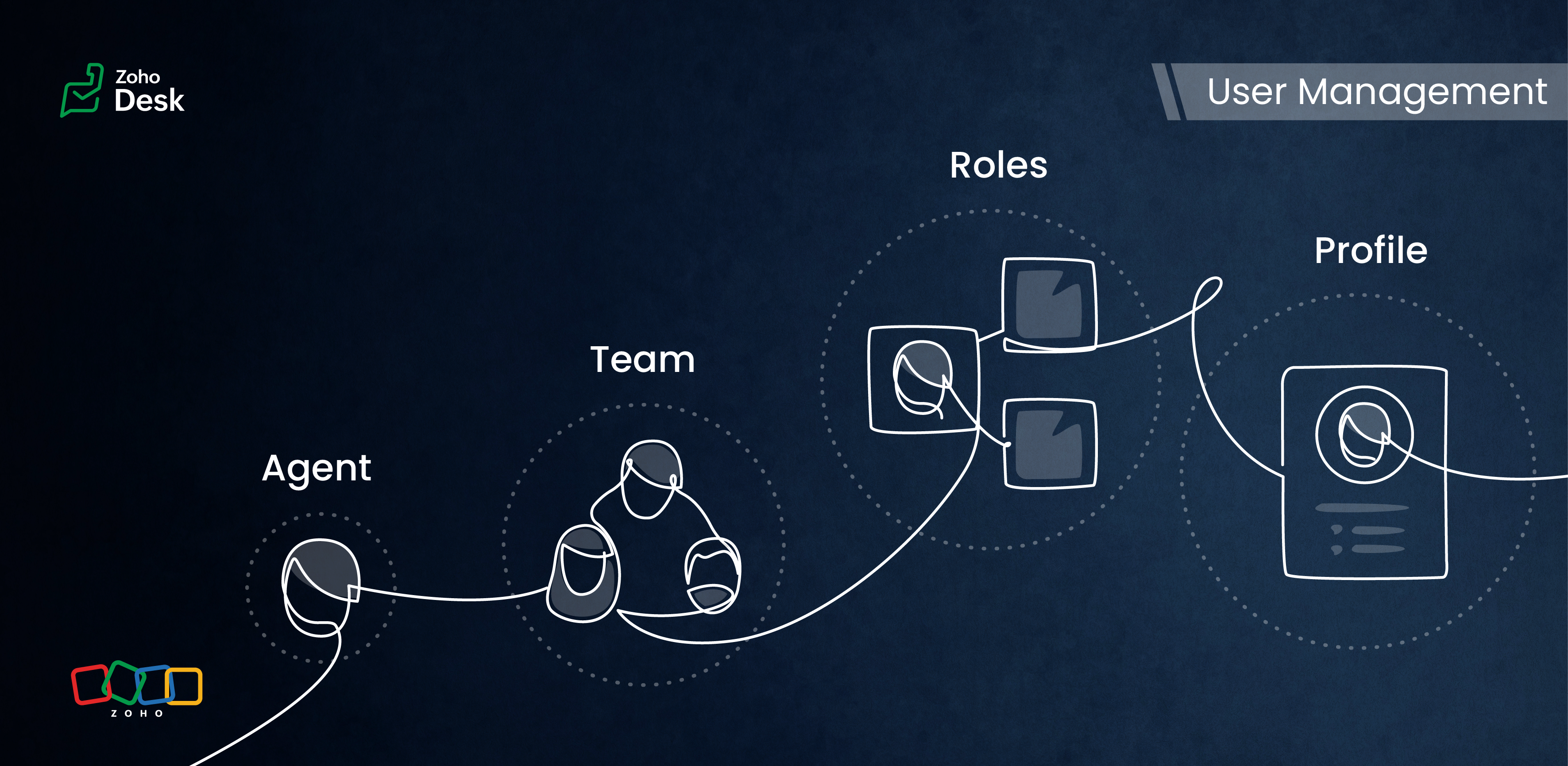
Managing Agents
Tasks
- Replying to tickets and tracking them.
- Answering customer calls.
- Offering live chat support or connecting with customers on social media platforms.
- Preparing a knowledge base of troubleshooting solutions for quick reference.
Actions
Inviting your team as agents in Zoho Desk with the correct permissions and access roles is the first step to getting them on board with the ticketing system. Each agent is assigned a role and a corresponding profile. The role follows the organisation’s hierarchy and can be set up in the Zoho Desk account. This defines access to the data in Desk. The profile, meanwhile, determines which features can be accessed and what actions a user can take in the Desk account.
Managing Teams
Teams consist of agents who allocate tasks based on traits, such as skills, job roles, locations, interests, and expertise. The makeup of these teams can change depending on business needs and support processes. They often include sub-teams and individual agents with specific roles.
Teams are essential for managing daily operations well. They help handle tickets and divide up tasks, events, and calls by routing them to the proper associates.
For example, a specialized team can include agents with extensive experience in meeting the needs of enterprise-level business customers. This dedicated team can manage all aspects of customer support, from onboarding and implementation to ongoing assistance after implementation. This ensures that inquiries from enterprise customers are addressed with skill and care.
By using team-based support services, organizations can ensure that their customers receive quick and focused responses.They can also provide tailored solutions that meet customers' specific needs and challenges. This approach improves the overall customer experience by promoting quick communication and delivering effective resolutions.

- Teams are designated for specific departments, meaning that only agents affiliated with a given department can join its teams.
- A team may include up to 100 agents and can comprise a maximum of 50 sub-teams or 20 roles.
- Every department is allowed to have up to 60 teams.
- Teams can encompass agents, sub-teams, agents assigned to a particular role, and the associates of those agents.
- It’s not required for every agent to be part of a team, and agents are permitted to belong to multiple teams, whether within the same or across different departments.
Roles & Profiles
Roles refer to the specific functions or responsibilities assigned to users within the system. They determine the level of access and the types of actions an agent can perform.
For example, a support manager needs access to all the tickets that their team agents work on, while support representatives typically only need access to their own tickets and, at times, their peers' tickets.
Profiles group agents with similar access levels and permissions. They define the settings and configurations that apply to each role. For example, a profile for agents might allow them to view all tickets but restrict access to sensitive customer data.
The system predefines the profiles listed, and they cannot be modified directly. However, you can adjust the permissions associated with these profiles to suit your needs better.
- Support Administrator
- Agent
- Light Agent
Conclusion
User management helps organize workflows by clarifying responsibilities and allowing users to concentrate on their tasks. By managing agents and teams and defining roles and profiles, you can make sure that sensitive information is only available to those who need it.
Overall, effectively managing roles and profiles in a ticketing system improves both security and operational efficiency.
Please stay tuned for more Desk behind-the-scenes series.
Regards,
Kavya Rao
The Zoho Desk Team

Also read:
Behind the scenes of a successful ticketing system (BTS Series)
- Narrative 1 - The significance of a business account
- Narrative 2 - Understanding Organizational Departments
The Wheels of Ticketing Series
- Eighth Insight - Oversee module relationships with Lookups
- Seventh Insight - Organize your data using Modules
- Sixth Insight - The Hidden C in Data
- Fifth Insight - Maximize the role of Departments
- Fourth Insight - The power of Multi-Layouts
- Third Insight - The Importance of Data Segregation
- Second Insight - Let's talk Layouts
- First Insight - Find your Fields
Topic Participants
Kavya Rao Addepalli
Recent Topics
Is Zoho Sites still actively being developed?
Hello, Is Zoho Sites still actively being developed as part of the Zoho ecosystem? I noticed that the What's New page (https://www.zoho.com/sites/whats-new.html) does not show any updates since Q1 2025. We were considering migrating our website from SquarespaceZoho CRM WooCommerce Integrtation
Looking for a solution for my 50 client to show detailed analytics on source of traffic that led to events, leads, conversions. Hi all, I have not been able to find a workable guide or solution to how exactly step by step integrate the Zoho CRM with WooCommerceweb to lead
Can anyone help me how to create web to lead from zoho marketing automationIntroducing Workqueue: your all-in-one view to manage daily work
Hello all, We’re excited to introduce a major productivity boost to your CRM experience: Workqueue, a dynamic, all-in-one workspace that brings every important sales activity, approval, and follow-up right to your fingertips. What is Workqueue? SalesUI issue with Organize Tabs
When looking at the organize Tabs window (bellow) you can see that some tabs are grayed out. there is also a "Add Module/Web Tab" button. When looking at this screen it's clear that the grayed out tabs can not be removed from the portal user's screenI created a signup form in Zoho Marketing Automation with the correct field mapping, but the data is not being reflected under Leads in Zoho CRM.
web to lead from zoho marketing automationPasted Images not being embedded in custom mail
Hi, I'm making a custom report by email based on commentaries. I have the email ready, all working great except for images that are being pasted in the commentaries. Zoho deals with them as temp images and so it requires authentication to view them, somethingKaizen #232 - Building a Ticket Escalation Mechanism from Zoho CRM
Howdy, Tech Wizards! Picking up the thread from last week, we will continue our Zoho CRM and Zoho Desk integration. In Kaizen #231 - Embedding Zoho Desk Tickets in Zoho CRM, we built a Related List widget that displays open Zoho Desk tickets within theInactive License for free account.
I recently upgraded my Cliq subscription not my team (on the free version), are unable to login to their accounts. The error message received is Inactive License Looks like you have not been covered under the current free plan of users. Please contactIs there a way to show contact emails in the Account?
I know I can see the emails I have sent and received on a Contact detail view, but I want to be able to see all the emails that have been sent and received between all an Accounts Contacts on the Account Detail view. That way when I see the Account detailDeluge scripts
Why is there not a search function to make it easier to find the script of interest when modifications are required.Zoho Sheet for Desktop
Does Zoho plans to develop a Desktop version of Sheet that installs on the computer like was done with Writer?Zoho Books (and other Finance Suite Apps) - Clickable Item Name on Invoices and Reports
Hi Zoho Books team, It would be really helpful if the Item Name on Reports were clicable to take me to the item. The same on Invoices, often I am looking at an invoice and I want to look at the deails of a product. A link here would be helpful to jumpZoho Books - Payment Gateway - Revolut
Hi Books Team, My feature request if to include the popular platform Revolut as a payment collection option on invoices in Zoho Books. Please upvote if you are also looking for this option.Searching for an item from within an invoice should show any item containing the string, not just those that begin with the string.
Hello, I've found myself becoming increasingly frustrated with the limited line-item seach when adding new items to an invoice. The problem is that the characters being typed are only being matched from the beginning of the item name. This might be usableHow to Rank Tables by Row Count in Descending Order
I am trying to understand the consume of lines that grow up so fast in the last week. Is there any way to create a pivot table or query to get TABLE NAME LINES in descending order?Dealing With One-Time Customers on Zoho Books
Hello there! I am trying to figure out a way to handle One-Time customers without having to create multiple accounts for every single one on Zoho Books. I understand that I can create a placeholder account called "Walk-In Customer", for example, but IMarking a meeting 'done'.
I would like to somehow mark a meeting 'done' and placed under the contact's page rather than deleting it and having no record of it. Am I missing a button that does this?Feature Request: Render Markdown (.md) files in Zoho Cliq
Hi, We regularly share Markdown (.md) files in Zoho Cliq. However, when we open these files in Cliq, the content does not render as Markdown—it displays as plain text. This forces us to copy/paste the content into an external Markdown viewer to read itCRM Percent custom fields: When will it show the % symbol and behave like %?
1. Actually Percent custom fields fail to show the % symbol. 2. When in formulas Percent fields work like number: 100 x 5% = 5 ideal world 100 x 5% = 500 what happens actually 3. When importing Percent fields the % symbol has to be removed and the dataSubforms and automation
If a user updates a field how do we create an automation etc. We have a field for returned parts and i want to get an email when that field is ticked. How please as Zoho tells me no automation on subforms. The Reason- Why having waited for ever for FSMXero Billing Data (22 instances) - Zoho (CRM) - Single Source of Truth For Client Data & Notes
Hi - I’m trying to build out a CRM for a Single Source of Truth Currently I have 22 Instances of Xero (for legal entity purposes - can’t consolidate to one) How would I be best placed to do this? Is it possible to have all the Xero instances (22) → ConsolidatedSelect CRM Custom Module in Zoho Creator
I have a custom module added in Zoho CRM that I would like to link in Zoho creator. When I add the Zoho CRM field it does not show the new module. Is this possible? Do i need to change something in CRM to make it accesible in Creator?New 2026 Application Themes
Love the new themes - shame you can't get a little more granular with the colours, ie 3 different colours so one for the dropdown menu background. Also, I did have our logo above the application name but it appears you can't change logo placement positionZoho Expense - Bi-Weekly Report Automation
Hi Zoho Expense Team, My feature request is to please include an option to automate creation of reports bi-weekly (every 2 weeks)PDF Generator Upgrade
Hi Team, What will happen if I don't make any changes for existing template. Zoho just ask us upgrade but haven't tell the benefit. Zoho Corporation500 internal server error on opening an iframe through a deluge script
Hi Team I am trying to open an external url in an iframe through my deluge script which is associated to a custom button . By doing this i am getting an "Internal Server Error" . Please can you help me with this.Zoho CRM Quotes – Subform and PDF/Writer Limitations
Hello, I am encountering the following limitations in Zoho CRM Quotes: Custom product images cannot be uploaded in the subform – the image upload field cannot be added; only the file upload field is available. File upload placeholders cannot be used inStrange behavior in CRM Number Field – Characters allowed but not "e"?
Hi everyone, Has anyone faced this strange issue in Zoho CRM? In a Number field, it is possible to type some characters, but the character "e" cannot be entered. This was really surprising to me. Normally, a number field should restrict all charactersNo background for video recordings, no playback speed, can't even playback longer recordings - have to download…
Hi. We utilize heavily video messages on Slack, but wanted to migrate to Cliq with Zoho One, however very basic yet very frequently used feature is missing: backgrounds for video recordings and playback speed. We were not happy with Slack's 5 minute limitsSupport inefficiency
We have been asking for support for a minor adjustment for 12 days now and we haven't got a single viable resolution from support team despite there are 19 emails going between our HR team and various support emails from Zoho. 1. they do not understandCan I export to PDF in Zoho Learn
I have seen help pages where export to pdf options are available but I do not see that option available from the application. I see that exprt is available in my free trial version but that is only to html pages. I need to be able to export my manualsKaizen #225 - Making Query-based Custom Related Lists Actionable with Lookups and Links
Hello everyone! Welcome back to another post in the Kaizen series! This week, we will discuss an exciting enhancement in Queries in Zoho CRM. In Kaizen #190, we discussed how Queries bridge gaps where native related lists fall short and power custom relatedZia capabilities now available in the Professional edition announcement
Hello all! The Professional edition now supports a broader set of Zia capabilities, enabling teams to bring AI into more of their everyday CRM work. From writing assistance and summaries to setup support, predictions, and recommendations, Zia can nowWhere Do I set 24h time format in Cliq?
Where Do I set 24h time format? ThanksThis will be long, Please bear with me - Next Gen Layout - Search
In general, I think that Zoho are going in the right direction with the Next Gen UI. The latest update brings some nice improvements and all-in-all from a user's perspective I think the improvements are generally very good. However, there are some areasSelecting all notes in a notebook
In Windows11, I select a notebook and I get a list of notes, but only 30 notes. If I scroll down to the end, I get an additional 30 notes (and at the top it now shows 60 notes). I can keep doing this to eventually see all my notes but this is a real pain.Update latitude & longitude address field API
How do I update the coordinates of an address field from a widget? I can't modify the latitude and longitude of the address field. I think the problem is how I'm writing formdata variable. zoho_init.then(function (data) { var queryParams = ZOHO.CREATOR.UTIL.getQueryParams();Filter Records in CRM API
Hi Team, I’m currently working on a task to retrieve expired deals from the CRM. By “expired deals,” I mean deals where the closing date has already passed and the stage is not “Closed Won” or “Closed Lost” (i.e., all other stages). I tried using bothUser Name in Zoho Cliq Not Updating Across Apps?
We updated the name of a user in Zoho. (From Sue to Taylor) Her name has not been updated in Cliq on all apps. When in Zoho One, if I go to Cliq directly, it is correct, but if I am in another app, and the Cliq bar pops up on the bottom, it will be theNext Page