Passez au nouveau Zoho One : nouvelles applications, nouveaux services, nouvelle expérience !
Le nouveau Zoho One se dévoile avec son interface unifiée, ses nouvelles fonctionnalités et ses nouveaux services !

Très chers utilisateurs de Zoho One,
C'est avec un immense plaisir que nous vous informons de la sortie mondiale du nouveau Zoho One.
Renchéri de 5 nouvelles applications, 3 nouveaux services et 7 améliorations de la plateforme, Zoho One se réinvente pour offrir l'expérience de l'entreprise unifiée à son paroxysme, par les systèmes, les données et les équipes.
Nous allons tout vous décrire dans cet article. En outre, nous tenons un webinar pour découvrir les nouveautés et leur optique le 20 octobre à 14h pour une découverte tous ensemble. Découvrez comment nous en sommes arrivés à ces fonctionnalités là et à quels besoins elles entendent répondre.
Cette nouvelle version permet aux entreprises de résoudre les problèmes de données disjointes et de combler les lacunes en matière de communication entre les silos. Nous espérons que cette nouvelle version est l'avancée majeure que nous souhaitions et qu'elle vous simplifiera considérablement la tâche dans votre quotidien pour vous amener à un nouveau niveau.
Plongeons-y dès à présent :
L'interface unifiée
- Tableaux de bord customisables
Si dans l'ancienne version l'accès aux applications primait, aujourd'hui nous faisons d'une pierre deux coups : les informations de vos applications par les widgets dans les tableaux de bords vous permettent de voir les données qui vous intéressent sans changer d'onglet ni aller les chercher dans l'application.
En effet, lorsque vous créez un ou plusieurs tableaux de bords, pour vous ou vos collaborateurs, les widgets de vos applications sont disponibles d'un simple clic. Créez vos propres tableaux de bord à l'envi, classez-les selon vos besoins et visualisez vos informations depuis votre cockpit Zoho One !
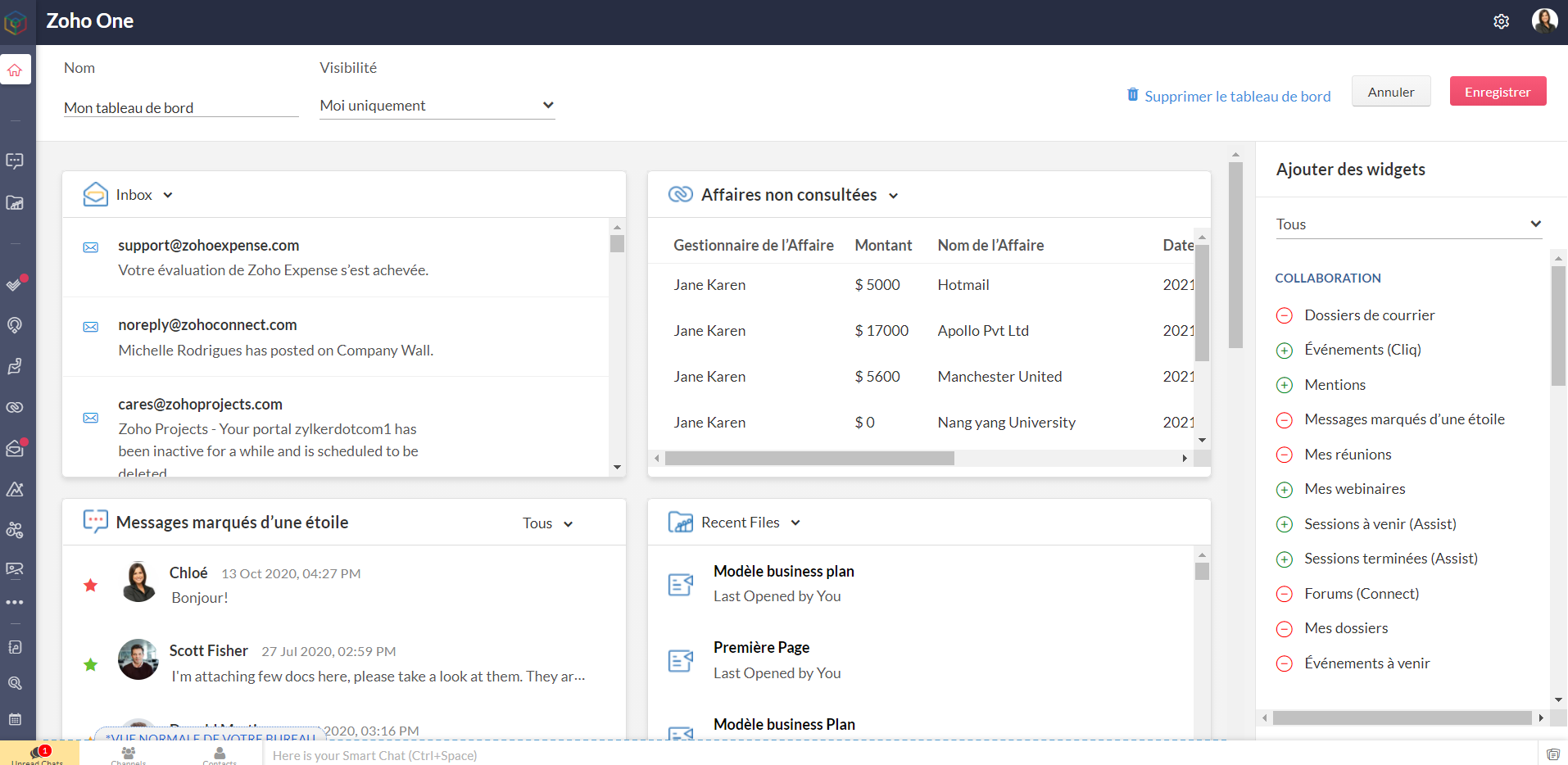
Bon à savoir : les niveaux d'accès que vous avez configurés restent valables pour les tableaux de bord. Les personnes n'ayant pas accès à une application n'en verront pas les widgets, tout comme celles ayant un accès restreint ne verront que les informations accordés par ce niveau d'accès, dans l'hypothèse où le tableau de bord leur est partagé.
- Barre latérale
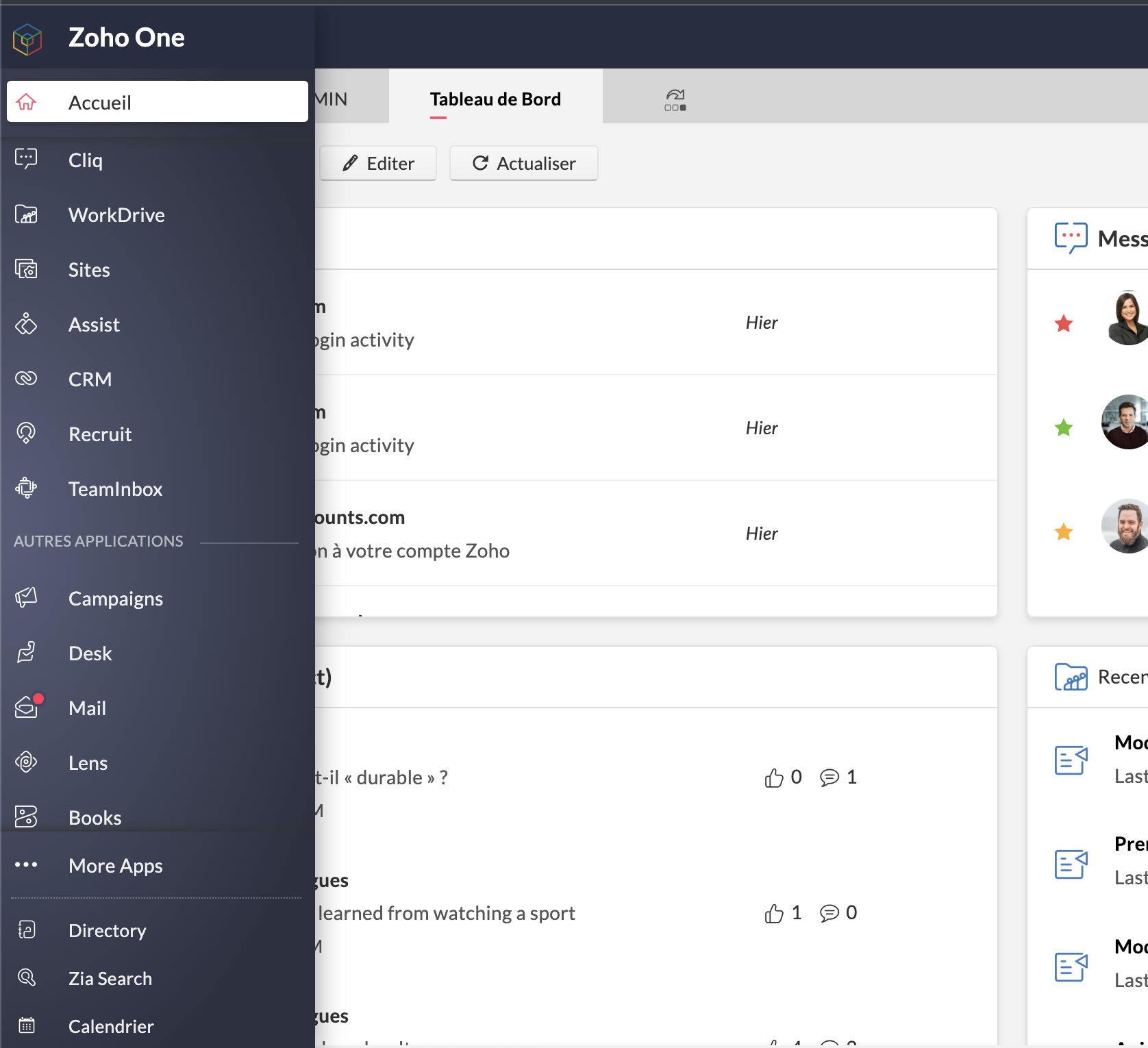
L'accès aux applications reste tout aussi rapide et ne disparait pas de l'interface : les applications sont toutes accessibles depuis la barre latérale et ne requièrent plus de s'ouvrir dans un nouvel onglet et de changer d'écran : un clic et toujours sur Zoho One, vous êtes sur l'accueil de votre application préférée.
Préférée, en effet : vous pouvez épingler les applications que vous utilisez le plus pour les avoir toujours sous la main. Par défaut, une autre catégorie dans la barre contient celles que vous ouvertes récemment.
Enfin, "Plus d'applications" vous permet de voir toutes vos applications, rangées selon les catégories, y compris les applications tierces que vous auriez ajoutées.
- Calendrier unifié
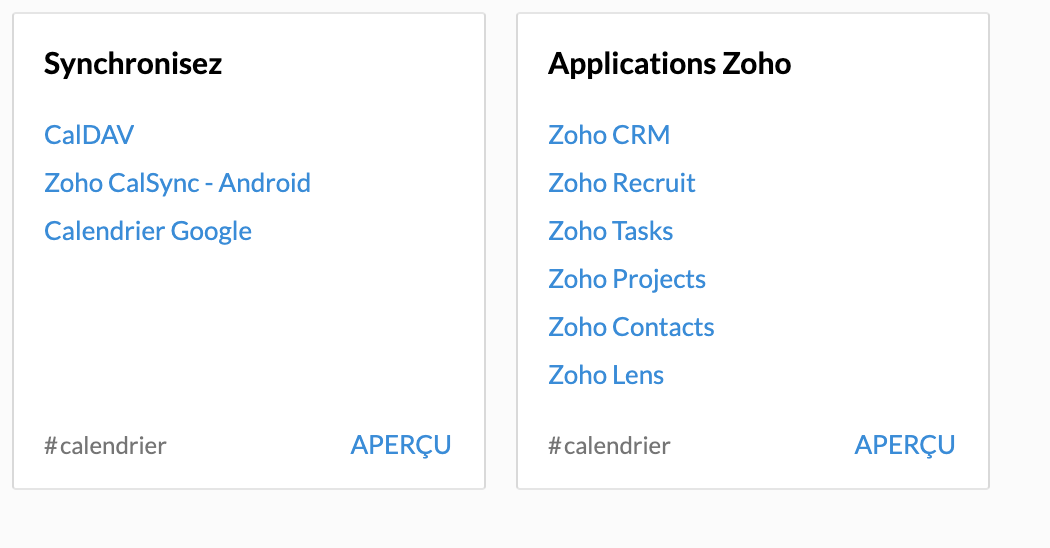
Le calendrier de Zoho Mail est le calendrier de votre compte Zoho One et se synchronise avec les événements créés dans Zoho CRM, Zoho Recruit, Zoho Projects, Zoho Contacts et Zoho Lens (susceptible d'évolutions futures).
A noter qu'à ce jour et pour les trois derniers modules, la synchronisation ne va que de l'application vers Zoho One.
- Paramètres > Directory
Une petite mise à jour dans la terminologie : les "paramètres" apparaissent sous le nom "Directory".
Lorsque vous vous y rendez, vous vous retrouvez en terrain familier. Vous connaissez la plupart des onglets, bien que certaines nouveautés pourront vite vous sauter aux yeux. C'est justement le sujet de notre point suivant.
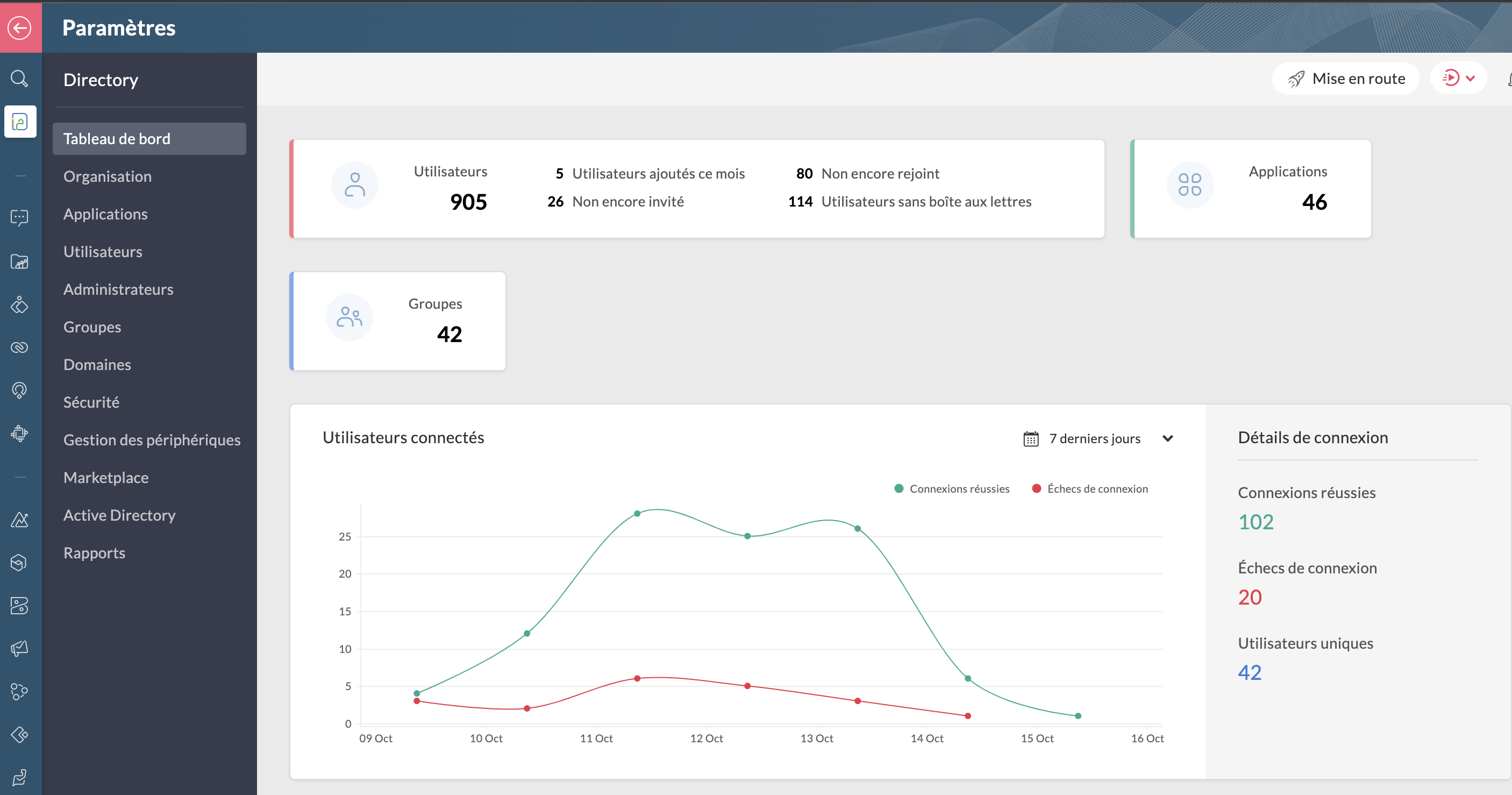
Bon à savoir : lorsque vous êtes dans Directory, toutes les applications dans la barre latérale vous feront directement accéder aux paramètres de ces dernières lorsque vous cliquez dessus.
Les améliorations :
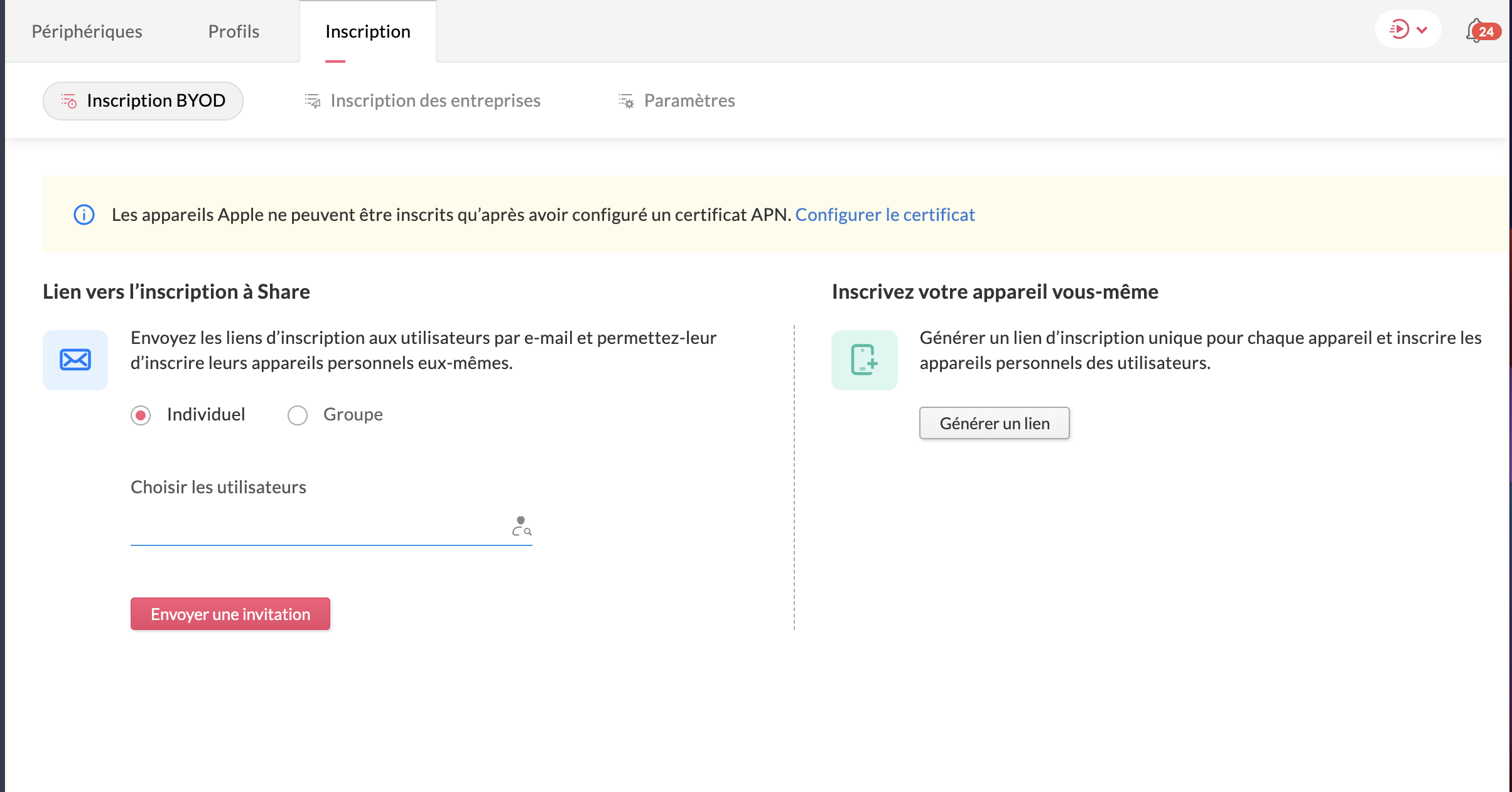
- La gestion des périphériques
Veuillez noter d'ores et déjà que ceci est un add-on et ne fait pas partie du plan Zoho One de base. N'hésitez pas à contacter support@zohoone.com pour l'ajouter à votre abonnement si vous en ressentez le besoin, et vous pourrez intégrer l'application MDM (Mobile Device Management).
Avec l'essor du télétravail, les employés n'utilisent plus forcément leur poste de travail fixe et il était impératif de permettre aux organisations, par l'admin ou le super-admin, de contrôler les accès des utilisateurs ayant une licence active One sur d'autres appareils où sont installées les applications.
Vous avez les appareils de l'entreprise (ordinateurs, portables professionnels...) et les appareils personnels des employés recensés ou à ajouter, où le contrôle est minimal.
Vous pouvez ainsi installer les applications à distance sur le portable sans besoin que l'utilisateur touche à quoi que ce soit, restreindre l'installation d'applications (comme une application de jeux sur un portable professionnel de l'entreprise), et configurer des politiques d'accès spéciales.
- Le dictionnaire d'entreprise
Dans votre onglet Organisation s'est ajoutée une nouvelle section : le dictionnaire d'entreprise, pour que tous puissent comprendre et avoir recours au vocabulaire spécifique de votre secteur ou de votre organisation.

Les applications
Toujours dans ce contexte de travailler à distance, Zoho One intègre de nouvelles applications, qu'il s'agisse de vos clients ou encore le partage de connaissances pour que vos employés restent actifs :
- Zoho Learn
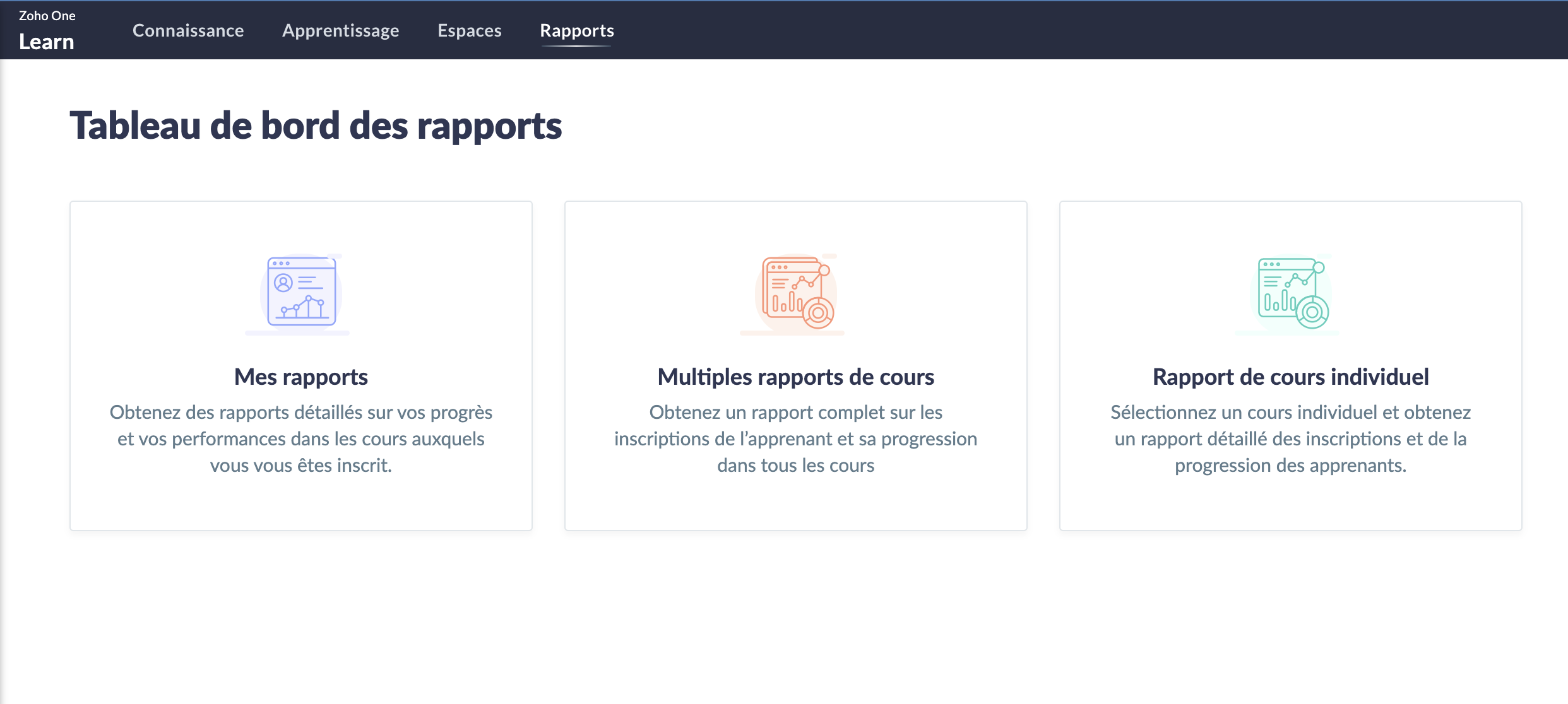
Le partage de connaissances est un must et Zoho Learn, notre plateforme complète de gestion des connaissances et de formation, vous permet de stocker et conserver les connaissances de votre équipe. Qu'elles soient établies ou que vous créiez de nouveaux parcours, tout est recensé dans Zoho Learn. Vous pouvez même faire passer des formations et tests à vos équipes afin d'être sûr que les connaissances ont été assimilées.
En savoir plus sur Zoho Learn
- Zoho Commerce
Avec l'essor (voire la nécessité) du commerce en ligne, l'application Zoho Commerce pour construire facilement votre boutique en ligne en drag-and-drop a été ajoutée.

En savoir plus sur Zoho Commerce.
- Zoho Lens
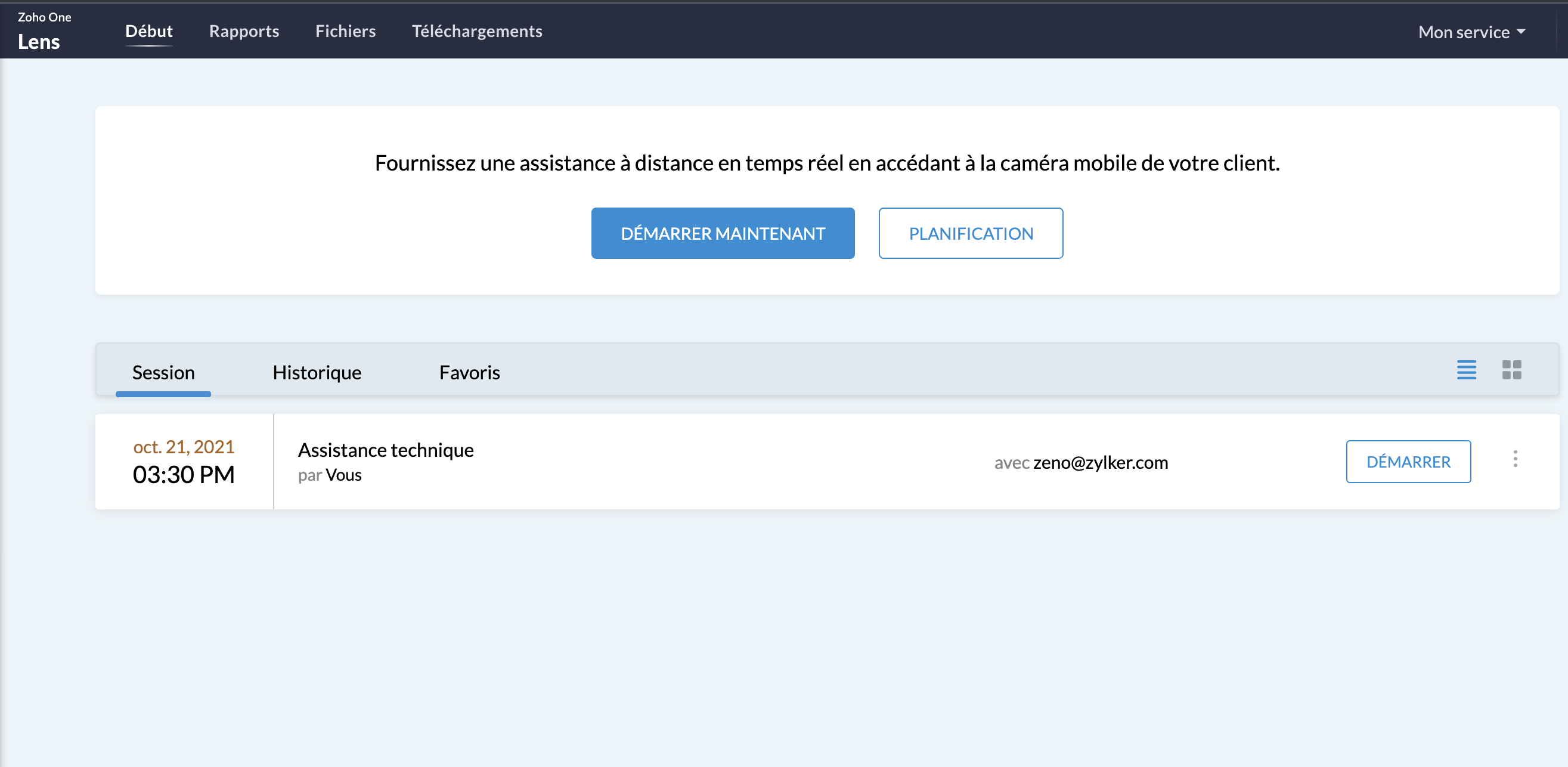
L'assistance sur site sans (pouvoir) se rendre sur site : avec la réalité augmentée, utilisez Zoho Lens pour guider et dépanner vos clients grâce à la caméra de leur smartphone.
En savoir plus sur Zoho Lens
- Zoho TeamInbox
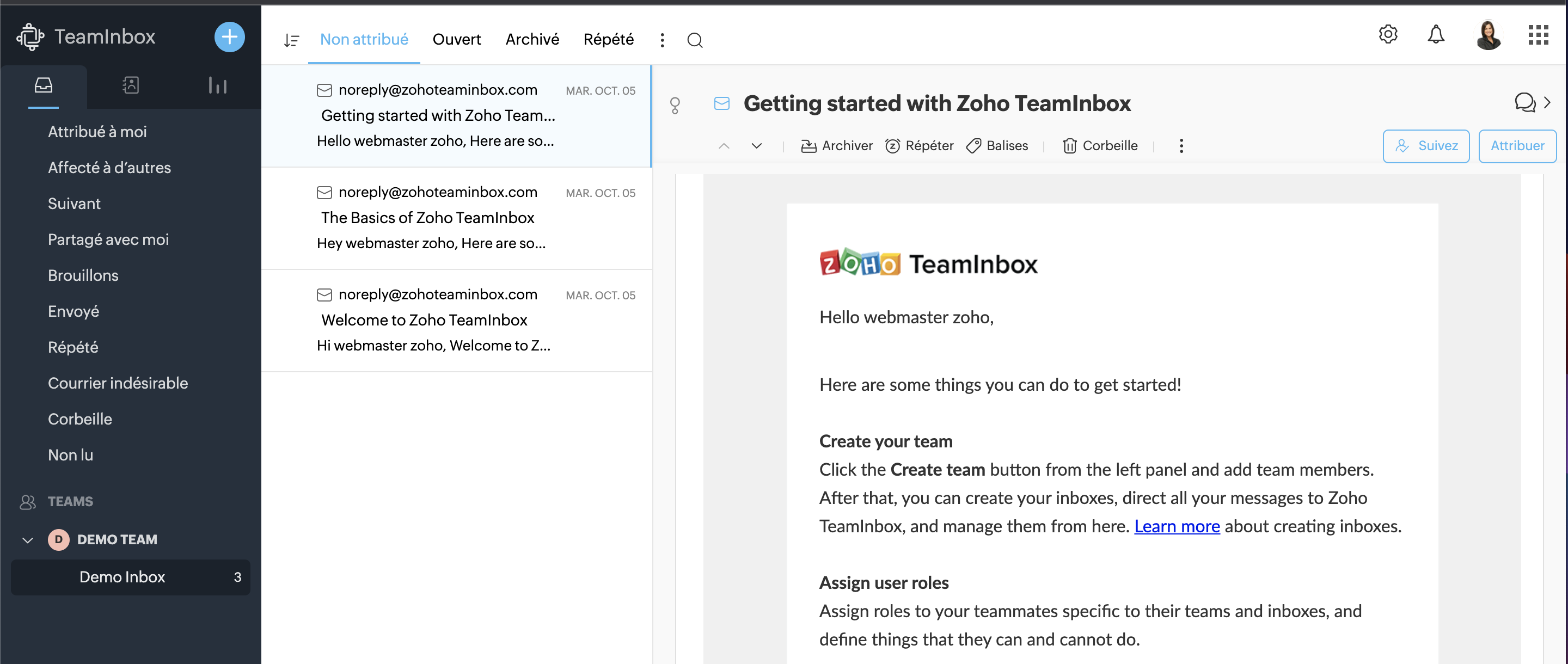
TeamInbox est la boîte e-mail partagée pour une collaboration intelligente, le tout en un seul endroit. Menez des discussions parallèles avec votre équipe au sujet de conversations complexes, assignez les e-mails et évitez les couacs afin de pouvoir envoyer des réponses précises à chaque fois.
En savoir plus sur Zoho TeamInbox
La Business Intelligence
Les entreprises disposent désormais d'analyses en temps réel plus solides à l'échelle de l'organisation, reliant les points entre des données auparavant perdues entre les départements, les équipes et les comptes. Grâce à Zia, l'assistant d'intelligence artificielle de Zoho, et à la plateforme de BI et d'analyse de Zoho, Zoho One permet aux utilisateurs de prédire et de fournir des informations à l'échelle de l'entreprise pour une prise de décision en toute confiance. Les nouvelles innovations comprennent :
- La BI conversationnelle
Zoho One est désormais doté d'une fonction d'analyse intégrée et conversationnelle permettant aux décideurs d'approfondir leurs données et de glaner des informations interservices, le tout par le biais de commandes en langage naturel grâce à Zia Insights. Grâce à plus de 1 500 rapports d'analyse et tableaux de bord préétablis, les décisions critiques peuvent être prises avec plus de précision et de rapidité.
- La recherche unifiée
Vous connaissez déjà la recherche actionnable de Zoho à l'échelle de l'entreprise, alimentée par Zia ; cette dernière peut désormais comprendre les demandes en langage naturel. La recherche en langage naturel permettra une découverte plus précise des données au sein des équipes et des fonctions.
Notez que ces fonctionnalités incluant Zia ne sont pour l'instant disponibles qu'en anglais.
- Data Prep
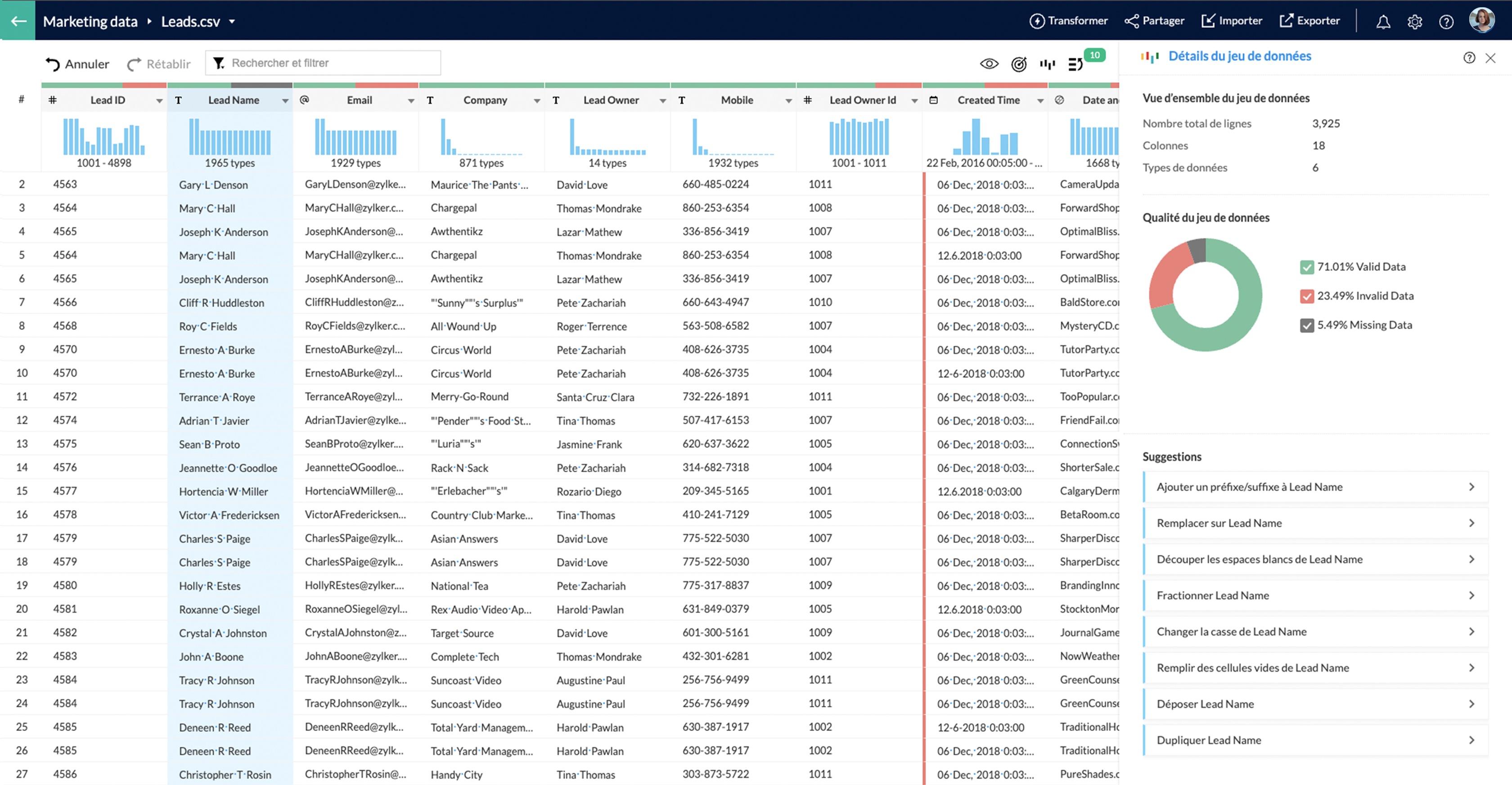
Cet outil de préparation et de gestion des données est désormais disponible dans Zoho One. Que les utilisateurs préparent des données à partir d'applications tierces ou d'autres sources, DataPrep, alimenté par le machine learning, peut aider les utilisateurs à intégrer, modéliser, nettoyer, transformer, enrichir et cataloguer les données, ainsi qu'à s'intégrer à Analytics ou à une tierce partie. A vous les perspectives inexplorées !
Fort de toutes ces nouveautés, que pensez-vous de venir les tester avec nous ?
Suivez-nous lors d'une session live pour explorer votre nouvelle interface ce mercredi 20 octobre à 14h !
N'hésitez pas également à nous faire vos retours sur votre prise en main de ce nouveau Zoho One pour nous aider à constamment nous améliorer !
A très vite dans ce nouveau chapitre Zoho One !
L'équipe Zoho France
Topic Participants
Claire Curaba
Sticky Posts
Collaboration sans faille avec Zoho One
Bonjour à tous, Dans cet article nous allons voir comment Zoho One permet une collaboration à différents niveaux . La façon dont nous travaillons évolue. À mesure que les entreprises se mondialisent, la plupart des activités sont menées en équipe.
Recent Topics
Add specific field value to URL
Hi Everyone. I have the following code which is set to run from a subform when the user selects a value from a lookup field "Plant_Key" the URL opens a report but i want the report to be filtered on the matching field/value. so in the report there isSyncing Bills in Zoho Books to Zoho CRM
Is there any way to sync the Bills in Zoho Books in Zoho CRMDesk DMARC forwarding failure for some senders
I am not receiving important emails into Desk, because of DMARC errors. Here's what's happening: 1. email is sent from customer e.g. john@doe.com, to my email address, e.g info@acme.com 2. email is delivered successfully to info@acme.com (a shared inboxTicket layout based on field or contact
Hi! I want to support the following use-case: we are delivering custom IT solutions to different accounts we have, thus our ticket layouts, fields and languages (priority, status field values should be Hungarian) will be different. How should I setupSAML in Zoho One vs Zoho Accounts
What is the difference between setting up SAML in Zoho Accounts: https://help.zoho.com/portal/en/kb/accounts/manage-your-organization/saml/articles/configure-saml-in-zoho-accounts ... vs SAML in Zoho One?: https://help.zoho.com/portal/en/kb/one/admin-guide/custom-authentication/setting-up-custom-authentication-with-popular-idps/articles/zohoone-customauthentication-azureHow do I change the order of fields in the new Task screen?
I have gone into the Task module layout, and moving the fields around does not seem to move them in the Create Task screen. Screenshot below. I have a field (Description) that we want to use frequently, but it is inconveniently placed within the MoreZoho Inventory. Preventing Negative Stock in Sales Orders – Best Practices?
Dear Zoho Inventory Community, We’re a small business using Zoho Inventory with a team of sales managers. Unfortunately, some employees occasionally overlook stock levels during order processing, leading to negative inventory issues. Is there a way toCRM gets location smart with the all new Map View: visualize records, locate records within any radius, and more
Hello all, We've introduced a new way to work with location data in Zoho CRM: the Map View. Instead of scrolling through endless lists, your records now appear as pins on a map. Built on top of the all-new address field and powered by Mappls (MapMyIndia),Deactivated Zoho One account can sign in
I am concerned by the fact that deactivated users in Zoho One have the ability to sign in even after their account has been deactivated (not deleted). these inactive identities have no access to individual Zoho apps or data. based on my experience theyHow can I reset the password for a user in Zoho Projects
We need to reset the password for a user in Zoho Projects. I am the admin portal owner and there was nothing to be found to do this. very confusing.No funcionan correctamente el calculo de las horas laborales para informe de tickets
Hola, estoy intentando sacar estadísticas de tiempo de primera respuesta y resolución en horario laboral de mis tickets, pero el calculo de horas en horario laboral no funciona correctamente cree los horarios con los feriados : Ajusté los acuerdos deHow can I add a comment to an existing ticket via API?
I need to add comments/notes to the history of an existing ticket using the API without overwriting the original ticket description. Thanks!Notification to customers when I use a Zoho function
Hi all, I tried searching the community but couldn't find anything about it. I noticed that the customer receives the notification of reopening the old ticket but does not receive the notification of opening a new ticket when I use the function: "separateInternal Error When Accessing Team Inbox.
All our users are seeing this error in teaminbox. Because its a critical tool kindly resolve this issue ASAP.Marketer's Space: Proven tips to improve open rates – Part III
Hello Marketers! Welcome back to another post in Marketer's Space! This is the final post in the "open rate series". In the first and second parts, we discussed topics ranging from sender domains to pre-headers—but we're not done yet. A few more importantMCP no longer works with Claude
Anyone else notice Zoho MCP no longer works with Claude? I'm unable to turn this on in the claude chat. When I try to toggle it on, it just does nothing at all. I've tried in incognito, new browsers, etc. - nothing seems to work.Change Number Field to Decimal Field
Hi, It would be nice to be able to change the field type without having to delete it and create a new one, messing up the database and history. Thanks DanAllow Text within a Formula
Hi, I would like to be able to use this for others things like taking an existing Date Field and copying its value, so by entering getDay(Date)&"-"&getMonth(Date)&"-"&getYear(Date) it results in 01-02-2026. And then when the Date is changed so is thisZoho Social - Feature Request - Reviewer Role
Hi Social Team, I've come across this with a couple of clients, where they need a role which can review and comment on posts but who has no access to create content. This is a kind of reviewer role. They just need to be able to see what content is scheduledZoho Books/Inventory - Update Marketplace Sales Order via API
Hi everyone, Does anyone know if there is a way to update Sales Orders created from a marketplace intigration (Shopify in this case) via API? I'm trying to cover a scenario where an order is changed on the Shopify end and the changes must be reflectedZoho Inventory / Finance Suite - Add feature to prevent duplicate values in Item Unit field
I've noticed that a client has 2 values the same in the Unit field on edit/create Items. This surprised me as why would you have 2 units with the same name. Please consider adding a feature which prevents this as it seems to serve no purpose.Zoho CRM for Everyone's NextGen UI Gets an Upgrade
Hello Everyone We've made improvements to Zoho CRM for Everyone's Nextgen UI. These changes are the result of valuable feedback from you where we’ve focused on improving usability, providing wider screen space, and making navigation smoother so everythingKaizen #224 - Quote-driven Deal Reconciliation Using Zoho CRM Functions and Automation
Hello everyone! Welcome back to another instalment in the Kaizen series. This post covers quote-driven deal reconciliation, emphasizing Functions and Automation to address practical sales challenges. Business Challenge Sales organizations often mark dealsDependent / Dynamic DropDown in ZohoSheets
Has anyone figured out a way to create a Dropdown, the values of which is dependent on Values entered in the other cell ?Zoho Inventory - Composite Items - Assembly - Single Line Item Quantity of One
Hi Zoho Inventory Team, Please consider relaxing the system rules which prevent an assembly items from consisting of a single line item and outputting a quantity of 1. A client I'm currently working with sells cosmetics and offers testers of their productsDirectly Edit, Filter, and Sort Subforms on the Details Page
Hello everyone, As you know, subforms allow you to associate multiple line items with a single record, greatly enhancing your data organization. For example, a sales order subform neatly lists all products, their quantities, amounts, and other relevantBARCODE PICKLIST
Hello! Does anyone know how the Picklist module works? I tried scanning the barcode using the UPC and EAN codes I added to the item, but it doesn’t work. Which barcode format does this module use for scanning?Zoho Inventory - Allow Update of Marketplace Generated Sales Orders via API
Hi Inventory Team, I was recently asked by a client to create an automation which updated a Zoho Inventory Sales Order if a Shopify Order was updated. I have created the script but I found that the request is blocked as the Sales Order was generated byHow do I create an update to the Cost Price from landed costs?
Hi fellow Zoho Inventory battlers, I am new to Zoho inventory and was completely baffled to find that the cost price of products does not update when a new purchase order is received. The cost price is just made up numbers I start with when the productManage control over Microsoft Office 365 integrations with profile-based sync permissions
Greetings all, Previously, all users in Zoho CRM had access to enable Microsoft integrations (Calendar, Contacts, and Tasks) in their accounts, regardless of their profile type. Users with administrator profiles can now manage profile-based permissionsZoho OAuth Connector Deprecation and Its Impact on Zoho Desk
Hello everyone, Zoho believes in continuously refining its integrations to uphold the highest standards of security, reliability, and compliance. As part of this ongoing improvement, the Zoho OAuth default connector will be deprecated for all Zoho servicesVoC in Zoho CRM is now data savvy: Explore response drilldown, summary components and participation in CRM criteria
VoC has all the goods when it comes to customer intelligence—which is why we're constantly enhancing it. We recently added the following: A customer drilldown component that shows you the list of prospects and customers behind a chart's attribute ExpandedHow do I bulk archive my projects in ZOHO projects
Hi, I want to archive 50 Projects in one go. Can you please help me out , How can I do this? Thanks kapilError 0x800CCC0F Outlook
Hello, i cannot send or receive email in outlook. can you please help. 'Sending' reported error (0x800CCC0F) : 'The connection to the server was interrupted. If this problem continues, contact your server administrator or Internet service provider (ISP).'Passing the CRM
Hi, I am hoping someone can help. I have a zoho form that has a CRM lookup field. I was hoping to send this to my publicly to clients via a text message and the form then attaches the signed form back to the custom module. This work absolutely fine whenCan I add Conditional merge tags on my Templates?
Hi I was wondering if I can use Conditional Mail Merge tags inside my Email templates/Quotes etc within the CRM? In spanish and in our business we use gender and academic degree salutations , ie: Dr., Dra., Sr., Srta., so the beginning of an email / letterZoho vault instal on windows
I am trying to use Zoho Vault Desktop for Windows, but I am unable to complete the sign-in process. Problem description After logging in to my Zoho account and clicking Accept on the authorization page, nothing happens. The application does not proceedZoho Browser??
hai guys, this sounds awkward but can v get a ZOHO BROWSER same as zoho writer, etc. where i can browse websites @ home and continue browsing the same websites @ my office, as v have the option in Firefox, once i save and close the browser and again when i open it i will be getting the same sites. If u people r not clear with my explanation, plz let me know. Thanks, SandeepLet’s Talk Recruit: LinkedIn Cheatsheet
Welcome to the first edition of Let’s Talk Recruit for 2026. We are kicking off the year by revisiting one of the most asked about topics in Zoho Recruit. How our LinkedIn integrations actually work and how recruiters can get the most value from them.Zoho Forms API
Is there any way to get all form entry list using API? Looking forward to hear from youNext Page