Enhanced duplicate management and unified approvals in Forms
Greetings,
I hope all of you are doing well. We're happy to announce a few recent enhancements we've made to Bigin. We'll go over each one in detail.
Introducing unified form approvals
We're excited to announce our new unified approvals feature, designed to simplify and centralize your approval processes. Previously, each module required its own approval setup, which necessitated that you manage records across multiple areas. This improvement consolidates all your approval-enabled forms into a single unified location to streamline your process and save you time.
The new Approvals icon will be displayed in the top bar and will show the number of pending approvals. You can click on it to access approval requests.

In the Approvals section, the Forms tab shows all forms with pending approval requests. You can filter for specific form types, like Contacts or Pipelines, using the filter options located at the top.

When you select a record, you can view all details related to the submitted form record. There are two available viewing options:
- Form view: Displays all fields as they appear in the original form.
- Module view: Organizes fields based on their corresponding modules.
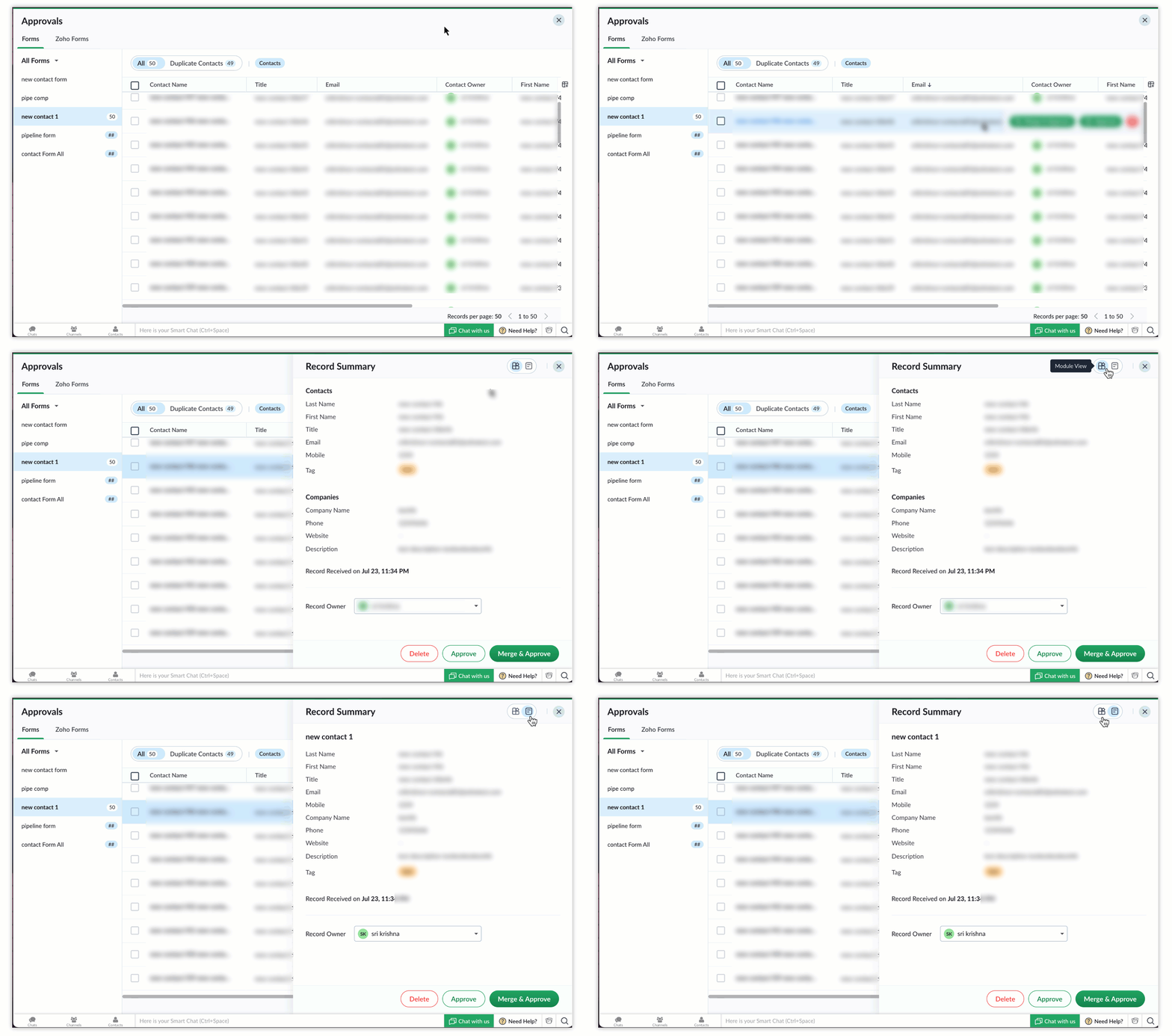
You can quickly approve or delete records by hovering over them, or click on a record for a more detailed view. When approving a record, you'll have three options:
- Approve: This directly approves the record and automatically creates new entries in the system.
- Merge and approve: If duplicates are detected, this option enables you to merge them. A comparison table will help you choose which details to keep before merging.
- Delete: This option permanently removes the record from the system.
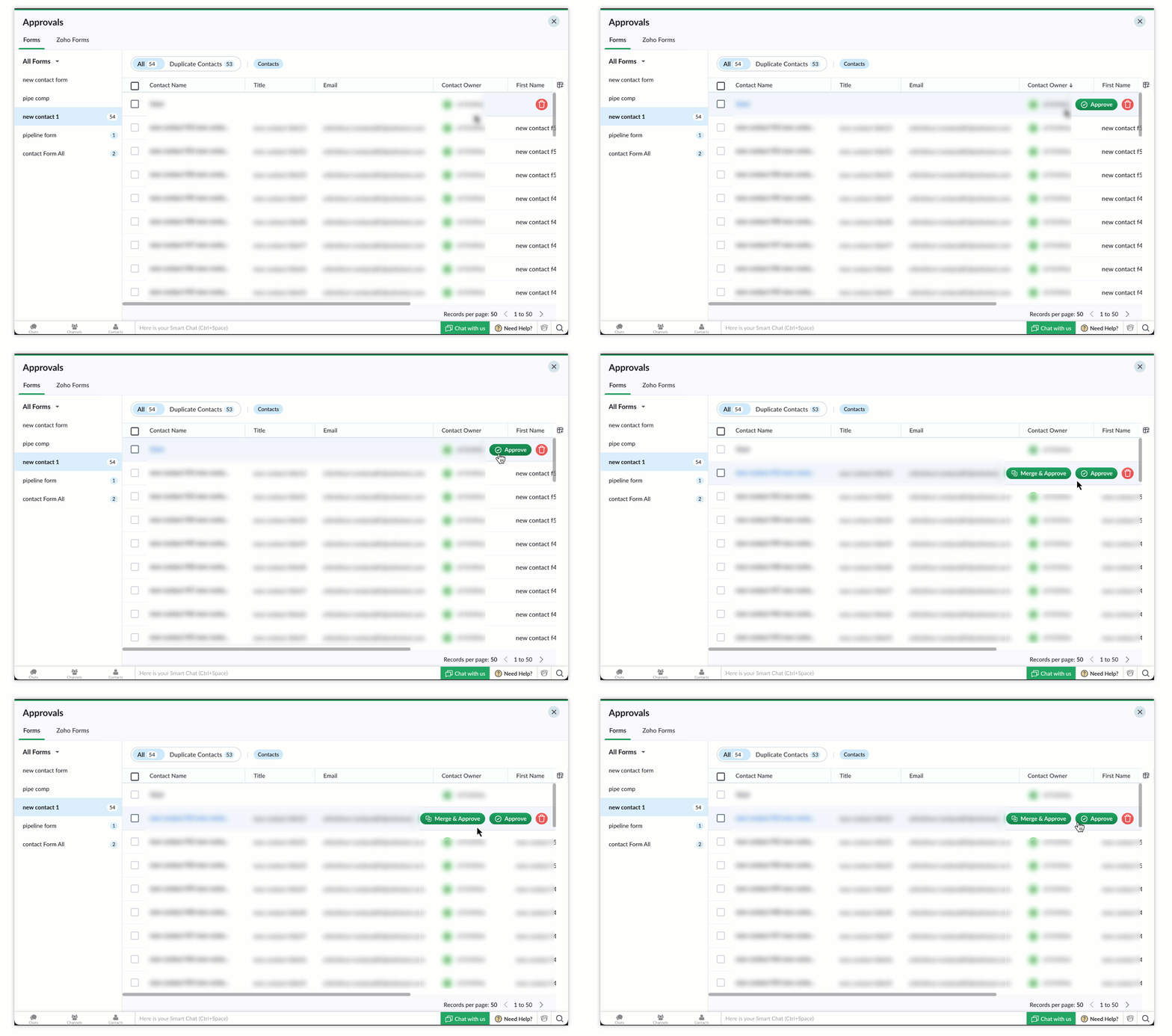
You can also perform bulk approvals to approve multiple records at once. Simply select the checkboxes next to the records you want to act upon, then approve or delete them. Additionally, you can change the owner of the selected records.

To learn more about form approval, please refer to this help document.
New and Improved Duplicate Management for Bigin Forms!
We’ve made significant improvements to the Duplicate Management feature in Bigin forms based on your valuable feedback!
Duplicate records can clutter databases, creating inconsistencies and making information harder to manage. This feature addresses this issue by offering flexible options to handle duplicates efficiently in your Contacts and Companies modules.
Previously, the system only checked for duplicates using email addresses for contacts and names for companies, which sometimes led to unintentional duplicates. Now, the system respects all the unique fields you’ve configured, providing more precise control over duplicate detection and management.
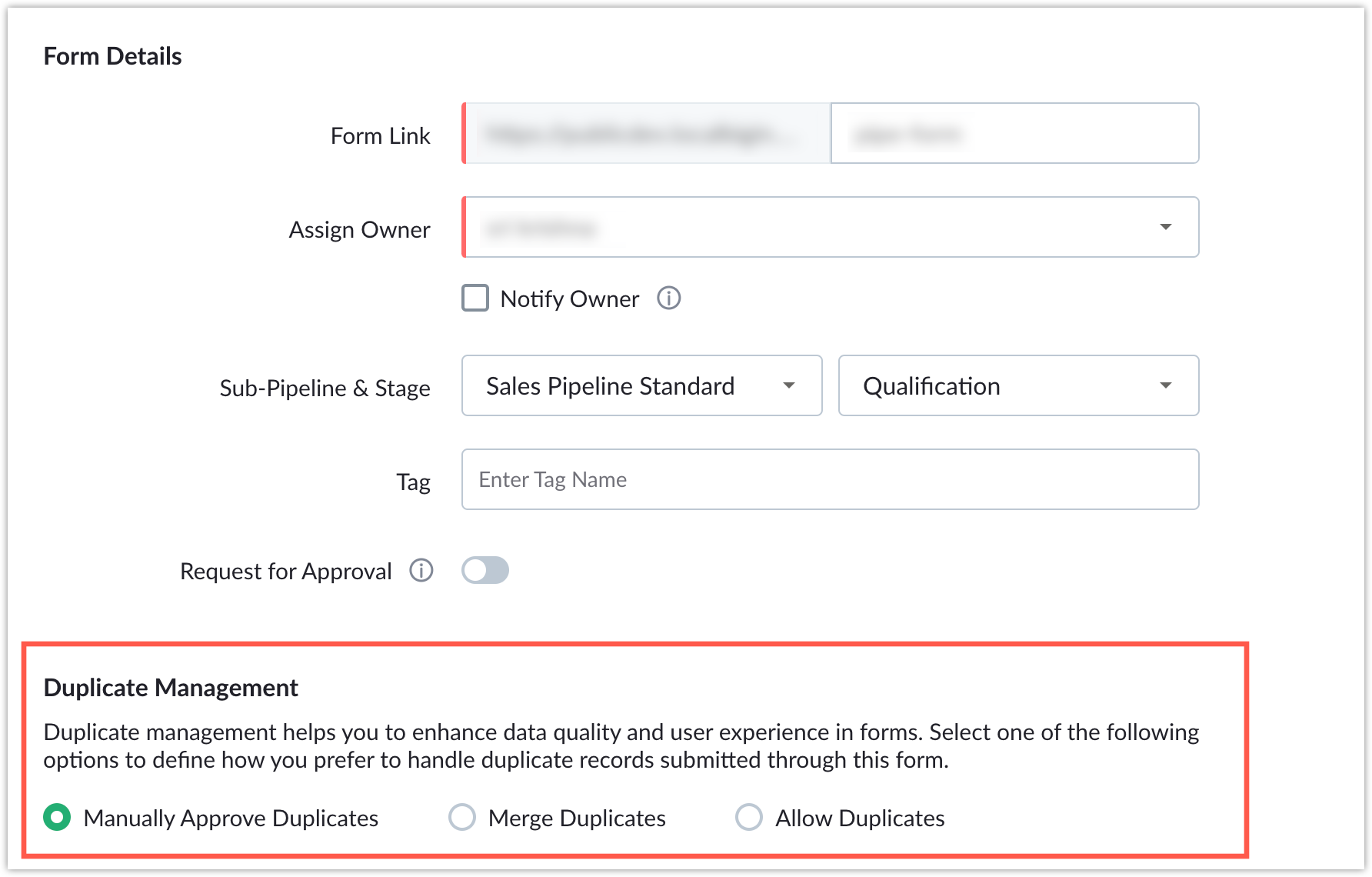
To configure Duplicate Management, go to the form submission rules and select your preferred option. If your form contains a unique field within a module, Duplicate Management settings will appear. You can choose from three options:
- Manually Approve Duplicates: If you prefer more control, you can choose to review manually and approve the merge. This allows you to decide which data to keep for each field, ensuring you retain the most accurate and relevant information in each record.
- Merge Duplicates: The system automatically merges duplicate records when detected, updating the existing record with the latest form submission data.
- Allow Duplicates: Selecting this option creates a new record for every submission, regardless of existing duplicates, ensuring that no data is filtered out due to duplication.
Notes
- If no unique fields are configured in the module, the duplicate check will be skipped, and all submissions will be treated as new records.
- By default, all existing forms are set to "Manually Approve Duplicates," but you can adjust this setting to suit your preferences at any time.
Availability
Duplicate management is available for all editions.
To know more on Duplicate Management, refer this help document.
That's all for these enhancements. We sincerely hope you find these improvements useful. Please give them a try and leave your feedback in the comments section below. Watch this space for future announcements.
Thanks and have a good day!