Direct Assignment vs Round Robin: Choosing the right routing method in Zoho Desk
Direct Assignment vs Round Robin: Choosing the right routing method in Zoho Desk
 This post is part of the "Desk Automation Series," Chapter 1. Through this series, we will help you choose the right automation type in Zoho Desk by comparing commonly confused automations through real scenarios and business processes, so you can clearly see what to use, when, and why.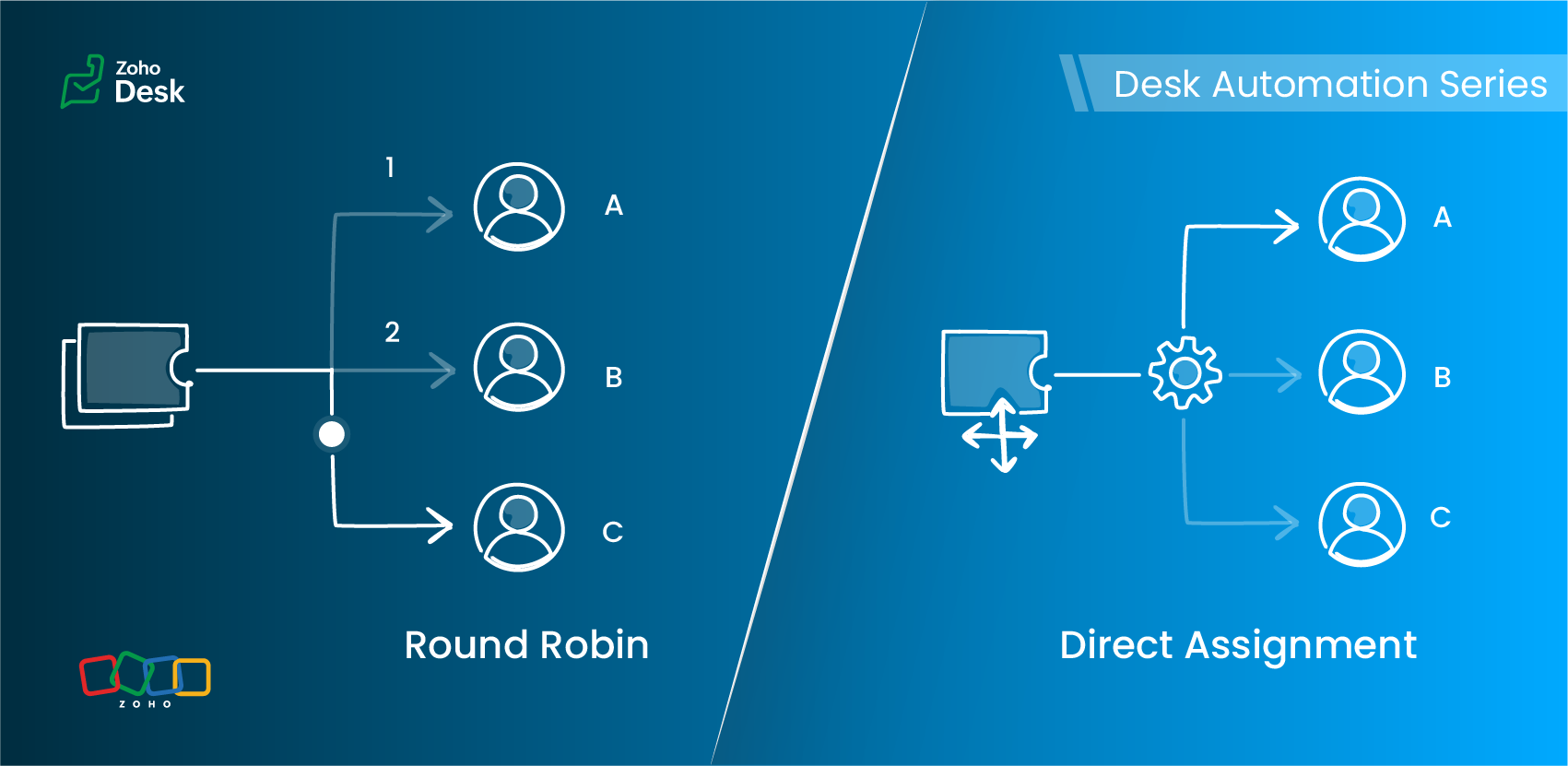
- Should this ticket always go to a specific owner?
- Or should it be automatically distributed across a team of agents in a specified pattern?
Understanding Assignment Rules
Zoho Desk offers two primary routing options under Assignment Rules:
- Direct Assignment
- Round Robin Assignment
Each serves a different need, depending on the structure of your support team and the type of tickets you handle.
Direct Assignment
When to use Direct Assignment
- A particular ticket type is always handled by the same person or team
- Ownership should remain consistent
- You want predictable, rule-based routing
- The responsibility for a category of tickets never changes
- Required to be re-assigned to a different agent
Direct Assignment keeps routing clear and ensures that the right team always receives what they are trained to handle.
Round Robin Assignment
Round Robin supports multiple distribution patterns
Round Robin type | How it works | Best for |
Load-based assignment | Tickets are routed to the agent with the least number of tickets in their queue until the configured capacity is reached. | Balancing agent queues efficiently to ensure faster response times. |
Skill-based assignment | Tickets are assigned to the agent whose skills match the most according to the criteria defined for the ticket. | Handling tickets that require specific language support, product knowledge, or domain expertise. |
Sequential-based assignment | Tickets are distributed among agents in a fixed sequence, following the alphabetical order of agent names. | Ensuring a predictable rotation and evenly distributing tickets among agents. |
Round Robin preferences
Key differences at a glance
Feature | Direct Assignment | Round Robin |
Primary purpose | Route tickets to a specific team | Distribute tickets equitably across agents |
Useful when | Responsibility for a ticket type is clearly defined | Ticket volume is high and needs balanced distribution |
Supports skill-based routing | No | Yes |
Supports capacity limits | No | Yes (Agent-level and department-level thresholds) |
Assignment frequency | Always assigned to the same agent or team | Varies based on the configured Round Robin type |
Control over assignment order | No | Yes (Sequence-based rotation) |
Handles workload balancing | No | Yes (Load-based assignment) |
Supports backlog management | No | Yes (Backlog assignment for queued tickets) |
Includes offline agents in assignment | No | Yes (Offline agents can be included in the assignment queue) |
Optimized for high ticket volume | Limited | Yes (Immediate assignment and backlog handling support continuous distribution) |
Choosing the right assignment method
Requirement | Direct Assignment | Round Robin |
A specific agent must always handle certain issues | ✓ | — |
Balanced distribution of tickets | — | ✓ |
Skill-specific routing | — | ✓ (Skill-based) |
Avoiding agent overload | — | ✓ (Load-based) |
Predictable rotation | — | ✓ (Sequential-based) |
Flexible assignment based on agent availability | — | ✓ |
A practical scenario
1. Billing and subscription changes
Use: Direct Assignment
2. Account suspension reviews
3. General how-to queries
Load-based assignment routes tickets to the least-loaded agent up to their set capacity, ensuring faster response times through efficient workload distribution.
4. High traffic during feature launches
Load-based assignment routes tickets to the agent with the fewest active tickets until the configured capacity is reached, helping distribute high volumes to prevent agent overload and support faster response times.
5. Advanced technical or API-related tickets
6. Product feedback review queue
7. Multilingual customer support
Use: Skill-based assignment
More everyday support examples
Scenario | Best-suited assignment method | Why |
Warranty claims in an electronics company | Direct Assignment | Tickets are routed to the team responsible for warranty operations. |
Appointment requests in a multi-specialty clinic | Direct Assignment for specialist bookings; Sequence-based assignment for general checkups | Specialist requests can be routed to a specific team, while general requests can be distributed among agents. |
System outage tickets in an IT helpdesk | Load-based assignment | Tickets are assigned to the agent with the fewest tickets in their queue, helping distribute workload and support faster first responses. |
Onboarding queries in a company | Sequential-based assignment | Tickets are distributed among agents in a fixed sequence, ensuring each agent receives tickets in turn. |
Marketing campaign inquiries in a SaaS company | Skill-based assignment | Tickets are assigned to agents whose skills match the required business expertise, such as Marketing. |
Best practices
- Use Direct Assignment for clear, consistent ownership.
- Apply Round Robin when distribution, fairness, or skills matter.
- Keep your criteria focused.
- Avoid using multiple Round Robin patterns for the same category.
- Review agent capacity and skills regularly.
- Test your rules with a sample set of tickets before enabling them.
Guidelines for quick selection
- Only routing is needed → Direct Assignment
- Balanced distribution is the goal → Load-based or Sequential-based assignment
- Specific skills required → Skill-based assignment
- Workload limits apply → Load-based assignment
- Predictable rotation needed → Sequential-based assignment
The verdict

Read more related articles:
Topic Participants
Amrita U
Sticky Posts
Zoho Desk Partners with Microsoft's M365 Copilot for seamless customer service experiences
Hello Zoho Desk users, We are happy to announce that Zoho Desk has partnered with Microsoft's M365 to empower customer service teams with enhanced capabilities and seamless experiences for agents. Microsoft announced their partnership during their keynoteWhatsApp pricing changes: Pay per message starting July 1, 2025
Starting July 1, 2025, WhatsApp is shifting from conversation-based pricing to per-message billing. That means every business-initiated message you send will count. Not just the first one in a 24-hour window. Pricing updates on the WhatsApp Business PlatformLive Webinar - Work smarter with Zoho Desk and Zoho Workplace integration
Hello customers! Zoho Desk and Zoho Workplace are coming together for a webinar on 14th May, 2024. Zoho Workplace is a suite of productivity apps for email, chat, docs, calls, and more at one single place. Zoho Desk is closely integrated with a few toolsApple iOS 17 and iPadOS 17 updates for Zoho Desk users
Hello Zoho Desk users! Apple recently announced the release of iOS 17 and iPad OS 17. These latest OS updates will help you stay productive and efficient, through interactive and seamless user experiences. Zoho Desk has incorporated the updates to helpZoho Desk Cheat Sheet For The Year-End
Check out these Zoho Desk best practices to end this year on a high and have a great one ahead! #1 Set Business (Holiday) Hours - If you have limited working hours, please make sure you restrict your business hours or set them as holidays for the coming days. Let your customers know when you will, and won't, be available. #2 Update the Annual Holiday List - Check the holidays for the new year and update the holiday schedule. Usually, holidays from the current year will be carried over for the next
Recent Topics
Introducing the New Zoho Assist Quick Support Plugin
We are thrilled to announce the new Zoho Assist Quick Support Plugin, the upgraded and enhanced version of the Zoho Assist Customer Plugin. This new plugin allows organizations and IT administrators to deploy it directly onto their customers’ devices,Automate your signing workflows with Zoho Sign + n8n
Hello! We're excited to announce that Zoho Sign is now available as a community node on n8n, a popular open-source workflow automation platform used by tens of thousands of teams worldwide. n8n lets you connect apps, APIs, and services through a visualAsk the Experts 27: Onboarding and managing support reps
Hello everyone, We are back with our Ask the Experts (ATE) series for 2026. This year, we bring experts to help you address customer support challenges using Zoho Desk. For our first ATE, we are getting into the human side of customer support. "EveryRetainer invoice in Zoho Finance modlue
Hello, Is there a way of creating retainer invoices in the Zoho Finance module? If not can I request this is considered for future updates please.Spotlight #27: Embed visual collaboration Spaces in your presentations using the Vani add-on
Hello everyone! This month’s spotlight feature is the Vani add-on for Zoho Show. Every time you pause your presentation to open another tab or pull up supporting material, you lose a bit of momentum. At Zoho Show, we design features that keep everythingCRM
Is anyone else experiencing this issue? Our company is not moving out of using Gmail's web app. It just has more features and is a better email program than Zoho Mail. Gmail has an extension (Zoho CRM for Gmail) that we're using but we've found some seriousGood news! Calendar in Zoho CRM gets a face lift
Dear Customers, We are delighted to unveil the revamped calendar UI in Zoho CRM. With a complete visual overhaul aligned with CRM for Everyone, the calendar now offers a more intuitive and flexible scheduling experience. What’s new? Distinguish activitiesGlobal Search / Command Palette in Live App
Zoho Creator applications can contain many forms, reports, pages, and dashboards. While navigation inside the app is smooth, users still need to move through multiple menus or screens to find specific records or open particular modules. Currently, inNew 2026 Application Themes
Love the new themes - shame you can't get a little more granular with the colours, ie 3 different colours so one for the dropdown menu background. Also, I did have our logo above the application name but it appears you can't change logo placement positionSmarter appointment allocation with round-robin distribution
Greetings from the Zoho Bookings team! We’re excited to introduce the Appointment Distribution feature, a new way to decide how appointments are assigned among users. By default, appointments are distributed evenly across all event types, but this enhancementA2P 10DLC Opt-in Rejection Issue with Zoho Creator Public Form
Hi everyone, I’m working on an A2P 10DLC SMS campaign and running into repeated rejections due to opt-in issues. I’m using Zoho Creator for the registration flow. The form is public (no login required). Users enter their phone number and there is an uncheckedAnalytics & Reporting Improvements + Export Bug
Hello, I would like to raise several important product suggestions and issues regarding Zoho Expense: 1. Filter in Admin View → Analytics → Expense Details → Receipt Is it possible to add a filter that allows us to prioritize or sort reports that haveMake Quick Edits to Images Before Attaching
Hello everyone, We have enhanced how attachments are handled in tickets to help agents preview and share files more efficiently in Zoho Desk. Agents can preview image attachments before adding them to tickets and edit them using attachment annotator.3/18 オンライン勉強会のお知らせ Zoho ワークアウト (無料)
ユーザーの皆さま、こんにちは。コミュニティチームの中野です。 3月開催のZoho ワークアウトの開催が決定しましたのでご案内します。 今回はZoomにて、オンライン開催します。 ▶︎参加登録はこちら(無料) https://us02web.zoom.us/meeting/register/BoNTN7zYR8OvOPGShqBY0A ━━━━━━━━━━━━━━━━━━━━━━━━ Zoho ワークアウトとは? Zoho ユーザー同士で交流しながら、サービスに関する疑問や不明点の解消を目指すイベントです。Extend color coding to custom picklist fields
Objectively, Projects has the best UI of any Zoho app — clean, intuitive, and never feels bloated. Big props to whoever owns the design. Feature request: color coding for custom picklist field values in field customization. You've already done it in twoNew in Office Integrator: In-sheet text translation
Hi users, We're pleased to introduce translation capability in the spreadsheet editor in Zoho Office Integrator. This allows you to translate the text in your spreadsheet's cells into 70+ languages from within your web app. Office Integrator's spreadsheetStreamline email communication with Out of Office configuration
Managing user communication effectively is the key to ensuring timely responses and consistent messaging. However, when users are unavailable, the absence of an Out of Office response can lead to delays and missed expectations. Managing these settingsChanging settings for auto logoff
I've noticed that when I haven't used Cliq for a while, I have to re-enter my password. That is really clumsy, especially if you have a complicated password. Because it won't be filled in automatically. Is there a way to change that behaviour? We areA few Issues when using "Pay Bill via Check"
We have quite a bit of issues with how paying for Bills via Check works. Would love some feedback from the Zoho team in case we are doing something incorrectly. 1. When we go from a vendor and select "Pay Bill via Check" option, we see ALL the outstandingPrevent tracking users from specific countries
Currently, I’m receiving many bot visits from the United States and Malaysia. I would like these visits not to be recorded in SalesIQ. I already enabled the option to exclude traffic from cloud service providers, but I’m still receiving bot visits. Ideally,My client requires me to have custom pdf file names to except payment for invoices, how can I customize this before emailing.
Hello! I love the program so far but there are a few things that are standing in the way. I hope you guys can code them in so I can keep the program for years to come. My client requires I customize the pdf file names I send in for billing. Can you pleaseEdit Project Number?
Hi all: We just signed up for a trial of zoho one, which includes ZoHo Projects. We've noticed there was a 'dummy project' preloaded in projects to help familiarize yourself with the software. We've created a couple of our own projects now but noticed since the dummy project was preloaded, our projects start with number 2 then 3, sequentially. Since it seems we will be keeping zoho past the trial, If we delete the dummy project, how do we get our own projects renumbered, beginning with 1? We'd likeDownload pricebook products & details - not just pricebook creation date & name
We're looking to download a copy of a pricebook and its associated products & book prices (as we have several offices in different countries selling the same products), however, when using the export feature under Data administration it only gives me554 5.1.1 – Mail sending blocked for the domain(s): [gmail.com]
Here's your corrected text: Hello, I hope you are doing well. I was unable to send a message and received the following error: "554 5.1.1 – Mail sending blocked for the domain(s): [gmail.com]" I tried to send and deliver an email but got this error. IOutgoing Mail Blocked – Suspicious Login Activity (Need Clarification and Solution)
Hello, I’m currently facing an issue where my Zoho Mail account has been blocked due to “suspicious login activity,” and outgoing emails are restricted. Here are the details shown: Block type: Outgoing mail blocked Reason: Suspicious login activity AAssign Meeting in records
It would be nice to be able to "call and assing" meetings from a record, for example from a Deal. Right now - calendar is synced with CRM - meetings show in calendar - you can go in each meeting and assign it to a record It would be nice to be able toAllow Global Admin to access/edit all forms without changing owners
Hi there, Please consider adding a feature where the Global Admin of the account an automatically access/edit any form in the Company Account. I'm the Global Admin on our Zoho One plan, and we have multiple users that use/create forms. But for me to accessERROR: "Please enter a valid Phone"
WHAT IS THE PHONE FORMAT? There is nothing ANYWHERE to define the format. At least the error should either show the correct format or provide a link to the help file I enter a valid phone number in as many formats as I can think of and none of them allow me to save the number to CRM Nothing works! No matter what format I enter I keep getting a red error "Please enter a valid Phone" The international format for MY mobile is +61414652366 (or +61 414 652 366) Local format is 0414652366 I call all overIntroducing Zoho Sprints 3.0
Zoho Sprints is consistently evolving in steady increments. The introduction of the latest version, with its enterprise level solutions, brings to you advanced capabilities that propel your agile efforts in the right direction. Here's a quick glimpseTransaction Rules & Customer Payments
So I have a situation as follows. We have many clients who are all invoiced on the 1st of each month on a recurring invoice for 1 of 10 plans. This means that almost all payment dates are the same (some people pay late) and that a lot of the amounts areCustomize Sign-out Button
Are there some url parameters I can use to make a form button sign-out the user from the app? The sign-out link on the top right is small. Here's and example of the url for the top right sign-out: https://creator.zoho.com/logoutpage.jsp?sharedBy=niskypto&appID=212085000006568003&appLinkName=MYAPP&signOutUrl=niskypto/MYAPP/view-login/SOMEPAGE Note: In my account, the sign-out is set to redirect users to my website. Can I also override this with some url parameters? John M. WhitneyPlease can the open tasks be shown in each customer account at the top.
Hi there This has happened before, where the open tasks are no longer visible at the top of the page for each customer in the CRM. They have gone missing previously and were reinstated when I asked so I think it's just after an update that this featureTip #65 - Exploring Technician Console: Short Keys - 'Insider Insights'
Hello Zoho Assist Community! Have you ever been in the middle of a remote support session, trying to pass a key combination onto the remote machine, only to find it's reflecting on the technician's computer. The Short Keys feature in Zoho Assist is hereReading from and writing to Zoho Projects Custom Module with Deluge
Does anyone know if there is a way to read from and write to the Custom Modules that Zoho now supports. I would love to be able to loop through a set of data and create the entities I need to for this new custom module I'm looking to put together.Disappointment with Zoho Payments
Dear Gowdhaman, I am writing to inform you that I am removing Zoho Payments from my website. I cannot continue to disappoint my customers due to the lack of UPI support, as has been the case with my experience so far. Please note that the 0.5% transactionEvolução do modelo de ambientes: Dev, Homologação e Produção com pacotes versionados
Hoje o Zoho CRM já oferece Sandbox, o que é um avanço importante para organizações que trabalham com customizações mais complexas. No entanto, na prática, o modelo atual ainda apresenta limitações significativas quando múltiplas equipes ou consultoriasPermissões granulares por usuário além do modelo baseado exclusivamente em perfis
Atualmente, o modelo de segurança do Zoho CRM é fortemente baseado em perfis. Embora funcional, esse modelo apresenta limitações quando equipes possuem variações individuais de acesso dentro do mesmo grupo operacional. Em cenários reais, é comum que usuáriosAdd or update lookup field values during Blueprint transition
Hello everyone, During blueprint transition users can add or modify the value of a lookup field. For instance, if the Tickets module includes a lookup field that connects it to records in the Assets module, agents can link the ticket to the correct assetCan you limit SEO penalties by delaying the appearance of a pop-up?
Google is not keen on pop-ups and has got even less keen on them with the new Core Web Vitals updates. But I like using pop-ups. If you delay the pop-up so it only appears 10 seconds after the page loads, do you avoid Google’s penalties?Adding bank details to the contact through API
How to add bank-related information to the contact while creating it using API? The account number needs to be encrypted before sending it through API but not sure how to encrypt and get those values. Please guide me in this.Next Page