Zoho Desk - Nouveautés 2023

Bonjour à tous,
Comme vous le savez, Zoho cherche en permanence à vous proposer des logiciels complets et au plus proche de vos attentes. C'est pourquoi toute l'équipe Zoho Desk est fière de vous présenter la nouvelle version de votre logiciel de service client, pleine d'améliorations et de nouveautés pour vous permettre de proposer le meilleur suivi client possible ! Découvrez ci dessous la liste de nos nouveautés :
Messagerie instantanée
La plateforme de messagerie instantanée de Zoho Desk permet aux clients de joindre votre entreprise via WhatsApp, Telegram, LINE et WeChat.
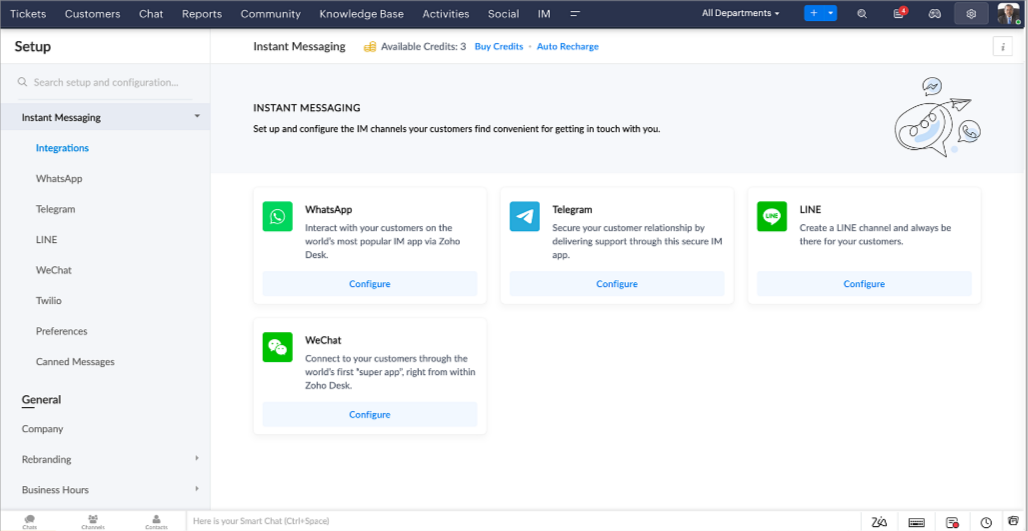
Zoho Desk vous avertit des chats entrants en temps réel afin que vous puissiez vous connecter avec les clients à partir de l'interface. Dans ce même temps, vous pouvez :
- Suivre le contact du client, les informations du ticket, l'historique des conversations inter-canaux et les détails de la pièce jointe dans la fenêtre de chat du client pour un contexte immédiat.
- Accéder et joindre des articles de la base de connaissances directement depuis la section de saisie, utiliser des réponses prédéfinies et ajouter des émojis.
- Participez à plusieurs chats simultanément sur plusieurs canaux sans changer d'onglet.
- Attribuez des conversations à vos coéquipiers.
- Convertissez les conversations en tickets pour un suivi simplifié
Et pour les fans d'automatisation, pas de panique ! Les flux de travail, les Blueprints, les règles d'affectation et les accords sur le niveau de service, sont aussi applicables pour les tickets créés à partir de la messagerie instantanée. Il est également possible de définir des réponses automatiques lorsque vous êtes absent.
Vous pouvez faire en sorte que les clients puissent vous contacter facilement en installant des QR codes dans vos magasins ou en intégrant notre bouton "Contactez-nous", sur votre site web. Ils peuvent même vous joindre par le biais d'une recherche directe d'entreprise sur une plateforme de messagerie instantanée comme Telegram.
Conversations guidées et mixtes
Comme vous le savez, la plupart des questions n'ont pas de réponses simples. Elles nécessitent souvent un suivi, et beaucoup de contexte, avant de trouver une solution. C'est là que les conversations guidées interviennent : une plateforme de libre-service proactive, en low code, qui simplifie la résolution des questions complexes de vos clients.
Choisissez parmi une série de questions ou de réponses prédéfinies pour créer un flux et guider les clients, et à tout moment, vous pouvez les diriger vers une interaction humaine. Cette mixité entre les bots et agents du service client permet une grande flexibilité et augmente le nombre de tickets résolus.
Voici comment nous avons utilisé les conversations guidées pour Zoholics (notre conférence annuelle d'utilisateurs) :
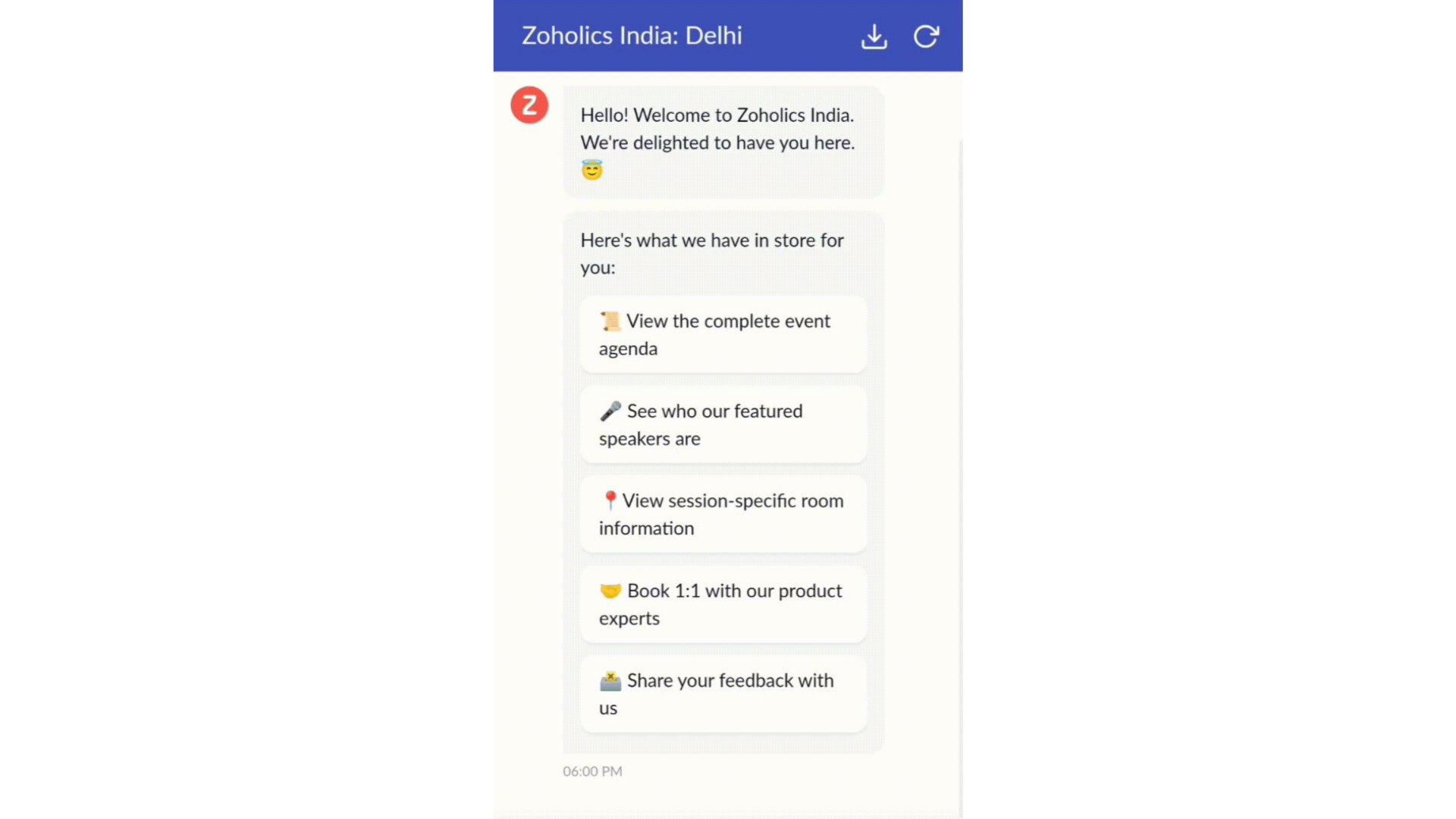
- Constructeur par glisser-déposer
Construisez votre flux de conversations guidées à l'aide de blocs de réponse, tels que du texte, des images, une devise, une date et une heure ... Pour construire ce flux, il suffit de glisser-déposer des blocs, d'ajouter des variables ou des espaces dynamiques, et de connecter ces blocs pour créer un chemin d'étapes.
- Des Webhooks pour une intégration transparente
En configurant les blocs de Webhooks, vous pouvez construire votre flux de conversation pour interagir avec les processus de Zoho Desk, mais aussi d'autres services Zoho ou des applications tierces. Par exemple, si l'utilisateur est déjà votre contact, le bloc Webhook récupérera ses informations directement dans votre CRM, plutôt que de lui demander de les fournir à chaque fois.
Vous pouvez enfin prévisualiser et mettre en œuvre votre flux final en l'associant à votre centre d'aide ASAP sur votre site web, vos pages de renvoi et vos applications mobiles.
Une expérience améliorée
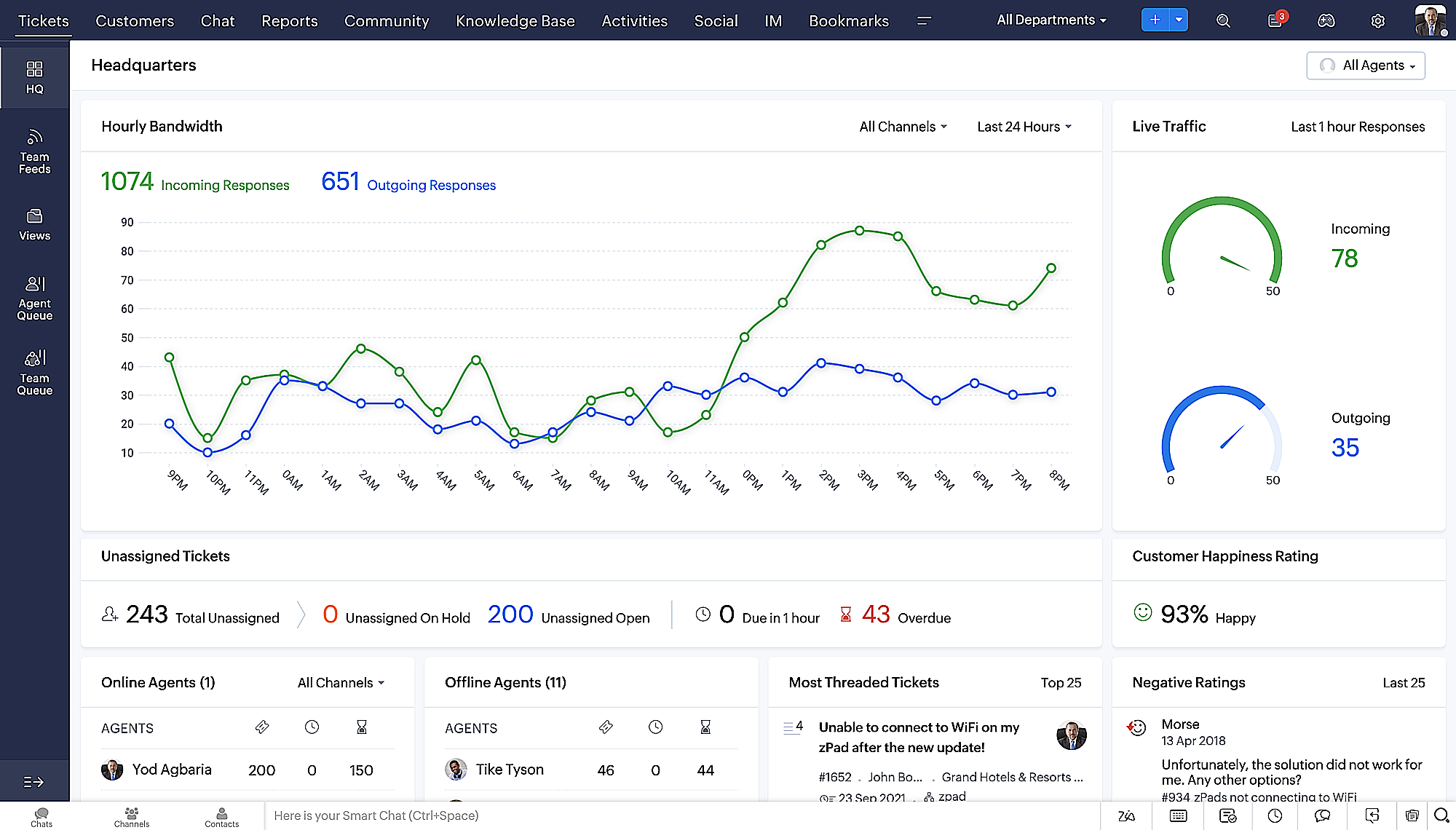
On ne saurait trop insister sur l'importance pour les équipes de support client d'avoir un accès rapide aux informations clients. Nous avons donc optimisé notre interface utilisateur et facilité la navigation entre les différents écrans pour faciliter cette recherche. Nous avons également revu certaines mises en page pour vous donner une image globale de vos clients et de vos tickets sur une interface unique.
- Une vue d'ensemble, avec une disposition des données plus poussée et une apparence générale remaniée
- Vue détaillée des tickets avec des fils de discussion par code couleur pour une navigation plus facile entre les conversations et les commentaires

- Vue détaillée des contacts avec boutons d'ajout rapide, section des tickets en attente et aperçu des tickets

- Vue de la file d'attente des tickets avec des options de menu déroulant, pour donner des mises à jour sans ouvrir la vue détaillée des tickets
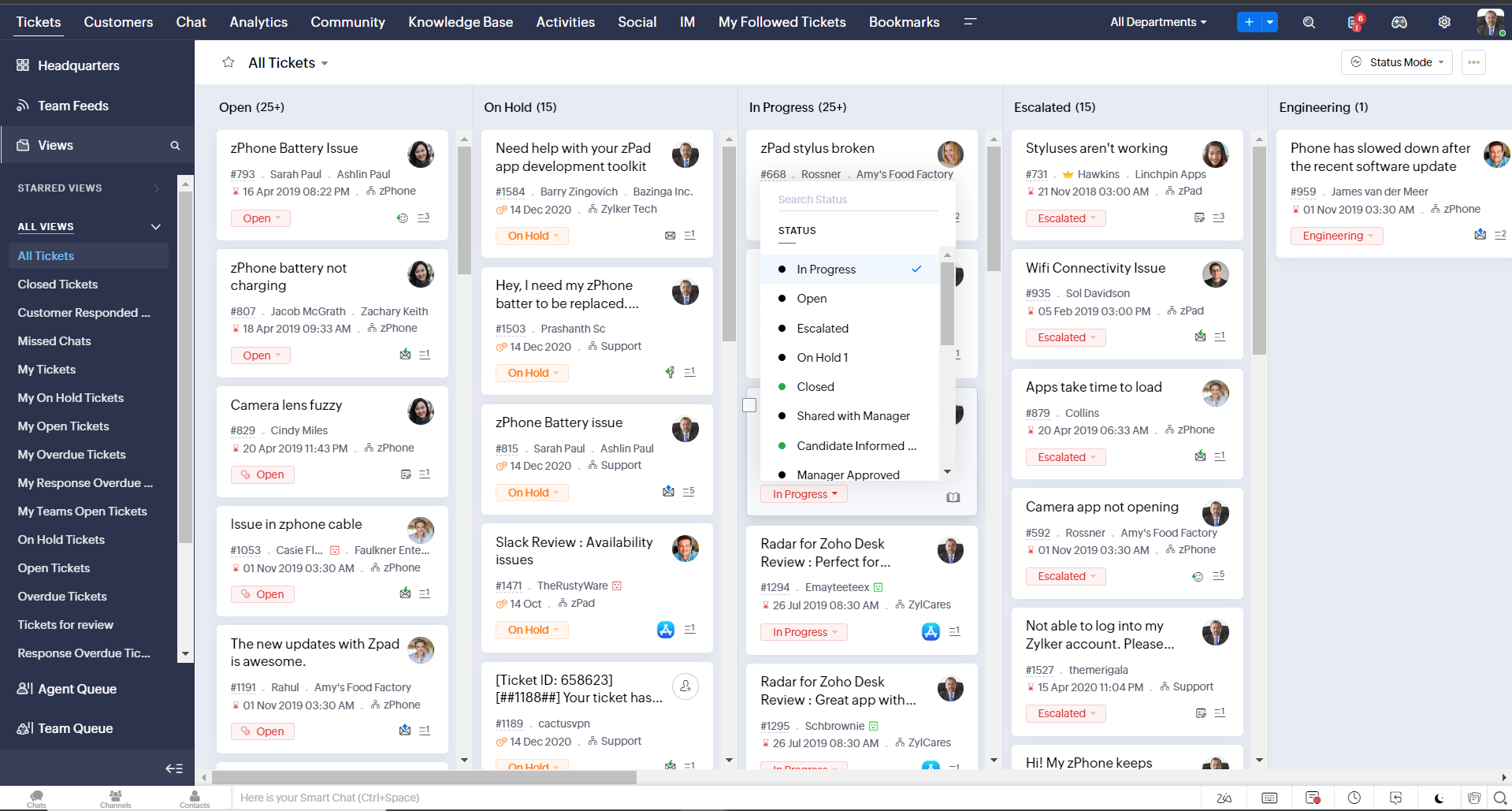
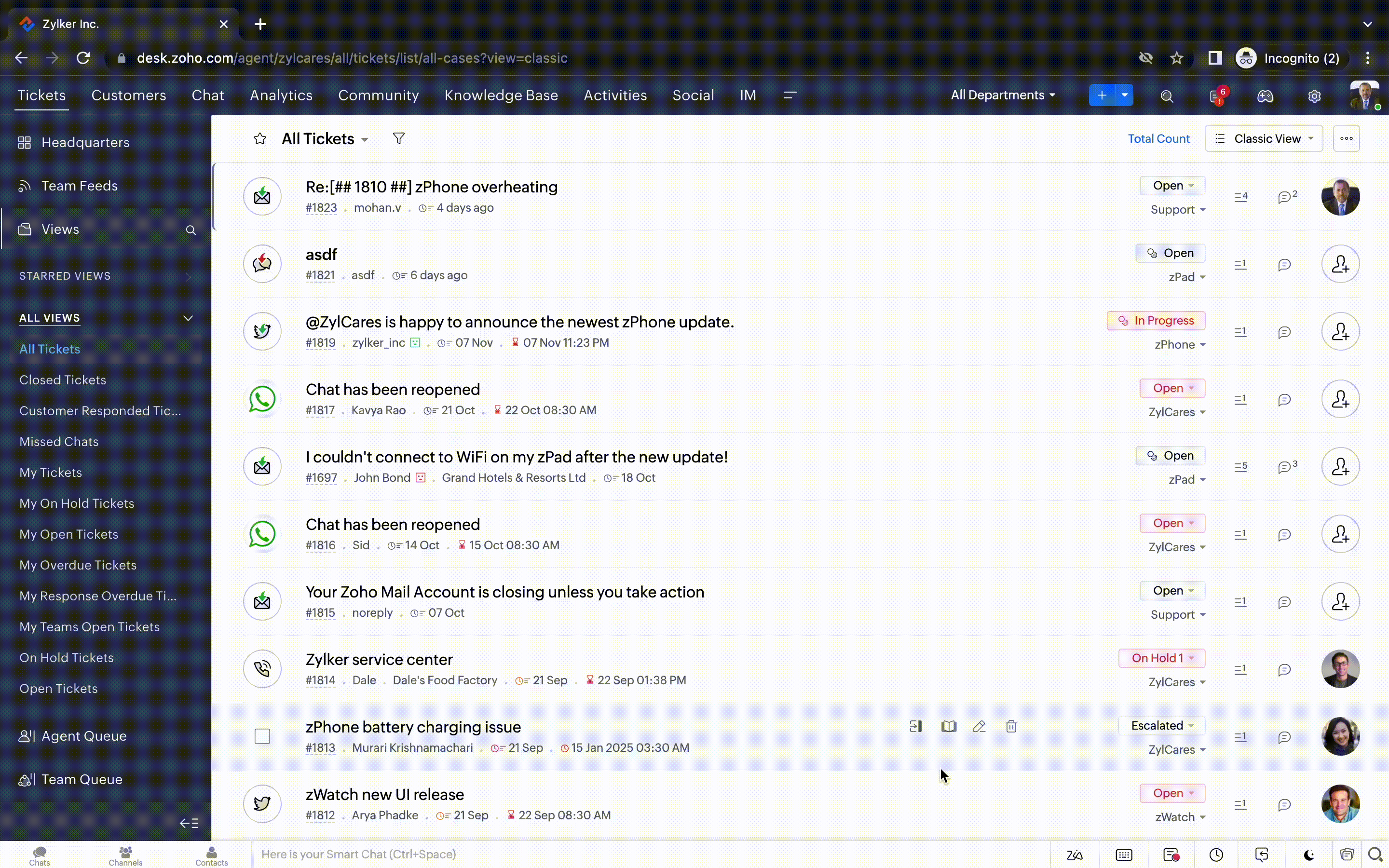
- Une nouvelle option "marquer comme lu/non lu" dans la vue de la liste des tickets, et une liste déroulante consolidée des modes de travail dans le module des tickets
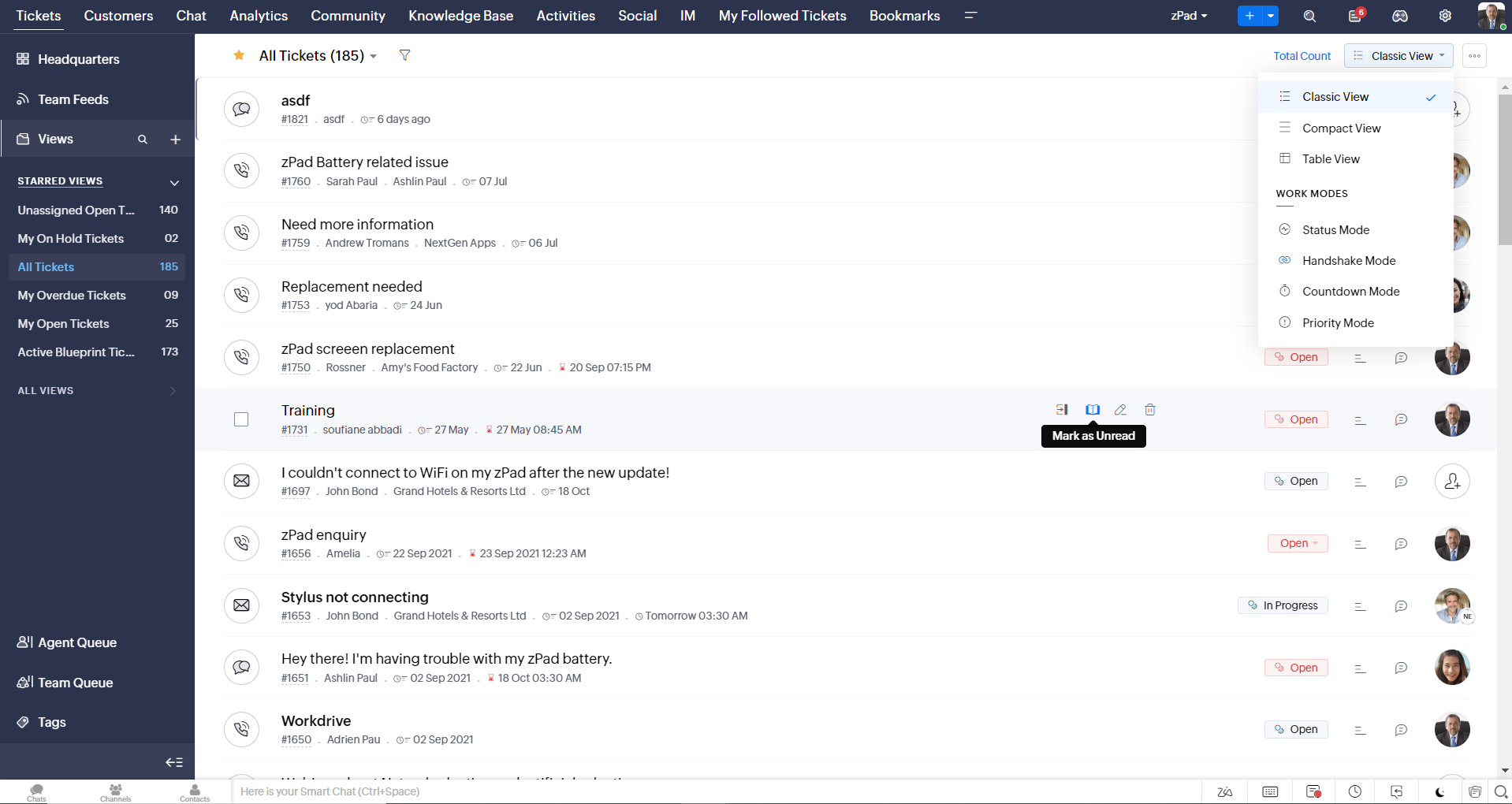
- Défilement infini pour un repérage plus rapide des tickets et ne pas se perdre entre des dizaines de pages
Nouvelles options de personnalisation pour les utilisateurs :
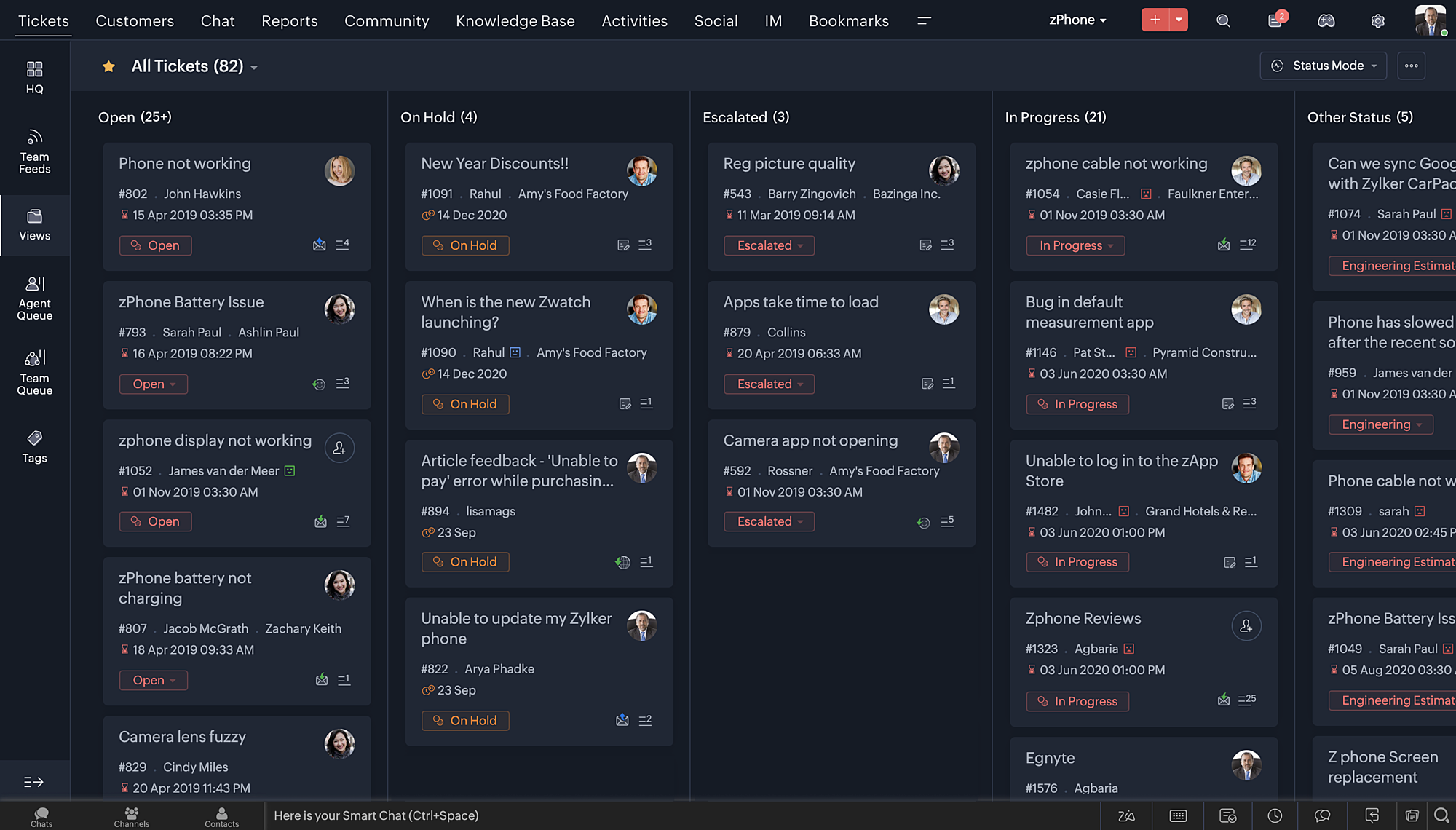
- Mode sombre pour une expérience de visualisation et de lecture confortable
- De nouveaux thèmes pour visualiser votre bureau dans votre couleur préférée
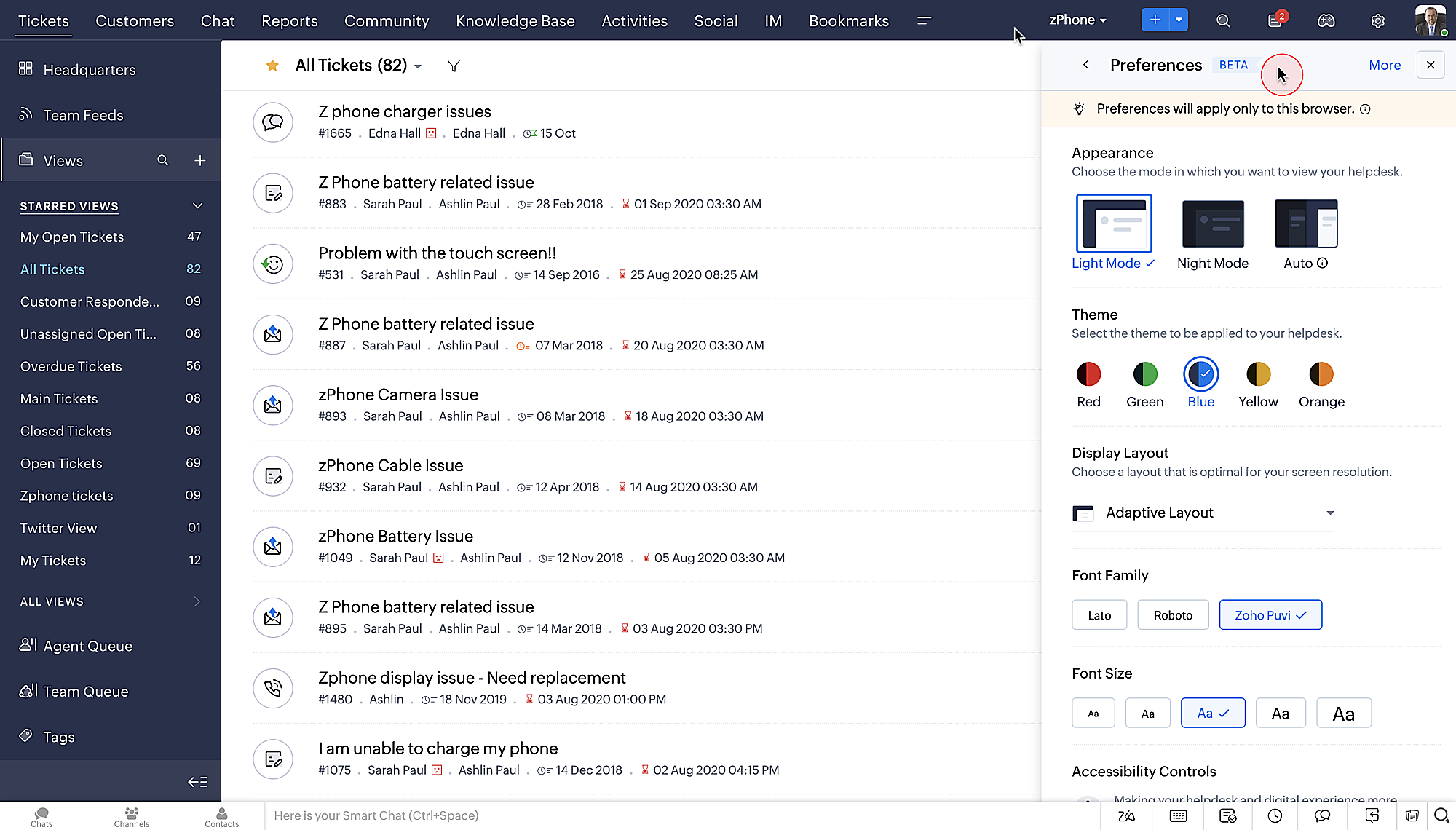
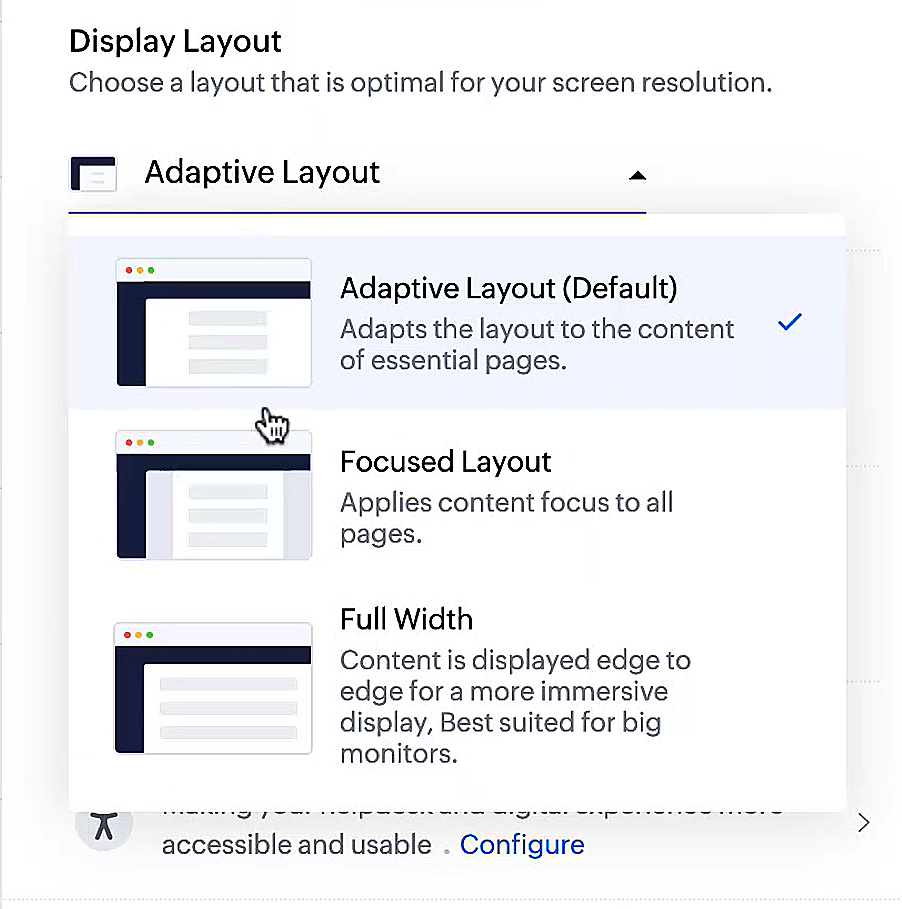
- Des mises en page d'affichage qui vous permettent de choisir la façon dont votre contenu vous est présenté.
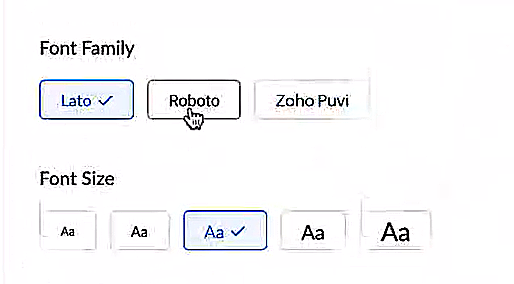
- De nouveaux types et tailles de police pour que votre texte corresponde exactement à vos préférences.
Une plus grande accessibilité
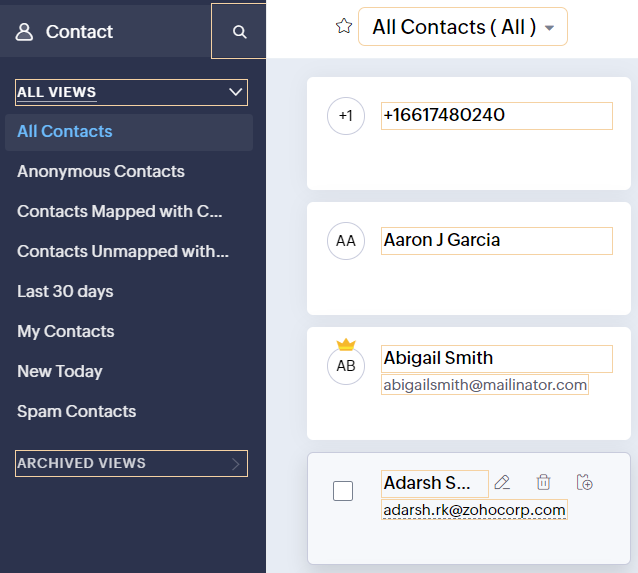
Nous avons ajouté plusieurs options pour répondre à vos besoins en matière de vision, de motricité et d'apprentissage pour proposer un outil adapté à tous. Mettre en évidence les informations essentielles comme l'ID et/ou le propriétaire du ticket et les détails de contact dans une couleur différente.
- Souligner les liens pour augmenter la visibilité de ceux qui sont cliquables.
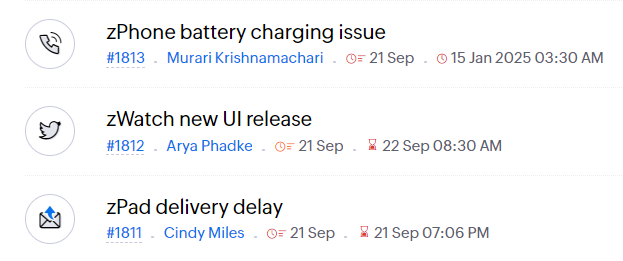
- Souligner la zone d'intérêt et le lien pour les mettre en avant
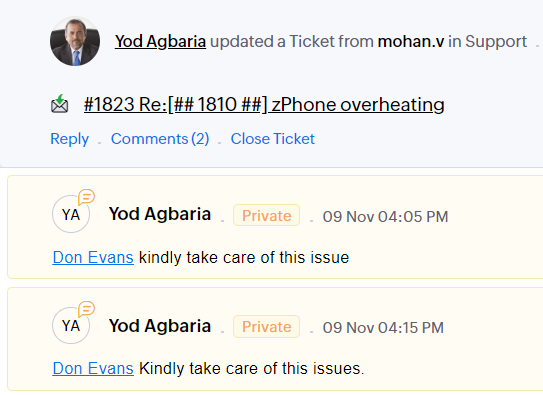
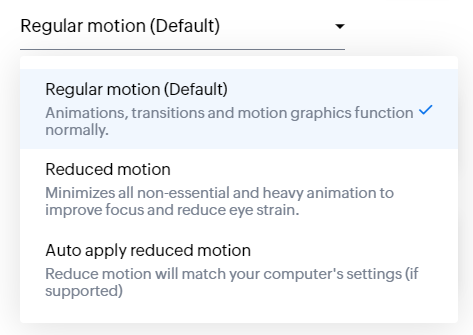
- Les "contrôles d'animation" optimisent les animations et les transitions dans l'ensemble de votre service d'assistance
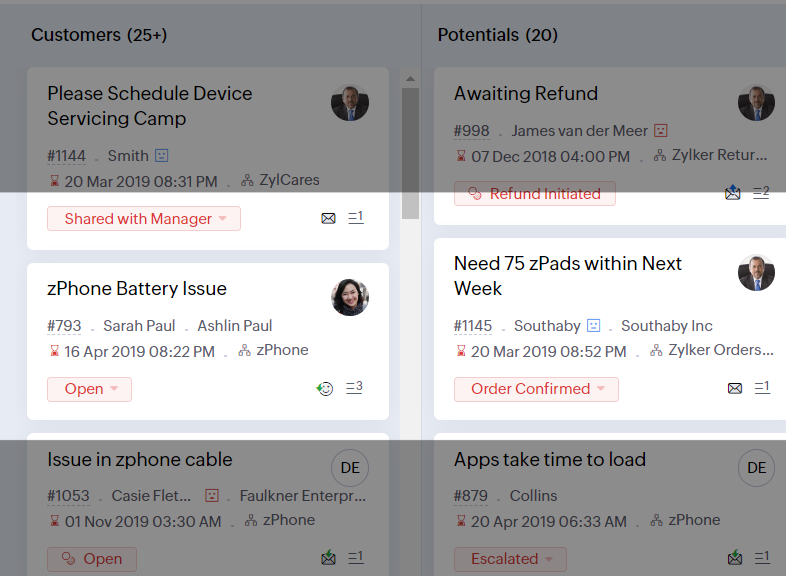
- Reading Mask élimine les distractions en masquant le texte que vous n'êtes pas en train de lire
- Il est également possible de zoomer sur un contenu et d'ajuster la taille de la police pour que la page soit facile à lire
Avec toutes les nouvelles fonctionnalités de l'édition Zoho Desk 2023, les entreprises ont maintenant plus de pouvoir pour rendre à la fois leurs agents et clients plus heureux.
Nous aimerions savoir ce que vous pensez de ces nouvelles fonctionnalités ! Partagez vos réactions dans nos commentaires ou sur les réseaux sociaux. Nouveau sur Zoho Desk ? Vous pouvez vous inscrire à l'essai gratuit ici.
Topic Participants
Florence Barbier
Didier Pare
Kinjal Lodaya
Sticky Posts
Desk - Astuce #5 : Déplacer les tickets entre les départements
Bonjour à tous, Il n'est pas rare que vos clients créent des tickets dans un département qui n'a pas l'expertise requise pour les traiter. Vous devez transférer ces tickets vers le département concerné, afin qu'ils ne passent pas à travers les maillesZoho Desk - Nouveautés 2023
Bonjour à tous, Comme vous le savez, Zoho cherche en permanence à vous proposer des logiciels complets et au plus proche de vos attentes. C'est pourquoi toute l'équipe Zoho Desk est fière de vous présenter la nouvelle version de votre logiciel de serviceDesk : Le cycle de vie d'un ticket - Introduction
Voici une nouvelle série en 3 chapitres, dans laquelle nous allons vous dévoiler comment Zoho gère l'intégralité de son service client sur Zoho Desk. Zoho compte plus de 60 millions d'utilisateurs à travers le monde et offre plus de 50 différentes solutions.Zoho Desk - Chapitre 1 : Anticipez vos besoins
Bonjour à tous, Continuons notre série de la rentrée et découvrons comment Zoho gère 60 millions de clients grâce à Zoho Desk. Contrairement à ce que l'on peut penser le cycle de vie d'un ticket commence bien avant qu'il arrive dans notre logiciel client.Desk Astuce #6 : Ajouter plusieurs comptes réseaux sociaux
Bonjour à tous, Découvrons dans cet article comment vous pouvez ajouter plusieurs pages d'un meme réseau social dans Zoho Desk. Pour cela suivez les étapes suivantes : Connectez-vous à Zoho Desk avec les privilèges d'administrateur. Cliquez sur les paramètres
Recent Topics
Deleting unwanted ticket replies
Hello, In a Zoho Desk Ticket thread, sometimes one of the recipients has auto-reply activated. This creates a new message in the Ticket thread that not only pollutes the thread, but most importantly cannot be replied properly because usually auto-reply e-mails don't do "reply all", so the other recipients are not included. I want to delete such a message in the Ticket thread. I searched the help of Zoho Desk, but only found a way to mark as Spam (https://help.zoho.com/portal/kb/articles/marking-support-tickets-as-spam)System-generated support email added in CC on “Reply All”
Hi, I recently set up Zoho Desk for a client and we are trying to prevent the Zoho Desk system-generated support email address (not the mailbox used as the department’s "From address") from being automatically added in CC when agents use “Reply All” onApplying Excess Payments & Conflict Invoices Due to Cancelled Items
I’m running into several issues that appear to stem from deeper-than-expected overlap between Zoho Finance (Books/Inventory) and Zoho POS. The level of coupling between these systems seems greater than what was originally communicated, and it’s leadingConvenience Fees
I use Zoho Invoice for invoicing my billboard customers. I have a few customers that want to pay using credit cards and ACH. As a result, I have integrated an Online Payment Gateway (Stripe) for these customers. I currently charge these customers a "Convenience Fee" of 3% for using this service as I typically only take checks as payment (and the gateway charges 2.9% + $0.30 per transaction). I do this by creating a separate line item on the invoice and adding 3% to it. I would like to offerHTML Tags added to Reports with Notes
Recently Zoho added the ability to markup text within notes. That way, users can change font size, colors, etc. It's a great change. However, since the change, reports that include a column for "Note Content" are printing HTML tags within the report.New Feature: Audit Log in Zoho Bookings
Greetings from the Zoho Bookings team! We’re excited to introduce Audit Log, a new feature designed to help you track all key actions related to your appointments. With Audit Log, you can maintain transparency, strengthen security, and ensure accountability.Restrict Payment Methods
Allow us to restrict certain payment methods specific for each customer.Emails Getting Delay Error Messages - Status: 451
Hi. Hoping someone can help. I've been using Zoho for over a year now with no problems at all. Today, the majority of my emails I send out or reply to are getting this error: This message was created automatically by mail delivery system. THIS IS A WARNING MESSAGE ONLY. YOU DO NOT NEED TO RESEND YOUR MESSAGE. The original message was received at Sun, 22 Dec 2019 18:20:19 -0800 from wazza@amninjas.com [wazza@amninjas.com] ----- The following addresses had fatal errors ----- [Status: ERROR, Address:Add Domain
Hello Zoho Support, My Zoho Sites project accidentally auto-added domains with http:// prefix and duplicated domain entries. Current domains list shows: http://www.kinhtethethao.com.vn (Primary – cannot be removed) http://www.kinhtethethao.com.vn (verificationKaizen #221: Workflow & Actions Reports APIs
Over the last few weeks, we have joined Zylker Cloud Services as they restructured their automation ecosystem using Workflow APIs and Actions APIs. Along the way, we discovered how to audit workflows, update old rules, create new ones, and manage associatedHaving an Issue with the Entity ID
I'm having an issue when trying to use Zoho Flow and the notes function. I currently have it set up when a new response comes into a particular form, all of their responses will go into the notes section of their contact on the CRM. I'm currently mappingFor Each Loop in Zoho Flow
I am using Zoho flow to create rows in an google sheets for every new order in Shopify but the issue is that it is creating one row per order and all line items are comma separated values but I want separate rows for each line item. Is there a way toDebug and Test not receiving updates
Hello, I've been trying to debug two of my simple flows between Zoho Projects and Clockify but it seems like the Debug and Test feature is not working for me. When I click the Play button on any of the flows and then perform the trigger actions nothingAttendance, Reimagined: Smarter Views for Teams and Individuals
Tracking attendance shouldn’t feel like a chore. With the revamped Attendance module UI, Zoho FSM makes it easier than ever to monitor work hours, check-in activity, and team availability—whether you’re managing an entire workforce or just keeping anLogistics Industry: Learn to create amazing appointment scheduling sites
In the logistics industry, the quality of service is something that cannot be shown to others unless they experience it. Sure, there are metrics that show how you fare when compared to your competition, but then, it only communicates little with respect to quality. The usual route which firms in logistics took are advertisements, to which the internet has opened alternatives in today’s digital age like websites and appointment scheduling sites. A great online presence can help you communicate withCustomer Management: # 1 Pick a Convenient Way to Onboard Customer
When Meera opened her bookstore, onboarding customers was effortless. A customer walked in, picked a book and left with a handwritten bill. As the store gained popularity, things changed. " Can I place an order over the phone?" a customer asked one day.Tracking Emails sent through Outlook
All of our sales team have their Outlook 365 accounts setup with IMAP integration. We're trying to track their email activity that occurs outside the CRM. I can see the email exchanges between the sales people and the clients in the contact module. ButFetch ALL items from Inventory and send to Google Sheet using Flow
The title says it all -- I want to fetch the Item name, SKU, Purchase rate, and Sales rate for ALL items in Zoho Inventory and have them populate a tab in an existing Google Sheet. I have already successfully made this work for one item, so the flow isWhy Document Integrity Matters at Every Stage of the Contract Lifecycle
Contracts are legal records that must stay authentic and traceable from creation to expiry or termination. In Zoho Contracts, several design decisions focus on protecting the integrity of every document. These measures ensure that no important detailsaffichage pièces jointes impossible
Bonjour, aujourd'hui je n'arrive pas à afficher ni à télécharger les pièces jointes dans ZOHO CRM. J'utilise Chrome, j'ai vidé les caches et les cookies. Mais cela ne change rien. Merci de votre aideReminder to renew subscription.
Whenever I try to add to one of my notes a " renew your subscription" window pops out and won't Close disallowing me to edit. Why should I renew my subscription on an application with at best such bugs and at worse such underhanded ways to force renFields not coming through, not pulling data
Forgive the noviceness of my vocabulary. I am in Zoho flow connecting CRM and Projects. When an opportunity hits a certain stage, it will create the project in Projects, and bring in data from the opportunity. Everything is working, except for two fieldsSmartsheet Integration
Has any in the community been able to integrate Zoho Desk with Smartsheets using Zoho Flow? I am trying to get the Smartsheet Row ID based on ticket data and cannot find documentation on the Get Row function for Smartsheet. It is asking for a Query StringCRM Campaign - how to mass remove contacts?
Does anyone have a solution for removing all contacts from a CRM campaign. Seems that one by one is the only option.Send out follow-up email in the same thread (threaded conversations in individual emails) from Zoho CRM
Hi, I'm new to Zoho. I'm trying to send individual emails to my leads one by one. And I'll send out follow up email if I don't hear back from them later. However, instead of sending a new email, I want to reply in the same email thread so that the recipientsCadence Support in Zoho Vertical Studio
We would like to know whether it is possible to create and configure Cadences in Zoho Vertical Studio, similar to the Cadence feature available in Zoho CRM. Please confirm if Vertical Studio supports creating cadences for modules and users, and whetherRemoving "Products" as mandatory field from Sales Order creation page
Hello, friends According to our workflow, we should: 1) create Sales Order (Stage "New") 2) call and discuss the Products with a customer (Stage "Communication") 3) add the Products to the Sales Order during the call However, "Products" is mandatory toZoho Books says "The customer "Hakimuddin P A Ali" already exists. Please specify a different name.""
One of my transaction is not getting posted from Stripe to Zoho books. I already checked in Zoho books that there is no customer already present in Zoho books with the same name (as the error mentions) I already raised this complaint on Zoho flow portal,Is it possible to automate a file to be directly uploaded to a specific subfolder in Zoho Workdrive?
I am establishing a workflow so that when a new task is marked "complete", the document submitted in the task (under the "Documents" tab) is automatically uploaded to a specific subfolder in the associated WorkDrive for the project. However, the dilemmaSteuerberater der Zoho benutzt in Deutschland
I write in English because the issue is related to German regulations. Wir sind ein Unternehmen, welches aktuell keine Pflicht zur doppelten Buchführung hat. Aktuell bucht unser Steuerberater jeden Beleg, auch unsere Auslagen. Wir würden dies gerne selbstWhy are some folders not showing up as an action trigger in Zoho Flow?
I am currently working on a flow that automates the process of creating a folder in WorkDrive once a Task List is created. When I am selecting a destination for the folder, some projects are not showing up. I intend to create a folder within a specificGetting Date from PostgreSQL error
I am pulling data from PostgreSQL table into a CRM record via FLOW but the field is coming out empty. Need some suggestions: Field Type in CRM: Date/Time Field value in PostgreSQL: 2024-12-05 21:06:32.479 Field value in FLOW "Fetch Row": created : "2024-12-05T21:06:32.479382000",Zoho Flow to SendOwl API error
SendOwl is listed in the apps list of Zoho Flow. When trying to connect through the API with valid key and secret, the error given is: SendOwl says "HTTP Basic: Access denied" It seems Zoho doesn't connect via HTTPS. I've already tried using webhooks,decisions based on content of a ticket
Hi, I need to create a flow that sends automated email based on the content of a ticket in zoho desk. I have certain tickets that are formatted in a particular way, and contain certain keywords. How can I filter (based on decisions) the tickets basedNewline Character "\n" parsing problem in webhooks
Hi there, I am facing an issue in Zoho Flow (maybe a general issue or maybe only in Zoho Flow): I have this function: void sendListWebhook(string url, list array) { for each arrayElement in array { result = invokeurl [ url :url type :POST parameters:arrayElement.toString()One Company, multi branches, multi warehouses and I need to manage this in one organization
Dears, I'm a new user to zoho solutions, however I found a lot of persons giving a nice feedback about it also a lot of good reviews. I though why we try to move to it in our company. I'm not sure if Zoho could give me all what I need or not that's why I'm going to post in this topic most of the things I know about managing our business to let you ,as zoho experts, tell me if Zoho will meet my business requirements or not. First of all we are a flowers and landscaping company we have like 6 toMigration Evernote
Bonjour Apres plus d'une dizaine d'année passer avec evernote j'ai décidé de franchir le pas . J'ai débuté par migrer mes notes vers zoho et depuis la migration est bloquée. Impossible d'avoir un retour du support malgré plusieurs mails et tentative d'appelPushing GCLID info from Gravity Forms to ZohoCRM
We are switching to Gravity Forms from Zoho Forms and I cannot find any good info on how to make sure my GCLID tracking info is pushed through to the CRM through my new forms. There was an article in the documentation about placing something within theOn Zoho Flow, Record deleted trigger from Zoho Creator
On creating flow in Zoho Flow, when we select app Zoho created, it provides 3 trigger options - Record created, Record updated and Record created or updated We need trigger on "Record Delete" as well, We have a use case to fire our system api if recordZoho Flow Switch On Not Working
I have created a flow which is when the mailbox address received the email that meet the condition will auto fetch the contact, account and finally create the ticket by using Zoho Desk. When I do a test and debug on my flow it work well as what I expectNext Page