Zoho Desk - Nouveautés 2023

Bonjour à tous,
Comme vous le savez, Zoho cherche en permanence à vous proposer des logiciels complets et au plus proche de vos attentes. C'est pourquoi toute l'équipe Zoho Desk est fière de vous présenter la nouvelle version de votre logiciel de service client, pleine d'améliorations et de nouveautés pour vous permettre de proposer le meilleur suivi client possible ! Découvrez ci dessous la liste de nos nouveautés :
Messagerie instantanée
La plateforme de messagerie instantanée de Zoho Desk permet aux clients de joindre votre entreprise via WhatsApp, Telegram, LINE et WeChat.
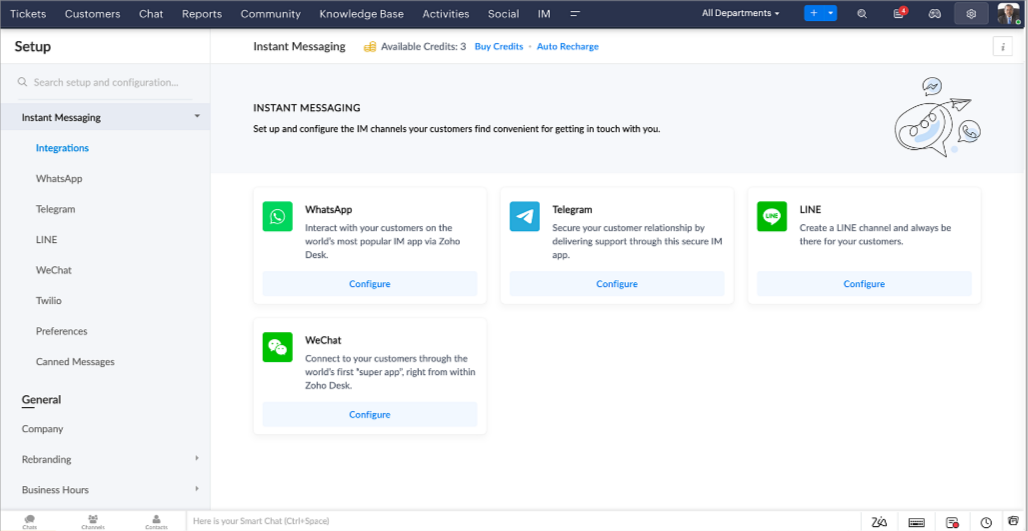
Zoho Desk vous avertit des chats entrants en temps réel afin que vous puissiez vous connecter avec les clients à partir de l'interface. Dans ce même temps, vous pouvez :
- Suivre le contact du client, les informations du ticket, l'historique des conversations inter-canaux et les détails de la pièce jointe dans la fenêtre de chat du client pour un contexte immédiat.
- Accéder et joindre des articles de la base de connaissances directement depuis la section de saisie, utiliser des réponses prédéfinies et ajouter des émojis.
- Participez à plusieurs chats simultanément sur plusieurs canaux sans changer d'onglet.
- Attribuez des conversations à vos coéquipiers.
- Convertissez les conversations en tickets pour un suivi simplifié
Et pour les fans d'automatisation, pas de panique ! Les flux de travail, les Blueprints, les règles d'affectation et les accords sur le niveau de service, sont aussi applicables pour les tickets créés à partir de la messagerie instantanée. Il est également possible de définir des réponses automatiques lorsque vous êtes absent.
Vous pouvez faire en sorte que les clients puissent vous contacter facilement en installant des QR codes dans vos magasins ou en intégrant notre bouton "Contactez-nous", sur votre site web. Ils peuvent même vous joindre par le biais d'une recherche directe d'entreprise sur une plateforme de messagerie instantanée comme Telegram.
Conversations guidées et mixtes
Comme vous le savez, la plupart des questions n'ont pas de réponses simples. Elles nécessitent souvent un suivi, et beaucoup de contexte, avant de trouver une solution. C'est là que les conversations guidées interviennent : une plateforme de libre-service proactive, en low code, qui simplifie la résolution des questions complexes de vos clients.
Choisissez parmi une série de questions ou de réponses prédéfinies pour créer un flux et guider les clients, et à tout moment, vous pouvez les diriger vers une interaction humaine. Cette mixité entre les bots et agents du service client permet une grande flexibilité et augmente le nombre de tickets résolus.
Voici comment nous avons utilisé les conversations guidées pour Zoholics (notre conférence annuelle d'utilisateurs) :
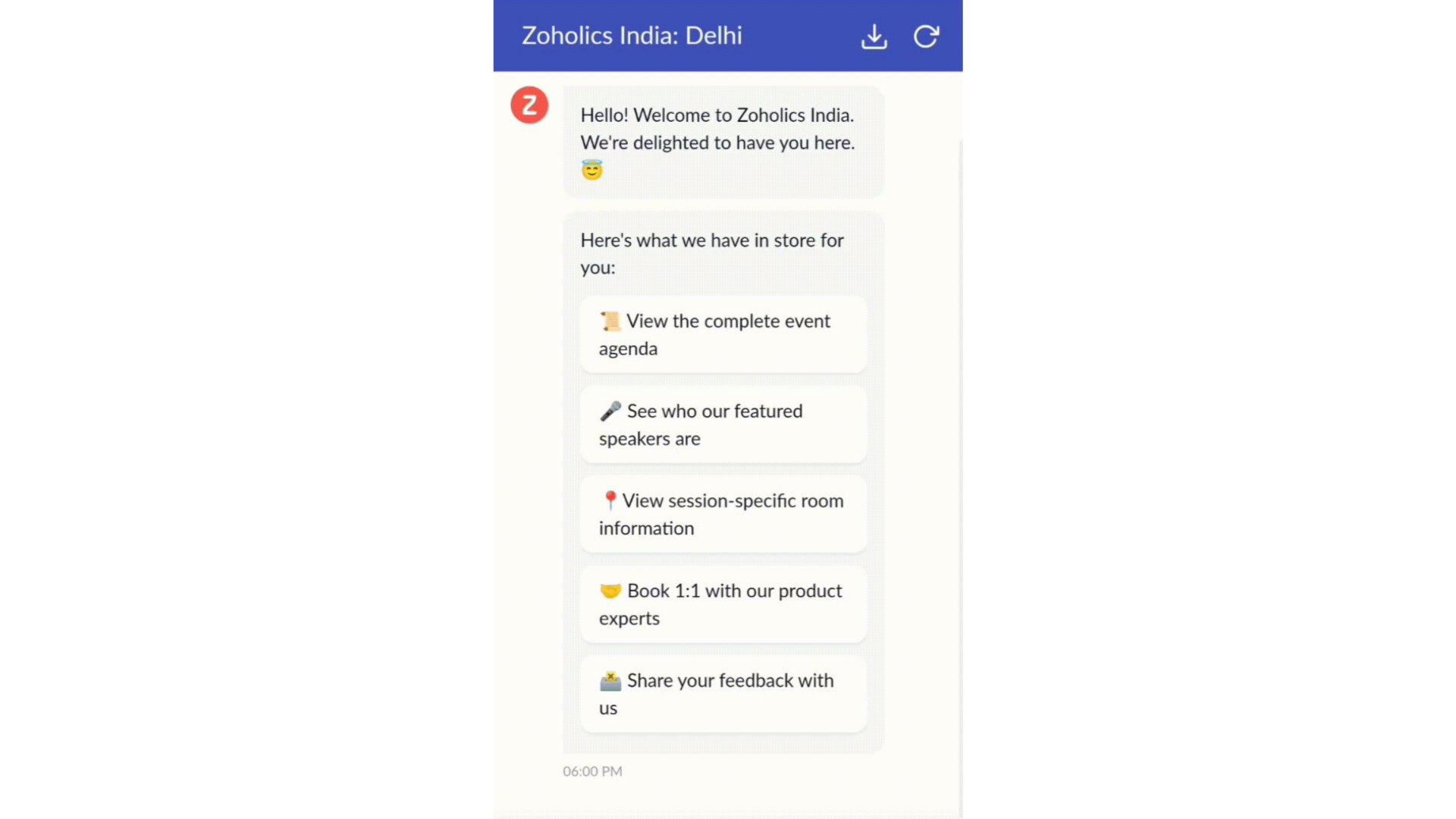
- Constructeur par glisser-déposer
Construisez votre flux de conversations guidées à l'aide de blocs de réponse, tels que du texte, des images, une devise, une date et une heure ... Pour construire ce flux, il suffit de glisser-déposer des blocs, d'ajouter des variables ou des espaces dynamiques, et de connecter ces blocs pour créer un chemin d'étapes.
- Des Webhooks pour une intégration transparente
En configurant les blocs de Webhooks, vous pouvez construire votre flux de conversation pour interagir avec les processus de Zoho Desk, mais aussi d'autres services Zoho ou des applications tierces. Par exemple, si l'utilisateur est déjà votre contact, le bloc Webhook récupérera ses informations directement dans votre CRM, plutôt que de lui demander de les fournir à chaque fois.
Vous pouvez enfin prévisualiser et mettre en œuvre votre flux final en l'associant à votre centre d'aide ASAP sur votre site web, vos pages de renvoi et vos applications mobiles.
Une expérience améliorée
On ne saurait trop insister sur l'importance pour les équipes de support client d'avoir un accès rapide aux informations clients. Nous avons donc optimisé notre interface utilisateur et facilité la navigation entre les différents écrans pour faciliter cette recherche. Nous avons également revu certaines mises en page pour vous donner une image globale de vos clients et de vos tickets sur une interface unique.
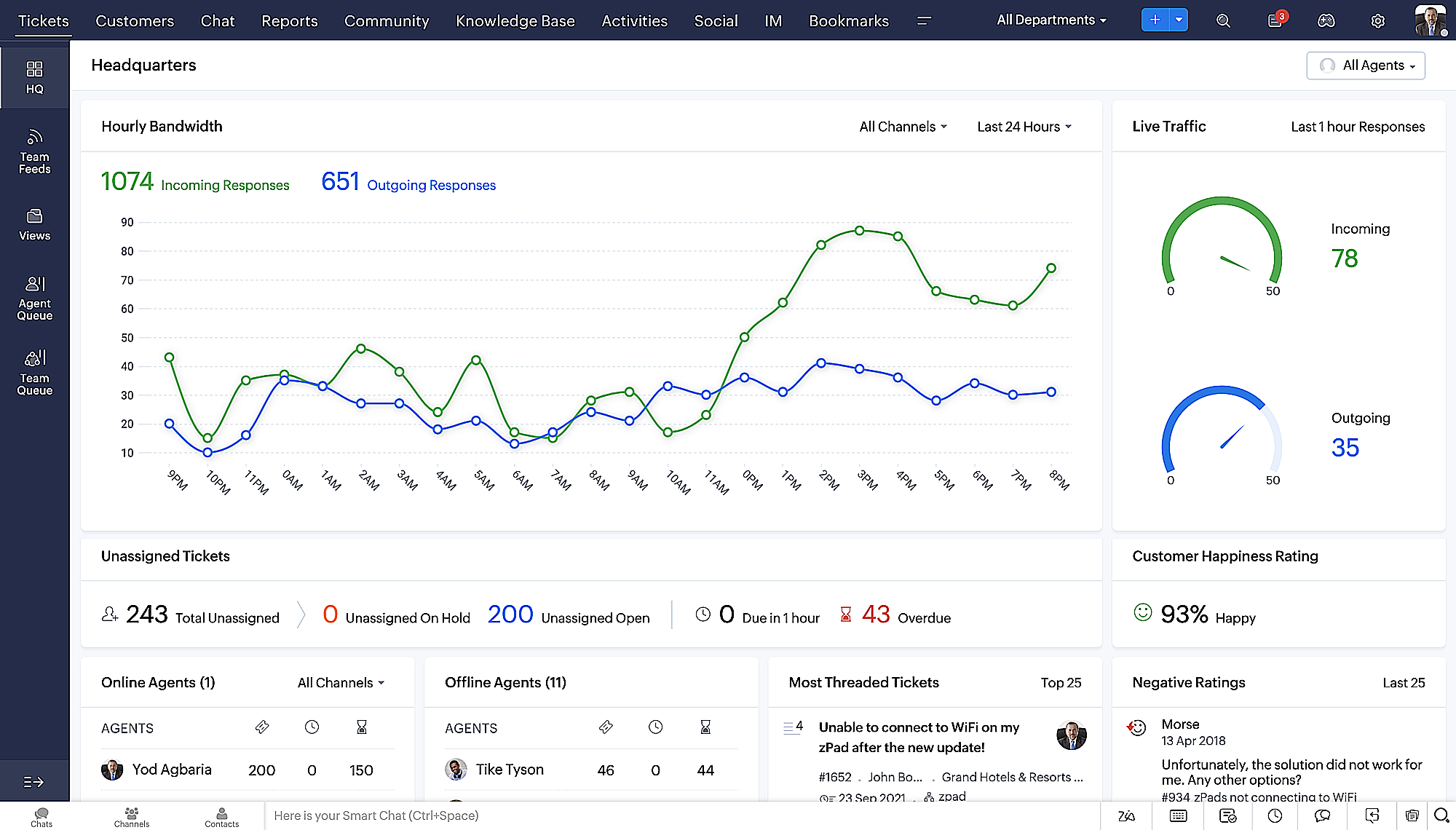
- Une vue d'ensemble, avec une disposition des données plus poussée et une apparence générale remaniée
- Vue détaillée des tickets avec des fils de discussion par code couleur pour une navigation plus facile entre les conversations et les commentaires

- Vue détaillée des contacts avec boutons d'ajout rapide, section des tickets en attente et aperçu des tickets

- Vue de la file d'attente des tickets avec des options de menu déroulant, pour donner des mises à jour sans ouvrir la vue détaillée des tickets
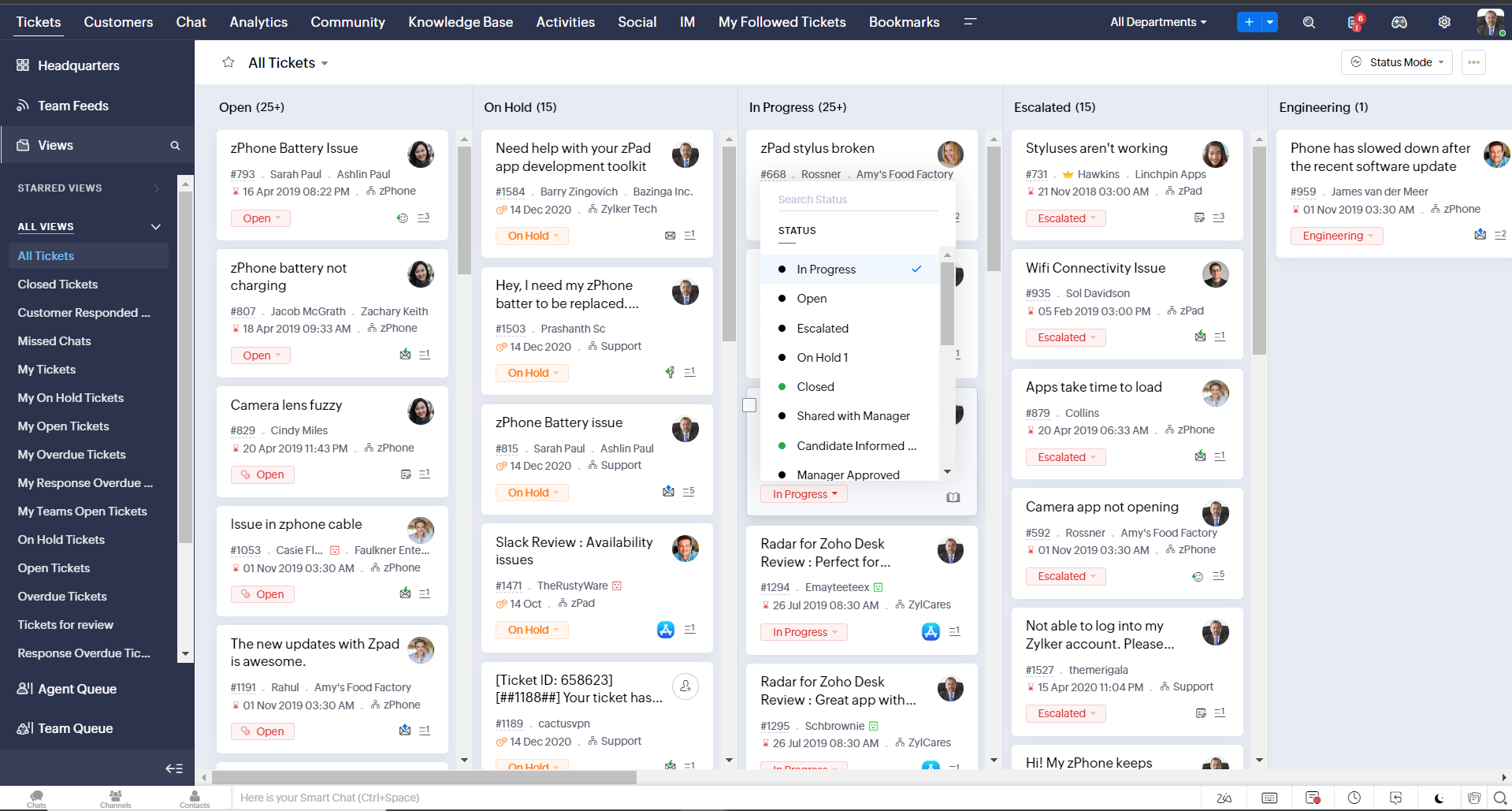
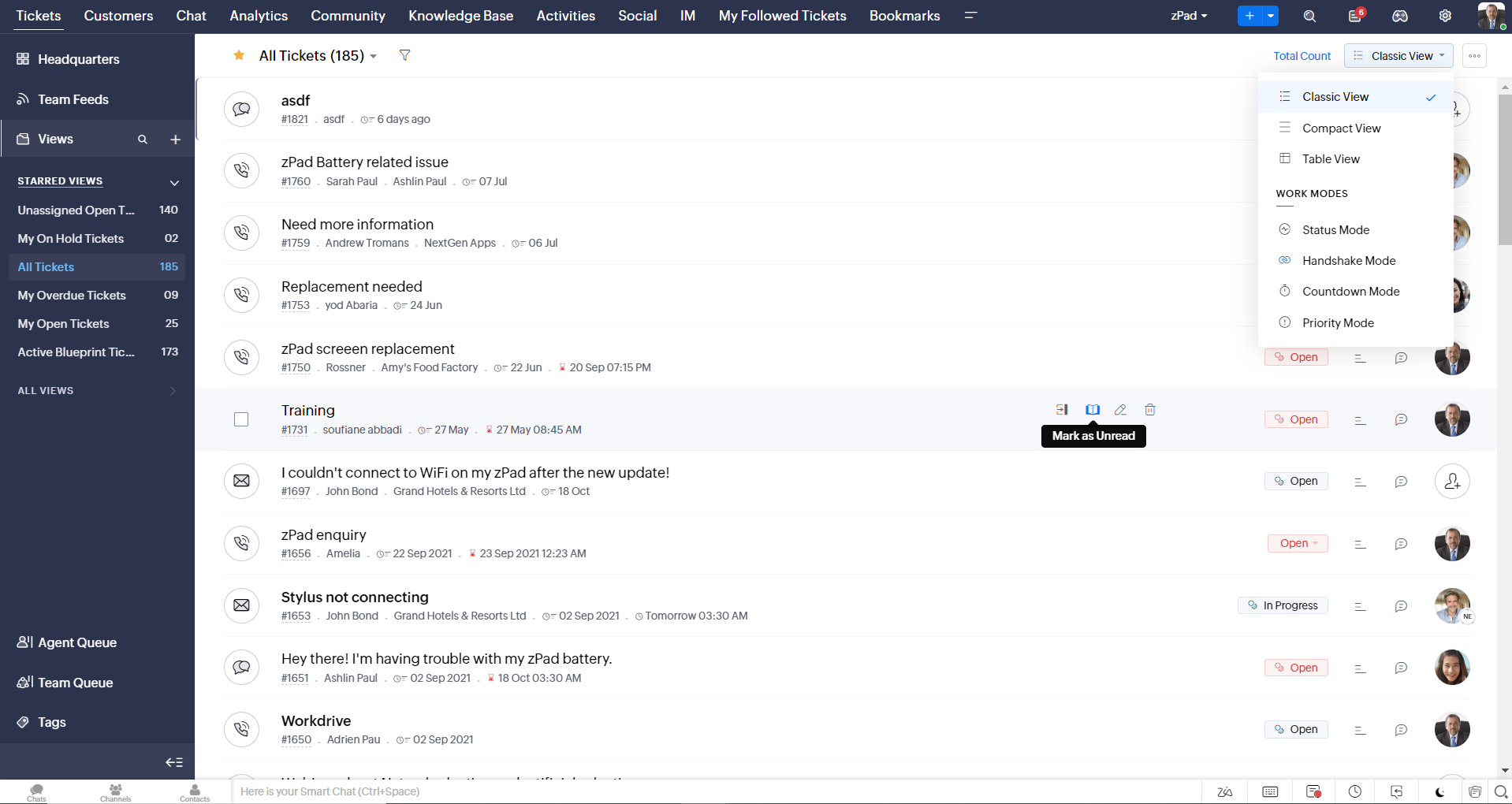
- Une nouvelle option "marquer comme lu/non lu" dans la vue de la liste des tickets, et une liste déroulante consolidée des modes de travail dans le module des tickets
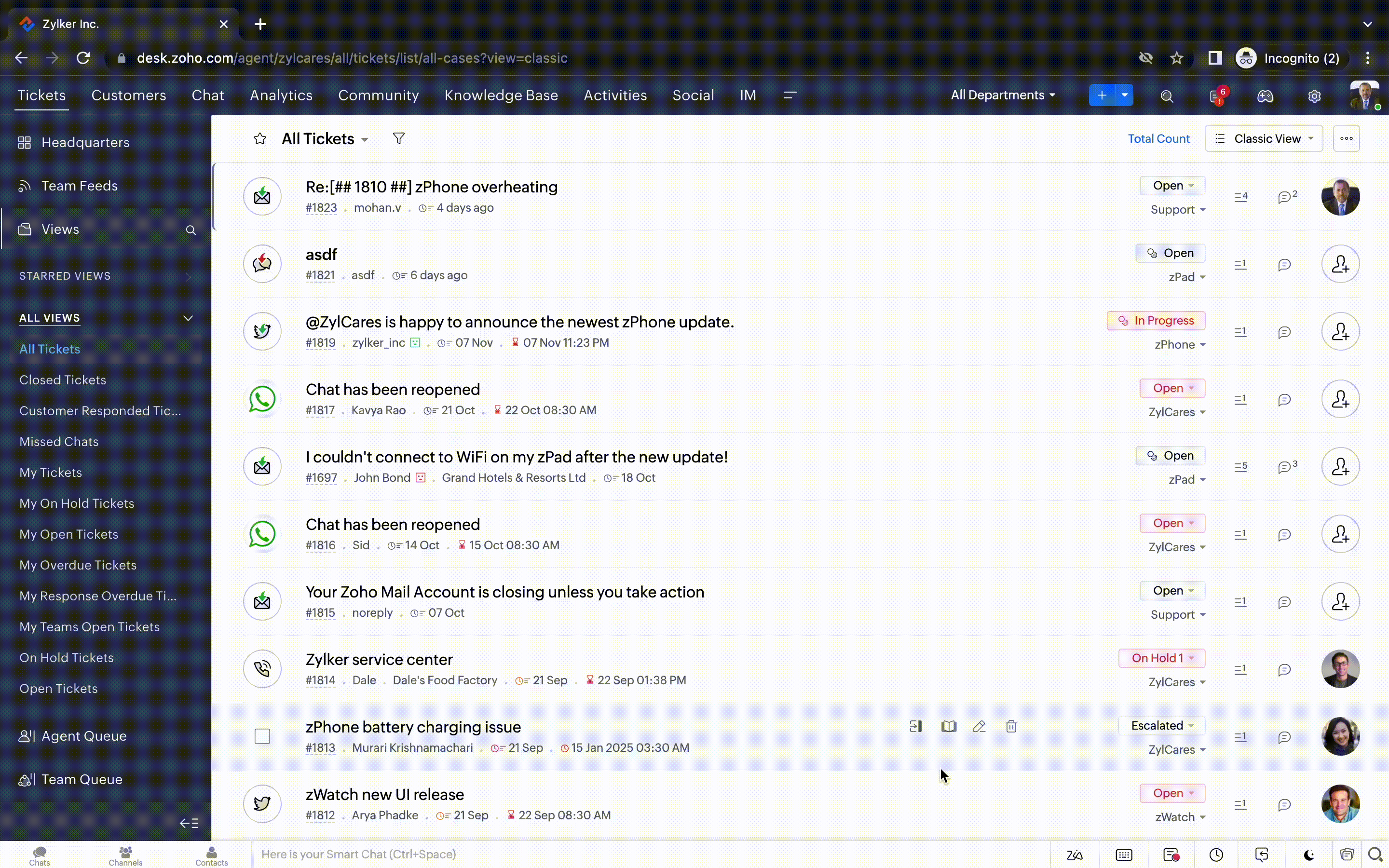
- Défilement infini pour un repérage plus rapide des tickets et ne pas se perdre entre des dizaines de pages
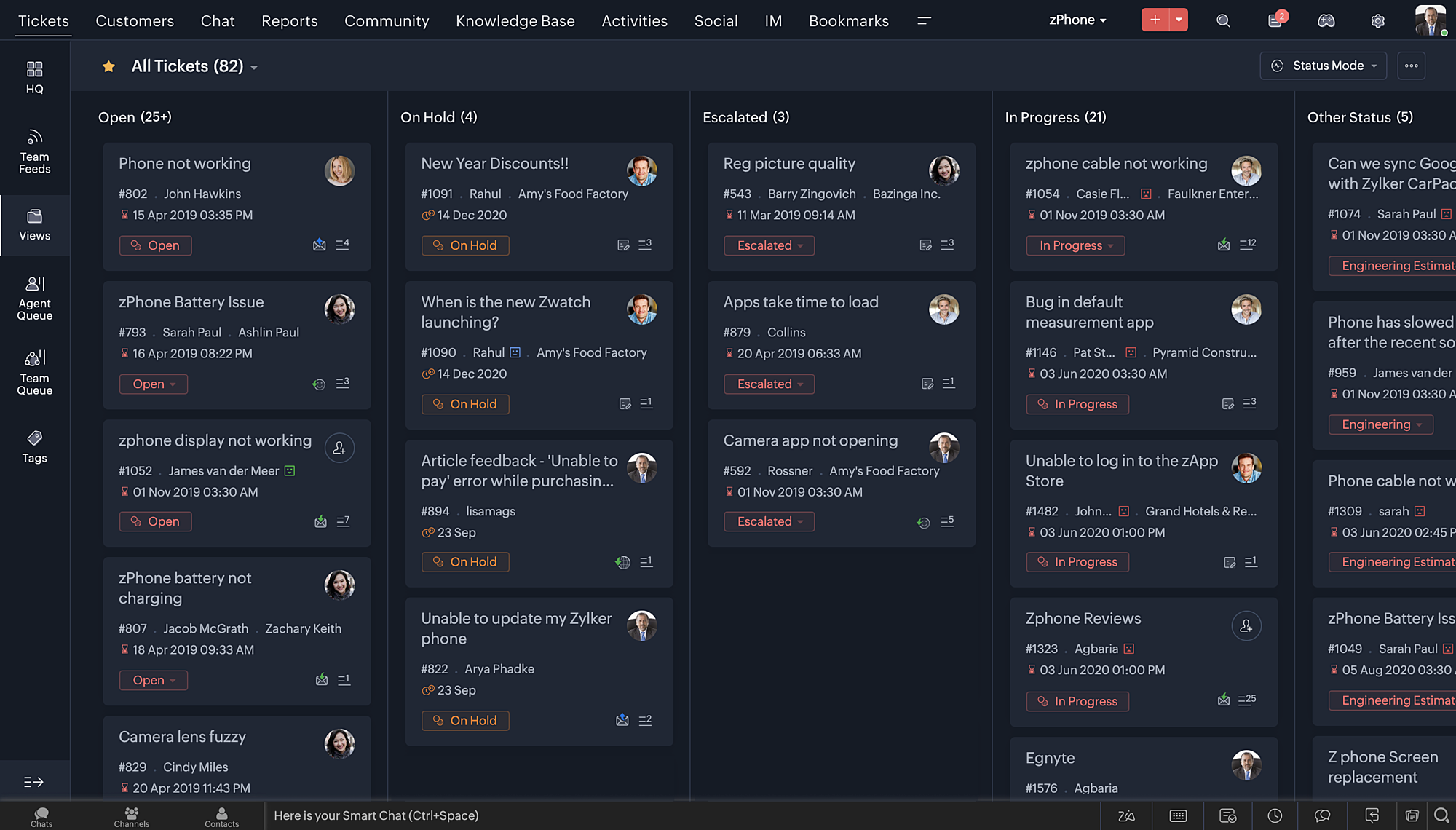
Nouvelles options de personnalisation pour les utilisateurs :
- Mode sombre pour une expérience de visualisation et de lecture confortable
- De nouveaux thèmes pour visualiser votre bureau dans votre couleur préférée
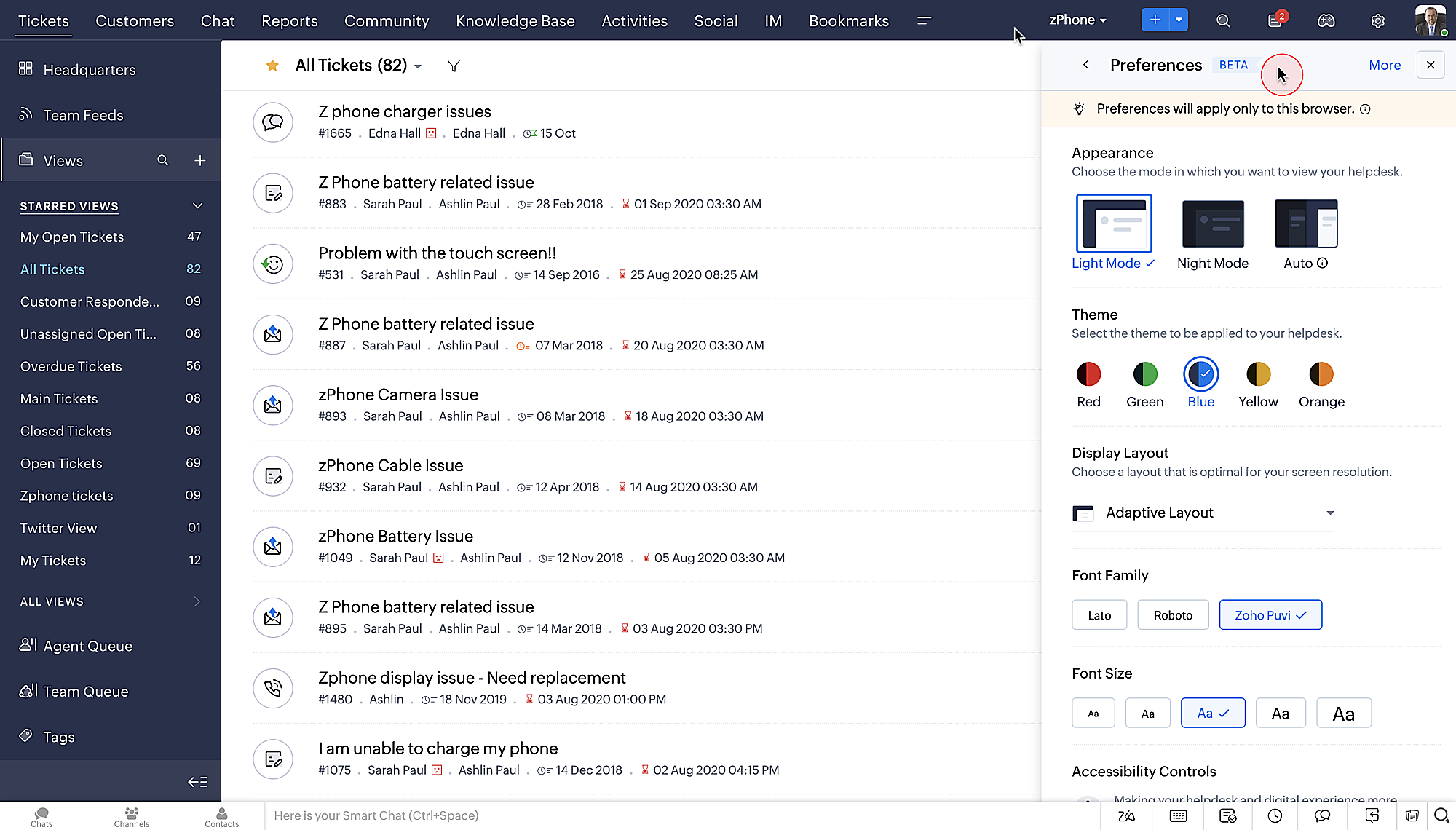
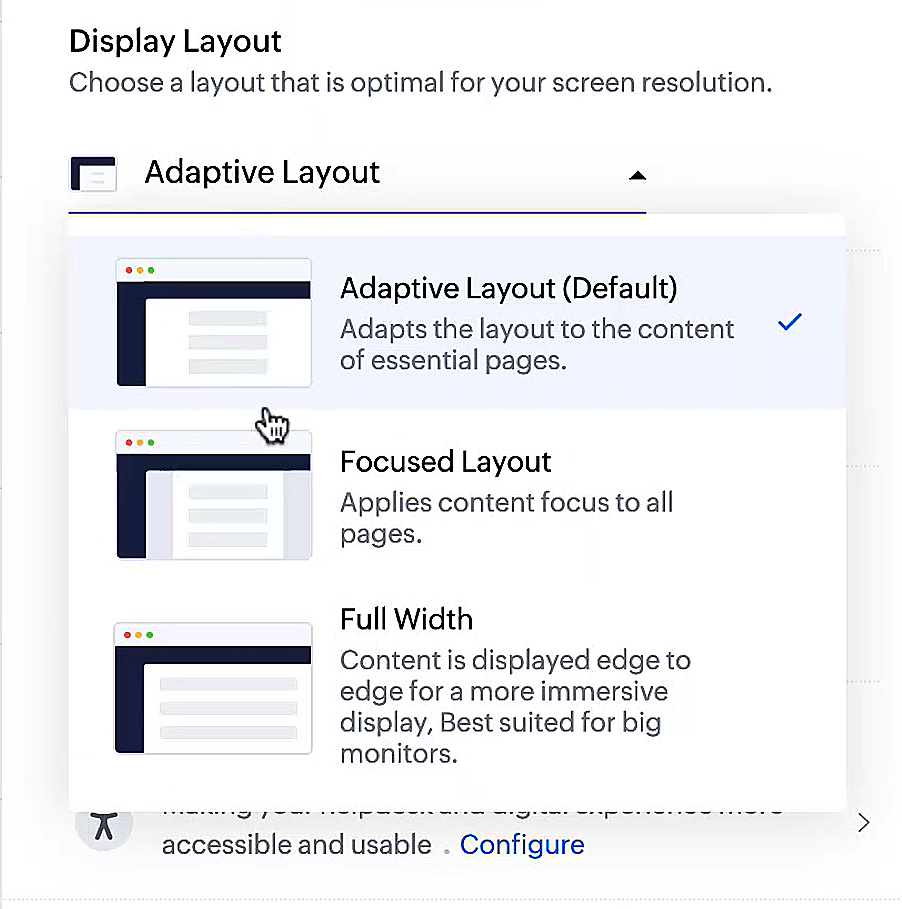
- Des mises en page d'affichage qui vous permettent de choisir la façon dont votre contenu vous est présenté.
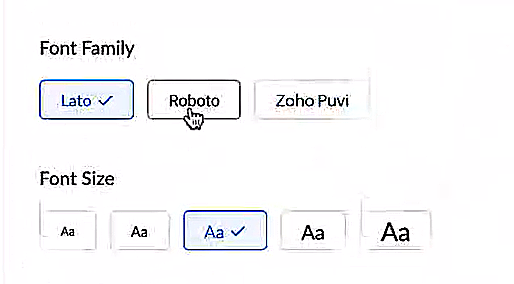
- De nouveaux types et tailles de police pour que votre texte corresponde exactement à vos préférences.
Une plus grande accessibilité
Nous avons ajouté plusieurs options pour répondre à vos besoins en matière de vision, de motricité et d'apprentissage pour proposer un outil adapté à tous. Mettre en évidence les informations essentielles comme l'ID et/ou le propriétaire du ticket et les détails de contact dans une couleur différente.
- Souligner les liens pour augmenter la visibilité de ceux qui sont cliquables.
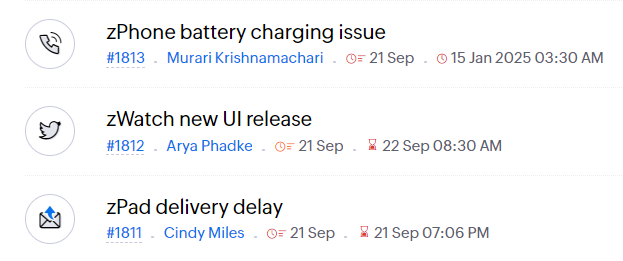
- Souligner la zone d'intérêt et le lien pour les mettre en avant
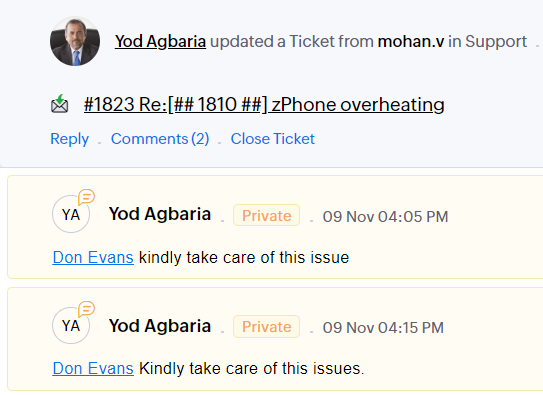
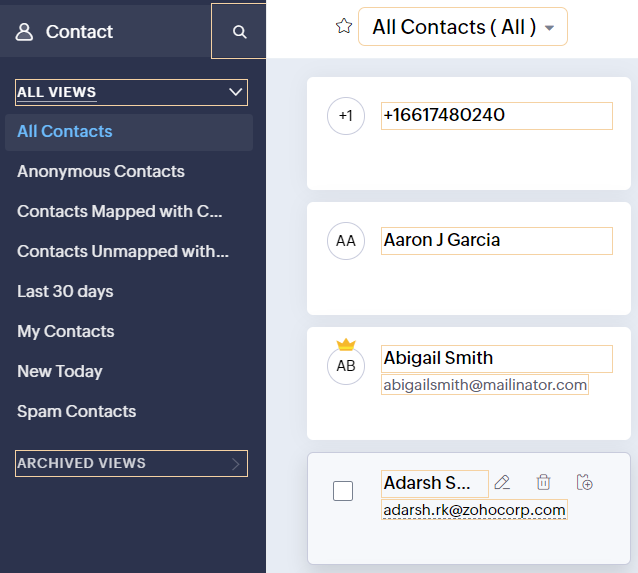
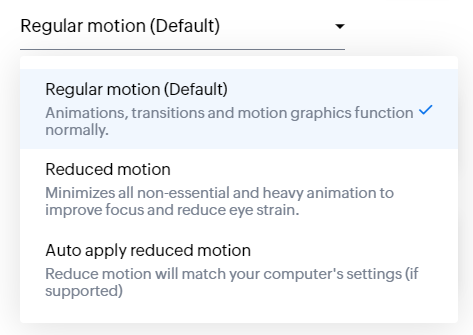
- Les "contrôles d'animation" optimisent les animations et les transitions dans l'ensemble de votre service d'assistance
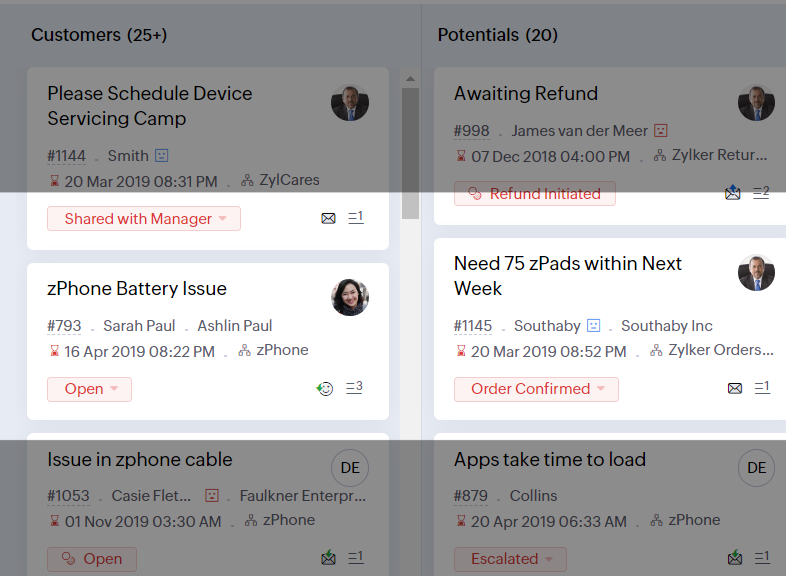
- Reading Mask élimine les distractions en masquant le texte que vous n'êtes pas en train de lire
- Il est également possible de zoomer sur un contenu et d'ajuster la taille de la police pour que la page soit facile à lire
Avec toutes les nouvelles fonctionnalités de l'édition Zoho Desk 2023, les entreprises ont maintenant plus de pouvoir pour rendre à la fois leurs agents et clients plus heureux.
Nous aimerions savoir ce que vous pensez de ces nouvelles fonctionnalités ! Partagez vos réactions dans nos commentaires ou sur les réseaux sociaux. Nouveau sur Zoho Desk ? Vous pouvez vous inscrire à l'essai gratuit ici.
Topic Participants
Florence Barbier
Didier Pare
Kinjal Lodaya
Sticky Posts
Desk - Astuce #5 : Déplacer les tickets entre les départements
Bonjour à tous, Il n'est pas rare que vos clients créent des tickets dans un département qui n'a pas l'expertise requise pour les traiter. Vous devez transférer ces tickets vers le département concerné, afin qu'ils ne passent pas à travers les maillesZoho Desk - Nouveautés 2023
Bonjour à tous, Comme vous le savez, Zoho cherche en permanence à vous proposer des logiciels complets et au plus proche de vos attentes. C'est pourquoi toute l'équipe Zoho Desk est fière de vous présenter la nouvelle version de votre logiciel de serviceDesk : Le cycle de vie d'un ticket - Introduction
Voici une nouvelle série en 3 chapitres, dans laquelle nous allons vous dévoiler comment Zoho gère l'intégralité de son service client sur Zoho Desk. Zoho compte plus de 60 millions d'utilisateurs à travers le monde et offre plus de 50 différentes solutions.Zoho Desk - Chapitre 1 : Anticipez vos besoins
Bonjour à tous, Continuons notre série de la rentrée et découvrons comment Zoho gère 60 millions de clients grâce à Zoho Desk. Contrairement à ce que l'on peut penser le cycle de vie d'un ticket commence bien avant qu'il arrive dans notre logiciel client.Desk Astuce #6 : Ajouter plusieurs comptes réseaux sociaux
Bonjour à tous, Découvrons dans cet article comment vous pouvez ajouter plusieurs pages d'un meme réseau social dans Zoho Desk. Pour cela suivez les étapes suivantes : Connectez-vous à Zoho Desk avec les privilèges d'administrateur. Cliquez sur les paramètres
Recent Topics
Is Zoho Sites still actively being developed?
Hello, Is Zoho Sites still actively being developed as part of the Zoho ecosystem? I noticed that the What's New page (https://www.zoho.com/sites/whats-new.html) does not show any updates since Q1 2025. We were considering migrating our website from SquarespaceAdding new data to the sheet with most recent data being added to top row.
I am using a form that I built from within sheets. When the form is submitted, is it possible to have the data entered in (for example) row 2 (since row 1 is the heading) instead of being added into the next available row which should be hundreds ofneed a packing list feature
In our business, goods listed on an invoice are packed in separate boxes and shipped off. for e.g. an invoice may have 10 items. each item could then be packed in different boxes depending on qty of each item. this packing list is as important as the invoice for purposes of shipping documents. Request you to add this feature asap.Editing Item Group to add Image
I did not have the image of the product when the Item Group was created. Now I have the product image, and would like to associate/add to the Item Group. However the Item Group Edit functionality does not show/allow adding/changing image. Please helZoho CRM Queries Now Support Databases and Cloud Data Sources
Hello everyone! We're thrilled to announce a major enhancement to the Queries feature in Zoho CRM! Queries now support a broader range of external data sources, allowing you to fetch live data and combine it with CRM records, all using a unified queryRe: Application Architecture in Zoho Creator — A Platform-Specific Deep Dive
A recent community post on application architecture made some excellent points about planning architecture early in Zoho Creator projects. The core message is right — Creator applications have a habit of growing organically into maintenance nightmares,Introducing a smarter, faster, and more flexible charting experience
Hello Zoho Sheet users, We're delighted to share the latest news about a major update to charts in Zoho Sheet! The new version supports dynamic data ranges, granular styling options, faster loading, and other interesting enhancements that allow you toZoho Bookings - Feature Request - Services Which Include A Resource and Consultant
Hi Bookings Team, My feature request is to have the ability to add Consultants and Resources to Services. Use case: Your business provides first aid training and there are certain equpment you require to provide the half day training. There are only specificAssign Meeting in records
It would be nice to be able to "call and assing" meetings from a record, for example from a Deal. Right now - calendar is synced with CRM - meetings show in calendar - you can go in each meeting and assign it to a record It would be nice to be able toSincronizar eventos de Bigin en Zoho Calendar (Zoho Mail)
Hola Me gustaría poder sincronizar mi Calendario de Zoho (Mail) con los eventos de Bigin. No veo la opción disponible.Sales Receipts in UK Free tier
Is Sales Receipts available in UK Books, specifically at the Free tier? None of the options from the help pages are available to me.My client requires me to have custom pdf file names to except payment for invoices, how can I customize this before emailing.
Hello! I love the program so far but there are a few things that are standing in the way. I hope you guys can code them in so I can keep the program for years to come. My client requires I customize the pdf file names I send in for billing. Can you pleaseWhen I schedule calendar appointments in zoho and invite external emails, they do not receive invites
Hello, We have recently transitioned to zoho and are having a problem with the calendar feature. When we schedule new calendar appointments in zoho the invite emails aren't being sent to the external users that we list in participants. However, this worksMigrate different zoho subscription to zoho one
Dear We have different zoho subscription we need to migrate it to zoho one. Currently we are paying for zoho email, zoho expense, zoho payroll etc under different admin We need to move it too zoho one flexlible plan for all my employeesBigin use in hospital- Human Med or Veterinary
I am looking for users who are in either human or veterinary medicine and use the CRM specifically for referral management tasks. Are you using the basic version? How many users update the CRM and is it effective? Did you pay for additional customizations?Standardize email communication with Signature Template
Maintaining a consistent and professional signature across all outgoing emails is essential for any organization. However, when users manage their signatures individually, it often leads to inconsistencies like varying formats, missing designations, orZoho Books: tax is not automatically pulled from product-data anymore - why?
Hi, until a short time ago, you could set a default taxrate for each product/item. This taxrate automatically appeared each time the item was chosen in an invoice or quote. Why does this not work anymore? The field is still there at the product record,Setting up property management in Zoho Books
Hi, I run a property management business that manages property complexes. There are multiple owners, some owning more than one property on the same complex. My role is to manage the fees they pay for maintenance of common areas, such as the swimming poolZoho Creator to GMAIL API Setup - Where Do I Begin?
Does anyone know how to connect Zoho Creator to Google Workspace (Specifically GMAIL?) We have FLOW setup and working fine to send emails via GMAIL, but Flow doesn't accept file attachments which is a major problem. So, we need to be able to send an emailKiosk Page Refresh
We have a Kiosk running from a button in contacts to update values and also add related lists, which works great, but when the kiosk is finished the page does not refresh to show the changes. Is there a way to force the contact to refresh/update whenSetting GC session variable programatically in a website
Hi! Is there a way now to programatically set session variables from a website for a Guided Conversations? The current available methods are dependent on react-native.Ticket Merge Error
Refresh frequency
Dear Zoho Team, I really, truly appreciate that Zoho Books gets frequent updates. As a matter of fact this is how a good SaaS company should stay on top. However, I feel that I have to hit refresh almost every day. This was exciting at the beginning butUpdate application by uploading an updated DS file
Is it possible? I have been working with AI on my desktop improving my application, and I have to keep copy pasting stuff... Would it be possible to import the DS file on top of an existing application to update the app accordingly?Two-factor authentication (2FA) Log-in Problems
The Two-factor authentication (2FA) Login on my passwords doesn't match , so it wont accept login I'm down to my last backup code.Remove my video
Hi, How can I remove my video so that I don't have to see myself. It's weird so I always remove my own video from what I see but cannot find this feature here. Thanks!Client Script: Any plans to add support for multi-select field with onChange
Client Script is fantastic and the documentation lists multiselect form fields as unsupported. Just wondering if there are any plans to make this a supported field. https://www.zoho.com/crm/developer/docs/client-script/client-script-events.html 2. FieldFeature Reqeust - Include MPN In Selectable FIelds
I have noticed that the MPN is not available to show in the list view of Items. Please consider adding it as EAN, UPC and ISBN are all available, so it doesn't make much sense to exclude this similar option. Thanks for considering my feedback.Experience effortless record management in CRM For Everyone with the all-new Grid View!
Hello Everyone, Hope you are well! As part of our ongoing series of feature announcements for Zoho CRM For Everyone, we’re excited to bring you another type of module view : Grid View. In addition to Kanban view, List view, Canvas view, Chart view andWindows Desktop Application for Bigin
I'm finding the need for a standalone Bigin desktop app for Windows users. Most of my daily work is done through a browser, so I often have several open tabs while working with customers and checking product information, etc. With Bigin currently onlySet another Layout as Standard
We created a few layouts and we want to set another one to standard:Salesforceに添付ファイルを格納したい
お世話になっております。 Salesforceに添付ファイルを格納したく、カスタムオブジェクトに連携し、 「ファイルのアップロード」項目を設けました。 実際、エラーもなく送信出来たのですが、実際生成されたカスタムオブジェクトのレコードを見ると、どこにも添付ファイルがありません。仕様として、この添付ファイルはSalesforceのどこに格納されるのでしょうか? 今回作りたいフォームは、複数の書類を添付するため、Zohoformのファイルアップロード項目「本人確認書類」「源泉徴収票」などの項目を、Salesforce側にも設けた「本人確認書類」「源泉徴収票」という各項目にURLリンクとして紐づけたいと思っておりました。Knowledge Base article lists
Is it possible to adjust the number of articles that are visible under a category of the Knowledge Base portal? Currently it looks like by default it populates about 5 articles before it puts the "more" option at the bottom. Looking to see if I can extendDiscrepancy in Contracts with Fields list/Layout
The Support Plan field on the layout isn't in the fields list. What am I missing?Migrating all workflows to another Zoho account
We are going to transfer into another company, and we are going to get new emails and new Zoho accounts. Is there a way to migrate (or save in some sort of external file) all presets and settings that we have on this account? That includes primarily workflows,Edit The Newsletter
There doesn't seem to be the ability add a title and a caption below the button. Can this be done?Unable to Delete Items – No Visible Transactions but Error “Items which are a part of other transactions cannot be deleted…”
Hello Community, We are using Zoho Inventory for our business and encountered a persistent issue that is preventing us from deleting certain items. The message shown is: “Items which are a part of other transactions cannot be deleted. Instead, mark themKeyboard UX for Assemblies
The new Assembly module has a counter-intuitive behavior that ought to be corrected. When an Assembly is ready to be entered, there are two options given, the blue-highlighted "Assemble" and the gray "Save as Draft". This correctly implies that the normallanded cost-need help with different currency under the same bill
I’m having trouble recording landed costs in Zoho Inventory/Books. My purchase order is in CNY, but the landed cost (freight) I pay is in USD. Zoho forces everything under the same bill to use one currency, so I can’t enter the landed cost in its actualImproved Functionality PO Bill SO Invoice
Hello, I need to enter over 100 items, it's frustrating to scroll a few item rows and wait for more to load, then scroll again. It would be nice to have buttons that scroll to the top or bottom with one click. Furthermore, these items I'm adding are VATNext Page