Narrative 13: Import - Data mapping

Narrative 13: Import - Data mapping

Behind the scenes of a successful ticketing system: BTS Series

Narrative 13: Importing your data
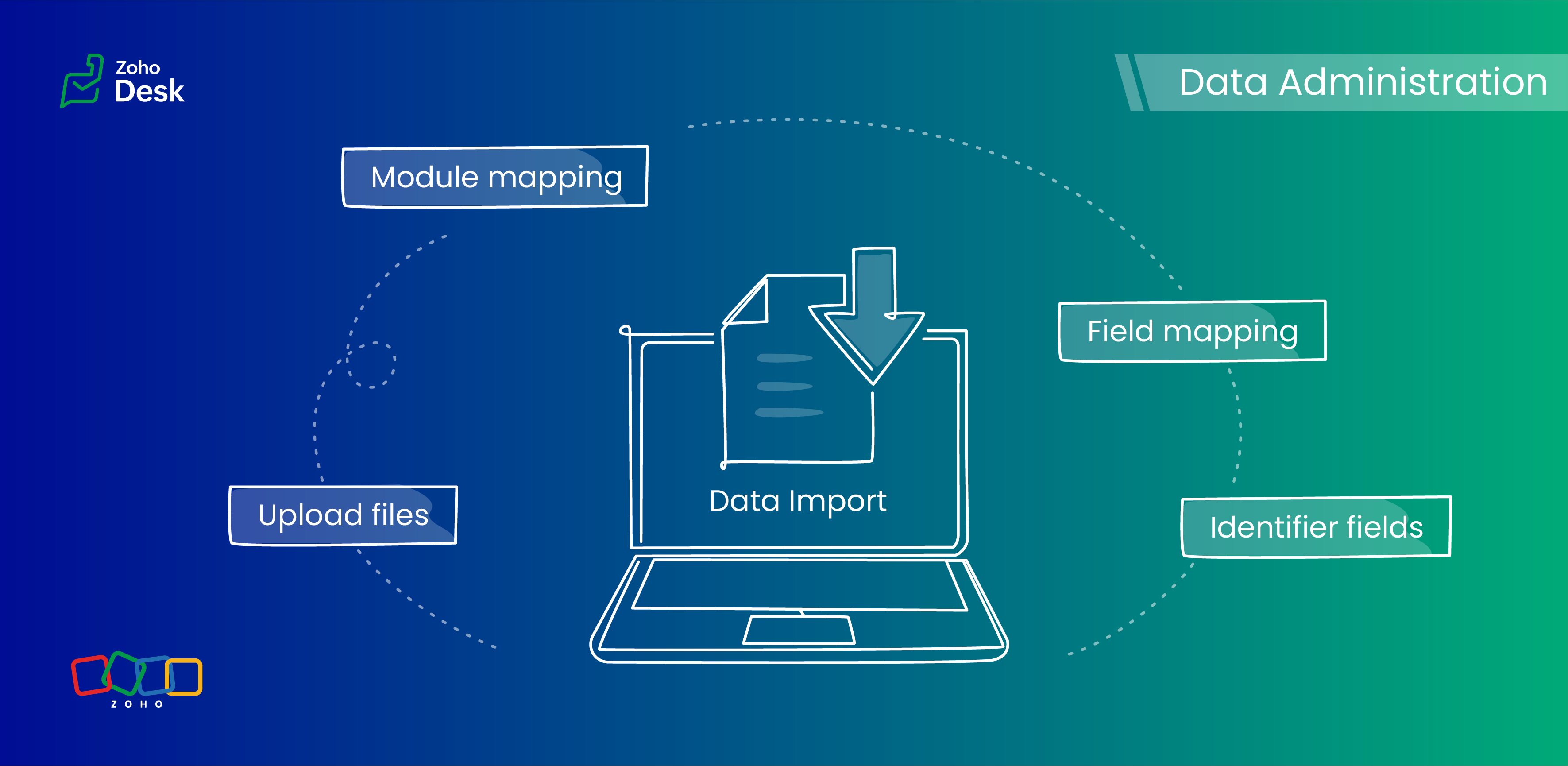

When importing data into an application, it is crucial to prevent data loss or duplication. These types of errors can hinder the development of a clean and well-organized database, which is essential for effective data management and security.

Zoho Desk provides robust functionality for importing your data. The system intelligently automates the mapping of modules and fields to reduce the risk of data loss and maintain data integrity. Users have the advantage of verifying the field mappings in advance, thus adding an extra layer of security to the import process.

This capability is essential not only for clarity but also in mitigating the challenges associated with user adoption. For instance, clients can be accurately mapped to the "Contact name" field, while company names align with the "Account name" field to maintain an organized database, which helps ensure user trust in the system. 

Related knowledge base article: Importing data into Zoho Desk

Quote

Prerequisites

  1. Users can upload a .csv file or a .zip file containing multiple .csv files. 
  2. The .zip file must be named, for example, Contacts.zip, Accounts.zip, etc.

What are Identifier Fields?  

Identifier fields are fields used to find and match existing records when importing data into the product. They also help link related records, like connecting a contact’s name with their email address.

Each module supports different unique identifier fields for identification, as described in the table below:.  

Modules

Unique Identifier Fields

Accounts

Account ID

Account External ID

Account Name

Contacts

Contact ID

Contact External ID

Last Name

First Name

Email

Phone Number

Mobile

Tickets

Ticket ID

Ticket External ID

Ticket Number

Products

Product ID

Product External ID

Product Name

Tasks

TaskId

Task External ID

Calls

Call ID

Call External ID

Events

Event ID

Event External ID

Article Translation

Translation: External ID

Translation ID

Custom Modules

Record External ID

Custom Module Name

Quote

Points to remember: 

  1.  These fields help find matching records. 
  2.  If multiple records match the value, the first matching record will be selected automatically. 
  3. This can lead to unexpected matches or data being updated in the wrong record if you're not careful. 

Background:

  • Some users expressed a preference for matching Contacts by Last Name instead of Email, highlighting the importance of flexibility in their workflow. 
  • Other users approached matching through the use of a custom field, emphasizing the need for tailored solutions to fit their unique requirements. 
  • We also heard from many users who requested that the functionality be enhanced by updating existing records with the relevant entity's Zoho Desk ID to streamline their processes and improve data accuracy.

Working with the Identifier Field

When importing data into Zoho Desk, the Identifier Field is important because it helps identify existing records and avoid duplicate entries. 

Commonly used identifier fields

  • Find By is used to identify an existing record during the import process.
  • Map By is utilized to link a child record to a parent record, for instance, by linking a Contact to a Ticket.
You can now select specific fields for matching, providing enhanced control and customization during bulk processes or integrations. This functionality enables more precise data handling, ensuring that the information aligns with your specific requirements. By tailoring the matching criteria, you can streamline processes, enhance efficiency, and provide better outcomes for your team. This flexibility enables you to harness the full potential of your data.

Improvements in user experience 

Transparent process and status tracking 

We’ve implemented a straightforward, step-by-step process for data imports, complete with real-time status updates for each stage. This transparency enables users to monitor import progress and understand the current state of the process.

Unique identifiers for entity mapping 

New fields have been introduced to help users identify if a parent entity already exists when importing related child entities. For example, users can seamlessly map a contact to an existing account in Zoho Desk to streamline the import process while minimizing the risk of duplicate entries.

Enhanced error handling and log accessibility

We’ve made significant improvements in error handling by allowing users to download detailed error logs right from the history page in case of import failures. This enhancement provides users with greater insight into any issues and facilitates faster troubleshooting and resolution.

Support for custom modules

The import UI has been revamped to support custom modules, providing users with greater flexibility and customization options. This enables a more personalized and efficient data import experience.

Coming up soon

Custom unique fields

Identifying key data points, such as a Customer ID in the Contact Module, ensures that every customer has a distinct reference, which streamlines ticket management and resolution. By establishing these fields as identifiers, support agents can quickly access and update customer records, enhancing response times and accuracy.

External ID fields 

Integration with various systems often generates External ID fields, such as CRM ID, Invoice ID, and Bug ID. Utilizingthese fields as identifiers enables agents to cross-reference relevant records seamlessly. When records need to be updated or retrieved from different systems, these unique identifiers are crucial in maintaining data consistency across platforms.

Composite identifier fields

Often, relying solely on a single identifier may not be sufficient to pinpoint a customer accurately or a record.Implementing multiple fields as composite identifiers can enhance data integrity and accuracy. For example, considering both the Last Name and Email of a contact can significantly reduce errors in data retrieval and ensure that support inquiries are directed and resolved correctly.

Wrapping up

Using these features positions support teams to operate more effectively and improve overall customer interactions. For instance, a large corporation merging client data from multiple legacy systems into Zoho Desk modules will benefit significantly from automatic field mapping to ensure that contact and account names are accurately aligned. This attention to detail not only improves the user experience but also enhances overall data integrity during the merging process.


Please stay tuned for more in the Desk behind-the-scenes series.


Regards,


Kavya Rao

The Zoho Desk Team


    • Recent Topics

    • Lead Blueprint transition in custom list view

      Hi, Is It possible to insert the Blueprint transition label in a custom Canvas list view? I am using Lead module. I see the status, but it would be great if our users could execute the Blueprint right from the list view without having to enter the detailed
    • Partner with HDFC And Sbi Bank.

      Hdfc and sbi both are very popular bank if zoho books become partner with this banks then many of the zoho books users will benefit premium features of partnered banks.
    • Announcing new features in Trident for Mac (1.30.0)

      Hello everyone! We’re excited to introduce the latest updates to Trident, bringing you a more seamless, intuitive, and secure communication experience. Let’s take a quick look at what’s new. Work with PST/EML files more efficiently. You can now do more
    • Open Form in Same window as Page from embedded Report

      I have a page that has an embedded report, as shown below. When I click the + sign to add a new record, the form shows up inside the page where the report was embedded. I know that I can add a custom action to the report grid or report detail view and
    • Weekly Sales Summary

      Is it possible to generate a weekly report in Zoho Books to show -$$ amount of estimates generated -# of estimates generated by Salesperson -$$ amount of Sales Orders created -$$ amount of Invoices generated
    • Systematic SPF alignment issues with Zoho subdomains

      Analysis Period: August 19 - September 1, 2025 PROBLEM SUMMARY Multiple Zoho services are causing systematic SPF authentication failures in DMARC reports from major email providers (Google, Microsoft, Zoho). While emails are successfully delivered due
    • Zoho public comments are confusing and unnecessary

      Hi, we use zoho desk and have issues with public comments. We started using them because the "Reply" option just seemed very clumsy because of the following reasons: - the top "Reply" button starts what seems to be a regular email, showing the entire email thread underneath, which we think is confusing and wasting bandwidth.  - the top "Reply" button defaults to "Reply All". We just want to reply to the customer's message as they intended for us to reply (so if they email with cc then it should cc
    • Zoho Voice lance BYOC (Bring Your Own Carrier) : intégrez votre opérateur

      Pour accompagner sa croissance, une entreprise a besoin d’une infrastructure téléphonique flexible et évolutive. Les solutions de téléphonie s’adaptent aux exigences du centre de contact, tout en intégrant aisément les opérateurs locaux de votre choix.
    • Pricing Strategies: #4 Counting on Discounts

      "Is there any chance I can get a little discount on this month's service?" Maya hears this almost every time at her fitness studio. She offers monthly subscription plans for various services, including yoga, strength training, wellness sessions, and personal
    • Do Unpublished Products in Shopify Sync to Zoho POS?

      Will an unpublished product in Shopify sync to Zoho POS? I would like to know how Zoho POS handles products that are in draft/unpublished status in Shopify.
    • Hide Contact Number for Field Users & Agents

      Is it possible to hide the contact number in both the Service Appointment and Work Order modules for field users and agents? The agents are using the Zoho FSM mobile app, and we want to restrict them from viewing the contact number.
    • Introducing Query Workbench in Zoho CRM

      Hello everyone! We’re excited to announce the Query Workbench, a brand-new interface designed to improve developer experience of building Queries in Zoho CRM faster, simpler, and more intuitive. In the past, constructing queries required navigating across
    • ABN with Legal Entity Name

      Hi, How can I execute this? The ABN number is entered in Accounts Module and ideally, it should display or suggest the correct Legal Entity Name based on the ABN lookup. ex. Account Name: JPG Resources ABN Number: 65 067 761 871 Legal Entity Name: (auto
    • Saving sent email campaign as PDF

      I'm looking to add all campaigns sent to an archive folder in sharepoint. Is there anyway to accomplish this in Zoho Flow ? I'm falling at the first hurdle ... can I automatically save a sent campaign as a PDF to a folder location ?
    • How to update Multi File upload field

      Assume that i have a multi file upload field,how can i update the same field again?
    • Zoho DataPrep switching Date Format

      When using a pipeline that is importing Zoho Analytics data into Zoho DataPrep, the month and day of date fields are switched for some columns. For example, a Zoho Analytics record of "Nov. 8, 2025" will appear in Zoho DataPrep as "2025/08/11" in "yyyy/MM/dd"
    • Whatsapp Connection Status still "Pending" after migration

      Hello, I migrated my WhatsApp API to Zoho from another provider a day ago. So far the connection status is still “Pending”. There is a problem? How long does it usually take?
    • Limitation with Dynamic Email Attachment Capture

      I've discovered a flaw in how Zoho Creator handles email attachments when using the Email-to-Form feature, and I'm hoping the Zoho team can address this in a future update. The Issue According to the official documentation, capturing email attachments
    • Add Customer in Books on Creator Form Submit Params

      Hi guys, Were integrating a creator app with books however what were doing is adding a books customer on submit of creator form.  We have some parameters but some fields aren't coping, All were seeing is the contact name in books,.  Any help of the params for this would be great. below is a sample of the script... response = zoho.books.createRecord("contacts", "XXXXXXXXX", { "contact_name" : input.Name, "address" : input.Email }); 
    • Admin asked me for Backend Details when I wanted to verify my ZeptoMail Account

      Please provide the backend details where you will be adding the SMTP/API information of ZeptoMail Who knows what this means?
    • Suggestion : link KB with Accounts

      Hi Zoho teams.  I think it could be good to link KB articles with  : accounts in order to easily  find articles dedicated to some account specificities. I tried to use tags , but tags are free text with not easy way  to retrieve it directly from ticket or list article for one tag. Tickets : It would be a good way to measure usage of KB directly from ticket when we don't need to copy/paste KB in solution. And : Great Tool , keep going ! 
    • Drag and Drop in Creator Application

      Hi, I am in the planning phase of a new application and I would like to use 'Drag and Drop' in the user interface of my new Creator application that I am sketching out, but I don't seem to be able to find any reference that this is available to developers. In my instance I have table of entries and I would like to be able to allow users to move an entry to another table (much like you do in your own interface when creating a Pivot Table report. In addition, I would like the user to be able to re-order
    • Is there any way to integrate Zoho with Zapier?

      Is there any way to integrate Zoho with Zapier? I'd like to use it to create a workflow, sharing posts from our Wordpress website to all our channels.
    • Can we add custom fields to portal community profiles?

      How do we add custom fields to our profile pages in our portal community? If we have the ability to add custom fields, will we be able to access those fields via API? We want to use our Desk community in our help portal as our primary community and would
    • Popular Articles Report

      From data to decisions: A deep dive into ticketing system reports Content management teams can use various metrics to assess the effectiveness of knowledge base articles, improve content quality, and ensure articles are regularly updated. Predefined article
    • Invoice Ref. Field

      Hello Team, Currently, the Invoice Ref. field is set to a Number type with a maximum limit of 9 digits. However, we often receive customer invoices that contain up to 12 digits. In some cases, the invoice reference includes not only numbers but also letters
    • 60 Days Into Zoho - Tiktok Branding Startup -7 Questions?!

      Wsp Everybody I co-own a TikTok Branding / Consulting Startup & have been using Zoho for the past 60 days - Am now looking to make our overall operations & processes more Efficient & Effective! Curious to know how others are using the platform & what's
    • Add Lookup Field in Tasks Module

      Hello, I have a need to add a Lookup field in addition to the ones that are already there in the Tasks module. I've seen this thread and so understand that the reason lookup fields may not be part of it is that there are already links to the tables (
    • Turning off the new UI

      Tried the new 'enhanced' UI and actively dislike it. Anyone know how to revert back?
    • XML format to import knowledgebase into Zoho Desk

      Hi, We just started to use Zoho Desk and want to import our knowledgebase from our old support system (Freshdesk) to Zoho Desk. Can anyone give us information about the format of xml file to import? There is no explanation on the related page.
    • Pushing Zoho People leave into Microsoft calendar: how to chose how "event" is shown (busy, free etc)

      Hi, how can I select how a "leave" event is pushed into Microsoft calendar? I want for leave "working elsewhere" to show as working elsewhere and NOT as busy.
    • Duplicate Accounts

      Hi There, I am looking for a solution, script, workflow or anything to solve an issue we have - in our customers section we have a rule that doesn't allow duplicates, however Zoho will allow customers with xxxxx and xxxxx PLC or LTD so effectivley we
    • Error with If formula

      I've got this super simple If formula, what is the reason for the error? If ( LEN(${Leads.Trial Slot Option}) == 3,'y','n') Syntax Error. Check the examples for any functions you're using to see if you formatted them correctly. Make sure your fields are
    • Announcing Multi-language Support in Zoho FSM

      Zoho FSM now speaks your language. The much-awaited multi-language support is now available in Zoho FSM. The following languages are supported in Zoho FSM: Dutch (Nederlands) English - United Kingdom English - United States French (français) French -
    • Creating multiple CRM leads from a Zoho Forms subform

      Hi all, We have a heavily used intake form that is used for new leads as a part of our intake. There is a subform that allows the lead to add additional team members, their titles and other basic info. That form submission creates a new Lead and the subform
    • Free webinar! Build smarter apps with Zoho Sign and Zoho Creator

      Hello, Bring the power of digital signatures to the apps you build in Zoho Creator! Connect Zoho Sign as a microservice and enable seamless e-signature workflows in your applications. This integration allows you to automate signing tasks using Deluge.
    • Restrict Addresses in Zoho Forms?

      In the address field, is there a way to restrict the addresses that auto populate (via Zoho Maps or Google Maps) to a specific state (I know it's possible with the country). Additionally, how often does the address in Zoho Maps get updated? Certain addresses
    • Appraisals on Employee Information Profile

      Is it possible to show completed appraisals on each employee's "Employee Information" page? I would presume at the bottom - similar to the "Related Lists" concept in Zoho CRM. Obviously view access would be limited to employee and appropriate other roles
    • Zoho Tracking Image location

      So we've been having an issue with tracking email opens. Specifically in Gmail. Our emails are not that long either, maybe 4 sections of image/250 characters of text/button per section.  But all my test accounts I used via Gmail we're showing opens. But then come to find out the tracking image is at the very bottom of the email. So If the message is clipped (It always just clips our social icons on the bottom) and the user doesn't click the show more button it never tracks the open.  Looking at other
    • Weekly Tips: Secure your attachment downloads with Zoho Mail

      Safety is one of our main concerns, whether it’s about device security or online protection. We use tools like fingerprint scanners, facial recognition, and two-factor authentication to keep our devices and email accounts secure. We use methods like OTP
    • Next Page