Key Highlights of 2024: Recalling a Year of Progress and Advancements!
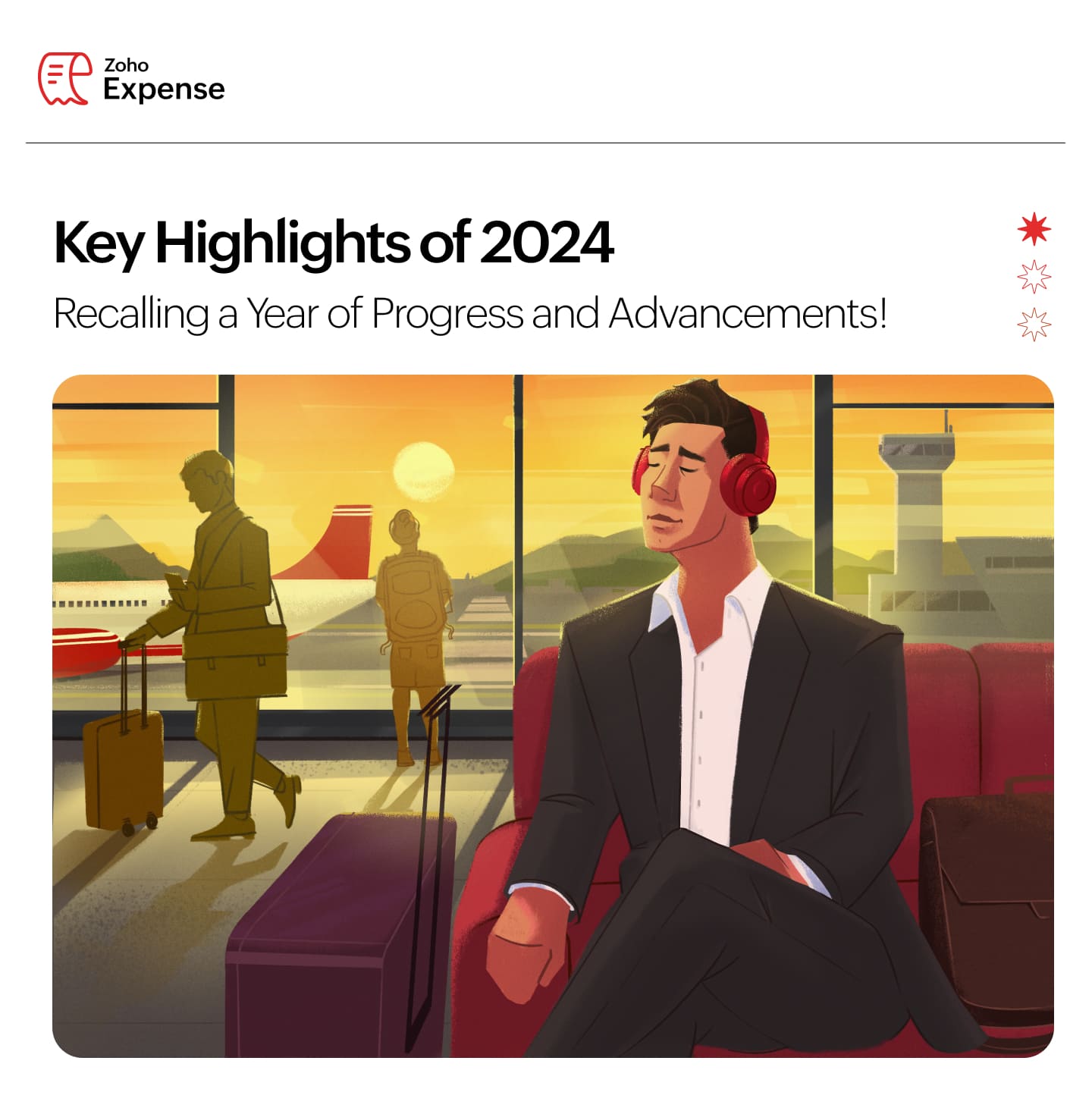 As we step into 2025, we’re excited to share the progress and developments we’ve made to simplify and streamline your travel and expense management in the past year. Let’s take a look back at some of the key updates and enhancements that have helped us move forward in our journey together!
Petty Cash Management: With the petty cash module, manage a branch or department's minor expenses smoothly and keep track of day-to -day expenditures with ease and maintain control over your organization's budget.
Real-Time Feeds: Connect your corporate cards with Zoho Expense to fetch feeds instantly using real-time feeds. Fetch feeds into Zoho Expense instantly as soon as a transaction is made. This feature is available only for the US, UK, and Canada editions of Zoho Expense.
Automatic Mileage Tracking: Employees can now automatically track their rides in Zoho Expense using mileage tracking. In the Mileage Log module, they can select rides to convert into expenses or exclude as needed. This feature is currently available for early access. Write to us at support@zohoexpense.com to enable it for your organization.
New Per Diem Process: Configure per diem rates with ease: auto-fetch the official government per diem rates, import manually, set custom per diem rates, and add rates for a specific location, based on your business needs.
New Edition - South Africa: Create an organization with South Africa as the business location, enable VAT, allow users to apply South Africa-specific VAT rates to their expenses and stay VAT compliant.
Now, let's take a look at the other product updates and enhancements we've designed to make your expense and travel management in Zoho Expense hassle-free!

Emergency Contacts: Employees can now add emergency contacts to their Travel Profile, Ensuring that anyone with the necessary information can easily reach emergency contacts during travel emergencies.
Loyalty Programs: Introducing Loyalty Programs for flights, hotels, and car rentals in Travel Details. Employees can now add their loyalty program details in Zoho Expense, which can be used while booking tickets, unlocking exclusive benefits, and making every trip more rewarding.
Custom Fields in Ticket Details: Now, enable custom fields for the add ticket page that suit your business needs. This feature is currently in early access, you can reach out to support@zohoexpense.com with your requirements, and the team will enable the fields tailored to your needs.
Travel Document Expiration Alerts: Send reminders to your employees now via email whenever their travel document expires or is about to expire. This feature is still in early access. If you want to enable it for your organization, write to support@zohoexpense.com
myBiz Integration: Enable employees to plan and book their flight tickets and hotel reservations by themselves seamlessly while staying compliant with your organization's travel policy.

Customizations
New Filters in Analytics: Introducing new filters in analytic reports. Now, select the parameters such as expenses, reports, expense date, etc by which you want to group a report. Additionally, you can set criteria and run a customized report seamlessly.
New Notifications in Purchase Requests: Update employees instantly with email and in-app notifications when purchase requests are:
Put on hold
Marked as processed or when the processed status is reverted
Comments are added
Cancelled
Policies, Automations, and Currencies
Audit Trial in Purchase Requests: Allow employees to view the activity logs of purchase requests, compare against previous versions of the edits, and track every change made to purchase requests, ensuring transparency and control.
Incoming Webhooks: Using incoming webhooks, you can perform actions in Zoho Expense when it is triggered by an action in a third-party service.
Manual Exchange Rate: In addition to the live exchange rates, you can also add the exchange rates manually, providing flexibility and accuracy for businesses and individuals dealing with multi-currency transactions.

Effortless Reimbursements
State Bank of India: Reimburse employees hassle-free with SBI integration. Select Via SBI from the Reimburse dropdown on the reports detail page, and once the transaction is approved, it will be processed. This feature is available only for the Indian edition of Zoho Expense.
Batch Payments: Streamline employee reimbursements with bulk batch payments. Add all approved reports to a batch, export them along with bank details, and upload them to your reimbursement bank portal. The bank will directly deposit the funds into employees' accounts, saving you time and effort.
Expense and Advance Handling
Merchant Category Codes: Enable auto categorising of card expenses, easily track the employees' spending, and make smarter financial decisions.
Recording Payments for Advances: When you record an advance payment, you can now attach a copy of the payment receipt, verifying payment details more easily.
Managing Advances: You can now export an advance in the CSV, XLS, and XLSX formats, print, and mark it as void, ensuring accurate financial records while retaining the history of the transaction.
Track Your Spending: Easily monitor your spending with a detailed, itemized list of expenses, each expense item linked to the date it was incurred. Stay organized and in control of your financial timeline.
File Size for Attachments: The file size limit for attachment of documents and receipts uploaded has been increased from 7 MB to 10 MB.
Streamlined Budget Management

View Budget vs Actuals: For the budgets shared with you, easily track the actual spending of your business and compare it with the budget set by switching the View Budgets vs Actuals toggle.
Budgets in My View: Introducing budgets in My Settings, enabling employees to track their actual spending and monitor their balance.
Assets and Liabilities in Budgets: Budgets are categorized into asset and liability, enabling you to create and manage them efficiently while ensuring better visibility and easier navigation.
Mobile App Updates

When you record a mileage expense, view the location details tracked by GPS along with the route map. This feature is available only in the Premium plans and above in Zoho Expense.
Now, view receipts and expenses uploaded offline, receipts being scanned, and receipts that failed to scan, under separate headers on the expense list page.
Introducing a new edition: South Africa. You can create and manage expenses while ensuring VAT compliance.
Included support for Canadian French in addition to the other languages in the Zoho Expense mobile apps.
You can view expense receipts directly from the expense list page for quick access.
Introducing the Cards module in the Android app, enabling you to match card transactions with expenses effortlessly and view all transactions linked to each card.

Zoho Expense automates a variety of expense management-related operations and helps users record their transactions quickly and efficiently. Furthermore, it simplifies, digitizes, and improves the expense claims and reporting process across all WSB support centers. We have saved almost 90 to 95% of our time in terms of speedy reporting and easy approval.
Dhamayanthi Karuppiah,
Accounting Manager, World Scout Bureau
I can very well say that all the people, especially the salespeople who are traveling frequently these days as part of their job, have found this product quite interesting. It's something that can be done on the fly as everything is available on the app, and everything related to scanning the documentation demands the least effort in submitting the expense report. From the timing perspective, yes, that also has helped, especially during month-end. I generally push for all people to submit their expenses on time and get them approved on time, and I think, by far, we have been quite good at that. Through Zoho Expense, the entire process has become seamless.
Murali Kumar, Head of Finance,Topic Participants
Geethanjali R K
admin
Aswathi P
Sticky Posts
Zoho Finance Workshop 2023 is coming to the USA. Meet the experts, get exclusive training on Zoho Finance apps and more.
Hello all, We'd like to invite you to our biggest Zoho Finance workshop in the United States. After a brief break, we are excited to be back. This year, we're bringing together our customers and community members for two days of curated hands-on sessions,
Recent Topics
Define your custom business logic in Zoho Projects
Every organization has a defined way of executing projects. There are clear expectations around how tasks should move, when projects should progress, and which actions require validation. When these rules are consistently followed, projects remain structuredCancelled appointments still block out timeslot
I haven't had to test this before, but I've just found a problem. I had an appointment in a certain timeslot, and that appointment was cancelled. However, Bookings won't let another appointment be booked in that slot - it makes that time unavailable untilPreventing Group Emails From Being Sent to Group Member Personal Mail
We have a group setup for a public facing email address. We have streams turned on for this group. Right now when an email is sent to this group email it hits the group stream and also sends a copy of the email to all group members. We'd like to disableUnusual activity detected from this IP. Please try again after some time.
Hello Zoho admin and IT team We are a registered website in Eloctronic services and we been trying to add our users to the zoho system but this issue faced us ,, hope you unlocked us please.On Edit Validation Blueprint
Hello, I have a notes field and a signature field. When the Approve button is clicked, the Signature field will appear and must be filled in. When the Reject button is clicked, the Notes field will appear and must be filled in. Question: Blueprint will¿Puedo migrar mi sitio desde WordPress a Zoho? ¿Zoho admite herramientas con código personalizado?
¡Hola comunidad! Estoy evaluando la posibilidad de migrar mi sitio web https://calculadoradenotas.cl/ desde WordPress a una solución Zoho, y tengo algunas dudas técnicas que espero puedan aclararme. Mi sitio no es solo informativo: es una herramientaHow do I link my invoice to an estimate?
There has been instances where I have created estimates, however, invoices for the same estimate were created independently. The status of these estimates hasn't converted to 'invoiced'.Zoho Books (and other finance suite apps) - Retrospective Linking of Invoice and Sales Orders to Quotes.
In some cases, Quotes and Invoies may be created sperately instead of using the convert feature. In this feature request I am asking for the Finance Suite team to consider adding a lookup field to reference the quote on Invoices and Sales Orders, or someImpossible to import Journal from Freshbooks
I have been trying to import journals from Freshbooks since August 30th. Every time I try to import, I get an error message. I have already made sure every row has a date. First it was saying the account and notes had unexpected input and that every debit/creditZoho Payroll's USA and KSA editions are available in Zoho One!
Greetings! We’re excited to share that Zoho Payroll, currently available only in India and the UAE, is now introducing the KSA (Kingdom of Saudi Arabia) edition and the USA (United States of America) edition, and these editions are now available in ZohoPeppol: Accept Bill (Belgium)
Hi, This topic might help you if you're facing the same in Belgium. We are facing an issue while accepting a supplier bill received by Peppol in Zoho Books. There is a popup with an error message: This bill acceptance could not be completed, so it wasCRM x WorkDrive: We're rolling out the WorkDrive-powered file storage experience for existing users
Release plan: Gradual rollout to customers without file storage add-ons, in this order: 1. Standalone CRM 2. CRM Plus and Zoho One DCs: All | Editions: All Available now for: - Standalone CRM accounts in Free and Standard editions without file storageSubheaders for Sections in forms
Currently, every form section has a field name, which one can choose to show/hide to the end user. It would be great if there was an option to show a SUB-HEADER in addition to a header. It would be useful for explaining to the end user what the sectionConvert invoice from zoho to xml with all details
How to convert an Invoice to XML format with all detailsPrevent subform editing on a module's detail's page
Hi everyone, We would like to prevent any editing of the subform data in the : Create page Edit page Details page (as subform editing is now allowed by the recent UX update) We are able to prevent editing by making the subform fields read only in theExport Invoices to XML file
Namaste! ZOHO suite of Apps is awesome and we as Partner, would like to use and implement the app´s from the Financial suite like ZOHO Invoice, but, in Portugal, we can only use certified Invoice Software and for this reason, we need to develop/customize on top of ZOHO Invoice to create an XML file with specific information and after this, go to the government and certified the software. As soon as we have for example, ZOHO CRM integrated with ZOHO Invoice up and running, our business opportunitiesRefresh frequency
Dear Zoho Team, I really, truly appreciate that Zoho Books gets frequent updates. As a matter of fact this is how a good SaaS company should stay on top. However, I feel that I have to hit refresh almost every day. This was exciting at the beginning butZoho Books | Product updates | January 2026
Hello users, We’ve rolled out new features and enhancements in Zoho Books. From e-filing Form 1099 directly with the IRS to corporation tax support, explore the updates designed to enhance your bookkeeping experience. E-File Form 1099 Directly With theWeekly Tips : Save Time with Saved Search
Let's assume your work requires you to regularly check emails from important clients that have attachments and were sent within a specific time period. Instead of entering the same conditions every time—like sender, date range, and attachments included—youBring real app analytics into Zoho Creator apps with Zoho Apptics
We’re kicking off the year with a release we’ve been looking forward to for a long time. After being in the works for a while, Zoho Creator and Zoho Apptics are now officially integrated, bringing in-depth product analytics directly into the Zoho CreatorDiscontinuing Zoho ShowTime service on May 30, 2026
Hello everyone, As a follow-up to our earlier announcement, we’d like to share an important update regarding Zoho ShowTime’s discontinuation timeline. Zoho ShowTime, our online training platform, reached its end of life on December 31, 2025, and its servicesemailing estimates
Shows up in the customer mail logs as sent but nobody is receiving them, even when I send them to myself I don't get them ??? Something wrong with the mail server or my end ?Ability to CC on a mass email
Ability to CC someone on a mass email.No background for video recordings, no playback speed, can't even playback longer recordings - have to download…
Hi. We utilize heavily video messages on Slack, but wanted to migrate to Cliq with Zoho One, however very basic yet very frequently used feature is missing: backgrounds for video recordings and playback speed. We were not happy with Slack's 5 minute limitsBookings duration - days
Hi team, Is there any way to setup services/bookings that span multiple days? I am using Zoho Bookings for meeting room bookings. Clients may wish to book a room for more than one day, for up to a month. If not, is there a plan to allow services to be setup with durations of Days as well as hours and minutes? Many thanks, Anna.Customer address in Zoho Bookings
Hello, Is it possible to add customer address information to the Zoho bookings appointment screen? Or have it pull that information automatically from the CRM? We are wanting to use this as a field management software but it is difficult to pull the address from multiple sources when it would be ideal to have a clickable address on the appointment screen that opens up the user's maps. It would also be advantageous for the "list view" to show appointment times instead of just duration and bookingOrganize and manage PDFs with Zoho PDF Editor's dashboard
Hello users, Zoho PDF Editor's dashboard is a one-stop place to upload, sort, share PDF files, and more. This article will explore the various capabilities that Zoho PDF Editor's dashboard offers. A few highlights of Zoho PDF Editor's dashboard: UploadFeature Request - Allow Customers To Pick Meeting Duration
Hi Bookings Team, It would be great if there was an option to allow customers to pick a duration based on a max and minimum amount of time defined by me and in increments defined by me. For example, I have some slots which are available for customersNew feature: Invite additional guests for your bookings
Hello everyone, Greetings from Zoho Bookings! We are happy to announce the much-awaited feature Guest Invite, which enhances your booking experience like never before. This feature allows additional participants to be invited for the bookings to makeChanging the owner of a call
Am I correct in my conclusion that I cannot change the owner of a call in Zoho? The field does not show up in the screen, nor can I make it show up as the systems does not give me that option. I cannot "mass update" it either. I tried it, but Zoho refuses to change the name of the owner. Please help out: how do I change the owner of a call.Unified Notes View For Seamless Collaboration
To facilitate better coordination among different departments and team members, the notes added to a record can now be accessed in all its associated records. With this, team members, from customer service representatives to field technicians, can easilyRemove Profiles from "Forecast" Module
How can I remove Profiles from My forecast Module? Image Below The only revenue generators are the VP's, and the Estimation Managers, and the Estimators subordinate to the Est. Managers. How can I remove the unused Profiles? Its frustrating to see themUplifted homepage experience
Editions: All editions. Availability update: 17th February 2026: All editions in the CA and SA DC | JP DC (Free, Standard and Professional editions) 23 February 2026: JP (All Editions) | AU, CN (Free, Standard, Professional editions) 27 February 2026:Logging Out of FSM
I have tried to log out of FSM app of the last person and it will not let me do so. I need to log in to my account.Restoring records from the recycle bin programatically
Background I'm working on a piece of software to automate conversion of Leads into Deals based on order status from my company's website. The process is mostly complete, right now I'm just working on handling a few edge cases to ensure data integrity.Does Zoho Learn integrate with Zoho Connect,People,Workdrive,Project,Desk?
Can we propose Zoho LEarn as a centralised Knowledge Portal tool that can get synched with the other Zoho products and serve as a central Knowledge repository?All new Address Field in Zoho CRM: maintain structured and accurate address inputs
Availability Update: 29 September 2025: It's currently available for all new sign-ups and for existing Zoho CRM orgs which are in the Professional edition exclusively for IN DC users. 2 March 2026: Available to users in all DCs except US and EU DC. LatestCreate static subforms in Zoho CRM: streamline data entry with pre-defined values
Last modified on (9 July, 2025): This feature was available in early access and is currently being rolled out to customers in phases. Currently available for users in the the AU, CA, and SA DCs. It will be enabled for the remaining DCs in the next coupleSalesIQ Identity Update for Logged In Wordpress User
Hey folks, SalesIQ does not automatically detect when a visitor logs in to WordPress and update their identity to match. For example, if a client of ours visits the site and logs in, SalesIQ will not track them correctly by default. The Solution The solutionFeature Request – Conditional Visitor Information Request in Zoho SalesIQ
We would like to request the ability to conditionally ask for visitor details based on the communication channel used in Zoho SalesIQ. Specifically: When a visitor initiates a conversation through the live chat widget on the website, we want to continueNext Page