Process auto-renewing payments with the Zoho Subscriptions - Paytm integration
Hello everyone,
Zoho Subscriptions is pleased to announce enhancements in our Paytm payment gateway integration! India has seen massive digital payment adoption in recent years due to a combination of factors like a favorable policy for financial inclusion in the banking sector, genuine innovation in fintech, and an emerging economy backed by a young population demography.
Now, Indian merchants can leverage these advancements in the digital economy to process auto-renewing payments using our enhanced Paytm subscription integration with Zoho Subscriptions and collect payments from multiple payment modes.
Payment modes supporting recurring payments:
1. Card
Cards have been the de facto mode of payment for online transactions due to their robust safety and security for both consumers (payment redressal) and merchants (fraud prevention). With the Zoho Subscriptions - Paytm integration, you can store and process card transactions that are compliant with new RBI recurring payment regulations.
Credit card (Banks that support Visa and MasterCard - HDFC, ICICI, SBI, Axis, Yes Bank, Citibank and other major banks).
Debit card (Banks that support Visa and MasterCard - HDFC, ICICI, SBI, Axis, Yes Bank, Citibank and other major banks).
2. UPI
India's homegrown payments platform, UPI, has seen exponential growth since its inception, recording 6 billion transactions as of July 2022. UPI has an interesting roadmap for supporting credit card payments and potential cross-border transactions. Tap into the exponential growth potential of UPI for your subscription business with UPI auto-pay powered by Paytm with Zoho Subscriptions. You can collect UPI auto-pay payments from a wide selection of apps and UPI handles.
3. Paytm Wallet
Paytm is one of India's leading payment gateways with more than 400 million users using Paytm Wallet nationwide. You can enable Paytm Wallet as a payment mode to collect payments instantly from millions of potential customers.
The enhanced Zoho Subscriptions - Paytm integration is another step in our effort to provide seamless subscription payment experiences for Indian merchants. You can get the best of both worlds—a powerful subscription management platform in Zoho Subscriptions, and a scalable payment platform in Paytm.
How to enable auto-renewing subscriptions with the Zoho Subscriptions - Paytm integration:
1. If you have a Zoho Subscriptions organization with a Paytm merchant account, you can contact Zoho Subscriptions via support and provide your Paytm merchant ID (MID) to enable the Paytm Subscriptions (recurring transactions) feature.
2. Once Paytm Subscriptions is enabled for the merchant account integrated with Zoho Subscriptions, the Zoho team will receive a confirmation from Paytm.
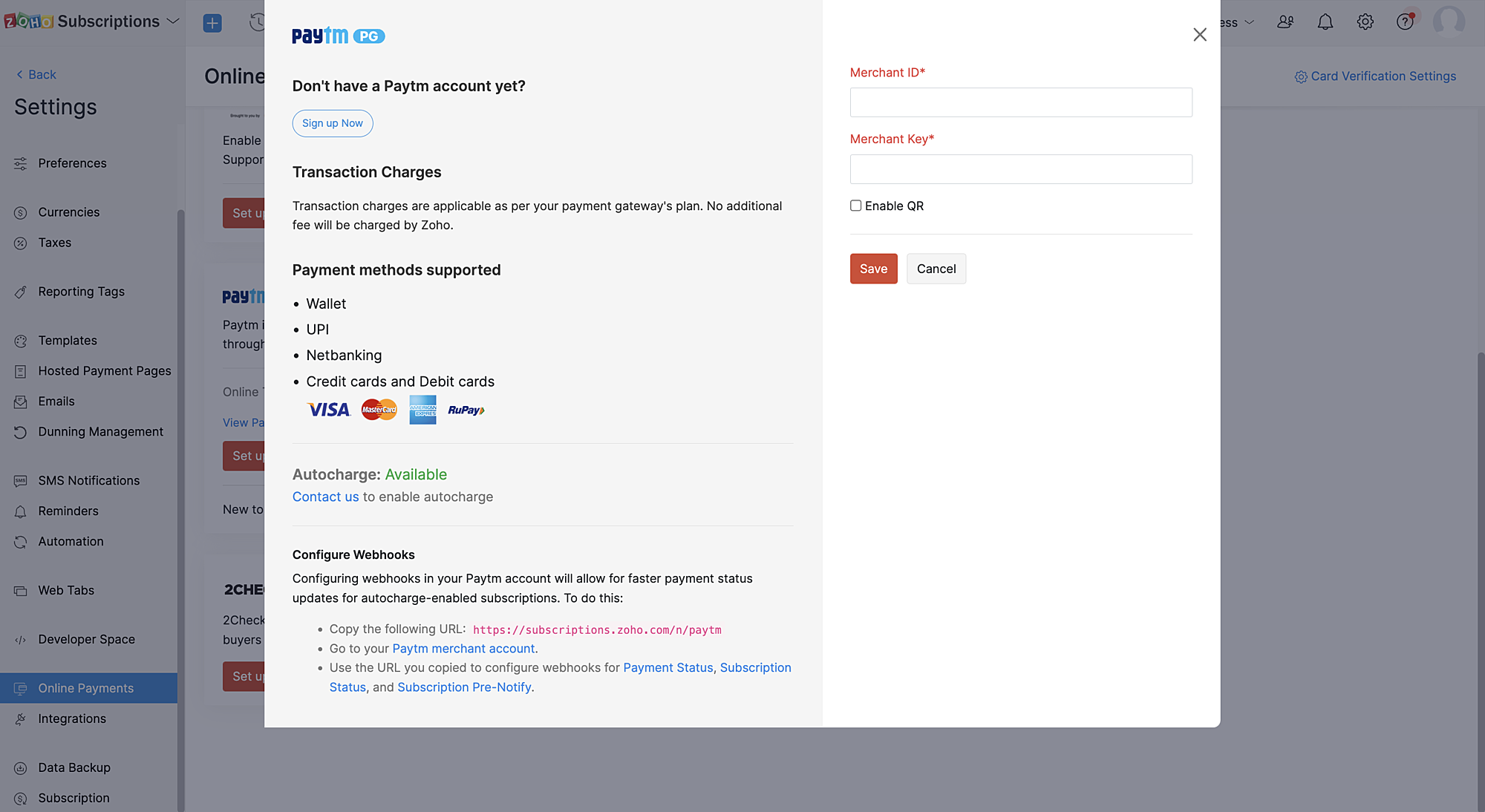
3. Our support team will send you a confirmation that Paytm Subscriptions is enabled for your merchant ID after which you have to configure a webhook in Paytm (IPN) for instant updates of payment statuses.
How do recurring transactions work with the Zoho Subscriptions - Paytm integration?
Create subscription workflow:
1. Recurring transactions via Paytm can be created only through the Zoho Subscriptions hosted payment pages.
2. Customers can choose any supported recurring payment mode for the merchant to initiate and complete the recurring transaction.
Note: Not all payment modes are supported for recurring payments by default. Paytm merchants can get in touch with the Paytm team to learn about enabling specific payment modes (cards, UPI, Paytm Wallet) for your merchant account.
Subscription renewal workflow:
1. Two days before the subscription renewal date, a pre-debit notification will be sent to the customer.
2. This pre-debit notification process is mandatory as per RBI regulations for processing auto-renewal transactions. Hence, we recommend a minimum of two days between each payment retry as it's necessary for processing dunning retries properly.
3. Since there is a need to notify customers 48 hours before a payment is debited, if the payment fails on the subscription renewal date, the subsequent automatic dunning retries should also be set at least three days from the payment failure date in Zoho Subscriptions.
Cancel subscription workflow:
On cancelling the subscription, the corresponding mandate in Paytm will also be cancelled.
Note: Updating subscriptions are not allowed for online subscriptions created with this method as the payment amount cannot be changed as per RBI regulations.
We hope this helps you understand our latest enhancement to the Zoho Subscriptions - Paytm integration. Please write to us at support@zohosubscriptions.com if you need any assistance regarding this feature.
Best regards,
Ramraj | Zoho Subscriptions team
Topic Participants
Ramraj
Sticky Posts
What's New in Zoho Billing - February 2024
Hello everyone, We are excited to share the first set of updates for Zoho Billing in 2024. Read along to know more about a wide range of updates, from the Aging Summary in customer statements to Apple Pay support in Stripe. One-Time Invoice with PlansZoho Finance Workshop 2023 is coming to the USA. Get exclusive training on Zoho Finance apps, one-on-ones, and more.
Hello all, We'd like to invite you to our biggest Zoho Finance workshop in the United States. After a brief break, we are excited to be back. This year, we're bringing together our customers and community members for two days of curated hands-on sessions,Zoho Subscriptions wins IDC's 2020 SaaS CSAT Award for Subscription Billing
Dear customers, We're excited to share that Zoho Subscriptions has won IDC's 2020 SaaS Customer Satisfaction Award! As a team, we cherish each and every milestone with our customer community. And this particular award, focusing on customer satisfaction,Introducing: SMS notifications via Zoho Subscriptions
Dear customers, We hope you are doing well! We are happy to announce that you can now send SMS notifications to your customers right from Zoho Subscriptions. To facilitate this, we've integrated with Twilio, a leader in the business communication space.What's new this December in Zoho Subscriptions
The year is almost over and we here at Zoho Subscriptions have released new features and updates on the month of November. Let's take a look at the features we have worked on in the past month. Zendesk Integration The Zoho Subscriptions app for Zendesk allows your customer support executive to access customer details in an instant. You will be able to view the customer information from Zoho Subscriptions right from your ticket view. On enabling the integration, you will be able to: Get your customer
Recent Topics
Ability to Edit YouTube Video Title, Description & Thumbnail After Publishing
Hi Zoho Social Team, How are you? We would like to request an enhancement to Zoho Social that enables users to edit YouTube video details after the video has already been published. Your team confirmed that while Zoho Social currently allows editing theHow do I remove a data source from Zoho Analytics?
I am unable to find a delte option on a datasource that i put in the system as an error. On teh web it refers to a setup icon but I do not see that on my interface?Add Employee Availability Functionality to Zoho People Shift Module
Hello Zoho People Product Team, Greetings and hope you are doing well. We would like to submit a feature request to enhance the Zoho People Shift module by adding employee availability management, similar to the functionality available in Zoho Shifts.Bigin, more powerful than ever on iOS 26, iPadOS 26, macOS Tahoe, and watchOS 26.
Hot on the heels of Apple’s latest OS updates, we’ve rolled out several enhancements and features designed to help you get the most from your Apple devices. Enjoy a refined user experience with smoother navigation and a more content-focused Liquid GlassIs Desk Down?
Across department - always an error. [Status Mode] - error [Table View and the rest] - workingHow do I change the wording of the tile of SignForm?
When my user opens a SignForm url, the title that is presented is always "SignForm signer Information" and a form is displayed asking for the username and email address. This can be confusing to the end user. How can I change the title at least (Or atHow to link tickets to a Vendor/Vendor Contact (not Customer) for Accounting Department?
Hi all, We’re configuring our Accounting department to handle tickets from both customers and vendors (our independent contractors). Right now, ticket association seems to be built around linking a ticket to a Customer / Customer Contact, but for vendor-originatedAutomatic Matching from Bank Statements / Feeds
Is it possible to have transactions from a feed or bank statement automatically match when certain criteria are met? My use case, which is pretty broadly applicable, is e-commerce transactions for merchant services accounts (clearing accounts). In theseUnify Overlapping Functionalities Across Zoho Products
Hi Zoho One Team, We would like to raise a concern about the current overlap of core functionalities across various Zoho applications. While Zoho offers a rich suite of tools, many applications include similar or identical features—such as shift management,Automation #7 - Auto-update Email Content to a Ticket
This is a monthly series where we pick some common use cases that have been either discussed or most asked about in our community and explain how they can be achieved using one of the automation capabilities in Zoho Desk. Email is one of the most commonlyTicket to article and Ticket to template
Hello! I would like to know if it is possible (and how) to do the following actions: 1. To generate an article from a ticket (reply + original message) 2. Easy convert an answer to an email templateIs there API Doc for Zoho Survey?
Hi everyone, Is there API doc for Zoho Survey? Currently evaluating a solution - use case to automate survey administration especially for internal use. But after a brief search, I couldn't find API doc for this. So I thought I should ask here. ThanKaizen #225 - Making Query-based Custom Related Lists Actionable with Lookups and Links
Hello everyone! Welcome back to another post in the Kaizen series! This week, we will discuss an exciting enhancement in Queries in Zoho CRM. In Kaizen #190, we discussed how Queries bridge gaps where native related lists fall short and power custom relatedWebDAV / FTP / SFTP protocols for syncing
I believe the Zoho for Desktop app is built using a proprietary protocol. For the growing number of people using services such as odrive to sync multiple accounts from various providers (Google, Dropbox, Box, OneDrive, etc.) it would be really helpfulChange the "from" field
Hello, I used some random word to create the account ID to later host the domain based emails. That username shows up in the "from" field on test emails. How do I change that to a custom one, like first name/last name or business name? I tried to create second user and "named" it the way I want and it worked to a degree, although the "from" field shows all lower case letters, while original had some capital letters. So the "all-low-case" is another issue I am having... Thank you[Free Webinar] Learning Table Series - AI-Enhanced Logistics Management in Zoho Creator
Hello Everyone! We’re excited to invite you to another edition of Learning Table Series, where we showcase how Zoho Creator empowers industries with innovative and automated solutions. About Learning Table Series Learning Table Series is a free, 45-60How to use Rollup Summary in a Formula Field?
I created a Rollup Summary (Decimal) field in my module, and it shows values correctly. When I try to reference it in a Formula Field (e.g. ${Deals.Partners_Requested} - ${Deals.Partners_Paid}), I get the error that the field can’t be found. Is it possibleZoho Creator to Zoho CRM Images
Right now, I am trying to setup a Notes form within Zoho Creator. This Notes will note the Note section under Accounts > Selected Account. Right now, I use Zoho Flow to push the notes and it works just fine, with text only. Images do not get sent (thereError Logs / Failure logs for Client Scripts Functions
Hi Team, While we are implementing client scripts for the automation, it is working fine in few accounts but not working for others. So, it would be great if we can have error Logs for client scripts also just like custom functions. Is there any way thatZoho Books blocks invoicing without VeriFactu even though it is not mandatory until 2027
I would like to highlight a very serious issue in Zoho Books for Spain. 1. The Spanish government has postponed the mandatory start of VeriFactu to January 1st, 2027. This means that during all of 2026 businesses are NOT required to transmit invoicesProblem : Auto redirect from zoho flow to zoho creator
Hi there, I've been waiting for zoho team to get back on this for last couple of days. Anyone else have the problem to access zoho flow? everytime I click on zoho flow it redirects me to zoho creator. I tried incognito mode but it still direct me to zohoWhy am I seeing deleted records in Zoho Analytics syncing with Zoho CRM?
I have done a data sync between Zoho CRM and Zoho Analytics, and the recycle bin is empty. Why do I see deleted leads/deals/contacts in Zoho Analytics if it doesn't exist in Zoho CRM? How can I solve this problem? ThanksZoho Books is now integrated with Zoho Checkout
Hello everyone, We're glad to be announcing that Zoho Books is now integrated with Zoho Checkout. With this integration, you can now handle taxes and accounting on your payment pages with ease. An organization you create in Zoho Checkout can be added to Zoho Books and vice-versa. Some of the key features and benefits you will receive are: Seamless sync of customer and invoice data With the end-to-end integration, the customer and invoice details recorded via the payment pages from Zoho CheckoutSync Issue
My Current plan only allows me with 10,000 rows and it is getting sync failure how to control it without upgrading my planAdd Zoho PDF to Zoho One Tool Applications
It should be easy to add from here without the hassle of creating a web tab:JOB WISE INVOICE PROCESS
I WANT TO ENABLE JOB WISE TRACKING OF ALL SALES AND PURCHASEPDF Template have QTY as first column
I want to have the QTY of an item on the sales orders and invoices to be the first column, then description, then pricing. Is there a way to change the order? I went to the Items tab in settings but don't see how to change the order of the columns onRAG (Retrieval Augmented Generation) Type Q+A Environment with Zoho Learn
Hi All, Given the ability of Zoho Learn to function as a knowledge base / document repository type solution and given the rapid advancements that Zoho is making with Zia LLM, agentic capabilities etc. (not to mention the rapid progress in the broaderIn App Auto Refresh/Update Features
Hi, I am trying to use Zoho Creator for Restaurant management. While using the android apps, I reliased the apps would not auto refresh if there is new entries i.e new kitchen order ticket (KOT) from other users. The apps does received notification but would not auto refresh, users required to refresh the apps manually in order to see the new KOT in the apps. I am wondering why this features is not implemented? Or is this feature being considered to be implemented in the future? With theIMAP mail after specify date
Hi My customer's mail server is on premise and mail storage is very huge. So It never finish sync. and finally stop sync. Cloud CRM have a option like zoho mail sync mail after some date.Claude + MCP Server + Zoho CRM Integration – AI-Powered Sales Automation
Hello Zoho Community 👋 I’m excited to share a recent integration we’ve worked on at OfficehubTech: ✅ Claude + MCP Server + Zoho CRM This integration connects Zoho CRM with Claude AI through our custom MCP Server, enabling intelligent AI-driven responsesSearch Bar positioning
Why is the Search bar on the far right when everything is oriented towards the left?Import Error: Empty values for mandatory fields - Closing Date
Hello, I've tried multiple times to import a CVS Potential list from another Zoho account. But the error message I get is: Empty values for mandatory fields - Closing Date There are valid dates in this field, so I don't understand why this error messagesFeature Requests - Contact Coloured Picklist Visibility & Field Visibility During Ticket Creation
Hi Desk Team, I have 2 feature requests for you. Since Coloured Picklists are now available in Desk, It would be great if the colours were visible on the Related Details (Contact Information) when creating a ticket. In the screenshot below, I have 2 fieldsAccounts Receivable Balances Differs in Balance Sheet, Customer Balance Report, AR Ageing Summary, and AR Ageing Details.
Hello Zoho Accounts Receivable Balances Differs in Balance Sheet, Customer Balance Report, AR Ageing Summary, and AR Ageing Details. Please clarify and fix the issues here. ThanksHow to integrate XML with Zoho CRM
Hi, I have an eCom service provider that gives me a dynamic XML that contains order information, clients, shipments... The XML link is the only thing I have. No Oath or key, No API get... I want to integrate it into Zoho CRM. I am not a developer norFeature Request - Ability to Customise Contact Info Card on Ticket Details View
Hi Desk Team, I've added a "Contact Priority" and "Account Prioirty" field and it would be very useful to agents if they could see that information in the Contact Info card on the Ticket Details view. It would be great if we could choose some fields toTax in Quote
Each row item in a quote has a tax value. At the total numbers at the bottom, there is also a Tax entry. If you select tax in both of the (line item, and the total), the tax doubles. My assumption is that the Tax total should be totalling the tax fromZoho Flow integration with Facebook Messenger and Whatsapp
Hi there, any plans of adding integrations with Facebook Messenger and Whatsapp into Zoho Flow? Seems that more and more business are delivering automated updates such as "your order is received", "your order has been shipped" and so on via these two platforms. Not sure if Whatsapp has the API access needed i am pretty sure that Facebook Messenger has... Kind regards Bo ThygesenCampaigns unsubscribe/manage preferences links
Hi, Where can I edit the unscubscribe and manage preferences link in the footer of the email. I would like it so that when you click 'manage preferences' an form opens up that allows the person to choose what type of emails they do and don't wish toNext Page