Task Dependency - Predecessor and Successor Task Columns in the List View
Task Dependency establishes connection between multiple tasks. It specifies the sequence in which tasks must be completed before other tasks can commence. While the Gantt chart in Zoho Projects provides visual representation of task dependencies, users can also access and manage dependencies from the Classic and Plain list view: the Predecessor and Successor columns can be enabled from either of these views. Users can set dependencies by clicking on the respective column and adding the dependent task ID.
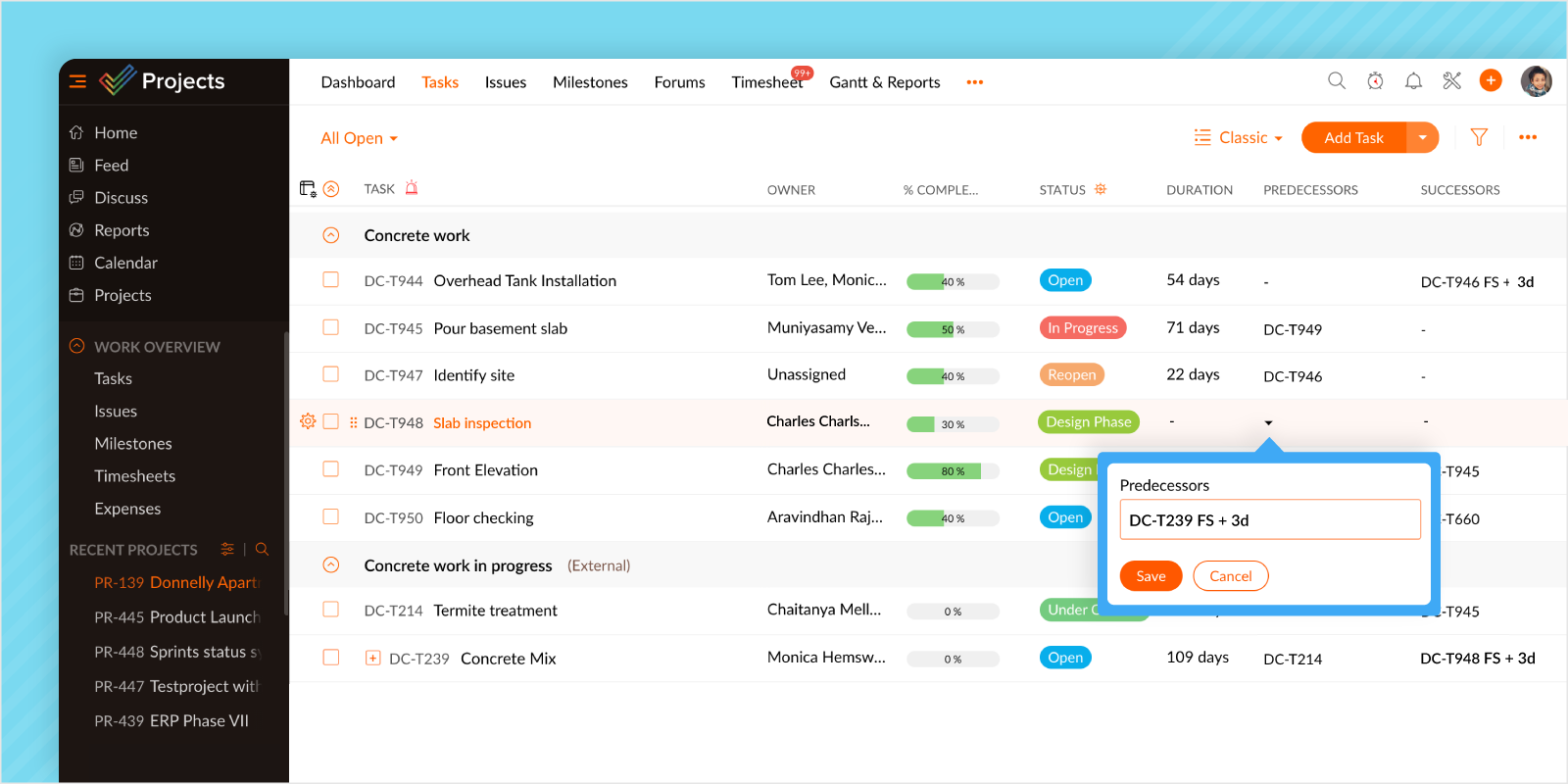
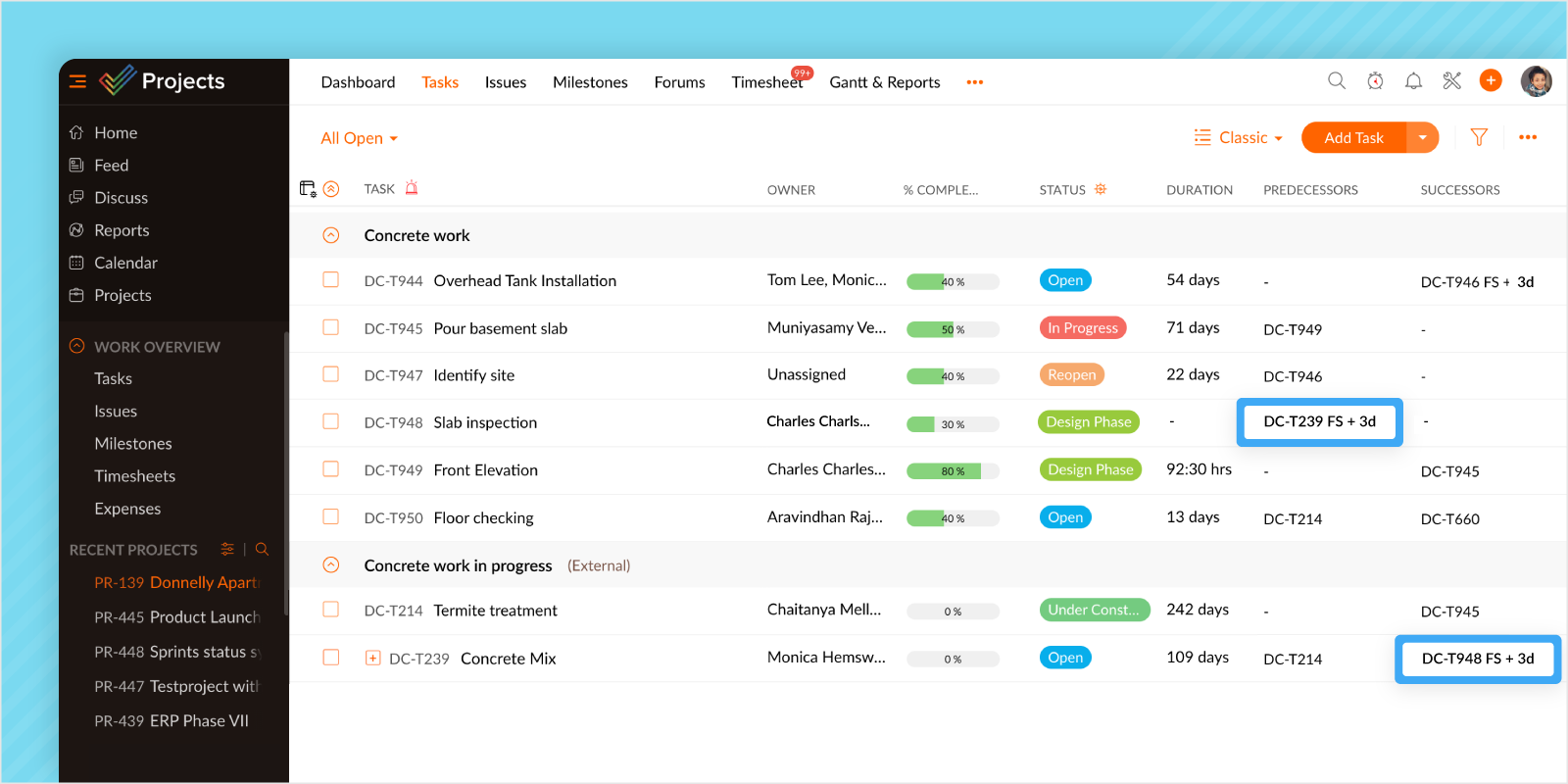
In this example, we are setting the task having ID DC-T239 as a predecessor for the Slab Inspection task. FS denotes the dependency type Finish-Start, and +3 adds lead time. On saving, the successor column against the task DC-T239 will display the ID of the Slab Inspection task automatically. This establishes the dependency between the two tasks.
Please refer to our help document for additional information regarding this feature. You may also send an email to support@zohoprojects.com or leave a comment below if you have questions.