【開催報告】東京 ユーザー交流会 Vol.4 | Zoho CRM 自動化のコツ ・Bookings のビジネス活用シーンとおすすめ機能を紹介
ユーザーの皆さま、こんにちは。コミュニティチームの藤澤です。
11月28日(金)に新橋で「東京 ユーザー交流会 Vol.4」を開催しました。ご参加くださったユーザーの皆さま、ありがとうございました。ユーザー交流会の年内開催は、今回が最後でした。
この投稿では、当日のセッションの様子や使用した資料を紹介しています。残念ながら当日お越しいただけなかった方も、ぜひチェックしてみてください😊
ユーザー活用事例セッション:関数やクライアントスクリプトまで、CRMをもっと便利に


Zoho CRM には、ワークフローやブループリントなど、さまざまな自動化に役立つ標準機能が備わっています。さらに、関数(Deluge)のようにスクリプトを記述して高度な自動化を実現することもできます。
そのため「どの自動化機能や手法を、どの場面で使うべきか」迷われる方も多いのではないでしょうか。
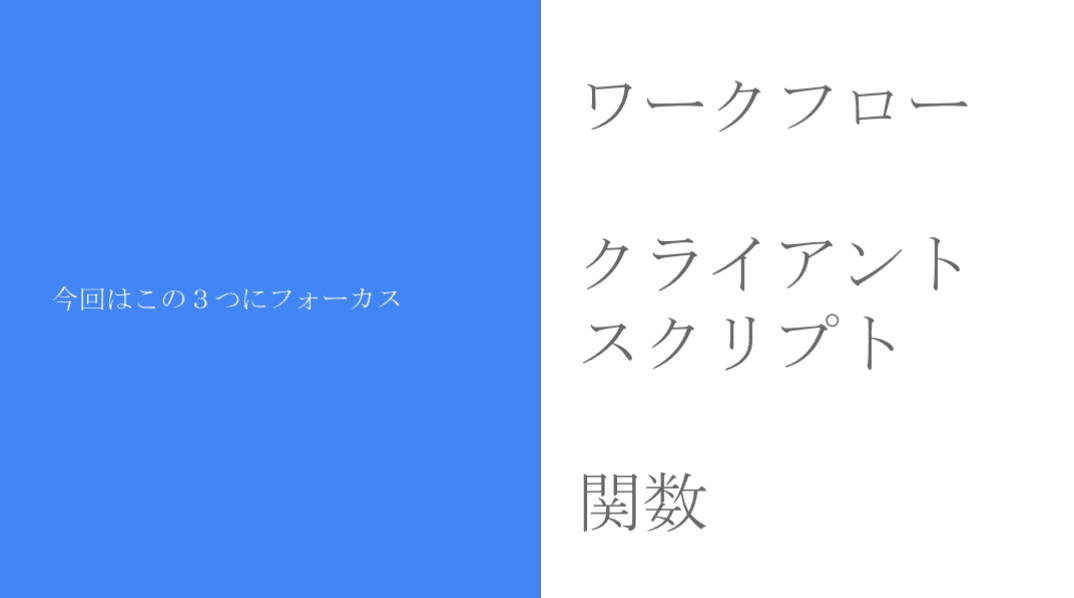
本セッションでは、私自身の経験をもとに、ワークフロー/クライアントスクリプト/関数の3つにフォーカスし、それぞれの特徴と活用シーンをご紹介しました。
今回取り上げる自動化機能 / 手法
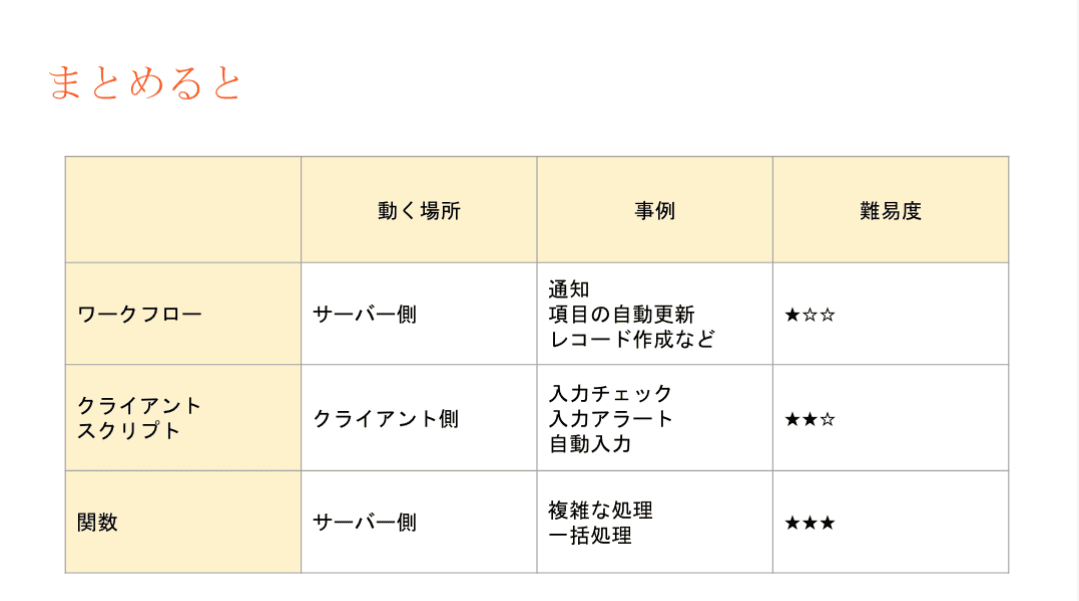
それぞれの使用用途と場面
- ワークフロー:設定後も「設定担当者以外の人が見たとしても、直感的に理解しやすい」です。詳細な自動化の設定には最適では無いケースがあります。
- 設定例:CRMで取引先が作成されたら、メールが自動送信されるようにする。
- クライアントスクリプト:設定内容の要件が、画面操作だけで済む場合は本機能を利用します。
- 設定例:CRMの操作画面に、アラート表示を出すことで、記入漏れ等を防ぐ。
- 関数(Deluge):最終手段。ワークフローでも、クライアントスクリプトでも実装できない場合に本機能を活用することで、希望要件の内容で設定できる可能性が出てきます。
- 設定例:添付ファイルを一括アップロードできるようにする。(基本は1ファイルごと手動で添付操作が必要)
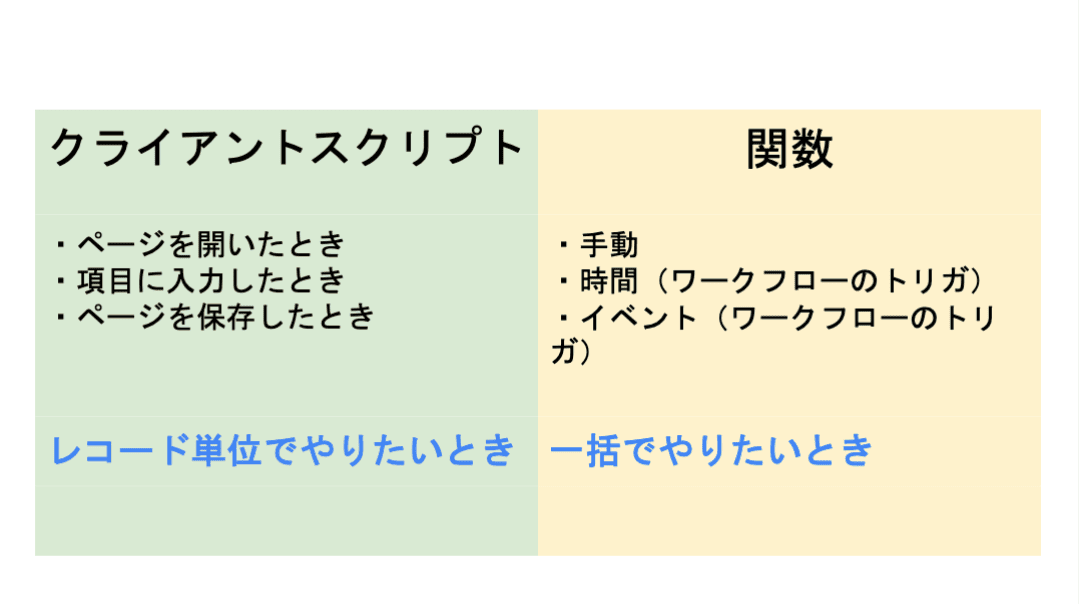
3点の違い
ワークフロー:設定後も「設定担当者以外の人が見たとしても、直感的に理解しやすい」です。詳細な自動化の設定には最適では無いケースがあります。
- 設定例:CRMで取引先が作成されたら、メールが自動送信されるようにする。
クライアントスクリプト:設定内容の要件が、画面操作だけで済む場合は本機能を利用します。
- 設定例:CRMの操作画面に、アラート表示を出すことで、記入漏れ等を防ぐ。
関数(Deluge):最終手段。ワークフローでも、クライアントスクリプトでも実装できない場合に本機能を活用することで、希望要件の内容で設定できる可能性が出てきます。
- 設定例:添付ファイルを一括アップロードできるようにする。(基本は1ファイルごと手動で添付操作が必要)
設定の際の気をつけるべきポイント
関数の設定でつまずきやすいポイントのひとつが、「ワークフローとの連携」です。
引数が間違っていると、ワークフロー自体の設定が正しくても、うまく動作しないという事象が発生します。「何度やってもなぜか動かない…」と感じたときは、ぜひ一度、引数を確認してみてください。
投影資料はこちら
グループワーク:Zoho で"見える化"した / したい、自社の数字
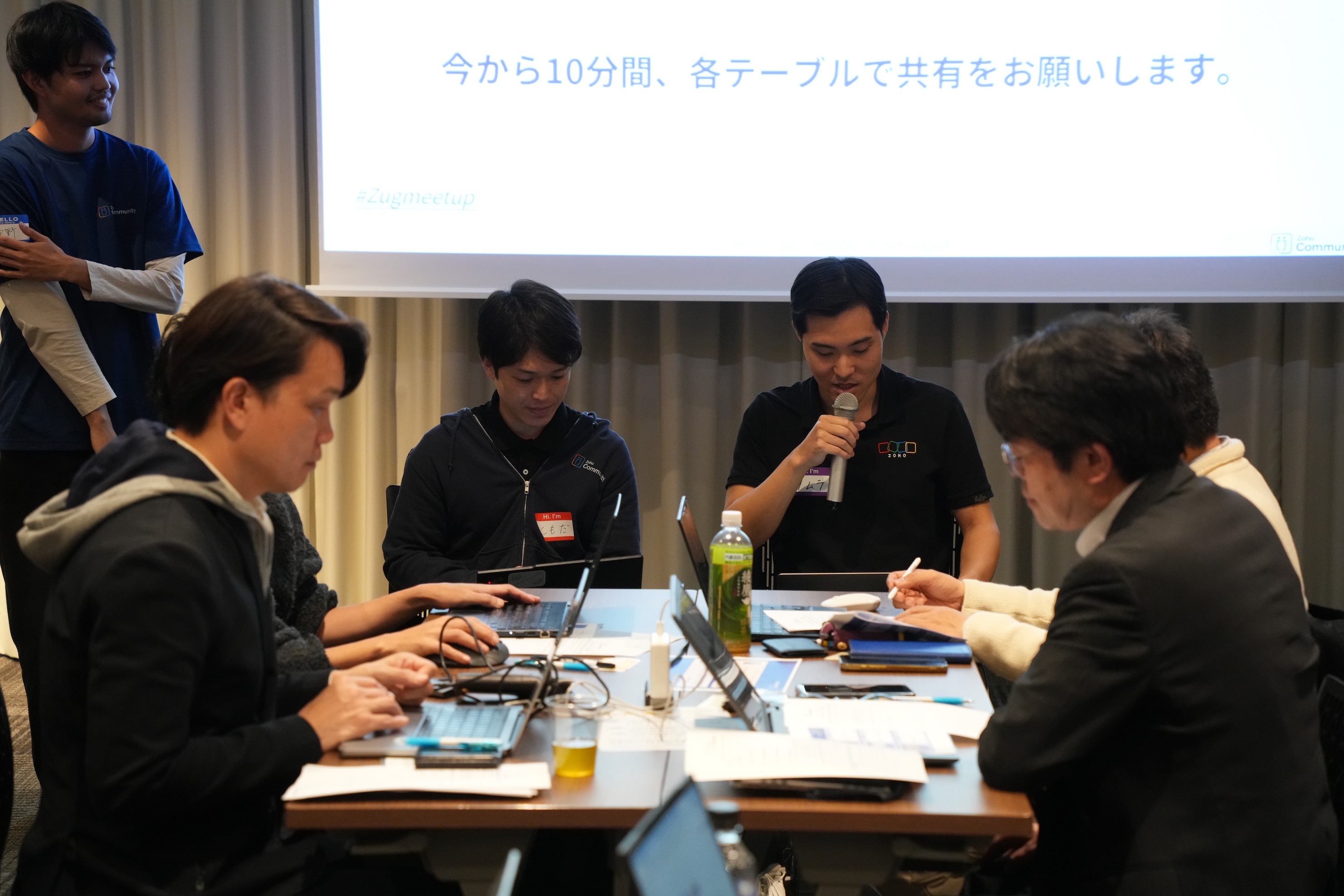
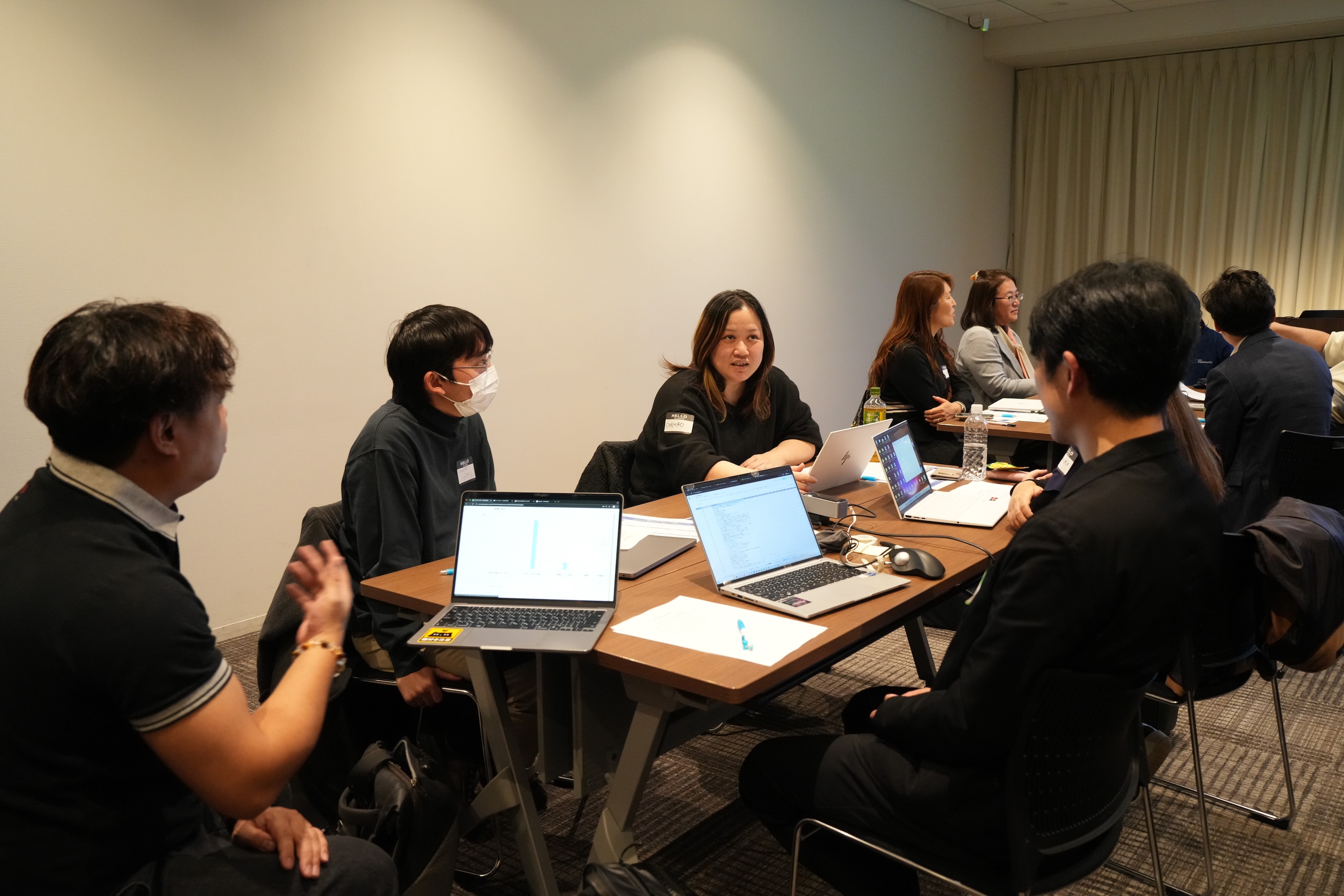
11月に3都市で本テーマのグループワークを実施し、いずれの回も大いに盛り上がりました。ここでは、当日ご参加の皆さまから共有された内容の一部をご紹介します。
- Campaigns や Forms から CRMへデータを取り込み、見込み客がどのような経路でコンタクトしてきたのかを、よりわかりやすく可視化した。
CRM上 で見積書や受注書を作成することで、朝礼の際にiPadなどで簡単に共有・確認ができるようにした。
オフサイトで開催したイベントにかかった費用(展示会など)の参加費・ブース設置費・人件費などをCRMのサブフォームで管理していた。1イベント=1レコードとしてイベントタブにデータを貯蓄することで、各イベントごとの売上や費用対効果を確認できるようになった。

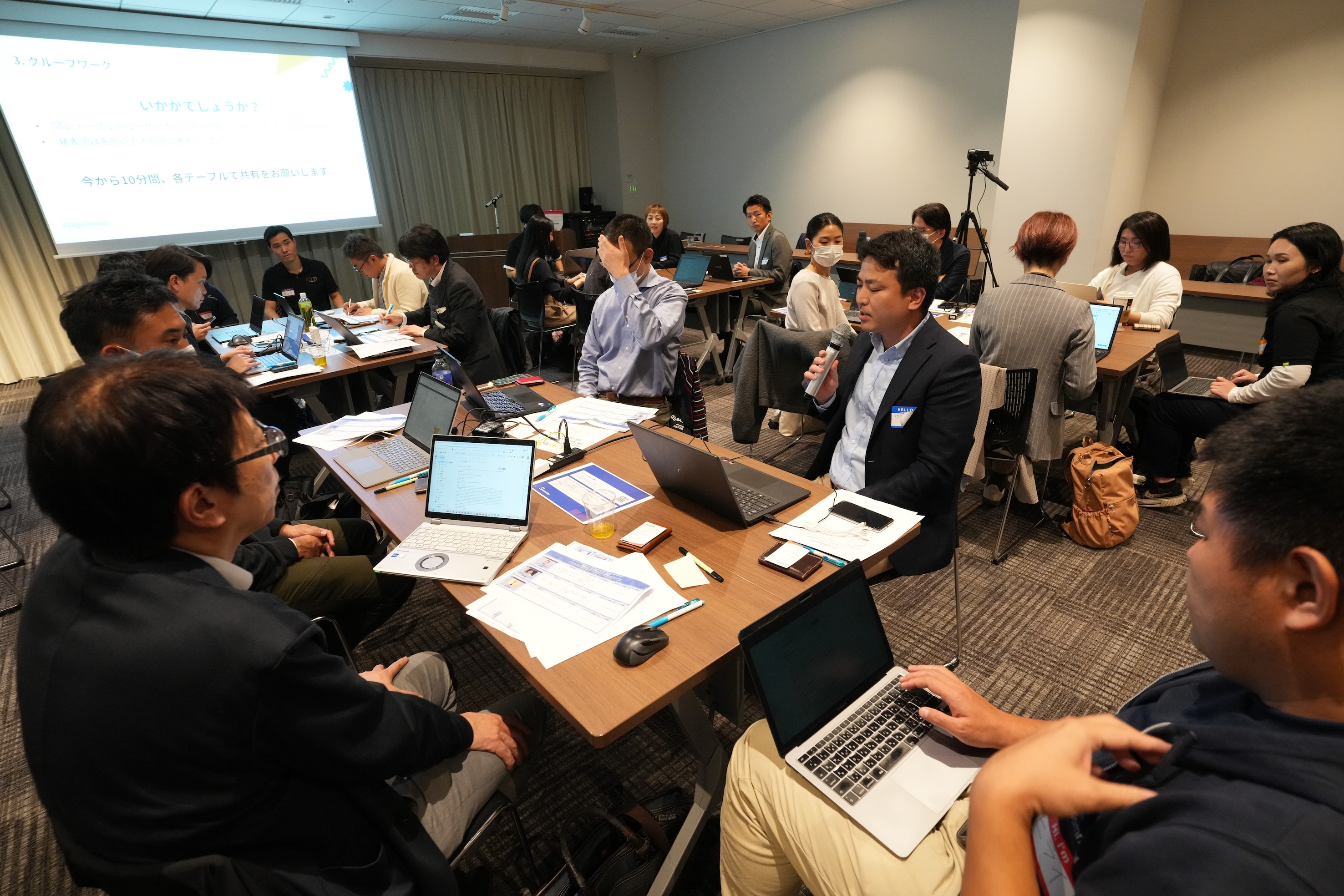
Zoho社員セッション:顧客との日程調整を自動化!Zoho Bookings で営業・サポート対応をスムーズに
11月に3都市で開催したユーザー交流会で本セッションを実施し、ゾーホージャパン技術部の田村より、Zoho Bookings の概要からデモによる活用例までご紹介しました。以下は当日の一部の様子です。


Zoho Bookingsについて
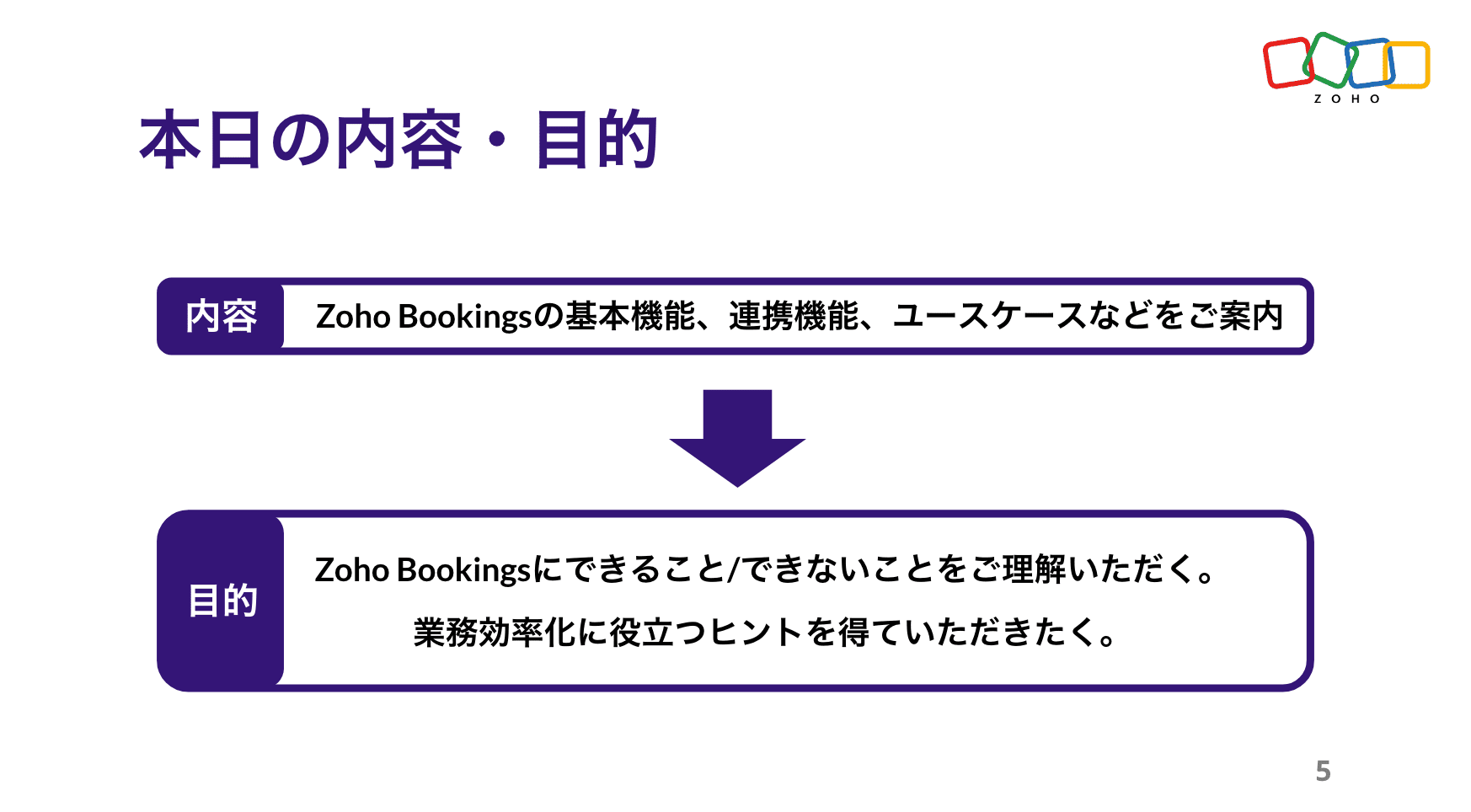


Zoho Bookings の設定について(資料の記載内容を一部抜粋)
Bookings の予約枠は、前後の間隔や時間・期間・営業日、1日あたりの上限などを柔軟に設定できます。
予約ページのデザインも、用途に応じて自由にカスタマイズ可能です。


予約の一覧/カレンダー表示、ステータスについて
※以降は主にデモ動画を投影して説明しました。詳細は、次ページ以降の投影資料をご覧ください。


Zoho Bookings まとめ
Bookingsでは人や物の予約は可能ですが、レストランや宿泊などの日付をまたぐ予約には対応していません。

投影資料はこちら
懇親会の様子
参加者同士で交流されたり、Zoho社員に日頃の悩みや仕様の質問をされたりと、いつも以上に大盛り上がりのイベントでした 😊


お知らせ
2025年度のユーザー交流会は今回で最後です!2026年度の開催予定は、オンラインフォーラムやメールでお知らせします!
※スマートフォンでは、下にスクロールすると「フォロー」ボタンが表示されます。
今後とも、Zoho ユーザーコミュニティをよろしくお願いいたします!
ゾーホージャパン コミュニティチーム


Topic Participants
Emiri Fujisawa
Fujikawa Katsuhiro
Tamura
Sticky Posts
【6/22〜6/24開催】Zoho CRM 管理者向けトレーニングのご案内
「Zoho CRMを導入したばかりで、初期設定や基本操作に不安がある」、「短期間で基礎から理解を深め、運用開始までをスムーズに行いたい」「Zoho CRMを基礎から再度学び直したい」といった課題や要望をお持ちの管理者に向け、Zoho CRM 管理者向けオンライントレーニングを実施します。 2022年6月の開催回よりトレーニング内容を刷新し、有償にて実施いたします。 ─────────────────────────────────── >詳細・お申し込みはこちら:https://www.zoho.com/jp/crm/crmtraining/【12/17(金)Meetup開催】参加者にはノベルティプレゼント!Zoho サービス相談会/情報交換会もあります
こんにちは、Zoho Japan コミュニティチームの今成です。 12月17日(金)16:00から、今年最後のMeetup(ユーザー交流会)を開催します! ●詳細はこちら:https://www.zohomeetups.com/ZohoJapanCommunityMeetup2021vol4/ 前半は今年9月にZoho サービスを導入したユーザー様のセッションとして、現状の利用状況とこれからどのようにZoho サービスを利用していくか、これからの構想談をお話いただきます。 後半では、Zoho CRM【6/29(火) 初心者向け】カスタム関数勉強会のご案内
先日のMeetupでも告知しましたが、以前より多くのユーザーさまからご要望いただいていたZoho の「カスタム関数」に関する基本の勉強会を6/29(火) 17:00に、開催します! 関数の基本的な書き方や、Zoho CRM で活用できる関数例のデモなどについて、Zoho の技術メンバーがわかりやすく解説します。 関数の基本を掴みたい方はぜひ、ご参加くださいませ。 >>申し込みはこちら:attend.zoho.com/luy0 以下詳細です。 ーーーーーーーーーーー 日時:6月29日(火) 17:00~【3/19(金)】Meetup(ユーザー交流会)開催のご案内。Zoho CRM ユーザー事例やZoho Sign の紹介、Zoho CRM 相談会など
こんにちは、Zoho Japan コミュニティチームの今成です。 2021年1回目となるMeetupを、3月19日(金)16:00~ 開催いたします! ●詳細はこちら:https://www.zohomeetups.com/ZohoJapanOnlineMeetup2021vol1 毎回好評のZoho ユーザーさまによる活用事例をはじめ、Zoho の電子署名ツール「Zoho Sign」の製品デモや、グループディスカッションをご用意しています。 前半/後半のみのご参加も可能ですので、お気軽にご参加ください!【12/17(木) 16:00-】ユーザー同士で情報交換を行う、グループディスカッションもあります。オンラインMeetup Vol.4 開催のお知らせ
Zoho コミュニティチームの今成です。最近寒くなってまいりましたが、みなさまいかがお過ごしですか? Zoho Japan Communityでは、今年最後のオンラインMeetup(ユーザー交流会)を開催いたします!以下、詳細のご案内です。 ーーーーーーーーーーーーーーーーーーーーー <日時>2020年12月17日(木) 16:00-18:00 <参加費>無料 <開催方法>オンライン <概要> 前半(16:00〜17:00) 自社活用事例「Zoho 社員は、1日の中でどのサービスをどれくらい使っているのか」(ゾーホージャパン株式会社 コミュニティチーム)
Recent Topics
Note sync turn off
Hi, Is it possible to turn off notes sync between task notes and the parent module? (Account/Deal)Basic Plan Active but Survey Creation Still Limited to 3 Surveys
I have an active Basic (Monthly) subscription (valid period: Dec 24, 2025 – Jan 24, 2026), but the system still limits survey creation to only 3 surveys, which matches Free plan behavior. The subscription appears active in Portal Information, however2025 in Review: Powering Field Services Forward—One Feature at a Time
As 2025 draws to a close, it’s time to pause and reflect on a year of meaningful progress at Zoho FSM. This year was all about listening closely to our customers and partners, building with purpose, and continuously improving the way field service teamsAPI Support for Creating Invoices with Batch-Tracked Items
Hi Zoho Community, I am working on an integration where we create invoices in ERPNext and push them to Zoho Books. I need to send batch-tracked items (batch numbers) when creating invoices. I could not find any reference in the Zoho Books API documentation.New to automation - please help
Hi there! We are new to automations in Zoho. We built out one automation campaign and it seems to be firing off for some people but others not. Please advise what's the best practice or if anything we should tweak. Thank you so much!Unable to Create Zoho Booking via the Book Appointment API
Its giving the below error { "response": { "errormessage": "Error setting value for the variable:customer_details\n null", "status": "Error" } } Request: POST Url: https://www.zohoapis.in/bookings/v1/json/appointment attached Zoho-oauthtokenTask Details on task template
When creating a task template in settings that task details seem to be missing. Is it not possible to set the details of a task, such as the priority, type, reminder settings, and custom field values?Building Toppings #3 -Testing and publishing Bigin toppings
Hey Biginners! In previous forum posts, we discussed what a Bigin topping is and explored the Bigin Developer Console's features. In this post, we're going to create a topping from scratch and discuss how to test and publish it. Our topping will automatemarkdown files?
How can I import a markdown file into a note?Mail to Zoho Notebook
In the Instuctiosn I faound as email add@notebook.app In my account I see add@eu.notebook.app What is correct pleaseAuto-Invite Users to Portals in Zoho CRM based on Conditions
Hello Everyone, You can now automate portal invitations in Zoho CRM with the new Auto-Invite users feature in Portal management. No more manually enabling portal access one by one. With this enhancement, you can automatically send invites for users toGrowth You can Count On: Zoho Billing's 2025 Journey
As we wrap up 2025, we’re reflecting on a year rooted in steady progress and meaningful growth for Zoho Billing. Every enhancement we have introduced was built to support scalable and reliable billing growth for your business. From launching the EnterpriseNeed help with creating workflow with Bigin and Clickup
Can you please help me with this? I am trying to create a workflow in Zoho Flow wherein a bigin Pipeline deal moves to Decision Closing, it will create a task and subtasks in Clickup, under the condition/filter that the Deal name contains the word Social[Webinar] Automate generation of wills, trusts, POAs, and other estate planning documents with Zoho Writer
Managing the lifecycle of the estate planning documents such as wills, trusts, and POAs, from client intake to final storage, can be complex and time-consuming. Join our live webinar to learn how Zoho Writer transforms this process by automating documentCreate / Update Rule in TeamInbox when record is updated in ZohoCRM using flow?
I'm currently evaluating options and trying to work out if the possible scenario is possible; If a record in ZohoCRM is updated, take 2 of the fields from that - lets call them 'OrderRef' and 'OrderTo'. Using flow, if a record is added or updated, addPlans to allow more columns of monitoring, and monitoring not only your own channels?
Are their any plans to allow more columns of monitoring, and monitoring not only your own channels? Here's why - I'm sure I'm not alone in that we sell other brands products, so not only am I interested in my own brand social channels, but also the socialUnwrapping the best practices for the Zoho Desk mobile app: Part 1
In focus: Empowering the field and frontline customer support representatives Imagine having to carry your computer everywhere to respond to customers, handle escalations, and update your process. This series presents you with efficient tips to handledealing with post dated cheques
Hi, can you help me please the best way to deal with this We sell an item of three months duration that is paid for with post dated cheques in monthly stages example - item is sold £3000 Cheque 1 is for £1000 due at time of sale (say Sept) cheque 2 is dated 25th of next month (Oct) cheque 3 is dated 25th of next month +1 (Nov) Now, with invoice number one it's simple - i send a standard invoice as usual But with the other two here's what i want zoho to do next month i want it to send an invoice onIs there a way to sell in a practical method multiple subscriptions of the same product? i.e. domain names
In evaluating Zoho Billing, a hurdle to adopting it is that Zoho Billing does not seem designed to support businesses that sell multiple subscriptions of the same product. In our case, we need to sell and manage several domain names per client. Am I rightPaid Support Plans with Automated Billing
We (like many others, I'm sure) are designing or have paid support plans. Our design involves a given number of support hours in each plan. Here are my questions: 1) Are there any plans to add time-based plans in the Zoho Desk Support Plans feature? TheBug Report: "Name A-Z" sorting fails when Note titles start with an Emoji
Hello, I recently migrated from Evernote (~2600 notes across 23 notebooks). I use emojis at the start of my note titles for visual organization. The Issue: When I set the view to Sort by: Name (A to Z), the sorting logic breaks for any note starting withCopy & Paste not working
I could create and save 10 new documents but when I go to copy and paste content (just text) into them, only 1 of 10 would save the content. It would appear to save the content but when I go back into the documents, they are empty.Currency for Petty Cash
Currencies for Petty Cash should be availableediting/applying online payments
We have customers who pay part or all of an invoice and then cancel their service and want the payment as a credit to future work. It would be ideal if we could make it an excess payment and then void the invoice. I can't make it an excess payment becauseContacts per department
Hello, Is it possible to limit Contacts to a Department? ThanksThis site can’t be reached mail.zoho.com took too long to respond
In my office at any system, we couldnt able to login zoho email. it shows " This site can’t be reached mail.zoho.com took too long to respond". please fix it soon.Can send email from zoho mail, but can't receive any.
Hi, My domain is sattvameditationresort.com. I've updated MX records with those of Zoho. But i can't send any mails to this email id from gmail. I have checked the MX status with MXTOOLS, its showing the correct entry either. The error is as shown below:My domain did not activate
Hi, my domain (apsaindustrial.com.ar) did not activate, and the phone verification message never arrived. Please would you solve this problem? Thanks.Host not found?
Howdy! So i'm trying to add my custom domain for with the mail server. I have 100% control of my DNS and have tried every single option (TXT, CNAME, and even HTML) multiple times, ensuring i did it properly, to no luck. I get the same error message everyEmails are going to notification folder and not in inbox
emails are going to notification folder and not into inboxAuto End Chats After Customer Inactivity
Hello Everyone, I may be missing something, but is there a way to auto-end chats when a customer has been inactive for an amount of time? I have several operators (we use a shared set of account with schedules for people... that's another story) but atReport on opportunities showing only the last note added.
Hi I need to create a report that shows the most recent note added to each opportunity. This is so management can see what the latest update is according to the assigned salesperson. One workaround is to use the status field but this implies added manual work and mistakes as the salesperson would have to copy the existing status to a note before adding the latest status... otherwise the activity history would be lost. My current workaround is a report on Notes with Opportunities as the related module.Please add Zelle as an online payment option
Hello, I would like to request Zelle be added to the online payment service providers for Zoho Invoice. Considering how ubiquitous Zelle has become as a way to pay people via the major banking institutions, I feel like many freelancers would benefit fromGetting Project Template List using the REST API
I am trying to confirm that I can use the REST API to create a project using a project template. The API documentation indicates this is possible by providing the Template ID, but it is not clear at all how to get a list of available Project TemplatesHow to display the CONTACT ID in the Contact page
Hi, I've seen this conversation below and it is exactly the same question I'm raising now, but unfortunately the last message is not solved https://help.zoho.com/portal/community/topic/show-contact-id-while-editing-contact-form I need to show the ContactId and I don't know how to do this. The last message included in the conversaton shows the way but not it is not completed. "I am sorry by default we do not have the option to show the record ID for the contacts in the field in a record. When youHow to change margins in templates
Hi, I'm new to Zoho Campaigns, and am trying to figure out how to adjust the margins within an email template. The default margins make the text go all the way to the edges of the page. Please advise.Create Canvas list view templates from images powered by Zia
Currently available for all paid editions of Zoho CRM in the US, EU, IN, JP & CN DCs. Designing a personalized CRM interface just got even easier. In today’s fast-evolving digital landscape, AI is transforming the way we work by automating complex tasksPainfully Slow Zoho mail
Since yesterday Zoho Mail seems to have starting functioning very slowly and having a few bugs. It's slow to open mails, slow to send, slow to change between email accounts. Sometimes clicking on a particular folder (eg Sent folder) stops working and"Wrong password or login" Problem to configure Zoho on MAIL App on my Macbook
Hi, I'm having problems to configure my e-mail on my MAIL App(Macbook pro). My e-mail is hari@trespontoum.net Actually was working perfectly, and still working on my Iphone. My MAIL App prompt me that my login or password is wrong. I tried to change 3"User already exist in your org"
Hello, I've just read a discussion about this issue, which didn't solve my problem. I'm trying to add the following emails: sales@kiss-my-boutique.co.uk returns@kiss-my-boutique.co.uk orders@kiss-my-boutique.co.uk I'm getting an error message each time I try and add them. None of them are primary or secondary emails and none of them have been created as users before. I know this as when I try and login and do 'forgot my password' all I get is an error message saying 'user invalid'. Please advise.Next Page