Announcing Zoho Analytics 6.0 - An AI Powered Self-Service BI & Analytics Platform!
That’s why we’re excited to announce the launch of Zoho Analytics 6.0! This powerful new version brings together business users, data analysts, data engineers, and data scientists on a single platform, making data-driven decision-making easier and more accessible for all. Welcome to a new era of analytics!
Data Connectors and Data Management
New Connectors
We are enhancing our existing portfolio of over 500+ advanced analytics connectors by adding more than 25 connectors to this list. These additions cater to big data platforms and business applications, including Yellowbrick, ClickHouse, Dremio, Oracle Netsuite, Databricks, Monday.com, Airtable, Qualtrics, ClickUp, and several others.
Effectively analyze your data from different business applications by using our pre-built reports and dashboards. Additional features in Zoho Analytics like Sync history, Audit History, and Undo Import allow you to manage all data sources, including the connectors.
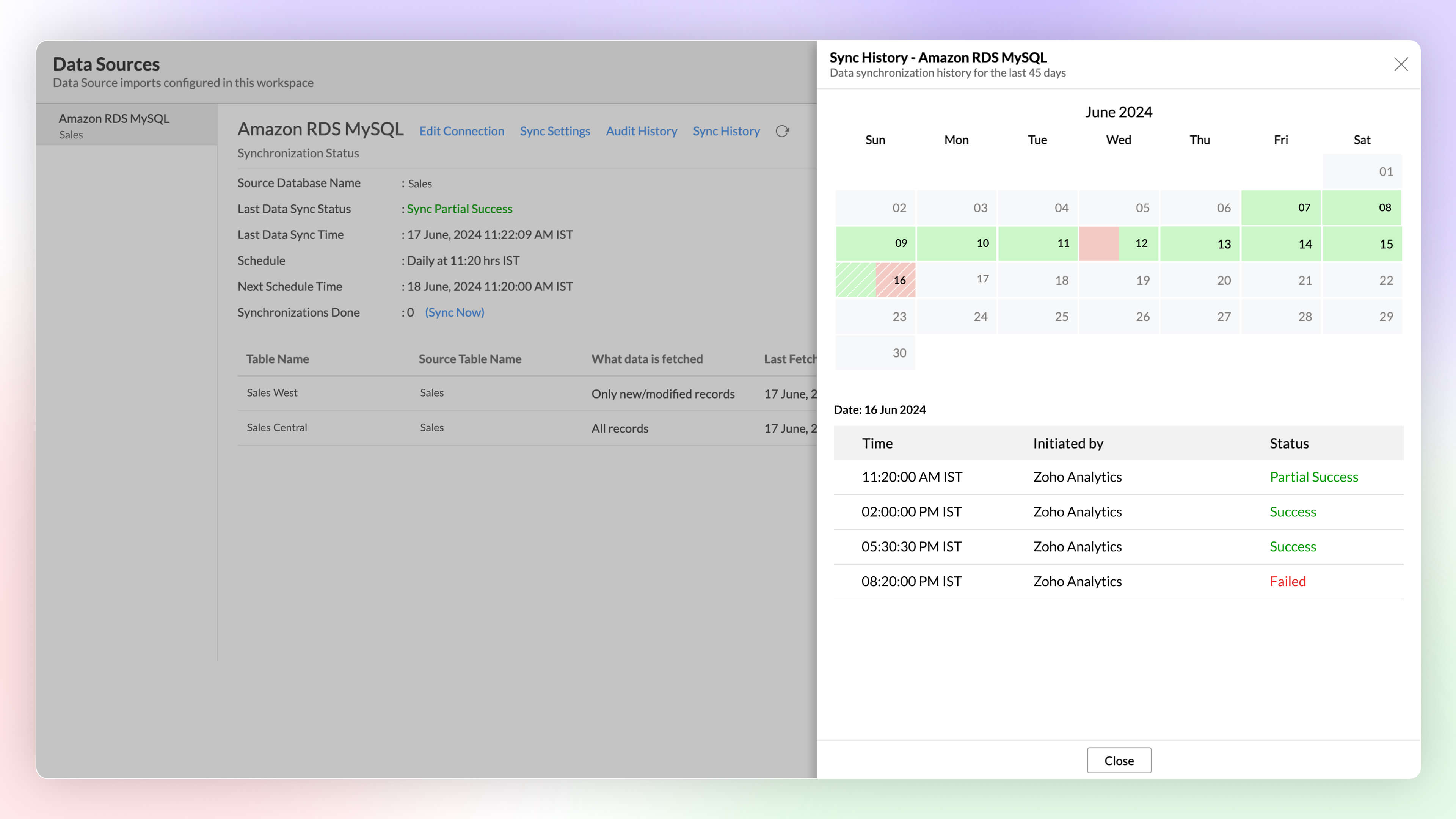
Sync History
Get a detailed overview of data synchronization activities using Sync history in Zoho Analytics. It helps administrators monitor the status of each sync easily, as successful syncs are highlighted in green, while failed syncs appear in red, along with reasons for the failure and required actions.
Click here to learn more.
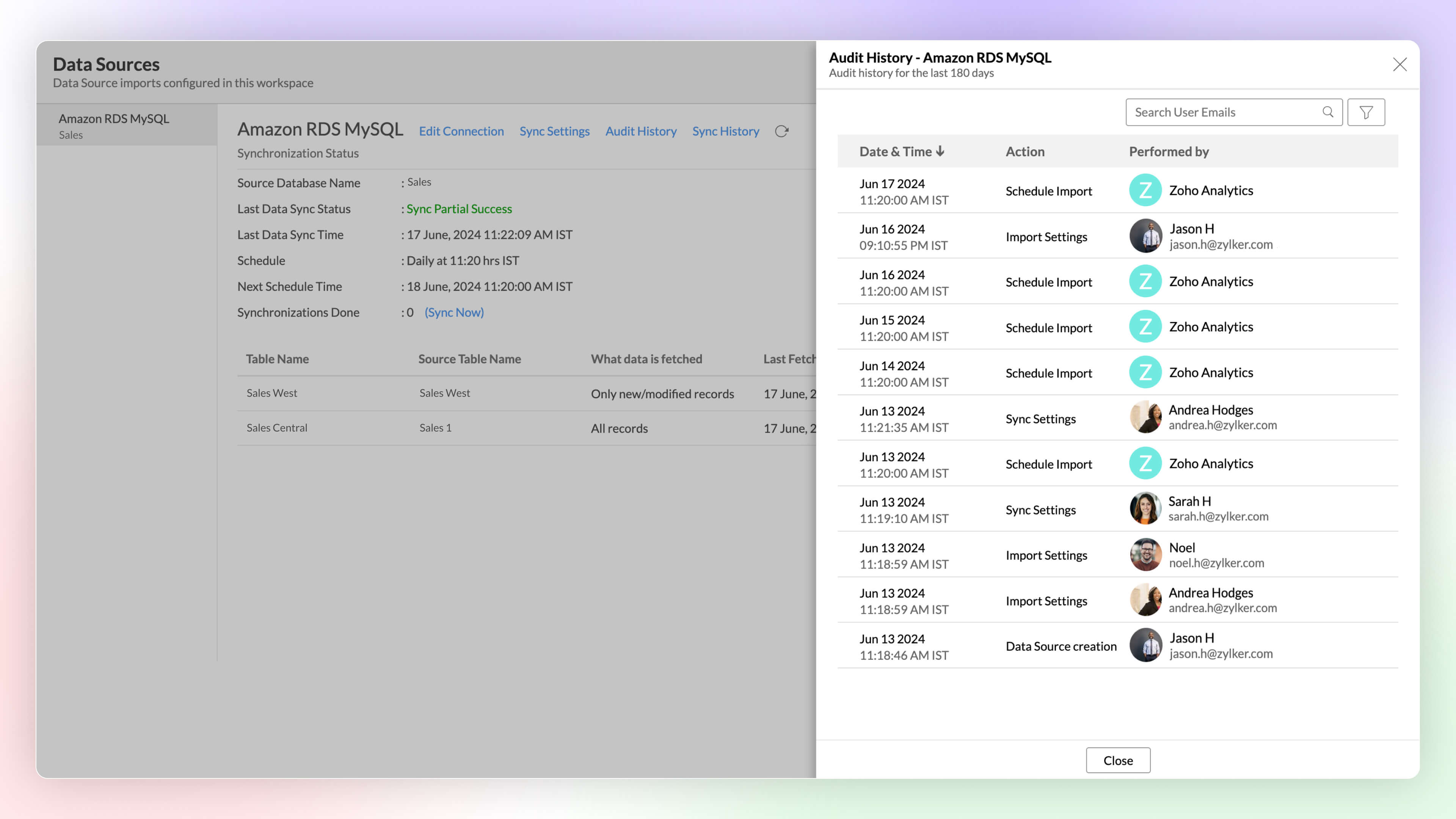
Audit History
Keep a full track of user and system activities using Audit History in Zoho Analytics. it helps you ensure security and resolve issues easily, using the timestamps and details of the administrator responsible for each action.
Click here to learn more.
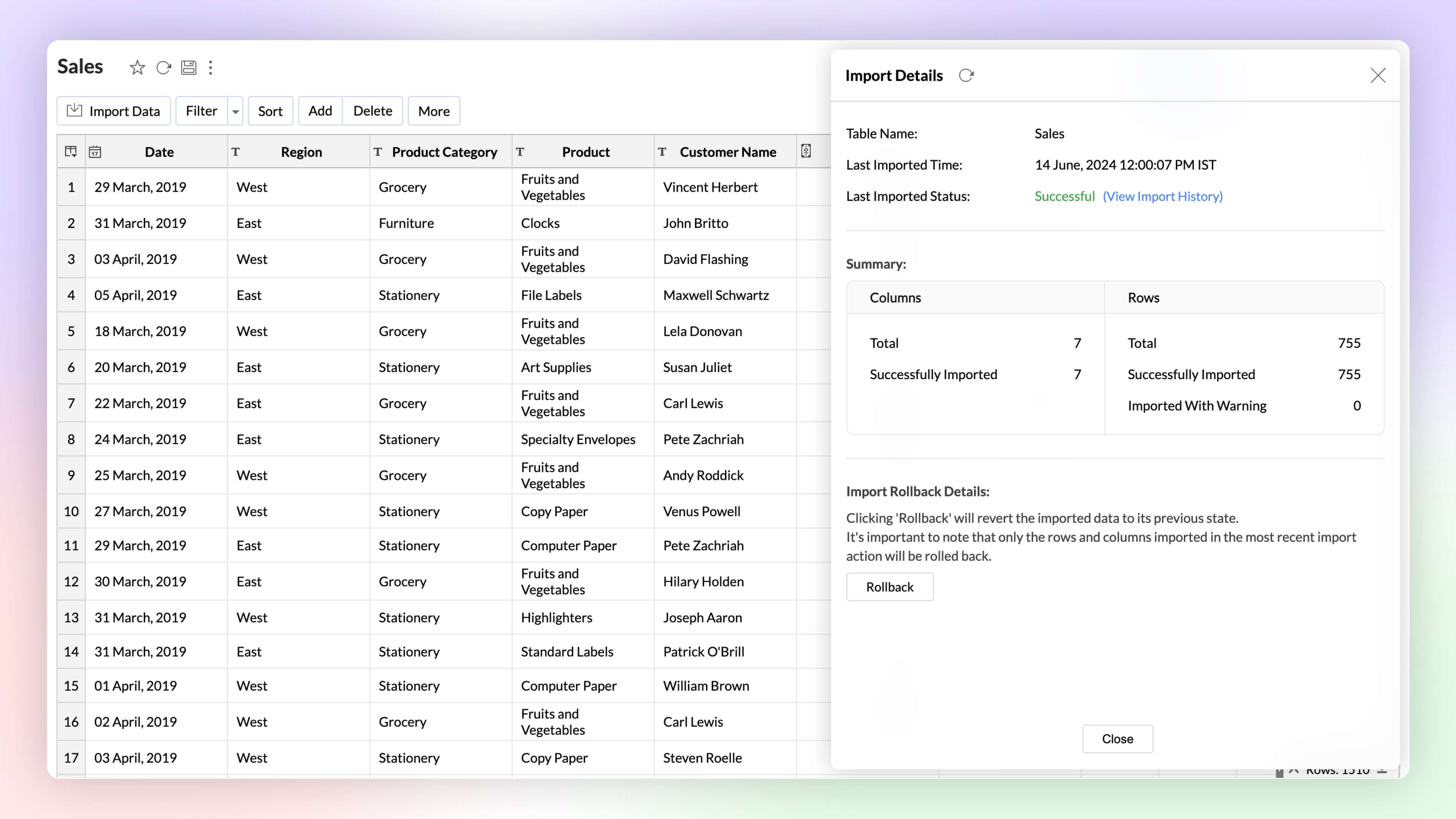
Undo Import Enterprise Plan
Automated imports can sometimes have errors and inconsistencies in data, and this can affect the data quality and the results. The import rollback capability reverts the current data import version to its previous version without affecting the existing data flow and analysis, ensuring data integrity.
Click here to learn more.
Data Pipelines Premium Plan
Set up and create data pipelines to setup powerful transformations on your datasets. You can create data pipelines with the no-code visual pipeline builder and perform various transforms on your data like join, append, pivot, and unpivot.
Click here to learn more.
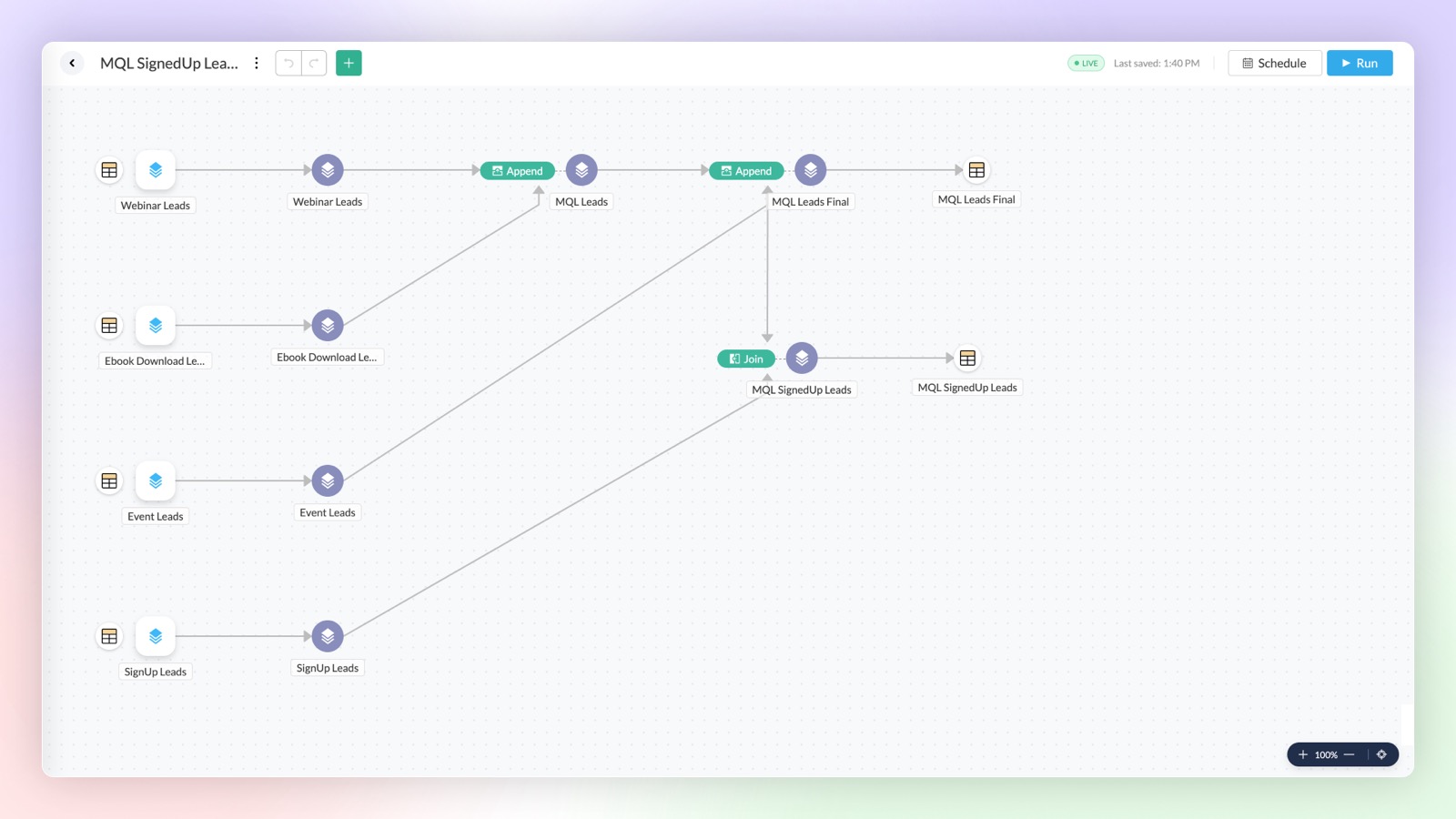
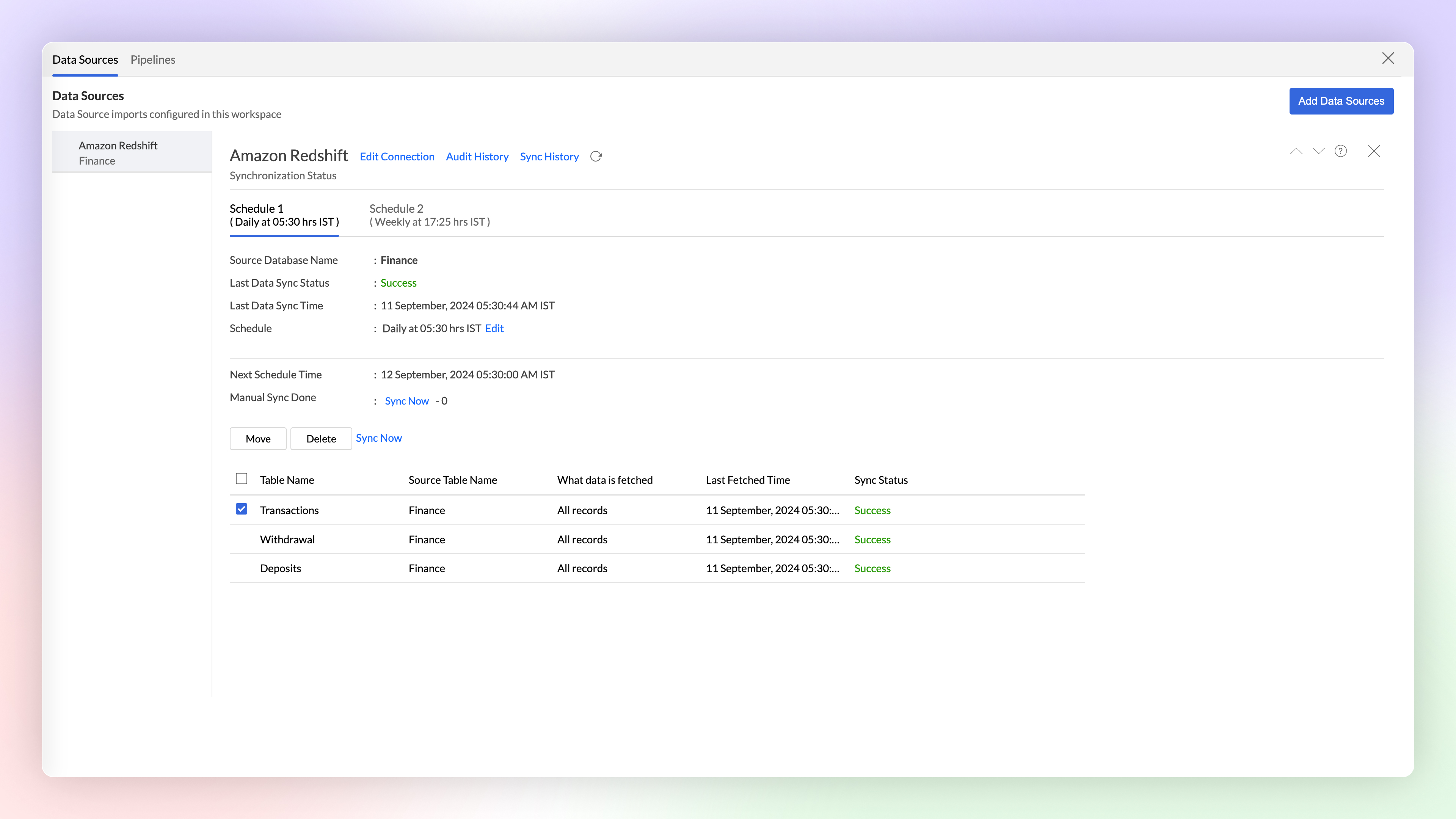
Multiple Schedule Intervals for Tables
Syncing multiple tables at the same interval, just because they share a source, isn't always optimal. That's why we've introduced flexible scheduling options per connection. Now, each table can have its own unique sync interval, allowing you to better meet its specific requirements.
Click here to learn more.
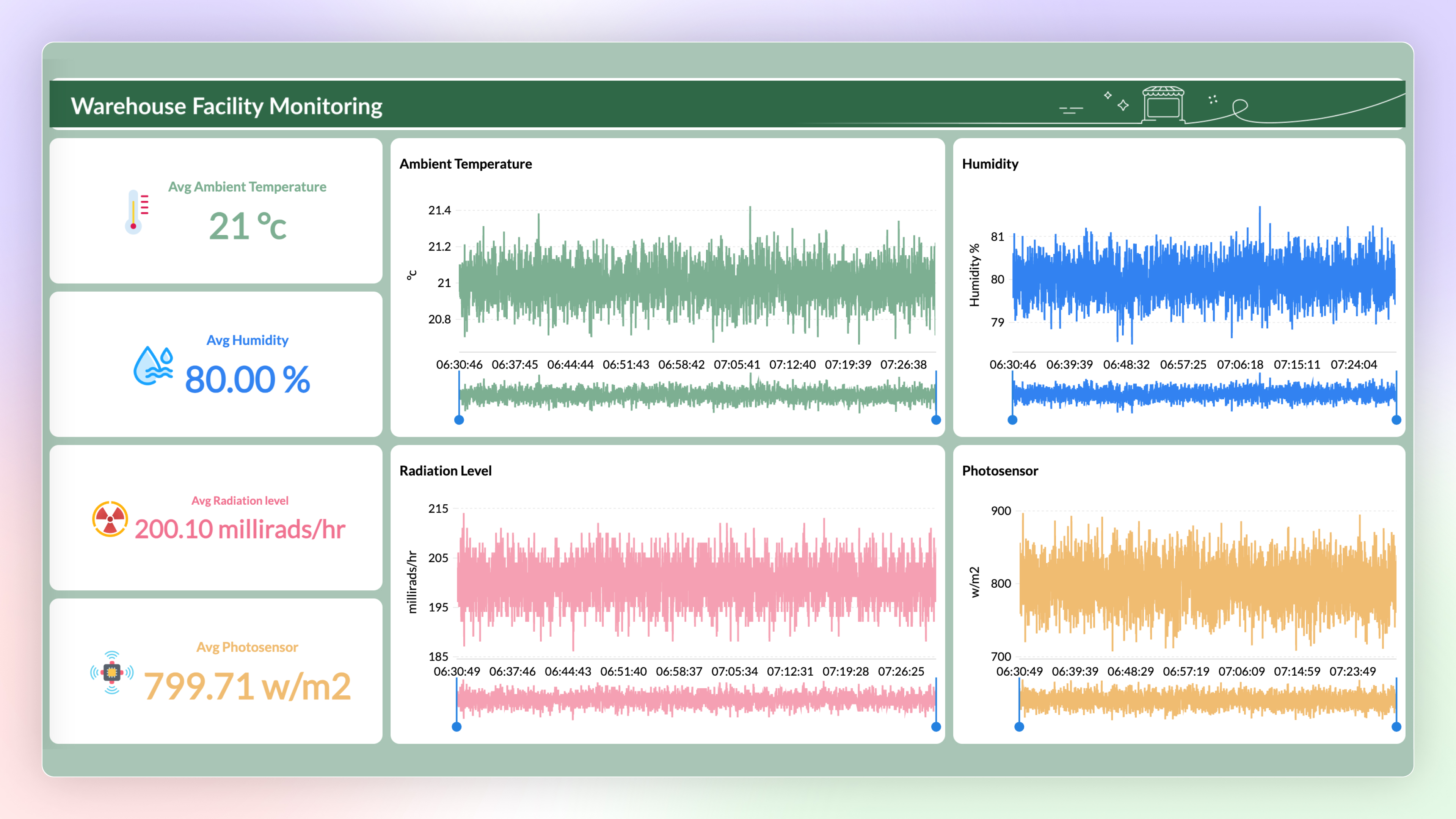
Stream Data Processing Premium Plan
Now you can use Stream Analytics to analyze the data from live streams. The data can be streamed into Zoho Analytics using API and Google Pub-Sub Push Subscription and can be visualized using Zoho Analytics to get real-time insights.
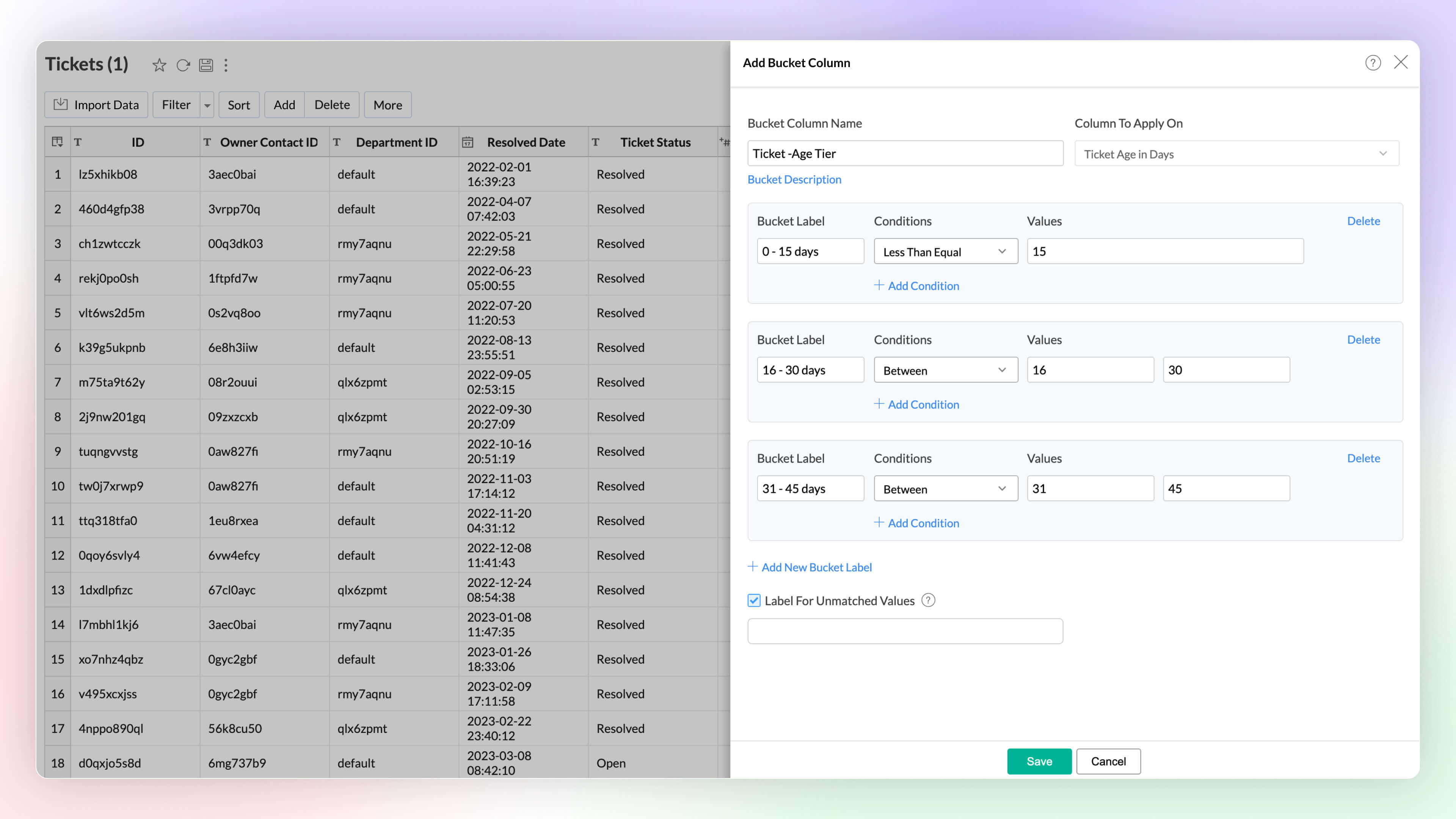
Data Bucketing
Data bucketing in Zoho Analytics allows you to transform your data into categorical bins, reducing distinct values and simplifying analysis. This feature, now built-in, replaces the need for complex formulas.
Click here to learn more.
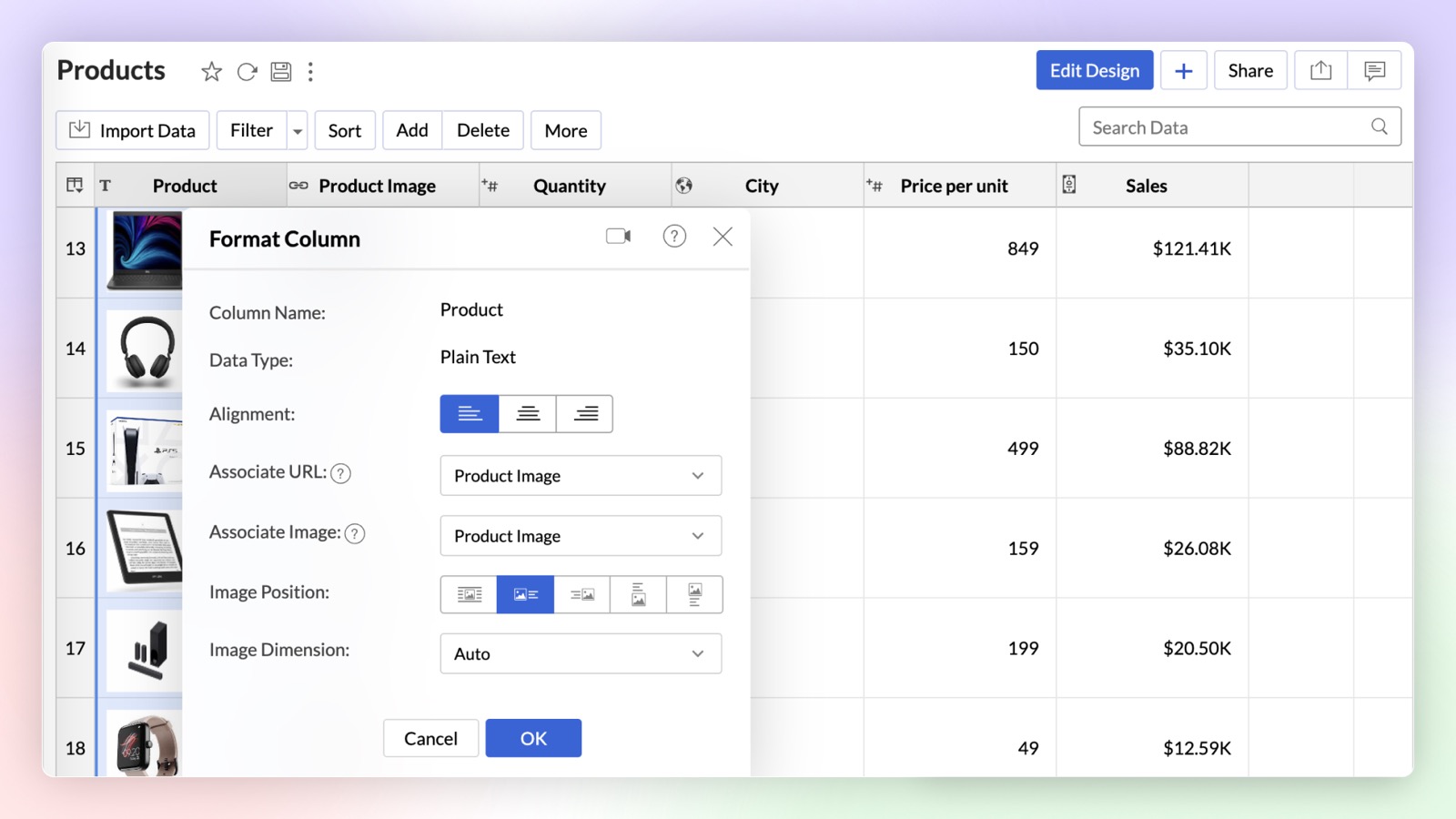
Dynamic Image / URL
You can now dynamically associate a URL column with a text column in Zoho Analytics. On associating URL as a link or image, the text column will be either hyperlinked or an image will be displayed alongside the text.
Click here to learn more.
Unified Metrics
Unified Metrics in Zoho Analytics consolidates and standardizes all the metrics (aggregates) from different data sources/tables in a workspace. Now you can promote consistency and avoid duplication of metrics across the tables with ease.
Click here to learn more.
Real-time data sync for Zoho CRM Enterprise Plan
You can now analyze up-to-the-minute CRM data in Zoho Analytics. Zoho CRM users can use the Advanced Analytic connector for Zoho CRM to analyze and visually present real-time data effortlessly.
Dataiku Plug-in
You can now analyze and visualize data in Dataiku ML models using the Zoho Analytics Plugin in Dataiku. Zoho Analytics plugin is now available in Dataiku Plugins page.
Enhancement in Live Connect
Zoho Analytics now allows data sources with Live Connect to be added to workspaces alongside other data sources. Previously, Live Connect sources could not be combined with other data sources in the same workspace.
Click here to learn more.
Visual Analytics
Chart Enhancements
New Chart Types
Zoho Analytics supports 7 new chart types (on top of 50+ existing ones) with extensive customization options to enhance the presentation and interpretation of the data.
- Sankey charts Sankey charts are ideal for visualizing data flow between nodes and tracking event movement through connected lines. In Zoho Analytics, you can customize node and link colors, adjusting them individually or globally, and set link colors based on source or target nodes. You can choose a basic Sankey chart for simple flows or an Alluvial Chart for complex, multi-stage flows.
- Racing charts are animated views that are best suited for visualizing the changes in the data over a period of time where the relative ranking of categories is important. They highlight and help comprehend the fluctuations and progression in the data. These types of charts grab the user's attention instantly, providing an immersive experience and helping craft a compelling story about the data.
- Spark lines are compact charts that show the trends and variations in the data without taking up much space. They are widely used alongside pivot tables and help grasp trends and allow quick comparison of metrics across different fields. Zoho Analytics supports three variations that includes line chart, area chart, and bar chart.
- Geo Map Layering, add multiple data layers to the geo map to visualize various dimensions of information. This feature includes interactive options for enhanced data exploration.
- Sunburst charts represent hierarchical data through a series of rings, or concentric circles. Each ring corresponds to a level in the hierarchy. The central or innermost circle represents the root node, or the top-level category. Moving outwards, each subsequent ring represents a subcategory, where the outermost ring is the leaf node. The size of each arc in the ring is proportional to the value of the data.
- Conversion bar charts show the connected stages of a process and the gradual decrease in data as it moves through different stages of the process. Each stage is represented by a bar, with a step or stair case pattern indicating the shift in values (along with conversion percentage) at each stage.
-
Tree Map is a visualization composed of differently-sized rectangles that represent your data values. This is beneficial when you want to depict the part to whole relationship among various categories.

Interactive Chart Customizations
Experience real-time updates as you customize your chart with the new Chart Settings interface, now available on the right side pane. It provides enhanced customization options with live visual feedback.
Click here to learn more.
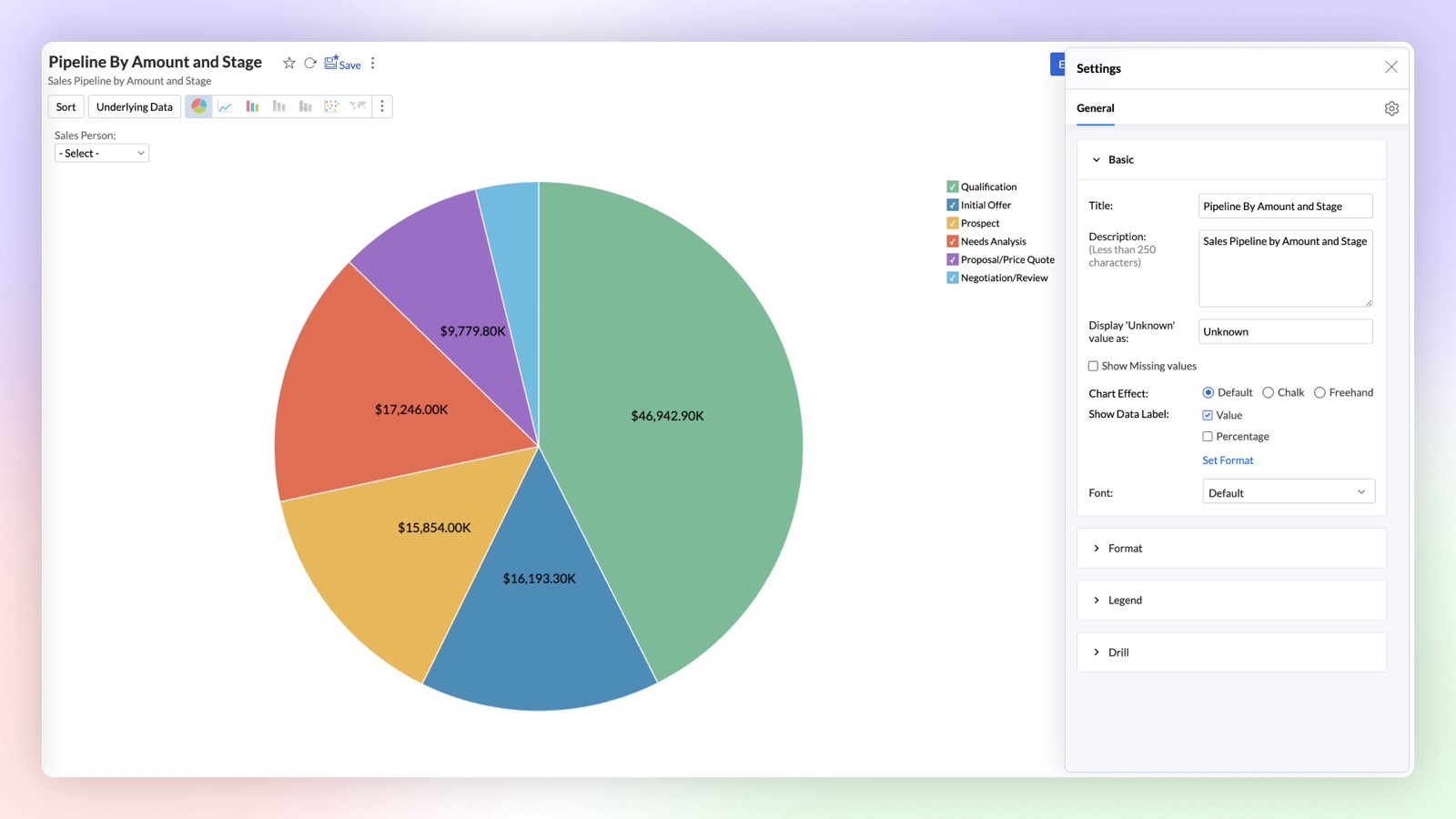
Chart Creation as API
Chart creation APIs in Zoho Analytics allow you to programmatically generate various types of charts by customizing data inputs, applying filters, and configuring chart properties. These APIs offer flexibility to create dynamic visual reports directly through code.
Pivot enhancements
Conditional Formatting over other columns in Pivot
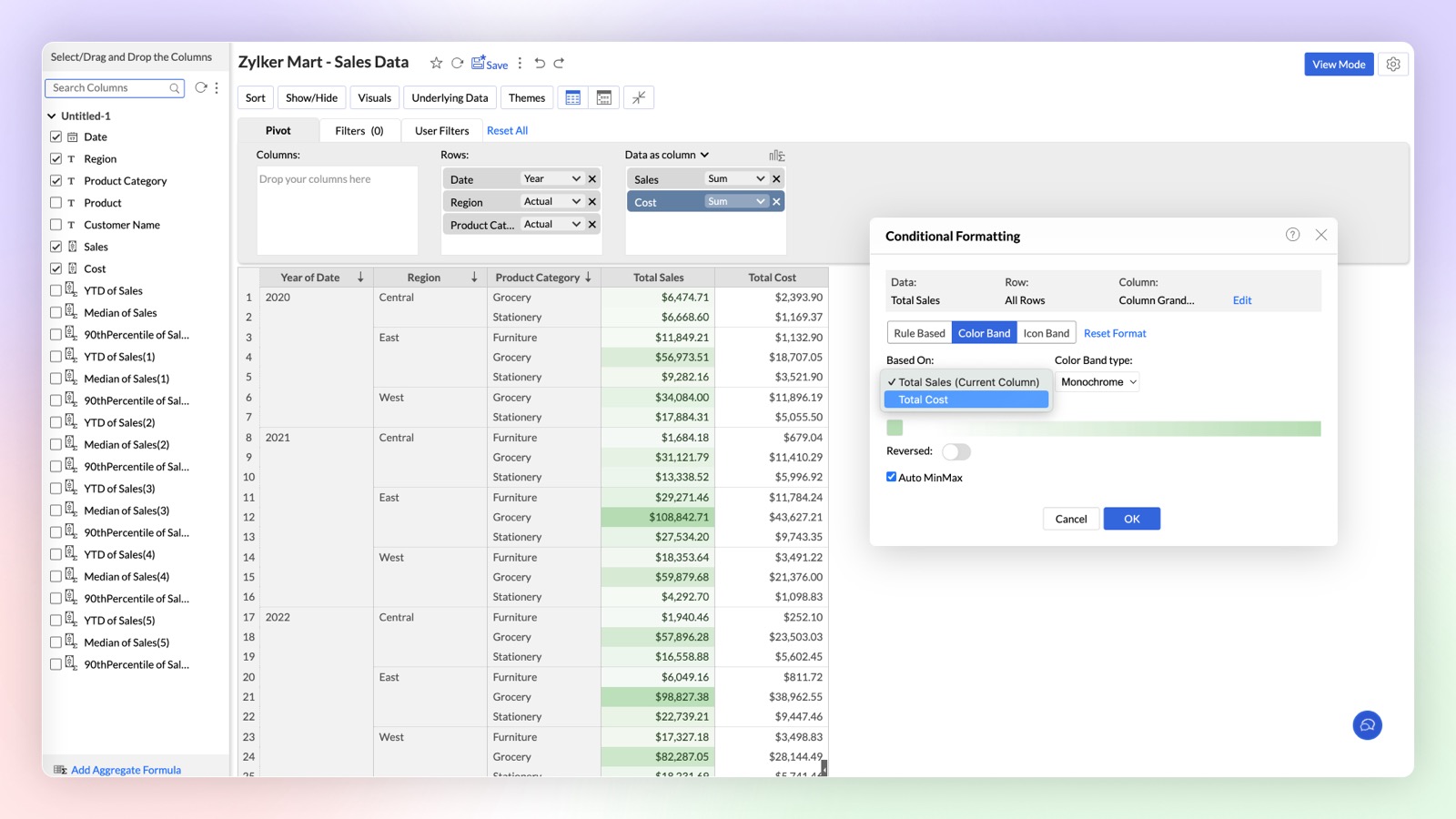
This enhancement empowers you to create more dynamic and insightful Pivot Tables by allowing you to apply conditional formatting rules over any column based on the values of another column.
Click here to learn more.
New Conditional Formatting: Color & Icon Bands
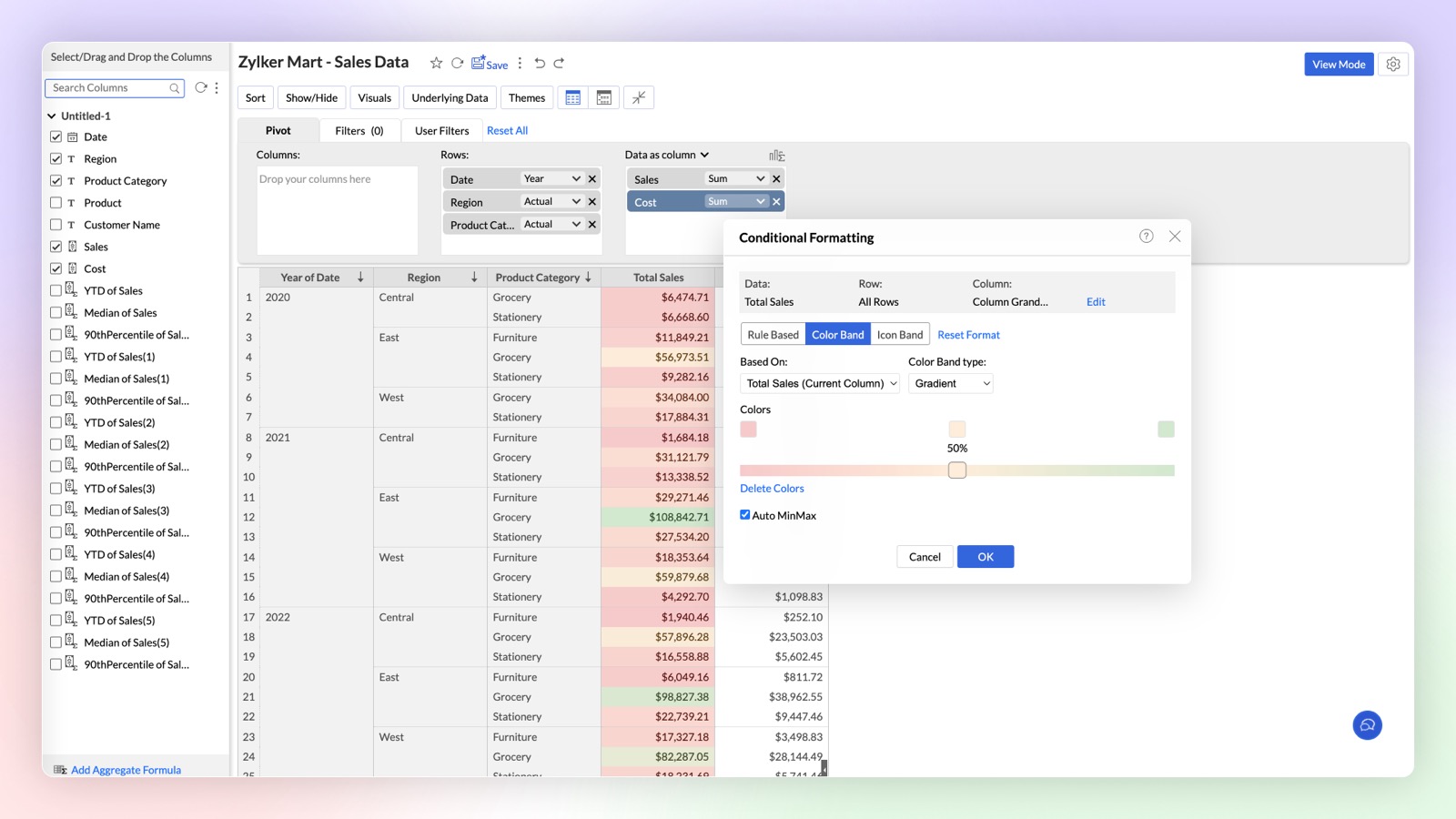
Zoho Analytics introduces enhanced Conditional Formatting with Color and Icon Bands in Pivot Tables. This update brings a new level of visual customization, allowing you to highlight critical data points and enhance data comprehension directly within your Pivot Tables.
Click here to learn more.
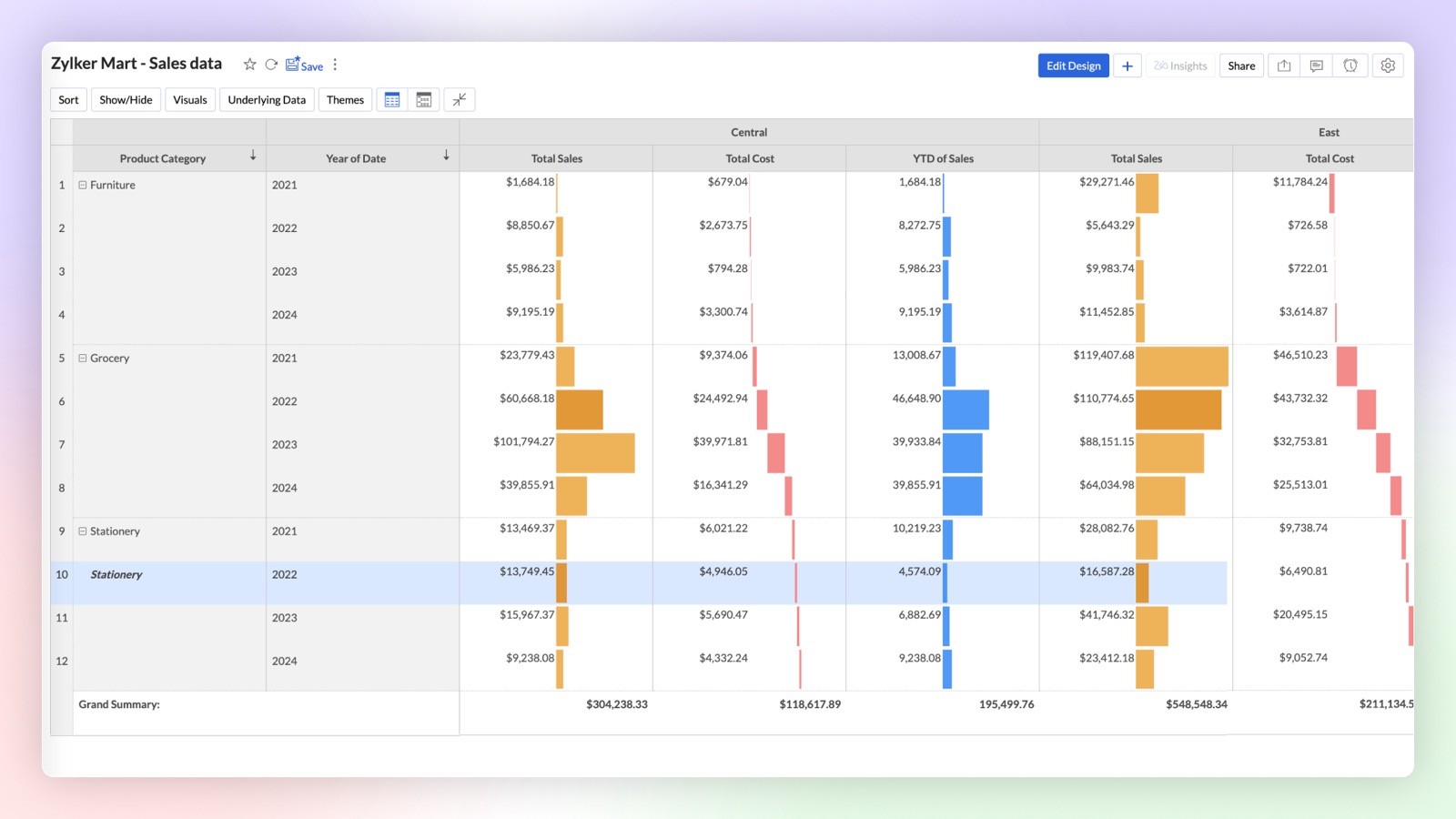
Data Bars & Waterfall Charts in Pivot
Introducing Data Bars and Waterfall (Bar Range) Charts in pivot tables to analyze complex data sets and highlight key insights directly within your pivot tables. Upgrade your data visualization game with Data Bars and Waterfall Charts in Zoho Analytics. Start transforming your Pivot Tables into powerful storytelling tools today!
Dashboard Enhancements
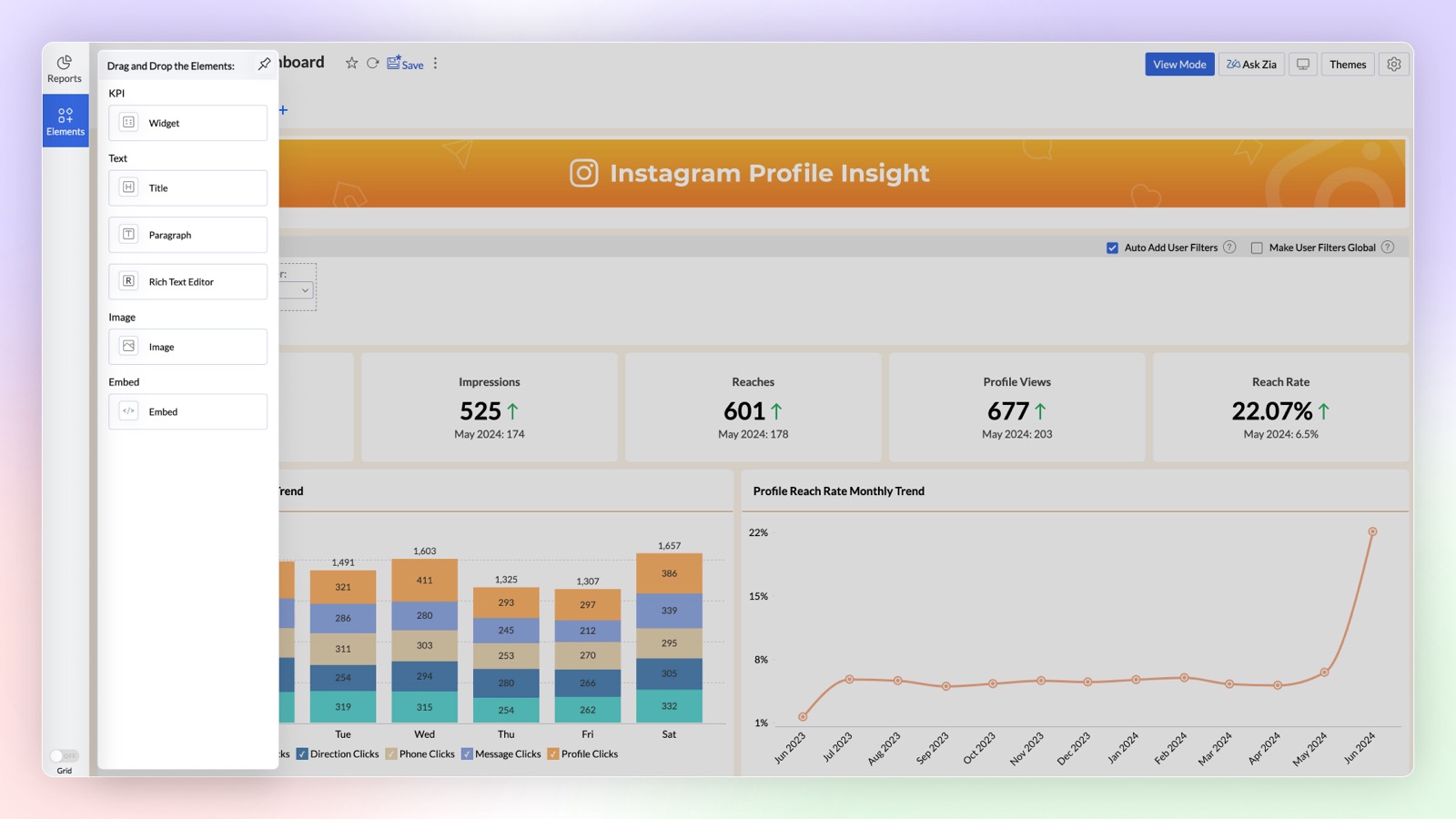
Add Elements in Dashboard
The Dashboard Designer interface now includes an "Add Elements" section for easily incorporating widgets, text, images, and embedded URLs into your dashboard. Simply drag and drop these elements to add them. The Text element offers enhanced formatting options, while the Image element features a built-in editor for direct image customization.
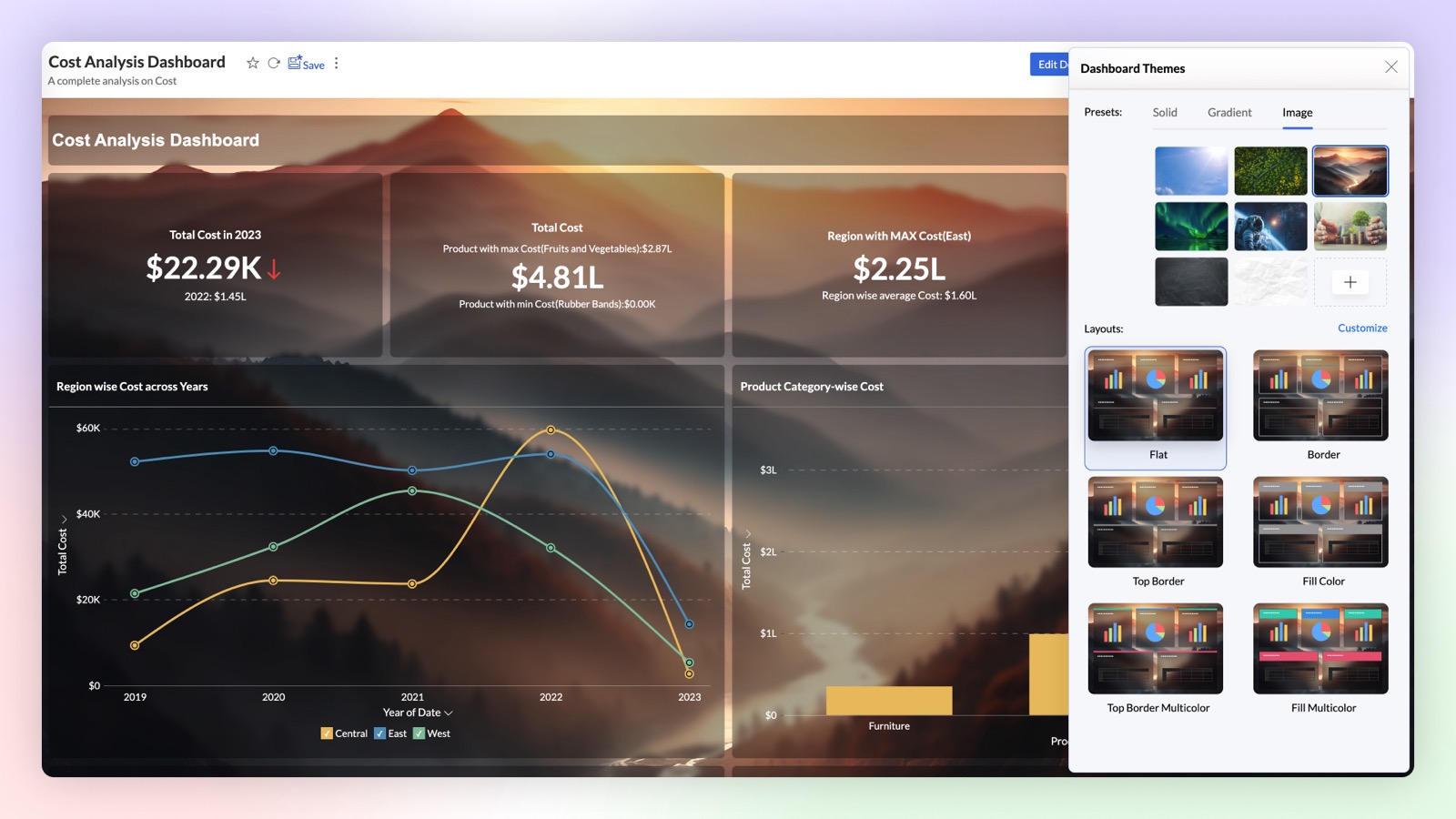
Enhanced Themes and Background in Dashboard
Want to create stunning dashboards with reports over transparent cards and image as background? Try our new themes and background card effect feature. With wide customization options to improve the visual aesthetics, this helps enhance the clarity of the reports and widgets.
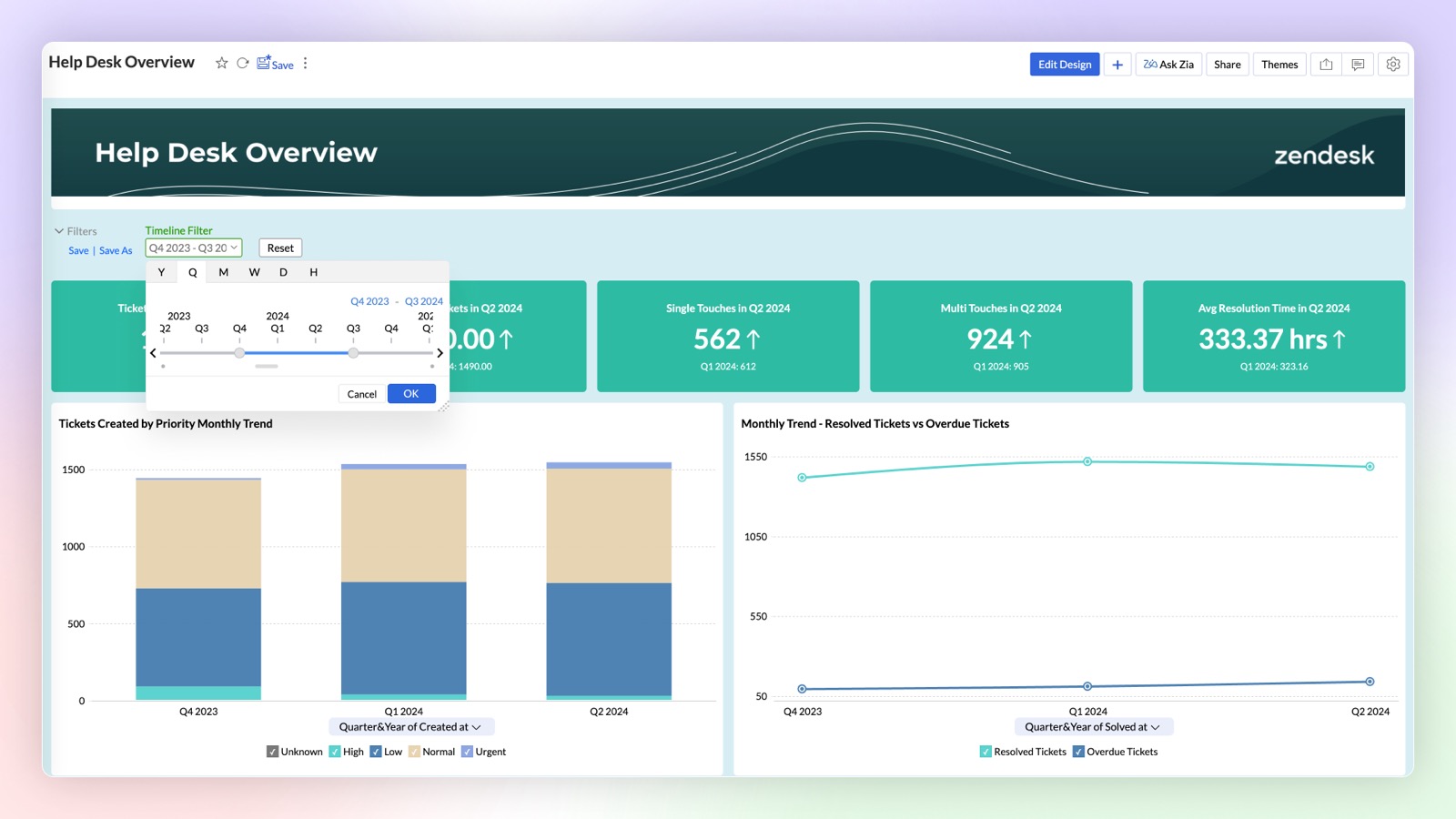
Changing date functions based on Time Slicer
Enhance user interaction on your dashboard by dynamically adjusting the date functions of reports based on the applied Time Slicer. The selected date function and interval in the Time Slicer will automatically update the date functions across all reports within the dashboard.
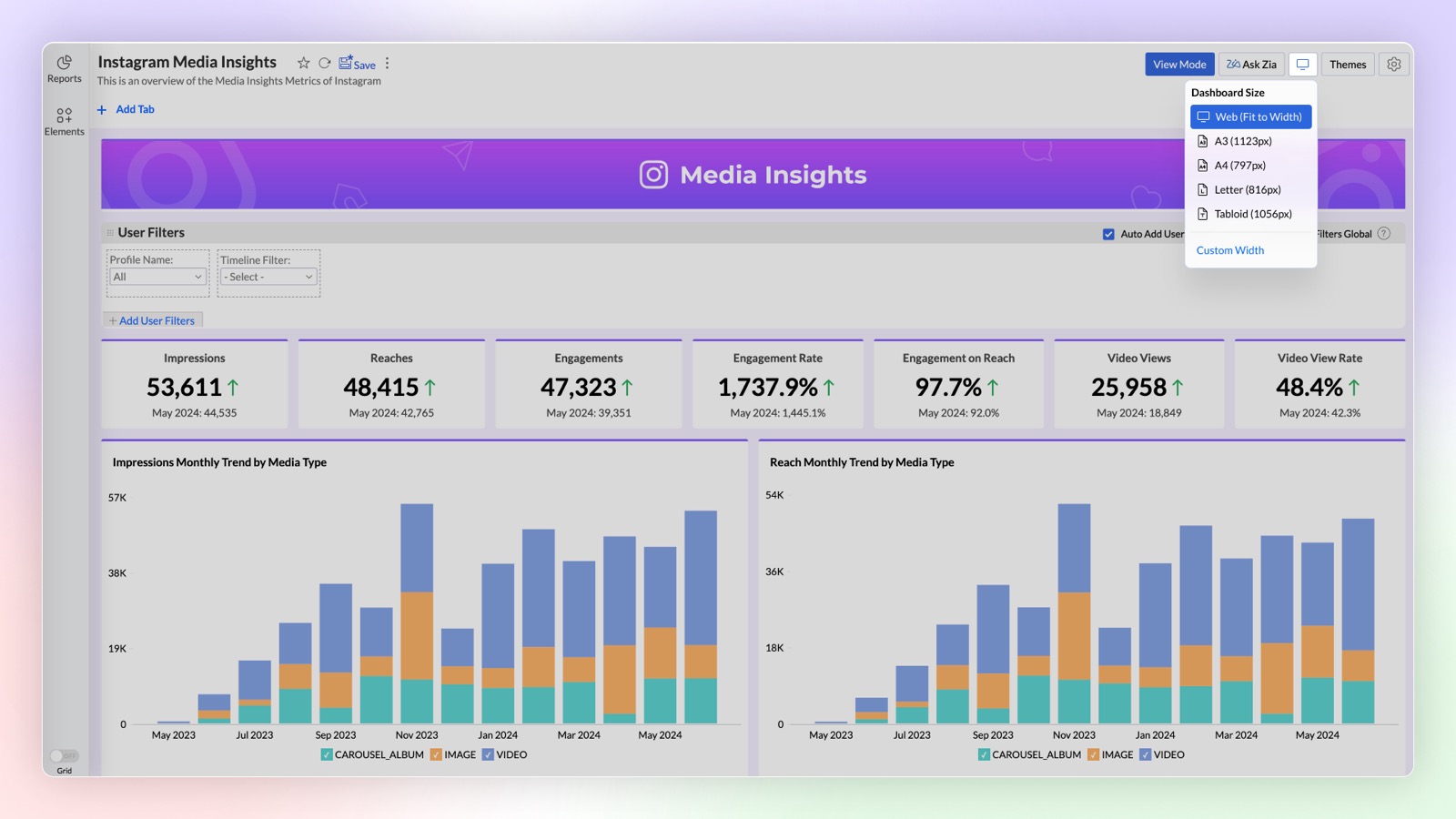
Customizing the width of Dashboard Designer Area
You can now customize the width of the Dashboard layout to suit your specific design needs. By setting the desired width, you can also design dashboards that could fit in applications where you are embedding them, ensuring a visually appealing layout.
Widget Enhancements
- Image support in widgets: Enhance your dashboard’s visual appeal and user engagement by adding custom icons to KPI widgets to convey information at a glance, without lengthy descriptions. You can use the in-built image customization options like changing color, cropping, etc., to cater your needs.
- Widgets with forecast: Based on your current data trend, get a better understanding of how close you are to your goals by adding forecast value to your widgets.
Export as PPT
You can now export a dashboard as a Microsoft PowerPoint file. The snapshot of each view in the dashboard will be exported as an individual slide.
Copy and Paste Reports in Dashboard
Now you can easily copy and paste the reports in your dashboard from one tab to another.
Interactive Customizations
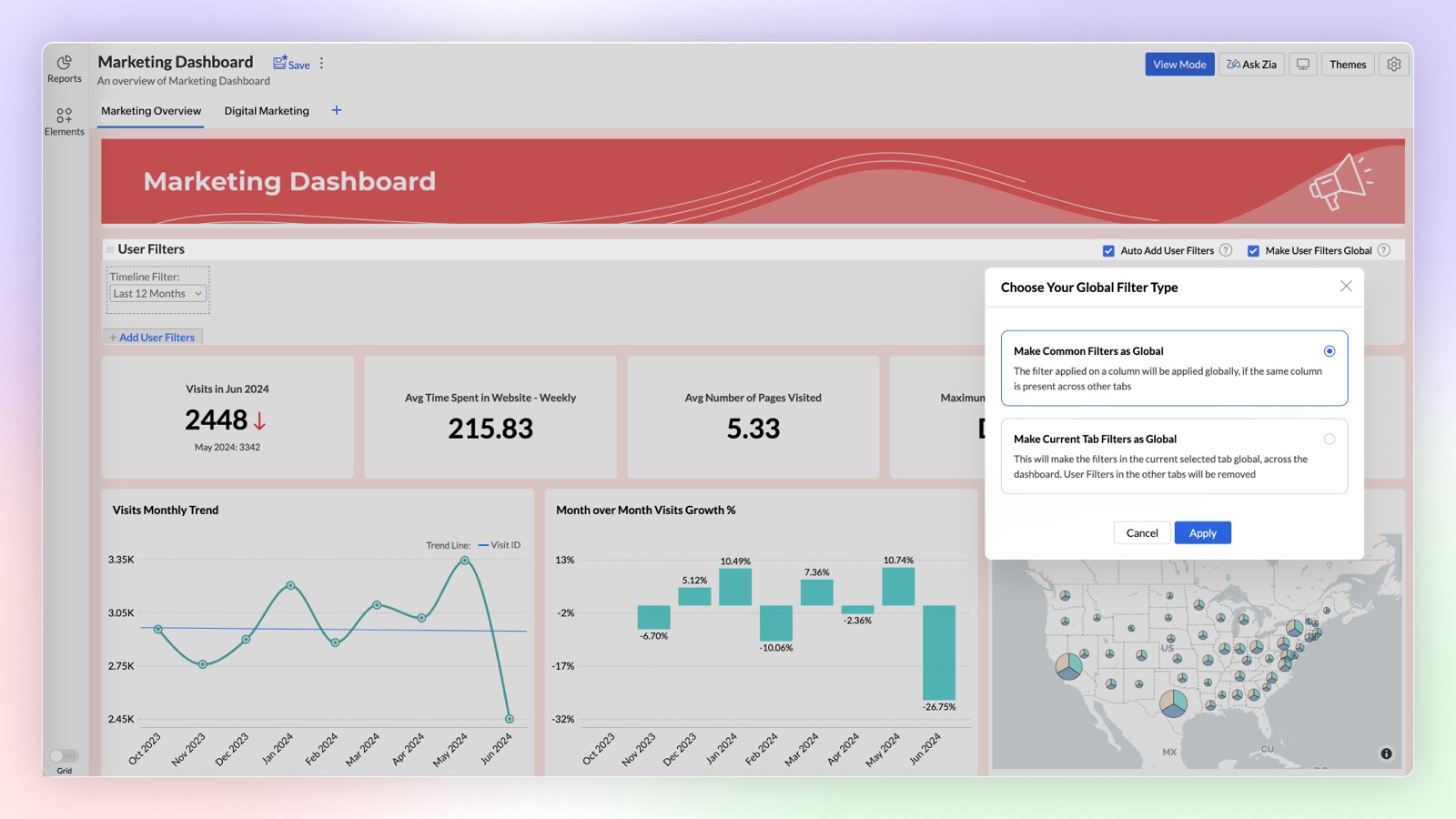
Global User Filters
Expand the functionality of Global User Filters in your dashboard for deeper analysis with our latest enhancement. You can either select common filters across tabs as global filters or apply the same filter to all tabs when they share the same base data.
Click here to learn more.
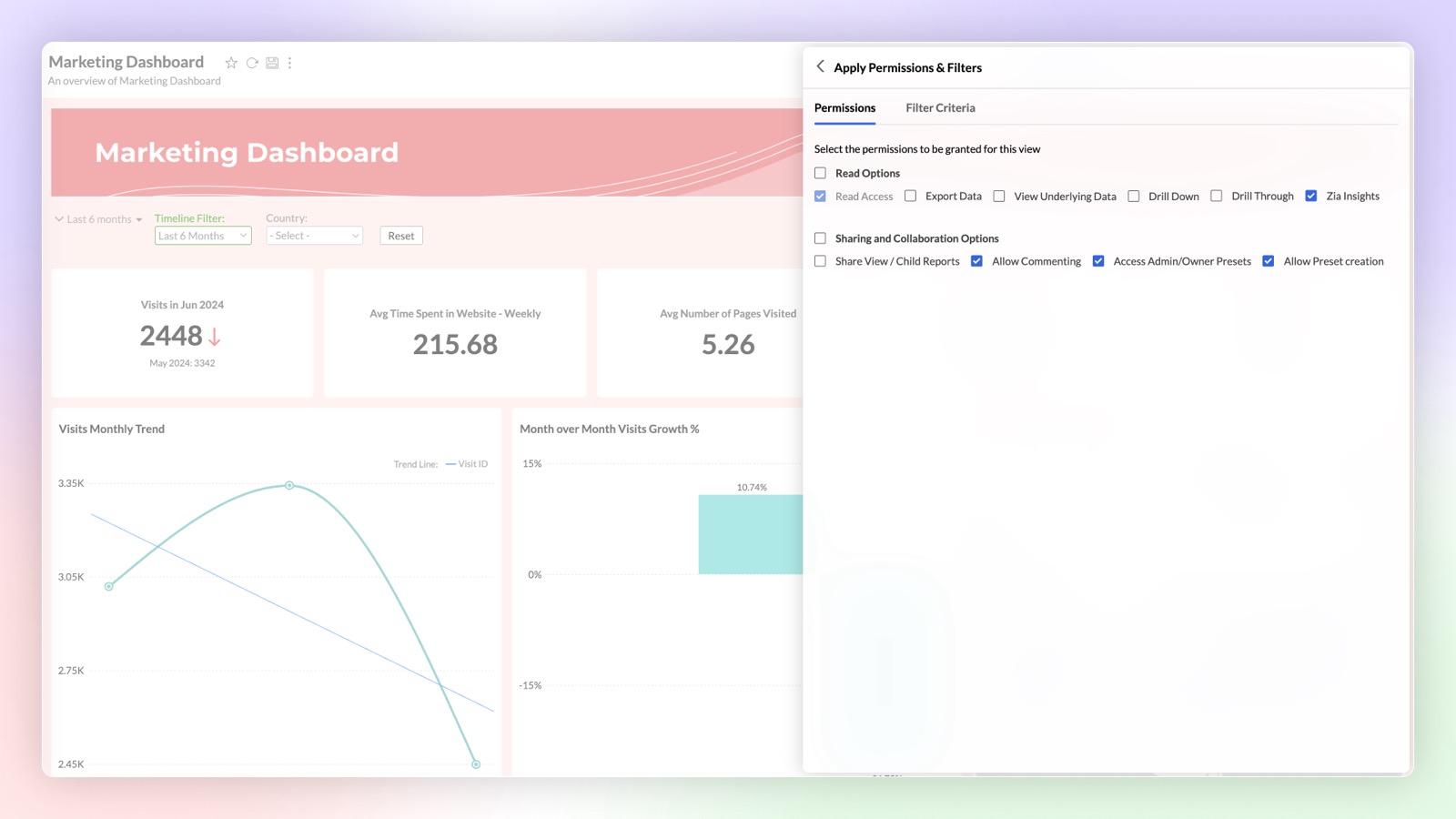
Sharing User Filter Presets
You can now share saved user filter presets with other users. Dashboard users can utilize the shared presets or create their own custom presets.
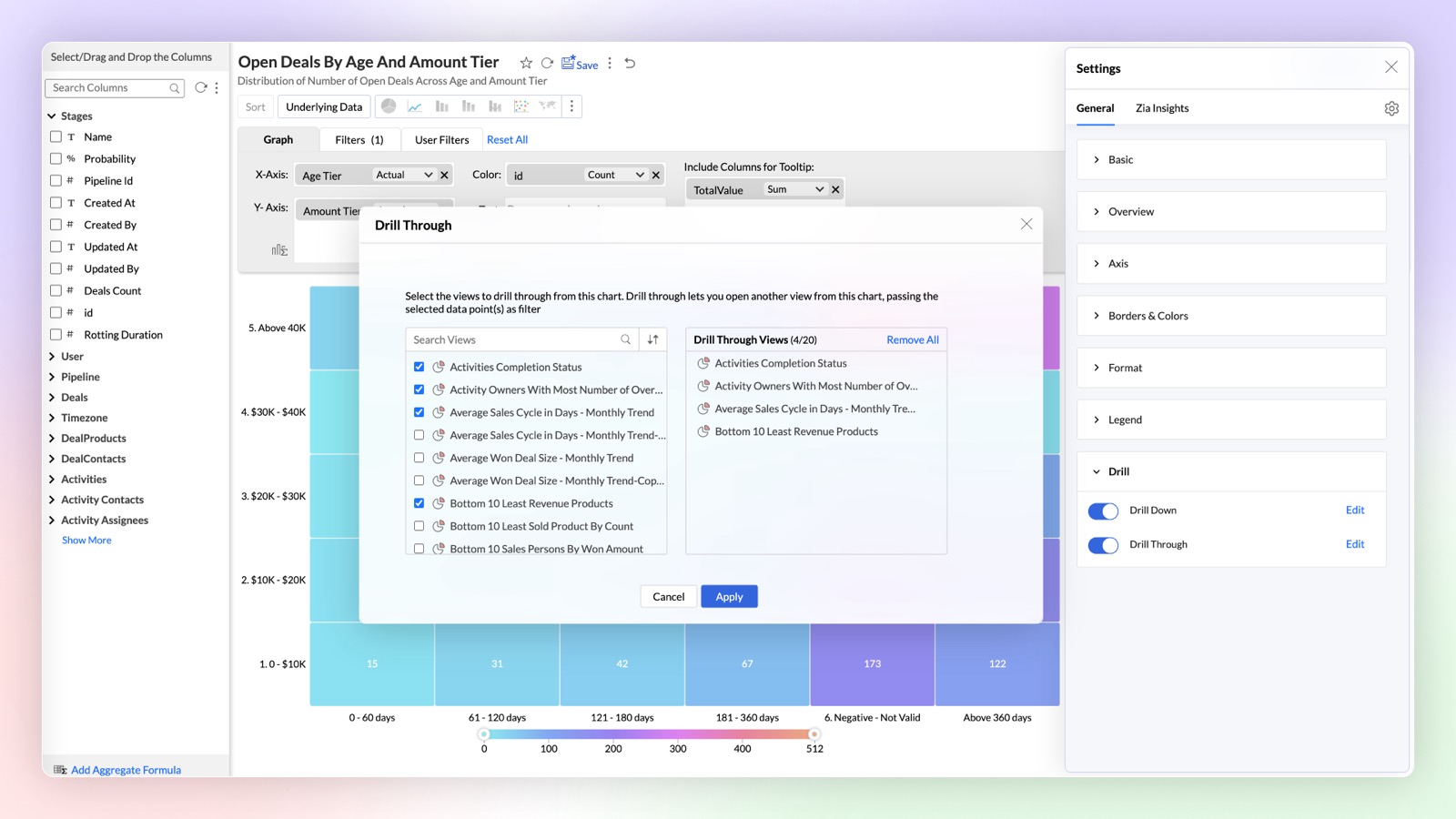
Drill Through
Navigate and view the reports related to the specific data points using the drill through function. You can easily link all the related reports specific to a metric or dimension.
Click here to learn more.
Generative AI Infused Analytics
Diagnostics Insights
Find out the reason 'Why' behind any insight with diagnostic insights. Analyze the key drivers with significant impact and take informed actions based on these insights.
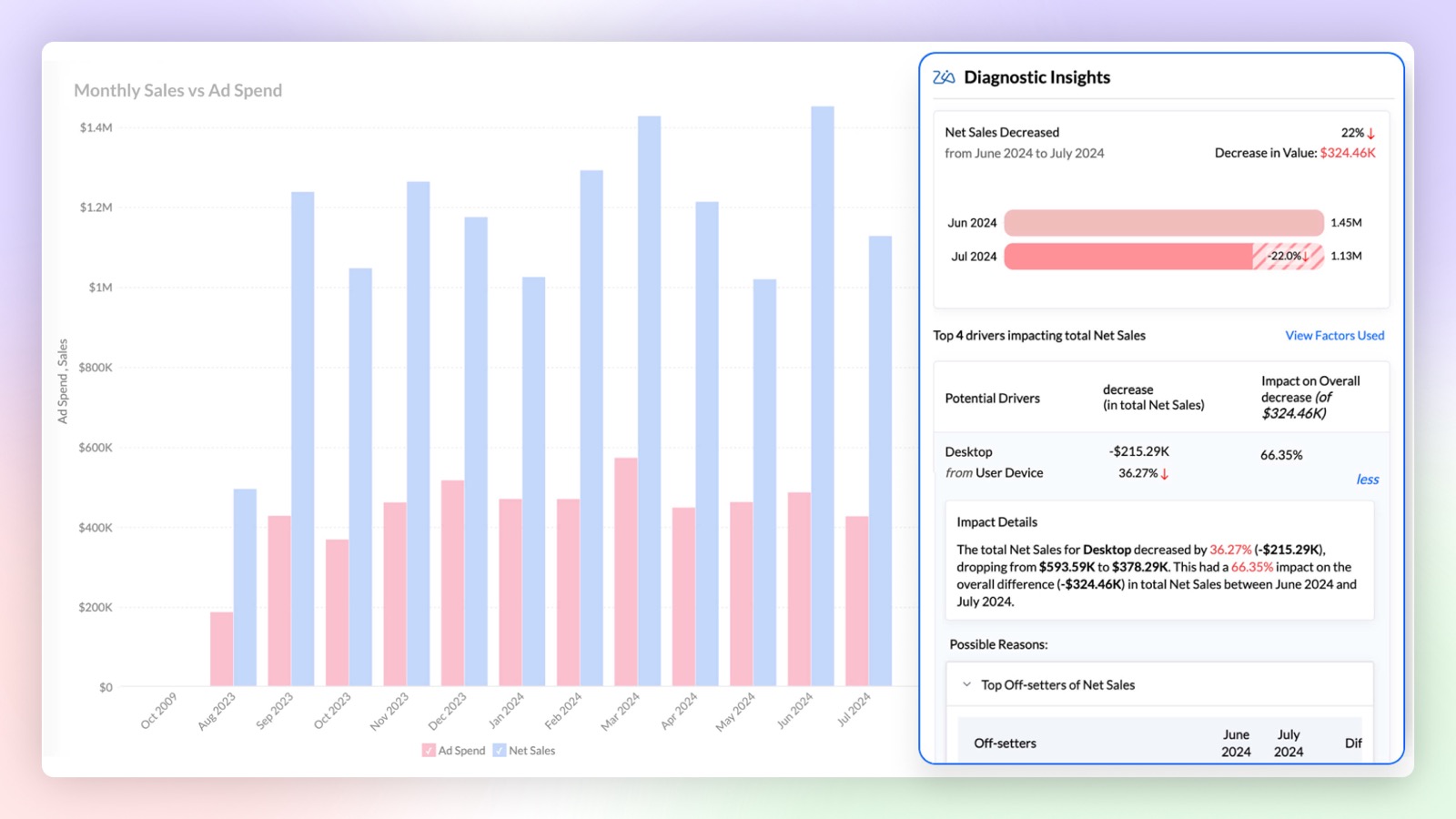
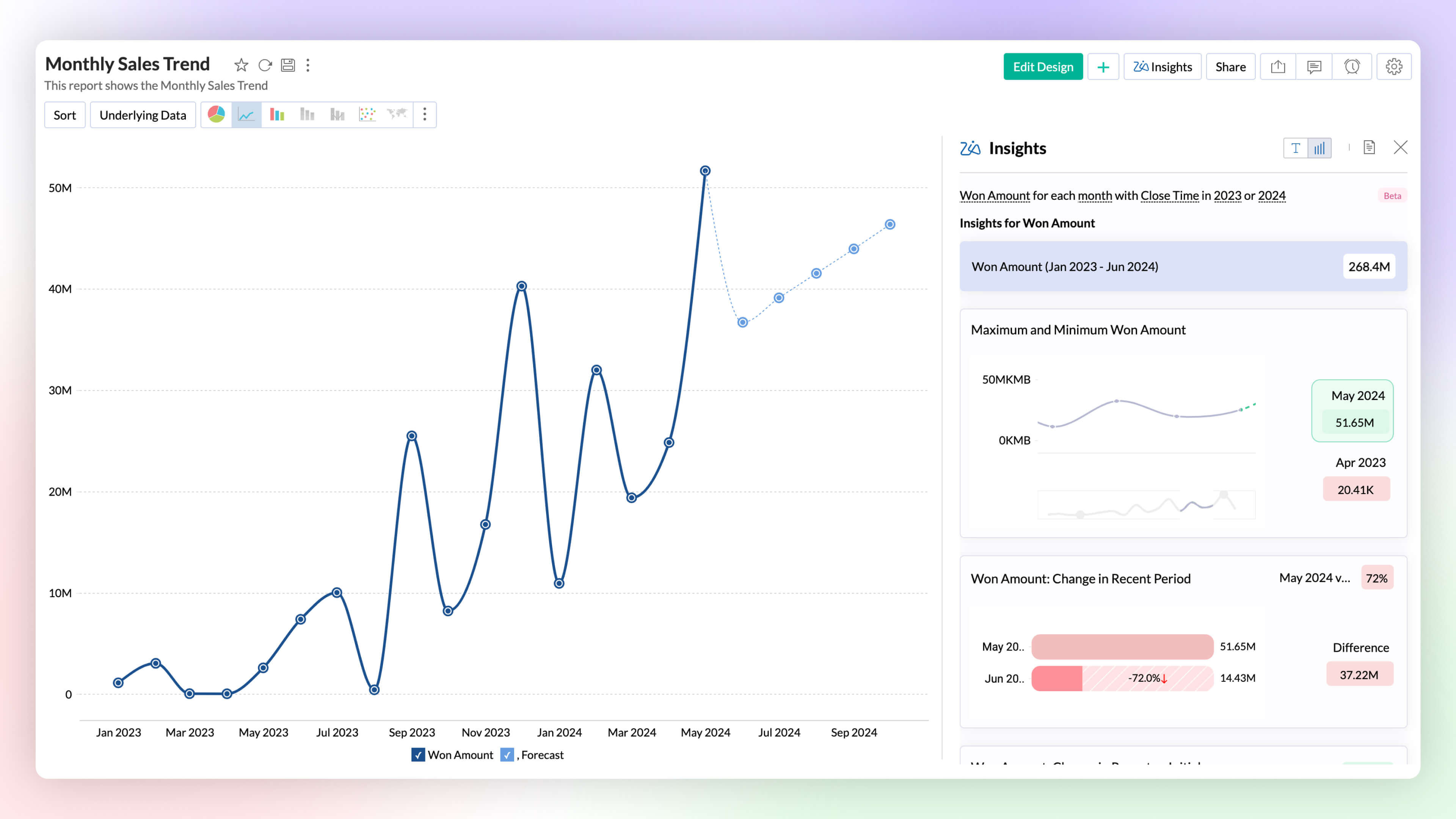
Visual Zia Insights
Zia Insights now provides visual narratives! Visuals help process information far more efficiently than lengthy text descriptions. These visuals facilitate multi-dimensional interpretations like comparison, contribution, distribution, trends and proportions.
Click here to learn more.
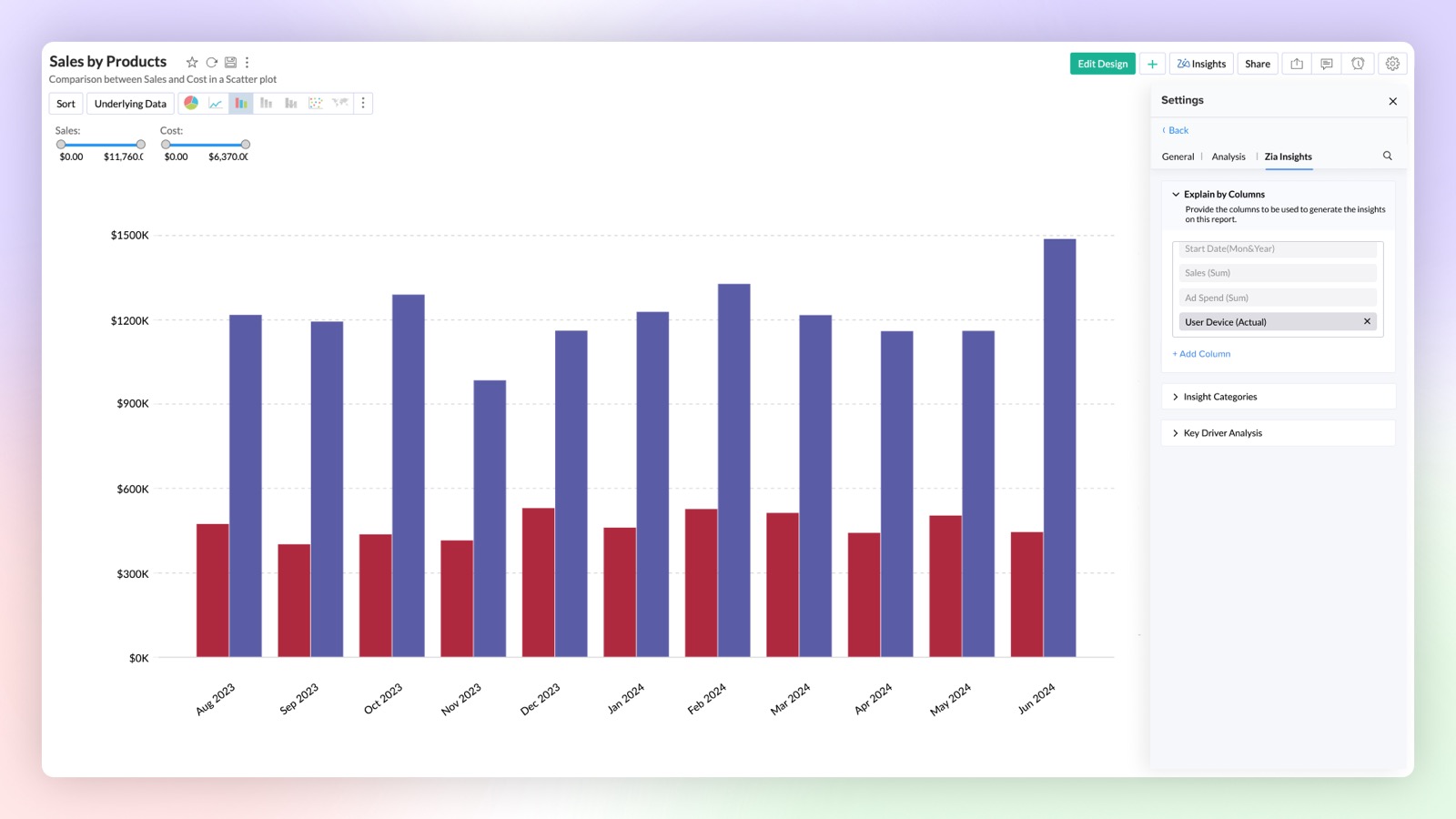
Configurable Insights
Customize the insights generated by Ask Zia to focus on the columns of your choice. This feature provides configurable insights tailored to your selected data.
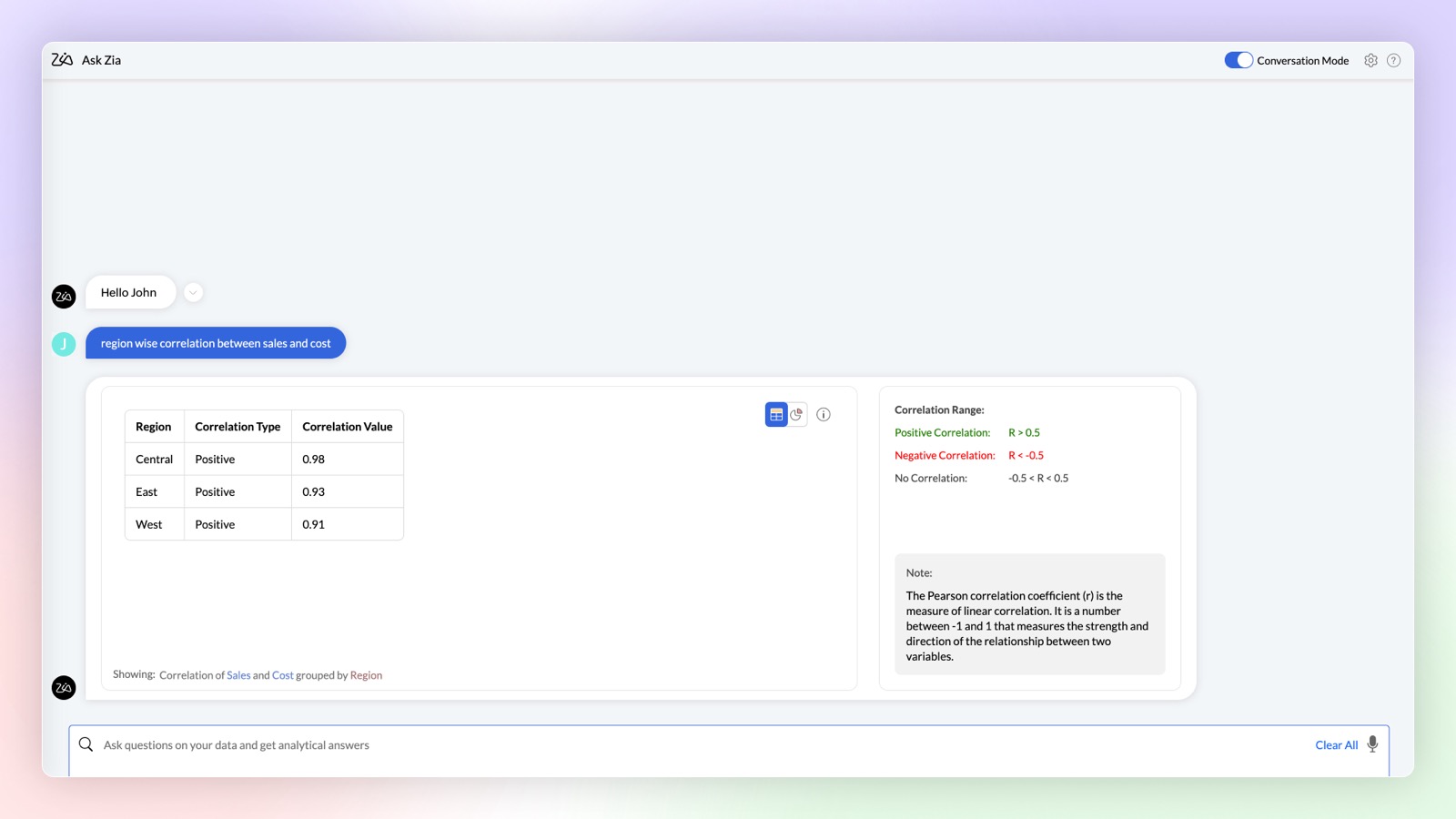
Complex Queries
Ask Zia in conversation mode can now provide you with results for complex mathematical queries to find correlation and trend strength in your data.
Click here to learn more.
Enhancements in OpenAI Integration
- Increase the accuracy of your OpenAI results in Ask Zia by using your workspace metadata. This can be done by enabling the OpenAI RAG (Retrieval-Augmented Generation) feature in Organization Settings.
- You can now use OpenAI in Ask Zia conversation mode to create formulas and make data preparation easier by helping you build complex queries. Type your needs in simple language and get answers instantly.
- Workspace Admins can also use OpenAI integration in Ask Zia.
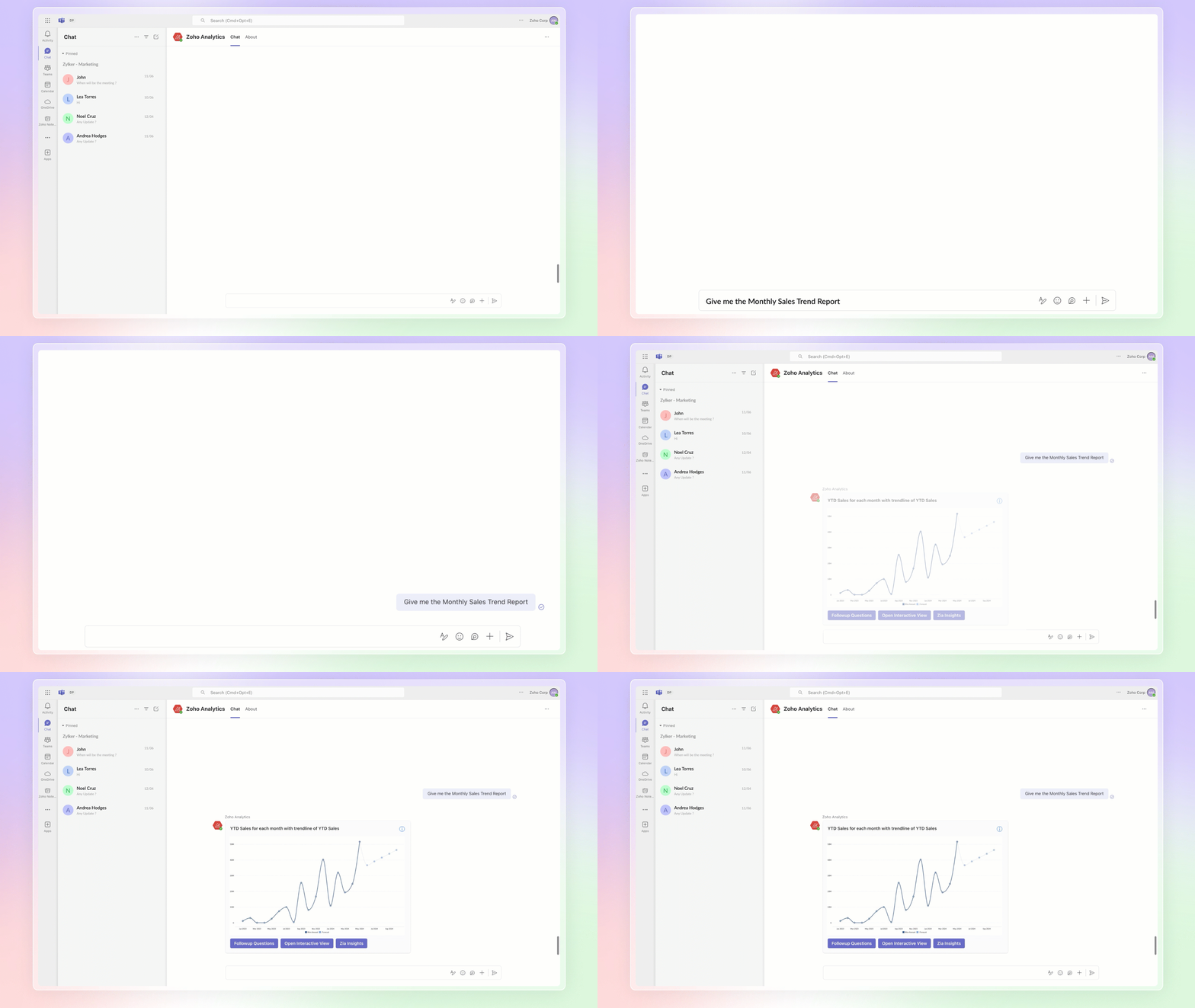
Ask Zia Bot in Microsoft Teams
Combine the generative AI capabilities of Zoho Analytics' Ask Zia with Microsoft Teams. Get answers to your data queries, access key business insights quickly, predict future trends, and build reports right from within Microsoft Teams with Ask Zia bot.
Click here to learn more.
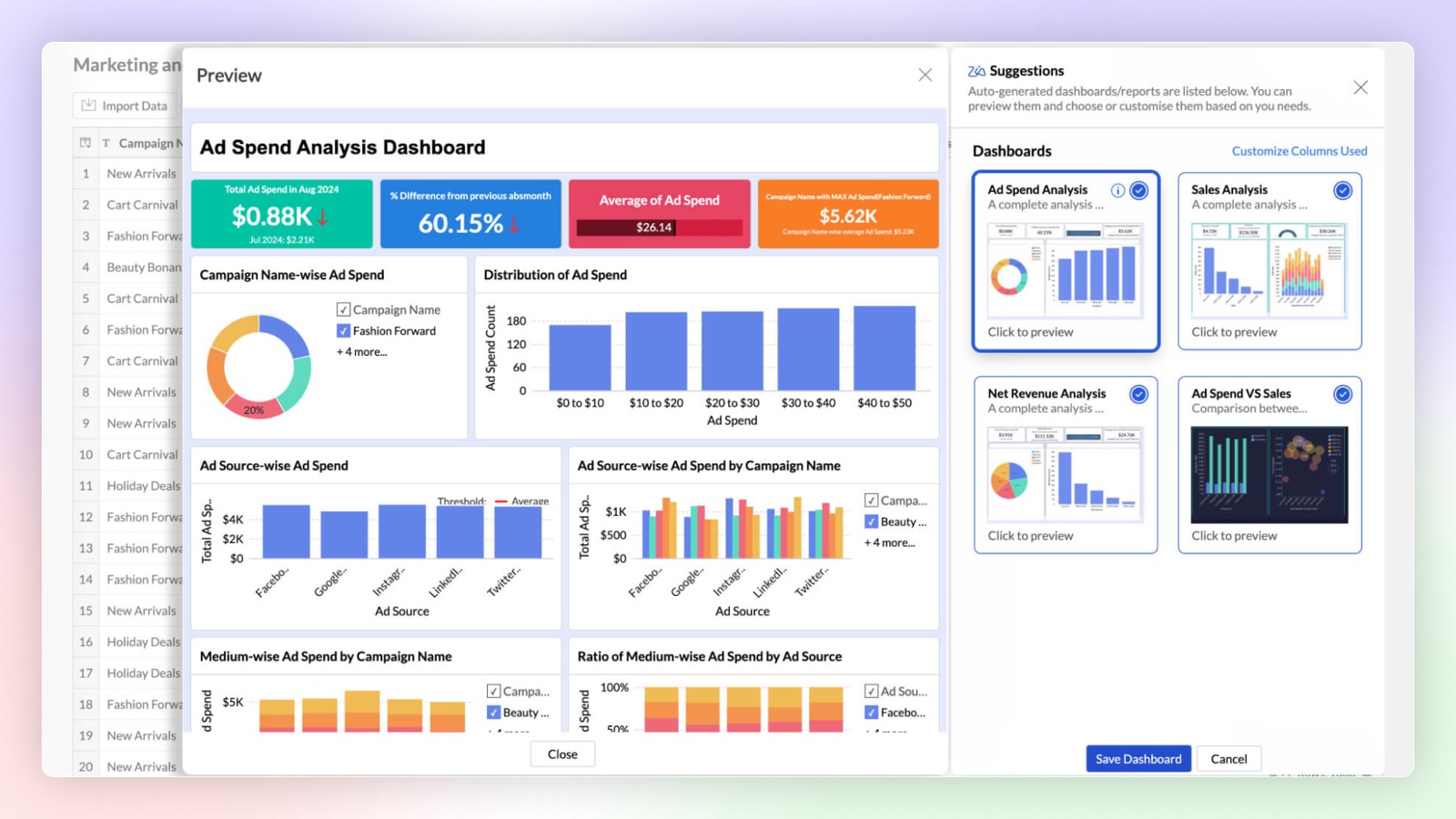
Auto Analyze 2.0
Zoho Analytics offers enhanced control over auto-generated reports and dashboards. You can choose from a list of generated reports and dashboards before adding them, and also select which columns should be auto-analyzed.
Click here to learn more.
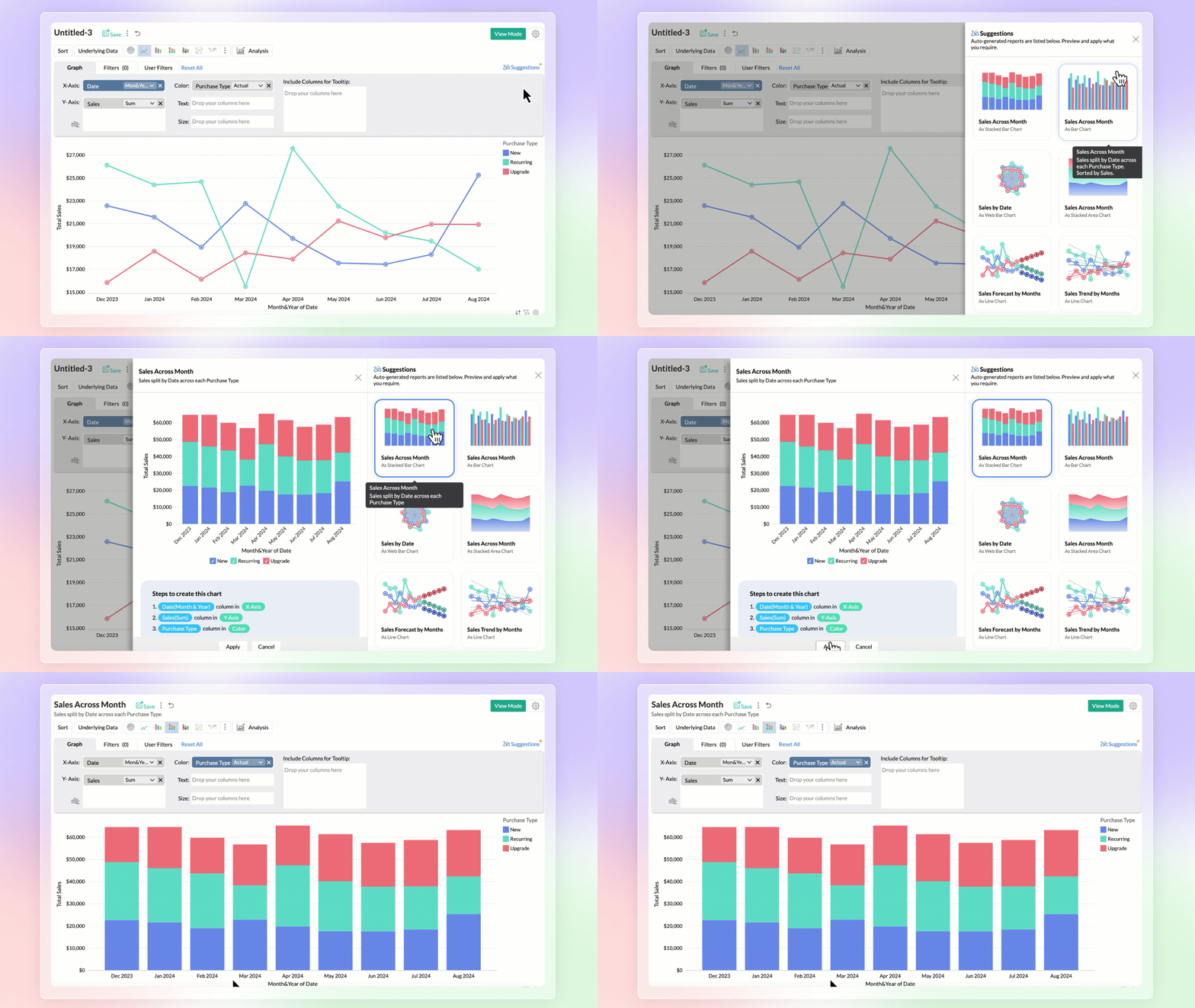
Zia Suggestions
Introducing the new Zia Suggestions, where you can receive smart chart recommendations during the creation process. Zia provides tailored chart options based on your data, allowing you to preview and apply them with a single click.
Click here to learn more.
Predictive AI
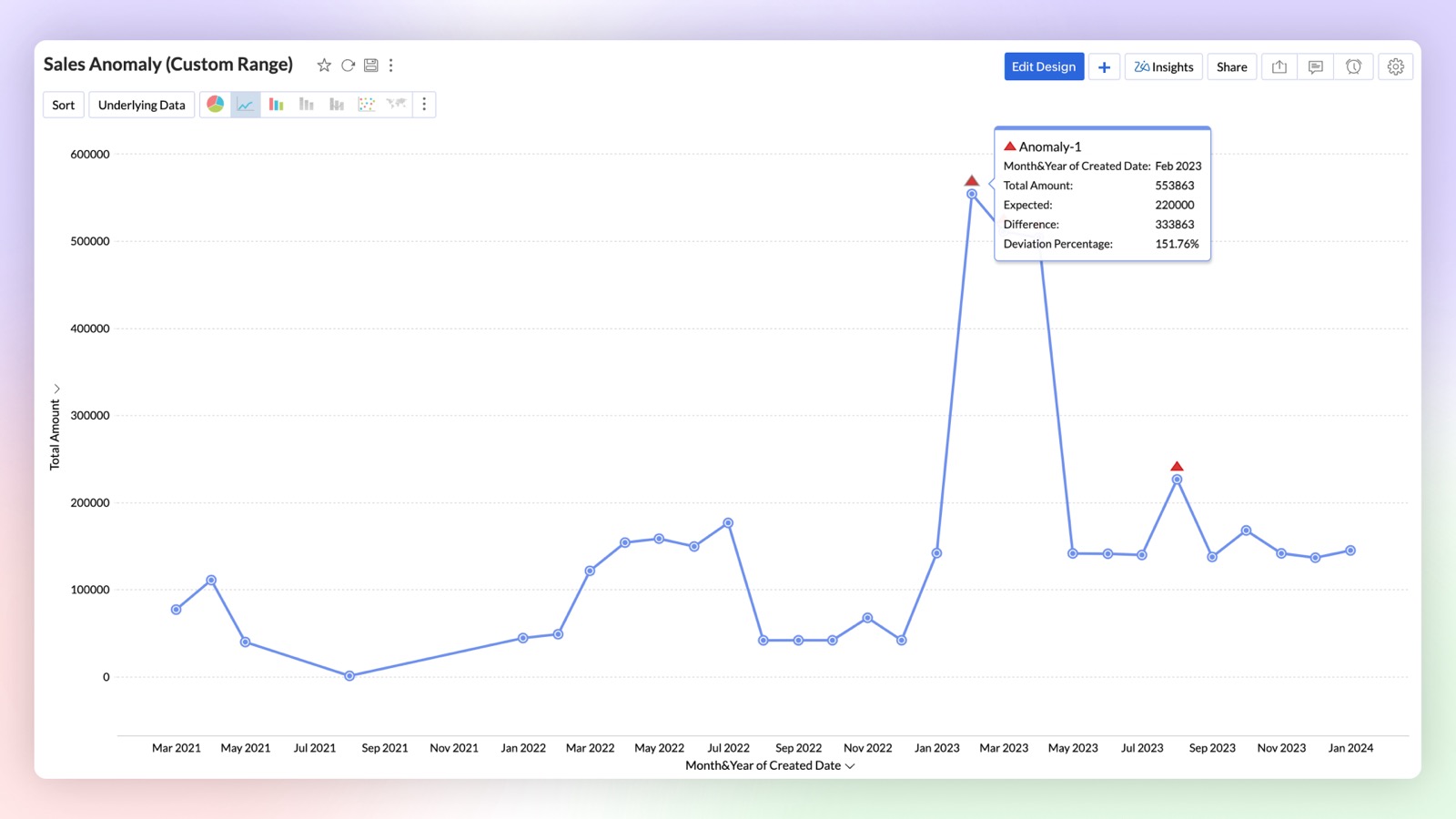
Anomaly Detection
Anomaly detection allows you to easily identify outliers in your data or metrics. You can now create charts that visually highlight these anomalies for quick attention and action. Zoho Analytics uses advanced machine learning algorithms and statistical models to detect outliers. You can also set data alerts based on anomalies to ensure timely identification of vital change in the key business metrics and potential issues.
Click here to learn more.
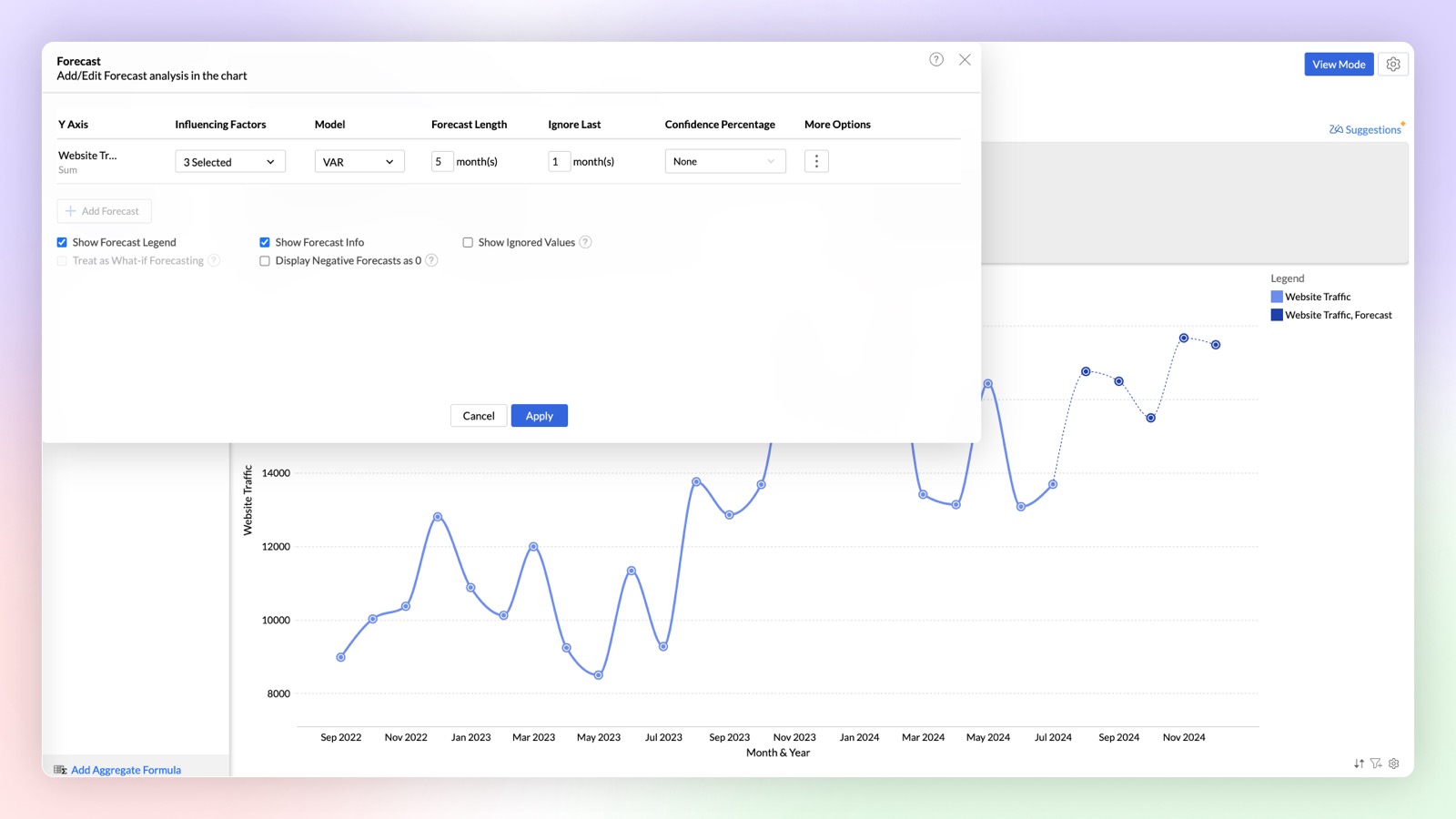
Influencing Factors in Forecasting (Multi-variate forecasting)
Try our new influencing factors option in forecasting, that enables you to provide dependent factors for accurate prediction of outcomes. For example, when you forecast a sales metric it will just predict purely based on historical data, but you can get more accurate predictions in forecast by considering influencing (dependent) factors like marketing spending, sign ups, etc.,
Click here to learn more.
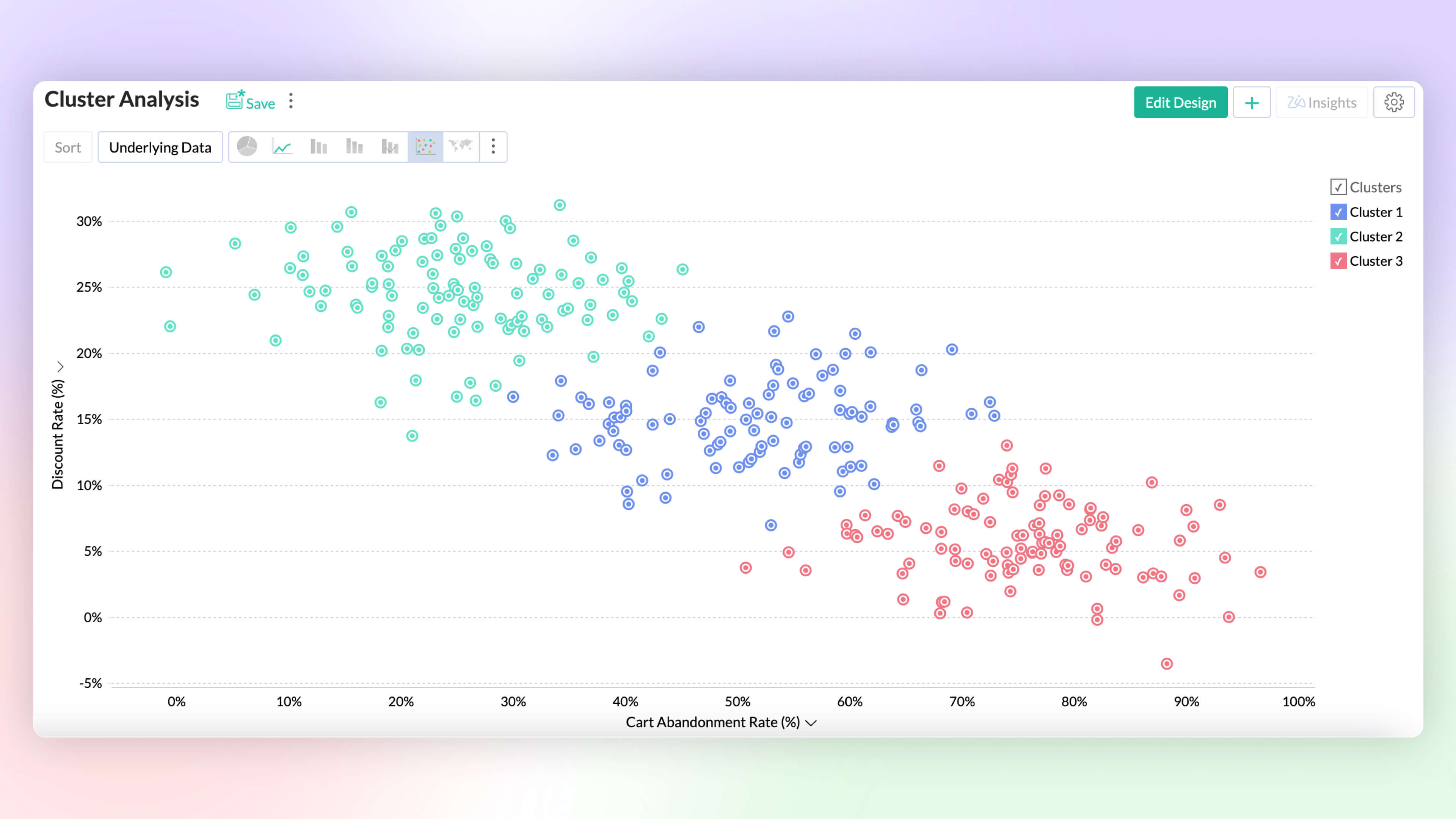
Cluster Analysis Premium Plan
Visualize data grouped as clusters using a variety of ML models (k-mean, k-mode, and k-prototype). Intuitively segment and analyze data groups, for common patterns and affinity.
Click here to learn more.
Data Science & Machine Learning Studio
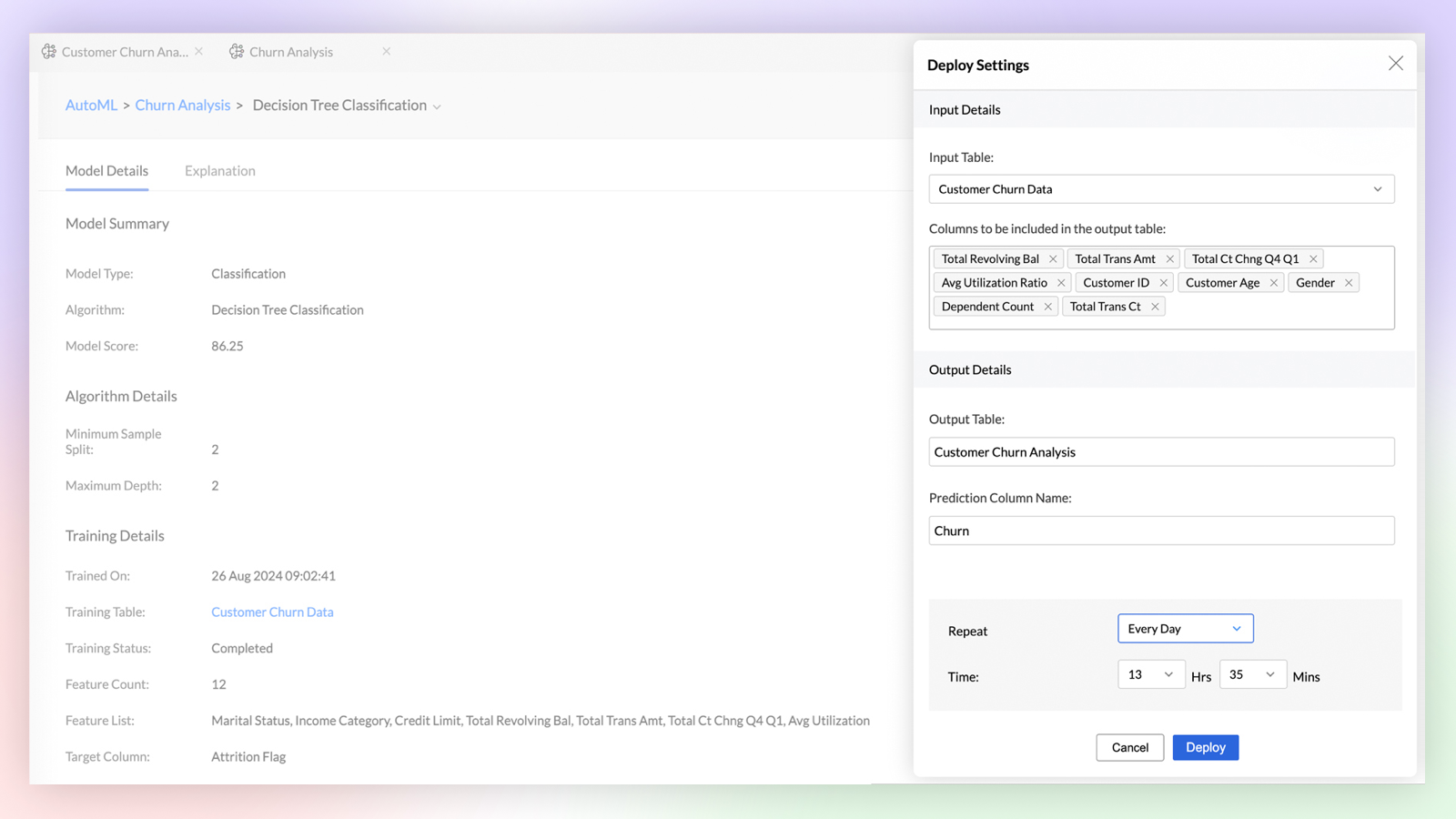
Auto ML Enterprise Plan
Build custom machine learning models with No-code assistant. Easily train, test, compare, deploy and manage models. Perform feature engineering, parameter tuning and model analysis as you build models.
Click here to learn more.
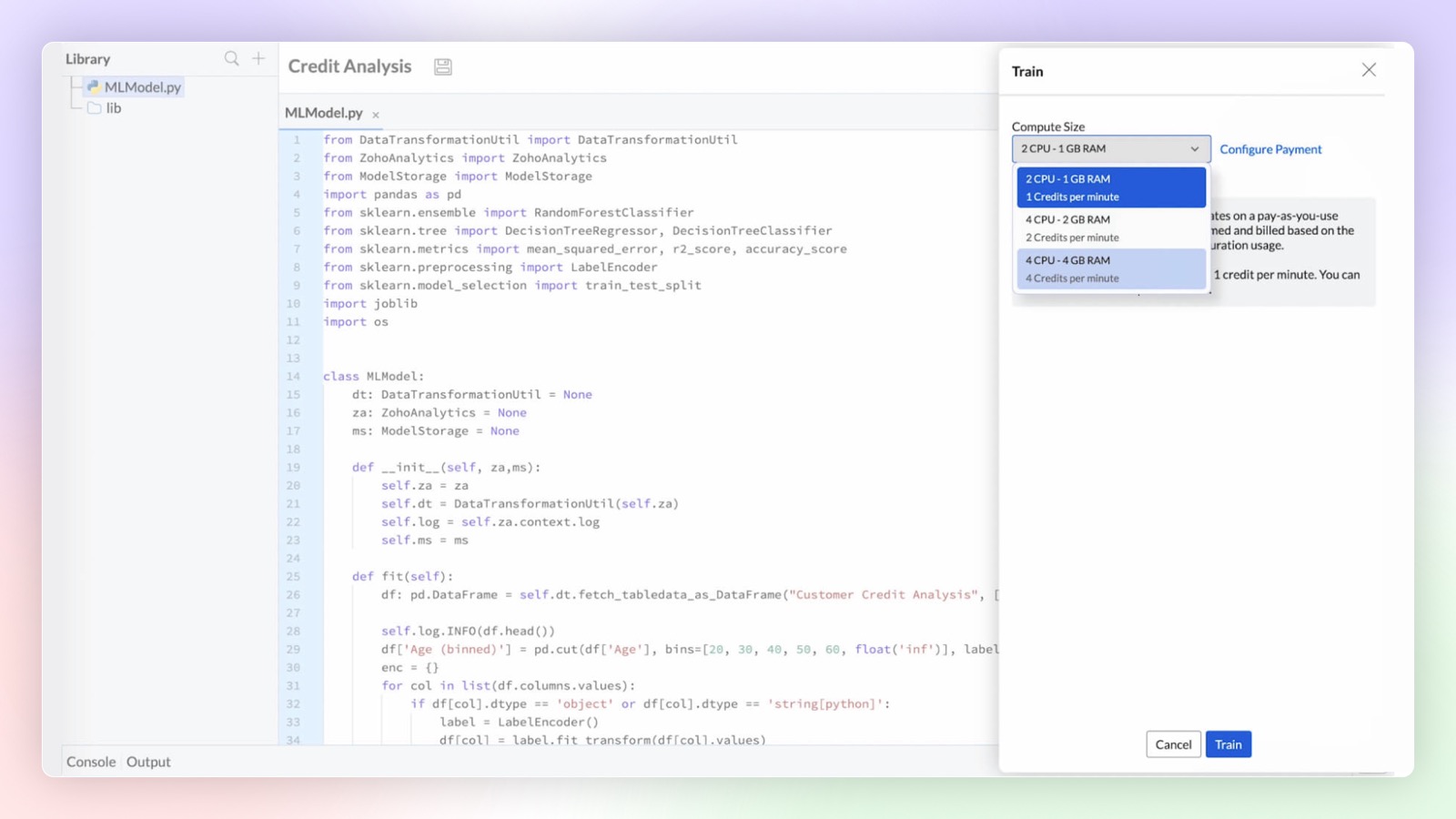
Code Studio Enterprise Plan
Develop custom models and data transformations using Python code studio. Build them from scratch or import them from other sources. Integrated Python development environment with Zia code suggester for accelerated development.
Click here to learn more.
Platform Extensibility
Linked Workspaces
Linked Workspaces in Zoho Analytics establishes a connection between two distinct workspaces, allowing them to push views from one workspace to another. In this connection, one acts as a primary workspace and the other acts as a child workspace. The views from a primary workspace can be effortlessly pushed to multiple child workspaces with a single click or set to synchronize periodically for automatic updates.
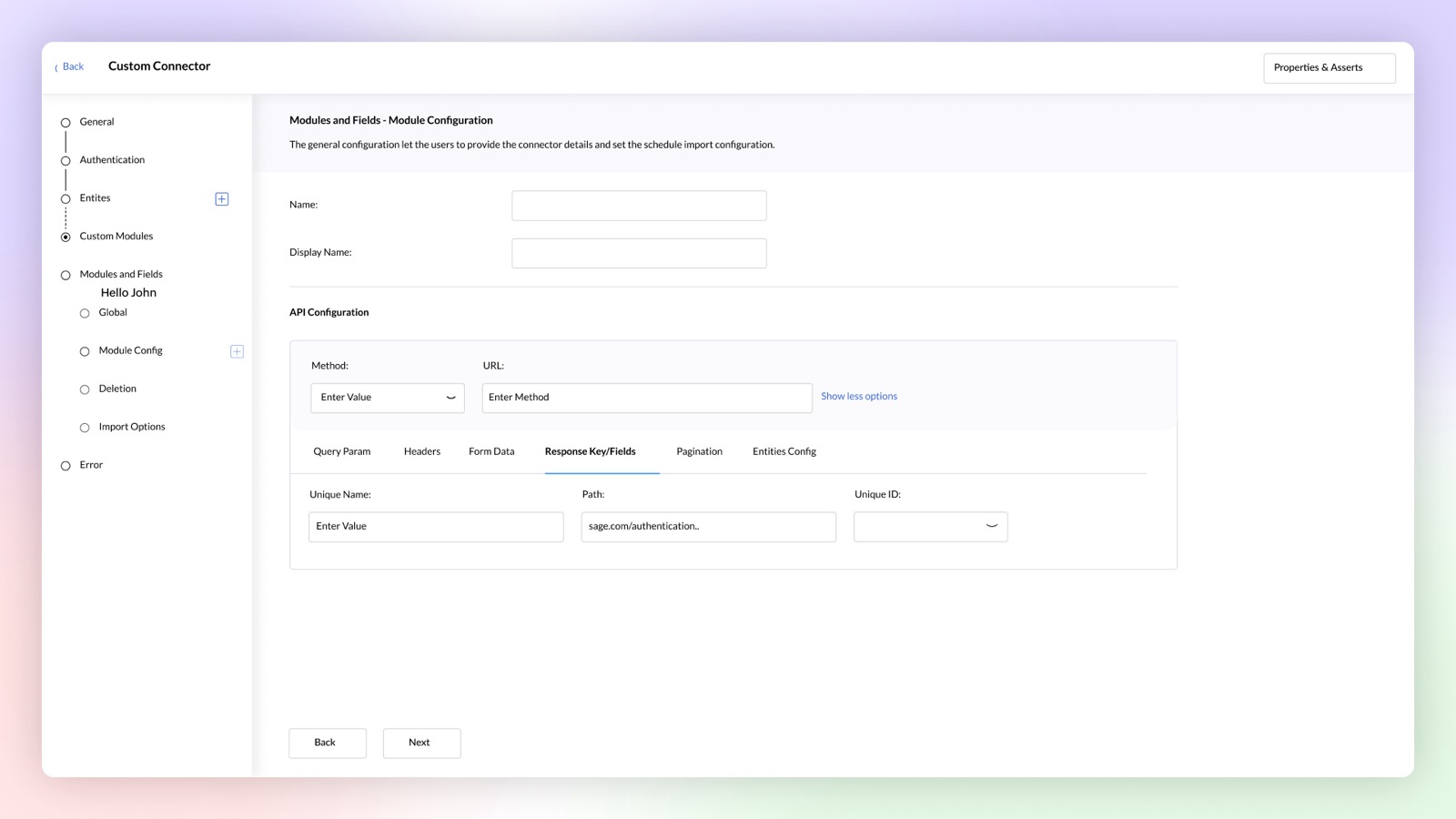
Custom Connector Premium Plan
Build your own data connector for any application using a no-code connector builder. Publish and sell your custom connectors on Zoho Marketplace, if required.
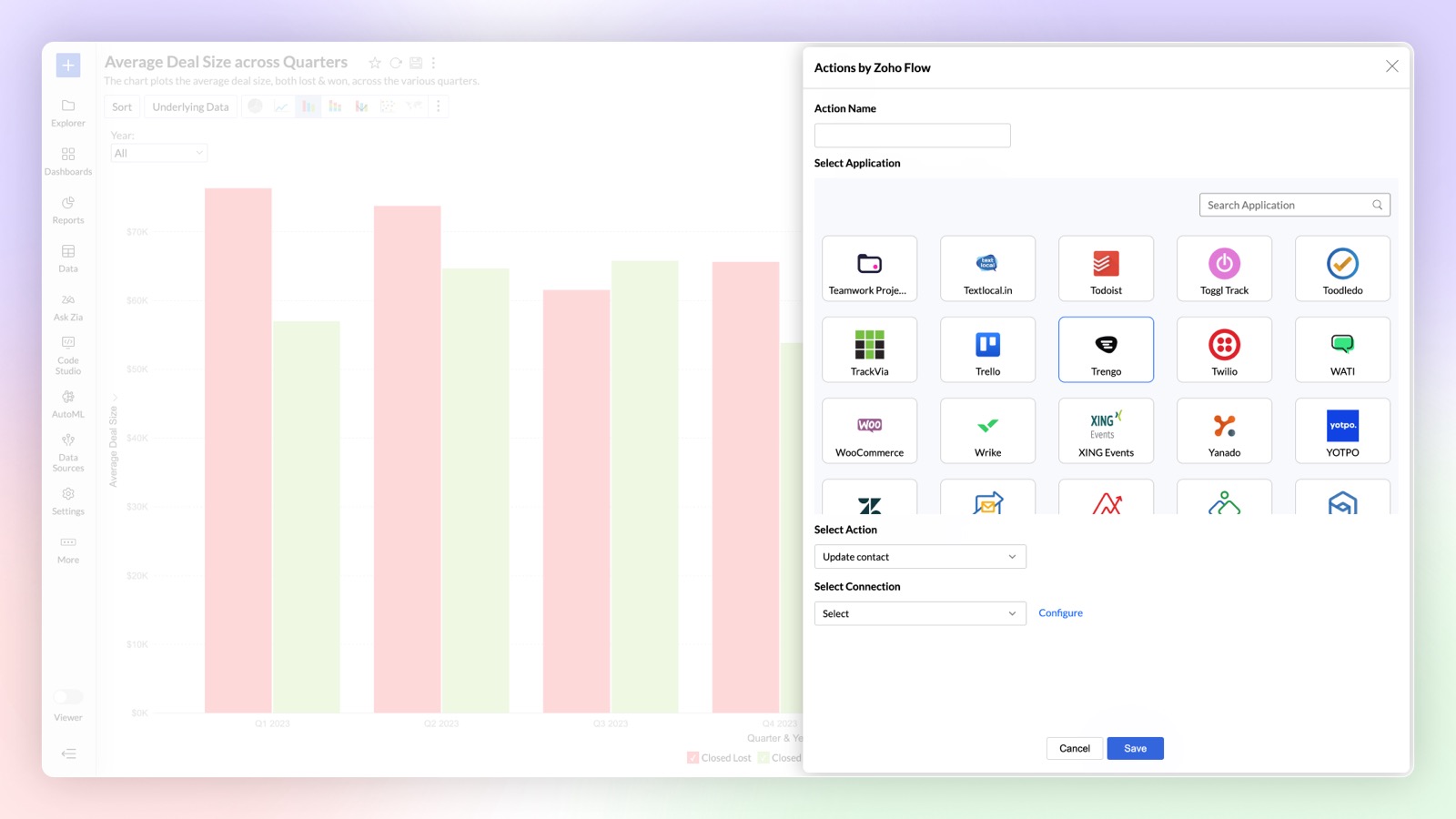
Zoho Flow in Alerts Premium Plan
You can now use Zoho Flow to perform actions in other applications whenever an alert is triggered in Zoho Analytics using Zoho Flow. For example, a ticket can be created in Zendesk based on the alert triggered in Zoho Analytics.
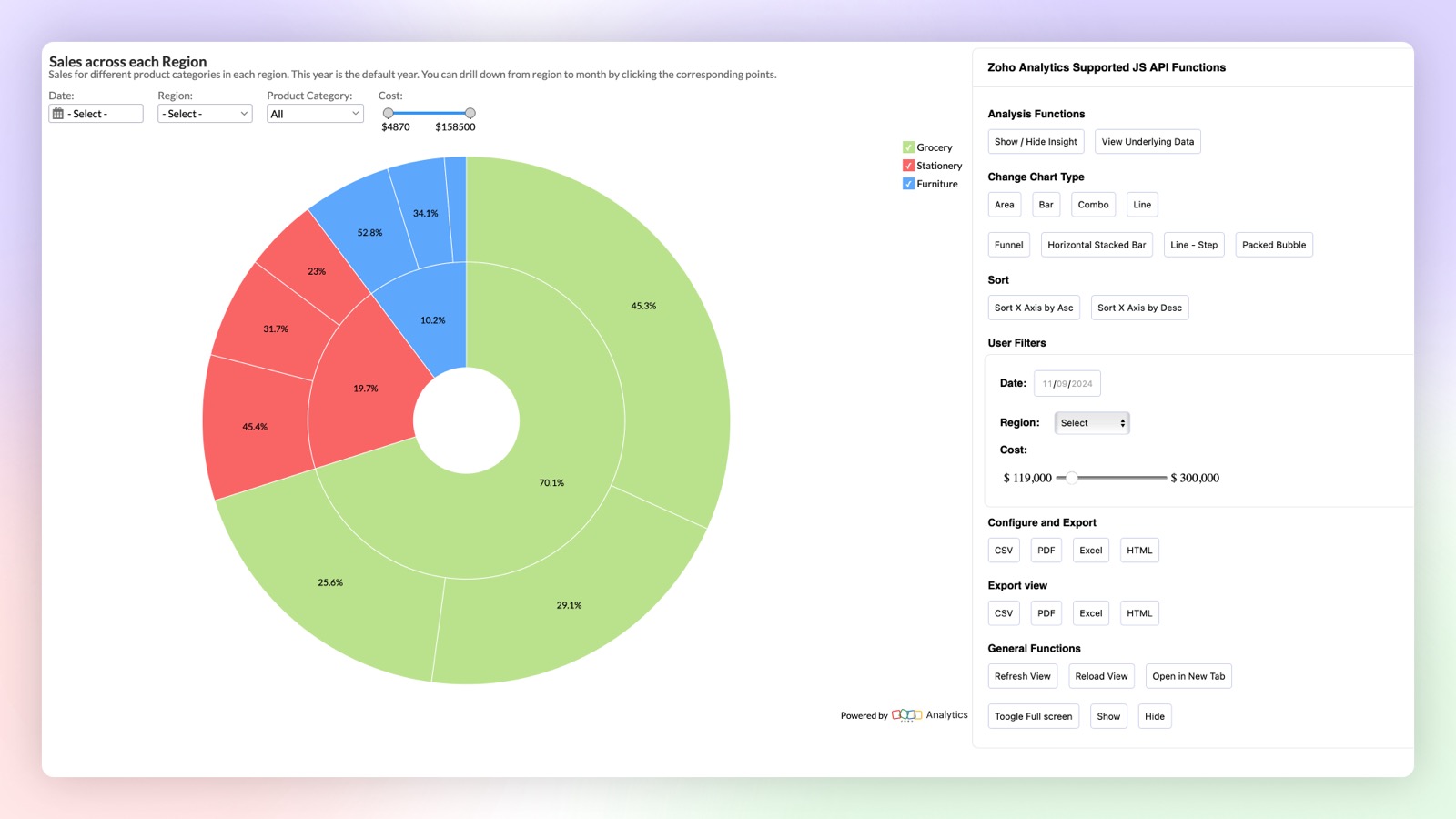
Client SDK
New Javascript based Client SDK to extend & customize the user experience of reports within embedded applications. You can control interactions like sort, export, user filters, change chart type and other actions with the JS API.
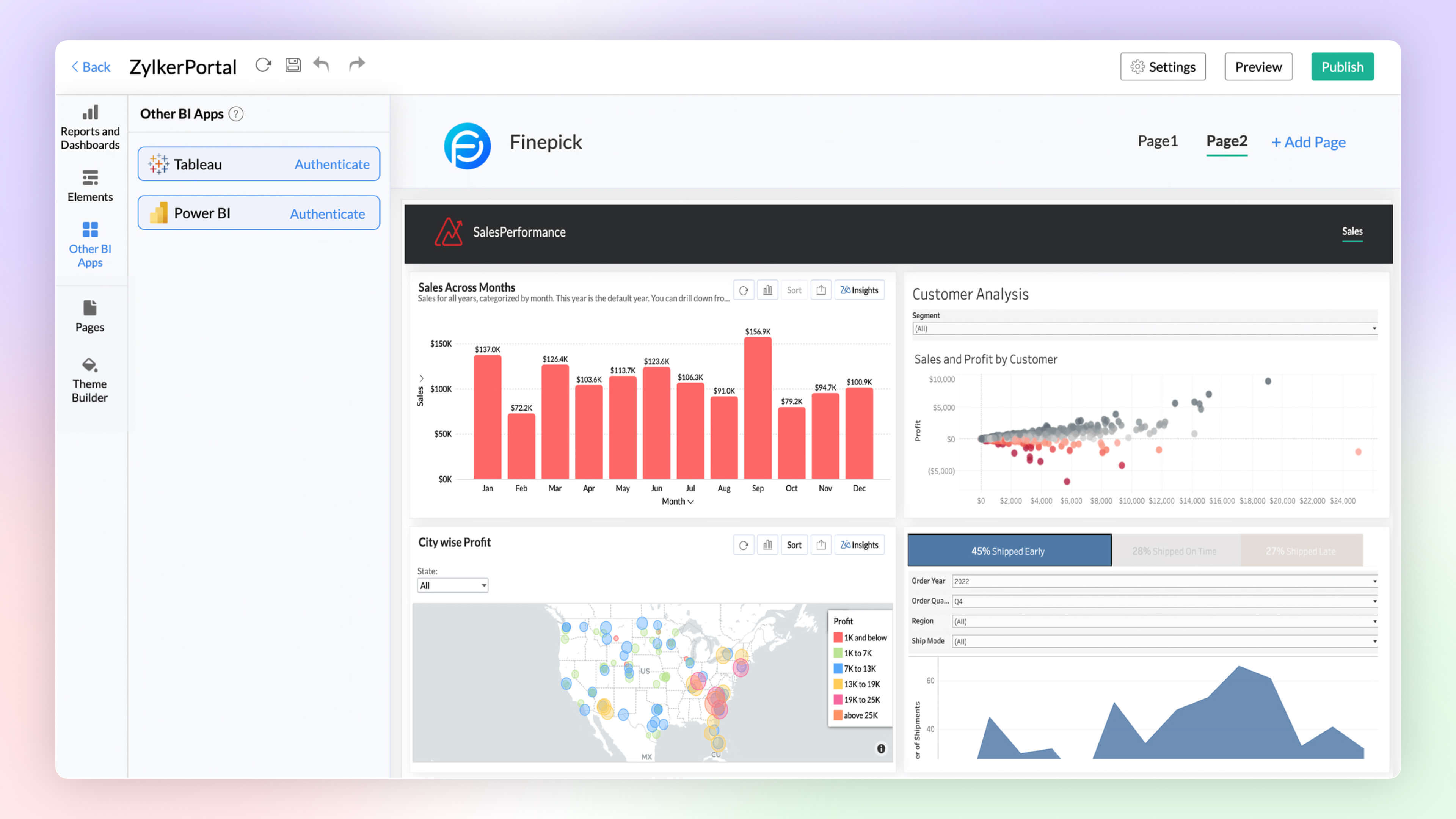
BI Fabric
Create unified BI portals by collating insights from other BI applications such as Tableau and Power BI along with Zoho Analytics. Setup fine-grained access control on the portal for secure access. Unified BI Fabric portal helps in easy access to insights from a centralized portal, breaking the boundaries across BI services.
Click here to learn more.
Security Enhancements
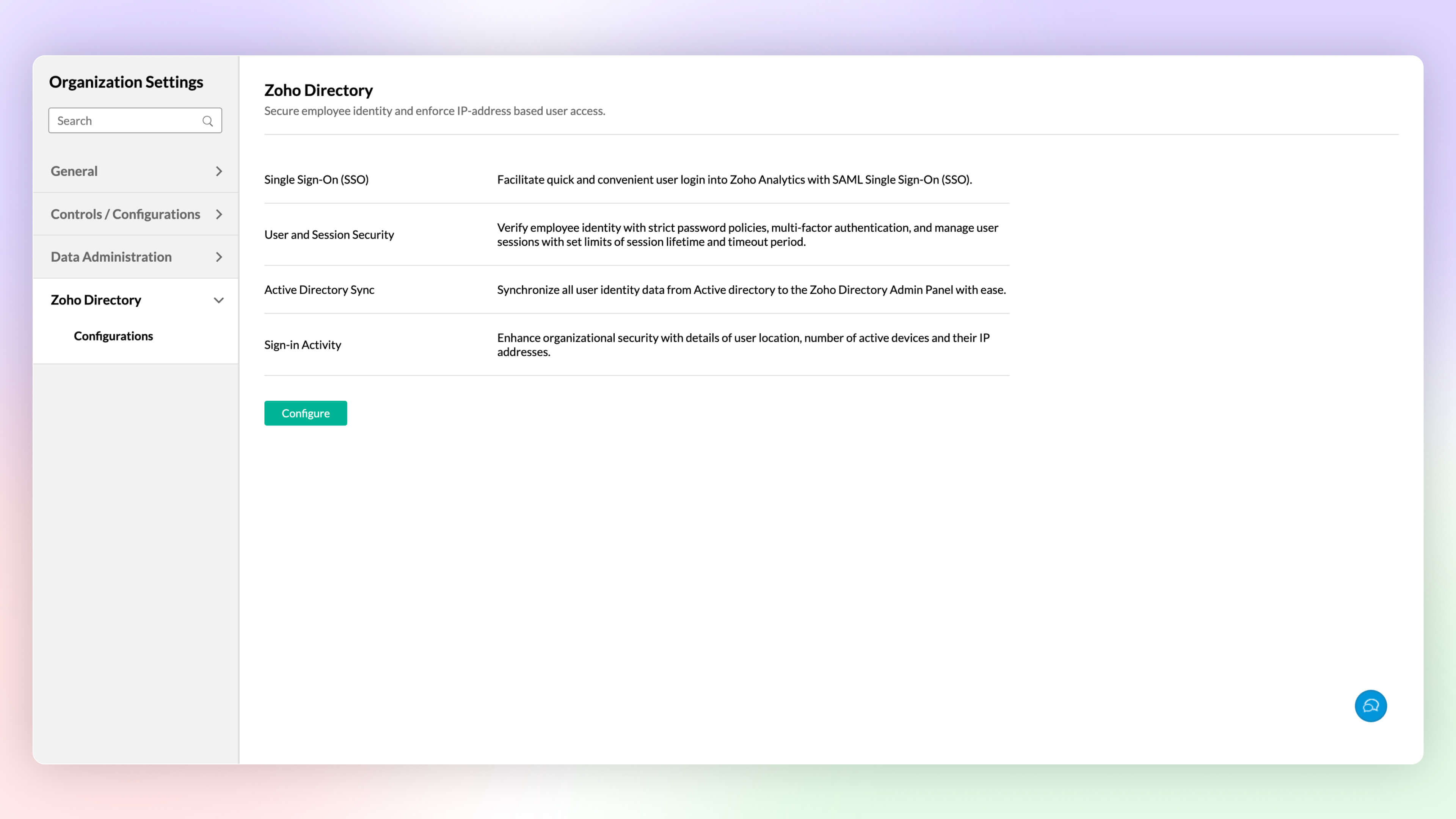
Zoho Directory
Zoho Analytics integration with Zoho Directory allows administrators to setup single sign-on, Active Directory sync, handle user access management and more.
Click here to learn more.
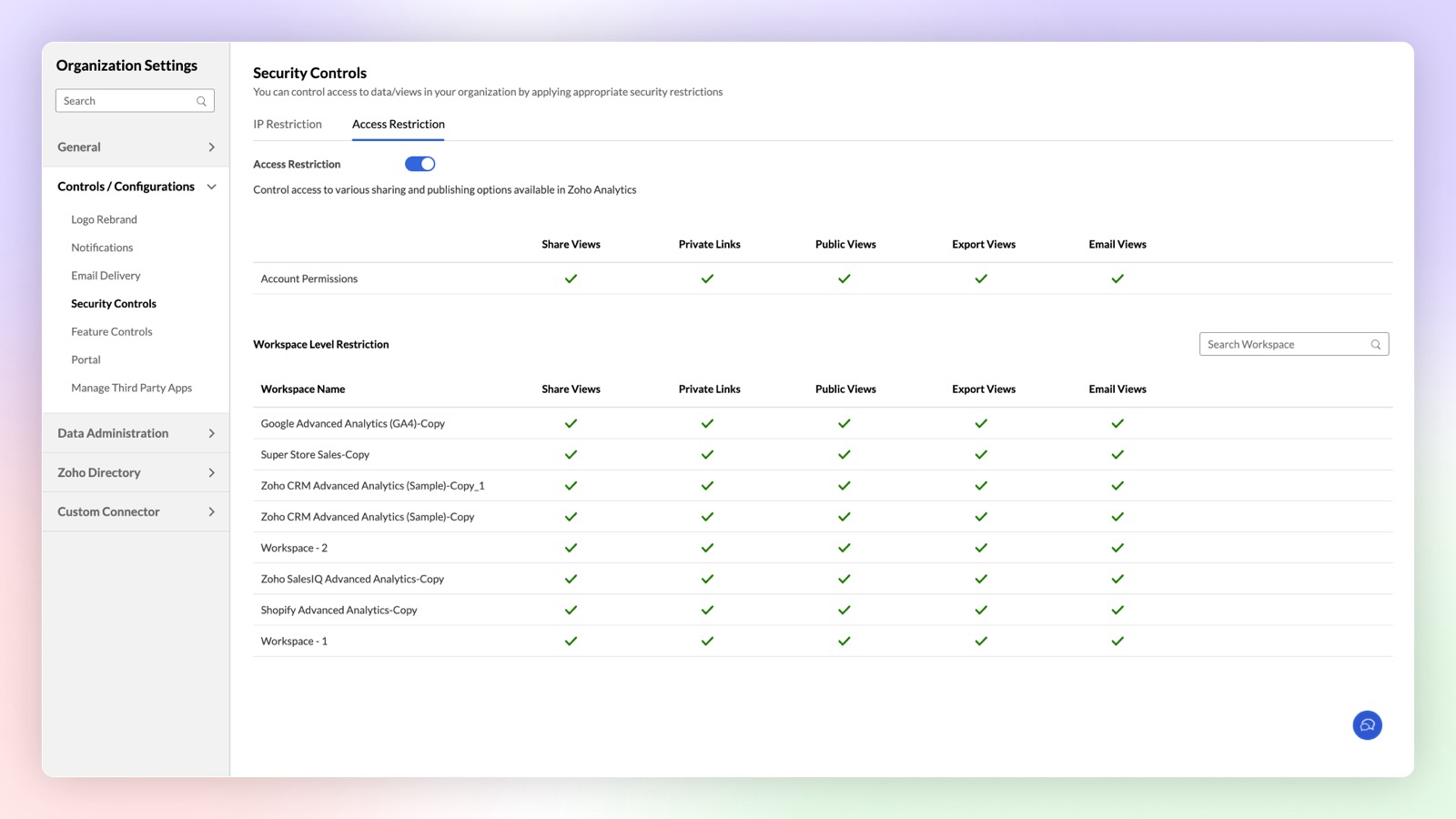
Access Restriction
Zoho Analytics now offers enhanced security controls to setup fine-grained access restrictions at the workspace level. Apart from the organization level access restriction controls, this new update allows you to setup different restrictions for different workspaces.
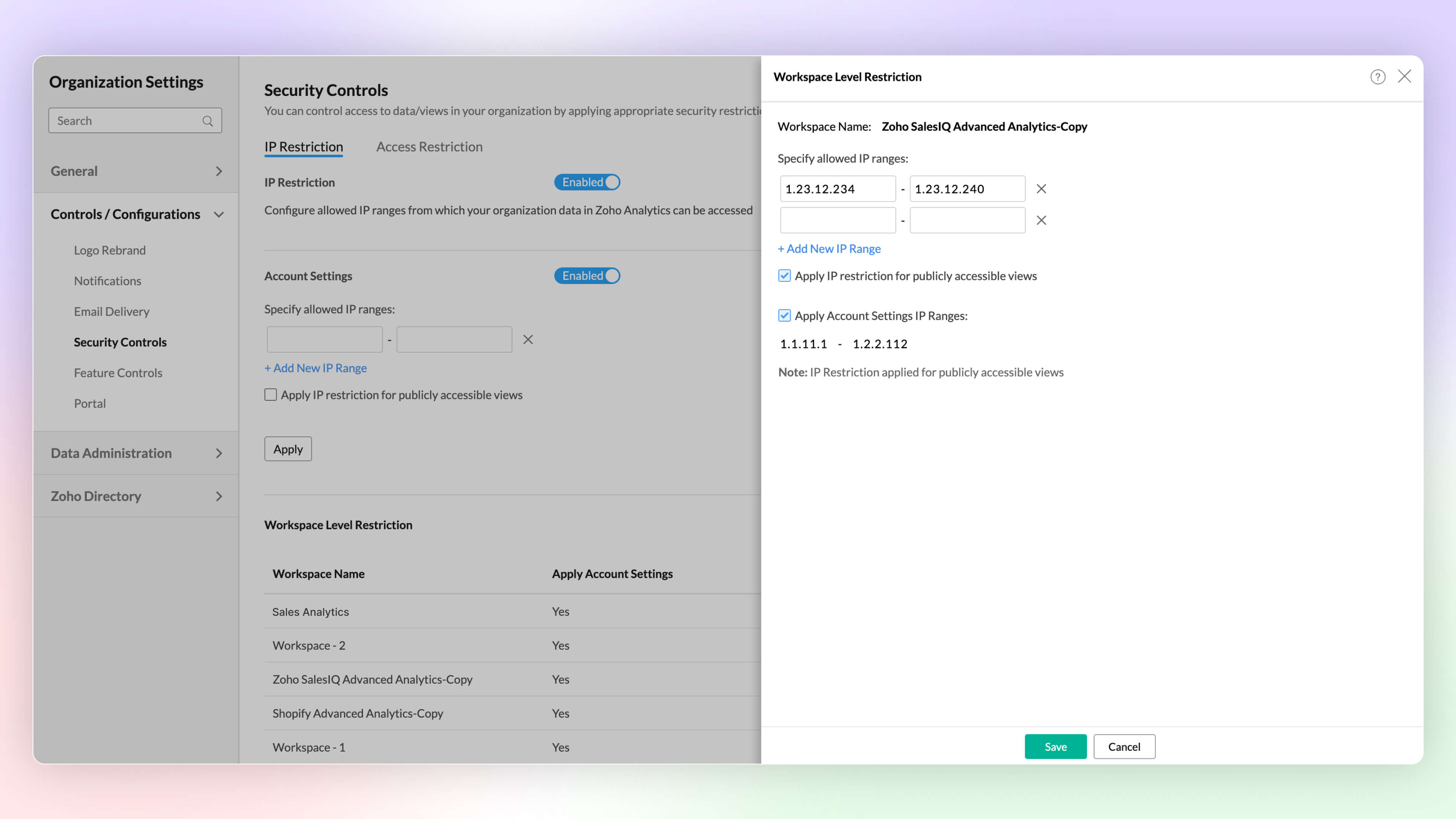
IP Restriction
Configure workspace-level IP restrictions for enhanced security and prevent unauthorized access. Previously, IP restrictions were available only at the account level.
Click here to learn more.
Other Updates
UI Enhancements
New Intuitive and User-friendly Interface
Zoho Analytics' new user experience features glass-morphism, offering a modern, translucent design that improves visual clarity. This sleek update makes data visualization more intuitive and user-friendly.
Right to Left User Interface
Zoho Analytics now supports a right to left user interface. This option is best suited for languages like Arabic and Hebrew that are read from right to left.
Puvi Font Support
Zoho Analytics now supports Zoho's own font, Puvi. You can try this new font from the Profile tab.
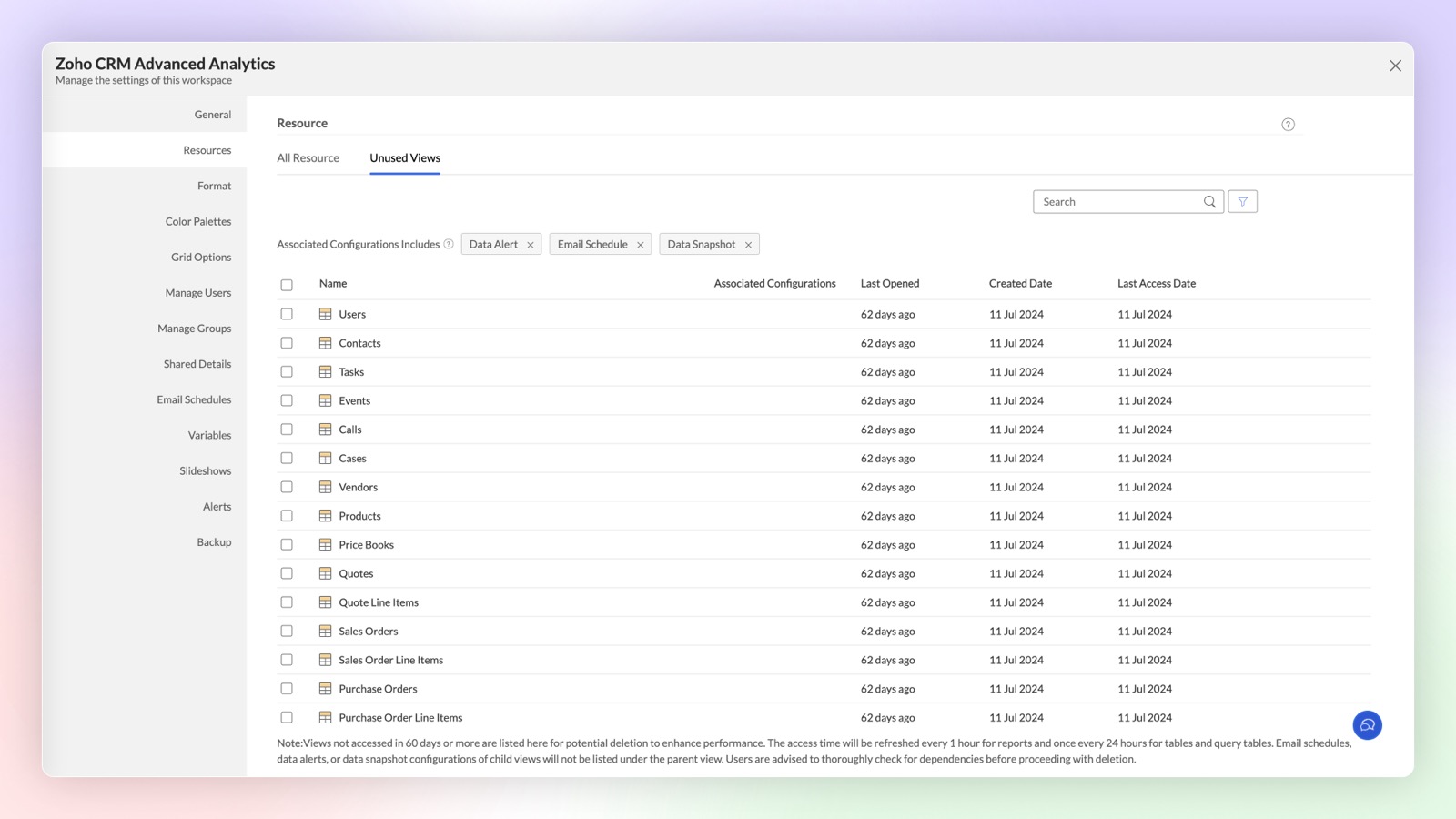
Unused Views in Workspace
Views and tables created in Zoho Analytics may sometimes go unused for extended periods due to reduced relevance. These inactive views and tables are now categorized under the "Unused Views" section at the workspace level, helping you decide whether to maintain or remove them.
Share to Slack
Improve collaboration and increase productivity by integrating Slack and Zoho Analytics.You can now easily share tables, reports, and dashboards to Slack users by this integration.
Click here to learn more.
Topic Participants
Rakesh Ramkumar B
Tejesh
Bhuvaneshwaran
HEINER MISAS PARRADO
Storytelling BeanCounter - www.storytellingbeancounter.com
Sticky Posts
What's New in Zoho Analytics - February 2026
Hello Users! We're back with another round of updates for Zoho Analytics. This month's release focuses on giving you greater flexibility in how you visualize, manage, and act on your data - with new features like custom visualizations, remote MCP server,What's New in Zoho Analytics - January 2026
Hello Users! We are starting the year with a strong lineup of updates, marking the beginning of many improvements planned to enhance your analytics experience. Explore the latest improvements built to boost performance, simplify analysis, and help youWhat's New in Zoho Analytics - November 2025
We're thrilled to announce a significant update focused on expanding your data connectivity, enhancing visualization capabilities, and delivering a more powerful, intuitive, and performant analytics experience. Here’s a look at what’s new. Explore What'sWhat's New in Zoho Analytics - October 2025
Hello Users! We're are back with a fresh set of updates and enhancements to make data analysis faster and more insightful. Take a quick look at what’s new and see how these updates can power up your reports and dashboards. Explore What's New! ExtremeWhat’s New in Zoho Analytics – September 2025
Hello Users!! In this month’s update, we’re raising the bar across multiple touchpoints, from how you bring in data, plan and track projects to how you design and brand your dashboards. We’ve added the all-new Gantt chart for project visualization, expanded
Recent Topics
Prevent tracking users from specific countries
Currently, I’m receiving many bot visits from the United States and Malaysia. I would like these visits not to be recorded in SalesIQ. I already enabled the option to exclude traffic from cloud service providers, but I’m still receiving bot visits. Ideally,Edit Project Number?
Hi all: We just signed up for a trial of zoho one, which includes ZoHo Projects. We've noticed there was a 'dummy project' preloaded in projects to help familiarize yourself with the software. We've created a couple of our own projects now but noticed since the dummy project was preloaded, our projects start with number 2 then 3, sequentially. Since it seems we will be keeping zoho past the trial, If we delete the dummy project, how do we get our own projects renumbered, beginning with 1? We'd likeDownload pricebook products & details - not just pricebook creation date & name
We're looking to download a copy of a pricebook and its associated products & book prices (as we have several offices in different countries selling the same products), however, when using the export feature under Data administration it only gives me554 5.1.1 – Mail sending blocked for the domain(s): [gmail.com]
Here's your corrected text: Hello, I hope you are doing well. I was unable to send a message and received the following error: "554 5.1.1 – Mail sending blocked for the domain(s): [gmail.com]" I tried to send and deliver an email but got this error. IOutgoing Mail Blocked – Suspicious Login Activity (Need Clarification and Solution)
Hello, I’m currently facing an issue where my Zoho Mail account has been blocked due to “suspicious login activity,” and outgoing emails are restricted. Here are the details shown: Block type: Outgoing mail blocked Reason: Suspicious login activity AAllow Global Admin to access/edit all forms without changing owners
Hi there, Please consider adding a feature where the Global Admin of the account an automatically access/edit any form in the Company Account. I'm the Global Admin on our Zoho One plan, and we have multiple users that use/create forms. But for me to accessERROR: "Please enter a valid Phone"
WHAT IS THE PHONE FORMAT? There is nothing ANYWHERE to define the format. At least the error should either show the correct format or provide a link to the help file I enter a valid phone number in as many formats as I can think of and none of them allow me to save the number to CRM Nothing works! No matter what format I enter I keep getting a red error "Please enter a valid Phone" The international format for MY mobile is +61414652366 (or +61 414 652 366) Local format is 0414652366 I call all overIntroducing Zoho Sprints 3.0
Zoho Sprints is consistently evolving in steady increments. The introduction of the latest version, with its enterprise level solutions, brings to you advanced capabilities that propel your agile efforts in the right direction. Here's a quick glimpseCustomize Sign-out Button
Are there some url parameters I can use to make a form button sign-out the user from the app? The sign-out link on the top right is small. Here's and example of the url for the top right sign-out: https://creator.zoho.com/logoutpage.jsp?sharedBy=niskypto&appID=212085000006568003&appLinkName=MYAPP&signOutUrl=niskypto/MYAPP/view-login/SOMEPAGE Note: In my account, the sign-out is set to redirect users to my website. Can I also override this with some url parameters? John M. WhitneyPlease can the open tasks be shown in each customer account at the top.
Hi there This has happened before, where the open tasks are no longer visible at the top of the page for each customer in the CRM. They have gone missing previously and were reinstated when I asked so I think it's just after an update that this featureTip #65 - Exploring Technician Console: Short Keys - 'Insider Insights'
Hello Zoho Assist Community! Have you ever been in the middle of a remote support session, trying to pass a key combination onto the remote machine, only to find it's reflecting on the technician's computer. The Short Keys feature in Zoho Assist is hereReading from and writing to Zoho Projects Custom Module with Deluge
Does anyone know if there is a way to read from and write to the Custom Modules that Zoho now supports. I would love to be able to loop through a set of data and create the entities I need to for this new custom module I'm looking to put together.Disappointment with Zoho Payments
Dear Gowdhaman, I am writing to inform you that I am removing Zoho Payments from my website. I cannot continue to disappoint my customers due to the lack of UPI support, as has been the case with my experience so far. Please note that the 0.5% transactionEvolução do modelo de ambientes: Dev, Homologação e Produção com pacotes versionados
Hoje o Zoho CRM já oferece Sandbox, o que é um avanço importante para organizações que trabalham com customizações mais complexas. No entanto, na prática, o modelo atual ainda apresenta limitações significativas quando múltiplas equipes ou consultoriasPermissões granulares por usuário além do modelo baseado exclusivamente em perfis
Atualmente, o modelo de segurança do Zoho CRM é fortemente baseado em perfis. Embora funcional, esse modelo apresenta limitações quando equipes possuem variações individuais de acesso dentro do mesmo grupo operacional. Em cenários reais, é comum que usuáriosAdd or update lookup field values during Blueprint transition
Hello everyone, During blueprint transition users can add or modify the value of a lookup field. For instance, if the Tickets module includes a lookup field that connects it to records in the Assets module, agents can link the ticket to the correct assetCan you limit SEO penalties by delaying the appearance of a pop-up?
Google is not keen on pop-ups and has got even less keen on them with the new Core Web Vitals updates. But I like using pop-ups. If you delay the pop-up so it only appears 10 seconds after the page loads, do you avoid Google’s penalties?Adding bank details to the contact through API
How to add bank-related information to the contact while creating it using API? The account number needs to be encrypted before sending it through API but not sure how to encrypt and get those values. Please guide me in this.Restrict Payment Methods
Allow us to restrict certain payment methods specific for each customer.Clone Banking Transaction
Why is there no option to CLONE a Transaction in the Banking module?? I often clone Expenses (for similar expense transactions each month) so I would also like to clone Income transactions. But there is no option in Banking to clone an existing IncomePDF limit
Hello everyone, We have received an e-mail that we have reached our PDF limit. (see screenshot) However, I cannot find any reference to a PDF limit in our tariff plan (Premium). (see screenshot). What is the maximum number of PDFs that can be generatedHow can I see content of system generated mails from zBooks?
System generated mails for offers or invices appear in the mail tab of the designated customer. How can I view the content? It also doesn't appear in zMail sent folder.Credit Card Pre-Authorization with later Capture/Settlement
We really enjoy the convenience of being able to pay off a customer's invoice using our Auth.Net integration with Zoho Books. Unfortunately, we can only take advantage of this feature with a small percentage of our customers as it leaves a gaping holeAccessibility in Zoho CRM: Not just a feature—a way to empower
For instructions on setting up these controls, please check this help document: Configuring accessibility controls. Hello everyone, Today (December 3, 2024), on the International Day of Persons with Disabilities, we begin our journey towards a CRM thatAutomation Series #1: Round Robin vs Direct Assignment in Zoho Desk
Direct Assignment vs Round Robin: Choosing the right routing method in Zoho Desk This post is part of the "Desk Automation Series," Chapter 1. Through this series, we will help you choose the right automation type in Zoho Desk by comparing commonly confusedInvalid tax authority ID.
How do I correct this ?Pay Pal Paylater button
I am testing the paypal setup to have my customers pay invoices with paypal and credit cards. But it seems to have two options. Paypal and Pay later. I don't want my customers access to pay later feature. How can I turn that part off.. My other integrationZoho Workshops are coming to the Netherlands - Join us on 14-16 April in Amsterdam!
Dear Zoho Community Members, After succesful recent editions in the UK and Scandinavia, we’re pleased to invite you to the upcoming Zoho Benelux Workshop 2026, taking place 14–16 April 2026 in Amsterdam. This three-day, in-person event at the Park PlazaHow to install Widget in inventory module
Hi, I am trying to install a app into Sales Order Module related list, however there is no button allow me to do that. May I ask how to install widget to inventory module related list?Sub form auto field population based on parent form
I have a parent form called "Sites" with a text field called "Site". I have a subform called "Design Comments" (actual form name "Review Comments") with a lookup field name "Sites1" that looks up from the Sites form. I want the Sites1 lookup field toBuilding Toppings #7 - Using schedules and workflow functions
Hello Biginners, In our previous forum post, we explored install and uninstall actions and learned how to trigger custom logic the moment a topping is added or removed from an organization. In this post, we'll look at how to automate actions during regular,Simplify scripting with Zia assistant bot
Hello everyone, Building automation using Deluge custom functions gives users flexibility and control. Traditionally, creating these functions required writing scripts, testing the logic, and validating the configuration before using it. With Zia assistantZoho Sprints iOS app update: Global view, screen capture control, file encryption, tags enhancement
Hello everyone! We are excited to introduce new features in the latest version(v2.1) of the Zoho Sprints iOS app update. Let’s take a quick look at what’s new. 1. Global view Global view brings all your project items into one centralised space. You canResource Management System built using Zoho CRM, Creator, Projects, and People:
In a Resource Management System built using Zoho CRM, Creator, Projects, and People: CRM Deal Closed → Creator Allocation Engine → Zoho Projects Task Assignment What is the recommended architecture to handle dynamic reassignment when: an employee goesRequest to Remove LinkedIn Verification from My Emai
I would like to submit a complaint regarding my Zoho Mail account. I previously used this email address to verify a LinkedIn account, but that LinkedIn account has now been closed. I need to remove or cancel the verification associated with the closedPin multiple columns and adjust column widths in CRM subforms
Hello all, Subforms act as secondary forms or tables in which you can associate multiple line items to a primary record and thereby ensure more structured and comprehensive data organization. We've made some recent enhancements to subforms. Here's what'sRemoving To or CC Addresses from Desk Ticket
I was hoping i could find a way to remove unnecessary email addresses from tickets submitted via email. For example, a customer may email the support address AND others who are in the helpdesk notification group, in either the TO or CC address. This resultsFrom Zoho CRM to Paper : Design & Print Data Directly using Canvas Print View
Hello Everyone, We are excited to announce a new addition to your Canvas in Zoho CRM - Print View. Canvas print view helps you transform your custom CRM layouts into print-ready documents, so you can bring your digital data to the physical world withAnnouncing Kiosk 1.1 - Customize screen titles, configure new fields & actions, use values from your Kiosk to update fields, and more.
Hello all We are back again with more enhancements to Kiosk. So what's new? Enhancements made to the Components Add titles for your Kiosk screens and adjust its width to suit your viewing preferences. Three new fields can be added to your screen: Percentage,CRM Percent custom fields: When will it show the % symbol and behave like %?
1. Actually Percent custom fields fail to show the % symbol. 2. When in formulas Percent fields work like number: 100 x 5% = 5 ideal world 100 x 5% = 500 what happens actually 3. When importing Percent fields the % symbol has to be removed and the dataNext Page