De 10 beste redenen om Zoho CRM te gebruiken
Zoho CRM biedt alles wat je nodig hebt om meer leads te krijgen, sales te vergroten en salesprestaties te meten. Hieronder lees je 10 punten waarom Zoho CRM een krachtige en efficiënte oplossing voor klantbeheer is en hoe je het meeste uit Zoho CRM kan halen.
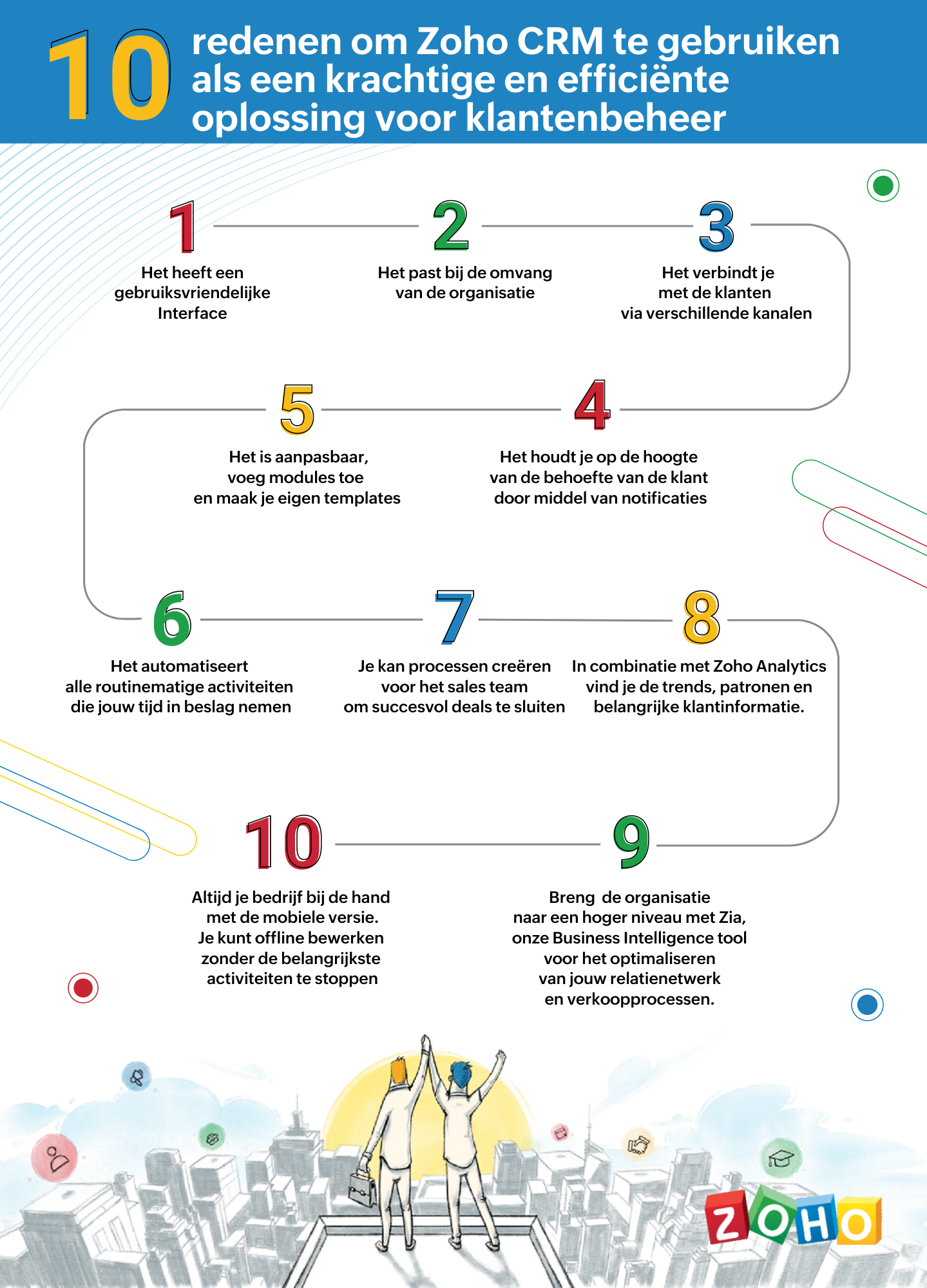
1. Gebruiksvriendelijke interface
Zoho CRM heeft een eenvoudige, gebruikersinterface waarvoor een minimaal leercurve nodig is. Breid de gebruikersinterface van jouw Zoho CRM-account uit, door naadloos in realtime widgetapps te koppelen die werken met Zoho CRM-gegevens en workflows.
2. Passend bij de omvang van uw organisatie
Of je nu een klein bedrijf of een grote onderneming hebt, één ding blijft hetzelfde. Jouw succes hangt af van de relaties die je met je klanten ontwikkelt. Naarmate je bedrijf groeit, groeien je eisen ook en worden deze complexer. Je CRM moet een groeiende groep gebruikers kunnen ondersteunen, je salesproces kunnen opschalen, complexere bedrijfsprocessen kunnen implementeren en kunnen worden geïntegreerd met meer applicaties van derden. Met Zoho CRM beschik je over een robuuste, veilige en schaalbare CRM-oplossing voor bedrijven.
3. Verbind met je klanten via meerdere kanalen
Met Zoho CRM kan je via meerdere kanalen connecten met je klanten. Voer gesprekken in realtime met klanten en prospects. Ontvang een melding wanneer iemand communiceert met jouw merk, of ze nu je website bekijken, een e-mail lezen of over je merk praten via social media.
4. Blijf op de hoogte door middel van notificaties
Ontvang alerts, reminders en suggesties voor de beste contactmomenten met je leads op basis van eerdere succesvolle interacties.
5. Pas je CRM aan naar jouw wensen
Weergeef gegevens die jij wilt zien binnen het CRM. Pas modules aan en creëer maatwerk velden die van belang zijn voor jouw bedrijf. Tevens kan je je CRM opnieuw vormgeven met onze nieuwste Canvas-functie. Middels een eenvoudige drag-and-drop editor kan je je eigen sjablonen maken. Klik hier voor onze meest recente webinar of Canvas.
6. Routinematige activiteiten automatiseren
Automatiseer routinematige verkoop-, marketing- en supportfuncties die waardevolle werktijd in beslag nemen, zodat je meer tijd hebt om te concentreren op je klanten. Creëer workflows waarmee je handmatige gegevensinvoer kunt verminderen en je proces kunt versnellen.
7. Creëer processen voor het sales team voor het sluiten van deals
Maak regels in je CRM op basis van echte salesprocessen. Wijs leads toe aan de juiste verkoper, keur kortingen goed en valideer salesgegevens op basis van jouw criteria. Je kan tevens een goedkeuringsproces invoeren om binnenkomende informatie te beoordelen en deze met de juiste opmerkingen goed te keuren of af te wijzen op basis van de kwaliteit.
8. Analyseer CRM-gegevens met Zoho Analytics
Maak een visuele analyse van je CRM-gegevens. Maak inzichtelijke rapporten en dashboards om je CRM sales-KPI's te volgen. Deel rapporten en werk samen met je collega's tijdens het maken en analyseren van rapporten. Analyseer en volg je bedrijfsstatistieken. Klik hier voor meer informatie over Zoho Analytics.
9. Zia ons BI tool voor het optimaliseren van jouw verkoopprocessen
Zia is de AI-assistent binnen Zoho CRM die je helpt je CRM op intelligente wijze te beheren. Zia kan de gewenste informatie ophalen, aantekeningen maken wanneer je dicteert, de uitkomst van slalesactiviteiten voorspellen, afwijkingen detecteren, alledaagse taken automatiseren en nog heel veel meer!
10. Zoho CRM Mobiele App
Met de mobiele apps van Zoho CRM kan je salesteam onderweg contact houden met hun leads, belangrijke prospectinformatie registreren en openen, hun KPI's bijhouden en onderweg doordachte beslissingen op basis van gegevens maken. Klik hier voor meer informatie over de Zoho CRM mobiele app.
Topic Participants
Yannick de Vries
Sticky Posts
Virtual Community Meetup over Canvas voor Zoho CRM
Beste Community leden, Wij nodigen jullie graag uit voor de Virtuele Community Meetup over Canvas voor Zoho CRM! Met Canvas kun je de gebruikersinterface van Zoho CRM herontwerpen tot een gebruiksvriendelijke en dynamische tool. Deze oplossing vereenvoudigtTips & Tricks #01 Top 10 Zoho CRM Integraties
Wij helpen jou graag om het beste uit je CRM te halen. Zoho CRM ondersteunt verschillende Apps en Add-ons die jouw efficiëntie kunnen verbeteren wanneer je met sales leads, prospects en klanten werkt. Integratie is mogelijk met een uitgebreide set aanWebinar - Nieuwe Canvas Functie voor Zoho CRM
Wij nodigen jou graag uit voor de Webinar over de nieuwe Canvas-functie van Zoho CRM! Tegenwoordig zien alle CRM-softwares er hetzelfde uit: rijen met data op een witte achtergrond met een contrasterende kleur bovenaan en aan de randen. Dat is NU verledenAsk the Experts #1 Online Forum Q&A over Canvas voor Zoho CRM
Beste Community leden, Zoals jullie weten lanceerde Zoho CRM deze maand Canvas, de eerste CRM Designstudio in de branche! Met Canvas is het mogelijk om creatieve en praktische ontwerpen te creëren zonder enige kennis van programmeren te hebben. Het isOntdek onze nieuwe Canvas functie voor CRM
Het gehele Zoho team is verheugd om onze nieuwe Canvas functie te introduceren, de enige functie binnen de branche die u in staat stelt om het ontwerp van uw CRM aan te passen! Canvas is een ingebouwde designstudio in Zoho CRM, waarmee u uw gebruikersinterface
Recent Topics
Zoho Billing Partial Proration...
Hi, In Zoho billing, we offer upgrades, downgrades, suspends, and resumes. We use online payment for most subscriptions, but have only a few that are offline, but we treat them the same either way.. We prorate only parts of these changes.. Right now zohoGetting Subform Fields to Display Top to Bottom
I have a form where the fields are all in one column. I want to insert a subform where the fields are stacked in one column as well. I have built both the form and subform but the subform displays the fields from left to right instead of a stacked column. This will cause a problem displaying the subform correctly on mobile apps. How can I do this please?' Here is my form with subform now. As you can see the subform "Follow Up Activity" is displaying the fields left to right. I need them to go top[Feature Deprecated] Gamescope in Zoho Projects
This feature is no longer available. All work and no play makes Jack a dull boy. Well, yes. That's true! Tiring work, buzzing coffee makers, busy turnstiles , occupied meeting rooms, back-to-back status updates and what not. Your everyday routine need not have to be this hectic. It can be more rewarding. It can be more fun. Zoho Projects believes in this fact and hence has launched Gamescope - A module that turns every project into an exciting game and boosts the spirit of your team by leaps andCreating a task, i can not work out how to get ID for What_Id
hi From Module A function I map Module B record reference membershipid (ours). I need Module B Zoho ID to create the related to on task. All examples i've seen start with the Zoho ID. void automation.LTM_Assign_Dispute_Task(String membershipid) { tryCan't connect to POP and SMTP over VPN
I use Thunderbird to access Zoho Mail via POP and SMTP. I have configured an app-specific password for Thunderbird to use. Everything is properly configured and works correctly — until I enable my VPN. I'm using a paid commercial VPN service (Mullvad).my zoho mail is hacked
my email is sending my username and password to people i dont knowSuministrar accesos
Asunto: Enable UPLOAD_RULE for API Attachments Mensaje: Hola, Necesito habilitar la capacidad de subir attachments vía API en Zoho Mail. Actualmente recibo el error: "UPLOAD_RULE_NOT_CONFIGURED" al usar el endpoint: POST /api/accounts/{accountId}/messages/attachmentsIntroducing real-time document commenting and collaboration in Zoho Sign
Hi, there! We are delighted to introduce Document commenting, a feature that helps you communicate with your recipients more efficiently for a streamlined document signing process. Some key benefits include: Collaborate with your recipients easily withoutTicket Loop from Auto Responce
We’re seeing an issue where a client’s help desk triggers a ticket loop. When they email us, our system creates a ticket and sends the acknowledgement. Their system then creates a ticket from that acknowledgement and sends one back to us, which createsHow to make rule to filter out some emails from receiving the notification "Receiving a new ticket"?
Good Morning, We are currently using the "Receiving a new ticket" notification rule to provide that auto reply template to a customer that emails us for support. However, there are some emails we don't want to receive this auto-reply. Where can I setZoho Signatures Missing
In the past after collecting signatures from two different PDFs I would merge them by calling an api and the signatures would appear in the combined PDF. Recently the signatures have disappeared whenever I combine the PDFs together. Why did this randomlyFilter button in the Zoho Sheet Android App doesn't toggle on
I am a new Zoho Sheets user and experiencing a specific issue with the filter functionality in the Android mobile application. Detailed Issue Description: The filter icon appears correctly in the toolbar. Upon tapping the filter icon/button, the toggleAutomate pushing Zoho CRM backups into Zoho WorkDrive
Through our Zoho One subscription we have both Zoho CRM and Zoho WorkDrive. We have regular backups setup in Zoho CRM. Once the backup is created, we are notified. Since we want to keep these backups for more than 7 days, we manually download them. TheyExciting Updates to the Kiosk Studio Feature in Zoho CRM!
Hello Everyone, We are here again with a series of new enhancements to Kiosk Studio, designed to elevate your experience and bring even greater efficiency to your business processes. These updates build upon our ongoing commitment to making Kiosk a powerfulNew activity options for workflows
Greetings, We are excited to announce the addition of two new dynamic actions to our workflow functionality: Create Event and Schedule Call. These actions have been thoughtfully designed to enhance your workflow processes and bring more efficiency toRemove the “One Migration Per User” Limitation in Zoho WorkDrive
Hi Zoho WorkDrive Team, Hope you are doing well. We would like to raise a critical feature request regarding the Google Drive → Zoho WorkDrive migration process. Current Limitation: Zoho WorkDrive currently enforces a hard limitation: A Zoho WorkDriveKaizen #228 - Process Large-Scale Migrated Data Using Catalyst Solutions
Howdy, tech wizards! This week’s Kaizen explores how Catalyst Solutions in the Zoho CRM Developer Hub help import large volumes of data into Zoho CRM while improving data quality and simplifying the migration process. Why Catalyst Solutions? CatalystZoho Expense Import Reports Won't Work Because Default Accounts Already Exist
Im trying to import reports from another Zoho expense account to mine and im getting errors that won't allow the import to happen The account name that you've entered 'Ground Transportation' already exists. Enter another name for the account and try again.zInactive License for free account.
I recently upgraded my Cliq subscription not my team (on the free version), are unable to login to their accounts. The error message received is Inactive License Looks like you have not been covered under the current free plan of users. Please contactSyncing zoho books into zoho crm
I was wondering how I can use zoho books in crm as I have been using them separately and would like to sync the two. Is this possible and if so, how? ThanksAnnouncing new features in Trident for Mac (1.34.0)
Hello everyone! We’re excited to introduce the latest updates to Trident, which are designed to take workplace communication to the next level. Let’s take a quick look at what’s new. Connect with customers using Zoho Voice integration. You can now easilyHow Zoho Contracts Makes Negotiations Clear, Secure, and Transparent
Negotiation is one of the most critical—and often most chaotic—stages of the contract lifecycle. Multiple stakeholders review the same document, propose changes, debate terms, and exchange feedback. Without the right tools, this collaborative processError: Invalid Element tax_override_preference
In both Books and Inventory, we're getting the following error whenever we try to enter any Bill: I think this is a bug. Even cloning an old bill (that obviously was entered just fine), this error occurs.Assign Income to Project Without Invoice
Hello, Fairly new user here so apologies if there is a really obvious solution here that I am just missing... I have hundreds of small deposits into a bank account that I want to assign to a project but do not want to have to create an invoice every timeHow to Print the Data Model Zoho CRM
I have created the data model in Zoho CRM and I want the ability to Print this. How do we do this please? I want the diagram exported to a PDF. There doesnt appear to be an option to do this. Thanks Andrewour customers have difficult to understand the Statements
our costumers have big problems to understand Zohos Statements. we need a text box after the payment number to explain what the payments are for. Is it possible to develop a version of the Statement with that kind of box and if so whu can do itHow to track a list of ALL the items that ONE customer bought?
Hello, I am interested in getting a list of all the items that only ONE of my customers bought, and the invoices are what show up instead. It's very tedious to go through every single invoice when we sell a lot of items to this customer. Surely thereExchange Rate Updates
Hi, It would be great that when you work with multiple currencies, the exchange rate updates automagically every day (as seen on Zoho Books) or at least that when you create/update an opportunity the exchange rate could be manually updated, or maybe both!Locked Out of Super Admin Account
I'm locked out of my Super Admin account and the external e-mail is no longer associated with it. There seems to be a problem during set up, the system ought to ask to assign a new password instead of using Google accounts. Please help me get back access.Emails are going to notification folder and not in inbox
emails are going to notification folder and not into inbox550 5.4.6 Unusual sending activity detected. Please try after sometime
Hi, I am receiving this error message when trying to send my emails. The only reason I can think why this is happening is my previous two emails were bounced back to me due to a non working mailbox error. I have followed the online links for unblockingProjects Home Customization
Hello! We've been in Zoho One since July of last year, and my team has started providing feedback on what they'd like to do. Their latest wish is that they could have more control over the Projects Home content. For example, they want a card that showsIMAP search support
Does Zoho Mail support IMAP search? https://www.rfc-editor.org/rfc/rfc9051.html#name-search-command TEXT <string> Messages that contain the specified string in the header (including MIME header fields) or body of the message. Servers are allowed to implementPerformance is degrading
We have used Mail and Cliq for about three years now. I used to use both on the browser. Both have, over the past 6 months, had a severe degradation in performance. I switched to desktop email, which appeared to improve things somewhat, although initialCannot reorder fields in Page Layout in Expenses and Purchase Requests
It is very inconvenient that the custom fields in Page Layout cannot be re-ordered. The only way is to remove the fields and re-create them; however, it is impractical. This would affect the reports and dashboards we are having. Not able to re-order thebouncing emails
My recurring invoices have bounced backProbable Scam / Phising attempt from email pretending to be Zoho
I think this is a scam email right? It says "zohCworkplace.com". I'm on the Mail Free plan The link in the CTA button seems to go to a redirect. Just wanted to bring it up to the security team.Feature Request: Ability to set Default Custom Filters and apply them via URL/Deluge
I've discovered a significant gap in how Zoho Creator handles Custom Filters for reports, and I'm hoping the Zoho team can address this in a future update. This limitation has been raised before and continues to be requested, but remains unresolved. TheEmail Address Search in "To" Field Search is broken, Zoho refuses to fix it
Typing a part of the email address string other than the beginning of the string does NOT work, I kindly urge Zoho to fix this. Let's say you remember writing an email so someone called "smith" from company "corp.com", but can't remember their first name,Emails not being received by @hotmail.com, @outlook.com and a few others
When I try to send emails from zoho mail to people with email addresses ending @outlook.com and @hotmail.com (and a few others), I get a 'delayed' automatic email and then a few hours later, an 'undelivered' automatic email. This has started a few monthsNext Page