Wat is er nieuw in Zoho Desk 2023
Beste Community leden,
Hoeveel je ook van je klanten en je werk houdt, als klantenservice medewerker zul je zeker een aantal zware dagen tegenkomen. We hebben het dan over de dagen dat je een paar keer op de snooze-knop drukt, koffie morst op je favoriete shirt en op je werk inlogt om een stapel ongeopende support tickets in je wachtrij te vinden. Het is logisch dat je naast goede ook slechte dagen hebt. Soms, tijdens die sombere klantenservice diensten, is "Dank u voor uw hulp" wat je op de been houdt.
Klantenservice medewerkers spelen zo'n belangrijke rol in de tevredenheid van de klant dat sommige bedrijven de rol hebben geherdefinieerd tot "customer happiness agent". Als agent speel je een directe rol om ervoor te zorgen dat klanten een geweldige ervaring hebben met je bedrijf. En bij Zoho Desk hebben we het onze missie gemaakt om jou - als "geluksbrenger" - de klant tevreden te houden!
Sinds het begin staat tevredenheid (zowel van jou als van je klanten) centraal bij alles wat we bij Zoho Desk doen. Immers, een tevreden werknemer zorgt voor meer tevreden klanten en uiteindelijk voor een gezonder bedrijf.
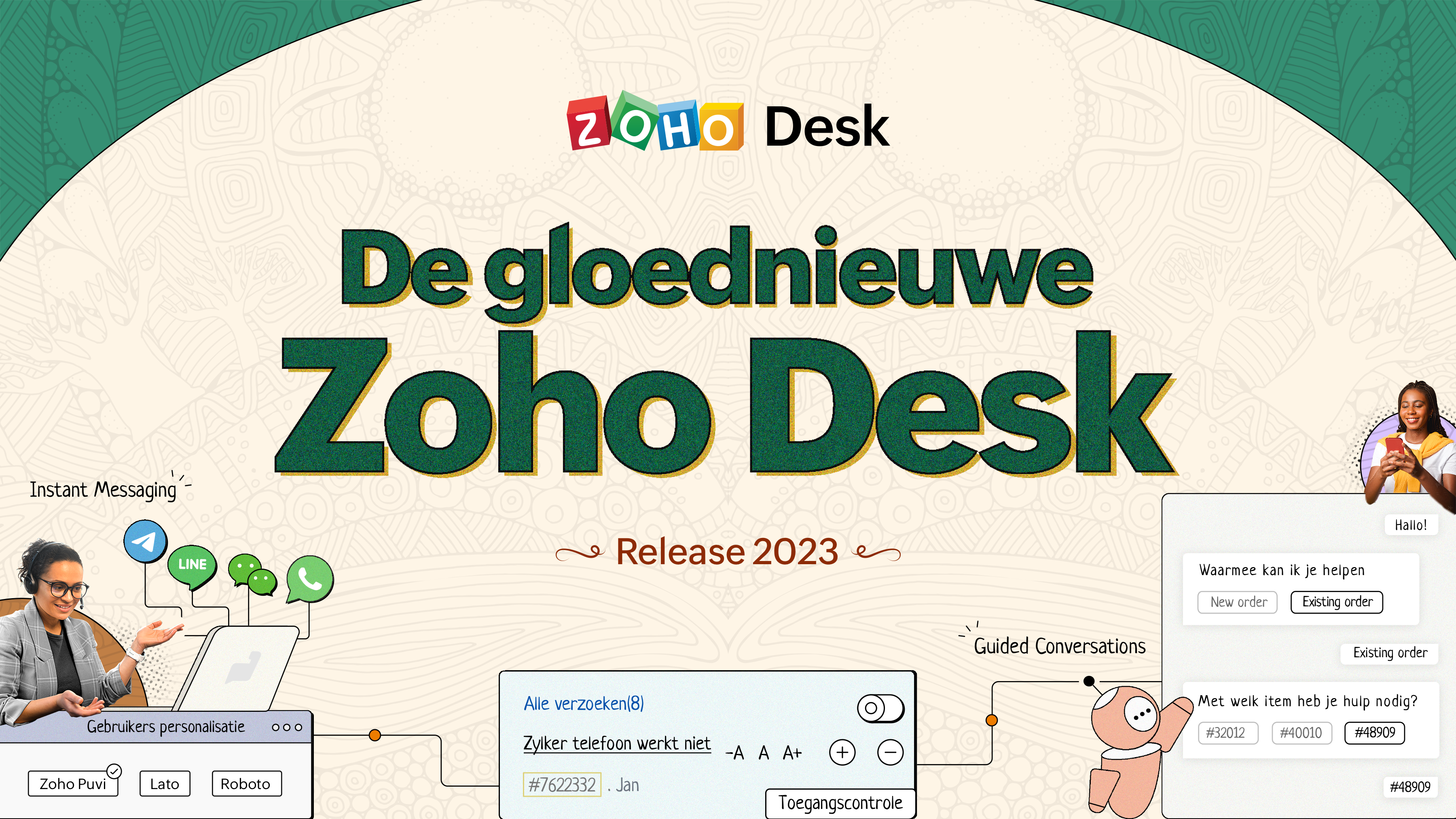
De nieuwe Zoho Desk release versterkt de omnichannel communicatie, customer self-service en agent experience. Lees verder voor meer informatie over alles waar we mee bezig zijn geweest.
Instant messaging
We zijn verheugd om een nieuwe manier van interactie met je klanten in Zoho Desk te onthullen. Met het Instant Messaging (IM) platform voor Zoho Desk kunnen klanten je bedrijf bereiken via WhatsApp, Telegram, LINE en WeChat. Aangezien de meeste van je klanten deze platforms al gebruiken voor communicatie, is het alleen maar logisch om ze daar te helpen. We hebben alle tools die je al kent gecombineerd met onze uitgebreide IM-module, samen met enkele nieuwe functies die zijn ontworpen om de productiviteit te maximaliseren.
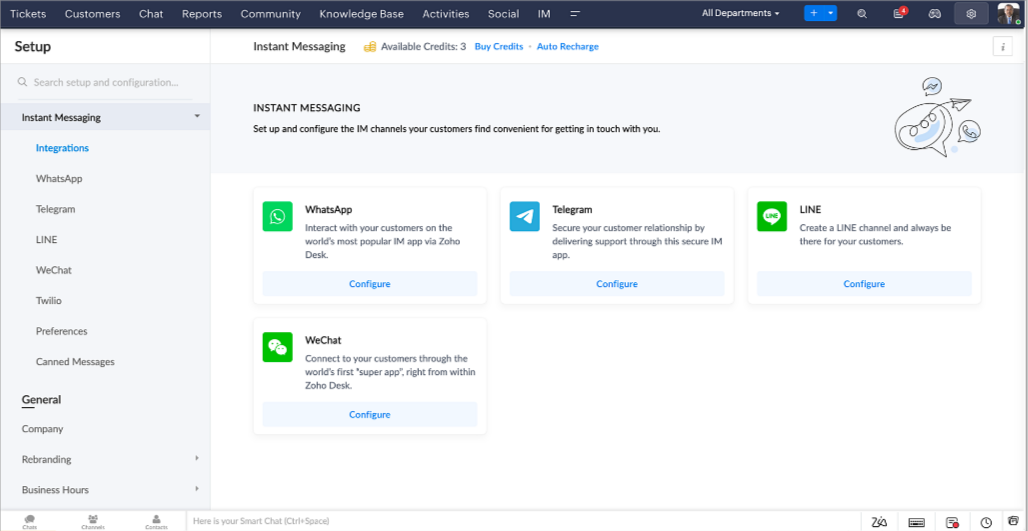
Zoho Desk geeft je een melding in realtime voor inkomende chats, zodat je gemakkelijk contact kunt leggen met klanten vanuit de interface die je al gebruikt. Daarbij kun je nu:
- Klantcontact, ticket informatie, cross-channel gespreksgeschiedenis en bijlage gegevens binnen het chatvenster van de klant volgen voor directe context.
- Kennisbank artikelen openen en toevoegen vanuit het invoergedeelte, vooraf opgestelde antwoorden gebruiken voor snelle oplossingen en emoji's toevoegen voor extra personalisering.
- Neem deel aan meerdere chats tegelijk in verschillende kanalen zonder van tabblad te hoeven wisselen.
- Wijs gesprekken toe aan je teamgenoten.
- Converteer gesprekken in tickets om ze gemakkelijk te kunnen volgen tot ze zijn opgelost.
Hoe zit het met automatisering? Je hebt het! Automatisering, zoals workflows, Blueprints, toewijzingsregels en SLA's, en meer die mogelijk zijn voor tickets aangemaakt vanuit andere kanalen zijn mogelijk voor tickets aangemaakt vanuit je instant messaging kanalen. Je kunt ook automatische reacties instellen voor de tijden dat je afwezig bent of je klanten op oneven uren berichten sturen.
Je kunt het voor klanten gemakkelijk maken om contact met je op te nemen door QR-codes te installeren bij fysieke verkooppunten of door onze eenvoudig te implementeren knop Bericht ons op je website te embedden. Ze kunnen je zelfs bereiken via direct zakelijk zoeken op het IM-platform zoals Telegram.
Guided Conversations (GC)
We zijn erg enthousiast over de introductie van Guided Conversations (GC), het resultaat van de inzet van ons productteam om je de beste zelfbedieningsopties te bieden.
Als klantenservice professional weet je dat de meeste vragen geen eenvoudige antwoorden hebben. Ze vereisen vaak vervolgvragen en veel context voordat er een oplossing komt. Daar komt GC om de hoek kijken. Het is een proactief, low-code, self-service platform dat het pad naar antwoorden voor complexe vragen van je klanten vereenvoudigt. Kies uit een reeks vooraf gedefinieerde vervolgvragen of antwoorden om een GC-flow te creëren die klanten systematisch naar de best mogelijke oplossingen leidt. Je kunt GC bouwen met functionaliteiten die specifiek zijn voor je publiek. Bovendien kun je op elk moment tijdens het gesprek je klanten doorverwijzen naar menselijke interactie, en dan zo nodig terugschakelen.
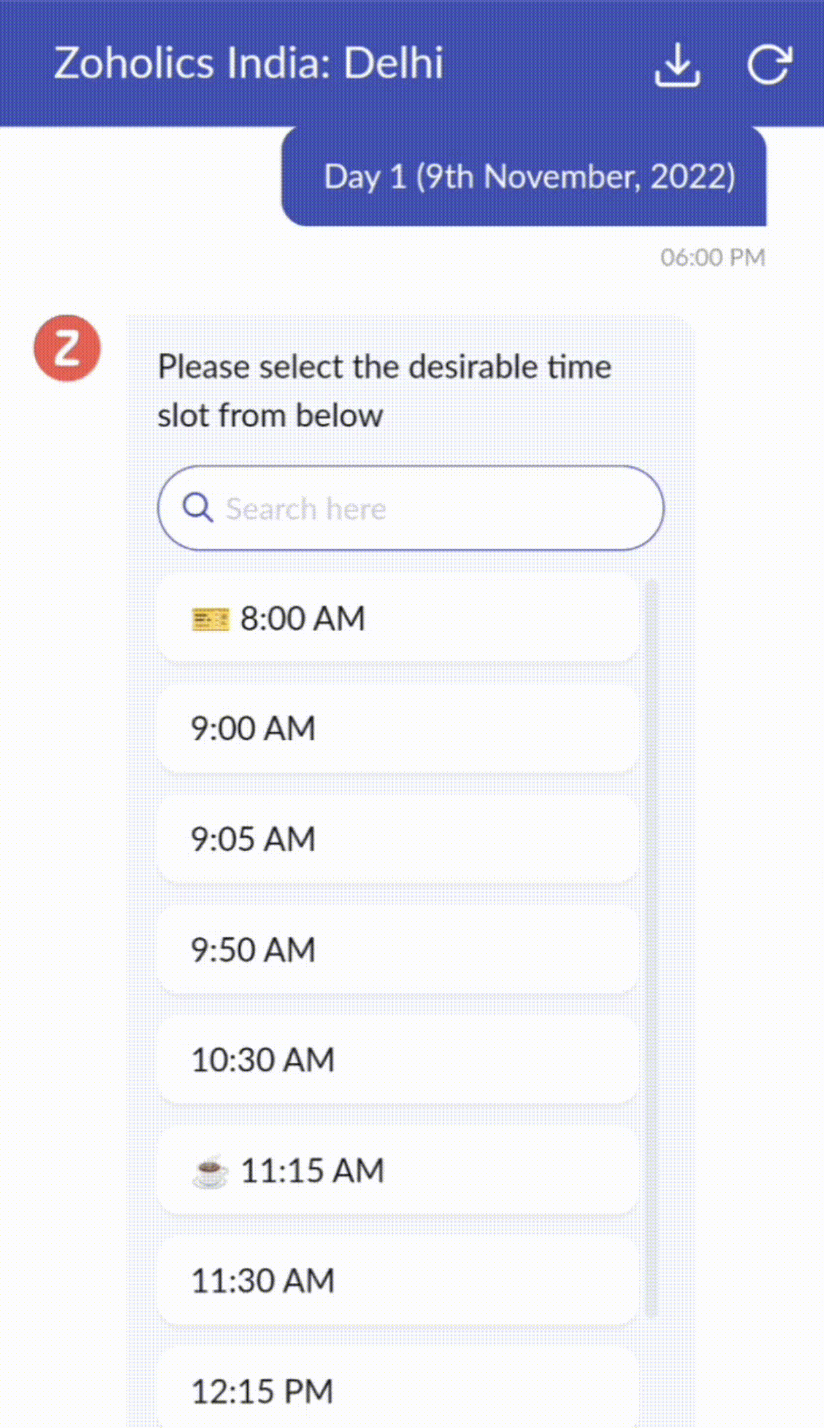
Guided Conversations kunnen worden gebruikt in verschillende situaties, zoals bij het boeken, bestellen, terugvragen of het verzamelen van informatie voor creditcard verwerking of verzekeringen. De mogelijkheden zijn eindeloos. Hier zie je hoe we Guided Conversations hebben gebruikt voor Zoholics, ons jaarlijkse gebruikersconferentie.
Drag-and-drop bouwer
Bouw je GC-flow met behulp van een reeks reactieformaten of -blokken, zoals tekst, afbeeldingen, valuta, datum en tijd, schuifregelaar, keuze, overslaan en opnieuw beginnen. Om een GC-flow te bouwen, sleep je gewoon blokken, voeg je variabelen of dynamische plaatshouders toe en verbind je paden om de volgorde van gebeurtenissen te bepalen, afhankelijk van de keuze van een gebruiker in elke engagement fase.
Webhooks voor naadloze integratie
Door Webhook-blokken te configureren, kun je je conversatiestroom zo samenstellen dat er interactie is met Zoho Desk-processen, andere Zoho-services of applicaties van derden. Als de gebruiker bijvoorbeeld al je contactpersoon is, haalt het Webhook-blok zijn informatie rechtstreeks op uit uw CRM, in plaats van hem te vragen deze elke keer te verstrekken.
Integreer GC overal waar klanten toegang hebben.
Bekijk en implementeer je uiteindelijke flow door deze te koppelen aan uw ASAP helpcentrum op je website, landingspagina's en mobiele apps.
We kunnen niet wachten om de unieke flows te zien die je maakt met Zoho Desk's Guided Conversations!
Verbeterde ervaring
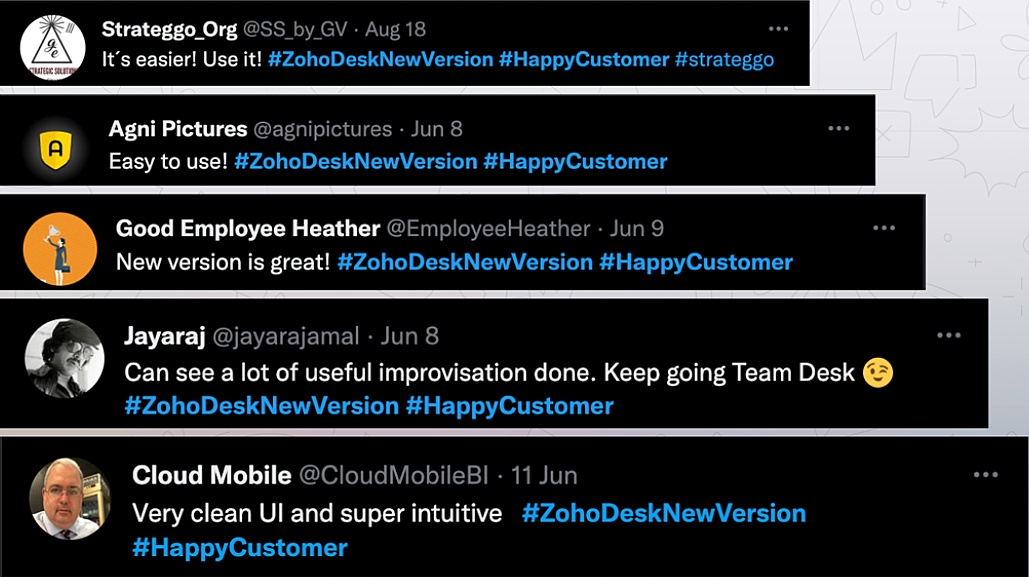
Misschien heb je de Try New Version-optie in Zoho Desk al opgemerkt en zelfs onze vernieuwde gebruikersinterface (UI) geprobeerd, die we eerder dit jaar hebben geïntroduceerd. Dit is onderdeel van onze inspanningen om Zoho Desk logischer en visueel aantrekkelijker te maken om je de beste werkervaring te geven - omdat we weten dat een ingewikkelde helpdesk ervoor kan zorgen dat acht uur aanvoelt als 20 uur.
Wat is er veranderd?
Betere UI, meer context en eenvoudigere navigatie
Wij geloven dat goed ontworpen software weinig tot geen instructies nodig heeft. Daarom hebben we de gebruikersinterface aantrekkelijker, samenhangender en begrijpelijker gemaakt. Die presenteert gegevens beter, geeft meer context en is gemakkelijker te navigeren.
Het belang van snelle toegang tot relevante informatie voor klantenservice teams kan niet genoeg worden benadrukt. We hebben onze UI geoptimaliseerd en het navigeren door verschillende schermen om de juiste informatie te vinden eenvoudiger gemaakt. We hebben ook enkele schermen een make-over gegeven om je een holistisch beeld te geven van je klanten en tickets op één enkele interface. Weet je nog hoe graag we je context geven? Bekijk onze nieuwe look in:
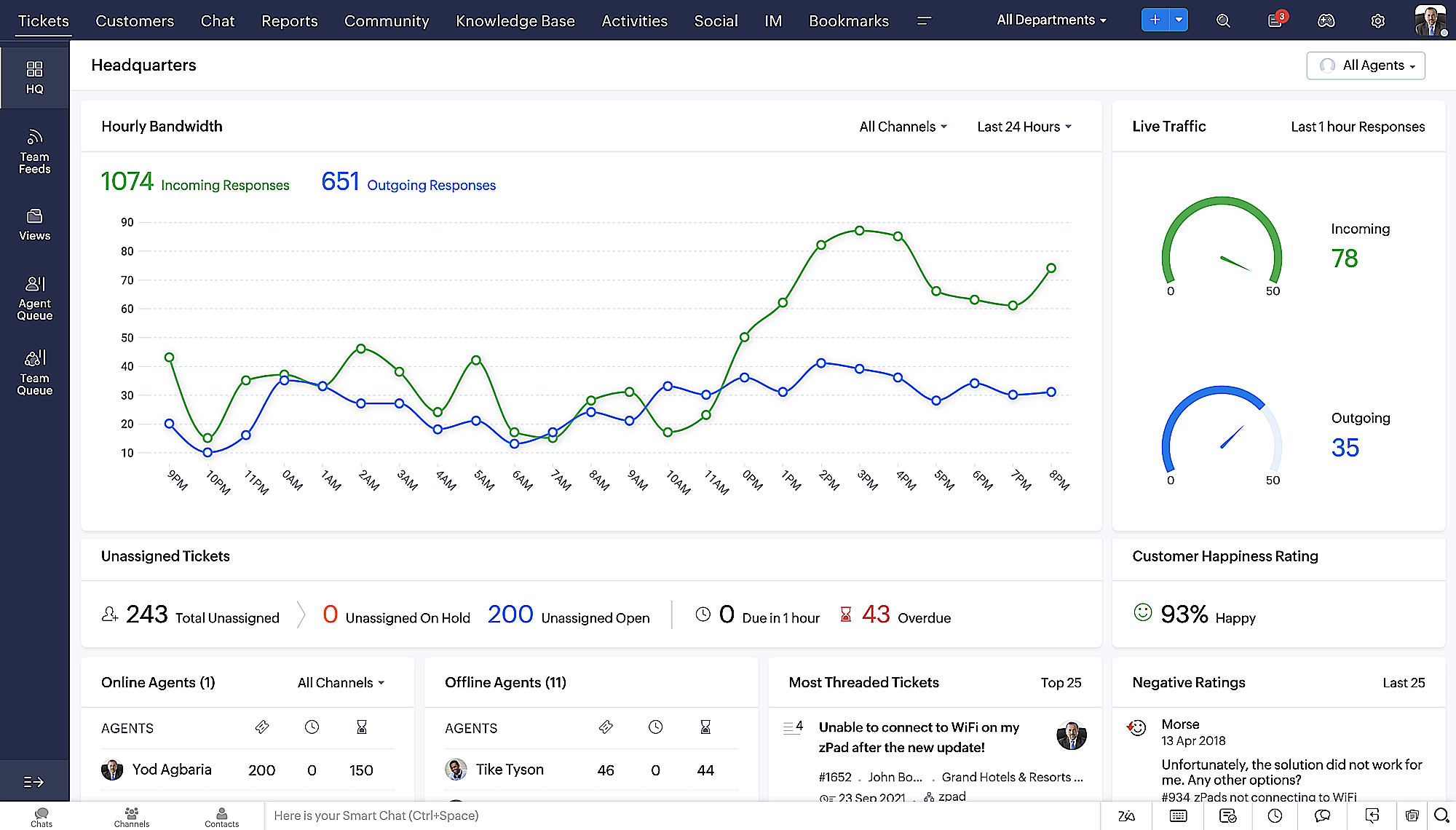
- Laatste Hoofdkwartier weergave met een verfijnde gegevensindeling en vernieuwde algemene look.
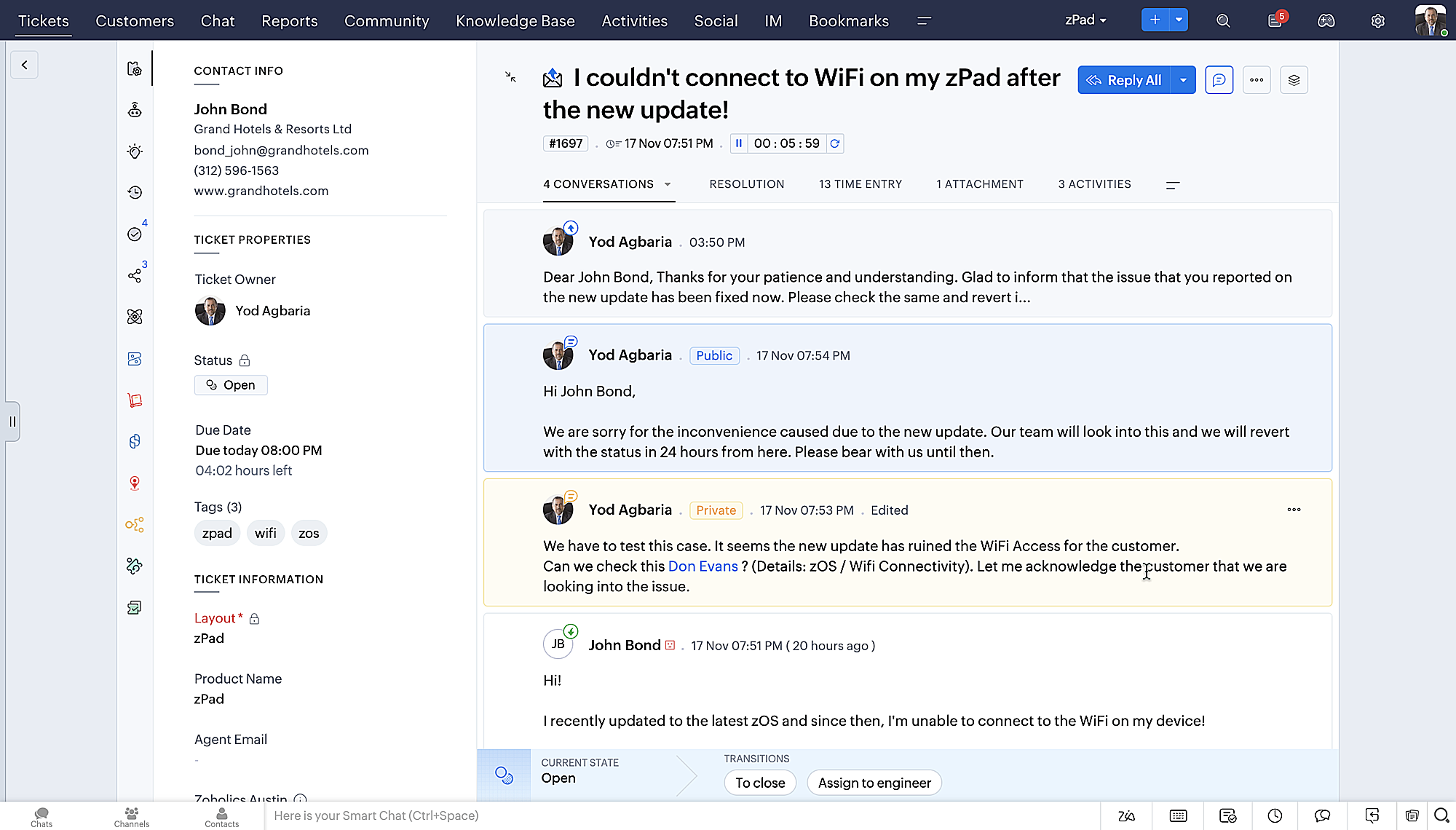
- Gedetailleerde ticketweergave met kleurgecodeerde threads voor eenvoudigere navigatie tussen gesprekken en opmerkingen.
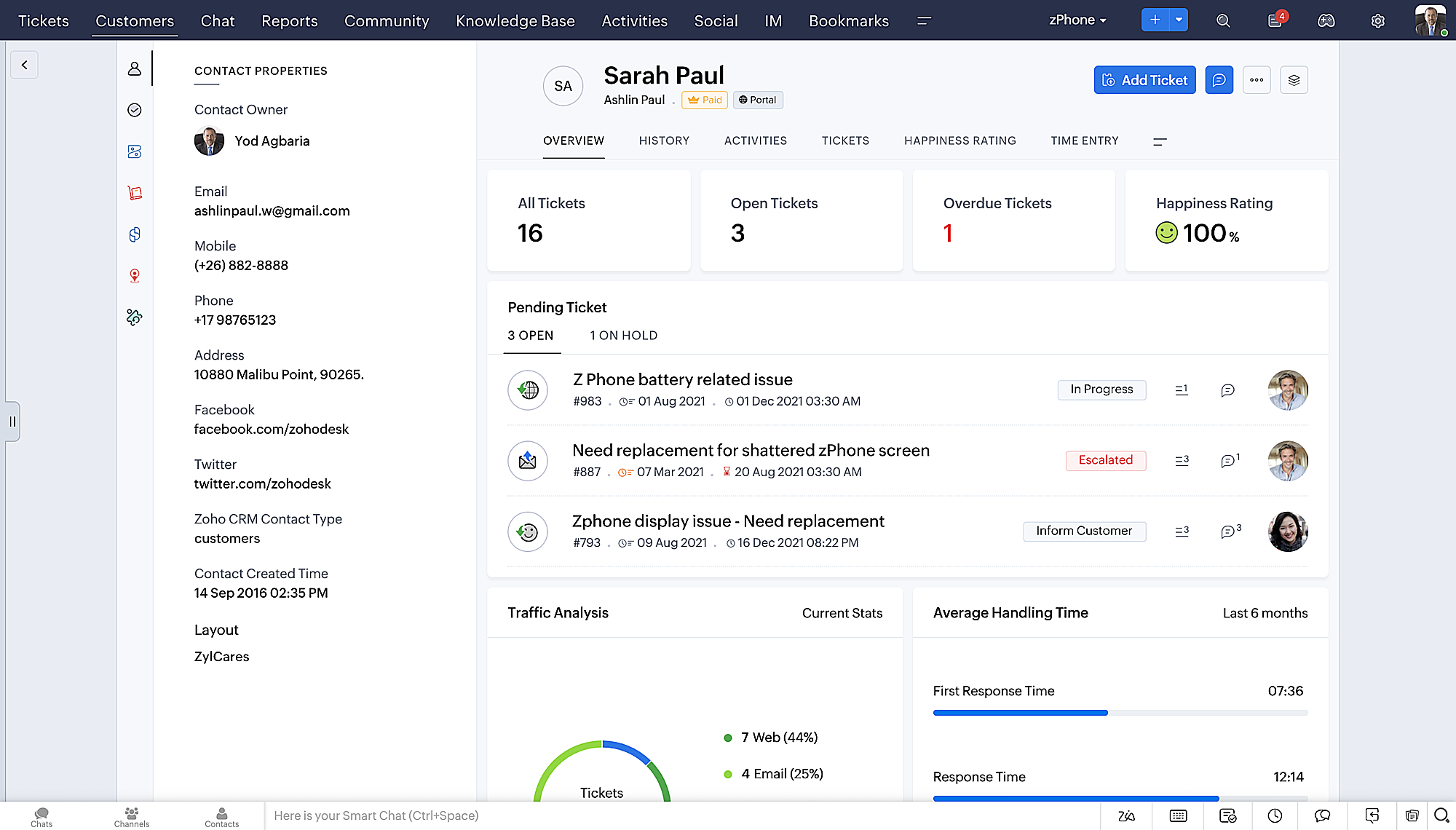
- Gedetailleerde Contactweergave met knoppen voor snel toevoegen, een sectie Wachtende tickets en een overzicht van Ticketinzichten.
- Ticket Queue View met drop-down statusopties, zodat je snel updates kunt geven zonder Ticket Detail View te openen.
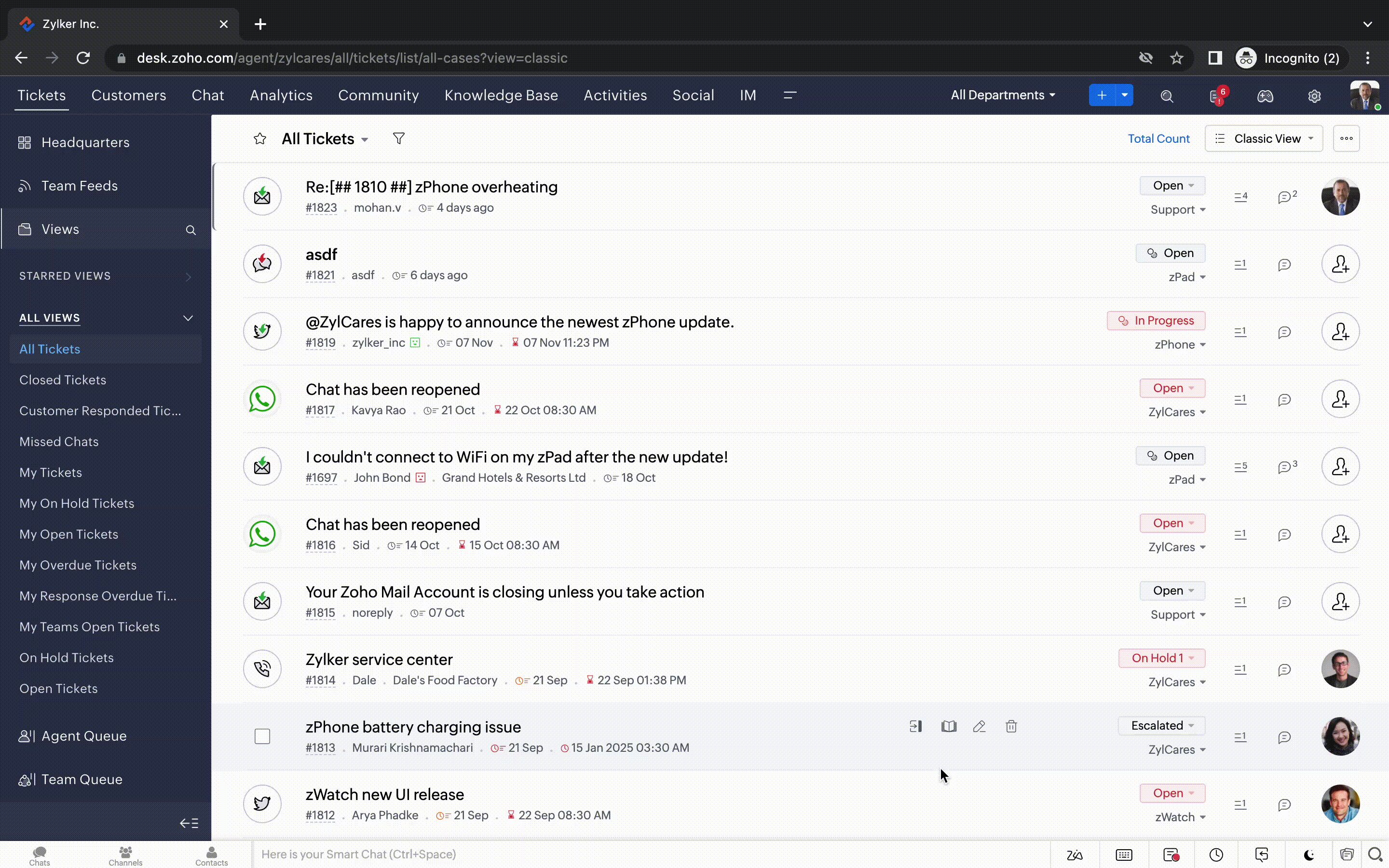
- Een nieuwe optie markeren als gelezen/ongelezen in de ticket lijstweergave, en een geconsolideerde vervolgkeuzelijst Werkmodi in de hele module Tickets.
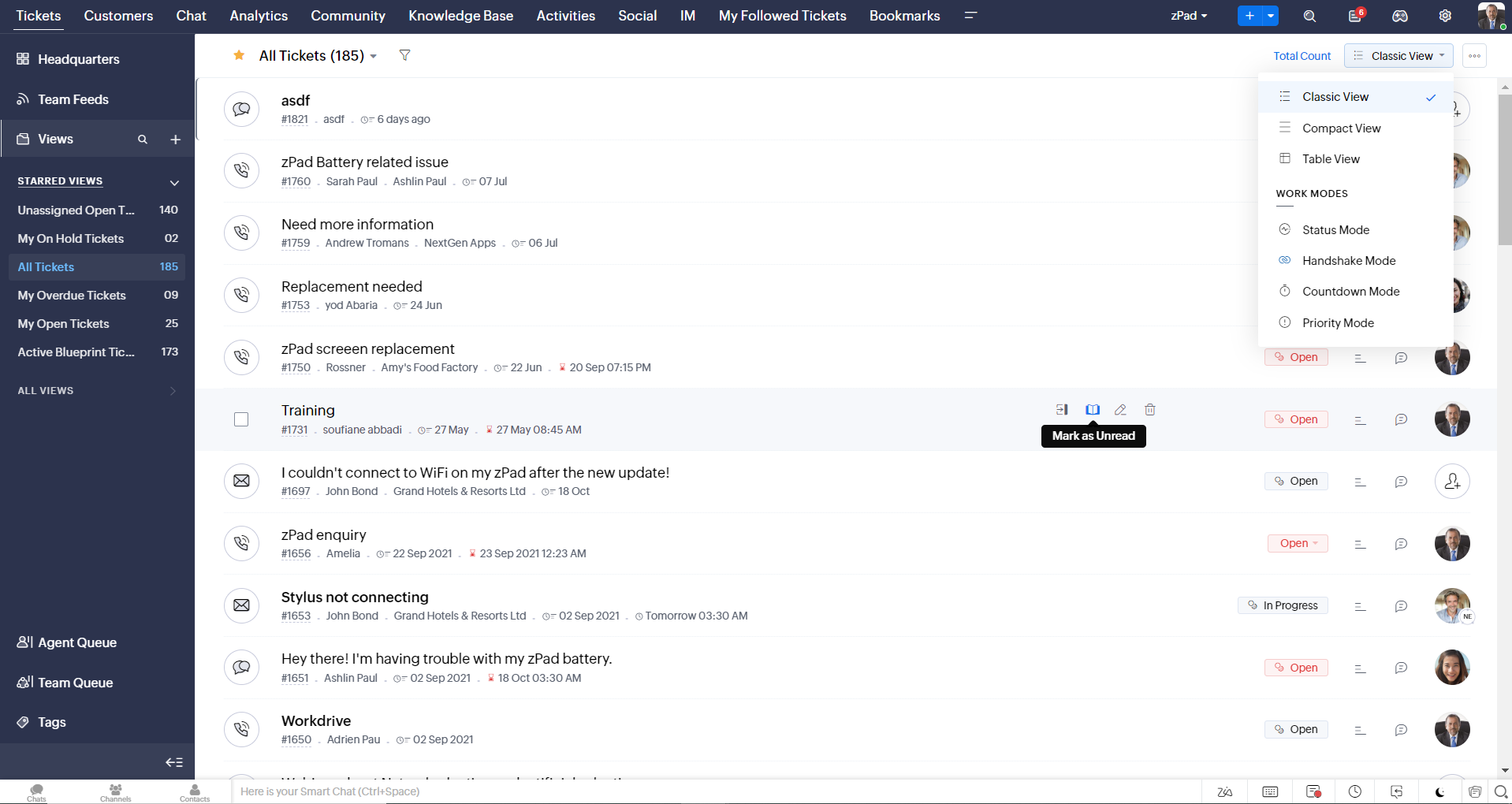
- Oneindig scrollen voor snellere ticket verkenning en navigatieknoppen om snel naar de bovenkant of onderkant van de pagina te gaan.
Nieuwe personaliseringsopties voor gebruikers
Personalisatie is zo'n gewoon onderdeel van ons dagelijks leven geworden dat we het in de meeste van onze productinteracties verwachten.
In Zoho Desk kun je al lay-outs, velden, rollen, sjablonen en je helpcentrum aanpassen. Nu kun je ook het uiterlijk van je portaal aanpassen, zodat je je meer verbonden voelt met je helpdesk. Dit is wat er nieuw is:
- Dark mode/nachtmodus voor een comfortabele kijk- en leeservaring bij weinig licht.
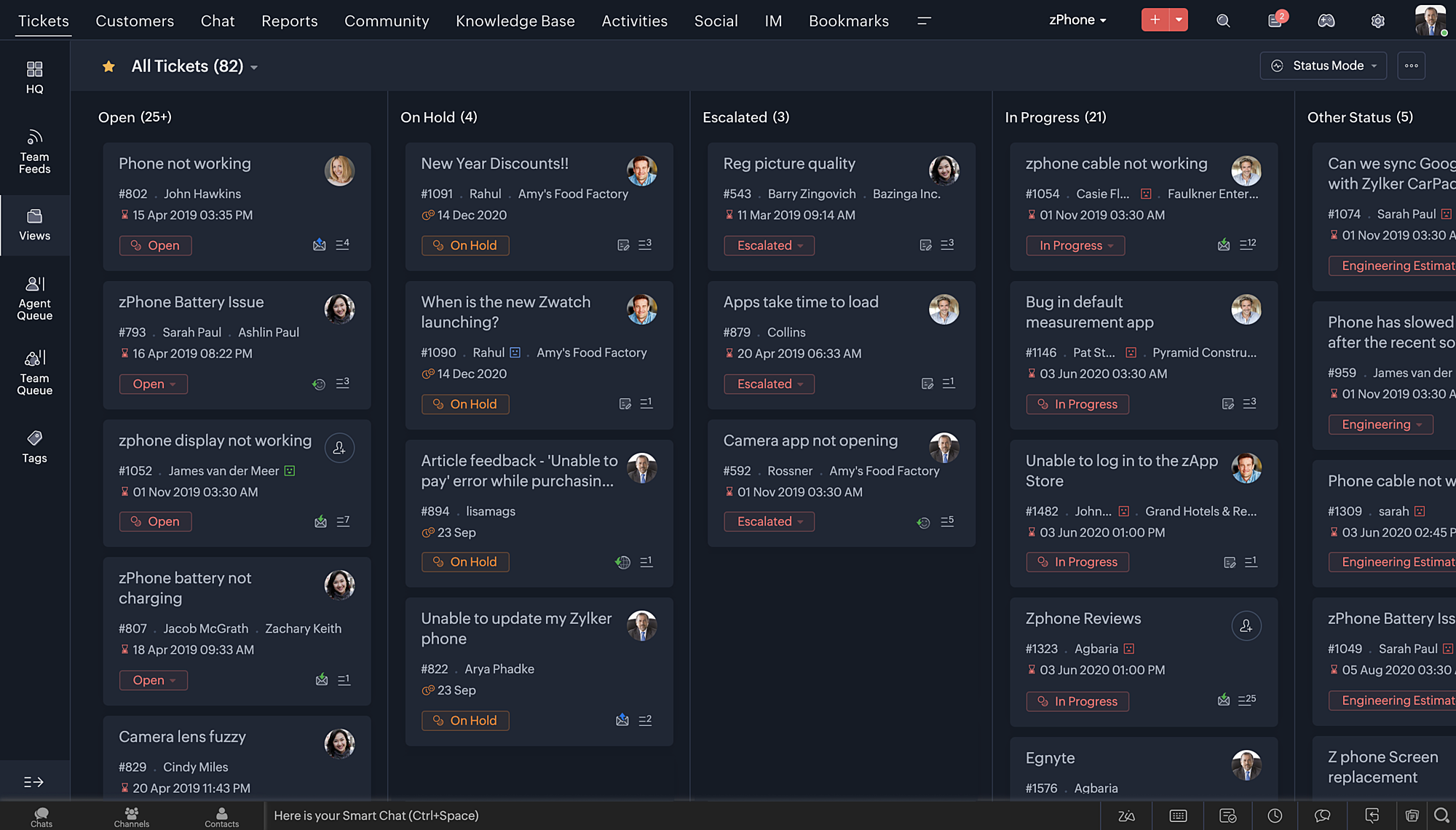
- Nieuwe thema's voor het bekijken van Desk in je favoriete kleur, of in kleuren die jouw merk vertegenwoordigen.
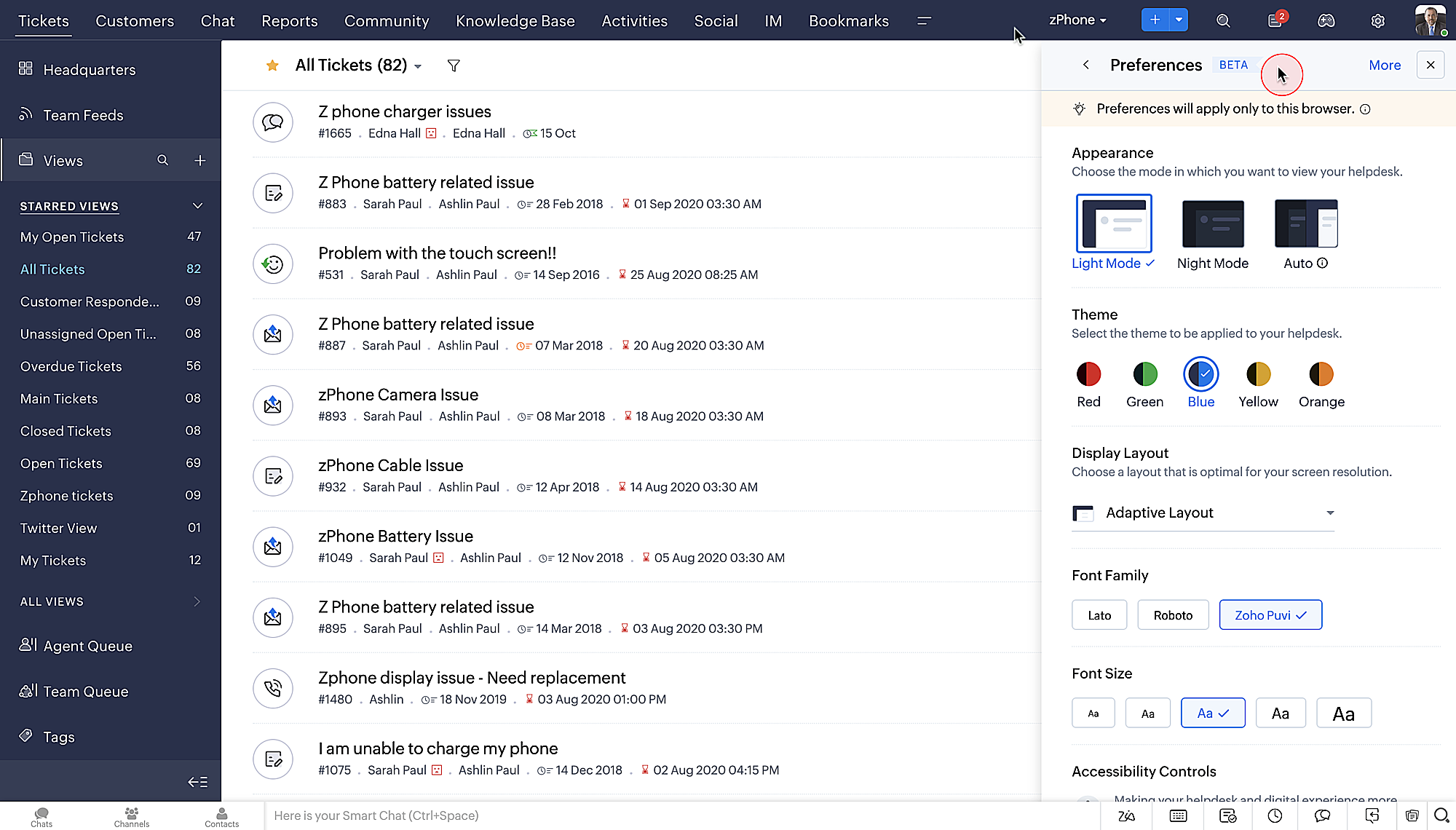
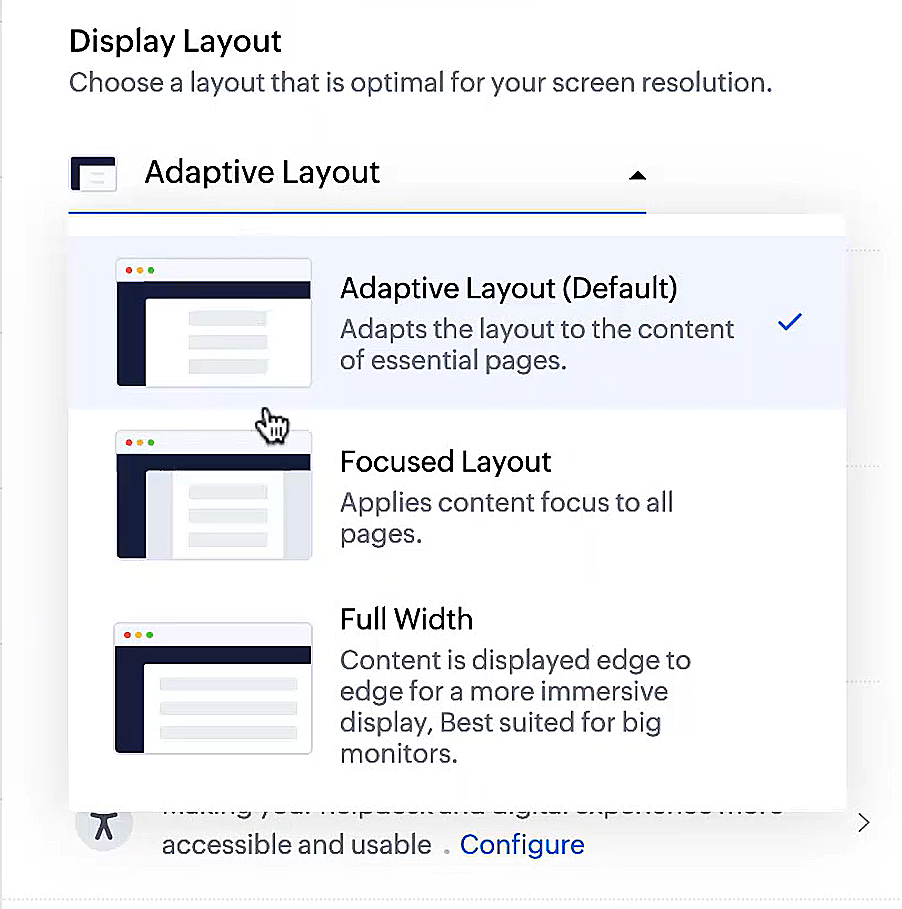
- Display lay-outs waarmee je kunt kiezen hoe je inhoud aan je wordt gepresenteerd.
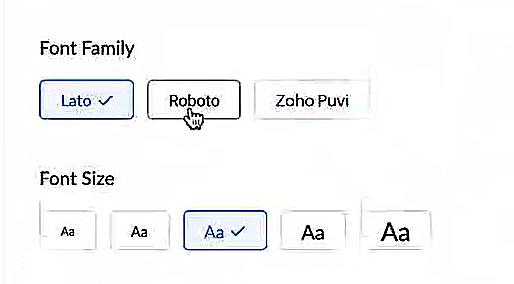
- Nieuwe lettertypes en -groottes zodat je tekst precies overeenkomt met je voorkeuren.
Toegankelijkheidscontroles
Het is altijd onze missie geweest om alle gebruikers toegang te geven tot onze producten, en met onze nieuwe toegankelijkheidscontroles komen we een stapje dichterbij. We hebben meerdere knoppen toegevoegd ter ondersteuning van je gezichtsvermogen, fysieke en motorische behoeften en leerbehoeften.
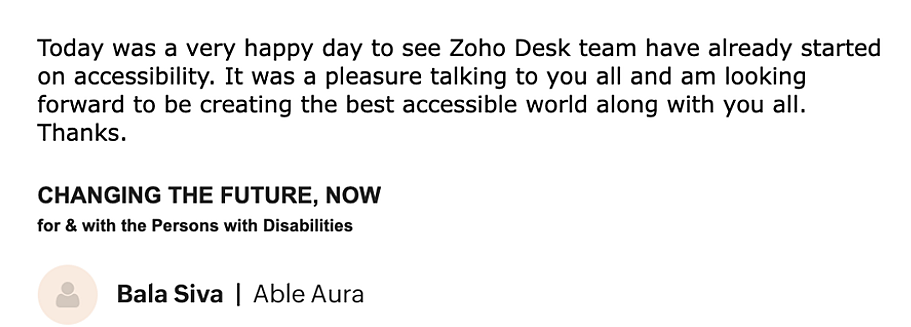
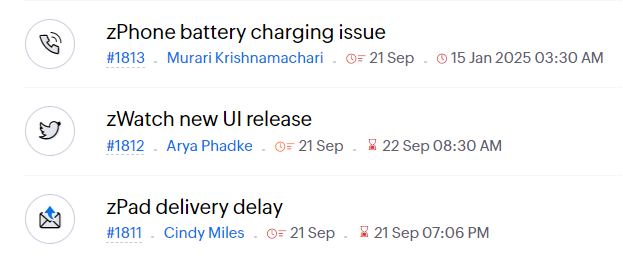
- Highlight Critical Information toont belangrijke informatie, zoals ticket ID, ticket eigenaar en contactgegevens in een opvallende kleur.
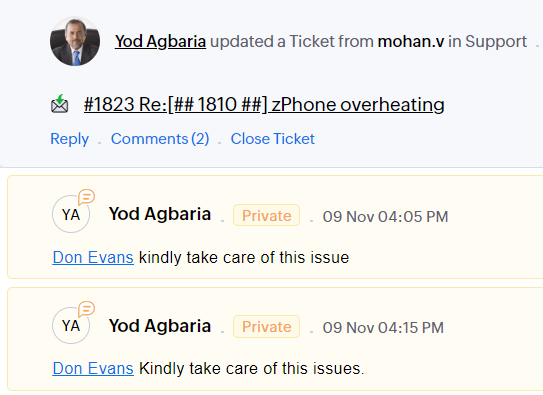
- Onderstreep Links verhoogt de zichtbaarheid van klikbare links.
- Benadruk Focusgebied voegt een rand toe rond je focusgebied om de omvang en klikbaarheid aan te geven.
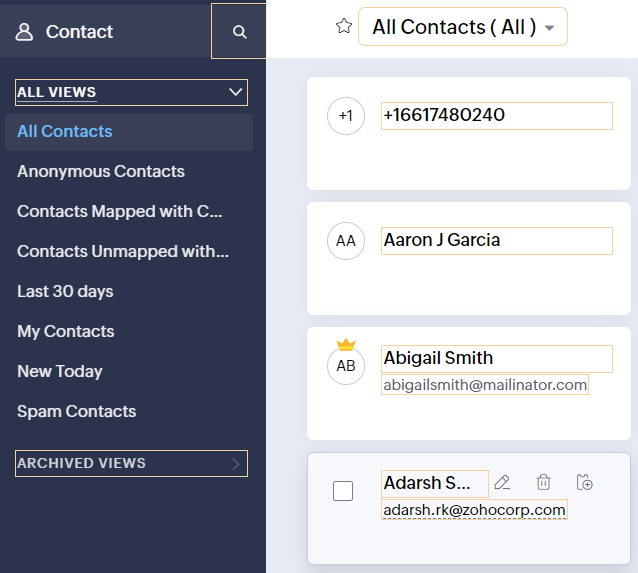
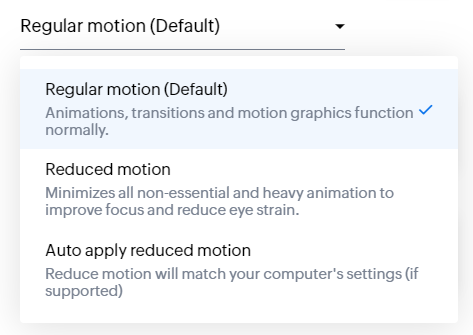
- Animatie regeling optimaliseert animaties en overgangen in je helpdesk.
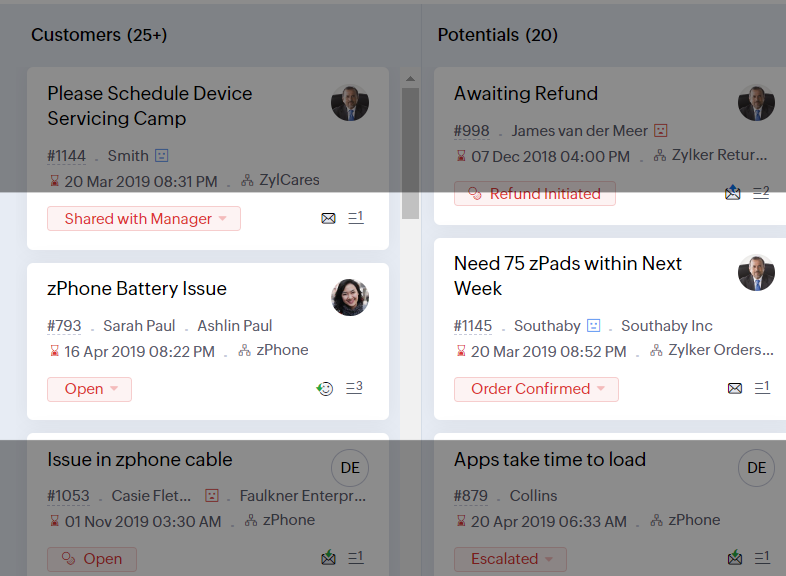
- Leesmasker elimineert afleiding door tekst te maskeren die je momenteel niet leest.
- Met Zoomniveau kun je in- en uitzoomen tot de pagina gemakkelijk te bekijken is.
- Toon lettergrootte past de lettergrootte aan tot de pagina goed leesbaar is.
Met alle nieuwe functies in de Zoho Desk 2022 editie hebben bedrijven nu meer mogelijkheden om te zorgen voor tevreden medewerkers en tevreden klanten.
We horen graag wat je van de nieuw toegevoegde functies vindt! Deel je feedback in onze comments of op social media.
Topic Participants
Sukhpreet Singh
Sticky Posts
Doe mee aan de Zoho Desk Meetup op 7 maart in Antwerpen
Beste Community leden, Wij nodigen jullie graag uit voor de Community Meetup van Zoho Desk! Op 7 maart komen we bij elkaar in Antwerpen, samen met een klant en de Zoho Experts van Brainsolutions. Onze experts zullen een live demo presenteren en jouw vragenDoe mee aan de Zoho Desk Meetup op 16 Februari in Utrecht
Beste Community leden, Wij nodigen jullie graag uit voor de Community Meetup voor Zoho Desk! Op 16 februari komen we bij elkaar in Utrecht, samen met Fleetkennis en de Zoho Expert van Mobile XL. Onze experts zullen een live demo presenteren en jouw vragenWat is er nieuw in Zoho Desk 2023
Beste Community leden, Hoeveel je ook van je klanten en je werk houdt, als klantenservice medewerker zul je zeker een aantal zware dagen tegenkomen. We hebben het dan over de dagen dat je een paar keer op de snooze-knop drukt, koffie morst op je favorieteTips & Tricks #10 Automatiseren met Zoho Desk Deel 2
In deel 1 van het automatiseren met Zoho Desk las je een use case over een probleem in een appartementencomplex en hoe dit door gebruik te maken van Zoho Forms en Zoho Desk kan worden opgelost. In deel 2 lees je meer over het integreren van Zoho FormsTips & Tricks #09 Automatiseren met Zoho Desk Deel 1
Beste Community leden, Zoals jullie weten hebben we in Nederland een woningtekort. Een oplossing hiervoor is de hoogbouw. Echter, om de de hoogte in te gaan moet er ook voor de juiste faciliteiten in flats worden gezorgd. Problemen kunnen we allemaal
Recent Topics
Zoho CRM - Widgets | Update #3 : Introducing SDK V1.5 along with new ZDK Methods and ZRC Support
Hello everyone! Widgets in Zoho CRM just got a big upgrade! With the release of SDK v1.5, developers can now create more immersive widget experiences. This update elevates Widget development with new ZDK methods for easier interactivity and ZRC supportUnusual activity detected, account blocked
I am unable to send emails and am getting the error "Outgoing blocked: Unusual activity detected. To unblock your account, please and submit a request. Learn more.". I am unsure as to why this is happening since all my activity is legitimate, mainly confirmationUnable to Send Emails – Outgoing Mail Blocked (Error 554 5.1.8)
Description: Hello Zoho Support Team, I am facing an issue with my Zoho Mail account ( admin@osamarahmani.tech ). Whenever I try to send an email, I get the following error: 554 5.1.8 Email Outgoing Blocked I would like to clarify that I have not doneIssue connecting Zoho Mail to Thunderbird (IMAP/SMTP authentication error)
Dear Zoho Support, I am trying to configure my Zoho Mail account on Thunderbird, but I keep getting authentication errors. Account: info@baktradingtn.com Domain: baktradingtn.com Settings used: IMAP: imap.zoho.com, Port 993, SSL/TLS, Normal Password SMTP:Payment issue with Mail Lite plan – personal NIF not accepted as payment info
Hello, I have already contacted Zoho Support by email regarding this, but since I haven’t received any reply yet, I’m sharing it here as well to see if the community can help. I’m facing a payment issue for my Mail Lite plan. I have a personal accountCustomer payment alerts in Zoho Cliq
For businesses that depend on cash flow, payment updates are essential for operational decision-making and go beyond simple accounting entries. The sales team needs to be notified when invoices are cleared so that upcoming orders can be released. In contrast,Figma in Zoho Creator
Hi Team, I’m creating a form using Figma and would like to know how to add workflows like scheduling, custom validation, and other logic to it. Can anyone help me understand how to set this up for a Figma-based Creator UI form?Restore lost Invoice!
Some time ago I tried to Upgrade from Invoice to Books. I not upgraded and staid n Invoice. Now i tried again and first i deleted the old trial of books. But now all is gone, PLEASE HELP!! i have no backup and i have to have at least 7 years data retention by law.Zoho Desk Down
Not loadinglookup and integrated forms
I might be misunderstanding things but I wanted to integrate our zoho crm contacts into creator. I imagined that when I used the integration it would mirror into creator. It did brilliant. BUT We have a ticket form in creator that we want to use a lookupPartially receive PO without partial Bill?
Most of our inventory is pre-paid. Let's say we purchase 30 pieces of 3 different items for a total of 90 pieces. It is common for our supplier to send us the items as they are ready. So we will receive 30 pieces at a time. How can I partially receive2 users editing the same record - loose changes
Hello, I'm very new to Zoho so apology if this has been addressed somewhere i can't find. I have noticed the following: If we have 2 users put an inventory item in edit mode at the same time: say user1 click on edit and user2 while user1 is still in edit,How to get the Dashboard page to be the first page when you open the app
So when it opens on a tablet or phone it opens on the welcome page, thanks.How I set default email addresses for Sales Orders and Invoices
I have customers that have different departments that handle Sales Orders and Invoices. How can i set a default email for Sales Orders that's different than the default email for Invoices? Is there a way I can automate this using the Contact Persons DepartmentsFormula fields not refreshing until page is reloaded
I need help/advice about the formula fields and how I can refresh the information in real-time. We have two formula fields on our deals page which show calculated prices: One formula is in a subform which calculates the subform total + 1 other field amountHow can I setup Zoho MCP with Chat GPT
I can set up custom connections with Chat GPT but I cat an error when I try to set it up. The error is: "This MCP server can't be used by ChatGPT to search information because it doesn't implement our specification: search action not found" Thoughts?API ZOHO CRM Picket list with wrong values
I am using Zoho API v.8. with python to create records in a custom module named "Veranstaltung" in this custom module I've got a picket list called "Email_Template" with 28 Values. I've added 8 new values yesterday, but if I try to use on of those valuesGroup Emails
I have synced Zoho CRM to Campaigns but there are certain email not synced. showing it is Group Emails, but this email ids belongs to different individuals. please provide a solution as i nedd to sync the same.Enable Password Import option in ulaa browser
Dear Ulaa Team, I noticed that the Ulaa Password Manager currently offers an option to export passwords, but not to import them. This limitation poses a challenge for users like me who have stored numerous credentials in browsers like Chrome. Manually"Is Zoho CRM customer" vs "Is linked with Zoho CRM"
Recently while building a Flow, I was setting up a Decision action following a Zoho Invoice Fetch record action. There were 2 choices that I had not seen as something I could manually action in Zoho Invoice: "Is Zoho CRM customer" and "Is linked withClient Script | Update - Introducing ZRC: Simplified HTTP request library
Hello Developers! Are you tired of juggling different methods to make API calls? Are you confused with multiple syntaxes and version restrictions? Have you ever wished for one simple way to make all API calls in CRM? We heard you :) Here comes ZRC (ZohoSelection Filed for Data Export section
Hi FSM Team, I hope you are all doing well. I would like to share an idea for future development based on my experience. Currently, in FSM, we can only download up to 5,000 records at a time. If the development team could add a selection option to chooseText wrap column headers in reports?
Is it possible to auto wrap column headers so that a longer multi-word header displays as two lines when the column is narrower than the width of the header title?What if I dont see contacts on the left side list
My CRM does not show the contacts tab. In order to create list this is needed and I cant find it.Comments Vs. Replies
I'm curious as to the difference between a "Reply" and a "Comment" on a ticket. It appears that "Replies" are what's used to determine response time SLA's and there are also used to automatically re-open tickets. I'm just trying to understand the key differences so I can educate both our clientele and our back-end users on which function/feature to use to better improve the ticket lifecycle. If anyone has any insight it would be appreciated. Thanks!Transitioning to API Credits in Zoho Desk
At Zoho Desk, we’re always looking for ways to help keep your business operations running smoothly. This includes empowering teams that rely on APIs for essential integrations, functions and extensions. We’ve reimagined how API usage is measured to giveResetting auto-number on new year
Hi everyone! We have an auto-number with prefix "D{YYYY}-", it generates numbers like D2025-1, D2025-2, etc... How can we have it auto-reset at the beginning of the next year, so that it goes to D2026-1? Thanks!Can you prevent closing Ulaa window when the last tab is closed (inadvertently)?
Most browsers have started to bring this feature in to prevent closing their windows when the last tab is closed (inadvertently). I hope Ulaa should get this in too.Microsoft Phone Link
Does anyone know if you can use Microsoft Phone Link to make calls through Zoho?Voip Phone system that integrates with Zoho
Just checking to see if anyone could tell me what phone system they are using with Zoho that is on the list of systems that integrate with Zoho. I use Vonage and have been with them for quite a few years but their service has really gone down hill andRemoving Related Modules Lookup Fields Assignment / Relationship
Issue: When creating a related list, I accidently selected module itself creating a circle reference. See attached. Situation: I wish to relating a custom module called "Phone Calls" to Leads and Contacts. Outcome: 1) I either want to remove the this[Product Update] TimeSheets module is now renamed as Time Logs in Zoho Projects.
Dear Zoho Analytics customers, As part of the ongoing enhancements in Zoho Projects, the Timesheets module has been renamed to Time Logs. However, the module name will continue to be displayed as Timesheets in Zoho Analytics until the relevant APIs areKaizen #210 - Answering your Questions | Event Management System using ZDK CLI
Hello Everyone, Welcome back to yet another post in the Kaizen Series! As you already may know, for the Kaizen #200 milestone, we asked for your feedback and many of you suggested topics for us to discuss. We have been writing on these topics over theSeriously - Create multiple contacts for leads, (With Company as lead) Zoho CRM
In Zoho CRM, considering a comapny as a lead, you need us to allow addition of more than one contact. Currently the Lead Section is missing "Add contact" feature which is available in "Accounts". When you know that a particular lead can have multiplecan I link a contacts to multiple accounts
can I link a contacts to multiple accountsFree webinar! Digitize recruitment and onboarding with Zoho Sign and Zoho Recruit
Hello, Tired of being buried in onboarding paperwork? With the integration between Zoho Sign and Zoho Recruit, a powerful applicant tracking system, you can digitize and streamline the entire recruitment and onboarding process, all from one platform.is it possible to add more than one Whatsapp Phone Number to be integrated to Zoho CRM?
so I have successfully added one Whatsapp number like this from this User Interface it seems I can't add a new Whatsapp Number. I need to add a new Whatsapp Number so I can control the lead assignment if a chat sent to Whatsapp Phone Number 1 then assignOpen Activities view.
I really like the new views for the open and closed activities inside the deals. But when you are in the tab view instead of the column view you can only complete and edit the open activity there isn't the 3 dot option to be able to delete the activPotentially Outdated and Vulnerable Chromium Engine Installed by Ulaa Browser Installer
I just installed Ulaa Browser a few minutes ago. Whats My Browser page shows I am using an outdated Chromium engine meaning I might be vulnerable for security exploits that might have got fixed in the new version.Potentially hardcoded list of Browsers to import from (after Ulaa Setup)
I have just installed Ulaa Browser and found that the list of browser to import data is potentially hardcoded ones rather than looking at the system. I do not have FF, IE and Edge is not my default itself. I would appreciated if Ulaa detected my browsersNext Page