Zoho Inventory - Walkthrough

Zoho Inventory is an important part of Zoho's suite of applications, particularly designed for small to medium-sized businesses. It is a cloud-based tool and includes an application for both Android and iOS devices. Besides being exceptional inventory management software, Zoho inventory integration offers multichannel selling, order management, good reporting options, warehouse management, etc.
It is all these qualities that make Zoho Inventory perfect for retailers who have both an online and a physical retail store. Zoho inventory management software is a great option for retailers who sell their products on a global scale because it streamlines everything for these retailers and makes business operations easier.
With both a mobile application for instant changes and an extensive range of desktop applications, the Zoho inventory is an extremely smart choice for the purpose of inventory management. It facilitates great management of inventory across various warehouses and also allows end-to-end tracking. If you are a retailer who is trying to find a dependable solution for managing inventory across multiple warehouses or know someone like that then Zoho inventory can help immensely.
In this blog, we will go through a complete walkthrough of the Zoho inventory to understand the tool much better.
Creating an Account

Zoho Inventory is a web-based application that works best and supports the latest versions of the browsers such as Mozilla Firefox, Safari, Edge, Google Chrome, etc. There are two common ways in which you can sign up for the Zoho Inventory. If you already have an existing Zoho account then you can proceed with that and if you don't then the best probable way to move ahead is by going ahead with a new sign-up.
For a new sign-up, the first and foremost requirement will be to sign up for the 14 days free trial period. This period will enable you to test the product and use all its features included in the professional plan of the Zoho Inventory. You have an option of upgrading to either of the paid plans during or after the trial period.
To go ahead with a new sign-up for the Zoho Inventory, take the following steps:
- Log in to the Zoho Inventory website.
- Click on SIGN UP NOW. You can find this button in the top right corner of the page.
- Enter the company's name because that will be the organization's name in the Zoho Inventory.
- Make sure that you enter a regularly used email address and a strong password. This will act as your login credential.
- Choose a country in which your company is located.
- Mention the phone number for authentication purposes.
- Click on SIGN UP to complete the process so that you can be navigated to the organization details page.
Zoho Inventory Quick Setup
Set up your organization details. When you sign up for the Zoho Inventory management software, you are going to be redirected to the organization details page that will ask you to enter some basic information about your business. On this page:
- The portal name is going to be auto-generated. In case you wish, you have an option to suit this name according to your business needs.
- You can now choose the industry type and enter the complete address of your organization
- Choose the currency so that it serves as a base currency for all future transactions and cannot be edited later.
- Now select the time zone of your company's location
- For comparing the setup, click on the Click to Finish button so that you can be logged in and redirected to the Zoho Inventory organization.
Setting Up Data
After signing up for the Zoho Inventory and setting the organization details, you can also set up all the data and manage your business in the right way. To get started, follow the steps mentioned below. It is also highly recommended that the steps should be followed in this order only for a better start-up process.
- The first step is to update the organization details. You can configure the organization details, upload the brand logo, and add significant information for completing the organization's profile.
- The next step is to create and import the items. Click for loading your item details into the Zoho Inventory.
- The third step is to make purchases. It is about purchasing stocks from different vendors.
- The last and final step is to sell the products. Create sales orders for your customers and learn more about them.
Joining an Existing Zoho Account
In case you are already using one of the Zoho Finance apps such as Zoho Books then you can sign into the Zoho Inventory with similar credentials. Here are the steps that you should follow:
- Log in to the Zoho Inventory website.
- Click on the SIGN IN button that you can find on the top right corner of the page.
- Begin to enter your Zoho Credentials.
- After you sign in to the website, you are going to be redirected to a page that mentions all organizations that you are a part of in different Zoho Finance Apps.
- Choose from any of the existing organizations for which you wish to create a Zoho Inventory organization.
- Finally, click on the Join Organization button at the bottom of the page and go ahead.
This will let you set up a new organization with a similar name as the selected organization almost immediately in Zoho Inventory so that all the data can be synced easily with the existing organization.
Sign-up to Zoho Inventory
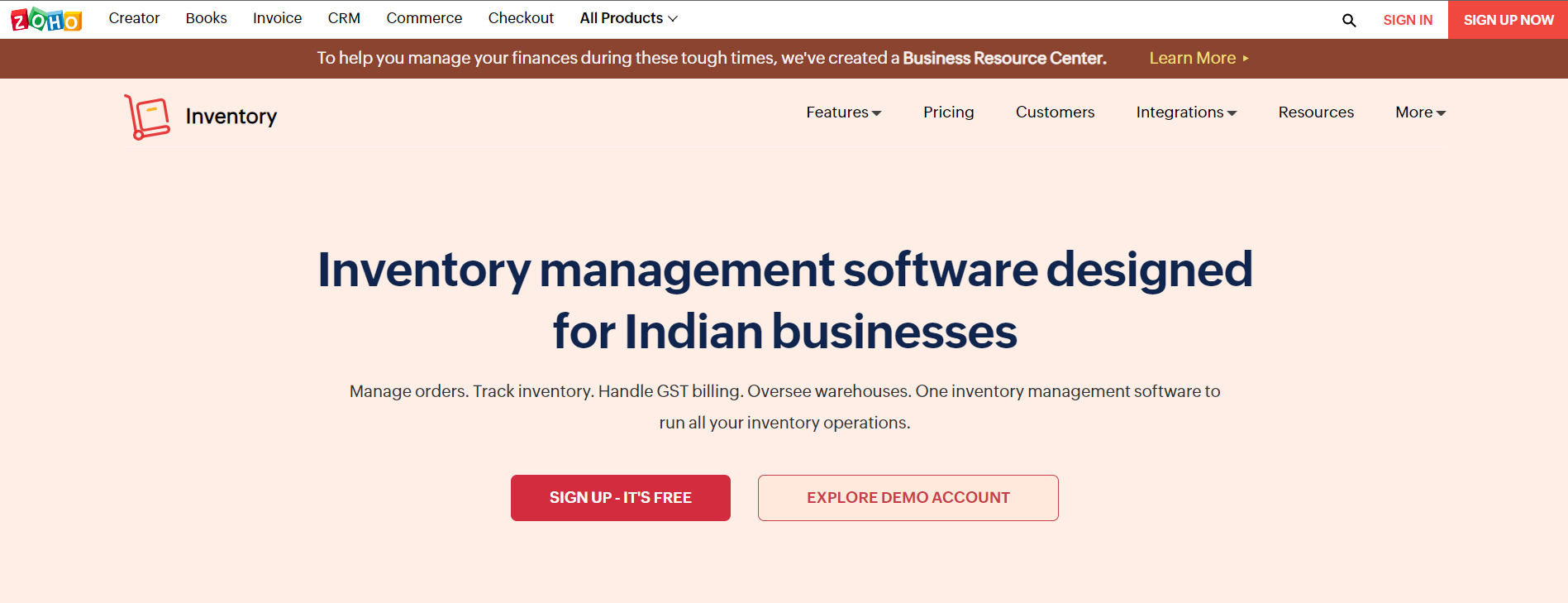
In case you have already signed up for the Zoho Inventory, from the next time ahead you will be able to directly sign in with the help of your registered email address. For signing in:
- Go to the Zoho Inventory website
- Now click on the Sign In button that is there in the top right corner of the window.
- Enter the right email address and password and go ahead.
- Click Sign in and you will be logged into the Zoho Inventory
- In case you have also configured two-factor authentication, you can enter the One Time Password sent to your mobile phone.
- Check the verify code.
- In case you have not configured the two-factor authentication and wish to do the same then click on Manage TFA to do the same.
Zoho Inventory

- Dashboard: The main purpose of the dashboard in the Zoho inventory management software is to give information on what all transactions were doing so far. It will contain an inventory summary, product details such as all items, item groups, low stock items, unconfirmed items, sales activity, etc. It is basically like a home page and the very first thing that you are going to see when you log into your Zoho Inventory account. Its main purpose is to give you a clear picture of all the sales completed by a company and stock summaries as well such as sales orders generated by far, stock purchased from a vendor for the selected period, top-selling items, etc.
- Sidebar: The sidebar is to access all modules of the Zoho Inventory. It enables the creation of transactions like sales orders and invoices from the Sales modules and it also helps in recording the transaction such as receives and bills from the Purchases module.
- Recent History: With the help of recent history, you can view the recently visited transactions.
- Organization Name: Here you can manage and even change between different Zoho Inventory organizations.
- Quick Create: The Quick Create tab enables you to create new transactions for different modules almost instantly.
- Settings: This allows you to customize the Zoho inventory modules so that they become suitable for the business.
- Help and Support: You can get quick access to the user guide and also reach out to the support team with the help of this section.
- Notifications: Finally, notifications help in receiving all the important alerts on marketplace sync status, new product updates, and low stock updates.
Navigation in a Module
The module page of Zoho inventory management software is designed particularly to facilitate easy and simple transactions, filter them, navigate to the module settings, and perform other functions as well. It includes the following things:
- Page Filters: With the help of this option, you can filter any data in the modules based on the present criteria. This also allows you to create your own filters.
- Collapse Button: This button is for collapsing the sidebar and providing more space to navigate within the modules.
- Creation Button: The creation button helps in creating transactions, contact, and also an item based on the module in which you might be tagged.
- Action Buttons: This button helps in performing various actions on the transactions that are specific to different modules.
- Search: You can look up items, different transactions, and contacts in the search bar.
- Hamburger Icon: It helps in sorting the modules based on factors such as created time and last modified time. This icon also helps in importing and exporting the data regardless of the respective modules. Furthermore, you can also generate the respective module preference page from this icon.
Conclusion
It can be easily said that Zoho Inventory is one of the best-suited tools for retailers and online merchants. It is a scalable tool with four plans while also including a free plan.
If you are a retailer or know one who might be interested in the Zoho inventory integration then get in touch with the expert team of Encaptechno. We can help you from beginning to end until you start to see tangible results because of the Zoho Inventory implementation.
Topic Participants
Abhishek - Zoho Partner
Sticky Posts
Ask the Experts - Zoho Inventory #15: 7 hours of live discussion on the integration between Zoho Inventory and Zoho Desk
Hello all! Customer experience lies at the heart of business success. In this week's 'Ask the Experts - Zoho Inventory', let's discuss integrating Zoho Inventory and Zoho Desk for better customer experience. Zoho Inventory integrates with Zoho Desk to bring you the speediest communication with your customers. This integration helps you make sure that your customer service representatives and your sales team are always connected to your back office so they can immediately respond to order-relatedAsk the Experts - Zoho Inventory #13: 7 hours of live discussion on the integration between Zoho Inventory and Zoho Sign
Hello all! We are back with an important topic for discussion today on 'Ask the Experts - Zoho Inventory.' Let's discuss the integration between Zoho Inventory and Zoho Sign for e-sign capabilities for your organization. We're seeing a tremendous increase in e-signature requirements with most of our customers currently working from home. At the moment, the only workflow available in Zoho Inventory to handle this is to create an Invoice and get it signed digitally by your customers. Here are some
Recent Topics
Issue with "Add Your Mobile Number"
Hello, I am trying to sign up for email service for a domain name, and I cannot finish the authentication. When I enter my mobile number, I receive the message "We’re unable to send OTP to this mobile number. Please contact support-as@zohocorp.com". Izoho mail non vérifié
Bonjour, Il y'a un jour que j'ai acheté un domaine et toute les tentatives pour l'associé a mon compte shopify son vaine. j'ai essayé TXT sans suite après, j'ai essayer avec CNAME sans suite. j'aurais besoin de votre assistance pour associé mon mail.Unable to send message;Reason:553 Relaying disallowed. Invalid Domain
i have facing the issue "Unable to send message;Reason:553 Relaying disallowed. Invalid Domain" if i verify domain evertthing i did but still face the same error.ZohoMail is so close to being Perfect BUT
Why don’t you have HILIGHTING???!! I've been trying to find a substitute for Edison Mail but I want & need hilighting (preferably in more than just yellow)! Is this even on your To Do list? I’m so disappointed. 🙄Override Auto Number field?
We are preparing to migrate from Salesforce. In Salesforce, we auto-generate a unique number on our Opportunities (Potentials). If the Opportunity results in a contract, we use that unique number as the Contract number. There are some situations whereUsing a third party service provider want to move directly with Zoho
Hi good day I’m currently using Zoho but I’m using a third party service provider I want to move directly with you guys I’m using Zoho email and invoices and my domain please let me know if it’s possible to move away from the third party provider my emailRequest for Assistance Regarding Email Sending Issue (554 5.1.8 - Email Outgoing Blocked)
Dear Zoho Support Team, I hope this message finds you well. I am writing to request assistance with an issue we are currently facing regarding our Zoho Mail account. Our email account, admin@tuyensinhcanuoc.com, is encountering the following error whenZoho Mail API returns empty inbox (0 messages) but webmail shows 37 unread emails
Hello, I'm experiencing a discrepancy between Zoho Webmail and the Mail API (EU region). **Setup:** - Account: EU datacenter (mail.zoho.eu) - API: Self Client OAuth2 via api-console.zoho.eu - Scopes: ZohoMail.messages.READ, ZohoMail.messages.UPDATE, ZohoMail.folders.READ,Zoho Mail not working
Zoho Mail not workingShipStation and Zoho Inventory
Hello, I am looking to sync zoho inventory with shipstation ZOHO INVENTORY SHIP STATION Sales Order ==> create ORDERS INVOICE <== Shipments What exactly does BETA mean on the Shipstation connector? This is required for me to sign-on in the next month. Thanks in advance for your efforts550 5.4.6 Unusual sending activity detected. Please try after sometime
Hi, I am receiving this error message when trying to send my emails. The only reason I can think why this is happening is my previous two emails were bounced back to me due to a non working mailbox error. I have followed the online links for unblocking but it says there are no blocks on my account. How and when can I get my email working again to send emails? Thanks,How do I remove a data source from Zoho Analytics?
I am unable to find a delte option on a datasource that i put in the system as an error. On teh web it refers to a setup icon but I do not see that on my interface?E
We are trying to add our Zoho Form embed in our Elementor Page Builder. After adding Zoho Forms widget in elementor page builder it’s displaying in backend page builder but it’s giving 403 error while trying to save, as it’s not reflecting in front end.Ability to Edit YouTube Video Title, Description & Thumbnail After Publishing
Hi Zoho Social Team, How are you? We would like to request an enhancement to Zoho Social that enables users to edit YouTube video details after the video has already been published. Your team confirmed that while Zoho Social currently allows editing theFormatting Problem | Export to Zoho Sheet View
When I export data to Zoho Sheet View, ID columns are automatically formatted as scientific notation. Reformatting them to text changes the actual ID values. For example, 6557000335603071 becomes 6557000335603070. I have attached screenshots showing thisConnecting Zoho Inventory to ShipStation
we are looking for someone to help connect via API shipStation with Zoho inventory. Any ideas? Thanks. Uricustom module import.
Is there a way to import data into a custom module? Thanks RudyHEIC File Type Viewer
Hi, It would be nice to be able to click on the images in the All Entries/Reports Tables which are HEIC the same as JPG, PNG, etc. so they open in a viewer from Zoho or the Attachment Service, today HEIC requires you to download each image and open itBuilding Toppings #4 - Setting up and using connections in Bigin toppings
When building a topping to extend Bigin's functionality and connect it with third-party applications, creating and handling connections is an important step. Connections provide a secure way for your topping to authenticate and communicate with otherNeed code format to specify default values
Can someone please direct me to the code syntax or the proper translation per the instructions circled below. These instructions don't seem correct.AI Interview Insights: Turn Recorded Interviews into Quick Transcripts & Summaries
Evaluating interviews shouldn’t require replaying long recordings or taking manual notes. With AI Interview Insights, you can now review complete transcripts and AI-generated summaries of your One-way (Recorded) interviews right inside Zoho Recruit. ThisFacing email delivery issues? Verify your domain's DNS records
Have you ever wondered why your legitimate emails are landing in the recipient’s spam folder? Or been surprised to see emails sent from your registered domain getting rejected by recipient email servers? Why does this happen? In most cases, this happensOrder of Departments in Help Desk
In the end user portal, , the departments are sorted by the date of creation of the department (or perhaps their id). Is there a way to choose the display order of the departments or at least to be able to sort them alphabetically?COGS - Account showing negetive
I have multiple COGS account and in these all there is one account is negetive so suggest why it is showing negetive value.?Create CRM Deal from Books Quote and Auto Update Deal Stage
I want to set up an automation where, whenever a Quote is created in Zoho Books, a Deal is automatically created in Zoho CRM with the Quote amount, customer details, and some custom fields from Zoho Books. Additionally, when the Sales Order is converted%PaymentLink%
Does not work. Software creates a BAD link. ....and yes payment options are turned on. Link on the invoice pdf once opened will work but this template is a joke.Google Photos
I am hoping that my question already has a fix. I current have Google synced accounts that I want to get away from. One in particular on is Google photos. Is there any software, or 3rd parties that I can join to back my photos up straight to specifically designated file in the ZOHO cloud that's tied to Docs? Please advise... MikeZoho Books Items Categorisation/Grouping/Folder
Is there a way to do items categorisation? a folder structure? Product Type A - Option 1/2/3 Product Type B - Option 1/2/3 Current problem : I have more than 50 items on the list, its hard for team to navigate.Cash payments before invoice date
We have been using zoho books for our hospitality business for some time and have been very happy with the system. However in 2025 an update was pushed through and we are now not able to record payments for invoices before the invoice date. the case scenarioCopy / Duplicate Workflow
I have workflows setup that are very similar to each other. We have a monitoring system watching servers, and all notifications - no matter what client it is about - will come from a noreply@ address which is not very helpful in having it auto assigned to the right account. I have setup a workflow that will change the contact name of the ticket (currently it would say noreply@) to the correct customer which is based on the subject line, as that mentions which server the alert it is about. I needTransfer between two customers (Peters Rental account to Peters Private account)
we are a Property Management company. Our customers have to accounts (registered as two customers - Peter Rental and Peter Private On the rental account all income and costs fron rental activities are noted. On the private account all private are notedAutomation#18: Automatically Fetch Values from Contacts to the Tickets Module
Hello Everyone, Welcome to this week's edition, where you can seamlessly sync fields from the Contacts to the Tickets module. For efficient business operations, it's crucial to have details mapped across different modules. Zylker Secure offers antivirusCharge multiple invoices
We use auto-charge/recurring invoicing for 100's of clients. If we create a single manual invoice we can charge it to the credit card for these clients with the CC added to their recurring invoices. If a client has multiple outstanding invoices, is there a way to make one charge for all of the invoices instead of a separate charge to the cc for each invoice?Handling/tracking escalation management in Zoho
Hi all, I am working on finding a tool to register and track our escalation management process. Specifically, this is about client escalations, typically related to project delivery issues. The idea is that we could have some sort of form with core questionsGlobal Choice List share ownership
I have created several forms that use one or more Global Choice Lists. These lists have been published to Org. I would like to allow one or more admins to edit the choices in these lists. Any help appreciated. GeoffSetting up property management in Zoho Books
Hi, I run a property management business that manages property complexes. There are multiple owners, some owning more than one property on the same complex. My role is to manage the fees they pay for maintenance of common areas, such as the swimming poolHow to prevent users from switching price lists in an order?
Hi, I have Zoho Finance integrated with Zoho CRM. My team will be placing orders through the CRM using the Finance module. When creating a new customer I will assign it a price list, I don't want the sales rep to switch to a different Price List, otherMollie Connect in Zoho Books
Have noticed that Zoho Books is missing the most popular payment provider in Europe: Mollie. Knowing that Mollie has a solid Java SDK, why is this not yet implemented in Zoho Books for European customers? More info: https://docs.mollie.com/oauth/ovUnable to change Lookup field from Multi Select to Single Select
I am trying to change a Lookup field in my Zoho Creator form from Multi Select to Single Select, but I am unable to find any option to do this.Simple Callback Notifications Needed
My team are terrible at remembering their CRM callbacks, often due to how long in the future they are set for. Is there a way i can set an e-mail notification for when a callback is due? For example we set it for 9am one day and five minutes before theyNext Page