Clickatell SMS Integration

Super Admins and Admins can enable payments via Clickatell. Managers & Staff will not have access to this information.
Zoho Bookings facilitates service enablers or service providers to send text notifications or reminders for bookings, cancelations, or reschedules through Clickatell.
 Info: This integration requires an account with Clickatell.
SMS notifications through Clickatell can be set up by following the steps below:
I. Configure SMS Gateway
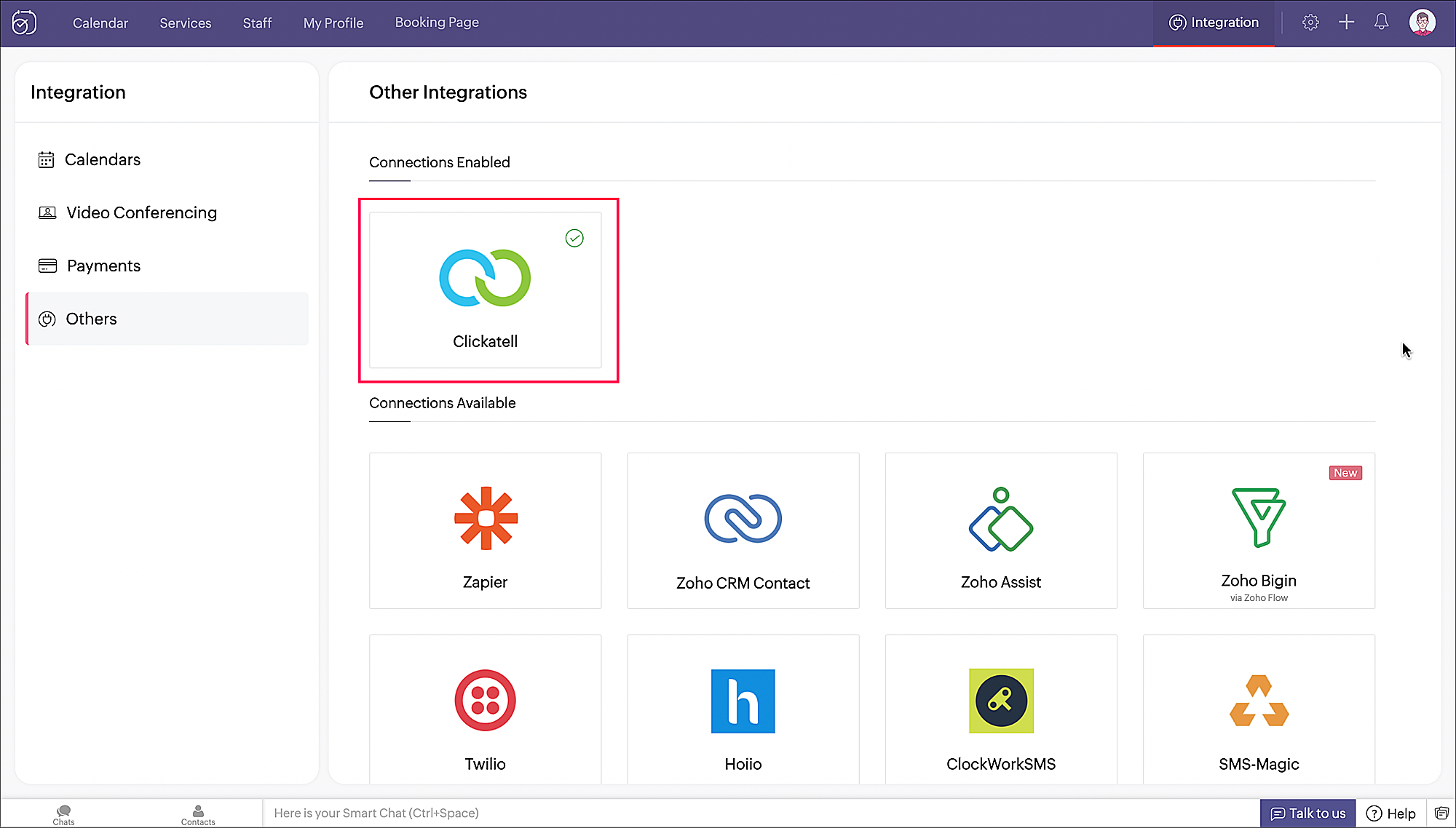
1. Click Integration on the top right corner of the menu panel. Then click Others on the left side panel. You will find Clickatell listed under the Connections Available section.
2. Hover over Clickatell and click Configure.
3. A pop-up shows up. Enter the required values and click Configure.
4. Clickatell is now enabled as an SMS provider.
II. Enable notifications

Let us enable SMS notifications to be sent to staff when an appointment is booked.
-
Navigate to Workspaces > (Choose a workspace) > Notifications. There are two sections to configure notifications - one for the staff and the other for the customer. The For Staff section is selected by default.
-
Choose events to send SMS notifications to staff. We will choose Rescheduled for the illustration.
-
Click Customize against the checkbox for SMS. A pop-up appears with a pre-drafted response that shall be sent when an appointment is booked.
-
Click Insert to introduce dynamic booking-related values (like Customer name, Appointment Id, etc) using variables listed under each section. Click the Save button once done.
Note: Check if length of the notification content is as required by Clickatell.
-
SMS notifications are now set to be sent to staff when an appointment is booked under the One-on-One Consultations workspace.
III. Send SMS Notifications
- Customer books an appointment.
- SMS notification is sent to the staff.
Plans supporting this feature
|
Applicable Plans |
| Premium |