Installing custom apps and extensions

This help page is for users in Creator 6. If you are in the older version (Creator 5), click here. Know your Creator version.
Install apps
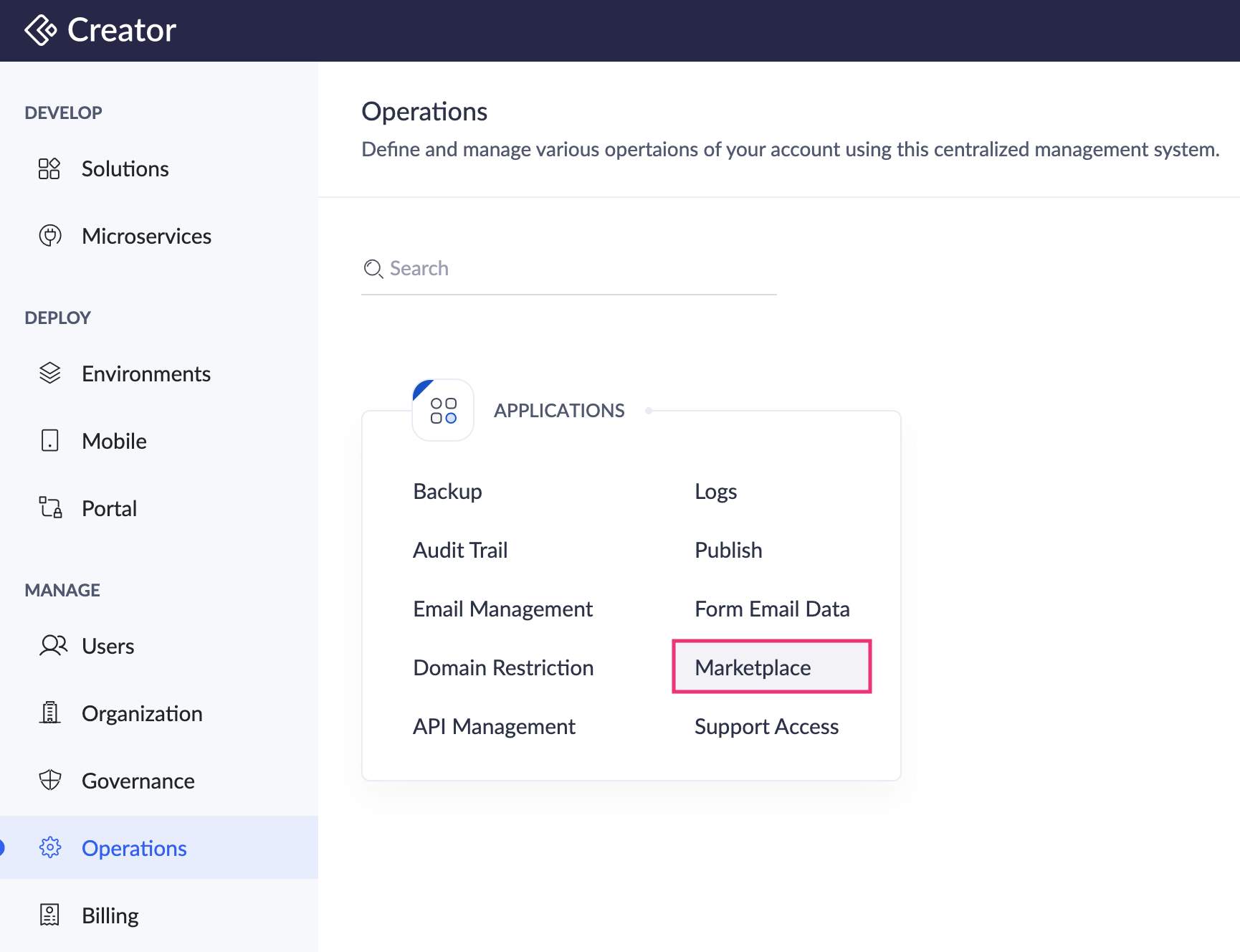
- Navigate to the Operations tab on the left pane and click Marketplace under Applications.
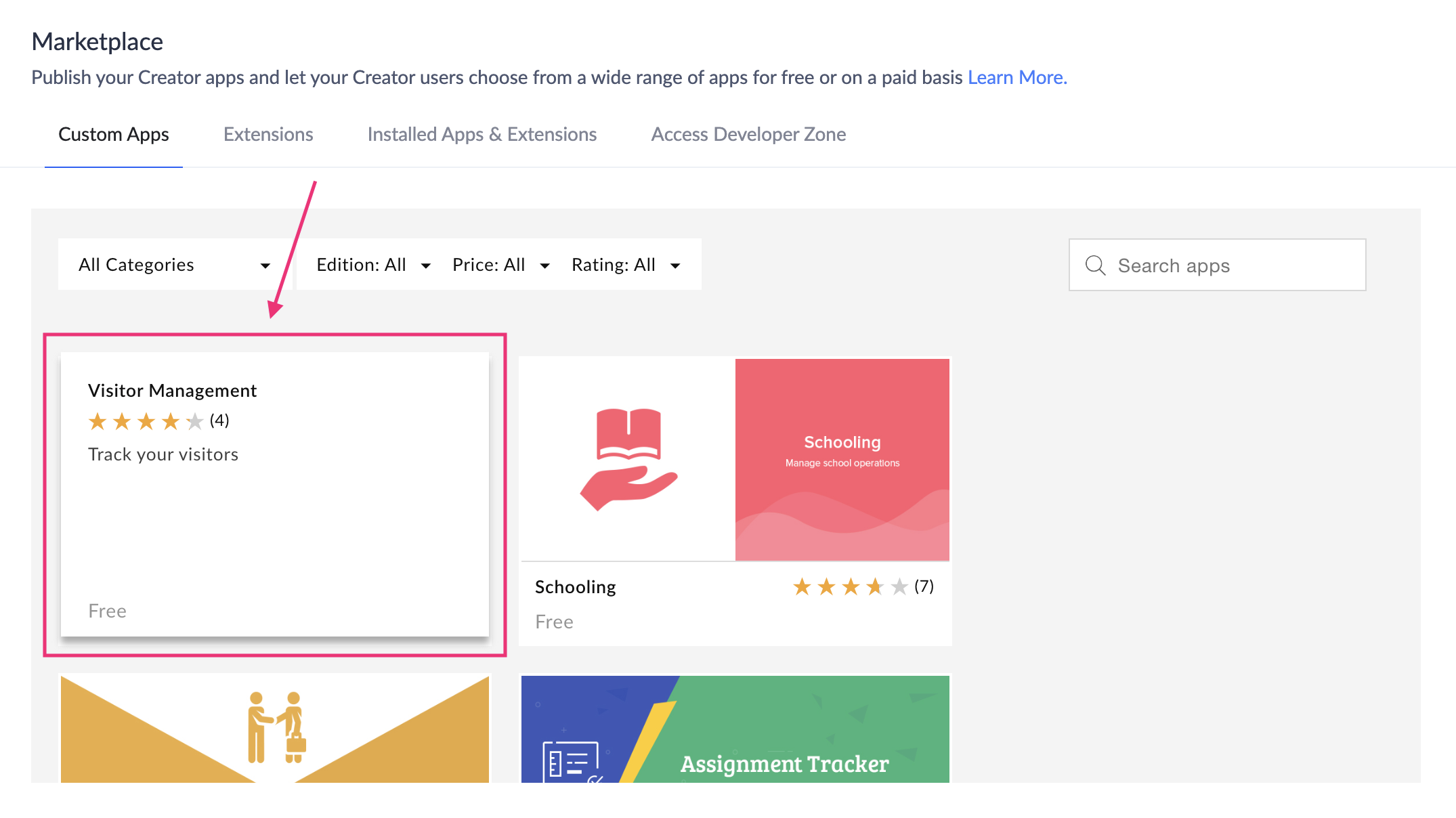
- Click Custom Apps or Extensions tab.
- Search for the required app using the filters or the search option.
- Click on the required app.
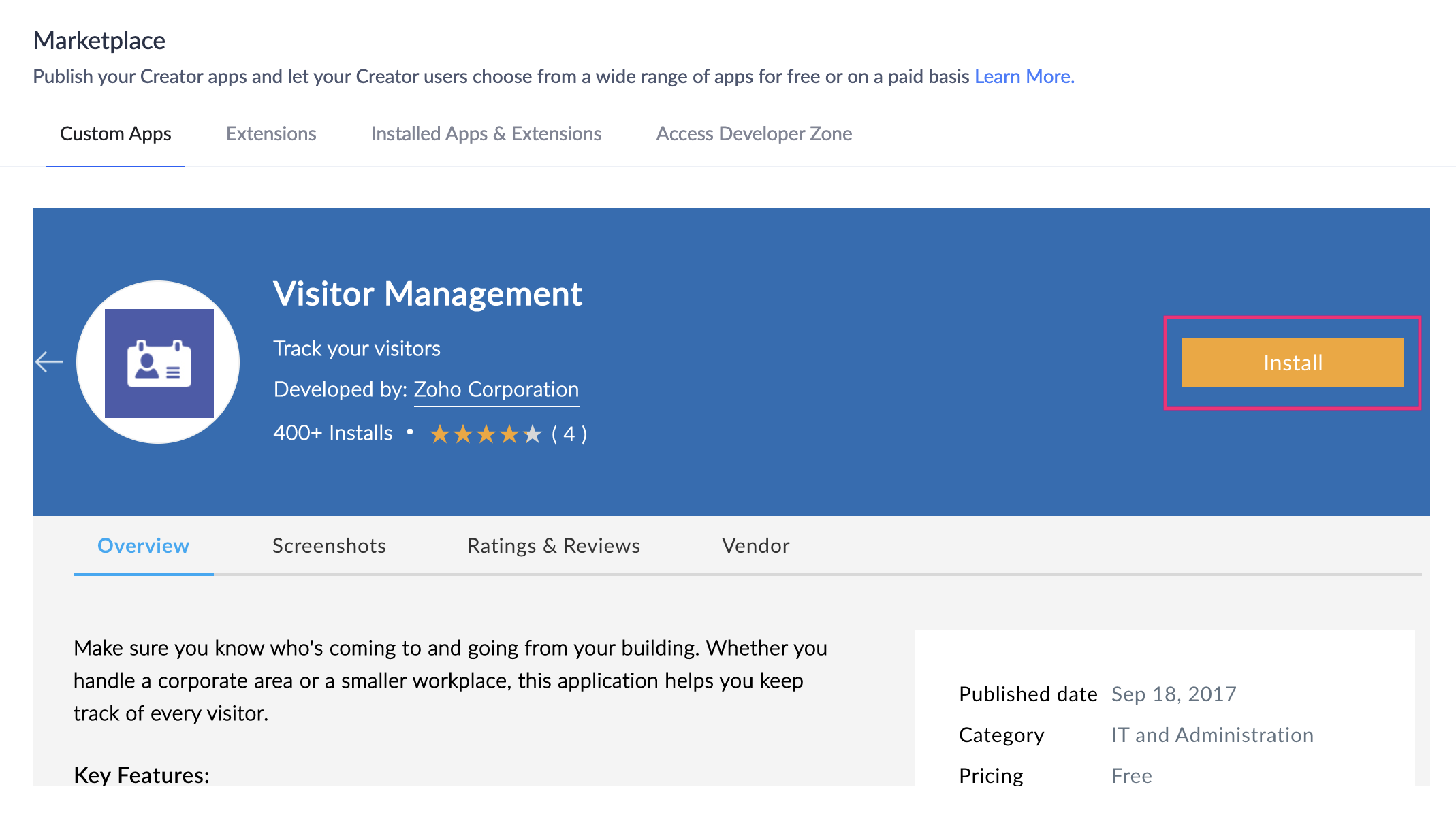
- Click the Install button beside the app name.
- The app is installed in your Zoho Creator account.
View installed apps
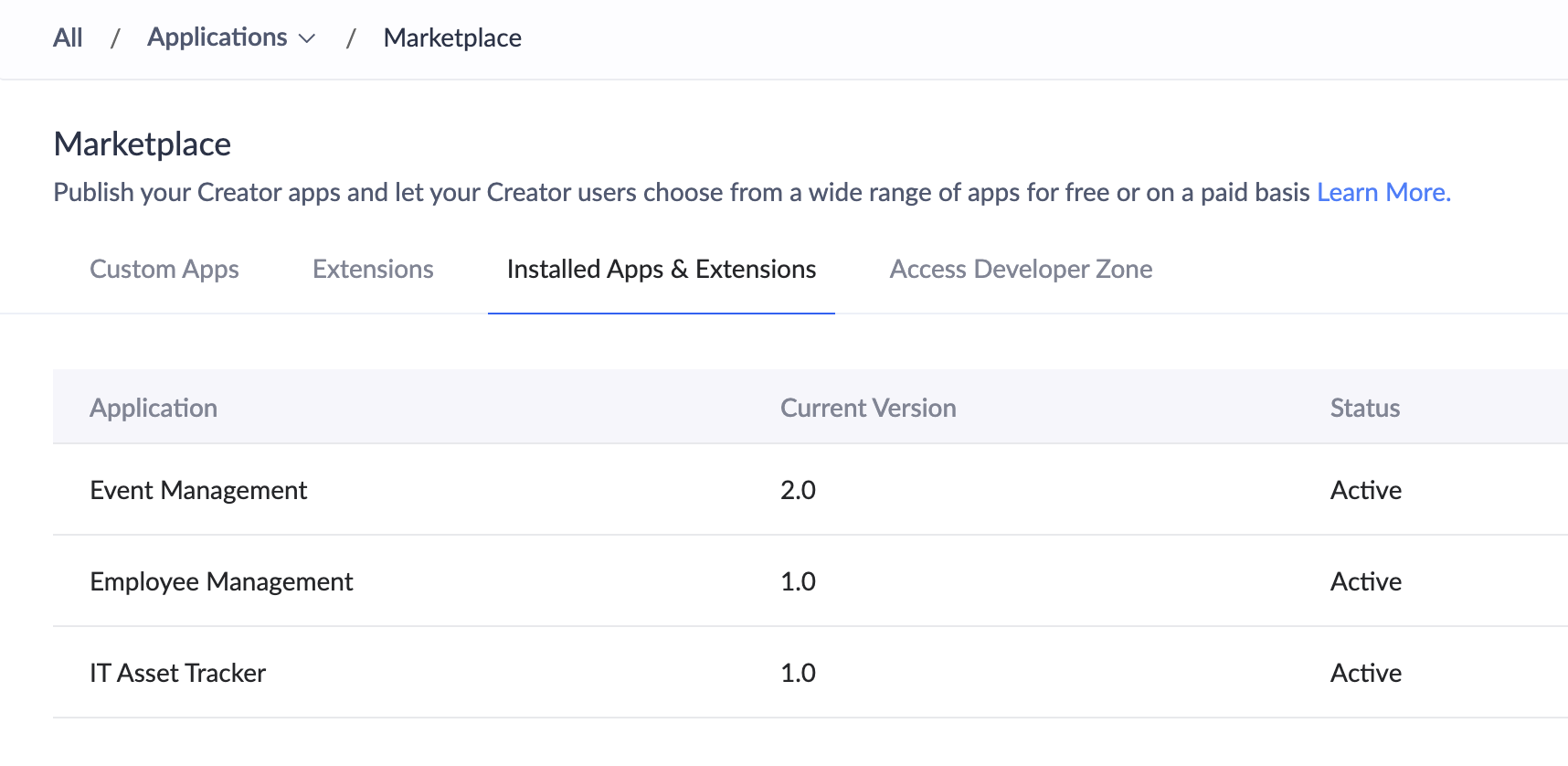
- Click Installed Apps & Extensions tab. You can view all your installed apps along with their current versions here.