Grant support access of an app
Enabling the Support Access feature allows the Zoho Creator support team to edit your app and experience first-hand the problem you've been facing. The Support team will have access exclusively to the app for which you have granted support access, and will not be able to view your account homepage, the account setup page, the account subscription page, or any other application in your account. They will not have access to your account password.

Note: For the accounts that have enabled Environments, enabling support access will provide our support team full access to your application in all three environments (Production, Staging, and Development).
To grant support access for an application
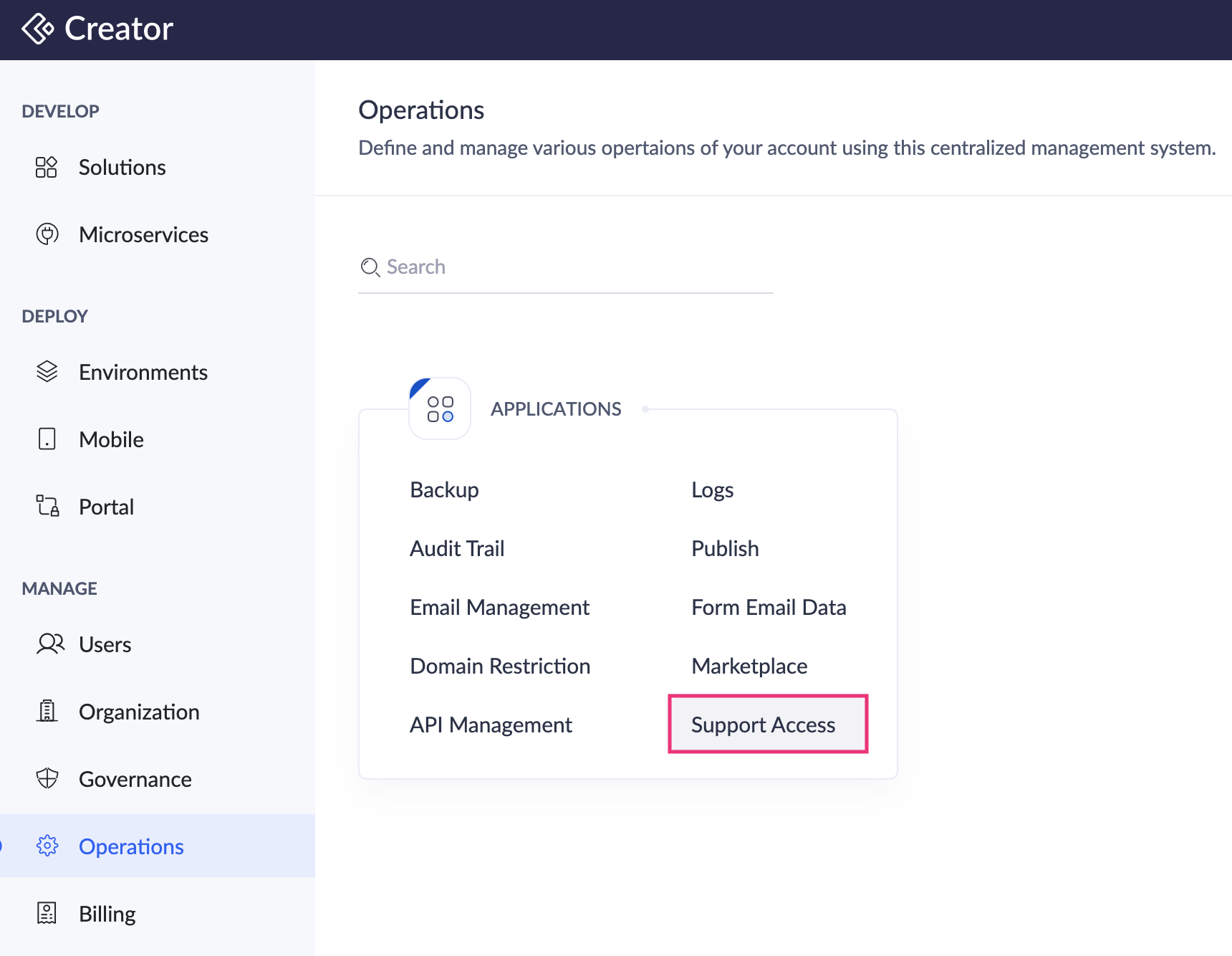
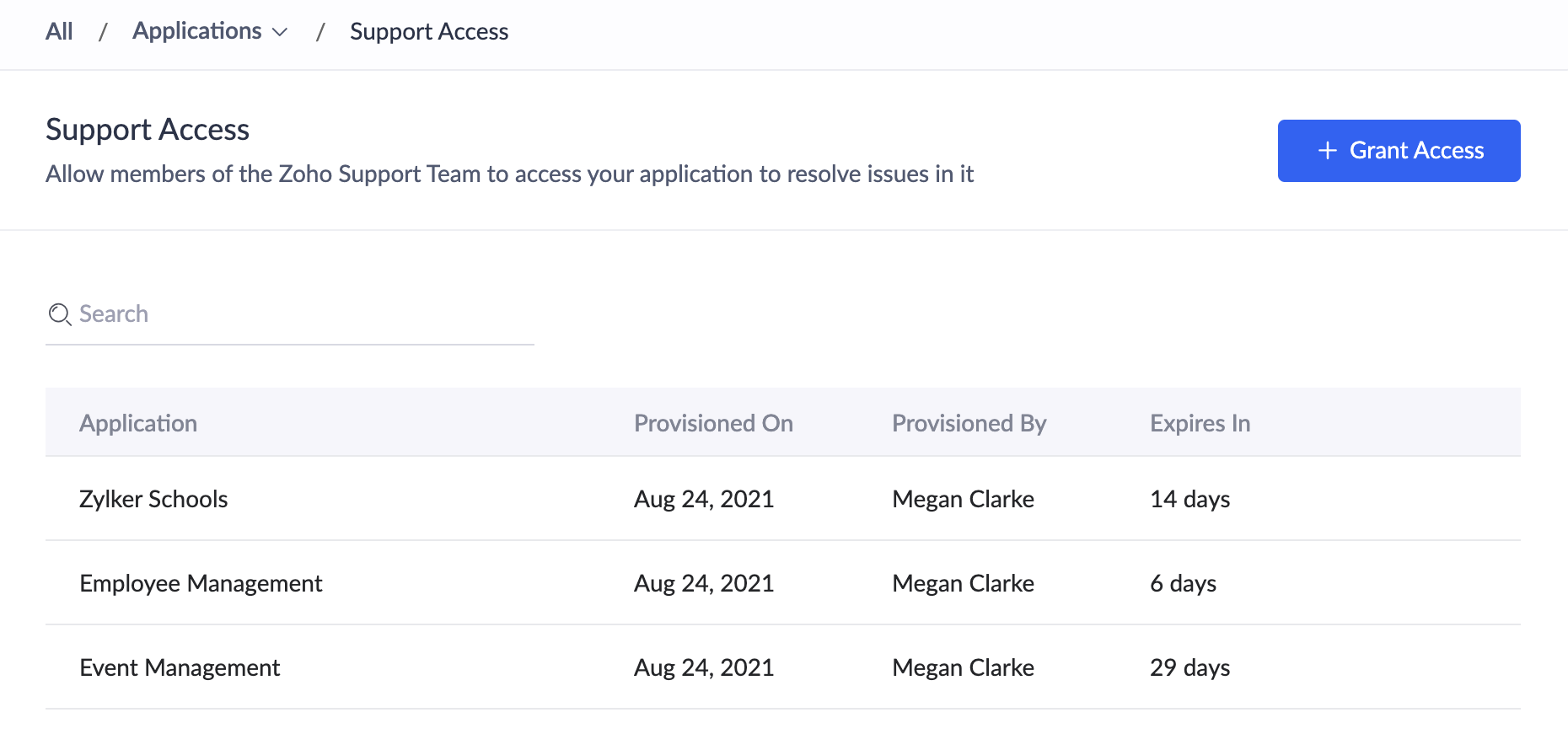
- Navigate to Operations on the left pane and select Support Access under Applications.
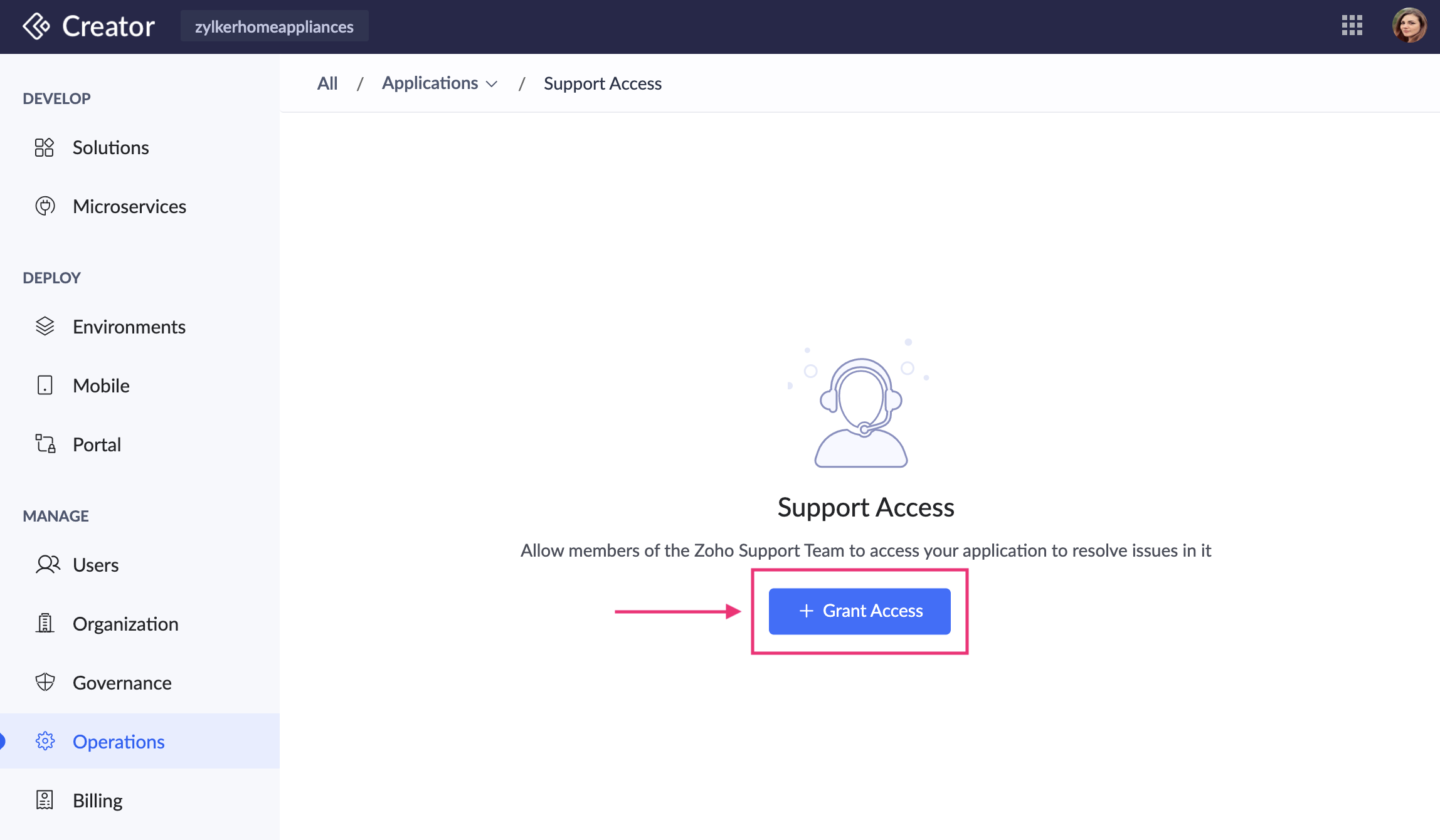
- Click the Grant Access button in the center. A popup will appear.
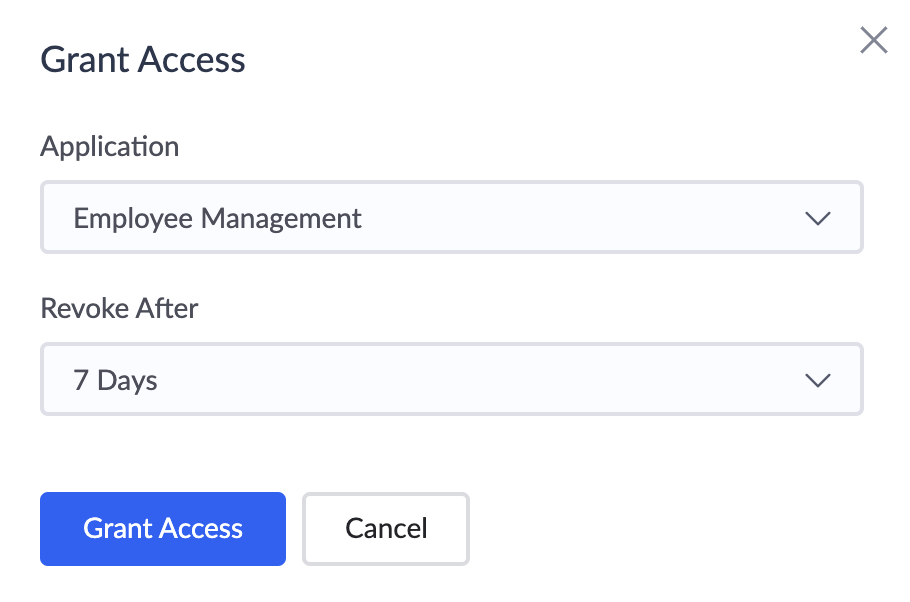
- In the popup, choose the application for which you want to provide support access from the Application dropdown, as well as the number of days the support access should be provided from the Revoke After dropdown.
- The support access will be provided for the required application and listed on the Support Access page. To provide support access for a different application, click the Grant Access button at the top-right corner.
To revoke access
- Click the Revoke icon adjacent to the record.
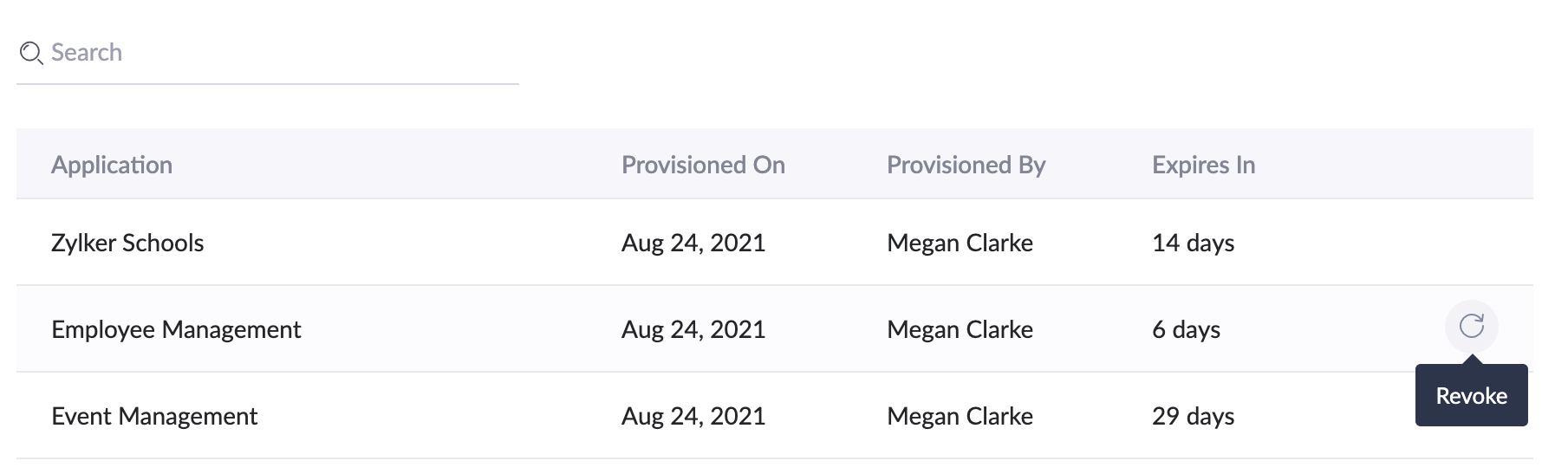
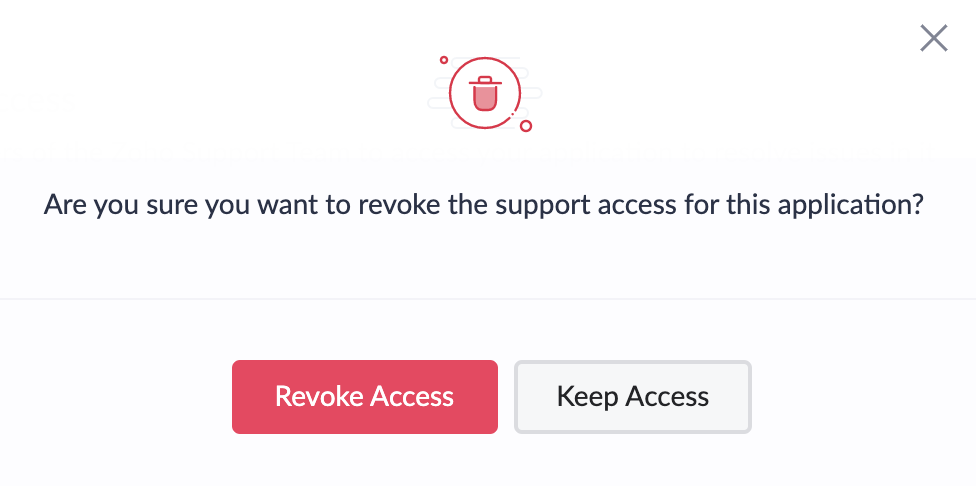
- In the popup that appears, click the Revoke Access button.