Social Media Marketing | Online Help - Zoho CRM Plus

Manage social media with Social

Social media marketing, powered by Zoho Social, lets you create and share content, monitor what matters, collaborate with the team, and analyze the performance of your brand in social media. Using Social, you can link your Twitter, Instagram, Facebook, LinkedIn, Google My Business, and Youtube account, and manage them within the product.
 
No matter the size of the business, social media is one of the key channels for marketing. They help in engaging with customers around the globe, increasing brand awareness, boosting lead generation and sales, and more. 

Explore the benefits of marketing through Social Media

Find Prospects

Users in social media often prefer to follow pages that they are interested in. Be it a video on youtube, a post on instagram, facebook, the engagement between the page and the user increases when the content is relatable. With the right usage of keywords, you can monitor all the interactions and identify the ideal audience for your business.

Engage with customers

Having a vast audience in social media is important. Likewise, it's equally important to have an effective engagement with them. The most important requirement here will be to understand what your audience is talking about you. It needs to be constantly monitored and interact with the users on a regular basis; like replying to their comments and answering their questions. This sets an impression that you care for your prospects and customers and thereby maintain a positive brand image. It is also important to create content that is highly relatable for your prospects to ensure better engagement. 

Increase inbound traffic

Different types of content will be created for your business, such as videos, newsletters, e-books, and podcasts. They are generally helpful for the prospects to find answers to questions that they are already searching for. When this type of content is shared in social media, it reaches a wide set of target audience, thereby increasing brand visibility. Monitor what the latest trend is and create captivating posts to grab the attention of your audience, engage them, and convert them into visitors of your website and eventually your loyal customers.

Salient features of Social 

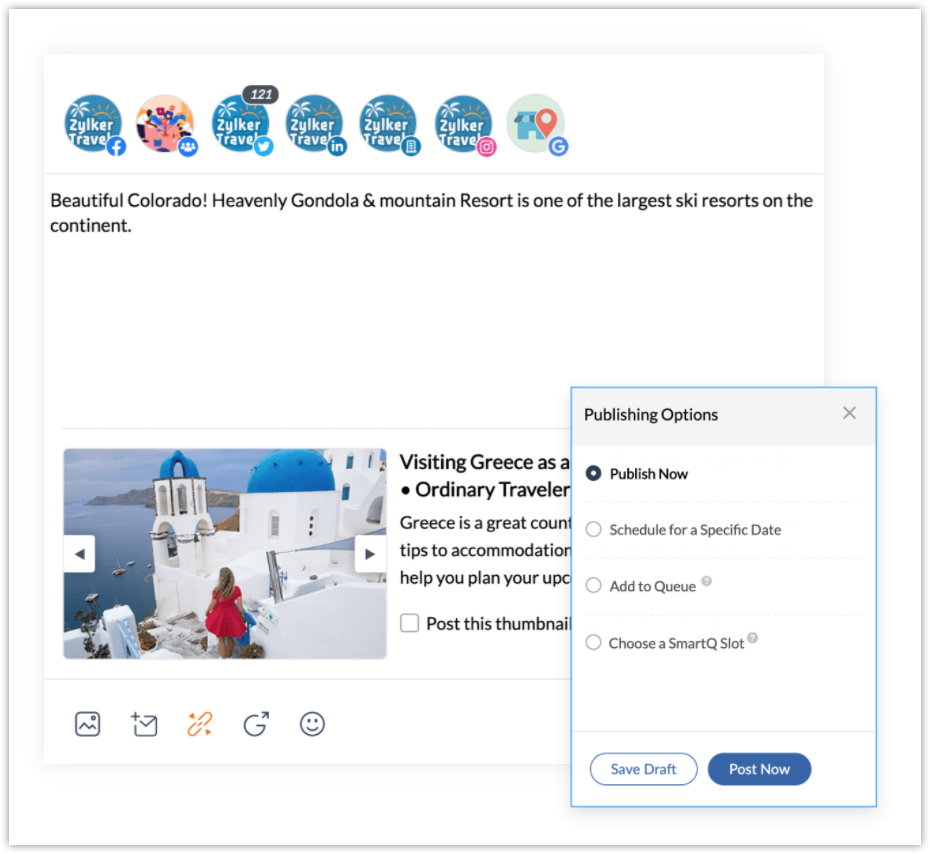
Plan, Schedule, and Publish

Various posts can be created and saved as drafts, to be reworked. You can also choose to discuss with your team members, gather their feedback and incorporate them before publishing. You can also schedule posts to be published at a specific date and time. You also have SmartQ, which predicts the date and time in which there is a high chance for an increase in the audience traffic. 
Read More: Publishing and Scheduling
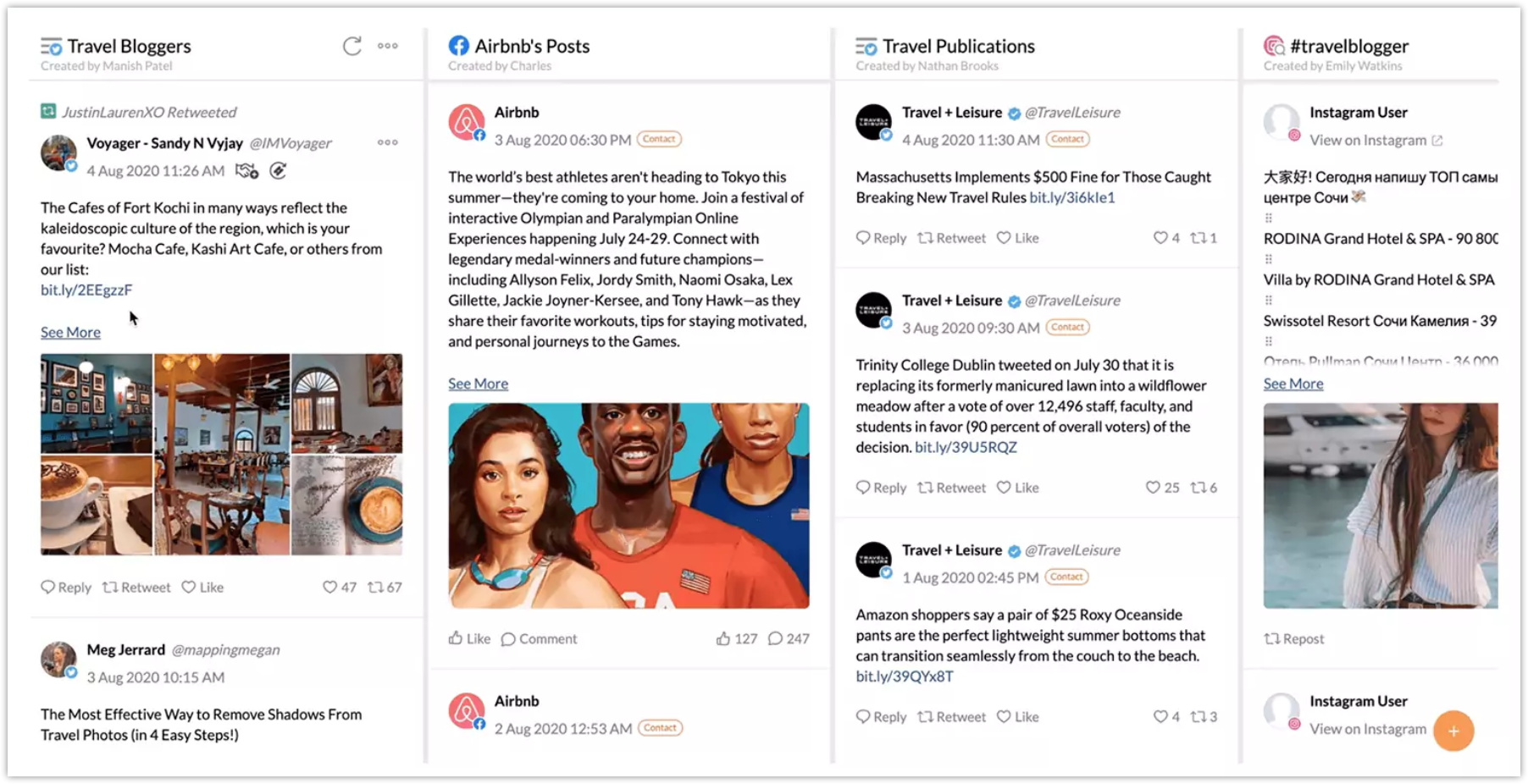
Monitor everything across channels

Get a live stream update from the audience across all social media channels, such as Instagram, Facebook, Twitter, LinkedIn, Google My Business, and Youtube. You can view a snapshot of their profile, like, retweet, reply directly to their post from Social. You can also create dashboards to monitor whenever your brand is mentioned on social media, and search keywords, users, likes, page search, reviews, and more. View all the direct messages received from your audience and reply right from Social. 
Read More: Monitoring conversations on social media
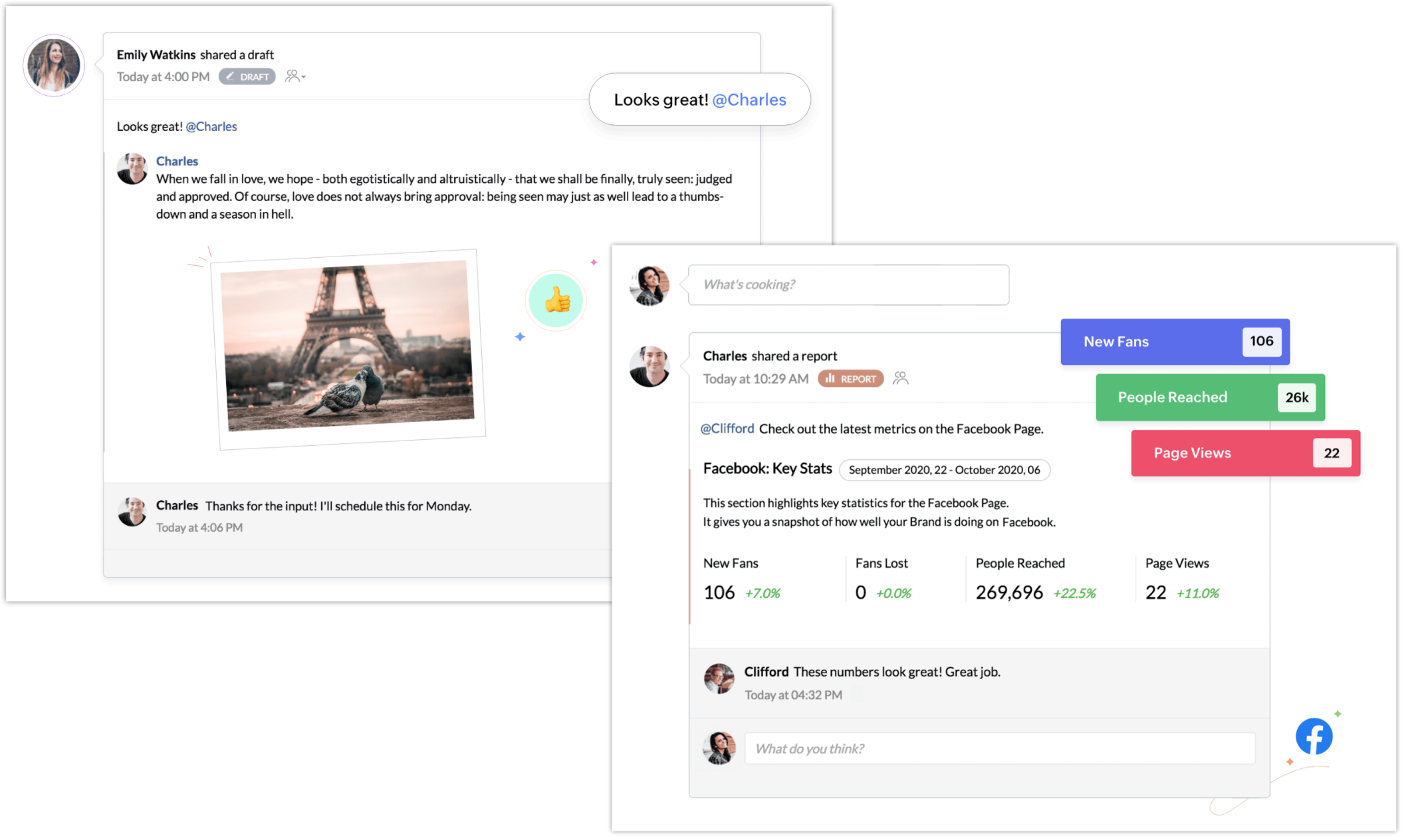
Collaborate with Team

Work together with the entire team by discussing posts in various channels, sharing custom reports, and planning social media campaigns. The users who are part of Social can be assigned appropriate roles and profiles, which determines the level of access to data in the account. You will also get real-time notifications from clients or colleagues, and respond right away from the notification panel.
Read More: Team collaboration
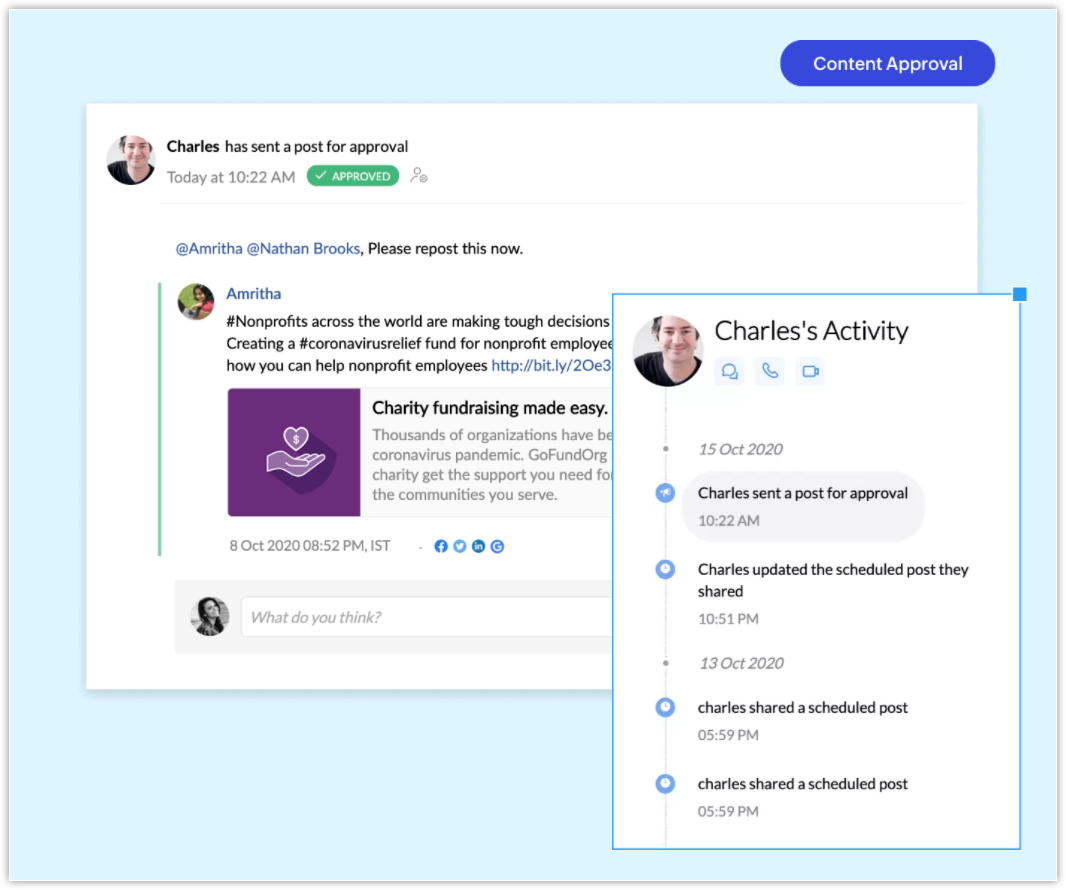
Approve content before publishing

Social media posts can be sent as drafts for approval before they are published. Users with the Publisher role can create these drafts and send them for approval, which can be approved by users with Approver permission. They can also update, or reject the post from getting published. If rejecting, they can include a reason for rejection, which will be shared with the publisher. 
Read More: Content approval


        Create. Review. Publish.

        Write, edit, collaborate on, and publish documents to different content management platforms.

        Get Started Now


          Access your files securely from anywhere

            Zoho CRM Training Programs

            Learn how to use the best tools for sales force automation and better customer engagement from Zoho's implementation specialists.

            Zoho CRM Training
              Redefine the way you work
              with Zoho Workplace

                Zoho DataPrep Personalized Demo

                If you'd like a personalized walk-through of our data preparation tool, please request a demo and we'll be happy to show you how to get the best out of Zoho DataPrep.

                Zoho CRM Training

                  Create, share, and deliver

                  beautiful slides from anywhere.

                  Get Started Now


                    Zoho Sign now offers specialized one-on-one training for both administrators and developers.

                    BOOK A SESSION


                                Quick LinksWorkflow AutomationData Collection
                                Web FormsEnterpriseOnline Data Collection Tool
                                Embeddable FormsBankingBegin Data Collection
                                Interactive FormsWorkplaceData Collection App
                                CRM FormsCustomer ServiceAccessible Forms
                                Digital FormsMarketingForms for Small Business
                                HTML FormsEducationForms for Enterprise
                                Contact FormsE-commerceForms for any business
                                Lead Generation FormsHealthcareForms for Startups
                                Wordpress FormsCustomer onboardingForms for Small Business
                                No Code FormsConstructionRSVP tool for holidays
                                Free FormsTravelFeatures for Order Forms
                                Prefill FormsNon-Profit

                                Intake FormsLegal
                                Mobile App
                                Form DesignerHR
                                Mobile Forms
                                Card FormsFoodOffline Forms
                                Assign FormsPhotographyMobile Forms Features
                                Translate FormsReal EstateKiosk in Mobile Forms
                                Electronic Forms
                                Drag & drop form builder

                                Notification Emails for FormsAlternativesSecurity & Compliance
                                Holiday FormsGoogle Forms alternative GDPR
                                Form to PDFJotform alternativeHIPAA Forms
                                Email FormsFormstack alternativeEncrypted Forms

                                Wufoo alternativeSecure Forms

                                TypeformWCAG

                                  Zoho FSM Video Tutorials


                                        All-in-one knowledge management and training platform for your employees and customers.

                                                  Create. Review. Publish.

                                                  Write, edit, collaborate on, and publish documents to different content management platforms.

                                                  Get Started Now


                                                                    You are currently viewing the help pages of Qntrl’s earlier version. Click here to view our latest version—Qntrl 3.0's help articles.


                                                                        Manage your brands on social media


                                                                          • Desk Community Learning Series


                                                                          • Digest


                                                                          • Functions


                                                                          • Meetups


                                                                          • Kbase


                                                                          • Resources


                                                                          • Glossary


                                                                          • Desk Marketplace


                                                                          • MVP Corner


                                                                          • Word of the Day


                                                                          • Ask the Experts


                                                                            Zoho Sheet Resources


                                                                                Zoho Forms Resources


                                                                                  Secure your business
                                                                                  communication with Zoho Mail


                                                                                  Mail on the move with
                                                                                  Zoho Mail mobile application

                                                                                    Stay on top of your schedule
                                                                                    at all times


                                                                                    Carry your calendar with you
                                                                                    Anytime, anywhere


                                                                                          Zoho Sign Resources

                                                                                            Sign, Paperless!

                                                                                            Sign and send business documents on the go!

                                                                                            Get Started Now


                                                                                                    Zoho TeamInbox Resources


                                                                                                              Zoho DataPrep Demo

                                                                                                              Get a personalized demo or POC

                                                                                                              REGISTER NOW


                                                                                                                Design. Discuss. Deliver.

                                                                                                                Create visually engaging stories with Zoho Show.

                                                                                                                Get Started Now


                                                                                                                                    • Related Articles

                                                                                                                                    • Host and manage Webinars

                                                                                                                                      Webinars are one of the most efficient ways to engage with your prospects and customers. They can be used to educate prospects and customers around the world about your business, market your product and services, build relationships, gather feedback, ...
                                                                                                                                    • Understand and navigate the CRM Plus dashboard

                                                                                                                                      The CRM Plus dashboard is the central place from where you can access all the 16 applications included in the suite. Instead of logging into separate tools for your needs, all your teams including sales, marketing, support and operations, at all ...
                                                                                                                                    • Zoho CRM Plus - Getting started guide for Marketing teams

                                                                                                                                      A day in the life of a marketer involves diverse responsibilities. Zoho CRM Plus has all it takes for your marketing teams to reach out to your prospects with the right messages, build a strong social media presence, and get meaningful returns on ...
                                                                                                                                    • Manage users and assign access to applications

                                                                                                                                      You can add users to your organization and grant them access to individual applications in Zoho CRM Plus. This allows you to manage users and their application access to Zoho CRM Plus's features and functions, making it easy to limit who has access ...
                                                                                                                                    • Manage Subscription

                                                                                                                                      After you upgrade to Zoho CRM Plus, you can use the Manage Subscription page to adjust the parameters you set during signup. Here are some of the things you can do to customize your setup: Add User Licenses and Add-ons Reduce User Licenses and ...
                                                                                                                                      Wherever you are is as good as
                                                                                                                                      your workplace

                                                                                                                                        Resources

                                                                                                                                        Videos

                                                                                                                                        Watch comprehensive videos on features and other important topics that will help you master Zoho CRM.


                                                                                                                                        eBooks

                                                                                                                                        Download free eBooks and access a range of topics to get deeper insight on successfully using Zoho CRM.


                                                                                                                                        Webinars

                                                                                                                                        Sign up for our webinars and learn the Zoho CRM basics, from customization to sales force automation and more.


                                                                                                                                        CRM Tips

                                                                                                                                        Make the most of Zoho CRM with these useful tips.


                                                                                                                                          Zoho Show Resources