Old UI Phase-Out: Timeline and What to Expect
Zoho CRM is retiring the Old UI from July 15, 2026 in two phases based on editions. After this date, all users will automatically use the Next Gen UI. The Next Gen UI introduces CRM For everyone with an improved workspace experience housing features like Teamspaces, Team Modules, enhanced views, Connected records, Connected workflows, and more collaboration tools.
Transition Resources :
Zoho CRM UI Comparison — Read this document to learn what's new and how it differs from the old UI.
Configuring CRM Nextgen for Admins — Read this document to understand how admin hierarchies work in Zoho CRM's new UI.
Navigating Zoho CRM's new UI — Read this document to learn how to navigate the new UI.
Zoho CRM UI Comparison — Read this document to learn what's new and how it differs from the old UI.
Configuring CRM Nextgen for Admins — Read this document to understand how admin hierarchies work in Zoho CRM's new UI.
Navigating Zoho CRM's new UI — Read this document to learn how to navigate the new UI.
This document explains Zoho CRM's old UI retirement timeline and recommended steps for a smooth migration.
Quick Summary of What we've done so far
Zoho CRM's Next Gen UI was rolled out to users in three phases based on org size with all users now in the Next Gen UI and an option to revert to the old UI if required.
- Phase 1 : Small standalone orgs and bundle accounts below 50 users
- Phase 2 : All orgs with below 50 users
- Phase 3 : Large orgs with more than 50 users
What Happens After July 15, 2026?
From July 15, 2026, all users will automatically move to the Next Gen UI in two phases :
- Free, Standard and Professional : 15 July to 17 July
- Enterprise, Ultimate and Bundles : 21 July to 24 July

Note : The Old UI will no longer be available and so the switch back option will be removed.
What Users Will See During the Transition
To help users prepare for the transition, several in-product notifications will be displayed.
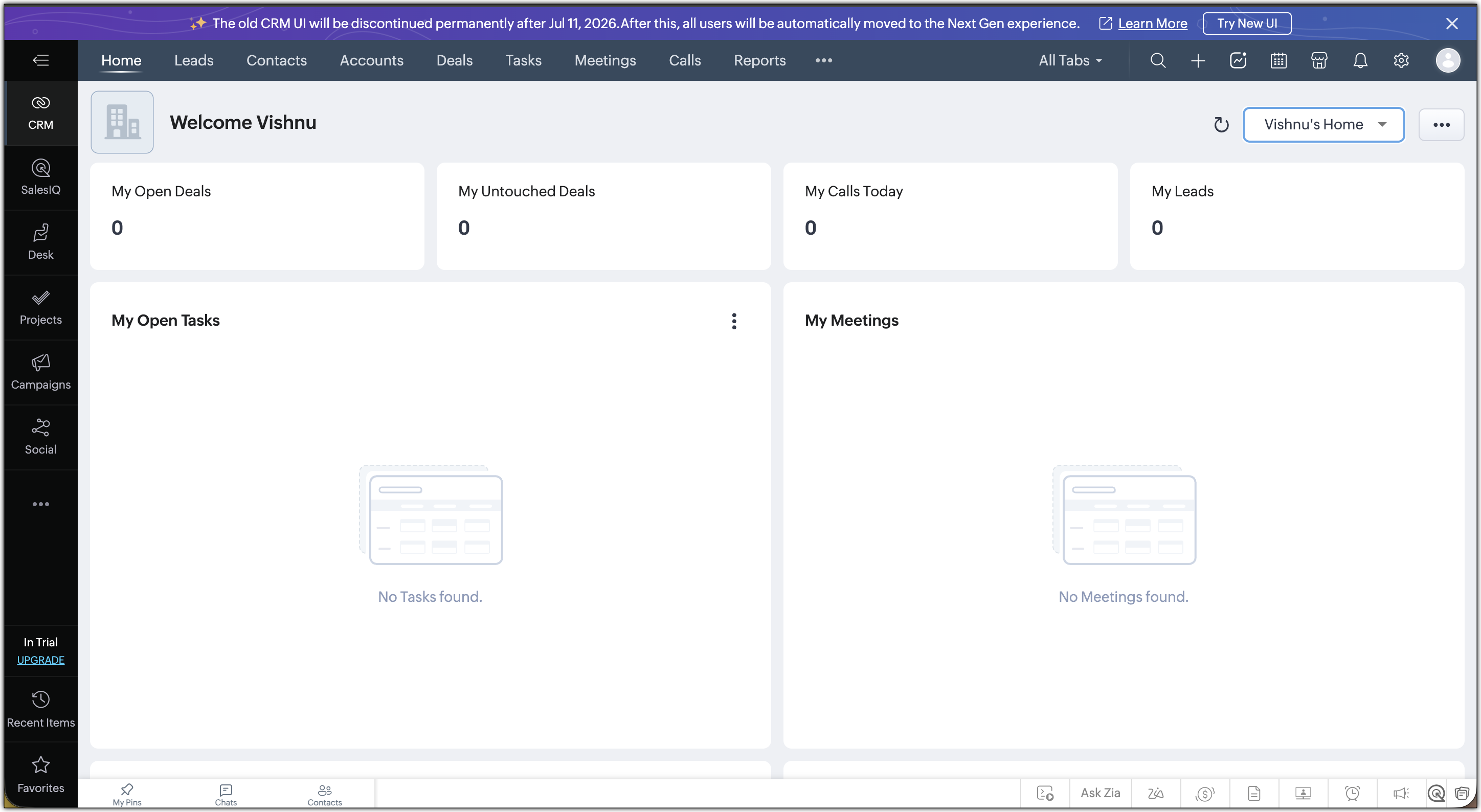
→ Retirement Announcement Banner : Starting May 18, users in the Old UI will see a banner announcing the retirement date.
→ Reminder Banners : Reminder banners will appear between May 26 and July 13 in the Old UI and in the Next Gen UI. These reminders help users prepare before the final transition.
→ Switch-back Reminder : If a user switches back to the Old UI after accessing the Next Gen UI, a confirmation pop-up will display the retirement date.
→ Final Welcome Banner : Users automatically moved to the Next Gen UI on July 15 will see a welcome banner introducing the updated experience.
For Zoho One users, your banner will look like :

For CRMPlus users, your banner will look like :
Recommended Actions Before Retirement
You don't need to do anything for the migration to happen because it's automatic. But here's what we'd suggest to make the transition as smooth as possible for your team:
- Switch your org to the Next Gen UI early : this gives your team time to explore the new interface before the deadline.
- Share resources with your users : point them to the FAQs, navigation guide, and the CRM for Everyone resource gallery.
- Reach out if you need help : if you have questions or want guidance on planning the migration, contact us at support@zohocrm.com.
What's New in the Next Gen UI
Here's a quick overview of what your team will gain when they move over:
- Teamspaces : A dedicated space for each team to manage their own modules
- Team Module : Create modules for your team to manage their own processes.
- Improved team permissions : Clearer access control within teams
- Zoho Projects integration with CRM Teamspace :Bring projects directly into your Teamspace to track execution and collaborate on tasks alongside your CRM records.
- Module views : View your data in Split, Grid, Chart and Timeline view for better visualization.
- Connected records and Connected workflows : Link records across modules and automate actions across teams
- Interactions tab : A single consolidated view of all customer touchpoints
- Dark mode : A comfortable viewing experience for extended use in low-light environments.