New in Zoho Meeting: Virtual Backgrounds, Meetings with 250 participants, Raise Hand, and Emoji reactions
Hello all,
Happy new year everyone! As 2022 unfolds, we're glad to present to you four new features that will enhance your online meeting experience. Take a look at what's new.
Virtual backgrounds: Remote and hybrid work culture is here to stay. The flexibility to work from anywhere demands a few features, and virtual backgrounds are on top of this list. With Zoho Meeting, you can now add images or GIFs to mask your surroundings when you enter a meeting. Protect your private space and also make it look like a professional space with virtual backgrounds. If you want to change your setting without adding an image, you can also blur your background.
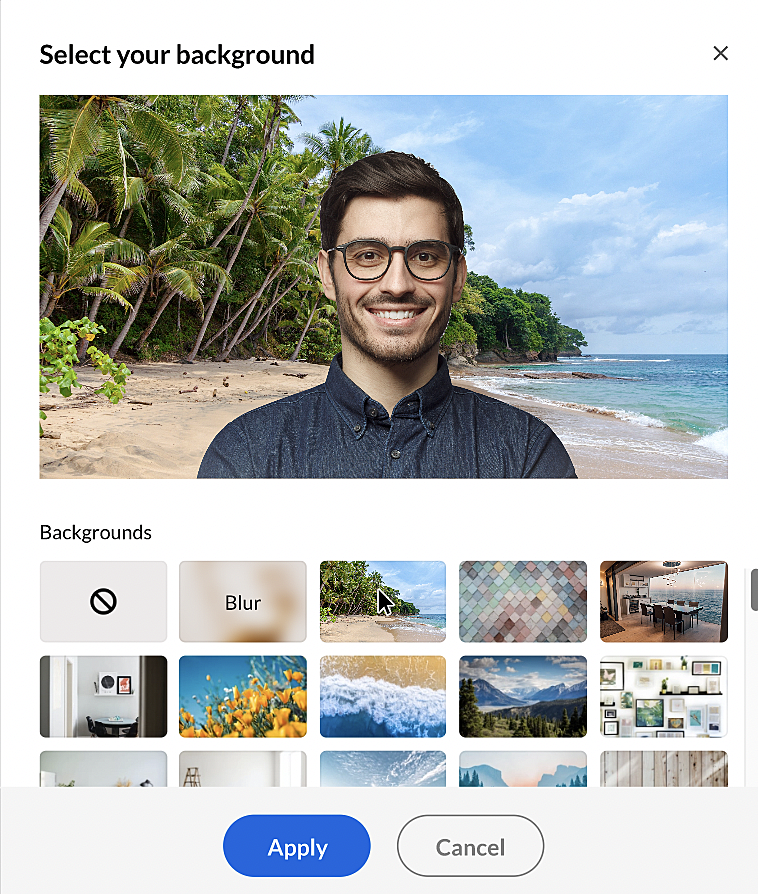 Virtual background options
Meetings with 250 participants: We have increased the maximum number of participants you can have in a meeting from 100 to 250. We have also added new pricing plans for meeting groups with 150 ($14), 200 ($16), and 250 ($18) participants. Have more people participate in your online meetings and collaborate with up to 50 live video feeds.
Raise Hand: Raising your hand is the easiest way to catch the attention of the speaker during a physical meeting. You can now do the same in virtual meetings. If you have something to add during a meeting but you do not want to interrupt the person who's speaking, use the Raise Hand feature. The presenter and co-hosts can see your request and give you a turn to speak.
Emoji: Make your online meetings fun and interactive. Add your nonverbal reaction to statements and comments made during a meeting using emoji reactions. Every time you react with an emoji, it will briefly appear on the screen for all participants.
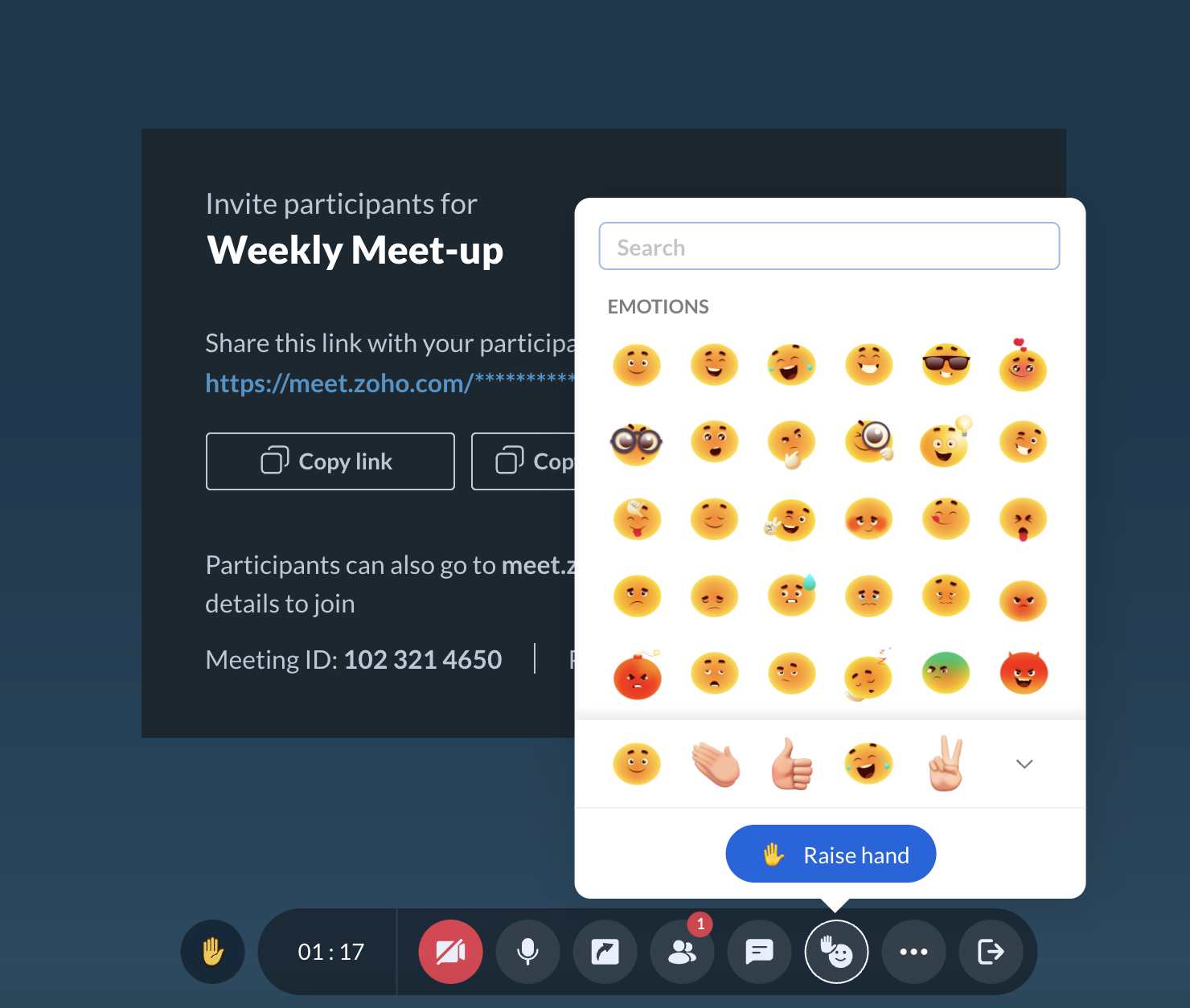 Raise hand and emoji
Other updates
- We've improved the UI of meeting and webinar lists in your Zoho meeting account.
- Earlier, only 10 custom dates could be added while scheduling recurring webinars. We've increased this to 50 now.
Try these features and let us know your feedback by commenting below. Write to us at support@zohomeeting.com
Read about the major features we released in 2021 and the accolades we received.