Remember all the ways we've posted?
The world celebrates World Postal Day in 2025 with the theme “#PostForPeople: Local Service. Global Reach". The story of the “post” is a story of human connection itself, evolving from simple handwritten notes carried over long distances to instant digital messages that span continents in seconds. The earliest forms of postal service happened through couriers on horseback or carrier pigeons. Over time, letters became the most cherished medium. A handwritten note or a postcard delivered by a postman carried not just information but emotions that left deep, lasting impressions.
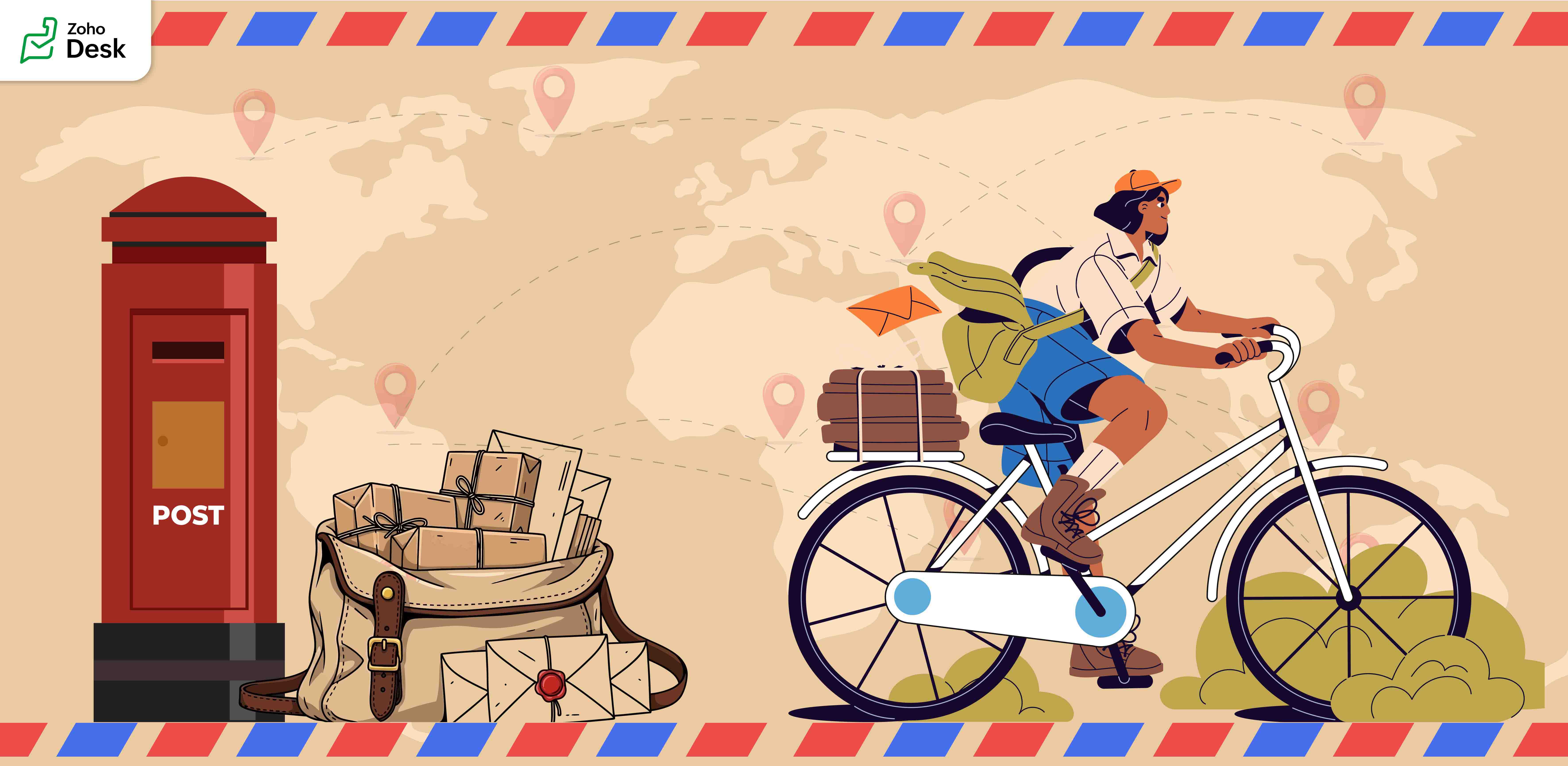
Before telephones arrived, people relied on letters to share stories and maintain relationships. Waiting days to receive a reply made conversations slow, thoughtful, and beautifully meaningful. As technology advanced, telegrams shortened the waiting period, and soon telephones brought voices closer. Then, emails transformed communication by offering a fast, reliable way to connect with friends or business partners.
Today, the very idea of a “post” has taken on new meanings. We no longer only “post” letters. We post on Facebook, LinkedIn, community forums, and personal messaging apps. A post means sharing knowledge, raising awareness, asking for help, and staying connected with people worldwide.
Parallels with Zoho Desk's journey
This journey from handwritten notes to digital posts mirrors the story of Zoho Desk. From a humble beginning in the rural town of Tenkasi, Zoho Desk is built to serve the world. What started locally is now a global platform that helps businesses connect with their customers in meaningful ways. In every support conversation, every ticket resolved, and every interaction logged, we see the same purpose that powers the postal system, the purpose to connect, communicate, and create impact.
Just as letters made deep and lasting impressions on the recipients, every interaction through Zoho Desk has the power to leave a mark. A ticket update, an email reply, a phone call, or a follow-up task; each carries meaning and builds trust. These are not just transactions; they are conversations that shape relationships. Like the handwritten letters of the past, they show care, understanding, and intent.
Our Community Forum inside Zoho Desk is a digital equivalent of a town square or a community postbox. It is the place to brainstorm ideas, ask questions, discuss solutions, and make connections. Every post in this forum is meant to help each other and share experiences. Like letters, postcards, and telegrams, Zoho Desk plays a role in shaping human connections.
Here are some features that embody the spirit of posting and connecting:
- Comments added to tickets are like little messages that help teams collaborate seamlessly.
- Ticket tags function like stamps on envelopes, making it easy to identify and retrieve related issues.
- Much like a letter that could bring joy to a friend, every email response, chat message, and resolved ticket has the potential to reassure, guide, and strengthen connections with customers.
On this World Postal Day, we celebrate the journey of postal services as well as reflect on how posting has evolved into something much bigger, a way of creating and sustaining relationships, both personal and professional. At Zoho Desk, we carry this spirit by enabling our customers to “post” effectively, meaningfully, and with care.
"Thank you for being part of the Zoho Desk family. Every conversation you create, every ticket resolved, and every post you share contributes to a larger story of connection and trust. Just as letters leave lasting imprints in the hearts of loved ones, we hope Zoho Desk helps you create meaningful connections with your customers, connections that endure, inspire, and grow."
Like this post from our Zoho Desk to yours, we look forward to posts from you.
Happy Posting!
Regards,
Lydia | Zoho Desk
Regards,
Lydia | Zoho Desk
Topic Participants
Lydia | Zoho Desk
Ram Freedman
Sticky Posts
Register for Zoho Desk Beta Community
With the start of the year, we have decided to take a small step in making the life of our customers a little easier. We now have easy access to all our upcoming features and a faster way to request for beta access. We open betas for some of our featuresShare your Zoho Desk story with us!
Tell us how you use Zoho Desk for your business and inspire others with your story. Be it a simple workflow rule that helps you navigate complex processes or a macro that saves your team a lot of time; share it here and help the community learn and grow with shared knowledge.Tip #1: Learn to pick the right channels
Mail, live chat, telephony, social media, web forms—there are so many support channels out there. Trying to pick the right channels to offer your customers can get pretty confusing. Emails are most useful when the customer wants to put things on record. However, escalated or complicated issues should not be resolved over email because it's slow and impersonal. When you need immediate responses, live chat is more suitable. It's also quick and convenient, so it's the go-to channel for small issues.Welcome to Zoho Desk Community - Say hello here!
Hello everyone! Though we have been here for a while, it’s time to formally establish the Zoho Desk Community; we’re really happy to have you all here! This can be the place where you take a moment to introduce yourself to the rest of the community. We’d love to hear all about you, what you do, what company or industry you work for, how you use Zoho Desk and anything else that you will like to share! Here’s a little about me. I am Chinmayee. I have been associated with Zoho since 2014. I joined hereWebinar 1: Blueprint for Customer Service
With the launch of a host of new features in Zoho Desk, we thought it’ll be great to have a few webinars to help our customers make the most of them. We’re starting off with our most talked about feature, Blueprint in Zoho Desk. You can register for the Blueprint webinar here: The webinar will be delivered by our in-house product experts. This is a good opportunity to ask questions to our experts and understand how Blueprint can help you automate your service processes. We look forward to seeing
Recent Topics
Analytics & Reporting Improvements + Export Bug
Hello, I would like to raise several important product suggestions and issues regarding Zoho Expense: 1. Filter in Admin View → Analytics → Expense Details → Receipt Is it possible to add a filter that allows us to prioritize or sort reports that haveMake Quick Edits to Images Before Attaching
Hello everyone, We have enhanced how attachments are handled in tickets to help agents preview and share files more efficiently in Zoho Desk. Agents can preview image attachments before adding them to tickets and edit them using attachment annotator.3/18 オンライン勉強会のお知らせ Zoho ワークアウト (無料)
ユーザーの皆さま、こんにちは。コミュニティチームの中野です。 3月開催のZoho ワークアウトの開催が決定しましたのでご案内します。 今回はZoomにて、オンライン開催します。 ▶︎参加登録はこちら(無料) https://us02web.zoom.us/meeting/register/BoNTN7zYR8OvOPGShqBY0A ━━━━━━━━━━━━━━━━━━━━━━━━ Zoho ワークアウトとは? Zoho ユーザー同士で交流しながら、サービスに関する疑問や不明点の解消を目指すイベントです。Extend color coding to custom picklist fields
Objectively, Projects has the best UI of any Zoho app — clean, intuitive, and never feels bloated. Big props to whoever owns the design. Feature request: color coding for custom picklist field values in field customization. You've already done it in twoNew in Office Integrator: In-sheet text translation
Hi users, We're pleased to introduce translation capability in the spreadsheet editor in Zoho Office Integrator. This allows you to translate the text in your spreadsheet's cells into 70+ languages from within your web app. Office Integrator's spreadsheetStreamline email communication with Out of Office configuration
Managing user communication effectively is the key to ensuring timely responses and consistent messaging. However, when users are unavailable, the absence of an Out of Office response can lead to delays and missed expectations. Managing these settingsChanging settings for auto logoff
I've noticed that when I haven't used Cliq for a while, I have to re-enter my password. That is really clumsy, especially if you have a complicated password. Because it won't be filled in automatically. Is there a way to change that behaviour? We areA few Issues when using "Pay Bill via Check"
We have quite a bit of issues with how paying for Bills via Check works. Would love some feedback from the Zoho team in case we are doing something incorrectly. 1. When we go from a vendor and select "Pay Bill via Check" option, we see ALL the outstandingPrevent tracking users from specific countries
Currently, I’m receiving many bot visits from the United States and Malaysia. I would like these visits not to be recorded in SalesIQ. I already enabled the option to exclude traffic from cloud service providers, but I’m still receiving bot visits. Ideally,Edit Project Number?
Hi all: We just signed up for a trial of zoho one, which includes ZoHo Projects. We've noticed there was a 'dummy project' preloaded in projects to help familiarize yourself with the software. We've created a couple of our own projects now but noticed since the dummy project was preloaded, our projects start with number 2 then 3, sequentially. Since it seems we will be keeping zoho past the trial, If we delete the dummy project, how do we get our own projects renumbered, beginning with 1? We'd likeDownload pricebook products & details - not just pricebook creation date & name
We're looking to download a copy of a pricebook and its associated products & book prices (as we have several offices in different countries selling the same products), however, when using the export feature under Data administration it only gives meOutgoing Mail Blocked – Suspicious Login Activity (Need Clarification and Solution)
Hello, I’m currently facing an issue where my Zoho Mail account has been blocked due to “suspicious login activity,” and outgoing emails are restricted. Here are the details shown: Block type: Outgoing mail blocked Reason: Suspicious login activity AAllow Global Admin to access/edit all forms without changing owners
Hi there, Please consider adding a feature where the Global Admin of the account an automatically access/edit any form in the Company Account. I'm the Global Admin on our Zoho One plan, and we have multiple users that use/create forms. But for me to accessERROR: "Please enter a valid Phone"
WHAT IS THE PHONE FORMAT? There is nothing ANYWHERE to define the format. At least the error should either show the correct format or provide a link to the help file I enter a valid phone number in as many formats as I can think of and none of them allow me to save the number to CRM Nothing works! No matter what format I enter I keep getting a red error "Please enter a valid Phone" The international format for MY mobile is +61414652366 (or +61 414 652 366) Local format is 0414652366 I call all overIntroducing Zoho Sprints 3.0
Zoho Sprints is consistently evolving in steady increments. The introduction of the latest version, with its enterprise level solutions, brings to you advanced capabilities that propel your agile efforts in the right direction. Here's a quick glimpseCustomize Sign-out Button
Are there some url parameters I can use to make a form button sign-out the user from the app? The sign-out link on the top right is small. Here's and example of the url for the top right sign-out: https://creator.zoho.com/logoutpage.jsp?sharedBy=niskypto&appID=212085000006568003&appLinkName=MYAPP&signOutUrl=niskypto/MYAPP/view-login/SOMEPAGE Note: In my account, the sign-out is set to redirect users to my website. Can I also override this with some url parameters? John M. WhitneyPlease can the open tasks be shown in each customer account at the top.
Hi there This has happened before, where the open tasks are no longer visible at the top of the page for each customer in the CRM. They have gone missing previously and were reinstated when I asked so I think it's just after an update that this featureTip #65 - Exploring Technician Console: Short Keys - 'Insider Insights'
Hello Zoho Assist Community! Have you ever been in the middle of a remote support session, trying to pass a key combination onto the remote machine, only to find it's reflecting on the technician's computer. The Short Keys feature in Zoho Assist is hereReading from and writing to Zoho Projects Custom Module with Deluge
Does anyone know if there is a way to read from and write to the Custom Modules that Zoho now supports. I would love to be able to loop through a set of data and create the entities I need to for this new custom module I'm looking to put together.Evolução do modelo de ambientes: Dev, Homologação e Produção com pacotes versionados
Hoje o Zoho CRM já oferece Sandbox, o que é um avanço importante para organizações que trabalham com customizações mais complexas. No entanto, na prática, o modelo atual ainda apresenta limitações significativas quando múltiplas equipes ou consultoriasPermissões granulares por usuário além do modelo baseado exclusivamente em perfis
Atualmente, o modelo de segurança do Zoho CRM é fortemente baseado em perfis. Embora funcional, esse modelo apresenta limitações quando equipes possuem variações individuais de acesso dentro do mesmo grupo operacional. Em cenários reais, é comum que usuáriosAdd or update lookup field values during Blueprint transition
Hello everyone, During blueprint transition users can add or modify the value of a lookup field. For instance, if the Tickets module includes a lookup field that connects it to records in the Assets module, agents can link the ticket to the correct assetCan you limit SEO penalties by delaying the appearance of a pop-up?
Google is not keen on pop-ups and has got even less keen on them with the new Core Web Vitals updates. But I like using pop-ups. If you delay the pop-up so it only appears 10 seconds after the page loads, do you avoid Google’s penalties?Adding bank details to the contact through API
How to add bank-related information to the contact while creating it using API? The account number needs to be encrypted before sending it through API but not sure how to encrypt and get those values. Please guide me in this.Restrict Payment Methods
Allow us to restrict certain payment methods specific for each customer.Clone Banking Transaction
Why is there no option to CLONE a Transaction in the Banking module?? I often clone Expenses (for similar expense transactions each month) so I would also like to clone Income transactions. But there is no option in Banking to clone an existing IncomePDF limit
Hello everyone, We have received an e-mail that we have reached our PDF limit. (see screenshot) However, I cannot find any reference to a PDF limit in our tariff plan (Premium). (see screenshot). What is the maximum number of PDFs that can be generatedHow can I see content of system generated mails from zBooks?
System generated mails for offers or invices appear in the mail tab of the designated customer. How can I view the content? It also doesn't appear in zMail sent folder.Credit Card Pre-Authorization with later Capture/Settlement
We really enjoy the convenience of being able to pay off a customer's invoice using our Auth.Net integration with Zoho Books. Unfortunately, we can only take advantage of this feature with a small percentage of our customers as it leaves a gaping holeAccessibility in Zoho CRM: Not just a feature—a way to empower
For instructions on setting up these controls, please check this help document: Configuring accessibility controls. Hello everyone, Today (December 3, 2024), on the International Day of Persons with Disabilities, we begin our journey towards a CRM thatAutomation Series #1: Round Robin vs Direct Assignment in Zoho Desk
Direct Assignment vs Round Robin: Choosing the right routing method in Zoho Desk This post is part of the "Desk Automation Series," Chapter 1. Through this series, we will help you choose the right automation type in Zoho Desk by comparing commonly confusedInvalid tax authority ID.
How do I correct this ?Pay Pal Paylater button
I am testing the paypal setup to have my customers pay invoices with paypal and credit cards. But it seems to have two options. Paypal and Pay later. I don't want my customers access to pay later feature. How can I turn that part off.. My other integrationZoho Workshops are coming to the Netherlands - Join us on 14-16 April in Amsterdam!
Dear Zoho Community Members, After succesful recent editions in the UK and Scandinavia, we’re pleased to invite you to the upcoming Zoho Benelux Workshop 2026, taking place 14–16 April 2026 in Amsterdam. This three-day, in-person event at the Park PlazaHow to install Widget in inventory module
Hi, I am trying to install a app into Sales Order Module related list, however there is no button allow me to do that. May I ask how to install widget to inventory module related list?Sub form auto field population based on parent form
I have a parent form called "Sites" with a text field called "Site". I have a subform called "Design Comments" (actual form name "Review Comments") with a lookup field name "Sites1" that looks up from the Sites form. I want the Sites1 lookup field toBuilding Toppings #7 - Using schedules and workflow functions
Hello Biginners, In our previous forum post, we explored install and uninstall actions and learned how to trigger custom logic the moment a topping is added or removed from an organization. In this post, we'll look at how to automate actions during regular,Simplify scripting with Zia assistant bot
Hello everyone, Building automation using Deluge custom functions gives users flexibility and control. Traditionally, creating these functions required writing scripts, testing the logic, and validating the configuration before using it. With Zia assistantResource Management System built using Zoho CRM, Creator, Projects, and People:
In a Resource Management System built using Zoho CRM, Creator, Projects, and People: CRM Deal Closed → Creator Allocation Engine → Zoho Projects Task Assignment What is the recommended architecture to handle dynamic reassignment when: an employee goesRequest to Remove LinkedIn Verification from My Emai
I would like to submit a complaint regarding my Zoho Mail account. I previously used this email address to verify a LinkedIn account, but that LinkedIn account has now been closed. I need to remove or cancel the verification associated with the closedNext Page