Spotlight 36: Custom sections for your microsite

An easy way to add more elements or information to your event microsite is to use custom sections. Custom sections provide you with a space to plug in, embed, or replace existing content all the while staying in line with your selected design or theme of the event microsite.
With Zoho Backstage, you can use the following custom sections.
Media sections
Media sections can be used in a versatile manner to display text along with related images. You can also connect other pages on the microsite or external URLs to the section by adding buttons in the section that link to these webpages.
Media with text

Use this section to add a simple block of text and an associated key image. Choose from different templates based on how you want to arrange the elements in this section.
Media with text list

Use this section to display pieces of text in the form of a list. You can add corresponding images for each text. Enable the carousel option to optimize the space occupied by the section and display items in the list in a cyclic view.
Number counter

Display compelling numbers or stats you want to highlight such as ticket sales, speaker numbers, or event participant attendance on your microsite. Associate a related icon to each figure to add visual interest. Pick from different sizes for icons and numbers depending on what element you want to emphasize. Enable the Carousel slider option to optimize the space occupied by the section and display numbers in a cyclic view. You can also enable the Infinite carousel option to allow for auto-scroll on this section.
Testimonials

Showcase praise points from your event audience by inserting a Testimonials section. Add photos to each testimonial to add to the credibility of it. Enable the Carousel slider option to optimize the space occupied by the section and display the testimonials in a cyclic view.
Text only
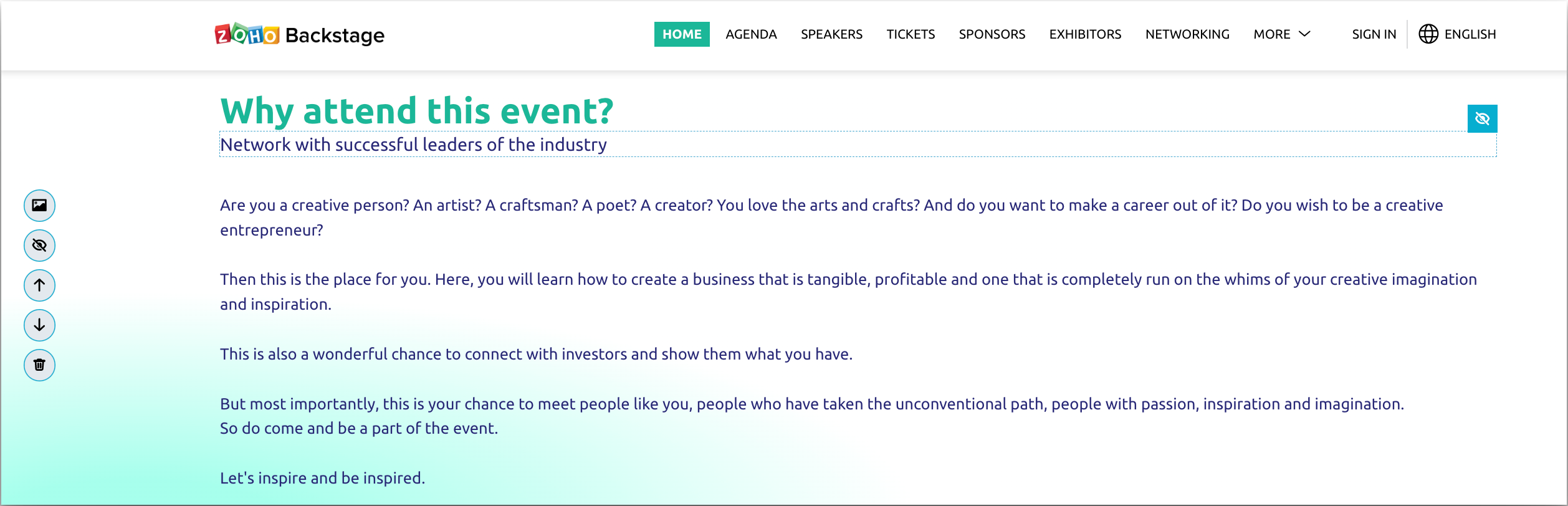
Display sections with just text that can be formatted using the rich text editor.
List

Similar to text sections, list sections will include only text and come with a couple of preset bullet designs. This section is useful to bring attention to a set of important points.
Embed widget

Embed a widget on your event microsite using an iframe code. Add anything from media, content, forms, files, or webpages from external sources seamlessly. To edit the code, simply hover over the section and click the Edit embed code button.
Gallery widget
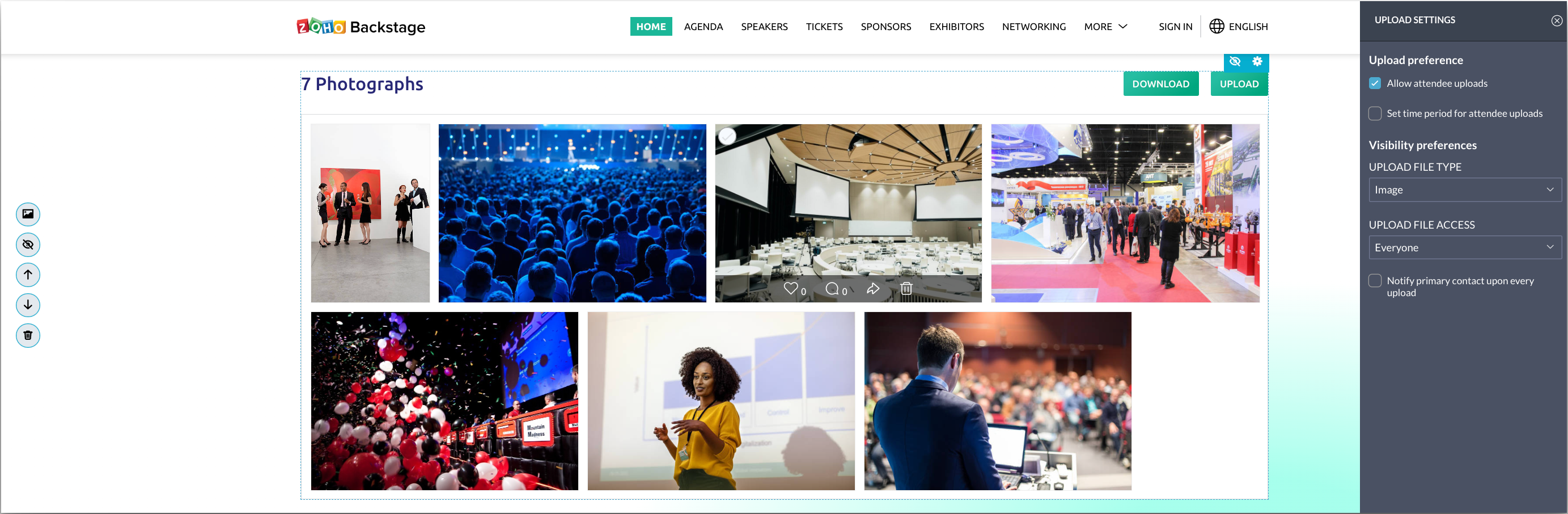
Display sets of images anywhere on your microsite using this section. Set upload preferences to manage attendees abilities to upload images, dictate who can access their uploaded images, and set the time frame in which images can be uploaded. You can also enable notifications for the primary contact of your event when any upload is done. This section is not linked and is separate from the default Gallery page on the microsite.
Images from any gallery widget can also be shared by microsite visitors directly to social media sites like Facebook, Twitter, and LinkedIn. The URL of the image can be copied from the share option as well. This option is also available in the default event gallery.
The share option can be accessed in Backstage for images in the Gallery tab when designing the microsite in the Design tab.
Bring together various forms of content on your microsite with the help of custom sections. Let us know your thoughts about this feature in the comments below. You can also start a discussion about this in our community or write to us at support@zohobackstage.com for any product-related questions.
Happy organizing!
Topic Participants
Tina Samuel
Sticky Posts
Spotlight 26: Host interactive virtual sessions with Backstage OnAir
According to a recent survey by Markletic, two of the biggest challenges organizers face when hosting online events are attendee engagement and interaction. Where in-person events bank on the impact of face-to-face communication to engage attendees, virtual
Recent Topics
Woocommerce Line Item Information
I'd like to add each line item from a Woocommerce order to a zoho creator form record. The line items are found within the line items array, but I'm not sure how to get each item out of the array? Any help would be much appreciated.Synching changes to Stripe when changes are made in Zoho Billing
We have a situation where we have merged customers in Zoho BIlling and then found out later that the payment in Stripe was not updated and still associated with the old customer record. The card gets updated and billed, but that payment is still associatedHow do I fix this? Unable to send message; Reason:554 5.1.8 Email Outgoing Blocked.
How do I fix this? Unable to send message; Reason:554 5.1.8 Email Outgoing Blocked.Disable Smart Filters By Default
The smart filters "feature" is causing confusion for Zoho Mail users. New emails should be delivered to the inbox unless they have specifically opted to redirect them somewhere else. People don't understand that new emails might be waiting in a randomME SALE ESTE ERROR: No fue posible enviar el mensaje;Motivo:554 5.1.8 Email Outgoing Blocked
Ayuda!! Me sale este error al intentar enviar mensajes desde mi correo electronico de Zoho! Tampoco recibo correos pues cuando me envia rebotan. Ayuda, Me urge enviar unos correo importantes!! Quedo atenta MAGDA HERNANDEZ +5731120888408Client Script | Update - Client Script Support For Custom Buttons
Hello everyone! We are excited to announce one of the most requested features - Client Script support for Custom Buttons. This enhancement lets you run custom logic on button actions, giving you greater flexibility and control over your user interactions.Zoho Mail not working
Zoho Mail not workingI can't add a new customer in Zoho invoice? Anyone had this issue before?
Ive been using Zoho invoice for over 6 years. Today I wanted to add a new customer to send an invoice to but it doesn't save when I try to access it from the pulldown menu when you go to send a new invoice.Spreadsheet View click & focus issue in Arabic (RTL) localization
Hello Zoho Support Team, I am facing an issue in Zoho Creator Spreadsheet View when using Arabic localization (RTL). Scenario: My app supports English (LTR) and Arabic (RTL). I created a Spreadsheet View for a form. In English, everything works correctly.Customer address in Zoho Bookings
Hello, Is it possible to add customer address information to the Zoho bookings appointment screen? Or have it pull that information automatically from the CRM? We are wanting to use this as a field management software but it is difficult to pull the address from multiple sources when it would be ideal to have a clickable address on the appointment screen that opens up the user's maps. It would also be advantageous for the "list view" to show appointment times instead of just duration and bookingGhost email notification on a form
Hello, We have recently encountered an error where I can not see a email notification set up for a form which I am currently the owner, although neither the form nor the notification were created by me. However, neither can the Super Admin access thebulk edit records and run internal logic
hi there is few logics in manner "it this than that" logics work well when i edit entry openning it one by one (via workflow "on add/edit - on success" , for custom field "on update/on user input") but when i try bulk edit records - logic does not work. how can i turn on logic to work as programmed - for mass editing records via bulk edit?Bulk bank rule creatioin
Hi team, I am exploring Option to create a multiple bank rule. Could please suggest the option to implement this?Limitations on editing a message in Cliq
Hi I've checked the documentations and there's no mention of how many times a message can be edited. When trying with code, I get various numbers such as ~1000 edits or so. Please mention if there's a limit on how many times one can change a message viaemail address autocomplete
Is there a way to eliminate certain addresses from showing up in auto complete when entering an address? Many old and unused addresses currently show up, many of which I would like to get rid of. ThanksHow to use MAIL without Dashboard?
Whenever I open Mail, it opens Dashboard. This makes Mail area very small and also I cannot manage Folders (like delete/rename) etc. I want to know if there is any way to open only Mail apps and not the Dashboard.How can i download and secure all my mails from the archive folders?
Hi, i would like to download all my mails from my archive folders and secure it on my external HDD. Is this possible? Thx. amirHow to open filtered report in popup using Zoho Creator Deluge?
First report: There is so many records in Report, If I click one record, pop up is occur. Second report (Pop up): there is also so many record data, and this pop up is also Report, not Form. First report: It has got "Sales Order" field. when I click anyCan you default reports/charts to report the current week?
Our data table maintains two years of data. Management wants certain report to automatically filter the report to the latest calendar week. I know I can do this manually with filters but I want the report to automatically default to the latest calendarRendering PDF to view on page
My company upload lots of PDF files onto Zoho. But every time we open it, it downloads the file instead of viewing it on the web page. Does Zoho allow uploaded PDF files to be rendered to view on web page yet? I've been trying to use <embed> or <object> but it cannot be loaded. (similar thread: https://help.zoho.com/portal/community/topic/how-to-open-a-pdf-file-of-a-view-in-preview-mode)Overlapping Reports in Dashboards
It's rare, but occasionally it would be a good feature if I were able to overlap reports, either fully or partially in the Dashboards. Also, then having the ability to move objects to the front or rear, or make them transparent/translucent would be goodFeature request - pin or flag note
Hi, It would be great if you could either pin or flag one or more notes so that they remain visible when there are a bunch of notes and some get hidden in the list. Sometimes you are looking for a particular name that gets lost in a bunch of less importantAdmin guide: Handling Mailbox Settings for better user management
Managing day-to-day email scenarios, such as supporting users with multiple email addresses, ensuring uninterrupted email access during employee absences, enabling secure mailbox sharing, and enforcing organizational security and compliance, can be challengingCisco Webex Calling Intergration
Hi Guys, Our organisation is looking at a move from Salesforce to Zoho. We have found there is no support for Cisco Webex Calling however? Is there a way to enable this or are there any apps which can provide this? Thanks!Designing a practical Zoho setup for a small business: lessons from a real implementation
I recently finished setting up a Zoho-based operating system for a small but growing consumer beauty business (GlowAtHomeBeauty), and I wanted to share a practical takeaway for other founders and implementers. The business wasn’t failing because of lackDKIM (Marketing emails) UNVERIFIED (Zoho One)
I'm having a problem with Zoho One verifying my Marketing Email DKIM Record for MYFINISHERPHOTOS.COM. I have removed and re-entered the ownership, DKIM (Transactional emails), SPF and Marketing DKIM and all of them come back verified except the DKIM (MarketingZoho Recruit Community Meet-up - India
Namaste, India. 🙏🏼 The Zoho Recruit team is hitting the road—and we 're absolutely excited behind the scenes. Join us for the Zoho Recruit India Meet-up 2026, a morning designed to make your recruiting life easier (and a lot more effective). Date CityGenerate a Zoho Sign link
From time to time I get a response "I never received your you e-document for electronic signature" is there a way to generate a Zoho Sign link to share.Is it possible to create a word cloud chart in ZoHo Analystics?
Hi there, I have a volume of transaction text that I would like to analyse using word cloud (or other approcah to detect and present word frequency in a dataset). For example, I have 50,000 records describing menu items in restaurants. I want to be ableHow to Fix the Corrupted Outlook 2019 .pst file on Windows safely?
There are multiple reasons to get corrupted PST files (due to a power failure, system crash, or forced shutdown) and several other reasons. If You are using this ScanePST.EXE Microsoft inbuilt recovery tool, it only supports the minor corruption issue[Webinar] A recap of Zoho Writer in 2025
Hi Zoho Writer users, We're excited to announce Zoho Writer's webinar for January 2026: A recap of Zoho Writer in 2025. This webinar will provide a recap of the features and enhancements we added in 2025 to enhance your productivity. Choose your preferredHow to drag row(s) or column(s)?
Hi. Selecting a row or column and then dragging it to a new position does not seem to work. Am i missing something or this is just not possible in Zoho Sheet? Cheers, JayBuilding Toppings #5 - Creating and configuring custom service connections in Bigin Toppings
Hello Biginners, Integrating Bigin with external applications extends its capabilities and enables customized functionalities. In our last post, we saw how to create a default service connection. Today, we'll see how to create a custom service connectionOptimising CRM-Projects workflows to manage requests, using Forms as an intermediary
Is it possible to create a workflow between three apps with traceability between them all? We send information from Zoho CRM Deals over to Zoho Projects for project management and execution. We have used a lookup of sorts to create tasks in the past,Marketing Tip #15: Rank better with keyword-rich URLs for product pages
Your product page URL is a small detail that can make a surprisingly big difference. Clean, readable URLs help in two ways: They’re easier for customers to trust and remember (no one likes clicking a link that looks messy or random). They help searchConditional fields when converting a Lead and creating a Deal
Hi, On my Deal page I have a field which has a rule against it. Depending on the value entered, depends on which further fields are displayed. When I convert a Lead and select for a Deal to be created as well, all fields are shown, regardless of the valueATE Session on Payment Gateways: Our experts are live now. Post your questions now!
Hello everyone, Our experts are all excited to answer all your questions related to payment workflows. Please feel free to join this session and learn more about this topic. If you have a query at anytime, please post them here.Upload data deleted all Zoho form data that we manage
Good morning. Let me introduce myself, I'm Iky from Indonesia. I'm experiencing an error or problem using Zoho Forms. I manage Zoho Forms, but I previously encountered an error when I misclicked the delete button in the upload format. It apparently deletedZOHO FORMにURL表示ができない
初心者です。 ZOHO FORM で宿泊者名簿を作っています。 ゲストが、URLをクリックするとStripeで支払いができるようにURLを表示をしたいのですが、 上手くできません。 やり方が分かる方、ぜひ教えてください。Custom module - change from autonumber to name
I fear I know the answer to this already, but thought I'd ask the question. I created a custom module and instead of having a name as being the primary field, I changed it to an auto-number. I didn't realise that all searches would only show this reference.Next Page