Zoho Inventory - Walkthrough

Zoho Inventory is an important part of Zoho's suite of applications, particularly designed for small to medium-sized businesses. It is a cloud-based tool and includes an application for both Android and iOS devices. Besides being exceptional inventory management software, Zoho inventory integration offers multichannel selling, order management, good reporting options, warehouse management, etc.
It is all these qualities that make Zoho Inventory perfect for retailers who have both an online and a physical retail store. Zoho inventory management software is a great option for retailers who sell their products on a global scale because it streamlines everything for these retailers and makes business operations easier.
With both a mobile application for instant changes and an extensive range of desktop applications, the Zoho inventory is an extremely smart choice for the purpose of inventory management. It facilitates great management of inventory across various warehouses and also allows end-to-end tracking. If you are a retailer who is trying to find a dependable solution for managing inventory across multiple warehouses or know someone like that then Zoho inventory can help immensely.
In this blog, we will go through a complete walkthrough of the Zoho inventory to understand the tool much better.
Creating an Account

Zoho Inventory is a web-based application that works best and supports the latest versions of the browsers such as Mozilla Firefox, Safari, Edge, Google Chrome, etc. There are two common ways in which you can sign up for the Zoho Inventory. If you already have an existing Zoho account then you can proceed with that and if you don't then the best probable way to move ahead is by going ahead with a new sign-up.
For a new sign-up, the first and foremost requirement will be to sign up for the 14 days free trial period. This period will enable you to test the product and use all its features included in the professional plan of the Zoho Inventory. You have an option of upgrading to either of the paid plans during or after the trial period.
To go ahead with a new sign-up for the Zoho Inventory, take the following steps:
- Log in to the Zoho Inventory website.
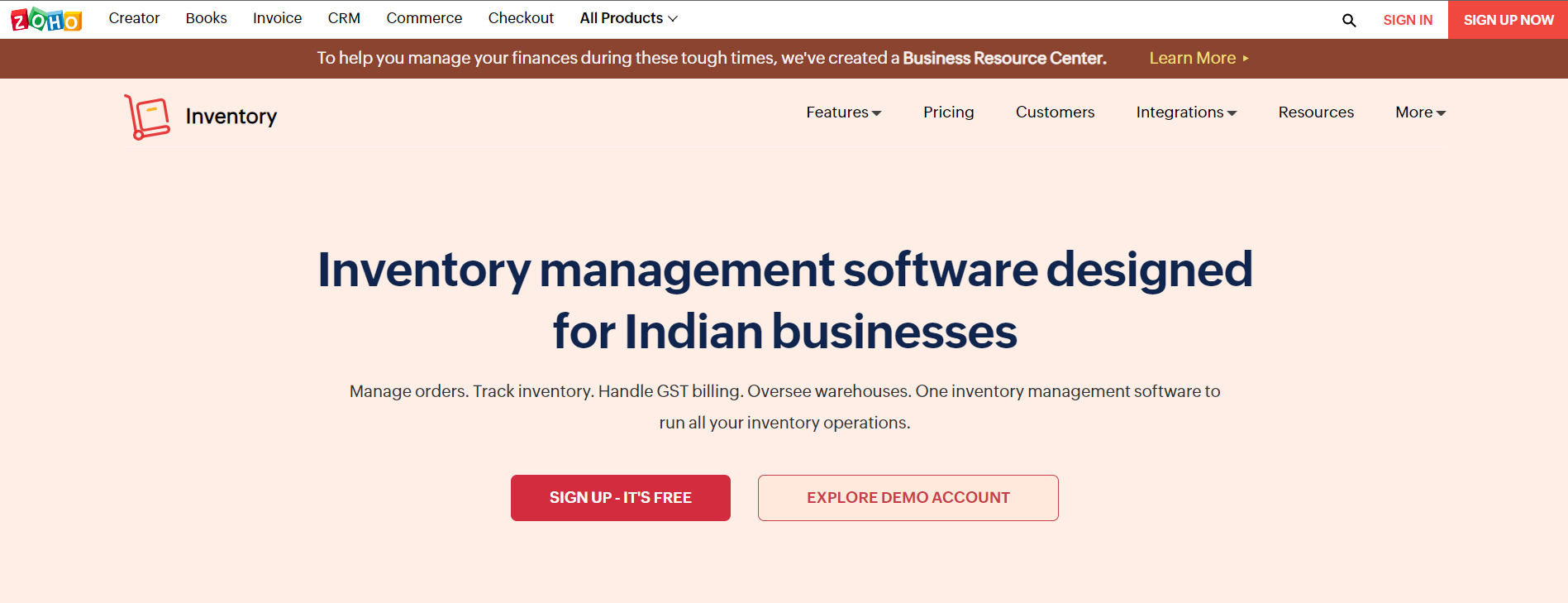
- Click on SIGN UP NOW. You can find this button in the top right corner of the page.
- Enter the company's name because that will be the organization's name in the Zoho Inventory.
- Make sure that you enter a regularly used email address and a strong password. This will act as your login credential.
- Choose a country in which your company is located.
- Mention the phone number for authentication purposes.
- Click on SIGN UP to complete the process so that you can be navigated to the organization details page.
Zoho Inventory Quick Setup
Set up your organization details. When you sign up for the Zoho Inventory management software, you are going to be redirected to the organization details page that will ask you to enter some basic information about your business. On this page:
- The portal name is going to be auto-generated. In case you wish, you have an option to suit this name according to your business needs.
- You can now choose the industry type and enter the complete address of your organization
- Choose the currency so that it serves as a base currency for all future transactions and cannot be edited later.
- Now select the time zone of your company's location
- For comparing the setup, click on the Click to Finish button so that you can be logged in and redirected to the Zoho Inventory organization.
Setting Up Data
After signing up for the Zoho Inventory and setting the organization details, you can also set up all the data and manage your business in the right way. To get started, follow the steps mentioned below. It is also highly recommended that the steps should be followed in this order only for a better start-up process.
- The first step is to update the organization details. You can configure the organization details, upload the brand logo, and add significant information for completing the organization's profile.
- The next step is to create and import the items. Click for loading your item details into the Zoho Inventory.
- The third step is to make purchases. It is about purchasing stocks from different vendors.
- The last and final step is to sell the products. Create sales orders for your customers and learn more about them.
Joining an Existing Zoho Account
In case you are already using one of the Zoho Finance apps such as Zoho Books then you can sign into the Zoho Inventory with similar credentials. Here are the steps that you should follow:
- Log in to the Zoho Inventory website.
- Click on the SIGN IN button that you can find on the top right corner of the page.
- Begin to enter your Zoho Credentials.
- After you sign in to the website, you are going to be redirected to a page that mentions all organizations that you are a part of in different Zoho Finance Apps.
- Choose from any of the existing organizations for which you wish to create a Zoho Inventory organization.
- Finally, click on the Join Organization button at the bottom of the page and go ahead.
This will let you set up a new organization with a similar name as the selected organization almost immediately in Zoho Inventory so that all the data can be synced easily with the existing organization.
Sign-up to Zoho Inventory
In case you have already signed up for the Zoho Inventory, from the next time ahead you will be able to directly sign in with the help of your registered email address. For signing in:
- Go to the Zoho Inventory website
- Now click on the Sign In button that is there in the top right corner of the window.
- Enter the right email address and password and go ahead.
- Click Sign in and you will be logged into the Zoho Inventory
- In case you have also configured two-factor authentication, you can enter the One Time Password sent to your mobile phone.
- Check the verify code.
- In case you have not configured the two-factor authentication and wish to do the same then click on Manage TFA to do the same.
Zoho Inventory

- Dashboard: The main purpose of the dashboard in the Zoho inventory management software is to give information on what all transactions were doing so far. It will contain an inventory summary, product details such as all items, item groups, low stock items, unconfirmed items, sales activity, etc. It is basically like a home page and the very first thing that you are going to see when you log into your Zoho Inventory account. Its main purpose is to give you a clear picture of all the sales completed by a company and stock summaries as well such as sales orders generated by far, stock purchased from a vendor for the selected period, top-selling items, etc.
- Sidebar: The sidebar is to access all modules of the Zoho Inventory. It enables the creation of transactions like sales orders and invoices from the Sales modules and it also helps in recording the transaction such as receives and bills from the Purchases module.
- Recent History: With the help of recent history, you can view the recently visited transactions.
- Organization Name: Here you can manage and even change between different Zoho Inventory organizations.
- Quick Create: The Quick Create tab enables you to create new transactions for different modules almost instantly.
- Settings: This allows you to customize the Zoho inventory modules so that they become suitable for the business.
- Help and Support: You can get quick access to the user guide and also reach out to the support team with the help of this section.
- Notifications: Finally, notifications help in receiving all the important alerts on marketplace sync status, new product updates, and low stock updates.
Navigation in a Module
The module page of Zoho inventory management software is designed particularly to facilitate easy and simple transactions, filter them, navigate to the module settings, and perform other functions as well. It includes the following things:
- Page Filters: With the help of this option, you can filter any data in the modules based on the present criteria. This also allows you to create your own filters.
- Collapse Button: This button is for collapsing the sidebar and providing more space to navigate within the modules.
- Creation Button: The creation button helps in creating transactions, contact, and also an item based on the module in which you might be tagged.
- Action Buttons: This button helps in performing various actions on the transactions that are specific to different modules.
- Search: You can look up items, different transactions, and contacts in the search bar.
- Hamburger Icon: It helps in sorting the modules based on factors such as created time and last modified time. This icon also helps in importing and exporting the data regardless of the respective modules. Furthermore, you can also generate the respective module preference page from this icon.
Conclusion
It can be easily said that Zoho Inventory is one of the best-suited tools for retailers and online merchants. It is a scalable tool with four plans while also including a free plan.
If you are a retailer or know one who might be interested in the Zoho inventory integration then get in touch with the expert team of Encaptechno. We can help you from beginning to end until you start to see tangible results because of the Zoho Inventory implementation.
Topic Participants
Abhishek - Zoho Partner
Sticky Posts
Ask the Experts - Zoho Inventory #15: 7 hours of live discussion on the integration between Zoho Inventory and Zoho Desk
Hello all! Customer experience lies at the heart of business success. In this week's 'Ask the Experts - Zoho Inventory', let's discuss integrating Zoho Inventory and Zoho Desk for better customer experience. Zoho Inventory integrates with Zoho Desk to bring you the speediest communication with your customers. This integration helps you make sure that your customer service representatives and your sales team are always connected to your back office so they can immediately respond to order-relatedAsk the Experts - Zoho Inventory #13: 7 hours of live discussion on the integration between Zoho Inventory and Zoho Sign
Hello all! We are back with an important topic for discussion today on 'Ask the Experts - Zoho Inventory.' Let's discuss the integration between Zoho Inventory and Zoho Sign for e-sign capabilities for your organization. We're seeing a tremendous increase in e-signature requirements with most of our customers currently working from home. At the moment, the only workflow available in Zoho Inventory to handle this is to create an Invoice and get it signed digitally by your customers. Here are some
Recent Topics
Integrating Zoho People Attendance to Biometric Machine (ZKTeco 40 k )
Please help us for Integrating Zoho People Attendance to Biometric Machine (ZKTeco 40 k )Move email between inboxes?
Is it possible to move emails from one team inbox to another? We would like to be able to have a single "catch-all" inbox for incoming requests, and then move the email to the appropriate department inbox. I was hoping we would be able to accomplish thisUpdating records through Zoho Sheets View doesn't update timeline or trigger workflow rules
I have noticed that when i update a series of record with the zoho sheets view (see here http://d.pr/i/ahnR) it doesn't update timeline history or trigger workflow rules. I am using it in the Deals module. Looking forward for some more info. DenisManage control over Microsoft Office 365 integrations with profile-based sync permissions
Greetings all, Previously, all users in Zoho CRM had access to enable Microsoft integrations (Calendar, Contacts, and Tasks) in their accounts, regardless of their profile type. Users with administrator profiles can now manage profile-based permissionsinability to use different primary address on invoice per location
my company operates in two different locations with different email address. The problems then is the inability to edit the primary to suite the invoice for the second location.AI Search and Record Retrieval Inside Zoho Creator – Is This Possible?
Is it possible to integrate an AI assistant into Zoho Creator that can intelligently search, retrieve, and analyze records within the application’s forms and reports? Can AI access and query existing Creator data securely using Deluge or APIs to provideRename Service Report
Some of our customers are requesting the name of the service report PDF to be in a specific format, for example, instead of REP-001.PDF some are requesting to include their name like customername.pdf. is that possible?Smarter holiday planning with yearly-specific Holiday Lists
Hello everyone! Managing holidays and business hours is now easier and more efficient. Holiday Lists now support holidays that fall on different dates every year, while business hours now supports more than one holiday list. This helps businesses manageAI Search and Record Retrieval Inside Zoho Creator – Is This Possible?
Is it possible to integrate an AI assistant into Zoho Creator that can intelligently search, retrieve, and analyze records within the application’s forms and reports? Can AI access and query existing Creator data securely using Deluge or APIs to provideScheduled AU Data Center Database Version Upgrade for Zoho Forms
Dear Zoho Forms' users, We would like to update you on a scheduled AU Data Center database version upgrade for Zoho Forms. Find the schedule below: Migration window: Sunday, 22nd February 2026 12.00 AM to 12.30 AM AEDT This migration is a part of ourCannot get code to work with v2.mergeAndStore!
Please can someone help me pass subform items into a repeating mail merge table row using v2.mergeAndStore? I have a mail merge template created in Writer and stored in Workdrive. This template is referenced by a custom CRM function which merges all ofHotmail is blocking the zoho mail IP
Greetings, Since last Tuesday (5 days ago today) I wrote to Zoho support and I still haven't received a single response (Ticket ID: 2056917). Is this how you treat people who pay for your email service? I am making this public so that those who want toZoho Bookings and Survey Integration through Flow
I am trying to set up flows where once an appointment is marked as completed in Zoho Bookings, the applicable survey form would be sent to the customer. Problem is, I cannot customise flows wherein if Consultation A is completed, Survey Form A would beZoho CRM Community Digest - December 2025 | Part 2
Hello Everyone! During the final weeks of December, Zoho CRM introduced updates that not only enhanced product capabilities but also offered deeper guidance through Kaizen posts. This section highlights what was released and shared in the last two weeksCRUD actions for Resources via API
Hello, is it possible to perform CRUD actions through the API for Resources? We want to create a sync from Zoho CRM Car record to Bookings resources to create availabilities for Car bookings. For Test drives, not only the sales person needs to be available,Kaizen #186 : Client Script Support for Subforms
Hello everyone! Welcome back to another exciting Kaizen post on Client Script! In this edition, we’re taking a closer look at Client Script Support for Subforms with the help of the following scenario. " Zylker, a manufacturing company, uses the "Orders"Unable to Assign Multiple Categories to a Single Product in Zoho Commerce
Hello Zoho Commerce Support Team, I am facing an issue while assigning categories to products in Zoho Commerce. I want to assign multiple categories to a single product, but in the Item edit page, the Category field allows selecting only one categoryオンライン勉強会のお知らせ Zoho ワークアウト (2/19 参加無料)
ユーザーの皆さま、こんにちは。コミュニティチームの中野です。 2月開催のZoho ワークアウトについてお知らせします。 今回はZoomにて、オンライン開催します。 ▶︎参加登録はこちら(無料) https://us02web.zoom.us/meeting/register/6AyVUxp6QDmMQiDGXGkxPA ━━━━━━━━━━━━━━━━━━━━━━━━ Zoho ワークアウトとは? Zoho ユーザー同士で交流しながら、サービスに関する疑問や不明点の解消を目指すイベント「Zohodoubts about customer happiness in zoho desk
Good afternoon, Desk community. The reason for my message is that I have a question regarding the customer satisfaction surveys we can ask our clients to rate our service. I know that in Desk, you can activate Customer Happiness to send a survey to theCOQL API in JS Widget only pulling 200 records
Hello! We've been building a custom homepage widget using the Zoho JS SDK, and it seems that this https://help.zwidgets.com/help/latest/ZOHO.CRM.API.html#.coql only allows 200 records. I thought the limit was 2000 for COQL queries, but am I mistaken?Standard Description Field - Can I change label or add dd tooltip
Is there a way fo you guys to allow the customer to change the label name for the description field in the customer portal when submitting tickets. Or at least allow us to add a tooltip to clarify what description we need from them. I know I can create my own separate multi line description field but if I do that, it doesn't have the nice toolbar with Bold, Italic, Underline, color, font, indent, etc. Can you please allow us to add a tooltip to the zoho standard description field?Introducing parent-child ticketing in Zoho Desk [Early access]
Hello Zoho Desk users! We have introduced the parent-child ticketing system to help customer service teams ensure efficient resolution of issues involving multiple, related tickets. You can now combine repetitive and interconnected tickets into parent-childAbility to CC on a mass email
Ability to CC someone on a mass email.Different Task Layouts for Subtasks
I was wondering how it would be possible for a subtask to have a different task layout to the parent task.Compensation | Salary Packages - Hourly Wage Needed
The US Bureau of Labor Statistics says 55.7% of all workers in the US are paid by the hour. I don't know how that compares to the rest of the world, but I would think that this alone would justify the need for having an hourly-based salary package option.Customizing Helpcenter texts
I’m customizing the Zoho Desk Help Center and I’d like to change the wording of the standard widgets – for example, the text in the “Submit Ticket” banner that appears in the footer, or other built-in widget labels and messages. So far, I haven’t foundAbility to Edit Ticket Subject when Splitting a Ticket
Often someone will make an additional or new request within an existing ticket that requires we split the ticket. The annoying part is that the new ticket maintains the subject of the original ticket after the split so when the new ticket email notificationAutomatically Update Form Attachment Service with Newly added Fields
Hi, When I have a Form Setup and connected to a 3rd Party Service such as OneDrive for Form Attachments, when I later add a new Upload Field I have to remove and redo the entire 3rd Party Setup from scratch. This needs to be improved, such as when new🚀 WorkDrive 6.0 (Phase 1): Empowering Teams with Content Intelligence, Automation, Accessibility, and Control
Hello, everyone! WorkDrive continues to evolve from a robust file management solution into an intelligent, secure, and connected content collaboration platform for modern businesses. Our goal remains unchanged: to simplify teamwork, strengthen data security,Reopen ticket on specific date/time
Is there a way that we can close a ticket and setup a reopen of that ticket on a specific date and time? (without using the "on hold" ticket option)Column letter from number
Hello, I am trying to select a cell and i have the column number. How do i do this or is there a way of getting the letter from the number? Thank youAPI credit COQL COUNT
The docs describe API credits in COQL from the LIMIT perspective: https://www.zoho.com/crm/developer/docs/api/v8/COQL-Overview.html When using aggregate functions such as `COUNT` or `SUM`, is that billed as 1 API credit?Weekly Tips : Save Time with Saved Search
Let's assume your work requires you to regularly check emails from important clients that have attachments and were sent within a specific time period. Instead of entering the same conditions every time—like sender, date range, and attachments included—youRemove 'This is an automated mail from Zoho Sign' in footer
Hi there, Is it possible to remove or change the text under the e-mail templates? I can't figure out how to do that: Would love to hear from you. Kind regards, TristanOrganize and manage PDFs with Zoho PDF Editor's dashboard
Hello users, Zoho PDF Editor's dashboard is a one-stop place to upload, sort, share PDF files, and more. This article will explore the various capabilities that Zoho PDF Editor's dashboard offers. A few highlights of Zoho PDF Editor's dashboard: UploadCustom function return type
Hi, How do I create a custom deluge function in Zoho CRM that returns a string? e.g. Setup->Workflow->Custom Functions->Configure->Write own During create or edit of the function I don't see a way to change the default 'void' to anything else. AddingPassing Info from Function to Client Script
Hello, I have recently started making use of client script for buttons, allowing me to give the user information or warnings before they proceed. This is great. However, I have never quite managed to pass back any extra information from the function toDrag 'n' Drop Fields to a Sub-Form and "Move Field To" Option
Hi, I would like to be able to move fields from the Main Page to a Sub-Form or from a Sub-Form to either the Main Page or another Sub-Form. Today if you change the design you have to delete and recreate every field, not just move them. Would be nice toZoho Payroll for Canada
Is anyone else having problems getting setup for Canada?Passing the CRM
Hi, I am hoping someone can help. I have a zoho form that has a CRM lookup field. I was hoping to send this to my publicly to clients via a text message and the form then attaches the signed form back to the custom module. This work absolutely fine whenNext Page