Narrative 13: Import - Data mapping
Behind the scenes of a successful ticketing system: BTS Series
Narrative 13: Importing your data
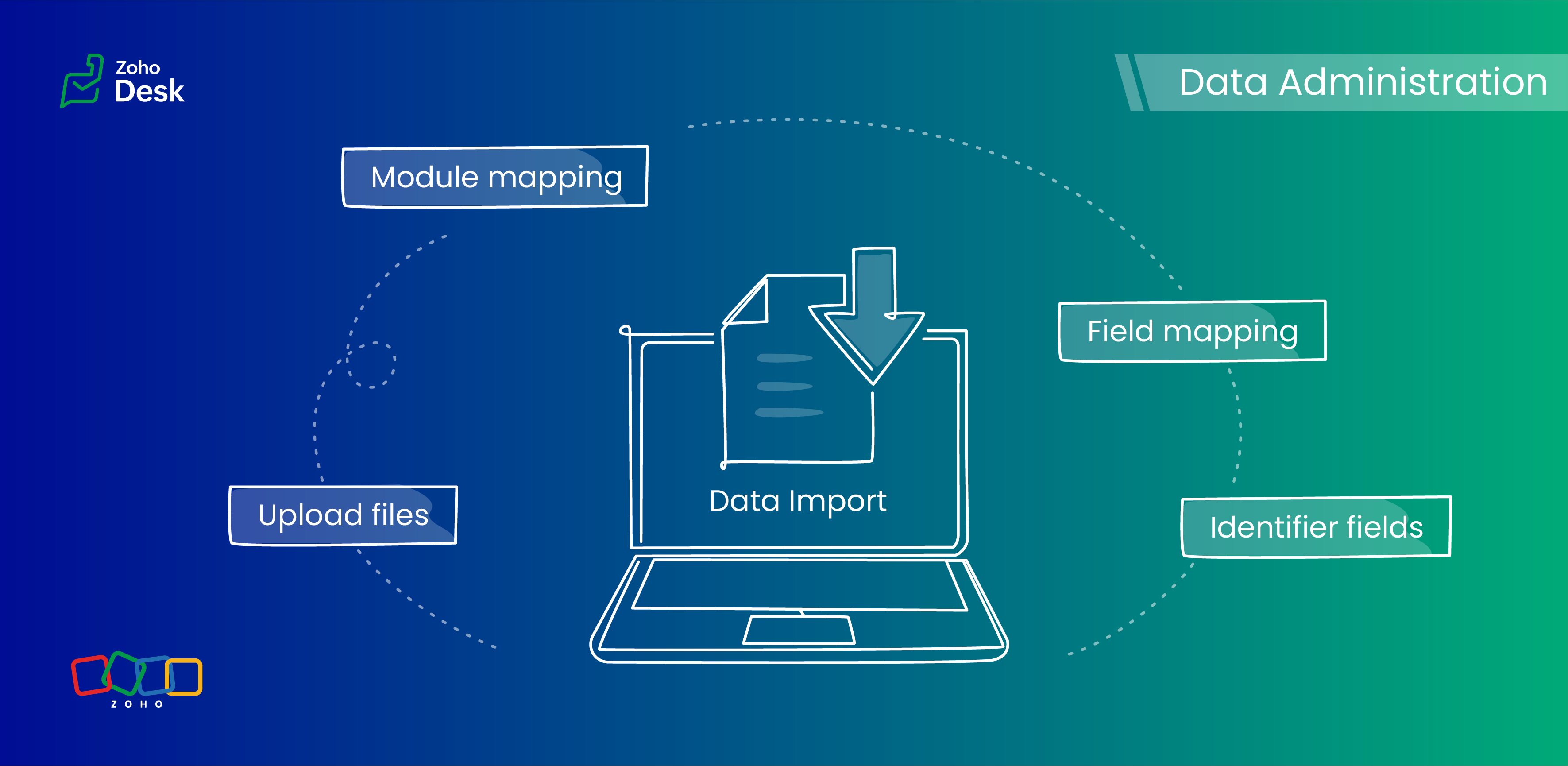
Zoho Desk provides robust functionality for importing your data. The system intelligently automates the mapping of modules and fields to reduce the risk of data loss and maintain data integrity. Users have the advantage of verifying the field mappings in advance, thus adding an extra layer of security to the import process.
This capability is essential not only for clarity but also in mitigating the challenges associated with user adoption. For instance, clients can be accurately mapped to the "Contact name" field, while company names align with the "Account name" field to maintain an organized database, which helps ensure user trust in the system.
Related knowledge base article: Importing data into Zoho Desk

Prerequisites
- Users can upload a .csv file or a .zip file containing multiple .csv files.
- The .zip file must be named, for example, Contacts.zip, Accounts.zip, etc.
What are Identifier Fields?
Modules | Unique Identifier Fields |
Accounts | Account ID Account External ID Account Name |
Contacts | Contact ID Contact External ID Last Name First Name Phone Number Mobile |
Tickets | Ticket ID Ticket External ID Ticket Number |
Products | Product ID Product External ID Product Name |
Tasks | TaskId Task External ID |
Calls | Call ID Call External ID |
Events | Event ID Event External ID |
Article Translation | Translation: External ID Translation ID |
Custom Modules | Record External ID Custom Module Name |
Points to remember:
- These fields help find matching records.
- If multiple records match the value, the first matching record will be selected automatically.
- This can lead to unexpected matches or data being updated in the wrong record if you're not careful.
Background:
- Some users expressed a preference for matching Contacts by Last Name instead of Email, highlighting the importance of flexibility in their workflow.
- Other users approached matching through the use of a custom field, emphasizing the need for tailored solutions to fit their unique requirements.
- We also heard from many users who requested that the functionality be enhanced by updating existing records with the relevant entity's Zoho Desk ID to streamline their processes and improve data accuracy.
Working with the Identifier Field
When importing data into Zoho Desk, the Identifier Field is important because it helps identify existing records and avoid duplicate entries.
Commonly used identifier fields
- Find By is used to identify an existing record during the import process.
- Map By is utilized to link a child record to a parent record, for instance, by linking a Contact to a Ticket.
Improvements in user experience
Transparent process and status tracking
We’ve implemented a straightforward, step-by-step process for data imports, complete with real-time status updates for each stage. This transparency enables users to monitor import progress and understand the current state of the process.
Unique identifiers for entity mapping
New fields have been introduced to help users identify if a parent entity already exists when importing related child entities. For example, users can seamlessly map a contact to an existing account in Zoho Desk to streamline the import process while minimizing the risk of duplicate entries.
Enhanced error handling and log accessibility
We’ve made significant improvements in error handling by allowing users to download detailed error logs right from the history page in case of import failures. This enhancement provides users with greater insight into any issues and facilitates faster troubleshooting and resolution.
Support for custom modules
The import UI has been revamped to support custom modules, providing users with greater flexibility and customization options. This enables a more personalized and efficient data import experience.
Coming up soon
Custom unique fields
Identifying key data points, such as a Customer ID in the Contact Module, ensures that every customer has a distinct reference, which streamlines ticket management and resolution. By establishing these fields as identifiers, support agents can quickly access and update customer records, enhancing response times and accuracy.
External ID fields
Integration with various systems often generates External ID fields, such as CRM ID, Invoice ID, and Bug ID. Utilizingthese fields as identifiers enables agents to cross-reference relevant records seamlessly. When records need to be updated or retrieved from different systems, these unique identifiers are crucial in maintaining data consistency across platforms.
Composite identifier fields
Often, relying solely on a single identifier may not be sufficient to pinpoint a customer accurately or a record.Implementing multiple fields as composite identifiers can enhance data integrity and accuracy. For example, considering both the Last Name and Email of a contact can significantly reduce errors in data retrieval and ensure that support inquiries are directed and resolved correctly.
Wrapping up
Using these features positions support teams to operate more effectively and improve overall customer interactions. For instance, a large corporation merging client data from multiple legacy systems into Zoho Desk modules will benefit significantly from automatic field mapping to ensure that contact and account names are accurately aligned. This attention to detail not only improves the user experience but also enhances overall data integrity during the merging process.
Please stay tuned for more in the Desk behind-the-scenes series.
Regards,
Kavya Rao
The Zoho Desk Team

Also, read:
Behind the scenes of a successful ticketing system (BTS Series)
- Narrative 12: Sandbox - Testing without the risk
- Narrative 11: Are your customers happy?
- Narrative 10: Assignment Rules - Streamlining Ticket Management
- Narrative 9 - GC—Meaningful conversations that benefit your customers
- Narrative 8 - Intelligent in-app support that's instantly available anytime and anywhere
- Narrative 7 - The importance of data sharing
- Narrative 6 - The impact of rebranding
- Narrative 5 - The essential role of SLAs
- Narrative 4 - Exploring the support channels
- Narrative 3 - Comprehending user management
- Narrative 2 - Understanding organizational departments
- Narrative 1 - The significance of a business account
Topic Participants
Kavya Rao Addepalli
Recent Topics
All new Address Field in Zoho CRM: maintain structured and accurate address inputs
Availability Update: 29 September 2025: It's currently available for all new sign-ups and for existing Zoho CRM orgs which are in the Professional edition exclusively for IN DC users. 2 March 2026: Available to users in all DCs except US and EU DC. 24Can we rely on order of returned ids when inserting multiple records?
Hello! API https://www.zoho.com/crm/developer/docs/api/v8/insert-records.html does not mention that the response array will match the input array*, keeping this important information implicit and someone might have doubts to rely on it. (*the responseNew UI for Writer - Disappointed
I've been enjoying Zoho Writer as a new user for about 6 months, and I really like it. One of my favorite things about it is the menu bar, which you can hide or leave out while still seeing most of your page because it is off to the left. I think thisAsk the Experts 27: Onboarding and managing support reps
Hello everyone, We are back with our Ask the Experts (ATE) series for 2026. This year, we bring experts to help you address customer support challenges using Zoho Desk. For our first ATE, we are getting into the human side of customer support. "EveryCRM x WorkDrive: File storage for new CRM signups is now powered by WorkDrive
Availability Editions: All DCs: All Release plan: Released for new signups in all DCs. It will be enabled for existing users in a phased manner in the upcoming months. Help documentation: Documents in Zoho CRM Manage folders in Documents tab Manage filesZoho CRM Community Digest - February 2026 | Part 2
In this edition, we’re highlighting a few more product enhancements, along with some helpful community discussions that explore everyday CRM scenarios from automating reminders and managing lead outreach to making the most of APIs and client scripts.Dont want to list inactive items.
If an item is made inactive, there is no point in showing it in the item list. Please provide an option to hide all inactive items in 'Preferences'.Client Script event on any field of a Detail page
Hi everyone! I'd like to trigger a Client Script when a user modifies a field - any field - from the Account Details page, how can I do this? I don't want to trigger it on a specific field, but on all of them. Thanks in advance!Tip #66 - Exploring Technician Console: Network Statistics - 'Insider Insights'
Hello Zoho Assist Community! Have you ever wondered why a remote session feels sluggish, or wanted to check whether connectivity issues are on your end or the customer's? That's exactly where the Network Statistics feature in Zoho Assist comes to theSyncing zoho books into zoho crm
I was wondering how I can use zoho books in crm as I have been using them separately and would like to sync the two. Is this possible and if so, how? ThanksIntroducing a smarter, faster, and more flexible charting experience
Hello Zoho Sheet users, We're delighted to share the latest news about a major update to charts in Zoho Sheet! The new version supports dynamic data ranges, granular styling options, faster loading, and other interesting enhancements that allow you toREFUND REQUEST FOR PLAN SUBSCRIPTION CANCELLED
I have cancelled my Zoho Books subscription and would like to request a full refund for the subscription. Kindly process the refund at your earliest convenience.Connecting Airwallex in Zoho Books
I have a question. I’m trying to connect our Airwallex account to Zoho Books, but the integration does not seem to work. Could you please guide me on how to properly connect Airwallex? I need to see the expenses also, since it only shows the profits nowpurchasing a pagkage
goodmorning i want to pay for my monthly package but your app is sayinng i have insufficient funds yet i loaded money on my account yesterday though in our currency of ugxEdit Receipt, how?
Do you notice the big blank space in Receipt? I want to remove that. I know there is a template but that blank space, I can't seem to remove it. Please help. Thank you!Can I export a TXF (TurboTax exchange format) file out of Zoho Books?
Hello, I'm trying to do my US Small Business Taxes using Intuit's Turbo Tax. Can I export my expenses from Zoho Books to a TXF format file, so that it can then be imported into Turbo Tax? Thanks, RajneshTax inclusive and exclusive for Sales invoices
Hello, where can I set my tax to be inclusive or exclusive for invoices in Zoho Books? There used to be a button for me to do that right above the products table. Can someone help me please? Thank you!Unable to produce monthly P&L reports for previous years
My company just migrated to Books this year. We have 5+ years financial data and need to generate a monthly P&L for 2019 and a monthly P&L YTD for 2020. The latter is easy, but I'm VERY surprised to learn that default reports in Zoho Books cannot createZOHO Reports are taking longer time to get refresh
Hi Team, Since last few days, I'm facing issues in getting updated reports. For eg: right after making an expense entry or even posting a journal, it is taking longer then expected for the updated reports. Refer below: "You are viewing the report thataudio and video comments in tasks in zoho projects
Hi, is it planned to have the ability to post audio and video comments? the whatsapp wechat format of communicating is a reality... tools like zoho project would facilitate a lot teamwork by facilitating the way in which we can give feedback in audio and video rather than only text. thx!Questions Regarding Helpdesk & SalesIQ Customization and Email Setup
Hello, I hope you’re doing well. I have a few questions regarding Helpdesk and SalesIQ: Can the emails sent to customers via helpdesk tickets be fully customized — including signature, subject line, and other elements? Also, is it possible to send theseLooking for Zoho + Twilio Automation Specialist (Duda Website Integration)
Hi everyone, I’m looking for an experienced Zoho specialist to help build a mostly automated CRM and booking system for my service business. I already have a live website built on Duda.co and need help integrating my existing forms into Zoho CRM (no rebuildSalesforceに添付ファイルを格納したい
お世話になっております。 Salesforceに添付ファイルを格納したく、カスタムオブジェクトに連携し、 「ファイルのアップロード」項目を設けました。 実際、エラーもなく送信出来たのですが、実際生成されたカスタムオブジェクトのレコードを見ると、どこにも添付ファイルがありません。仕様として、この添付ファイルはSalesforceのどこに格納されるのでしょうか? 今回作りたいフォームは、複数の書類を添付するため、Zohoformのファイルアップロード項目「本人確認書類」「源泉徴収票」などの項目を、Salesforce側にも設けた「本人確認書類」「源泉徴収票」という各項目にURLリンクとして紐づけたいと思っておりました。Zoho CRM For Everyone UI Rollout Begins for All Users
Hello Partners, We have started rolling out the new Zoho CRM For Everyone UI as the default experience for all users. This update is being released in three phases based on organization size and account type. We want to keep you informed of the rolloutMigrating all workflows to another Zoho account
We are going to transfer into another company, and we are going to get new emails and new Zoho accounts. Is there a way to migrate (or save in some sort of external file) all presets and settings that we have on this account? That includes primarily workflows,How to retreive the "To be received" value of an Item displayed in Zoho inventory.
Hi everyone, We have our own Deluge code to generate a PO according to taget quantity and box quantity, pretty usefull and powerful! However, we want to reduce our quantity to order according to "To be received" variable. Seems like this might not evenIntroducing Explainer Videos for Zoho Desk: Solve everyday challenges with simple configurations
Dear everyone, We have created a set of short explainer videos that show how common support scenarios can be handled using simple configurations within the product. The solutions often lie in the plain sight, but go unnoticed. Through these videos weNotifications Feeds unread count?
How do I reset the unread count on feeds notifications? I've opened every notification in the list. And the count never goes to zero.Simple reliable solution to convert MSG files for AOL Mail?
A simple and reliable way to convert MSG files for AOL Mail is by using a professional tool MacGater Mac MSG Converter. This software allows users to quickly convert MSG files into formats compatible with AOL, such as MBOX or direct email migration. ItZoho One Support is non existent...
I've tried through Email, Chat, this community and finally through Phone. There is no way to receive an answer. Email = over a week and no answer Chat = not available Community = no answer at all Telephone = after clicking myself through the callcenterDisable Zoho Contacts
We don't want to use this app... How can we disable it?Custom module - change from autonumber to name
I fear I know the answer to this already, but thought I'd ask the question. I created a custom module and instead of having a name as being the primary field, I changed it to an auto-number. I didn't realise that all searches would only show this reference.Edit a previous reconciliation
I realized that during my March bank reconciliation, I chose the wrong check to reconcile (they were for the same amount on the same date, I just chose the wrong check to reconcile). So now, the incorrect check is showing as un-reconciled. Is there any way I can edit a previous reconciliation (this is 7 months ago) so I can adjust the check that was reconciled? The amounts are exactly the same and it won't change my ending balance.How to add "All Open AND Overdue" back to the Home Page Task Component?
Hi everyone, I’m looking for a way to restore the Tasks component dropdown list on the Zoho CRM Home Page. Since the recent update to the Task area in my Home Page Classic View, the dropdown options (e.g., My Next 7 Days + Overdue) are too restrictiveDynamic Questions in Zoho Forms
Is it possible to add dynamic questions (like displaying a user’s name) in Zoho Forms? I know this is possible in surveys, but can we implement similar functionality in Zoho Forms?Introducing Zoho MCP for Bigin
Hello Biginners! We're excited to introduce Zoho MCP for Bigin, a completely new way of interacting with Bigin data using AI. With Zoho MCP, you can securely connect your Bigin account with popular AI tools like Claude, Cursor, Windsurf, and VS Code,associating products with accounts
I have all my accounts and products in zoho now. I need to generate a sales order for an account. The product lookup feature on the sales order shows no products...how can I get them to appear.Three Zoho Billing Limitations Blocking Standard Subscription Operations
After working through Zoho Billing support for over a year on these three issues without resolution, we wanted to flag them to the broader community. We are curious whether other businesses are running into the same walls. 1. Cannot Prepone (Move Earlier)SAP Business One(B1) integration is now live in Zoho Flow
We’re excited to share that SAP Business One (B1) is now available in Zoho Flow! This means you can now build workflows that connect SAP B1 with other apps and automate routine processes without relying on custom code. Note: SAP Business One integrationBuilt-in Date Functions in Zoho Analytics Query Tables
I have a doubt about whether Zoho Analytics Query Tables provide built-in functions for start date, end date, and the current monthNext Page