What’s New in IM: Shared Phone Number and 1,000 Templates
Instant Messaging continues to evolve in Zoho Desk, giving teams more flexibility in how they manage WhatsApp conversations and messaging workflows. Here are two capabilities worth exploring.
1. Manage WhatsApp conversations across Zoho services using one phone number
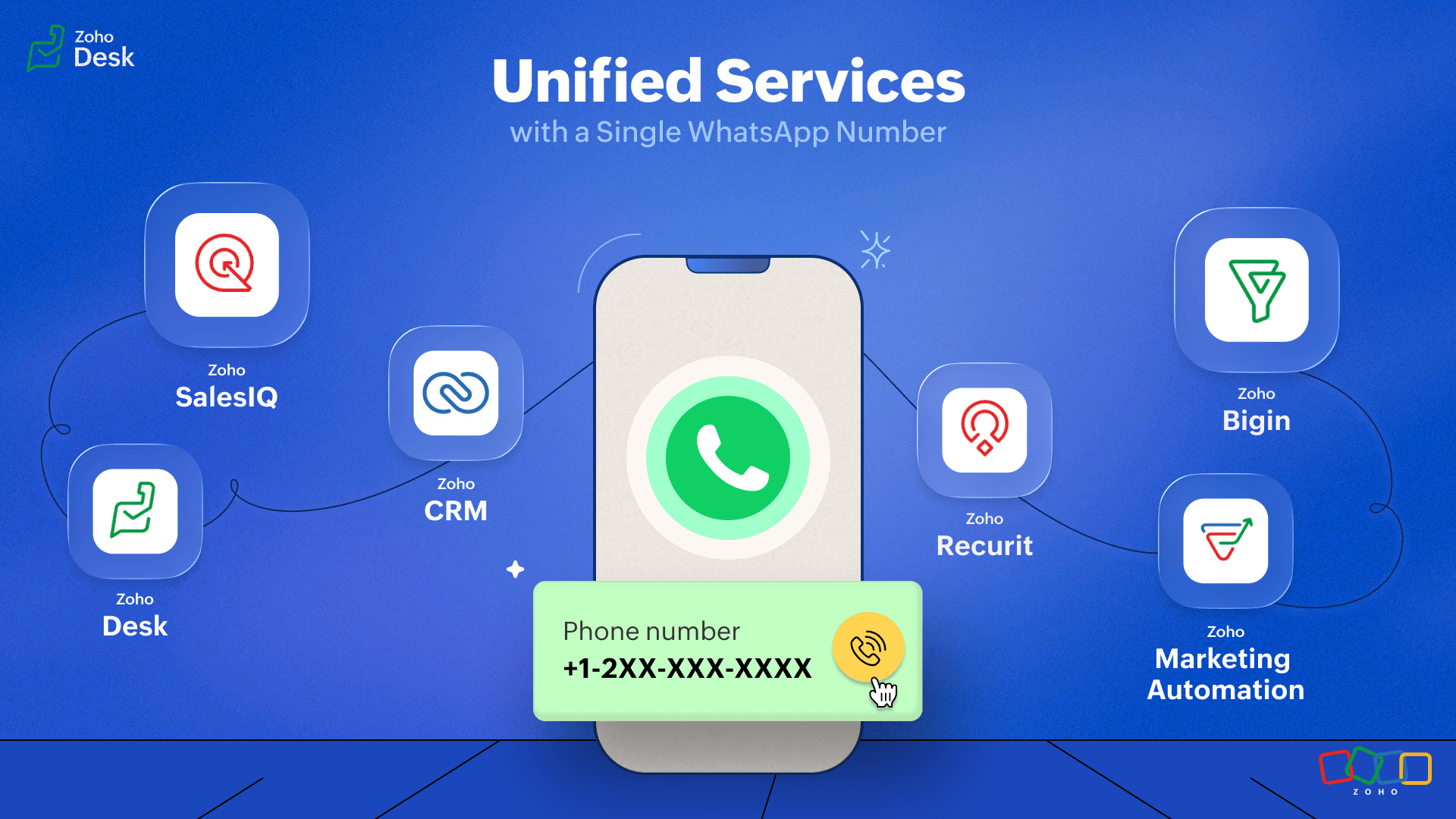
If your teams use different Zoho services for functions such as sales and support, you don't necessarily need separate WhatsApp numbers for each team. You can use one WhatsApp Business number across multiple Zoho services, allowing customers to continue using the same number while teams across services stay connected to the conversation.
When the number is shared, a single WhatsApp channel is created across the connected services. Incoming customer messages appear across these services, and teams can see the conversation timeline even when the conversation started in another service. This helps keep the customer interaction connected instead of splitting it across multiple numbers.

For example, a customer can start a conversation with your sales team and later need support. Both teams can remain connected to the same WhatsApp conversation while continuing to work from their respective Zoho services.
Read the community post: Manage WhatsApp conversations across Zoho services using one phone number ↗
Read the help article: Manage WhatsApp conversations using a shared phone number ↗
2. Manage up to 1,000 WhatsApp templates
You can now manage up to 1,000 WhatsApp message templates per account in Zoho Desk. The increased limit gives teams more room to maintain templates for different customer communication needs, languages, and workflows without reaching the previous account-level limit.
This can be particularly useful for organizations that use WhatsApp across multiple customer journeys and need a larger library of approved templates.
Read more: WhatsApp Message Templates User Guide ↗
From connecting teams through a shared WhatsApp number to managing a larger library of message templates, these capabilities give businesses more flexibility as their WhatsApp operations grow. Explore the updates and see how they can fit into your customer communication workflows.
Let's talk!
Prabin | Zoho Desk
Topic Participants
Prabin
Sticky Posts
Reach us through our official support channels
Dear Customers, Thanks a lot for choosing Zoho! Our applications are built to help achieve your day-to-day business goals. We are committed to engaging with you, to understand and develop solutions that enhance your productivity. We are happy and readyZoho Desk Partners with Microsoft's M365 Copilot for seamless customer service experiences
Hello Zoho Desk users, We are happy to announce that Zoho Desk has partnered with Microsoft's M365 to empower customer service teams with enhanced capabilities and seamless experiences for agents. Microsoft announced their partnership during their keynoteWhatsApp pricing changes: Pay per message starting July 1, 2025
Starting July 1, 2025, WhatsApp is shifting from conversation-based pricing to per-message billing. That means every business-initiated message you send will count. Not just the first one in a 24-hour window. Pricing updates on the WhatsApp Business PlatformLive Webinar - Work smarter with Zoho Desk and Zoho Workplace integration
Hello customers! Zoho Desk and Zoho Workplace are coming together for a webinar on 14th May, 2024. Zoho Workplace is a suite of productivity apps for email, chat, docs, calls, and more at one single place. Zoho Desk is closely integrated with a few toolsApple iOS 17 and iPadOS 17 updates for Zoho Desk users
Hello Zoho Desk users! Apple recently announced the release of iOS 17 and iPad OS 17. These latest OS updates will help you stay productive and efficient, through interactive and seamless user experiences. Zoho Desk has incorporated the updates to help
Recent Topics
emails?
Why can't I send emails from my account anymoreBackorder For Composite Items
Hello If i released SO for composite item and use backorder feature of zoho inventory then it should backorder child item items of composite and not composite item.This is basic of backordering.I conveyed this to zoho call center but no solution yet.Global Constants / Variables
It would be great if there were a Global Constant feature. The idea here is for managing constants that are used in multiple Flows and Subflows, but might change over time. The idea is that the change could be made in one place and cascade to all futureDeal Activity Tracking - By Time
Hello, I am trying to figure out a way to implement a time tracking ability within the CRP that will provide a line item on the final invoice in books. Would the Cases module be of good to use in this scenario? Want to integrate into Books as well. ITime Card Tracking For Employees
Does ZOHO have an add-on or app that my employees can use to clock in & out on a daily basis. In the past we had used a third party solution, but it was hard to use and pricey. We would really like to use your time tracking feature if you have one......ifLogging time within Time Tracking
At the moment I use the call logging feature of CRM to log time spent on clients work. Its nice to be able to start, stop and pause the timer and record how many hours I need to bill the client. Any chance of implementing this in Zoho Invoice's time tracking feature The same interface as CRM would be great or a simple start/stop/pause/restart timer.3rd Party/Easy Time Tracking Integration with Zoho
We are new customers using Zoho One with Zoho Project/CRM/Desk being the 3 big applications we will use. The majority of our work is done in the field and we need accurate and easy time tracking for our workers on mobile phones. aka TSheets type functionality. but tied to Zoho. Zoho is outstanding overall so I am surprised at how laborious, inefficient and disconnected time tracking is mobile devices. Adding time to a project task on a mobile phone can be a 10+ click task and that's not an exaggeration!TrueSync for Windows 5.16+ breaks Excel save in "Shared with Me" (temp file writes fail) – workaround: pin 5.15.1
Hi all, After TrueSync for Windows auto-updated past 5.15.1, some of our users can no longer save Excel files that live under "Shared with Me". We isolated it to a client-side regression and found a workaround. Sharing in case it saves someone a few hoursPurchase Requisition in Zoho Books
I want to understand if Zoho Books is having the following workflow: PR ( Purchase Requisition ) >> PO ( Purchase order) >> GRN/SRN ( Goods/Services receipt note) >> BillEnhancement Request: Preserve Canceled Zoho Bookings Meetings in CRM
I recently worked with Zoho Support on ticket 170383788 regarding what happens in Zoho CRM when an appointment is canceled in Zoho Bookings. Support confirmed that the current behavior is intentional: when a Bookings appointment is canceled, the correspondingIntroducing the Markdown editor in Zoho Learn
Hello everyone, We're excited to announce the release of the Markdown editor in Zoho Learn. With Markdown editor, you can create and import articles as Markdown. You can write content using simple Markdown syntax and see how it looks with the built-inWhen will Bigin's latest AI features be available in Europe?
Hi, As I previously raised this question in the post “Introducing Bigin's latest AI features, built for the way you work!”, but received no response, I am bringing it up again here. It has now been five months since the announcement, and these AI featuresFunction #50: Send Mass emails to your customers
Hello everyone, and welcome back to our series! We have reached a milestone of 50 Functions, which means that we have automated 50 different tasks in Zoho Books. Every Friday, we have shared a nifty function aimed at either automating a task or streamliningTime tracking
Hi there We are looking for a simple, intuitive but powerful time track application. We bill our clients by the time we spend, and so need to link Clients<>Projects<>Tasks or Activities<> Time spent. Is there an app in Zoho we could use? Many thanks.. MorriStaff Tracking in
Hi , I would like to see what activity my staff does over Zoho CRM and over Zoho Mail . I need to know which deals in CRM haven't been touched or had an activity on by a particular staff member . Basically need to establish what work.gets done by WFHReport: avg time to visit each lead
We are on zoho one. our sales team visits leads using the ZohoCRM app. They track their hours using the zoho books timer. So the results in zoho books look like this: -total hours worked: 8 In ZohoCRM we have a custom date/time field in each lead recordCreating a Stop Start Timer for Custom Moduel
Hello, I am trying to track Maintenance of internal Assets through Zoho CRM (I have tried the FSM, Projects, Inventory apps nothing is working the way I need it to). I have it all built in the CRM where I have internal work orders where i can keep trackLogging time to a Sales Lead in CRM
Hi, Is there a way to log time against a Sales Lead / Deal in CRM before it is won and becomes a project? Our employees often do work for sales opportunities and need to log time against them at any point of the sales cycle, before it is won. Thanks, AtifHourly Billing in Zoho CRM Deals, Books, and Projects?
We bill on an hourly basis and need that time added into a client's invoice in Books. A client might have multiple deals open with us that we are working on, and billing separately, and thus need separate invoices for each. The functionality of ProjectsTime taken on a task
I notice that you can record the length of a call, but not an event or a task. When a potential progresses from beginning to end it is just a series of tasks/calls/events in a process. I have most of it automated depending on the type of sale and triggered by updating the sales cycle field. It follows that you should be able monitor the time of each of them so that you actually know how much time you spend on each potential. This gives an idea of profitability of each potential. I would think thisTimesheets from Deals
Hi Guys, new Zoho One customer here with only a few employees. I run a small software company and currently our small number of employees are creating manual timesheets in excel. There is a column for a job number (that relates to a Zoho Deal) and they just put in the time taken to perform the work. As an example, they might spend 1 hour running some barcodes for a particular client (and deal). Then they may do a support all for another client and that takes 2 hours (This client would have a yearlyTimesheet option in zoho crm
Recording a timesheet against a job is very crucial for every business because it will help them in billing the client accordingly and also it keeps a track on how much time a user is exactly taking in marking the job as cloed. Currently in crm therePortal access is now available in the Zoho CRM mobile app
Hello everyone, Zoho CRM Portals provide a secure space for sharing selected records with people outside your organization. These portal users can include customers, vendors, partners, or anyone who needs access to specific CRM data. Previously, portalMultiple locations
I have many customers (accounts) that have multiple locations, like bank branches. How can I manage them under one account?Tip: #14 Save words and phrases in Writer for faster writing!
As you start working with more documents everyday, you'd find yourself using certain words and phrases across documents quite often. In this week's tip, let's discuss two easy ways to train Writer to remember your commonly used words—equipping you toZoho ERP | Product updates | October 2026
Hello users, A new month, a fresh set of updates in Zoho ERP. This month brings Netting, enhancements across our verticals, and more updates to help streamline your everyday work. Explore this month’s updates and see what’s new. Compliance with RevisedZoho Forms - Feature Request - Embed iFrame or Dynaic URLs in Description fields
Hi Zoho Forms team, I'm working with a client who uses Zoho Forms internally to collect information over the phone from potential work placement candidates. At the end of the form, the candidate needs to be booked in for an induction, which we've configuredBANK FEED - MAYBANK , provider from YODLEE IS NOT WORKING
As per topic, the provider YODLEE is not working for the BANK FEED. It have been reported since 2023 Q3, and second report on 2023 Q4. now almost end of 2024 Q1, and coming to 2024 Q2. Malaysia Bank Maybank is NOT working. can anyone check on this issue?Digest Octobre - Un résumé de ce qui s'est passé le mois dernier sur Community
Bonjour chers utilisateurs, Bienvenue dans ce nouveau digest de la communauté Zoho France ! Vous y trouverez les discussions marquantes, les nouveautés produits, les conseils pratiques partagés et bien sûr les événements à venir. Le mois dernier, nousBank feeds - still a problem
I'm really frustrated that the bank feeds only "sometimes" work. I raised this problem once before and was advised that Zoho used Yodlee and feeds were only updated once a day. That's fine but it only "sometimes" seems to work. Eventually transactions appear but they sometimes seem to take days. I know of other programs (Xero) that another business I am involved with uses Yodlee and they do not have this issue. My bank feeds are active, I tried to manually refresh however Zoho tells me thatthis is getting ridiculous
My checking account bank feeds haven't worked since 6/4/21. Multiple emails to Zoho since 6/10, and all they tell me is they have re-escalated my problem to their banking service provider team. 14 days and nothing is fixed. I'm just about ready to bailNo feedback from Zoho Books regarding Yodlee feeds for Investec
I reported on 6 Feb 2025 that the Bank Feeds for Investec bank via Yodlee are not working. To date there has been no resolution. You are charging us for a suite of products where the functionality does not work. Please advise how you will refund me forongoing bank sync problems
My bank feed broke May 14th 2021 Since then I just get an endless stream of we are working on it, "Kindly bear with us for sometime" from support Multiple times I have asked to speak to managers and half the time they don't call at all. If they do callWe must admit - Yodlee is an unreliable partner!
Hello Zoho, Our Yes Bank account intergration is messed up since the beginning and the problem has not been addressed yet. With bad synchronization, poor categorization of transactions, duplicate/unknown copies of accounts, no support, geared at income/expenses,Make your PDFs clearer with shapes
Sometimes the best way to mark up a PDF is to point at it directly. Zoho PDF Editor includes shape tools that let you add circle, check and cross marks anywhere in your PDF, so you can flag content for review without extra comments. Here's what you canAdmin Logging in as another User
How can a Super Admin login as another user. For example, I have a sales rep that is having issues with their Accounts and I want to view their Zoho Account with out having to do a GTM and sharing screens. Latest Update (27th April 2026): With the earlyProject Migration
We currently have two separate Zoho organizations: A Spark Robotic organization under Zoho CRM Plus A separate Contract Manufacturing organization under Zoho One We are working with Zoho Support to consolidate the CRM Plus organization into our existingImproved Filtering and Tagging options for Notes
We rely on the notes section across several modules and would love to have some more options in filtering, grouping, and tagging notes. We would like to be able to filter notes differently on a contact or deal and have that choice stay on that recordAction required: Update the Zoho Desk Client SDK URL in your extensions
Hi Developers, To improve reliability and performance, the Zoho Desk Client SDK is now served from a new CDN domain. We request that you update your existing extensions with the new Client SDK URL given below. Note: Going forward, all newly created extensionsDecoupling Email Sending from Storage in CRM & Email Storage Add-on Purchases
Hello everyone, We are excited to announce the rollout of the second phase of our email storage management, designed around a simple principle: your business communication should never be disrupted by storage limits. We've decoupled email sending fromNext Page