【開催報告】東京 ユーザー交流会 Vol.4 | Zoho CRM 自動化のコツ ・Bookings のビジネス活用シーンとおすすめ機能を紹介
ユーザーの皆さま、こんにちは。コミュニティチームの藤澤です。
11月28日(金)に新橋で「東京 ユーザー交流会 Vol.4」を開催しました。ご参加くださったユーザーの皆さま、ありがとうございました。ユーザー交流会の年内開催は、今回が最後でした。
この投稿では、当日のセッションの様子や使用した資料を紹介しています。残念ながら当日お越しいただけなかった方も、ぜひチェックしてみてください😊
ユーザー活用事例セッション:関数やクライアントスクリプトまで、CRMをもっと便利に


Zoho CRM には、ワークフローやブループリントなど、さまざまな自動化に役立つ標準機能が備わっています。さらに、関数(Deluge)のようにスクリプトを記述して高度な自動化を実現することもできます。
そのため「どの自動化機能や手法を、どの場面で使うべきか」迷われる方も多いのではないでしょうか。
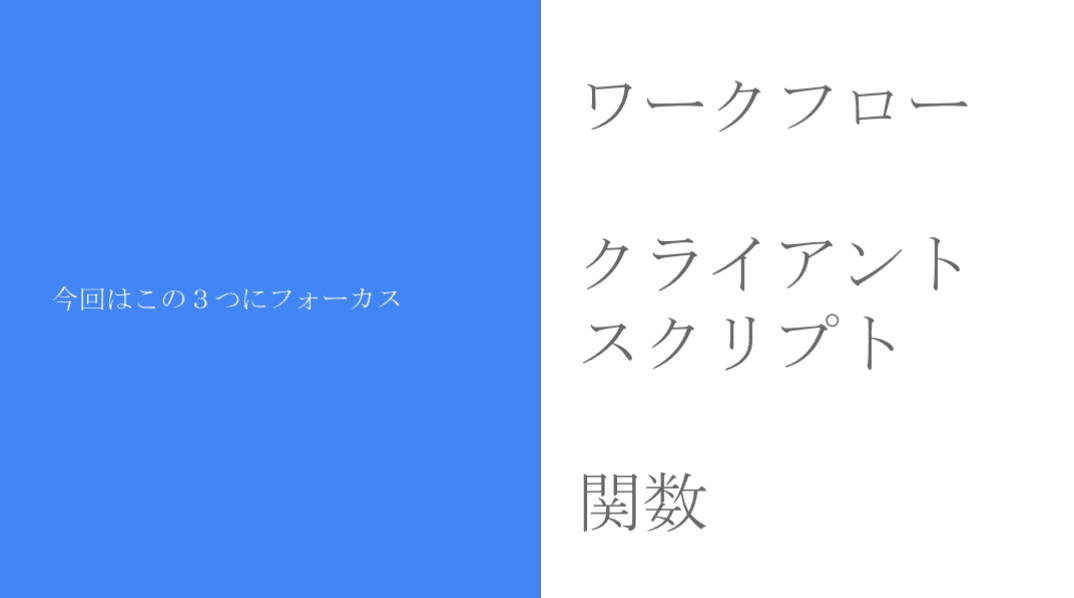
本セッションでは、私自身の経験をもとに、ワークフロー/クライアントスクリプト/関数の3つにフォーカスし、それぞれの特徴と活用シーンをご紹介しました。
今回取り上げる自動化機能 / 手法
それぞれの使用用途と場面
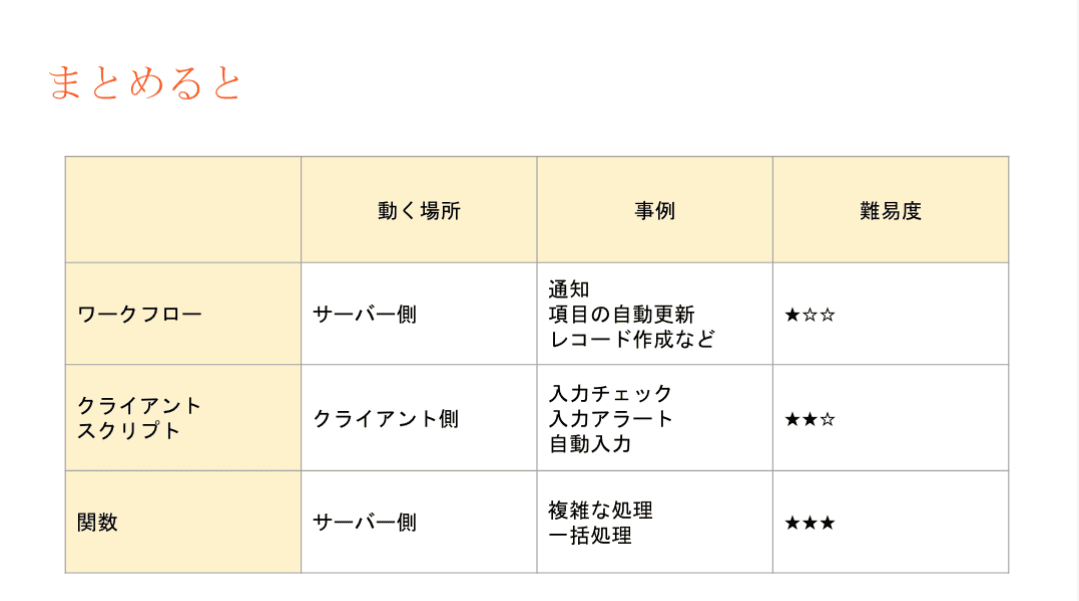
- ワークフロー:設定後も「設定担当者以外の人が見たとしても、直感的に理解しやすい」です。詳細な自動化の設定には最適では無いケースがあります。
- 設定例:CRMで取引先が作成されたら、メールが自動送信されるようにする。
- クライアントスクリプト:設定内容の要件が、画面操作だけで済む場合は本機能を利用します。
- 設定例:CRMの操作画面に、アラート表示を出すことで、記入漏れ等を防ぐ。
- 関数(Deluge):最終手段。ワークフローでも、クライアントスクリプトでも実装できない場合に本機能を活用することで、希望要件の内容で設定できる可能性が出てきます。
- 設定例:添付ファイルを一括アップロードできるようにする。(基本は1ファイルごと手動で添付操作が必要)
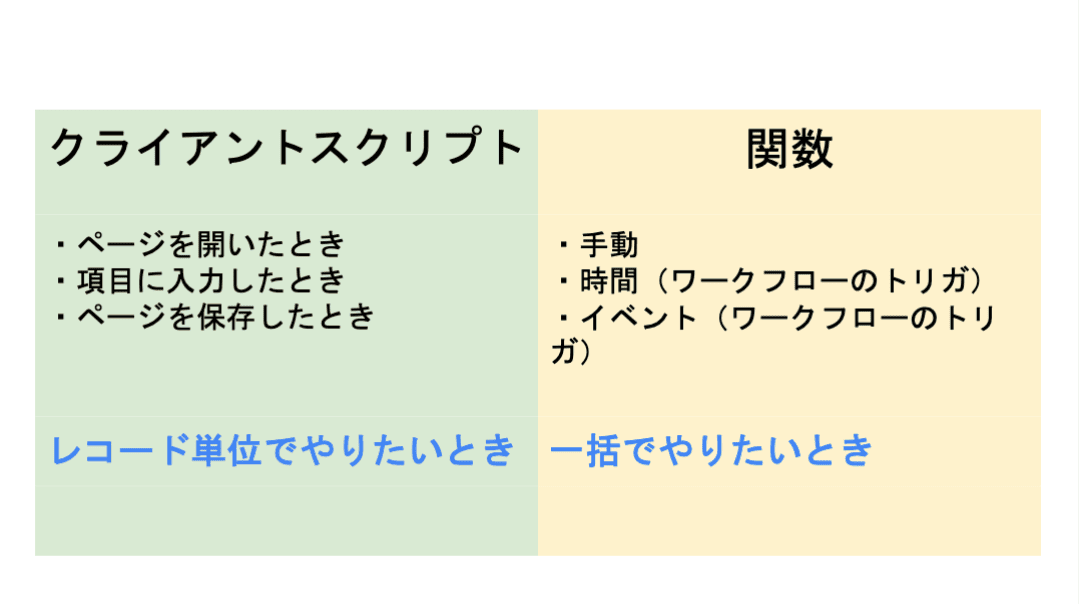
3点の違い
ワークフロー:設定後も「設定担当者以外の人が見たとしても、直感的に理解しやすい」です。詳細な自動化の設定には最適では無いケースがあります。
- 設定例:CRMで取引先が作成されたら、メールが自動送信されるようにする。
クライアントスクリプト:設定内容の要件が、画面操作だけで済む場合は本機能を利用します。
- 設定例:CRMの操作画面に、アラート表示を出すことで、記入漏れ等を防ぐ。
関数(Deluge):最終手段。ワークフローでも、クライアントスクリプトでも実装できない場合に本機能を活用することで、希望要件の内容で設定できる可能性が出てきます。
- 設定例:添付ファイルを一括アップロードできるようにする。(基本は1ファイルごと手動で添付操作が必要)
設定の際の気をつけるべきポイント
関数の設定でつまずきやすいポイントのひとつが、「ワークフローとの連携」です。
引数が間違っていると、ワークフロー自体の設定が正しくても、うまく動作しないという事象が発生します。「何度やってもなぜか動かない…」と感じたときは、ぜひ一度、引数を確認してみてください。
投影資料はこちら
グループワーク:Zoho で"見える化"した / したい、自社の数字
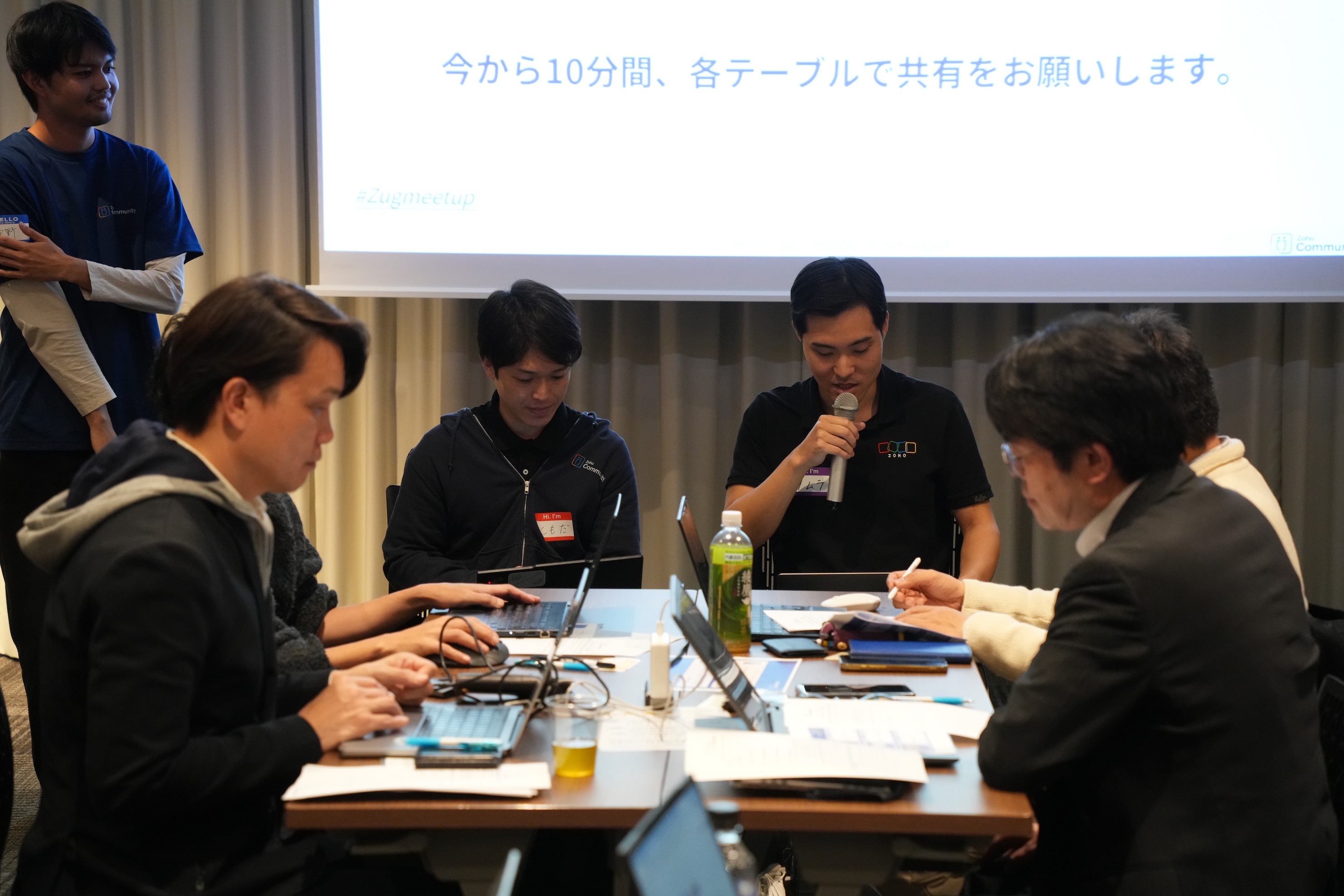
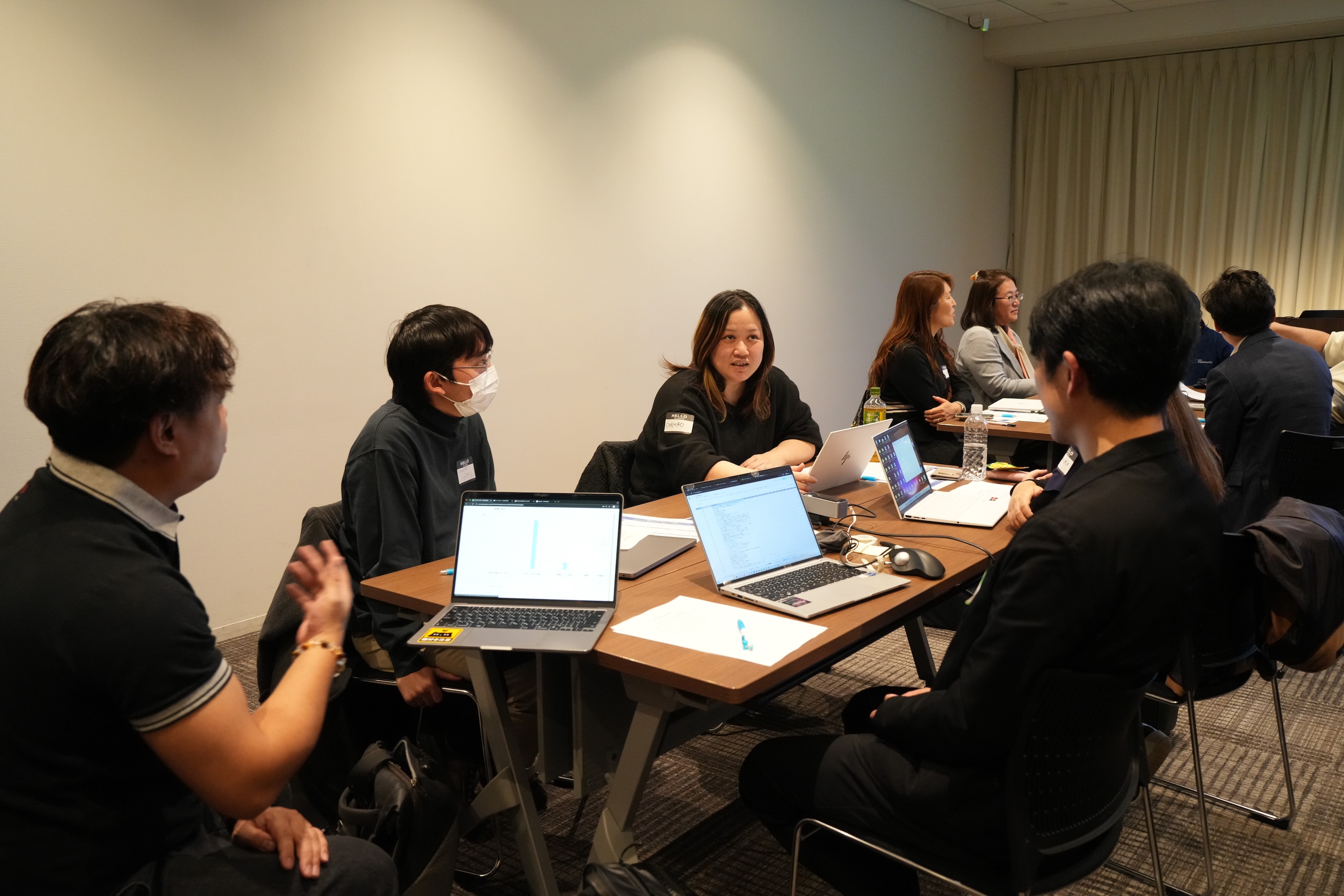
11月に3都市で本テーマのグループワークを実施し、いずれの回も大いに盛り上がりました。ここでは、当日ご参加の皆さまから共有された内容の一部をご紹介します。
- Campaigns や Forms から CRMへデータを取り込み、見込み客がどのような経路でコンタクトしてきたのかを、よりわかりやすく可視化した。
CRM上 で見積書や受注書を作成することで、朝礼の際にiPadなどで簡単に共有・確認ができるようにした。
オフサイトで開催したイベントにかかった費用(展示会など)の参加費・ブース設置費・人件費などをCRMのサブフォームで管理していた。1イベント=1レコードとしてイベントタブにデータを貯蓄することで、各イベントごとの売上や費用対効果を確認できるようになった。

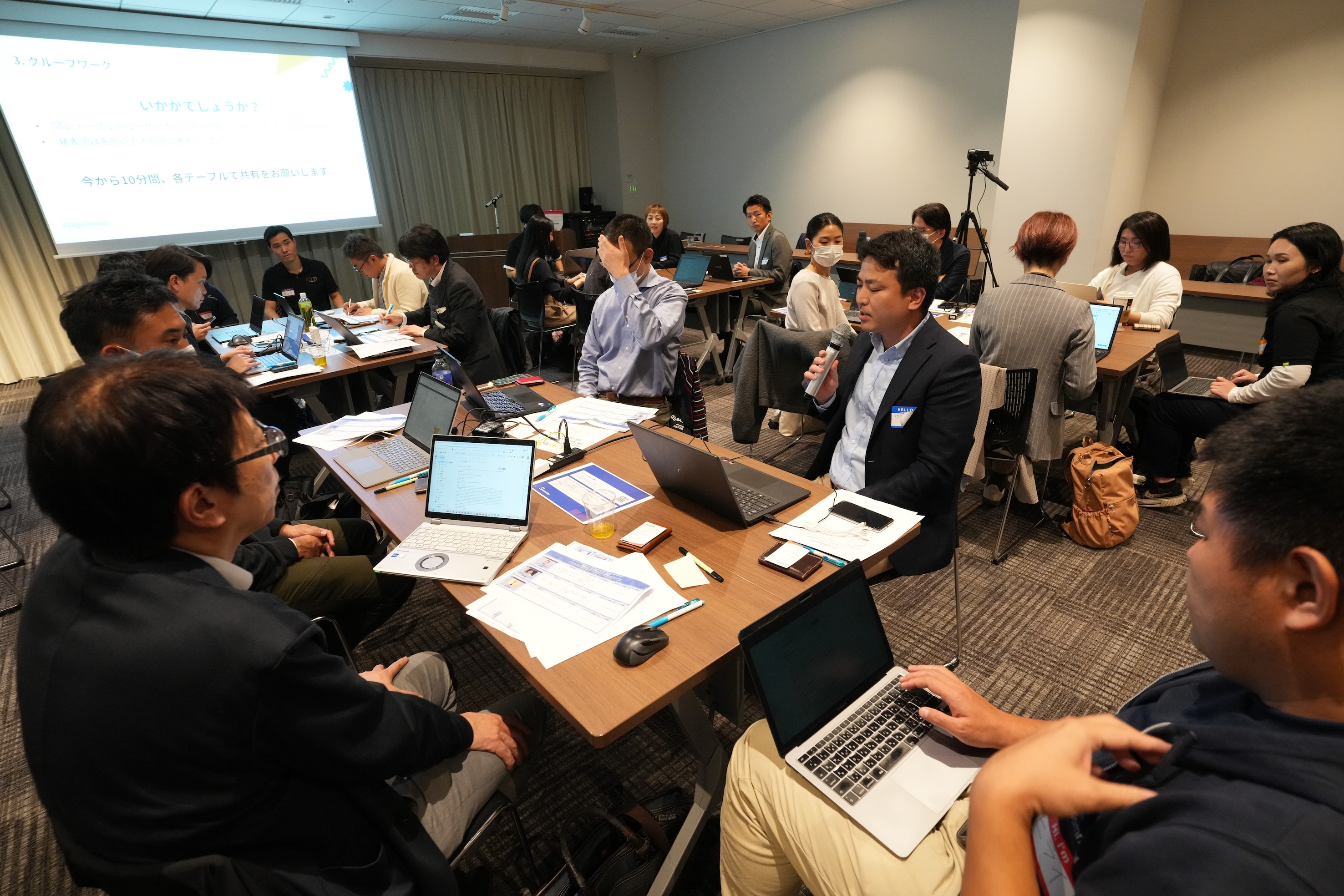
Zoho社員セッション:顧客との日程調整を自動化!Zoho Bookings で営業・サポート対応をスムーズに
11月に3都市で開催したユーザー交流会で本セッションを実施し、ゾーホージャパン技術部の田村より、Zoho Bookings の概要からデモによる活用例までご紹介しました。以下は当日の一部の様子です。


Zoho Bookingsについて
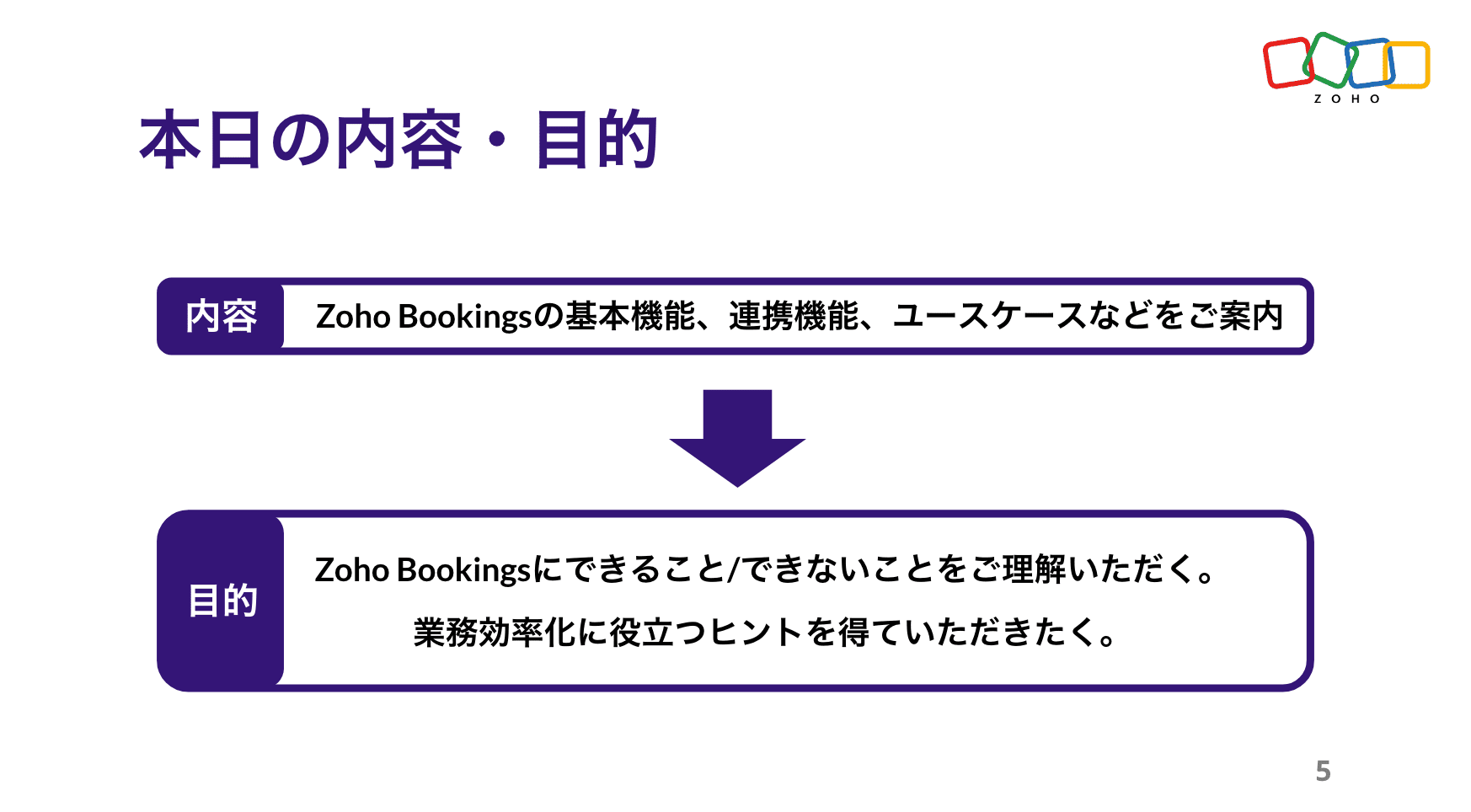


Zoho Bookings の設定について(資料の記載内容を一部抜粋)
Bookings の予約枠は、前後の間隔や時間・期間・営業日、1日あたりの上限などを柔軟に設定できます。
予約ページのデザインも、用途に応じて自由にカスタマイズ可能です。


予約の一覧/カレンダー表示、ステータスについて
※以降は主にデモ動画を投影して説明しました。詳細は、次ページ以降の投影資料をご覧ください。


Zoho Bookings まとめ
Bookingsでは人や物の予約は可能ですが、レストランや宿泊などの日付をまたぐ予約には対応していません。

投影資料はこちら
懇親会の様子
参加者同士で交流されたり、Zoho社員に日頃の悩みや仕様の質問をされたりと、いつも以上に大盛り上がりのイベントでした 😊


お知らせ
2025年度のユーザー交流会は今回で最後です!2026年度の開催予定は、オンラインフォーラムやメールでお知らせします!
※スマートフォンでは、下にスクロールすると「フォロー」ボタンが表示されます。
今後とも、Zoho ユーザーコミュニティをよろしくお願いいたします!
ゾーホージャパン コミュニティチーム


Topic Participants
Emiri Fujisawa
Fujikawa Katsuhiro
Tamura
Sticky Posts
【6/22〜6/24開催】Zoho CRM 管理者向けトレーニングのご案内
「Zoho CRMを導入したばかりで、初期設定や基本操作に不安がある」、「短期間で基礎から理解を深め、運用開始までをスムーズに行いたい」「Zoho CRMを基礎から再度学び直したい」といった課題や要望をお持ちの管理者に向け、Zoho CRM 管理者向けオンライントレーニングを実施します。 2022年6月の開催回よりトレーニング内容を刷新し、有償にて実施いたします。 ─────────────────────────────────── >詳細・お申し込みはこちら:https://www.zoho.com/jp/crm/crmtraining/【12/17(金)Meetup開催】参加者にはノベルティプレゼント!Zoho サービス相談会/情報交換会もあります
こんにちは、Zoho Japan コミュニティチームの今成です。 12月17日(金)16:00から、今年最後のMeetup(ユーザー交流会)を開催します! ●詳細はこちら:https://www.zohomeetups.com/ZohoJapanCommunityMeetup2021vol4/ 前半は今年9月にZoho サービスを導入したユーザー様のセッションとして、現状の利用状況とこれからどのようにZoho サービスを利用していくか、これからの構想談をお話いただきます。 後半では、Zoho CRM【6/29(火) 初心者向け】カスタム関数勉強会のご案内
先日のMeetupでも告知しましたが、以前より多くのユーザーさまからご要望いただいていたZoho の「カスタム関数」に関する基本の勉強会を6/29(火) 17:00に、開催します! 関数の基本的な書き方や、Zoho CRM で活用できる関数例のデモなどについて、Zoho の技術メンバーがわかりやすく解説します。 関数の基本を掴みたい方はぜひ、ご参加くださいませ。 >>申し込みはこちら:attend.zoho.com/luy0 以下詳細です。 ーーーーーーーーーーー 日時:6月29日(火) 17:00~【3/19(金)】Meetup(ユーザー交流会)開催のご案内。Zoho CRM ユーザー事例やZoho Sign の紹介、Zoho CRM 相談会など
こんにちは、Zoho Japan コミュニティチームの今成です。 2021年1回目となるMeetupを、3月19日(金)16:00~ 開催いたします! ●詳細はこちら:https://www.zohomeetups.com/ZohoJapanOnlineMeetup2021vol1 毎回好評のZoho ユーザーさまによる活用事例をはじめ、Zoho の電子署名ツール「Zoho Sign」の製品デモや、グループディスカッションをご用意しています。 前半/後半のみのご参加も可能ですので、お気軽にご参加ください!【12/17(木) 16:00-】ユーザー同士で情報交換を行う、グループディスカッションもあります。オンラインMeetup Vol.4 開催のお知らせ
Zoho コミュニティチームの今成です。最近寒くなってまいりましたが、みなさまいかがお過ごしですか? Zoho Japan Communityでは、今年最後のオンラインMeetup(ユーザー交流会)を開催いたします!以下、詳細のご案内です。 ーーーーーーーーーーーーーーーーーーーーー <日時>2020年12月17日(木) 16:00-18:00 <参加費>無料 <開催方法>オンライン <概要> 前半(16:00〜17:00) 自社活用事例「Zoho 社員は、1日の中でどのサービスをどれくらい使っているのか」(ゾーホージャパン株式会社 コミュニティチーム)
Recent Topics
Default Value on a Number
Hi, I would be nice to also be able to set the Default Value for a Number Field, not just the Initial Value shown, so if not on the screen so not enetred it can have a value of 0 for example. Thanks DanHaving trouble fetching contents of Zoho Connect Feeds using the API, requesting alternative API documentation.
I'm trying to retrieve feed/post data from Zoho Connect using the API but facing challenges with the current documentation. What I've tried: OAuth authentication is working correctly (getting 200 OK responses) Tested multiple endpoints: /pulse/nativeapi/v2/feeds,I can't set office hours in SalesIQ.
I can't find the option to enable business hours in SalesIQ. Can someone please help me? Thank you.Tip#45: Custom Tags and Cluster Tags
Tagging your work items helps categorize and label work items within your Zoho Sprints workspace. Now, this feature is expanded across multiple modules, along with the introduction of cluster tags that offer an advanced tagging mechanism. Manage Tags[Free Webinar] User Management in Zoho Creator - Creator Tech Connect
Hello Everyone! We welcome you all to the upcoming free webinar on the Creator Tech Connect Series. The Creator Tech Connect series is a free monthly webinar that runs for around 45 minutes. It comprises technical sessions in which we delve deep intoA couple of minor enhancements to Workflows
Last updated on September 17, 2024: These enhancements were initially available for early access, and we've now enabled them for all users. We are elated to announce a couple of enhancements to custom functions in our Workflows! Say hello to: "Source"Business Continuity - Disaster Recovery
I know about the Zoho CRM backup .zip files, however, this doesn't include any of the infrastructure with like custom fields or custom modules. I am curious on what everyone has in place for a true backup or what your plan is if your Zoho instance wereNarrative 11: Are your customers happy?
Behind the scenes of a successful ticketing system: BTS Series Narrative 11: Are your customers happy? Happiness isn't just something you experience; it's something you remember. Hear your customers' voices by enabling customer happiness ratings in ZohoDon't understand INVALID_REQUEST_METHOD when I try to post up an attachment
When I make the POST request (using python requests.post() for files): https://www.zohoapis.com/crm/v8/Calls/***************01/Attachments I get this response: r:{ "code": "INVALID_REQUEST_METHOD", "details": {}, "message": "The http request method typeSignature field is showing black
Hello, When customer signed the service form, it is showing as below picture Phone model: iPhone 16 Pro We tried delete and install application, but it not solved. This has on phone of a few person. There is any advice to solve this?Zoho CRM Android app updates: record sharing, user image upload, Zoho Survey integration, and more
Hello everyone, We've made some important improvements to Zoho CRM's Android app, and we'd like to walk you through the latest updates. Here's what's new: Record sharing with org users User image upload Zoho Survey integration support Venue preferenceHow to Delete/hide Google adwords section from Layout?
Hi people, maybe someone can tell me how to remove or hide the Google adwords section from my layout? Im not using it and it takes too much space.WIDGET in related record list ZOHO CRM; how to get and put data to subform custom fields?
he need: Read and write two custom subform line-item fields on Quotes: Segment_wyceny (picklist/text) and W_pakiecie (number). Write works; read does not return these fields via SDK. Environment Zoho CRM Widget Zoho Embedded App SDK v1.2 Module: QuotesOutgoing emails to btinternet blocked.
ERROR_CODE :421, ERROR_CODE :Too many messages (1.5.6.1) from 74.201.84.163I have been having problems sending to btinternet.com and btopenworld.com for the past week. First 'email delayed' message, and then 'delivery failed', as above. Looks as though someone is spamming from the ZOHO email server 'sender163-mail.zoho.com' Surely this is abuse of your system, and you should be able to trace who it is (if it is a registered user of Zoho mail?) and block their account. An email system is really noWay to update CRM records in quik view
I have custom module in zoho crm and that module have 500 records. I want a quick way or UI so that user can easily update the record information in quick view without going to record detail view or edit view. I tried zoho sheet option but in zoho sheetWhere to integrate Price Book and Product List Price
Hello, We sync zoho crm all modules with all data to zoho analytics. In zoho crm, we have "Price Books" and "Products" modules, where each product is assigned to a few price books with different list prices. From zoho crm, I am able to export a datasetForm / CRM Integration Not entering into workflow
I have a simple form setup with company name, first name, last name and lead source. Each of the fields are mapped to CRM Leads module. When the form is submitted, the lead is populated properly. I also have a workflow created that when the lead sourceZoho Slowness - Workarounds
Hi all, We've been having intermittent slowness and Zoho just asks for same stuff each time but never fix it. It usually just goes away on it's own after a couple weeks. Given that speed is a very important thing for companies to be able to keep up withDon't understand why Forms Mobile Scan and Fill not working
I have configure enabled mobile scan and fill, I have enabled QR and Bar code on two fields name and position, I have mapped seq 1 to Name and seq 2 to position, I have created a 2d QR code with the person names and position, seperated by a comma. WhenRecurring Supervisor Rule Reminders for Open/In-Progress Tickets
Hello Zoho Support Team, I would like to suggest a potential improvement regarding reminders for tickets and activities in Zoho Desk. Currently, it is possible to set reminders only once. In the Supervisor Rules section, it is possible to configure remindersTemplate usage
Hi, We are using some templates as a response to customer questions. Is it possible to analyze the usage of these templates? We want to know if the use of our templates has increased over timeTicket Status Colors
Can i change the colors of Ticket Status in the admin panel? Or even change the background of the entire cell of a Critical ticket? This way its easy for my agents to see a urgent ticket when it comes in. Right now everything is black text. Here RightSync Lookup Fields from Zoho CRM
HI Team, I have synced a lookup field from my CRM data to Campaigns. When I view the synced data the field appears to display a Zoho CRM record ID rather than the text value. Is it possible to get the sync to import the text value rather than the CRMNew From Address cannot verify
I have created a new From Address, which is the support@ address for my domain, that forwards to the default support mailbox. Presumably then, the verification email that is sent, should turn up as a ticket, but it does not. How can I verify my from address so that I can use my own domain?issue with image thumbnails not showing in Image Selector
We have been using Zoho Campaigns for over a year, maybe close to two years, and this issue just started happening in the last month. I wanted to wait to see if it would resolve on it's own, and it doesn't seem to be. The thumbnail images for all newDeluge Script for adding tag
Trying to create a custom function where a tag is added to a record - but for the life of me, I cannot figure out how. Help please! Moderation Update: Adding the help doc and sample to add Tags to records via deluge here for everyone's benefit. tag1 =Unlock your Zoho Vault with OneAuth, Windows Hello, TouchID, YubiKey, and many more!
Hello everyone, We are thrilled to introduce one of the most highly requested features – the ability to unlock your Zoho Vault using various authenticators. The primary purpose of a password manager is to remember just one master password and securelyCreator roadmap for the rest of 2022
Hi everyone, Hope you're all good! Thanks for continuing to make this community engaging and informative. Today we'd like to share with you our plans for the near future of Creator. We always strive to strike a good balance of features and enhancementsHow can I get base64 string from filecontent in widget
Hi, I have a react js widget which has the signature pad. Now, I am saving the signature in signature field in zoho creator form. If I open the edit report record in widget then I want to display the Signature back in signature field. I am using readFileAdd Setting Values to the Rules
Hi, It would be great to use the rules to set values in fields for submission, such as if a Type is X then set the Field Y to 10. Thanks DanSo we ran with it for the week
In our company i bit the bullet and ran with FSM for a whole week. Service calls, deliveries and surveys. Covering about 30-120 miles a day to domestic properties. Loved the appointment list and satnav integration. Loved the timer to measure the appointments.Is there a way to set Document Owner/Sender via the API
When sending requests for zoho sign, it would seem zoho uses the id of the person that created the zoho api cred to determine the owner_id, is there a way to set a default for this?What's New - September 2025 | Zoho Backstage
September has been a different month for Zoho Backstage. Instead of rolling out a long list of new features, we focused on something just as important: Performance, reliability, and stability The event season is in full swing, and organizers are runningPrevent stripping of custom CSS when creating an email template?
Anyone have a workaround for this? Zoho really needs to hire new designers - templates are terrible. A custom template has been created, but every time we try to use it, it strips out all the CSS from the head. IE, we'll define the styles right in the <head> (simple example below) and everything gets stripped (initially, it saves fine, but when you browse away and come back to the template, all the custom css is removed). <style type="text/css"> .footerContent a{display:block !important;} </style>Stock Quotes/Spreadsheet
It would be nice if we could download security and mutual fund prices from Yahoo Finance (or?) in order to maintain an up to date investment portfolio on Zoho. Any chance?link to any Belgian bookkeeping software?
Hello, Does anyone on this Forum can help me with the question whether the ZOHO CRM (Invoices) or ZOHO Book can be linked to software that is used for Belgian Bookkeeping/accountancy? By linking, I mean either with the help of a middleware program or either by the ability to export the custom made reports as CSV-files... If someone has an experience with online CRM-Accountancy in Belgium, with ZOHO (or other), it would be great to read it... Thank youmarketing automation
wants to know about the zoho marketing automationProblems with email templates (HTML - Outlook)
Hi there, I've been trying to create a newsletter from the template "Business 4". Everything looks great in the preview, but when I send it to my Outlook inbox, the layout doesn't seems to stick. More particularly: - The line-height is way more reduced, even though I used the line-height tool from the template - Columns but they are sometimes misaligned - Font size is not always the one I've selected. Could you help? Thanks!How to create a drop down menu in Zoho Sheets
I am trying to find out, how do I create a drop down option in Zoho sheet. I tried Data--> Data Validation --> Criteria --> Text --> Contains. But that is not working, is there any other way to do it. Thanks in Advance.Introducing Keyboard Shortcuts for Zoho CRM
Dear Customers, We're happy to introduce keyboard shortcuts for Zoho CRM features! Until now, you might have been navigating to modules manually using the mouse, and at times, it could be tedious, especially when you had to search for specific modulesNext Page