Unwrapping the best practices for the Zoho Desk mobile app: Part 1
In focus: Empowering the field and frontline customer support representatives
Imagine having to carry your computer everywhere to respond to customers, handle escalations, and update your process. This series presents you with efficient tips to handle your ticket operations at your fingertips. The Zoho Desk mobile app helps customer support representatives and managers in an organization make customer service a smooth experience.
Zoho Desk mobile app empowers your teams to manage tickets, provide resolutions, and service customers from anywhere. Let’s see how the Zoho Desk App empowered Omniserve, a field service management firm. Omniserve handles audits, field services, logistics, and customer support across regions. The Zoho Desk mobile app keeps everyone, from technicians to supervisors, synchronized and accountable. Let’s walk through a workday at Omniserve to see how mobile service plays out across different personas.
Omniserve on the move
Mornings at Omniserve feature requests from factory floors to delivery vans. Mobility, accountability, and automation matter the most for on-ground service reps, technicians, and delivery support. With the Zoho Desk mobile app, each agent carries the business in their pocket. Mobile workflows ensure every verification, inspection, and delivery query is completed, verified, and closed from where the action happens.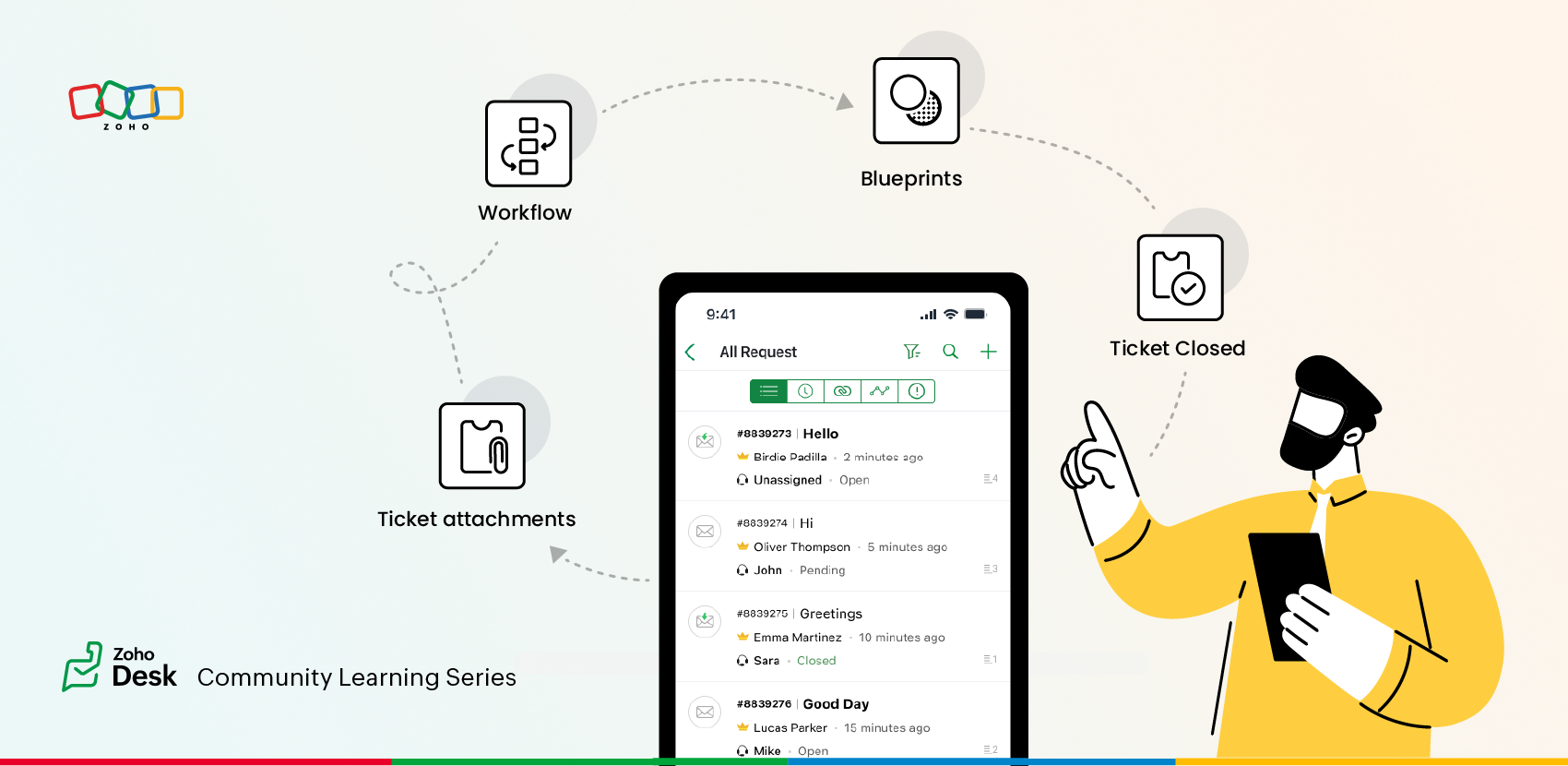
On-site repair verification
Ross, the field technician, uses the Zoho Desk mobile app to update photos of the repairs at a manufacturing unit to submit them as a repair verification ticket update.
In the Zoho Desk mobile app, you can attach photos before and after the repair, within the tickets, for better tracking. You can mandate this action by configuring mandatory attachment fields for ‘Repair Verification’ forms to ensure proof-based submissions.
In the Zoho Desk mobile app, you can attach photos before and after the repair, within the tickets, for better tracking. You can mandate this action by configuring mandatory attachment fields for ‘Repair Verification’ forms to ensure proof-based submissions.
Blueprint setting the process
In the audits section, Melissa, the Quality Supervisor, conducts factory audits with multiple checkpoints, including safety, cleanliness, and equipment functionality. The Blueprint feature enables multi-step business processes with mandatory transitions in the mobile app. Configure SLAs at each state to ensure each checkpoint is completed within timelines. Blueprint can be executed on the Zoho Desk mobile app, too.
Agent’s status change
Daniel, an on-site field representative, replies to a ticket and then manually changes the status to "Field Work". This repetitive action led to the chance of being missed while handling multiple field services. Zoho Desk's web portal provides an option to configure Reply + Status Change in the web version. This can be enabled in the Zoho Desk mobile app to ensure compliance in one tap.
IM utility templates
As the evening rush hits, Lily from Delivery Support juggles dozens of customer pings about package delays. She has to respond swiftly but keep replies accurate and calm. The IM Module in the Zoho Desk mobile app is enriched with WhatsApp utility templates. This speeds up response time without losing tone during high-volume hours.
Tips at a glance
 Mobile workflows can help you offer efficient support to your customers as well as manage internal operations effectively with the Zoho Desk mobile app. Configure mandatory attachment fields for service verification forms to ensure proof-based submissions.Use a Blueprint to design multi-step audits with clear state transitions. Configure SLAs at each state to ensure each checkpoint is completed within timelines.Configure Reply + Status Change on the web and enable it in the Desk's mobile app to ensure compliance in one tap from your Zoho mobile app.Use the IM Module in the Zoho Desk mobile app. Speed up response time without losing tone during high-volume hours with the help of WhatsApp utility templates.
Refer to our ATE 24 discussions on Zoho Desk's mobile experience
And how could we miss wishing you well on this special occasion?
This Christmas season, we wish you a Merry Christmas filled with love, joy, hope, and goodness.
May this season bring cheer, happiness, and the true spirit of Christmas to you and your loved ones.

Topic Participants
Lydia | Zoho Desk
Sticky Posts
Register for Zoho Desk Beta Community
With the start of the year, we have decided to take a small step in making the life of our customers a little easier. We now have easy access to all our upcoming features and a faster way to request for beta access. We open betas for some of our featuresShare your Zoho Desk story with us!
Tell us how you use Zoho Desk for your business and inspire others with your story. Be it a simple workflow rule that helps you navigate complex processes or a macro that saves your team a lot of time; share it here and help the community learn and grow with shared knowledge.Tip #1: Learn to pick the right channels
Mail, live chat, telephony, social media, web forms—there are so many support channels out there. Trying to pick the right channels to offer your customers can get pretty confusing. Emails are most useful when the customer wants to put things on record. However, escalated or complicated issues should not be resolved over email because it's slow and impersonal. When you need immediate responses, live chat is more suitable. It's also quick and convenient, so it's the go-to channel for small issues.Welcome to Zoho Desk Community - Say hello here!
Hello everyone! Though we have been here for a while, it’s time to formally establish the Zoho Desk Community; we’re really happy to have you all here! This can be the place where you take a moment to introduce yourself to the rest of the community. We’d love to hear all about you, what you do, what company or industry you work for, how you use Zoho Desk and anything else that you will like to share! Here’s a little about me. I am Chinmayee. I have been associated with Zoho since 2014. I joined hereWebinar 1: Blueprint for Customer Service
With the launch of a host of new features in Zoho Desk, we thought it’ll be great to have a few webinars to help our customers make the most of them. We’re starting off with our most talked about feature, Blueprint in Zoho Desk. You can register for the Blueprint webinar here: The webinar will be delivered by our in-house product experts. This is a good opportunity to ask questions to our experts and understand how Blueprint can help you automate your service processes. We look forward to seeing
Recent Topics
Kaizen #233 - Generating AI-powered Follow-up Emails Using CRM Functions and Widgets
Hey everyone! Welcome back to another interesting post in the Kaizen series! Sales teams regularly capture interaction notes in CRM after speaking with prospects. However, drafting a follow-up email that reflects the conversation context can be repetitiveConnect Bank in Zoho Books
Can I connect UOB or Ariwallex in Zoho Books?Using MPN across multiple SKUs and inventory tracking
I have several different SKU's that share a common MPN and would like to track inventory by MPN. SKU1 has MPN1 assigned SKU2 has MPN1 assigned Here is an example If I start with 5 of MPN 1 in stock I want each SKU1 and SKU2 to show as 5 in stock, If IExtend Zoho Canvas Customization to Zoho Creator Forms and Reports
Currently, Zoho Canvas allows users to design and customize the UI of Zoho CRM modules with a much better visual experience. This helps organizations create cleaner layouts, improve usability, and design interfaces that match their workflows. However,Marketing Tip #1: Optimize item titles for SEO
Your item title is the first thing both Google and shoppers notice. Instead of a generic “Leather Bag,” go for something detailed like “Handcrafted Leather Laptop Bag – Durable & Stylish.” This helps your items rank better in search results and instantlyFeature Enhancement Request – Text Formatting Options in Item Description (Zoho Books/Quotes Module)
Dear Zoho Development Team, Greetings from Radiant360 Integrated Technical Services LLC. We would like to bring to your attention a functional limitation we've encountered within the Item Table / Quote Description section of Zoho Books (and Zoho CRM Quotes).ZOHO Books Query
Good day, Can someone please advise. I recently migrated from ZOHO Invoice to ZOHO Books. No that I want to use the inventory on Books I cant as all my items have transaction history. The person I spoke to at ZOHO said I need to create a new Company profileBest way to schedule bill payments to vendors
I've integrated Forte so that I can convert POs to bills and make payments to my vendors all through Books. Is there a way to schedule the bill payments as some of my vendors are net 30, net 60 and even net 90 days. If I can't get this to work, I'll haveZOHO.CRM.UI.Record.open not working properly
I have a Zoho CRM Widget and in it I have a block where it will open the blocks Meeting like below block.addEventListener("click", () => { ZOHO.CRM.UI.Record.open({ Entity: "Events", RecordID: meeting.id }).catch(err => { console.error("Open record failed:",inventory removal at packing list or shipment.
currently our system is set to remove inventory at invoice. This is creating an inventory nightmare? Is it possible to change the settings to remove the item from inventory at either the packing slip stage or shipping the item.How to add employee and not invite them to log in?
I want to add 50 employees, but invite them only when everything will be configured and ready. Is it possible? Should we create employee profiles and then convert them later? Thank you,How is Your eCommerce Experience w/Zoho Inventory?
First off, I'm SUPER grateful for the advent of Zoho Inventory and now the Zoho Commerce Suite. Overall, Inventory is a great product, especially for customers without an eCommerce presence. For eCommerce companies (especially those shipping more than ~10 packages/day), however, there are certain drawbacks that keep my clients from moving over to Zoho Inventory: Cons: 1. Invoice + Package Creation from Shopify/Other eCommerce Integrations: Zoho Inventory makes the somewhat perplexing decision toAbility to Use Both AND and OR When Creating Rules (Advanced Conditions)
I'd like to be able to use more complicated logic when setting up rules. E.g. in Zoho Mail, I can choose "Advanced conditions (AND/OR) to create a rule that can be applied to multiple subject lines from the same sender. But in Zoho TeamInbox, I will haveZoho Desktop App- Unable to Minimize/Freezes
I'm having issues with my Zoho Mail desktop app (PC). When go on my desktop and open the app this is what happens: - Unable to minimize and close app (in the screenshot attached you can see at the top right there is no option to minimize/close) - UnableZoho Invoice Zapier Integration
Is there still a way to use Zapier with Zoho Invoice? I've read online that that migrated to Zoho Books or Billing but since I am just using Invoice I can not find a Zapier Connection anymore.Conect chat of salesiq with zoho cliq
Is there any way to answer from zoho cliq the chat of salesiq initiated by customers?Bug: OAuth 2.0 State Parameter fails with Pipe Delimiters (RFC 6749 Non-Compliance)
I've discovered a bug in how Zoho's API Console handles the OAuth 2.0 authorization flow when the state parameter contains pipe characters (|), and I'm hoping the Zoho team can address this in a future update. The Issue Zoho's OAuth 2.0 implementationZobot with Plugs
Hello, I am having a problem with Zobot using Plugs. Here is my current flow: When I run the flow, I should immediately see the messages from the initial cards (Send Message cards), then after running the plug, and finally, see the messages after thePrint a document from Zoho Writer via Zoho Creator
If i use the code below i can get writer to create a new document or email it to me but i want to be able to print it directly from the browser and not have to send it via email and then print. Below is the code im using. Attached options form zoho writerIs it possible to use HTML formatting in SMS messages sent from Zoho?
Hi everyone, I have a question regarding sending SMS from Zoho When we send emails from Zoho, we can include HTML code to format the message (like adding links, styling, etc.). Is it possible to do something similar when sending SMS messages through ZohoTraining for How can i Operate the Software Features
need to Help for Training of the ZOHO Billing SoftwareAutomating Vendor Contract Management between Zoho Contracts and Zoho Books using Zoho Flow
Managing vendor agreements across procurement and finance systems often requires manually downloading executed contracts and attaching them to vendor records. This can become time-consuming and difficult to manage when dealing with a large number of contracts.Problem applying batch operation error keeps looping that error
Problem applying batch operation error keeps looping that error an wont loginShared Email Sending Duplicate Copies of Emails
Hi there, We recently have moved our info@ email to Team Inbox to trial. We set this channel up using the Microsoft setup which works fine and have 3 users. I am wanting to know: 1. When I send a new email, it will create a copy of that email and sendmerhaba
merhaba sosyal medya paketimiz mevcut ama yorumları göremiyoruz ve o yüzden cevap veremiyoruz destek rica ediyoruz.Teaminbox not working
We couldn't send or receive any mail within the team inbox. Displaying error 'Unable to process this request.'Related lists New option in missing
hi I have created quite a few modules and added as related lists to my main module. Some have new, some dont I can not see why?Cliq and ToDo integrations?
I'm a bit surprised not to find any way to open a Cliq chat for the current thread, or to create a Zoho Mail ToDo from a thread. Are these on the roadmap?Reply-to names are mangled
Hello, I'm seeing an odd behavior in replies. Steps to reproduce: 1. Click reply to an email from "John Doe <doe.john@example.com> in TeamInbox Expected outcome: TO field pre-filled with "John Doe <doe.john@example.com>" Actual outcome: TO field pre-filledI CANT UPGRADE MY FREE ACCOUNT
I TRY TO UPGRADE MY FREE ACCOUNT AND I COULD NOT UPGRADE IT CAN SOMEBODY TELL ME WHY? AND I HAVE THE MONEY SO.Level up your ASO game with tags & categories in store reviews
Introducing tags and categories in Apptics' store reviews Dear Apptics community, If your app is listed on the Play Store or App Store, you already know how important store reviews and ratings are. They’re one of the most direct signals of user sentimentIncluding attachments with estimates
How can attachments be included when an estimate is sent/emailed and when downloaded as a .pdf? Generally speaking, attachments should be included as part of an estimate package. Ultimately, this is also true for work orders and invoices.Adding VENDOR SKU to PURCHASE ORDERS
how can we add the Vendor SKU when issuing a Purchase Order , so the PO shows the Supplier SKU and our own Internal SKU , which is what we want to receive into the system .Possible to freely prompt/query CRM data using Zia?
Is it possible to prompt Zia to query on any information stored in the CRM, especially on the data stored in custom text fields? My use case is the people in my organisation have entered lots of text in custom text fields to capture information from anRestrict employees to take only one day holiday from a multi-day festival holiday
Hi everyone, I have a requirement related to Optional/Festival Holidays in Zoho People. For example, in the month of May there are three optional holiday dates: May 11, May 12, and May 13. Employees can choose one of these days as their optional holiday.Cannot modify colours in invoice email template
I have tried switching browsers... but I cannot change the (pretty horrible) default colours in the preset email when sending an invoice... the blue banner, red outstanding total and the bright green button... I can change other things but not the colours?Cannot find zpuid for Zoho Projects user
I'm using the Zoho Projects v3 API to create a task. The task is created successfully, but in order to assign the task owner, the "Create a Task" API also requires the zpuid of the task owner. Unfortunately I cannot find any user-related API calls thatPrint a document from Zoho Writer via Zoho Creator
If i use the code below i can get writer to create a new document or email it to me but i want to be able to print it directly from the browser and not have to send it via email and then print. Below is the code im using. Attached options form zoho writerAllow styling for specific Subform fields in Zoho Creator
Sometimes in forms we need to visually highlight a specific field inside a Subform (for example Sanctioned Amount, Approved Value, Critical Fields, etc.) so that users immediately notice it while entering data. Currently there is no direct UI option toCareer site URL - Suggestion to modify URL of non-english job posting
Hi, I would like to suggest making a few modification to career sites that are not in english. Currently, the URL are a mix of different languages and are very long. It makes for very unprofessional looking URLs... Here is an example of one of our URLNext Page