Narrative 13: Import - Data mapping

Narrative 13: Import - Data mapping

Behind the scenes of a successful ticketing system: BTS Series

Narrative 13: Importing your data
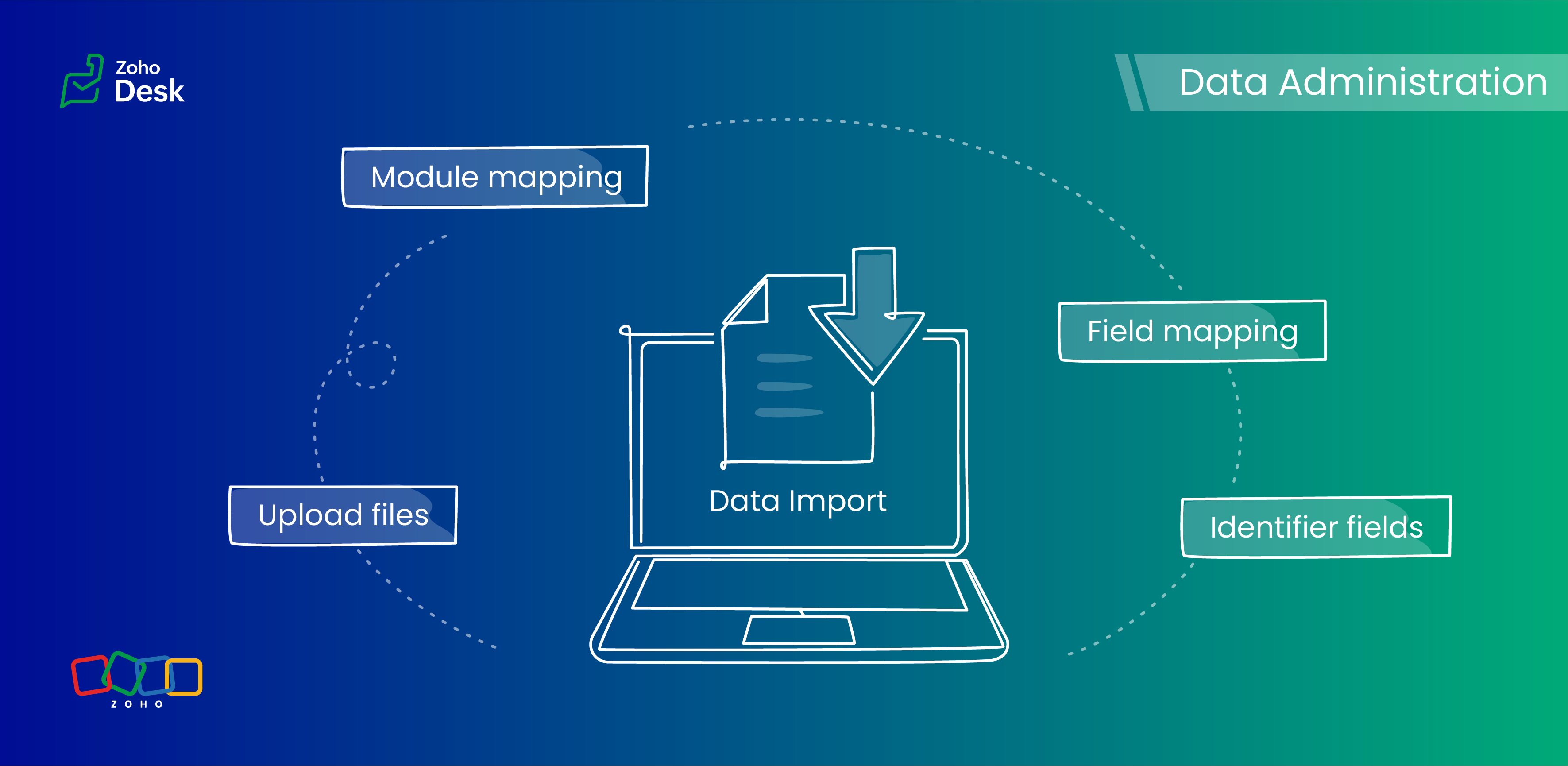

When importing data into an application, it is crucial to prevent data loss or duplication. These types of errors can hinder the development of a clean and well-organized database, which is essential for effective data management and security.

Zoho Desk provides robust functionality for importing your data. The system intelligently automates the mapping of modules and fields to reduce the risk of data loss and maintain data integrity. Users have the advantage of verifying the field mappings in advance, thus adding an extra layer of security to the import process.

This capability is essential not only for clarity but also in mitigating the challenges associated with user adoption. For instance, clients can be accurately mapped to the "Contact name" field, while company names align with the "Account name" field to maintain an organized database, which helps ensure user trust in the system. 

Related knowledge base article: Importing data into Zoho Desk

Quote

Prerequisites

  1. Users can upload a .csv file or a .zip file containing multiple .csv files. 
  2. The .zip file must be named, for example, Contacts.zip, Accounts.zip, etc.

What are Identifier Fields?  

Identifier fields are fields used to find and match existing records when importing data into the product. They also help link related records, like connecting a contact’s name with their email address.

Each module supports different unique identifier fields for identification, as described in the table below:.  

Modules

Unique Identifier Fields

Accounts

Account ID

Account External ID

Account Name

Contacts

Contact ID

Contact External ID

Last Name

First Name

Email

Phone Number

Mobile

Tickets

Ticket ID

Ticket External ID

Ticket Number

Products

Product ID

Product External ID

Product Name

Tasks

TaskId

Task External ID

Calls

Call ID

Call External ID

Events

Event ID

Event External ID

Article Translation

Translation: External ID

Translation ID

Custom Modules

Record External ID

Custom Module Name

Quote

Points to remember: 

  1.  These fields help find matching records. 
  2.  If multiple records match the value, the first matching record will be selected automatically. 
  3. This can lead to unexpected matches or data being updated in the wrong record if you're not careful. 

Background:

  • Some users expressed a preference for matching Contacts by Last Name instead of Email, highlighting the importance of flexibility in their workflow. 
  • Other users approached matching through the use of a custom field, emphasizing the need for tailored solutions to fit their unique requirements. 
  • We also heard from many users who requested that the functionality be enhanced by updating existing records with the relevant entity's Zoho Desk ID to streamline their processes and improve data accuracy.

Working with the Identifier Field

When importing data into Zoho Desk, the Identifier Field is important because it helps identify existing records and avoid duplicate entries. 

Commonly used identifier fields

  • Find By is used to identify an existing record during the import process.
  • Map By is utilized to link a child record to a parent record, for instance, by linking a Contact to a Ticket.
You can now select specific fields for matching, providing enhanced control and customization during bulk processes or integrations. This functionality enables more precise data handling, ensuring that the information aligns with your specific requirements. By tailoring the matching criteria, you can streamline processes, enhance efficiency, and provide better outcomes for your team. This flexibility enables you to harness the full potential of your data.

Improvements in user experience 

Transparent process and status tracking 

We’ve implemented a straightforward, step-by-step process for data imports, complete with real-time status updates for each stage. This transparency enables users to monitor import progress and understand the current state of the process.

Unique identifiers for entity mapping 

New fields have been introduced to help users identify if a parent entity already exists when importing related child entities. For example, users can seamlessly map a contact to an existing account in Zoho Desk to streamline the import process while minimizing the risk of duplicate entries.

Enhanced error handling and log accessibility

We’ve made significant improvements in error handling by allowing users to download detailed error logs right from the history page in case of import failures. This enhancement provides users with greater insight into any issues and facilitates faster troubleshooting and resolution.

Support for custom modules

The import UI has been revamped to support custom modules, providing users with greater flexibility and customization options. This enables a more personalized and efficient data import experience.

Coming up soon

Custom unique fields

Identifying key data points, such as a Customer ID in the Contact Module, ensures that every customer has a distinct reference, which streamlines ticket management and resolution. By establishing these fields as identifiers, support agents can quickly access and update customer records, enhancing response times and accuracy.

External ID fields 

Integration with various systems often generates External ID fields, such as CRM ID, Invoice ID, and Bug ID. Utilizingthese fields as identifiers enables agents to cross-reference relevant records seamlessly. When records need to be updated or retrieved from different systems, these unique identifiers are crucial in maintaining data consistency across platforms.

Composite identifier fields

Often, relying solely on a single identifier may not be sufficient to pinpoint a customer accurately or a record.Implementing multiple fields as composite identifiers can enhance data integrity and accuracy. For example, considering both the Last Name and Email of a contact can significantly reduce errors in data retrieval and ensure that support inquiries are directed and resolved correctly.

Wrapping up

Using these features positions support teams to operate more effectively and improve overall customer interactions. For instance, a large corporation merging client data from multiple legacy systems into Zoho Desk modules will benefit significantly from automatic field mapping to ensure that contact and account names are accurately aligned. This attention to detail not only improves the user experience but also enhances overall data integrity during the merging process.


Please stay tuned for more in the Desk behind-the-scenes series.


Regards,


Kavya Rao

The Zoho Desk Team


    • Recent Topics

    • How can Data Enrichment be automatically triggered when a new Lead is created in Zoho CRM?

      Hi, I have a pipeline where a Lead is created automatically through the Zoho API and I've been trying to look for a way to automatically apply Data Enrichment on this created lead. 1) I did not find any way to do this through the Zoho API; it seems like
    • Fail to send Email by deluge

      Hi, today I gonna update some email include details in deluge, while this msg pops up and restrict me to save but my rules has run for one year. can you tell me how to use one of our admin account or super admin account to send the email? I tried to update
    • Transitions do not update fields until the record moves to next stage

      We have a blueprint where a couple of stages have multiple transitions. If only some of the transitions are completed, but not all, Zoho does not update any of the fields impacted by the completed transitions. Is there any way Zoho can udate the fields
    • Zoho CRM for Everyone's NextGen UI Gets an Upgrade

      Hello Everyone We've made improvements to Zoho CRM for Everyone's Nextgen UI. These changes are the result of valuable feedback from you where we’ve focused on improving usability, providing wider screen space, and making navigation smoother so everything
    • Zoho CRM - Kiosk Studio : Use action responses across your kiosks with sequential actions

      Hello Everyone, Imagine building a kiosk that gives you full control over how actions are executed in later screens in that same kiosk. What if you could use data from a previous action later in that kiosk—with no interruptions or data gaps? This is exactly
    • Ability to CC on a mass email

      Ability to CC someone on a mass email.
    • Get Cliq Meetings in my O365 calendar

      Hi, we are currently evaluating to replace the Teams Messaging and Meetings with Cliq. We currently still have all our email and calendars in O365. What i want to achieve is, to create a (ZOHO) meeting from Cliq and have this meeting added to my Outlook/O365
    • Custom Button to convert a Deal to a Custom Module?

      Hello Community I am in process of building out a custom CRM for my team and part of this is looking at building out a Custom Button or function of some sort where when a Deal is marked Closed Won the system will allow for a "Convert to Job" option to
    • Power up your Kiosk Studio with Real-Time Data Capture, Client Scripts & More!

      Hello Everyone, We’re thrilled to announce a powerful set of enhancements to Kiosk Studio in Zoho CRM. These new updates give you more flexibility, faster record handling, and real-time data capture, making your Kiosk flows smarter and more efficient
    • Changes to the send mail Deluge task in Zoho CRM

      Hello everyone, At Zoho, we continuously enhance our security measures to ensure a safer experience for all users. As part of our ongoing security enhancements, we're making an important update on using the send mail Deluge task in Zoho CRM. What's changing?
    • Change eMail Template for Event-Invitations

      Hello ZOHO-CRM Team How I can change the eMail Template for Event-Invitations? I work with the German Version of the Free Version. I know how I can modify eMail alerts or Signature Templates, but where I can other eMails modify you send out? Thank you
    • Workdrive Oauth2 Token Isn't Refreshing

      I have set up oauth for a bunch of zoho apis and have never had a problem with oauth. With workdrive i am using the exact same template i usually use for the other zoho apps and it is not working. All requests will work for the first hour then stops so
    • How can I import OLM to Yandex Mail easily?

      For migrating Mac Outlook OLM data to Yandex Mail efficiently, the Aryson OLM Converter is a reliable professional tool that ensures complete data integrity throughout the process. Unlike manual methods, which can risk inconsistent formatting or missing
    • Introducing Radio Buttons and Numeric Range Sliders in Zoho CRM

      Release update: Currently out for CN, JP, AU and CA DCs (Free and standard editions). For other DCs, this will be released by mid-March. Hello everyone, We are pleased to share with you that Zoho CRM's Layout Editor now includes two new field formats—
    • Is it possible to setup bin locations WITHOUT mandating batch tracking?

      Hi fellow zoho users, I'm wondering if anyone else has a similar issue to me? I only have some products batch tracked (items with shelf life expiry dates) but I am trying to setup bin locations for my entire inventory so we can do stock counting easier.
    • Implementing Inventory Process

      I am just starting to create an inventory system through Zoho for a nonprofit. We receive in-kind donations of items for kids, and utilize them in 2 or 3 different programs. Then families come in and take the items. I'm thinking of this structure: Our
    • Best way to start zoho inventory with bulk openning stock

      We are already using zoho book since long time for cars trading company. Now to streamline more, would like to import the excel data of closing stock of inventory to zoho inventory and to start on. Since we need to track each VIN (unique vehicle id number)
    • Service Reports.

      Hello Team, I have a requirement to create multiple service reports for a single AP. That means, in one AP I have 5 service line items, and all line items are linked to assets. Once I complete the AP, I want to generate 5 individual service reports, one
    • Blueprint enhancements - Parallel and multiple transitions, and more

      Last modified on Sep 4, 2023: All Zoho CRM users can now access these enhancements. Initially, these features were available only on an early access basis and by request. However, as of August 2, 2023, they have been made available to all users in all
    • Item Bulk Edit - Allow for Reorder Level

      We're implementing a process for using the Reorder Level field for Items, and I have to go through and add this value to a huge chunk of our Items. It's driving me bonkers that I have to do this individually through the UI rather than bulk updating. It
    • Zoho CRM || Unable to Bulk Assignment of Territories for Contacts

      Dear Zoho CRM Support Team, I hope this email finds you well. We recently performed a bulk upload of Contacts into Zoho CRM using the official sample Excel template downloaded from the CRM. The upload itself was completed successfully; however, we encountered
    • What's New in Zoho Inventory | August – October 2025

      Hello customers, The last quarter has been incredibly productive! We've released a powerful slate of new features and enhancements in Zoho Inventory designed to give you better control, greater efficiency, and expanded functionality across your inventory
    • Disable Zoho Inventory Tracking / Delink Zoho Books & Inventory

      We have integrated zoho inventory with zoho books? Now after a long time, we want to disable inventory tracking and delink these 2 modules. Zoho says we cant do it. Anybody else going thru the same ? Any possibility at all? Why does zoho not allow to
    • Allocating inventory to specific SO's

      Is there a way that allocate inventory to a specific sales order? For example, let's say we have 90 items in stock. Customer 1 orders 100 items. This allocates all 90 items to their order, and they have a back order for the remaining 10 items which could
    • Work Order wont mark as Completed

      I have a couple of work orders that won't mark as completed even when I've marked the Service Appointments as completed fully.
    • From Zoho CRM to Paper : Design & Print Data Directly using Canvas Print View

      Hello Everyone, We are excited to announce a new addition to your Canvas in Zoho CRM - Print View. Canvas print view helps you transform your custom CRM layouts into print-ready documents, so you can bring your digital data to the physical world with
    • Tracking Non-Inventory Items

      We have several business locations and currently use zoho inventory to track retail items (sales and purchase orders). We were hoping to use zoho inventory to track our non-inventory items as well (toilet paper, paper towels, etc). I understand that we
    • Price Managment

      I have been in discussions with Zoho for some time and not getting what I need. Maybe someone can help explain the logic behind this for me as I fail to understand. When creating an item, you input a sales rate and purchase rate. These rates are just
    • Set Warehouse based on Vendor

      Greetings. I would like to set automaticaly the Warehouse based on the Vendor. Context: I am working on an adaptation of a Purchase Order to be used as a Quotation. I have defined that when a user has to raise a quote the Vendor will be "PROCUREMENT" I would like to set the Warehouse to a predefined value when "PROCUREMENT" is set as Vendor. I have tried to do with the Automation feature using the Field Update option, but Warehouse does not is listed as a field. Can you help? Thanks in advance.
    • How to add interviews through API

      I'm trying to add an interview without much luck. The documentation gives examples of adding just about everything except an interview. However, the issue might be the way I'm formatting it, because the documentation is unclear to me. It seems as if the xml should be passed in the url, which seems unusual. I've tried the data as both plain and character escaped, but nothing seems to work, nor do I even get an error response. https://recruit.zoho.com/recruit/private/xml/Interviews/addRecords?authtoken=***&scope=recruitapi&version=2&xmlData=<Interviews> <row
    • Deprecation of the Zoho OAuth connector

      Hello everyone, At Zoho, we continuously evaluate our integrations to ensure they meet the highest standards of security, reliability, and compliance. As part of these ongoing efforts, we've made the decision to deprecate the Zoho OAuth default connector
    • Auto tagging

      Some of the articles I enter into Notebook get there when I enter them in Raindrop.io and IFTTT copies the articles in Notebook. When this happens the notes are tagged but instead of useful one word tags with topic the tag pertains to the specific article
    • Kaizen #210 - Answering your Questions | Event Management System using ZDK CLI

      Hello Everyone, Welcome back to yet another post in the Kaizen Series! As you already may know, for the Kaizen #200 milestone, we asked for your feedback and many of you suggested topics for us to discuss. We have been writing on these topics over the
    • How do I save audio files to my PC that I record into Zoho Notebook from my phone?

      I was thinking of using Zoho Notebook as a way to store composition ideas, as well as for other things if it can handle this. For this to be useful for me though, I need to be able to have an easy way to download those audio files to my PC, either individually
    • How to filter subform report based upon main form report in dashboard

      Hi Team, I am creating a dashboard in Zoho Analytics. I want to have a main form report and below I want to show subform report of main form. If I filter the main form with date then I want to show subform records based upon main form. how can I achieve
    • Search mails in shared mailbox

      Hi everyone, is there a way to search mails in shared mailbox's? Search in streams or mail doesn't return anything from mails in shared mailboxes. Thanks! Rafal
    • Kaizen #186 : Client Script Support for Subforms

      Hello everyone! Welcome back to another exciting Kaizen post on Client Script! In this edition, we’re taking a closer look at Client Script Support for Subforms with the help of the following scenario. " Zylker, a manufacturing company, uses the "Orders"
    • Writing SQL Queries - After Comma Auto Suggesting Column

      When writing SQL Queries, does anyone else get super annoyed that after you type a comma and try to return to a new line it is automatically suggest a new column, so hitting return just inputs this suggested column instead of going to a new line? Anyone
    • Introducing Multiple Sandbox Types and Support for Module's Data Population

      Register here for the upcoming Focus Group webinar on Multiple Sandbox | Help documentation to learn more about the new enhancements Hello everyone,  Sandbox in CRM is a testing environment for users to create and test new configurations like workflow
    • Is It Possible to Convert a Custom Module to a Quote?

      I recently created a custom module in our CRM environment for RFQs so that our sales team can submit quote requests directly in Zoho rather than by email/phone. This allows for a cleaner overall process, minimizing potential errors and potentially encouraging
    • Next Page