Gitlab連携

Gitlab連携

お知らせ:当社は、お客様により充実したサポート情報を迅速に提供するため、本ページのコンテンツは機械翻訳を用いて日本語に翻訳しています。正確かつ最新のサポート情報をご覧いただくには、本内容の英語版を参照してください。

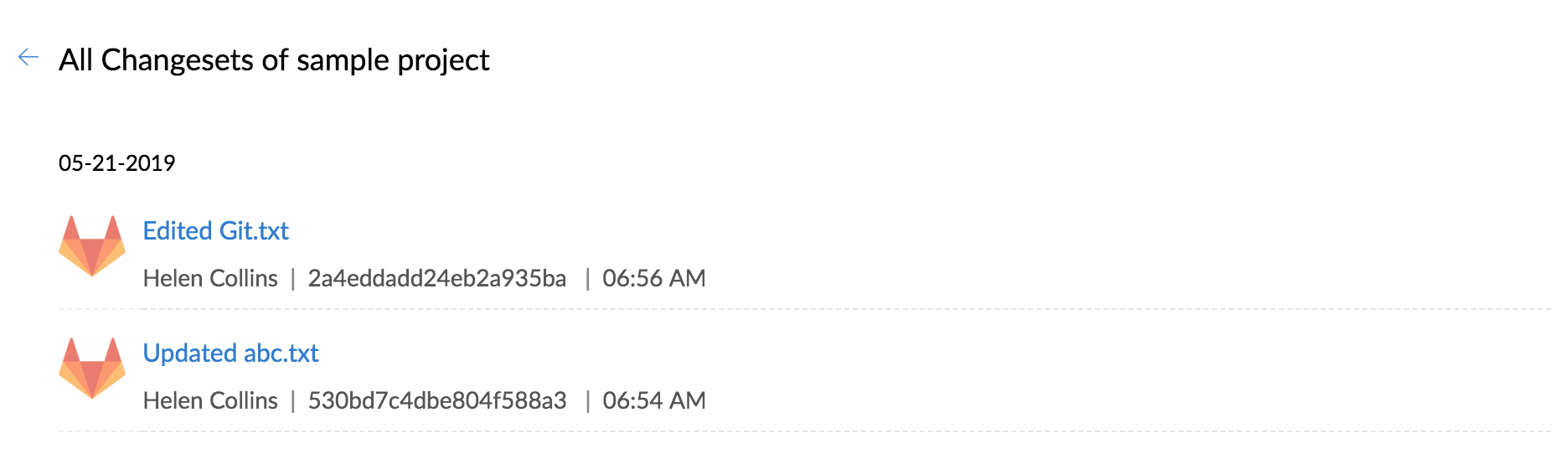
Gitlab連携により、Zoho BugTracker内でリポジトリーをホスト、ソースコミットの表示、コードの変更を直接行えます。Gitlabリポジトリーで行われたすべての変更を、Zoho BugTrackerで表示できるようになります。

サービスフックのコピー

特定のプロジェクトをGitlabに関連付けるには、Zoho BugTrackerでプロジェクトIDとトークン値をコピーする必要があります。

  1. [マーケットプレイス]→[開発者スペース]→[サービスフック]に移動します。
  2. プロジェクトを選択し、Gitlab連携用のURLをコピーします。

GitlabでのWebhookの設定

  1. Gitlabにログインします。
  2. 対象のプロジェクトを選択します。
  3. 左側のパネルで[設定]をクリックし、[連携]をクリックします。
  4. Webhook URLを貼り付け、[Webhookの追加]をクリックします。

Gitlabでのソースコミットの編集

  1. Gitlabにログインします。
  2. 対象のプロジェクトに移動します。
  3. 編集するソースファイルを選択します。
  4. ソースファイルを変更するには、[編集]をクリックします。
  5. 詳細を変更し、[変更をコミット]をクリックします。

変更セットの表示

  1. 対象のプロジェクトに移動します。
  2. 上部バーの[課題]をクリックします。
  3. 右上のをクリックし、[変更セット]をクリックします。


              Zoho Campaigns Resources

                Zoho WorkDrive Resources


                  • Desk Community Learning Series


                  • Digest


                  • Functions


                  • Meetups


                  • Kbase


                  • Resources


                  • Glossary


                  • Desk Marketplace


                  • MVP Corner


                  • Word of the Day


                  • Ask the Experts


                                  Resources

                                  Videos

                                  Watch comprehensive videos on features and other important topics that will help you master Zoho CRM.


                                  eBooks

                                  Download free eBooks and access a range of topics to get deeper insight on successfully using Zoho CRM.


                                  Webinars

                                  Sign up for our webinars and learn the Zoho CRM basics, from customization to sales force automation and more.


                                  CRM Tips

                                  Make the most of Zoho CRM with these useful tips.