Announcing Zoho Analytics 6.0 Beta!
We are delighted to open up the next major version, Zoho Analytics 6.0 Beta! The new version comes packed with a wide range of functionalities for all persona, namely business users, data analysts, data engineers, and data scientists. Zoho Analytics team has meticulously developed these functionalities with a focus on current and future business needs, incorporating valuable user & market feedback.

New capabilities in Zoho Analytics 6.0 Beta includes more data connectors, new visualizations, new interactions, advanced analytical models , the ability to build custom ML models, and 60+ features.

Note: 6.0 Beta is now available in all paid plans to try out. Features available in specific plans are annotated inline.
1. Data Connectors & Data Management
New Connectors
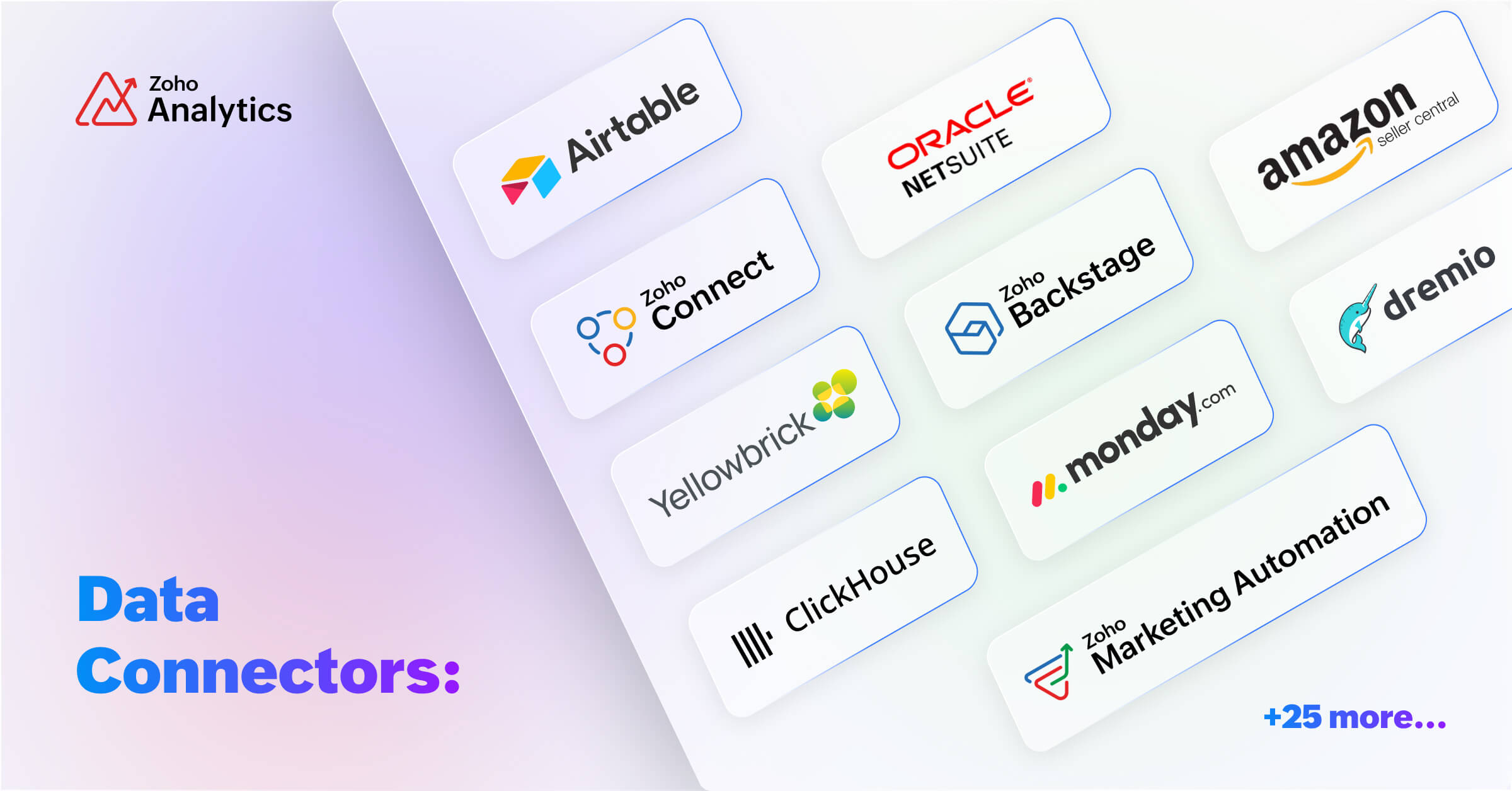
We are expanding our already available 500+ data connectors with 25+ new connectors for big data platforms and business applications that includes Yellowbricks, ClickHouse, Dremio, Zoho Connect, Zoho Marketing Automation, Zoho Backstage, Amazon Seller Central, Airtable and many more.
Also, managing data has now become easier with the following features -- Audit history, Sync history, and Import roll back.
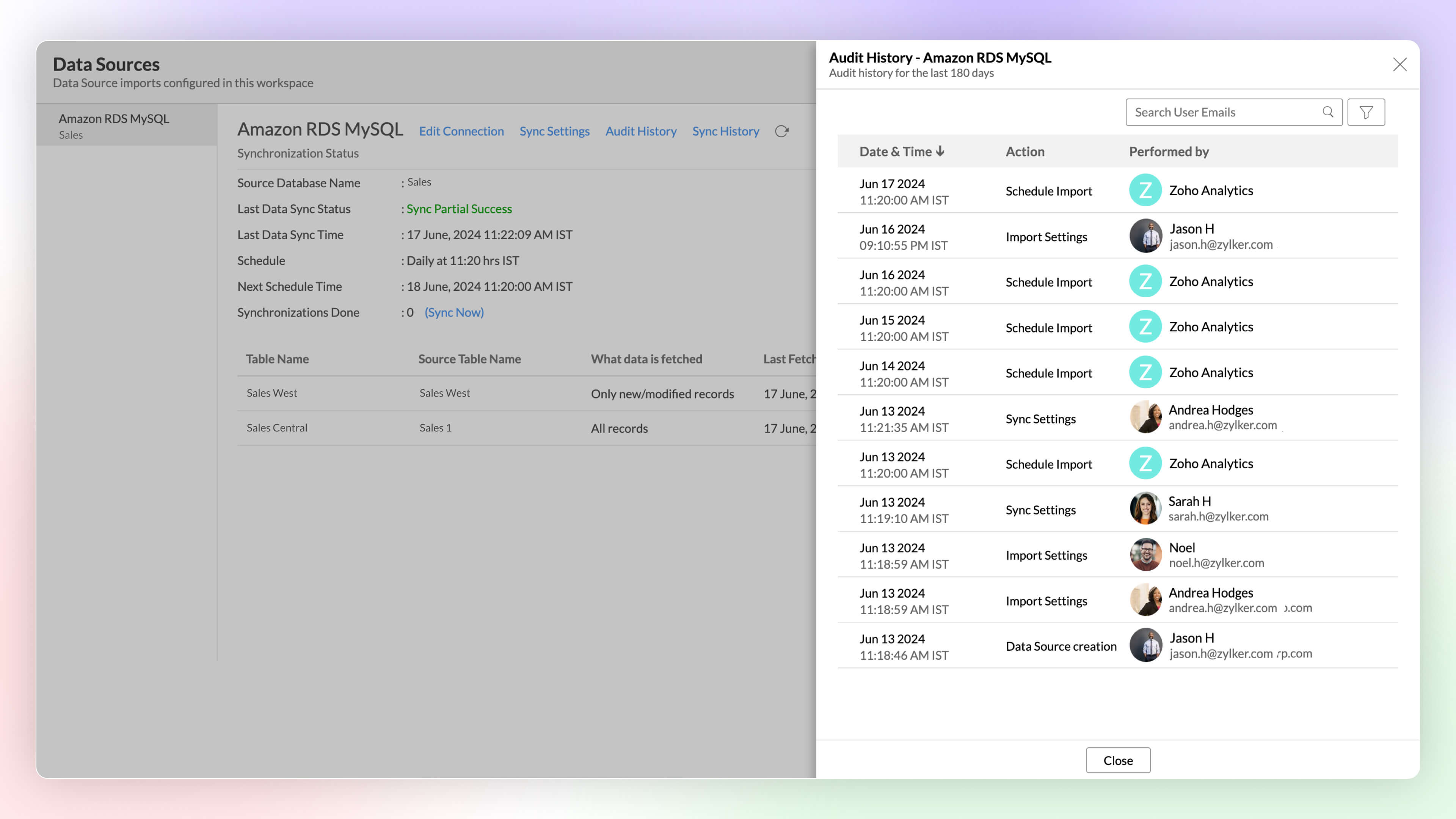
Audit History
Audit logs are crucial for maintaining security and troubleshooting issues. They provide a comprehensive record of user and system Actions, including details of the time when the action occurred and information about the administrator who performed the action.
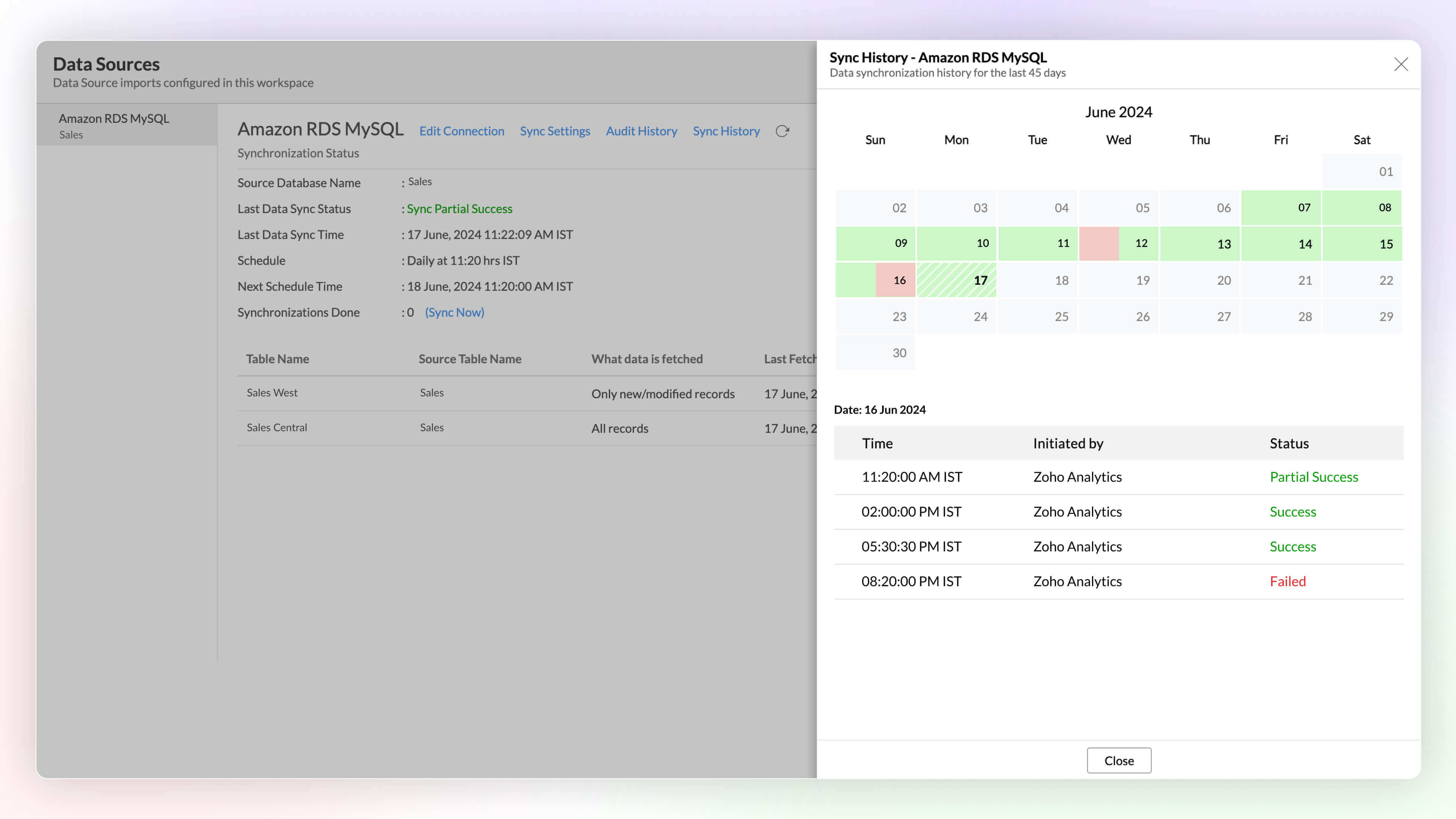
Sync History
Sync history provides a detailed record of data synchronization activities, making it easy for the administrators to track the status of each data sync. The sync operations are color-coded for immediate recognition. Successful data syncs are indicated in green, and failed data syncs are marked in red with the reasons for failure along with the necessary action to be taken.
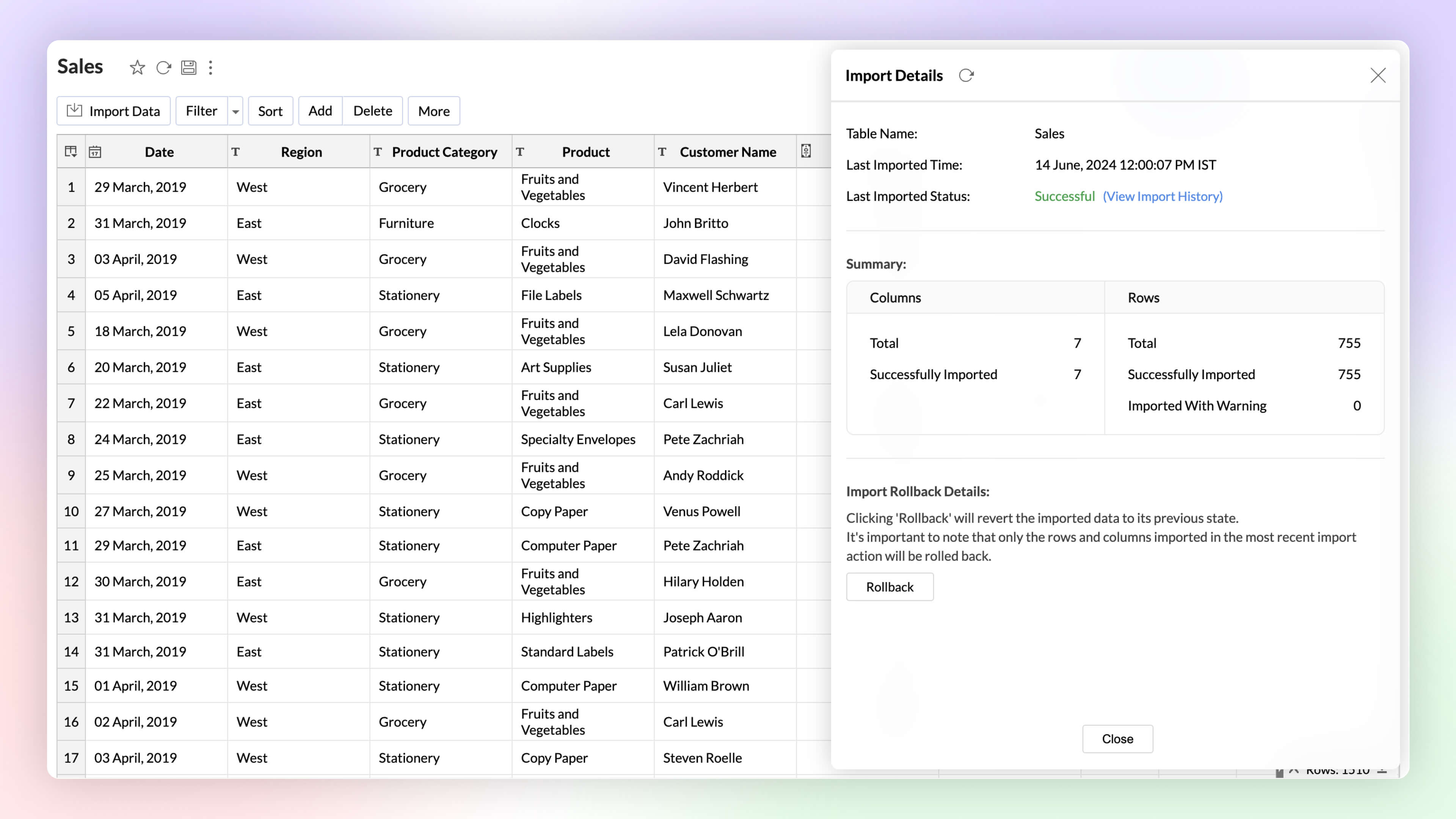
Import Rollback 
Automated imports can sometimes have errors and inconsistencies in data, and this can affect the data quality and the results. The import rollback capability reverts the current data import version to its previous version without affecting the existing data flow and analysis, ensuring data integrity.
Unified Metrics
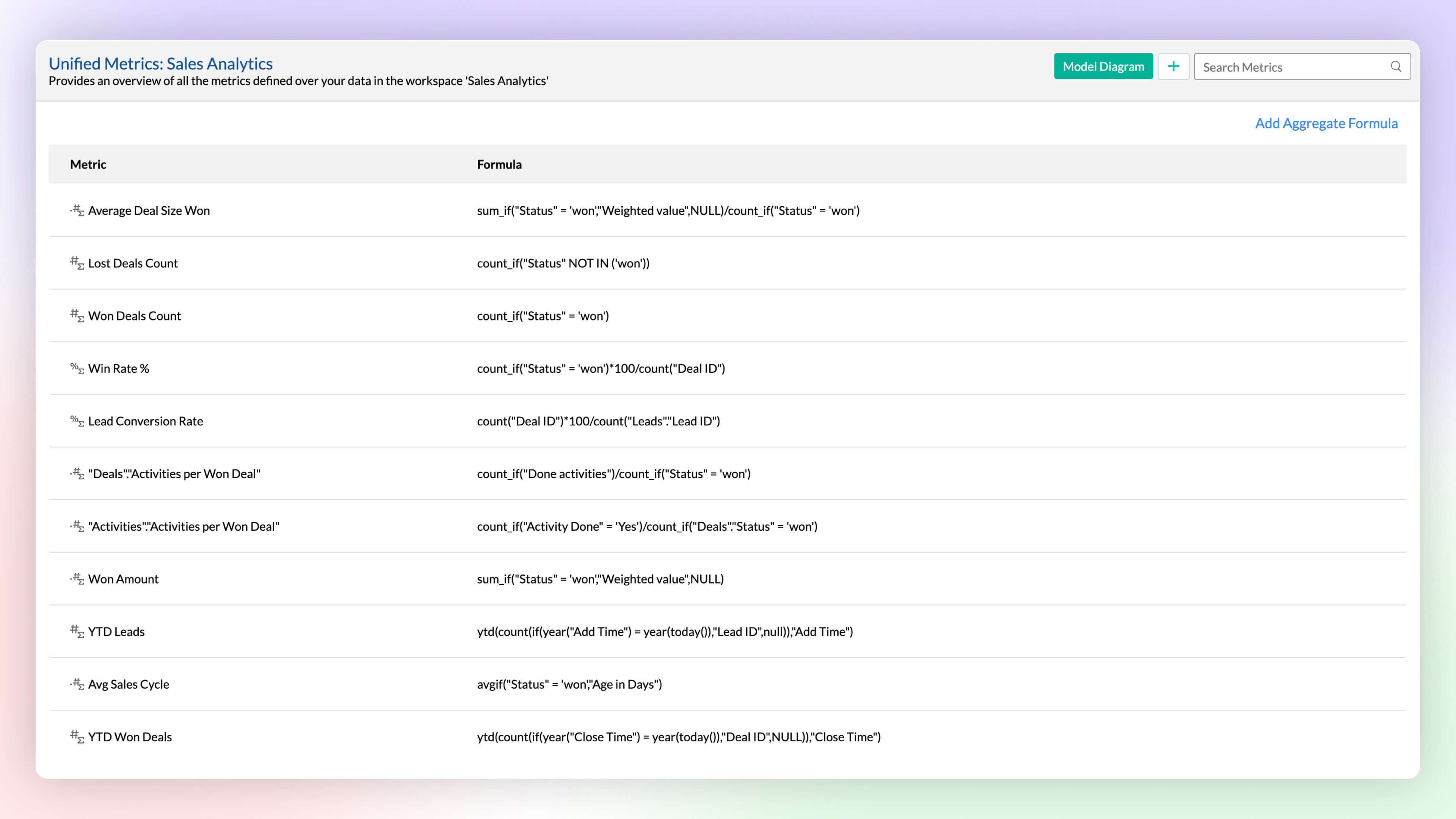
Workspace will have data imported from varied sources, and each data source or table will have different metrics (aggregates) computed for analysis. A unified metrics consolidates all the metrics used across the workspace, helps in standardization, promotes usage, and avoids duplication.
Data Bucketing
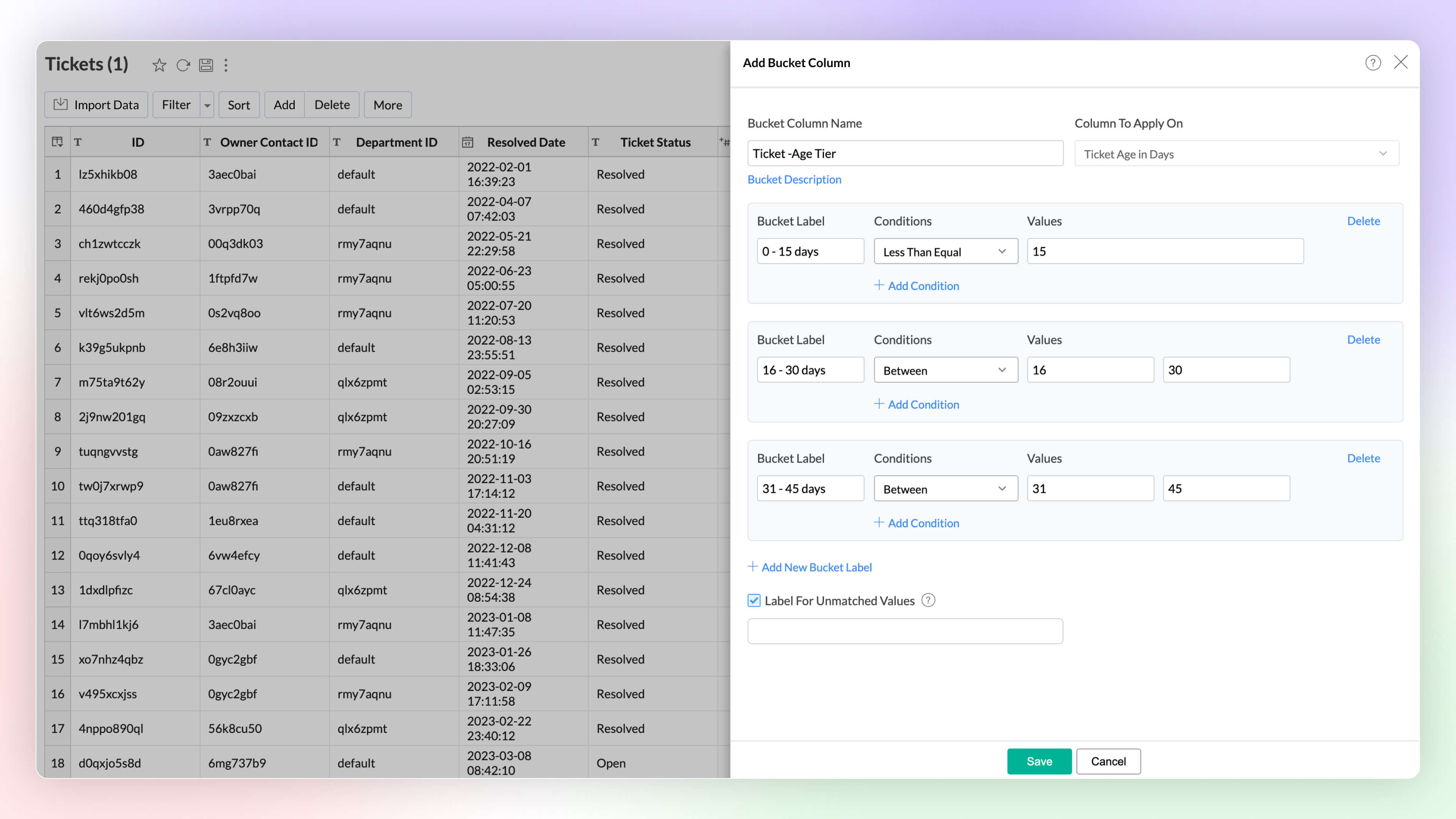
Categorize or group data points easily with the Bucket Columns options in Zoho Analytics. (Until now, users had to write formulas to achieve this; now, it is available as an inbuilt option.) Bucketing reduces the number of distinct values (cardinality). It facilitates the transformation of numerical data into different categorical bins and makes data analysis easier.
2. Visual Analytics
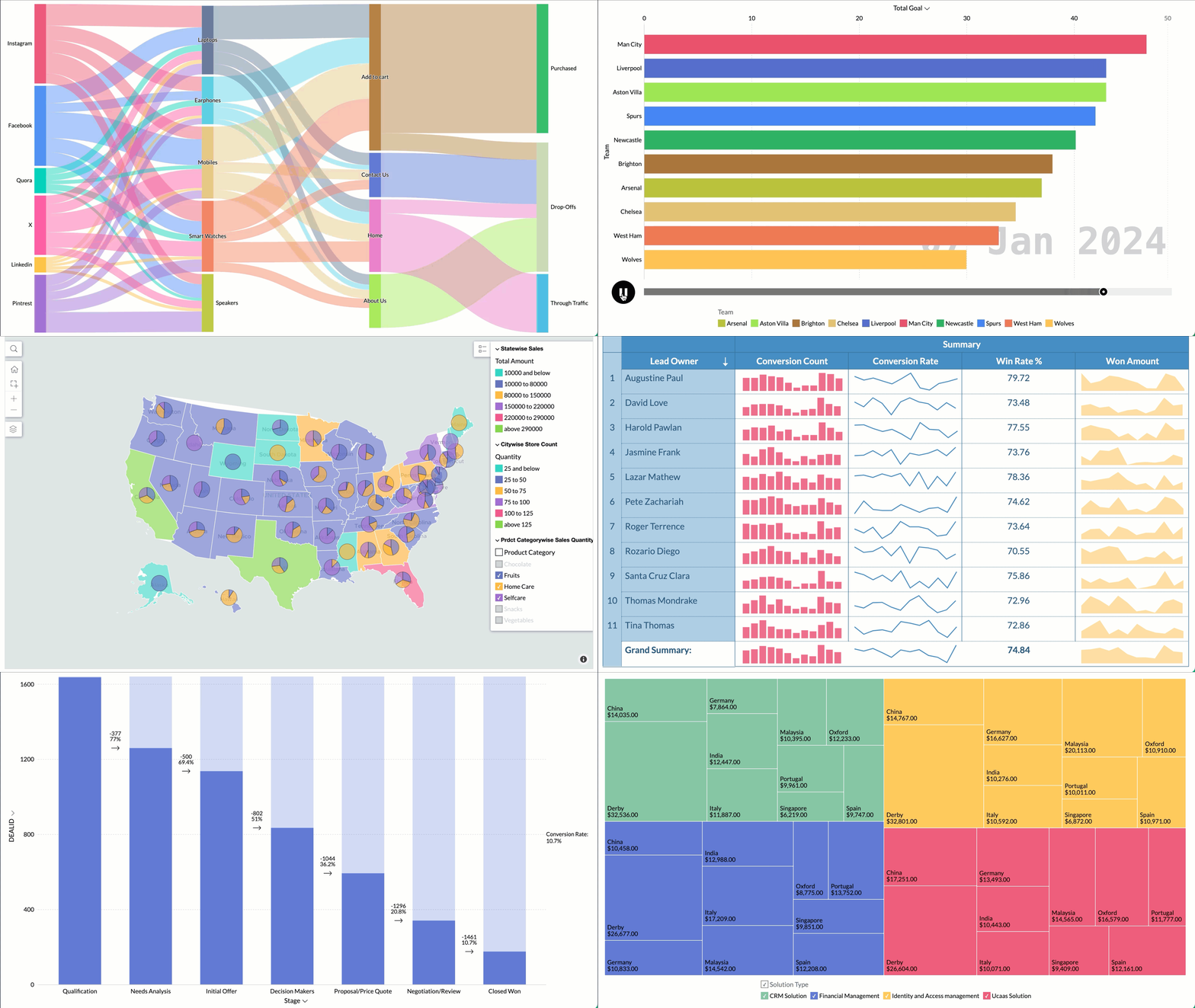
Zoho Analytics supports 7+ new chart types (on top of 50+ existing ones) with extensive customization options to enhance the presentation and interpretation of the data.
- Sankey charts are best suited for visualizing the flow of any process, as they clearly capture the movement of data from one point to another. It helps understand the movement of events through interconnected lines.
- Racing charts are animated views that are best suited for visualizing the changes in the data over a period of time where the relative ranking of categories is important. They highlight and help comprehend the fluctuations and progression in the data. These types of charts grab the user's attention instantly, providing an immersive experience and helping craft a compelling story about the data.
- Spark lines are compact charts that show the trends and variations in the data without taking up much space. They are widely used alongside pivot tables and help grasp trends and allow quick comparison of metrics across different fields. Zoho Analytics supports three variations that includes line chart, area chart, and bar chart.
- Geo Map Layering, add multiple data layers to the geo map to visualize various dimensions of information. This feature includes interactive options for enhanced data exploration.
- Sunburst charts represent hierarchical data through a series of rings, or concentric circles. Each ring corresponds to a level in the hierarchy. The central or innermost circle represents the root node, or the top-level category. Moving outwards, each subsequent ring represents a subcategory, where the outermost ring is the leaf node. The size of each arc in the ring is proportional to the value of the data.
- Conversion bar charts show the connected stages of a process and the gradual decrease in data as it moves through different stages of the process. Each stage is represented by a bar, with a step or stair case pattern indicating the shift in values (along with conversion percentage) at each stage.
- Tree Map is a visualization composed of differently-sized rectangles that represent your data values. This is beneficial when you want to depict the part to whole relationship among various categories.
Zia Suggestions
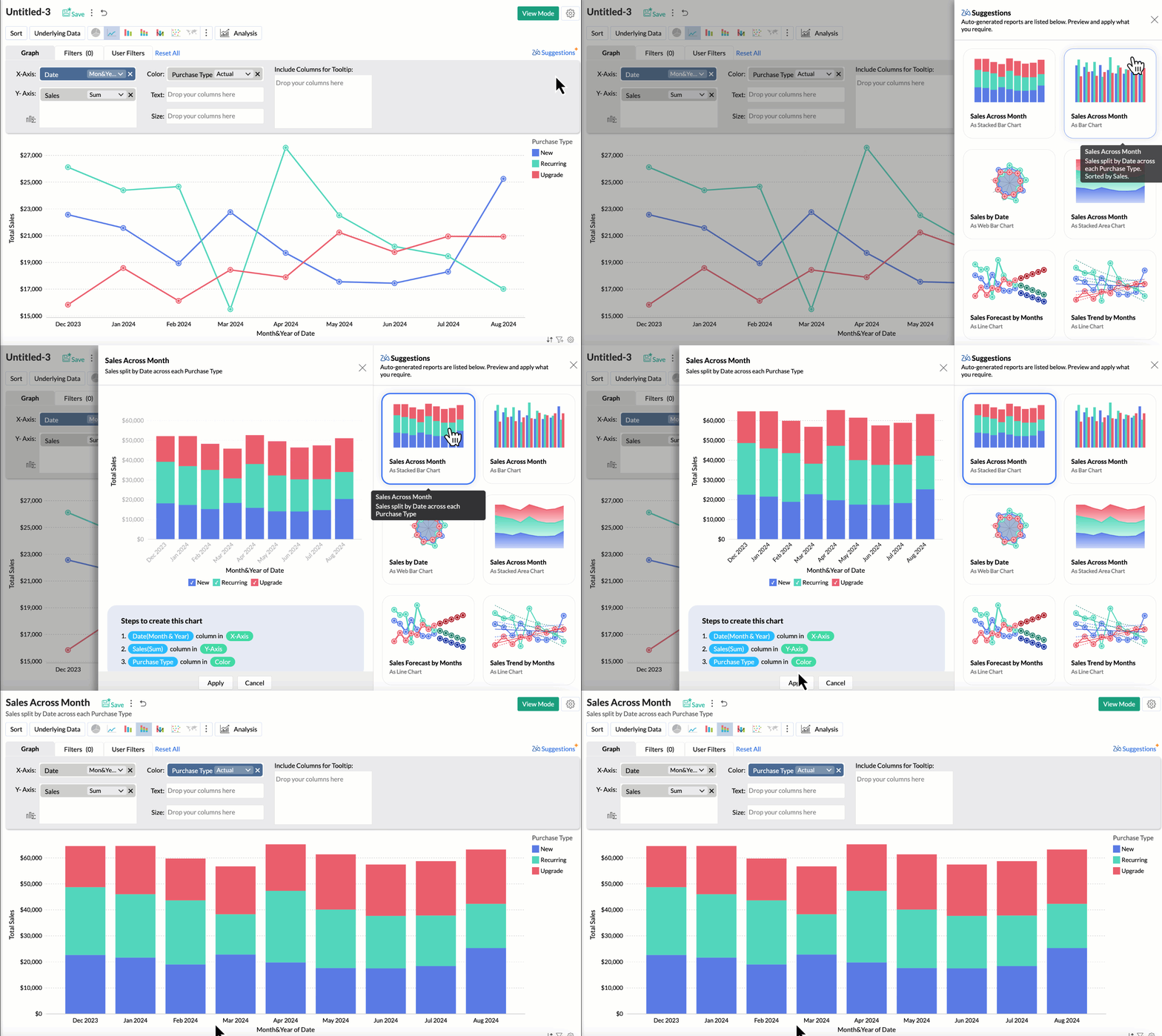
Now, with the new Zia Suggestions, you can effortlessly receive insightful chart recommendations while you are in the creation process. Zia suggests a variety of charts suggestions tailored to your data, allowing you to preview and apply them seamlessly with just a click.
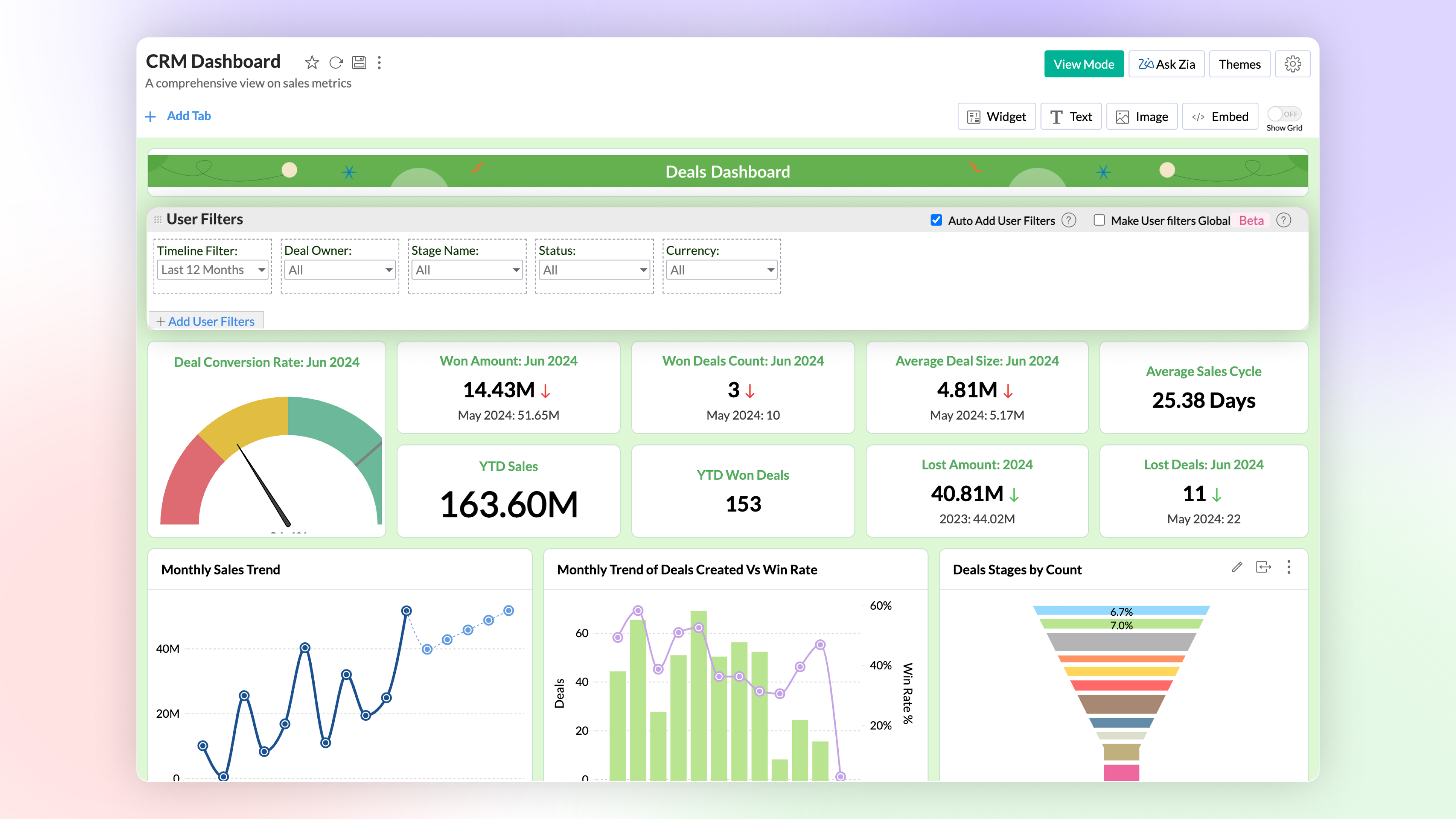
Global User Filter in Dashboards
You can now have a common user filter across all tabs in the dashboard. Global user filter gets applied across all reports in all tabs of the dashboard.
3. Advanced Data Analytics
Zoho Analytics now supports two more advanced data analytics methods: Anomaly Detection and Cluster Analysis.
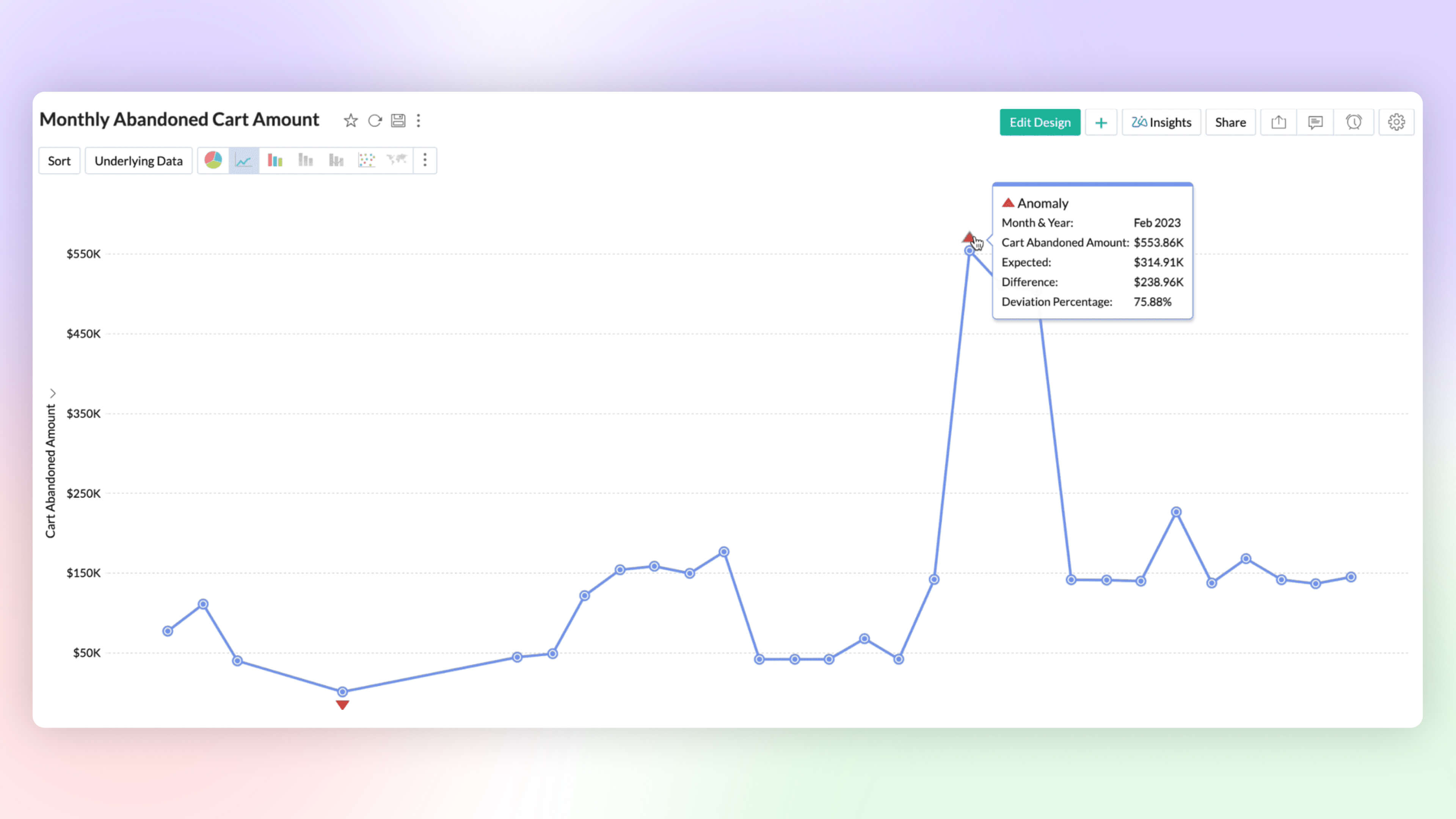
Anomaly Detection 
Anomaly detection helps you to flag outliers in your data or metrics easily. You can now create charts which highlight anomalous points visually for your attention and action. Zoho Analytics deploys robust ML algorithms and various statistical models for detecting outliers.
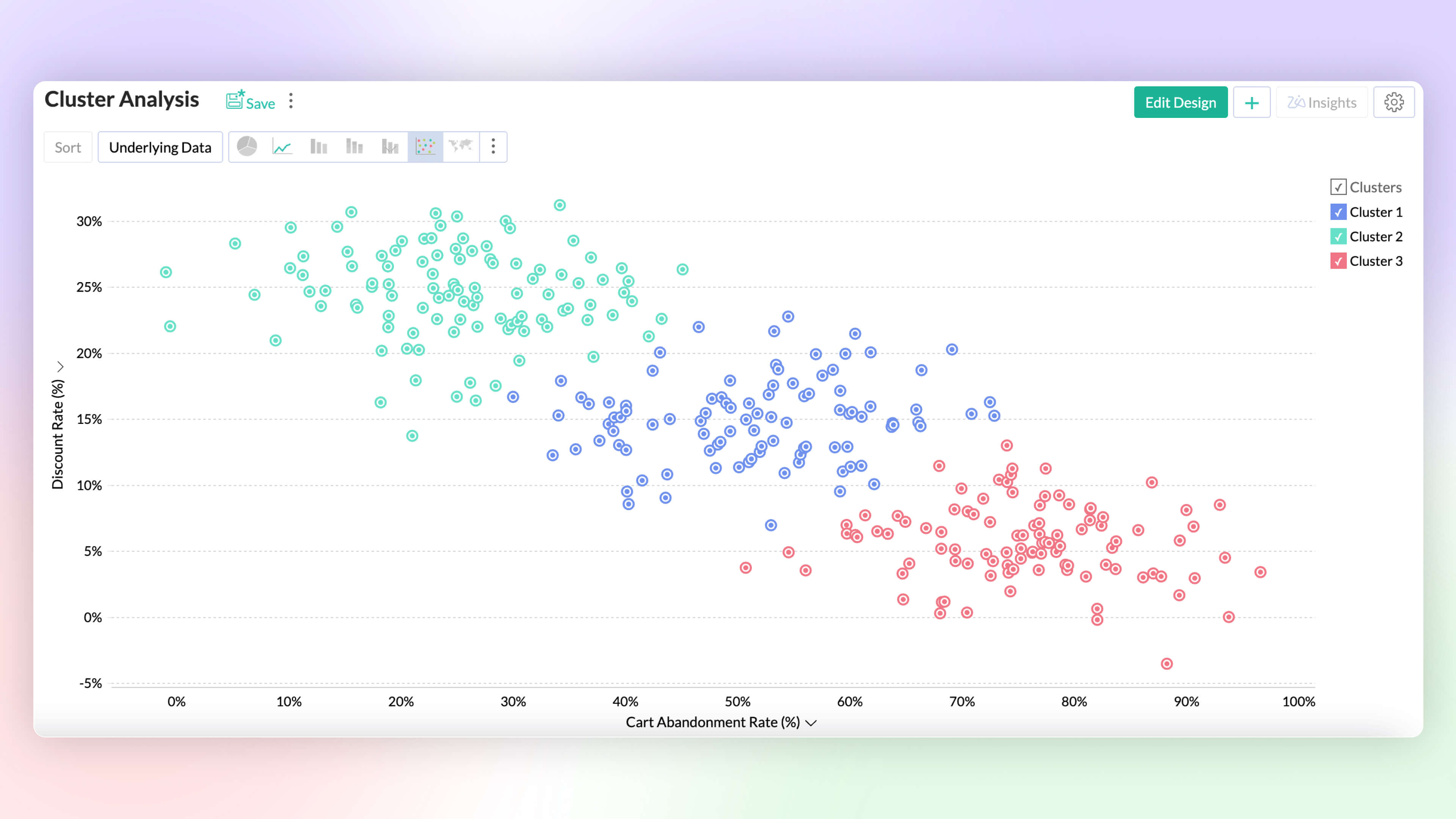
Cluster Analysis 
Cluster analysis groups similar data points together based on certain factors or conditions. Each cluster contains data points that are more similar to each other than to those in other clusters, reducing the complexity of the data. Zoho Analytics deploys K-means, K-modes and K-prototypes algorithms for clustering the data points.
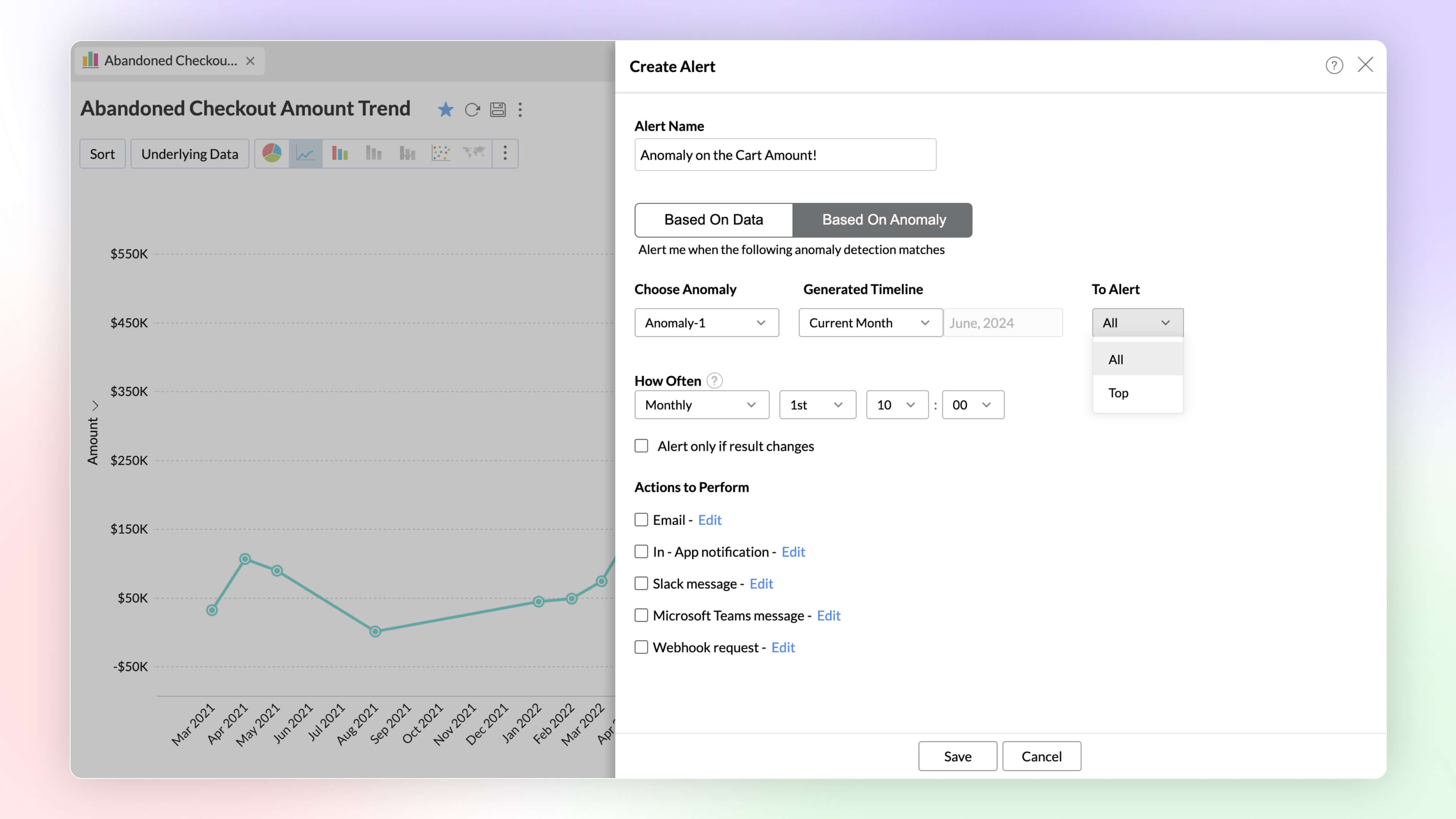
Alerts Based on Threshold and Anomalies
Set data alerts based on thresholds and anomalies to ensure timely identification of vital change in the key business metrics and potential issues.
Ask Zia Bot in Microsoft Teams
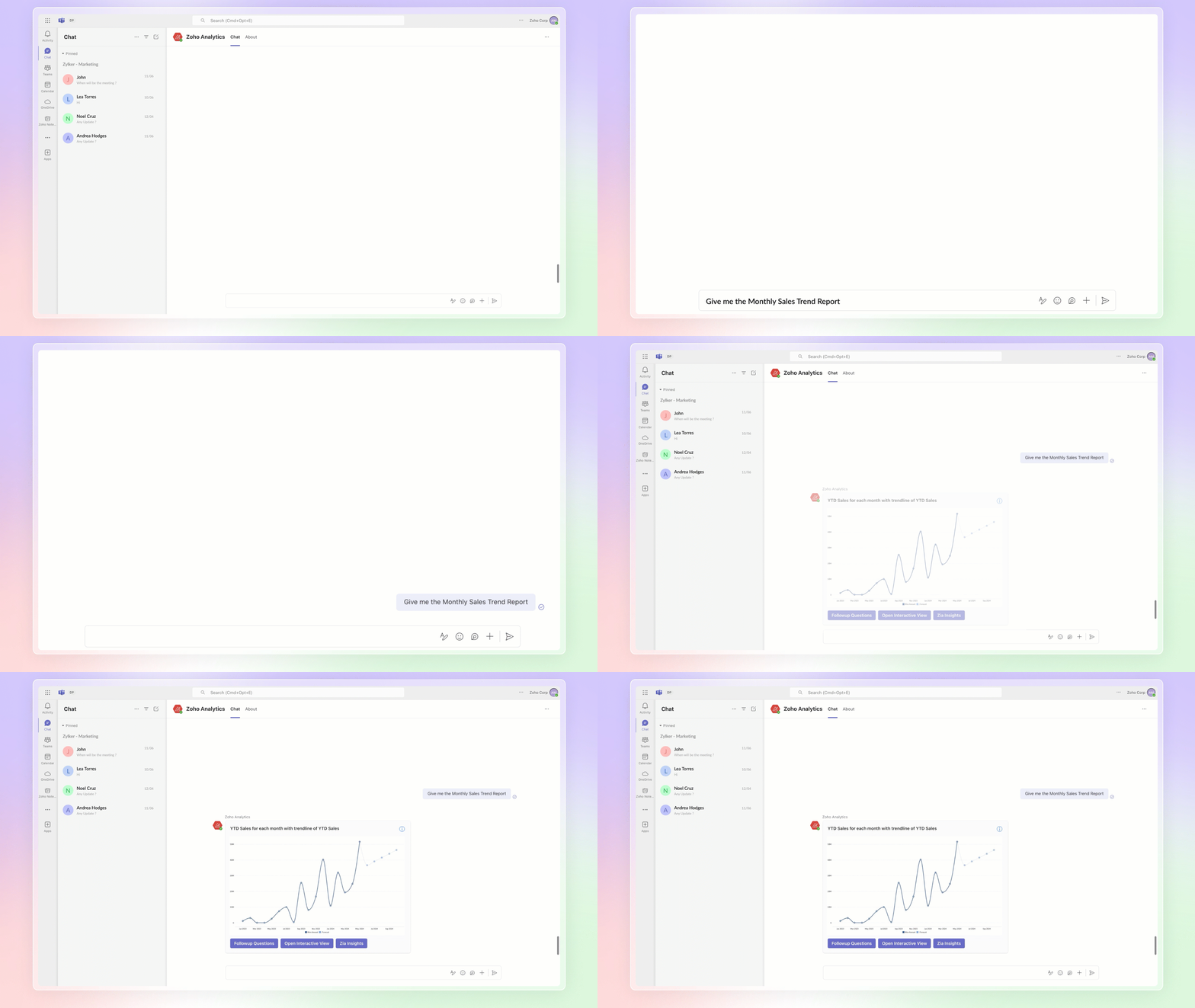
Combine the generative AI capabilities of Zoho Analytics' Ask Zia with Microsoft Teams. Get answers to your data queries, access key business insights quickly, predict future trends, and build reports right from within Microsoft Teams with Ask Zia bot.
4. Build your ML Models with AutoML & Code Studio
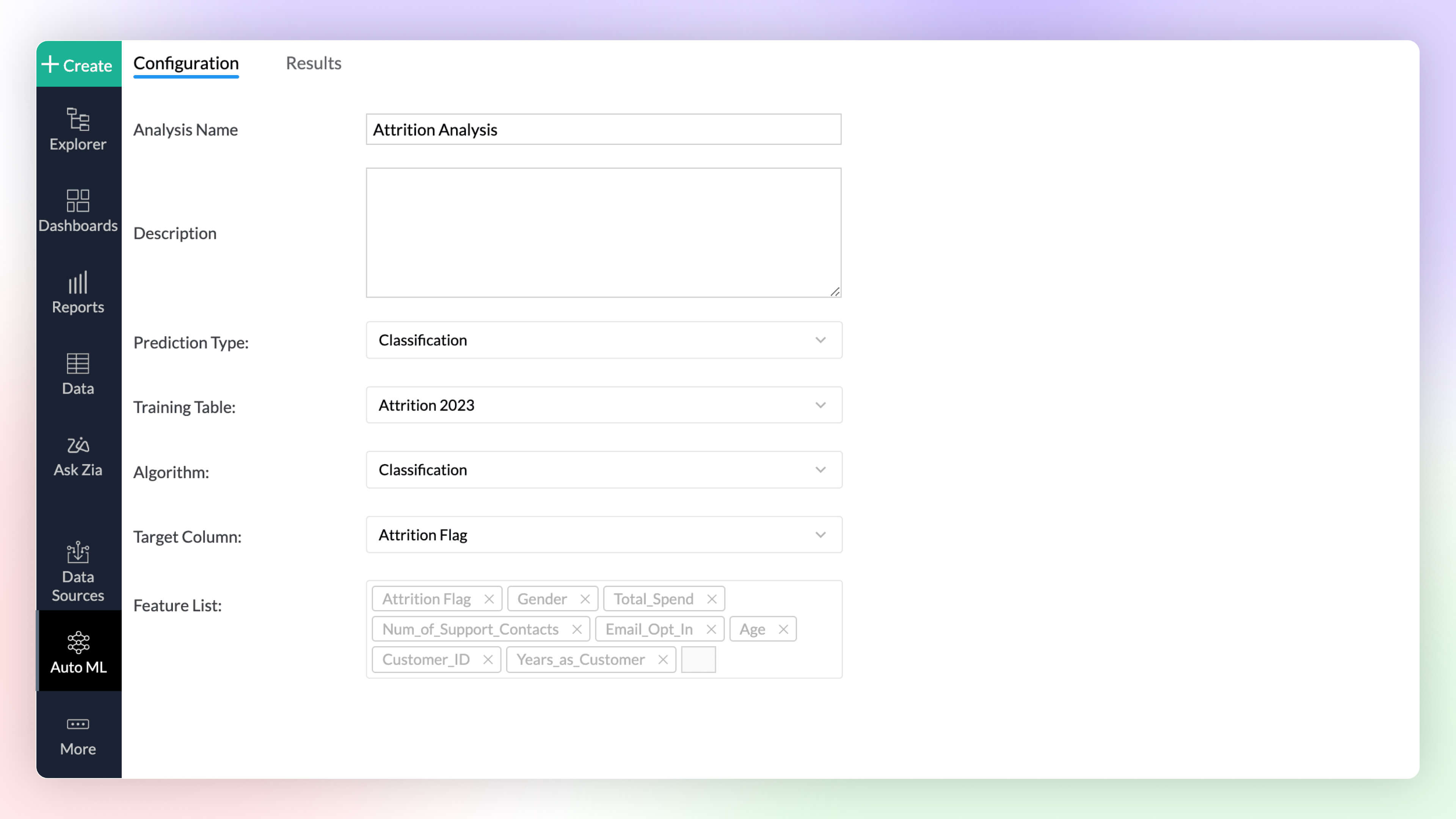
Auto ML 
Automated machine learning provides a code-free (low-code/no-code) experience to train, verify, and build custom machine learning models with high efficiency. The simple and user-friendly design makes it possible for people with varied data-level expertise to create ML models easily for their custom needs.
Code Studio 
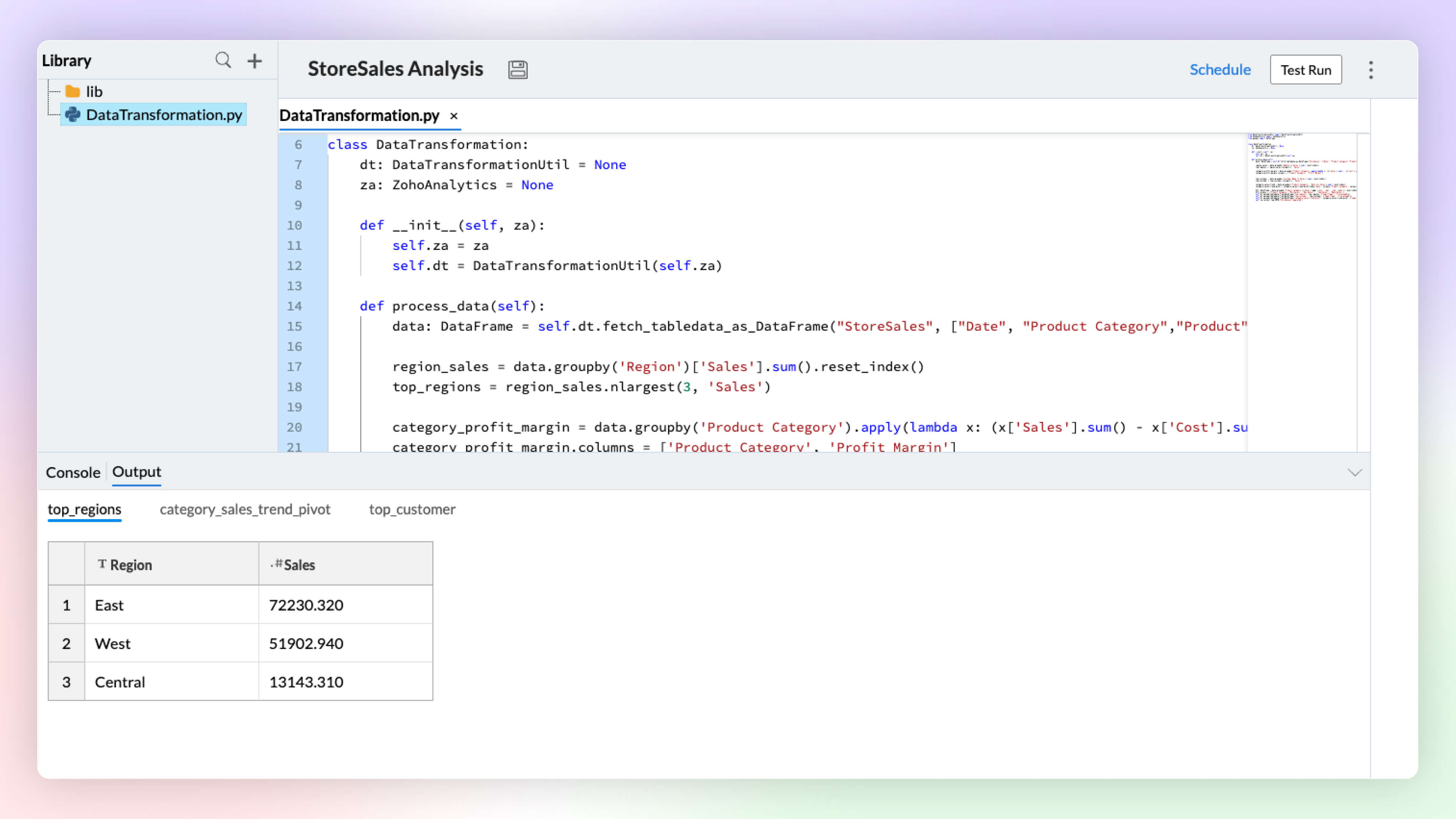
Python Code Studio enables you to build/import custom logic and ML models for your specific data preparation, transformation, enrichment, and analytical modeling needs.
5. Data Storytelling
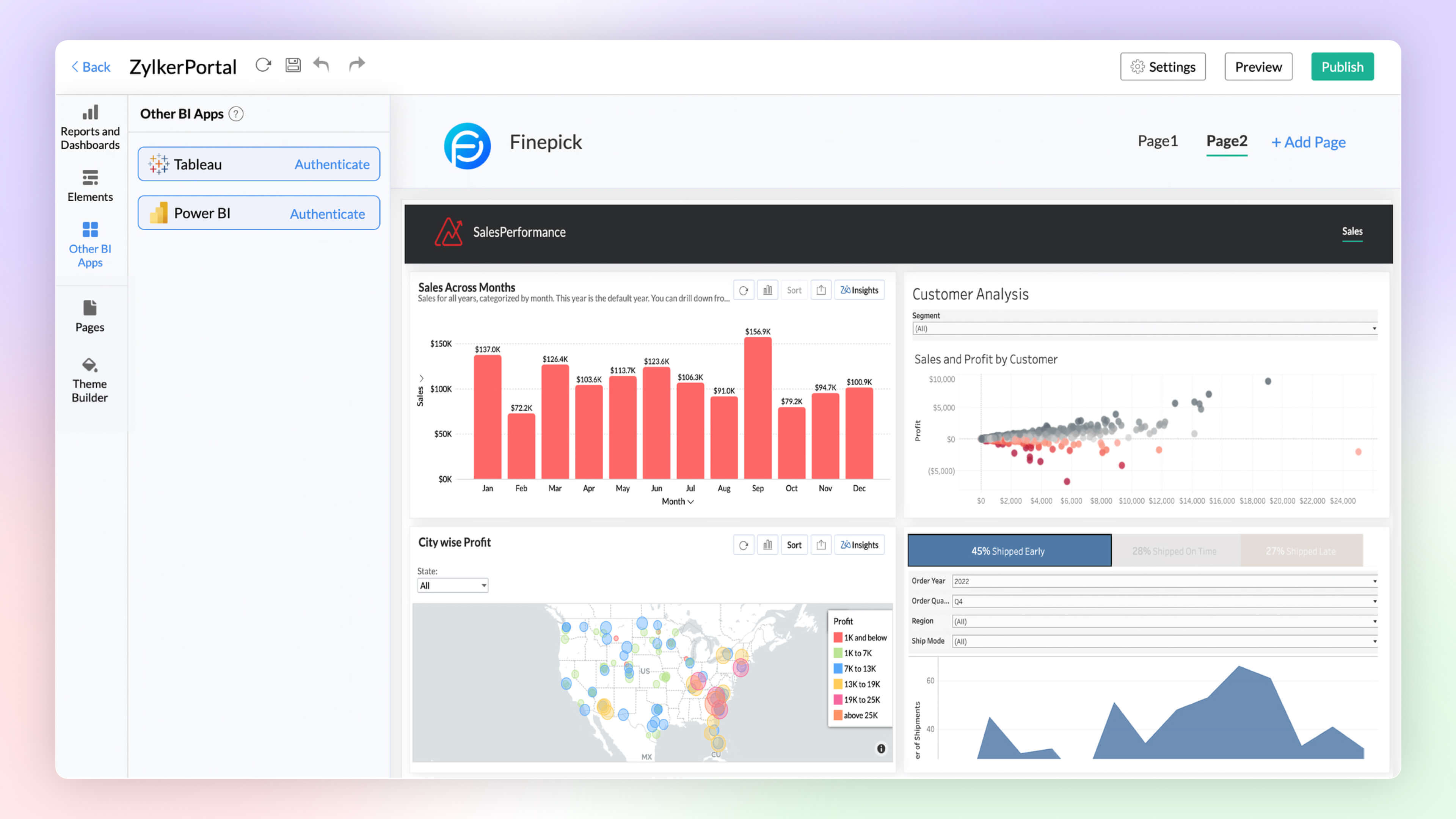
BI Fabric
Create unified BI portals for your organization's business needs. Collate reports from other BI applications like Tableau and Power BI. Having a unified portal improves collaboration, promotes centralized accessibility, and makes it easy for C-level executives to make robust business decisions.
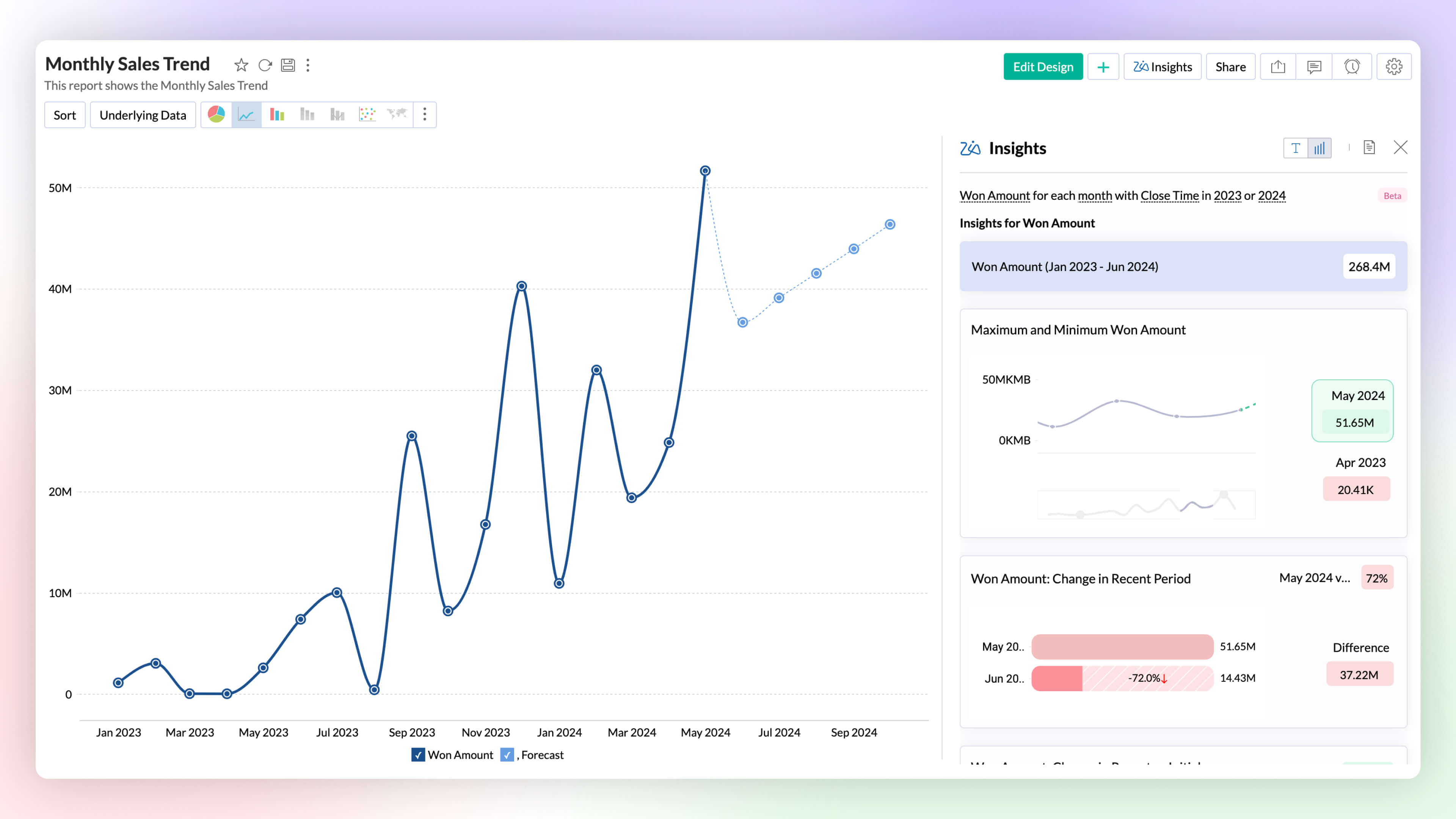
Visual Zia Insights
Zia Insights now provides visual narratives! Visuals help process information far more efficiently than lengthy text descriptions. These visuals facilitate multi-dimensional interpretations like comparison, contribution, distribution, trends and proportions.
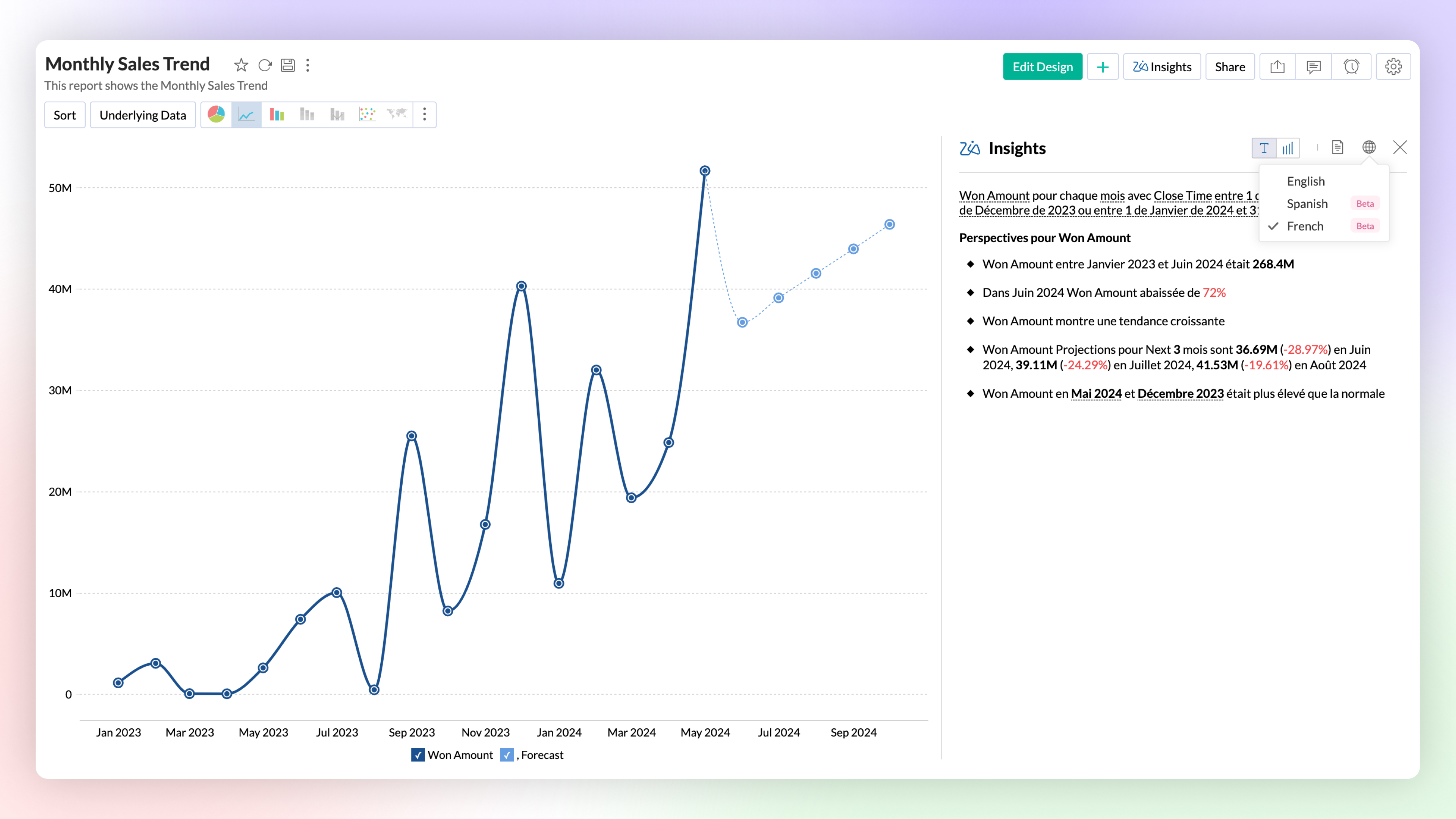
Zia Insights -Multilingual Support
Zia Insights is now available in French and Spanish. Users can choose their preferred language when accessing Zia Insights for a specific report.
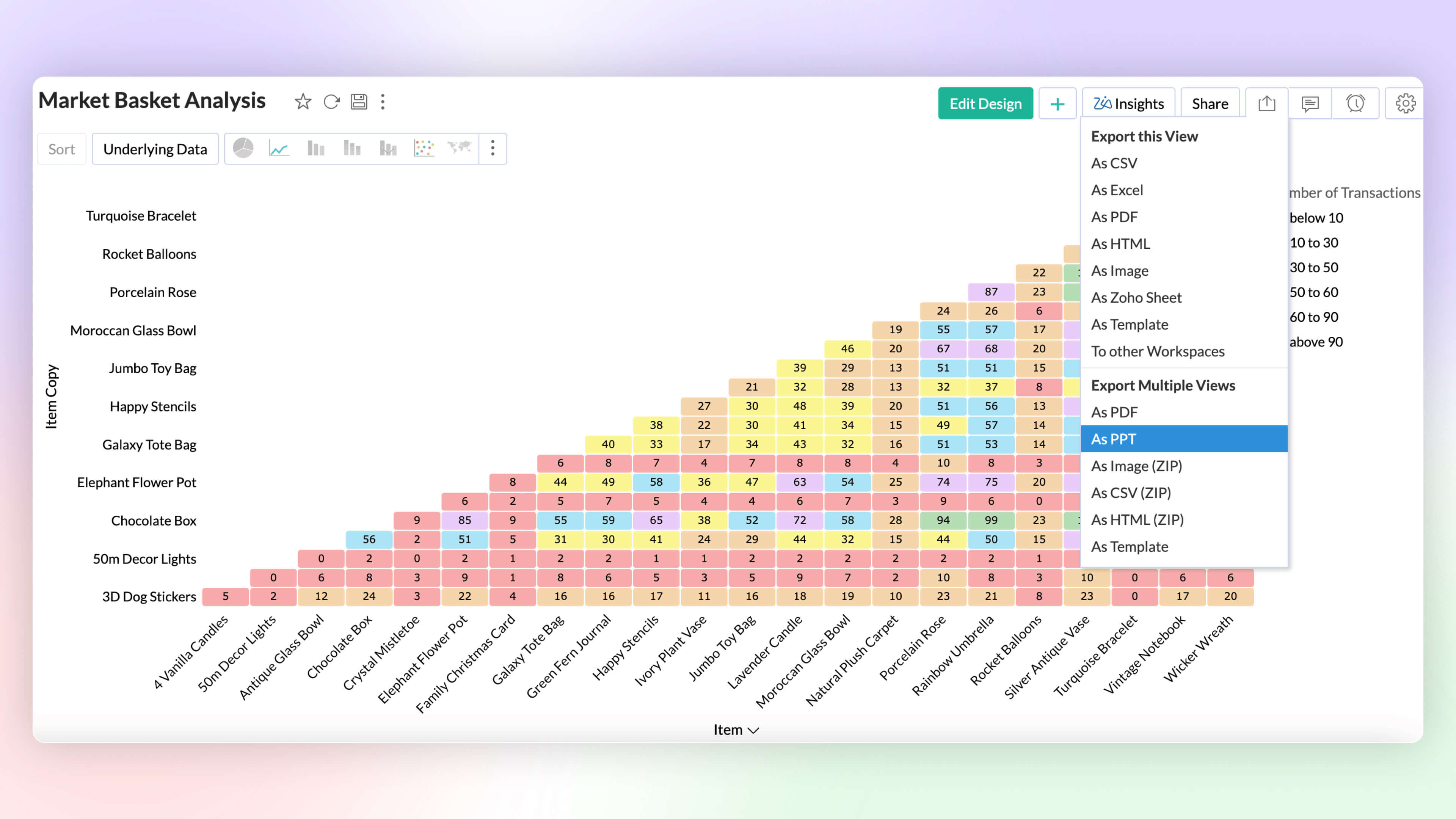
Export as PPT
Export multiple views as a Microsoft PowerPoint presentation. Enhance security by protecting the file with a password.
6. More enhancements
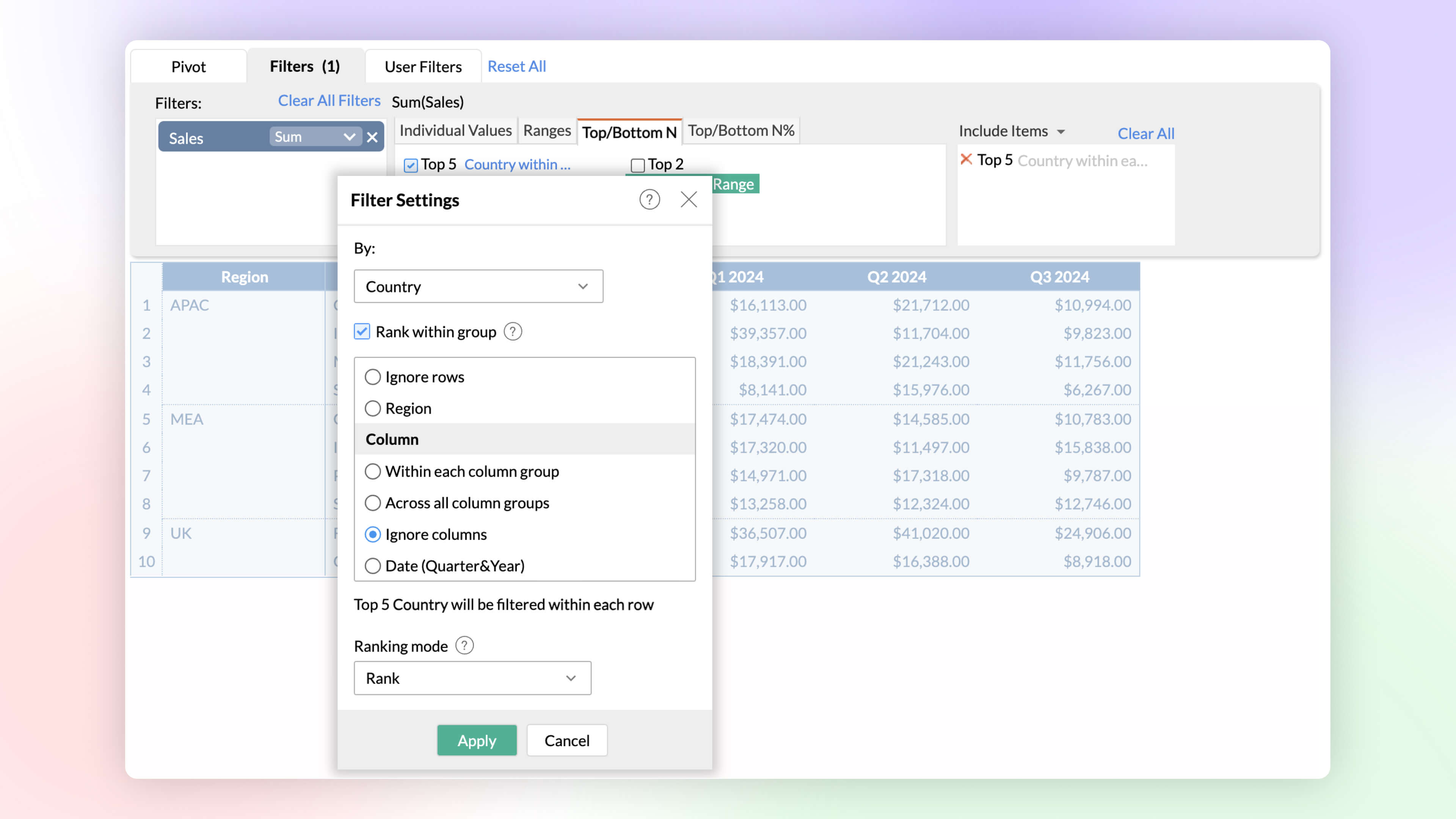
Rank within Filters
Identify and analyze top and bottom performers across various dimensions. The rank-based ability helps find the top or bottom performers within and across individual groups without having to write complex formulas.
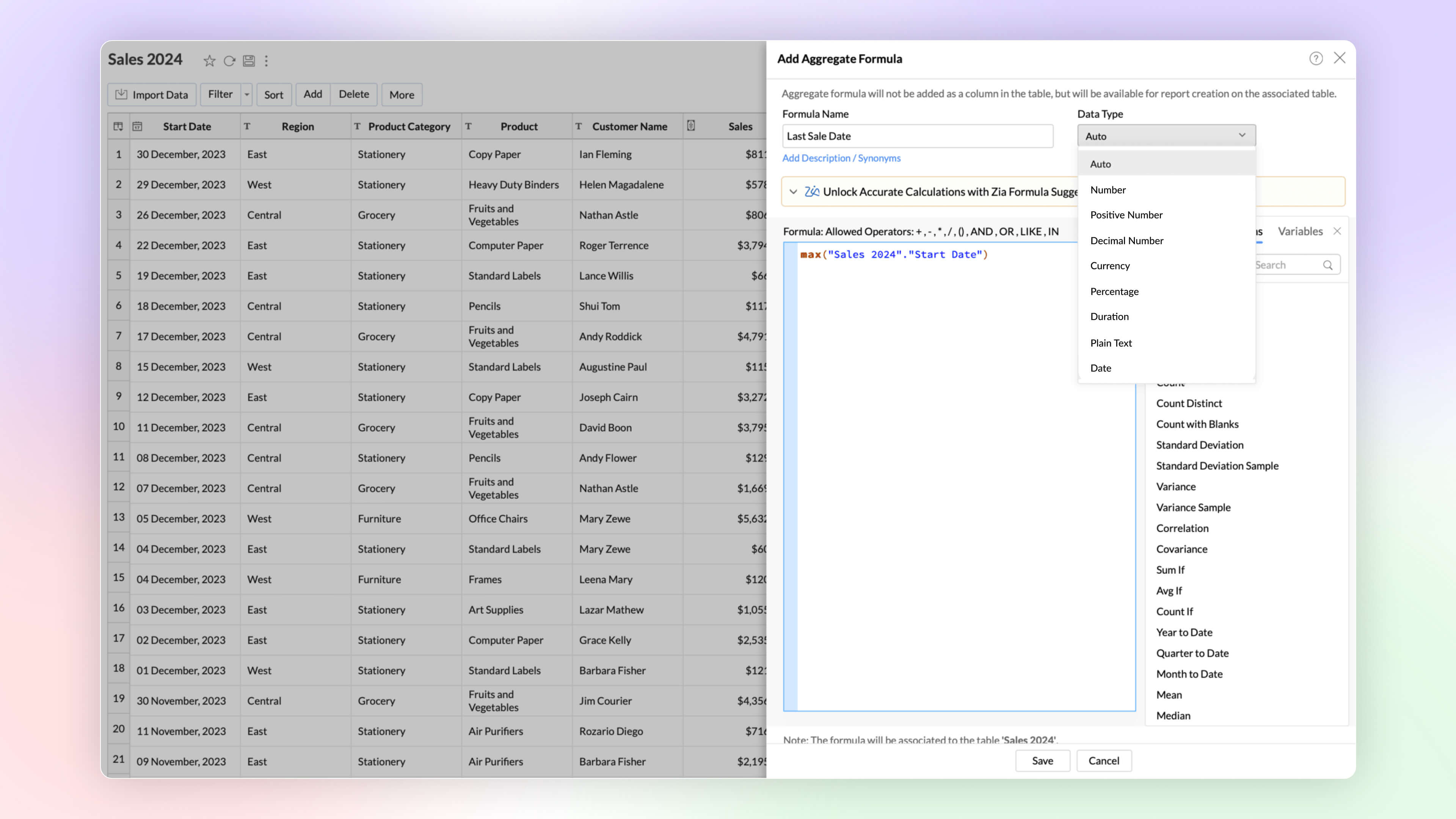
Date and String data types in Aggregate Formula
Zoho Analytics now supports the date and plain text as return data types in aggregate functions. This improvement proves immensely beneficial in scenarios such as cohort analysis, project milestone tracking, and various other use cases.
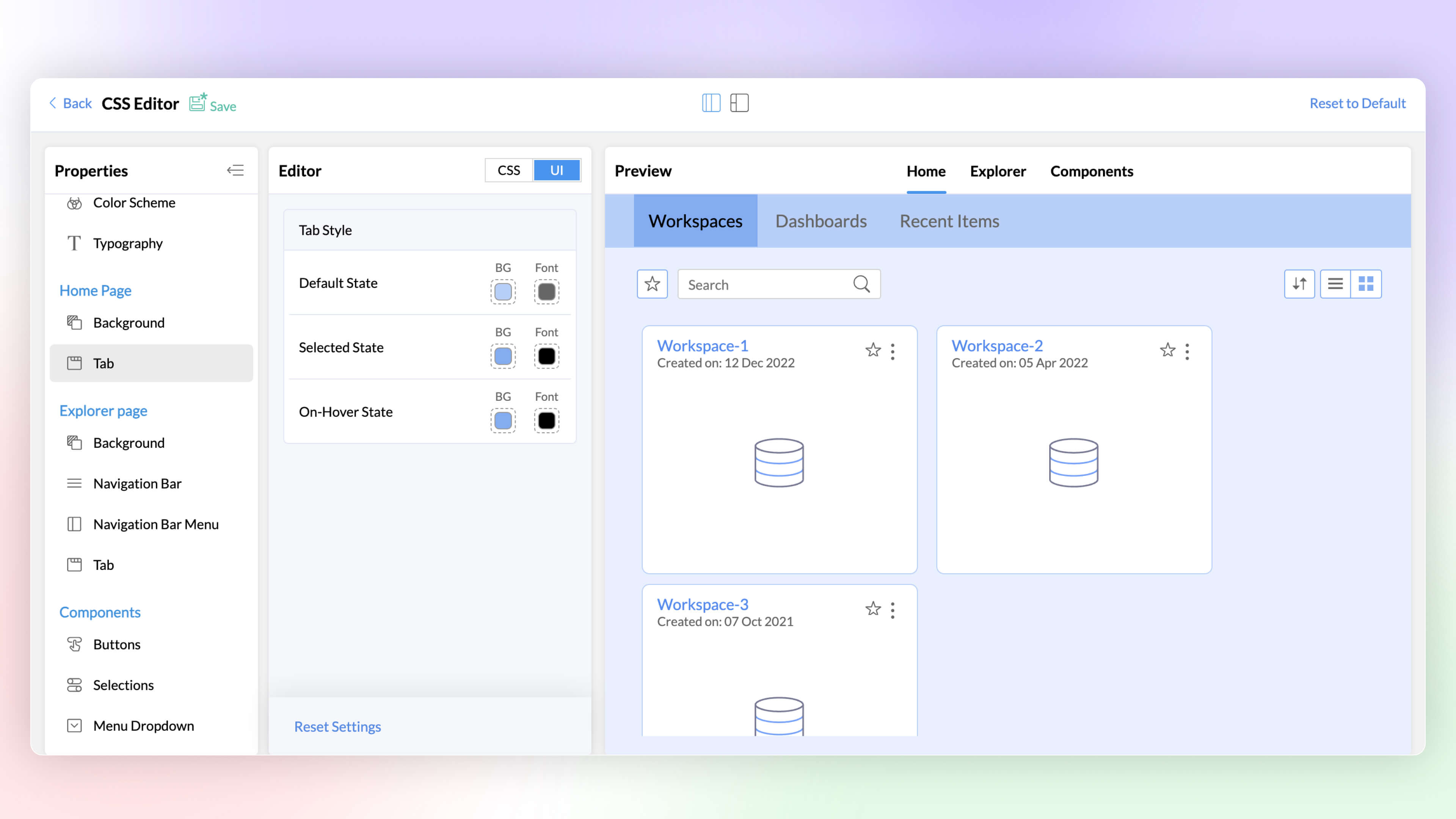
White Label CSS Customization
Elevate the visual appeal of your white labeled product and align it with your brand through the CSS customization feature. This latest addition to Zoho Analytics enables you to customize text, colors, and more on pages, tabs, selections, hover options, enhancing the overall look and feel.
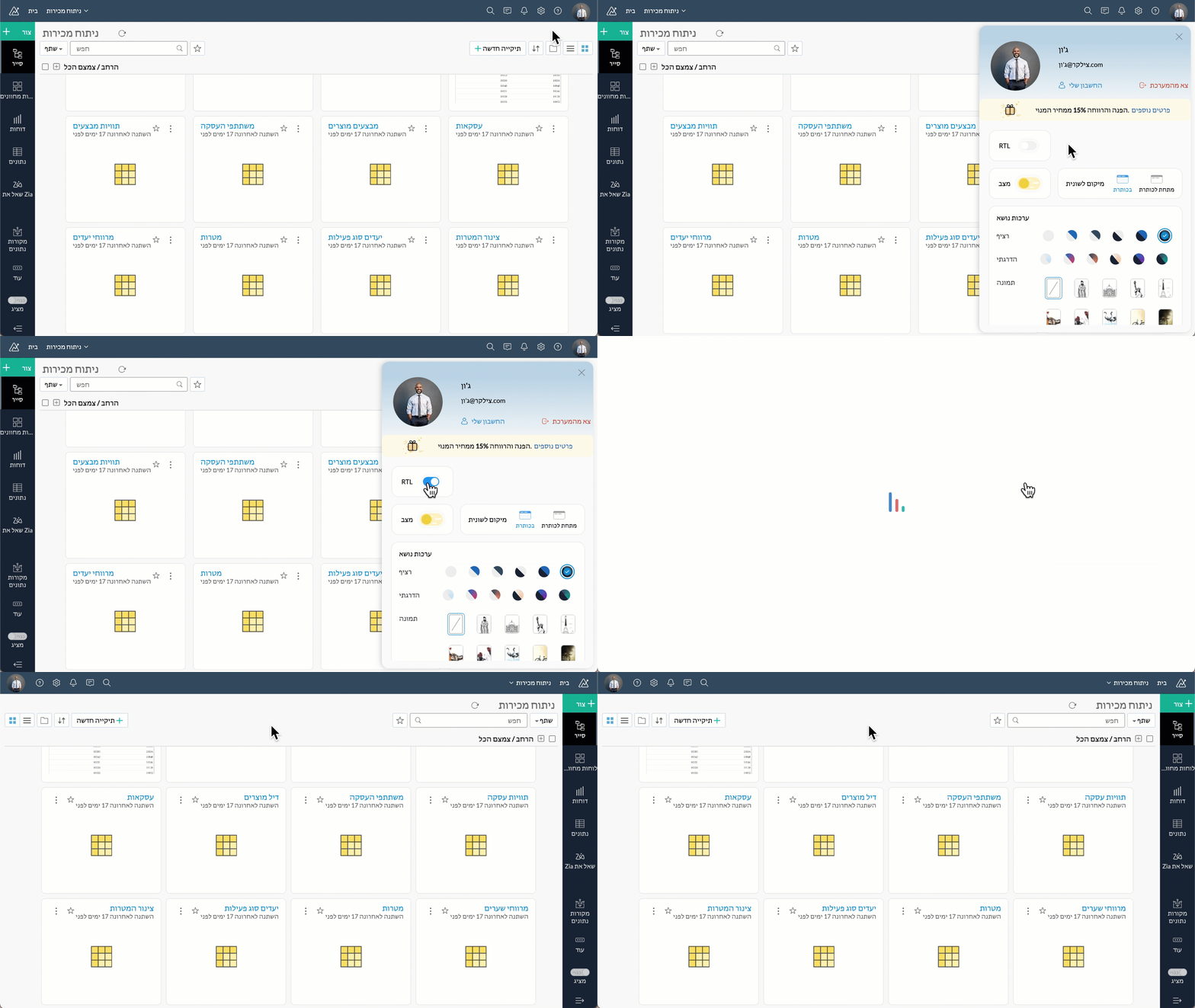
Right to left User Interface
Zoho Analytics now supports a right to left user interface. This option is best suited for languages like Arabic and Hebrew that are read from right to left.
Security
At Zoho Analytics, ensuring data privacy and security remains our topmost priority. We have implemented additional measures to strengthen security through the following enhancements.
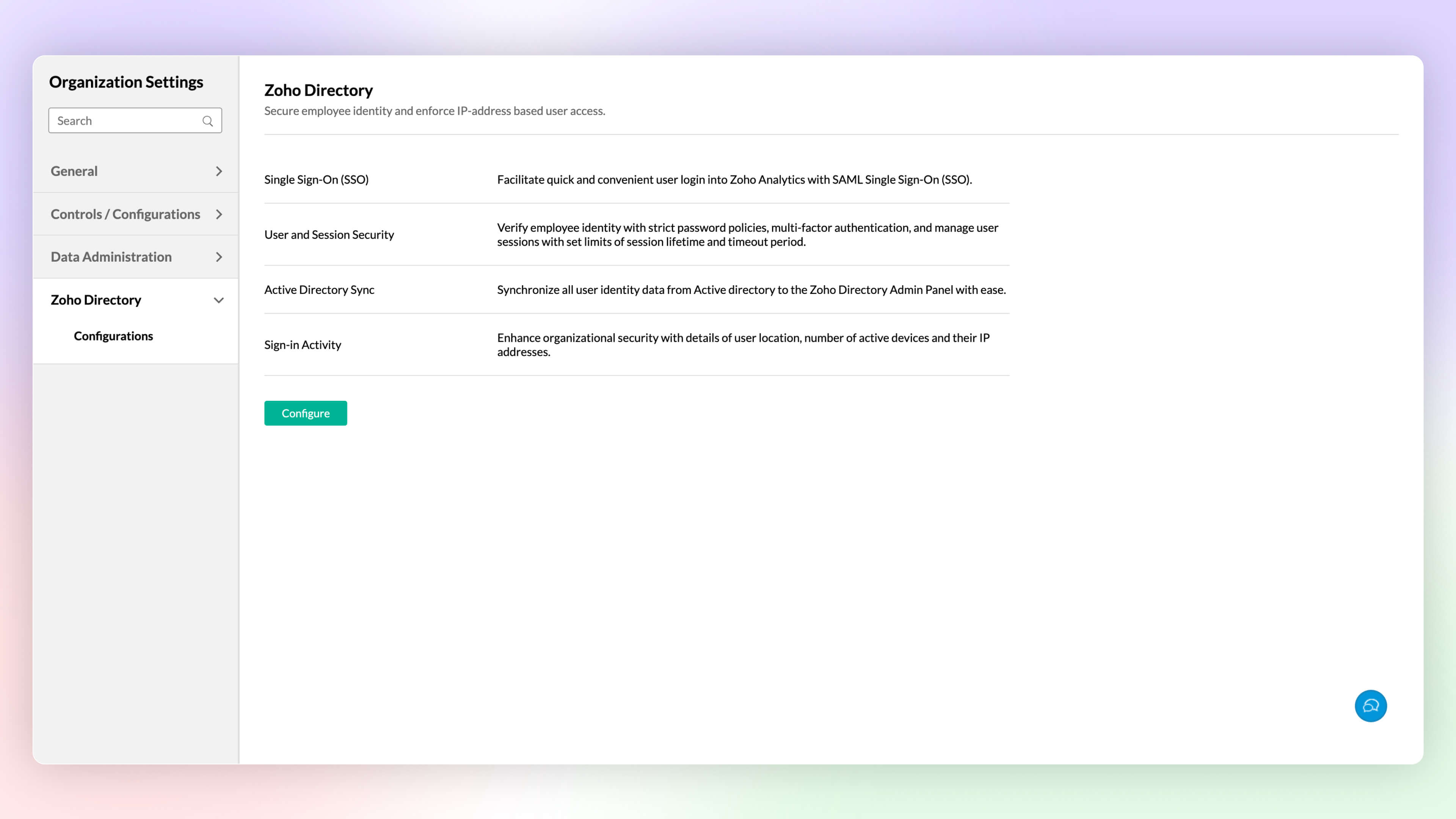
Zoho Directory
Zoho Analytics' integration with Zoho Directory allows administrators to handle identity and user access management with ease. You can now easily setup Single Sign-on, setup Active Directory sync, manage user access, etc.,with Zoho Directory.
Workspace Level IP Restriction
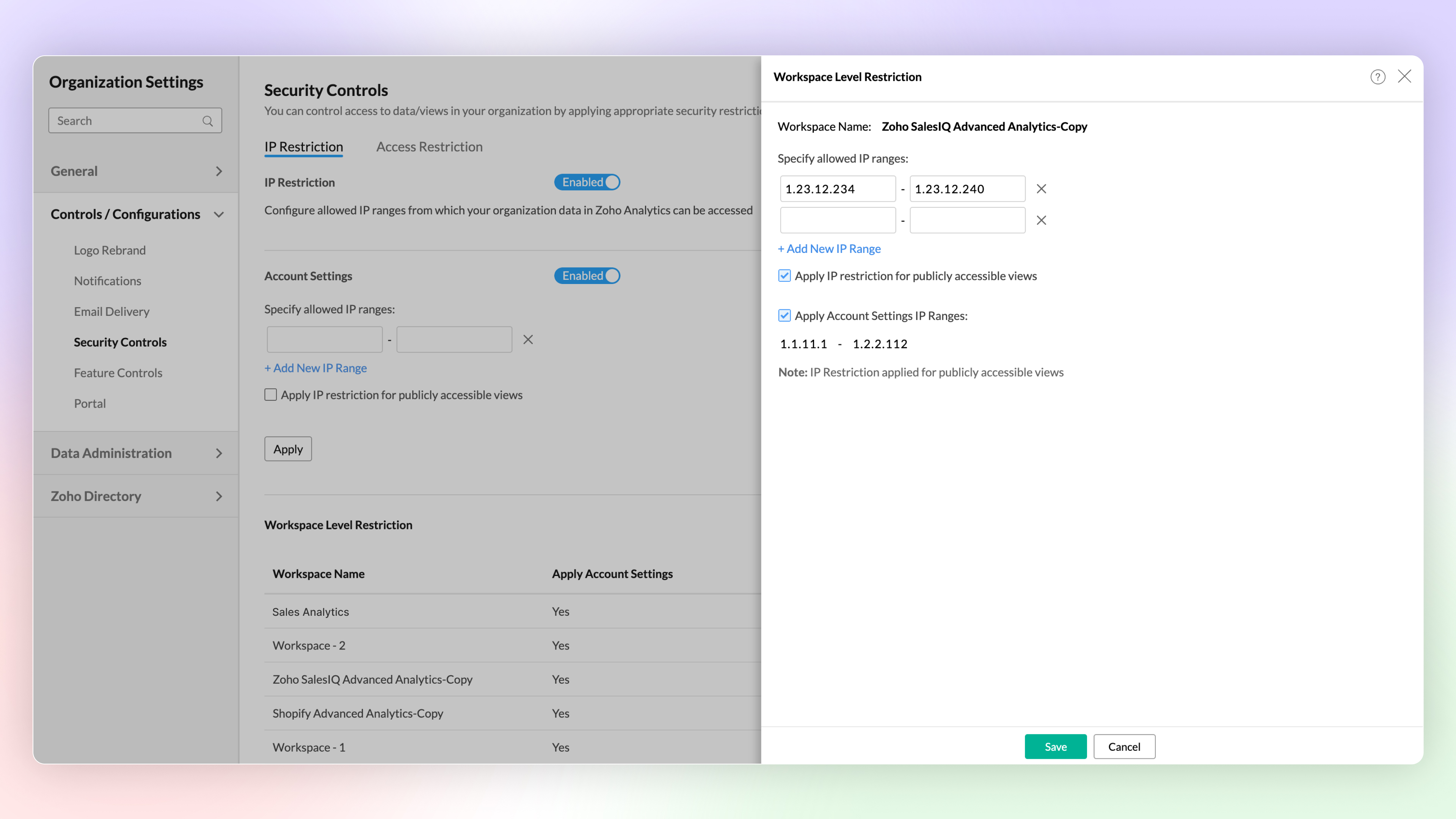
Configure workspace-level IP restrictions for enhanced security and to prevent unauthorized access. Previously, IP restrictions were available only at the account level.
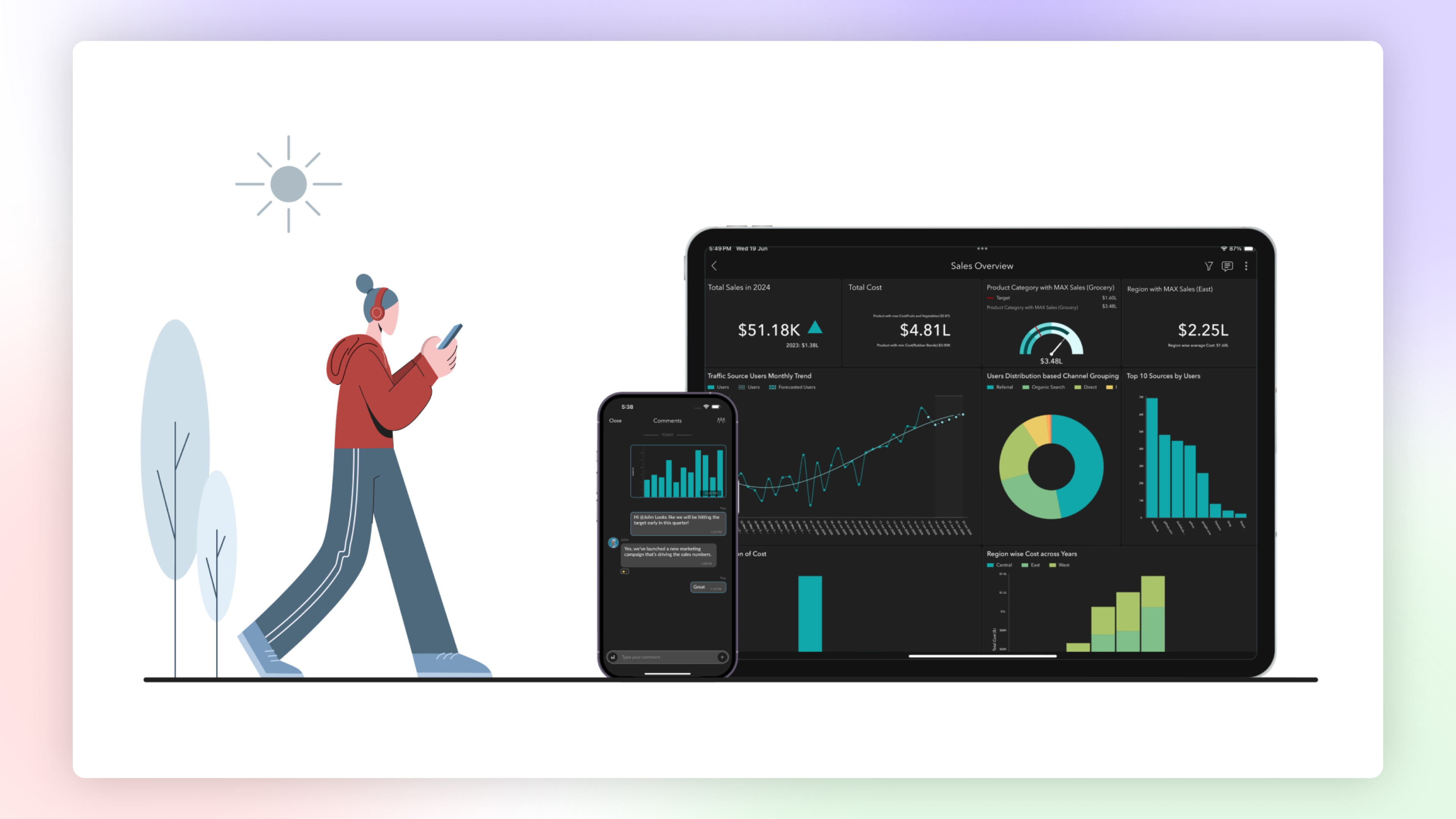
Zoho Analytics Mobile App
The Zoho Analytics Mobile app has been upgraded as a native app, optimized for your specific device. This enhancement provides faster loading times, high-quality visuals, and advanced security features specific to your device's operating system to protect your data.
Email Schedule APIs
A new set of APIs are now available for managing your email schedules. These APIs enable you to create, update, trigger and delete email schedules easily.
Features in Private Beta
ChatGPT in Ask Zia
Ask Zia now integrates with ChatGPT assisting you to write complex queries and formulas for effective data analysis.
Diagnostic Analysis
Zia insights now supports diagnostic analysis helping you understand the root causes for a certain outcome.
Custom Connector
Zoho Analytics now enables you create your own integration with third party applications.
Try Zoho Analytics 6.0 Beta!
Do try out the new features and share your valuable feedback with us at support@zohoanalytics.com. Your suggestions are crucial to helping us improve and serve you better.
Topic Participants
Nisha Angel J
Sellers
paul
César Pedrolini
Heike
Sticky Posts
What's New in Zoho Analytics - February 2026
Hello Users! We're back with another round of updates for Zoho Analytics. This month's release focuses on giving you greater flexibility in how you visualize, manage, and act on your data - with new features like custom visualizations, remote MCP server,What's New in Zoho Analytics - January 2026
Hello Users! We are starting the year with a strong lineup of updates, marking the beginning of many improvements planned to enhance your analytics experience. Explore the latest improvements built to boost performance, simplify analysis, and help youWhat's New in Zoho Analytics - November 2025
We're thrilled to announce a significant update focused on expanding your data connectivity, enhancing visualization capabilities, and delivering a more powerful, intuitive, and performant analytics experience. Here’s a look at what’s new. Explore What'sWhat's New in Zoho Analytics - October 2025
Hello Users! We're are back with a fresh set of updates and enhancements to make data analysis faster and more insightful. Take a quick look at what’s new and see how these updates can power up your reports and dashboards. Explore What's New! ExtremeWhat’s New in Zoho Analytics – September 2025
Hello Users!! In this month’s update, we’re raising the bar across multiple touchpoints, from how you bring in data, plan and track projects to how you design and brand your dashboards. We’ve added the all-new Gantt chart for project visualization, expanded
Recent Topics
How do teams manage meeting follow-ups across Zoho tools?
We’re using Zoho tools for collaboration and tracking, but managing meeting notes, action items, and follow-ups across teams is still challenging. Curious how others are handling this within Zoho workflows. Are there best practices or integrations thatMejoras urgentes para ZOHO MEETING
Tengo unos meses usando Zoho Meeting. En general, es buena, pero hay cosas vitales que no logra cumplir con mínima calidad. 1) Calidad de audio y video: urge mejoras. Audio con retraso, imagen borrosa, mal recorte de silueta con fondos virtuales. Además,Saving sent email campaign as PDF
I'm looking to add all campaigns sent to an archive folder in sharepoint. Is there anyway to accomplish this in Zoho Flow ? I'm falling at the first hurdle ... can I automatically save a sent campaign as a PDF to a folder location ?Exporting All Custom Functions in ZohoCRM
Hello, All I've been looking for a way to keep about 30 functions that I have written in Zoho CRM updated in my own repository to use elsewhere in other instances. A github integration would be great, but a way to export all custom functions or any wayConditional Layouts On Multi Select Field
How we can use Conditional Layouts On Multi Select Field field? Please help.Appreciation to Qntrl Support Team
We are writing this topic to appreciate the outstanding level of support from Qntrl Team. We have been using Qntrl since 2022 after shifting from another similar platform. Since we joined Qntrl, the team has shown a high level of professionalism, support,How can I hide "My Requests" and "Marketplace" icon from the side menu
Hello everybody, We recently started using the new Zoho CRM for Everyone. How can I hide "My Requests" and "Marketplace" from the side menu? We don't use these features at the moment, and I couldn't find a way to disable or remove them. Best regards,Whatsapp Integration on Zoho Campaign
Team: Can the messages from Zoho Campaign delivered through Whatsapp... now customers no longer are active on email, but the entire campaign module is email based.... when will it be available on whatsapp.... are there any thirdparty providers who canMandatory Field - but only at conversion
Hello! We use Zoho CRM and there are times where the "Lead Created Date & Time" field isn't populated into a "Contractor" (Account is the default phrase i believe). Most of my lead tracking is based on reading the Lead Created field above, so it's importantUsing data fields in Zoho Show presentations to extract key numbers from Zia insights based on a report created
Is it possible to use data fields in Zoho Show presentations along with Zoho Analytics to extract key numbers from Zia insights based on a report created? For example, using this text below: (note that the numbers in bold would be from Zia Insights) RevenueFree webinar: AI-powered agreement management with Zoho Sign
Hi there! Does preparing an agreement feel like more work than actually signing it? You're definitely not alone. Between drafting the document, managing revisions, securing internal approvals, and rereading clauses to make sure everything still reflectsWhatsApp Channels in Zoho Campaigns
Now that Meta has opened WhatsApp Channels globally, will you add it to Zoho Campaigns? It's another top channel for marketing communications as email and SMS. Thanks.CRM For Everyone - Bring Back Settings Tile View
I've been using CRM for Everyone since it was in early access and I just can't stand the single list settings menu down the left-hand side. It takes so much longer to find the setting I need. Please give users the option to make the old sytle tile viewAdd notes in spreadsheet view
It would be great if we could Add/edit notes in the spreadsheet view of contacts/leads. This would enable my sales teams to greatly increase their number of calls. Also viewing the most recent note in the Contact module would also be helpful.Opening balances - Accounts Receivable and Payable
Our accounting year starts on 1st August 2013 and I have a Trial Balance as at that date, including Accounts Receivableand Accounts Payable balances, broken down by each customer and supplier. Q1 - do I show my opening balance date as 31st July 2013 orCancel Subscription
Hi , Im want to cancel my account but without success please help me to do itMaking an email campaign into a Template
I used a Zoho Campaign Template to create an email. Now I want to use this email and make it a new template, but this seems to be not possible. Am I missing something?Direct Access and Better Search for Zoho Quartz Recordings
Hi Zoho Team, We would like to request a few enhancements to improve how Zoho Quartz recordings are accessed and managed after being submitted to Zoho Support. Current Limitation: After submitting a Quartz recording, the related Zoho Support ticket displaysMultiple Cover Letters
We are using the staffing firm edition of Recruit and we have noticed that candidates cannot add more than one cover letter. This is a problem as they might be applying for multiple jobs on our career site and when we submit their application to a client,URGENT: Deluge issue with Arabic text Inbox
Dear Deluge Support, We are facing an issue that started on 12/Feb/2026 with custom functions written using Deluge within Qntrl platform. Currently, custom functions do not accept Arabic content; it is replaced with (???) characters. Scenario 1: If weFile Conversion from PDF to JPG/PNG
Hi, I have a question did anyone every tried using custom function to convert a PDF file to JPG/PNG format? Any possibility by using the custom function to achieve this within zoho apps. I do know there are many third parties API provide this withNow in Zoho One: Orchestrate customer journeys across apps with Zoho CommandCenter
Hello Zoho One Community! We’re excited to introduce Zoho CommandCenter as a new capability available in Zoho One. For the whole customer journey As Zoho One customers adopt more apps across sales, marketing, finance, and support, a common challenge emerges:annualy customer report
we need a report per customer that looks like this invoic number cleaning laundry repair management 01 january xxx euro xx euro xx euro xxx euro 02 february xxx euro xxx euro x euro xxxx euro and so on the years 12 months is that possible to make andTotals for Sales Tax Report
On the sales tax report, the column totals aren't shown for any column other than Total Tax. I can't think of a good reason that they shouldn't be included for the other columns, as well. It would help me with my returns, for sure. It seems ludicrousFree Webinar: Zoho Sign for Zoho Projects: Automate tasks and approvals with e-signatures
Hi there! Handling multiple projects at once? Zoho Projects is your solution for automated and streamlined project management, and with the Zoho Sign extension, you can sign, send, and manage digital paperwork directly from your project workspace. JoinExported Report File Name
Hi, We often export reports for information. It is time consuming to rename all the reports we export on a weekly basis, as when exported their default name is a seemingly random string of numbers. These numbers may be important, I'm not sure, but I amAutomatic Refresh on Page?
Hi everyone, We use a page as a dashboard which shows data for the laboratory and tasks pending etc. Is there a way to set the page to automatically refresh on a X time? Many thanks TOGAdd RTL and Hebrew Support for Candidate Portal (and Other Zoho Recruit Portals)
Dear Zoho Recruit Team, I hope you're doing well. We would like to request the ability to set the Candidate Portal to be Right-to-Left (RTL) and in Hebrew, similar to the existing functionality for the Career Site. Currently, when we set the Career SiteDefault Reminder Time in New Tasks or New Event?
Any way to change this from 1:00am? Thanks, Gary Moderation Update (February 2026): With the Calendar preferences, the default reminder time for Meetings, Appointments and All-Day Meetings can be set. Read more: Calendar preferences in Zoho CRM RegardingRight Shift key not sending to Zoho Assist environments
I'm unable to use Right Shift key in Zoho environments. Zoho environments are Win10. Computer I access from is Win 11. Issue started when I changed to Win 11. Have tried: - Multiple browsers - web client AND desktop client - 3rd party mapping tools toAbout Meetings (Events module)
I was working on an automation to cancel appointments in zoho flow , and in our case, we're using the Meetings module (which is called Events in API terms). But while working with it, I'm wondering what information I can display in the image where thePDF Annotation is here - Mark Up PDFs Your Way!
Reviewing PDFs just got a whole lot easier. You can now annotate PDFs directly in Zoho Notebook. Highlight important sections, add text, insert images, apply watermarks, and mark up documents in detail without leaving your notes. No app switching. NoHow do you do ticket add ons in Backstage?
Hi Everyone, If you wanted to have general admin tickets and allow for add ons, like camping, or car or Carbon offset. What would you do? Peace Robinvalidation rules doesn't work in Blueprint when it is validated using function?
I have tried to create a validation rule in the deal module. it works if I try to create a deal manually or if I try to update the empty field inside a deal. but when I try to update the field via the blueprint mandatory field, it seems the validationPull cells from one sheet onto another
Hello all! I have created an ingredients database where i have pricing and information and i want to pull from that database into a recipe calculator. I want it to pull based on what ingredient I choose. The ingredients database has an idea and i wantEmails Failing with “Relaying Issues – Mail Sending Blocked” in ZeptoMail
Hello ZeptoMail Support Team, We are facing an email delivery issue in our ZeptoMail account where emails are failing with the status “Process failed” and the reason “Relaying issues – Mail sending blocked.” Issue Details Agent Name: mail_agent_iwwa FromHow does Zoho handle support operations for our EU users?
Dear Zoho users, We have some news and reminders about how we handle support operations for Zoho users in the EU Data Center. This is part of our broader commitment to ensuring GDPR compliance and providing secure data handling for all users. We'd likeZoho Often Lag
Desk Team, We've noticed that Desk, Creator & other apps seems to lag more these days. We often refresh multiple times.Importing into the 'file upload' field
Can you import attachments into the file upload field. I would expect it to work the same way as attachments do, But can't seem to get it to work. Moderation Update: The option to import into File Upload and Image Upload fields has been supported. ReadLayout Rules Don't Apply To Blueprints
Hi Zoho the conditional layout rules for fields and making fields required don't work well with with Blueprints if those same fields are called DURING a Blueprint. Example. I have field A that is used in layout rule. If value of field A is "1" it is supposed to show and make required field B. If the value to field A is "2" it is supposed to show and make required field C. Now I have a Blueprint that says when last stage moves to "Closed," during the transition, the agent must fill out field A. NowNext Page