Effortlessly collaborate with your team and boost productivity using Zoho Forms

Working with a team can lead to complications, especially when it comes to sharing and editing forms. Zoho Forms, a powerful form-building tool, is equipped with features that make team collaboration efficient and seamless. In this article, we will explore the different ways you can share forms with users and groups, edit form structures, and share form entries across your organization.
Sharing forms: Enabling access to submissions for users in Zoho Forms
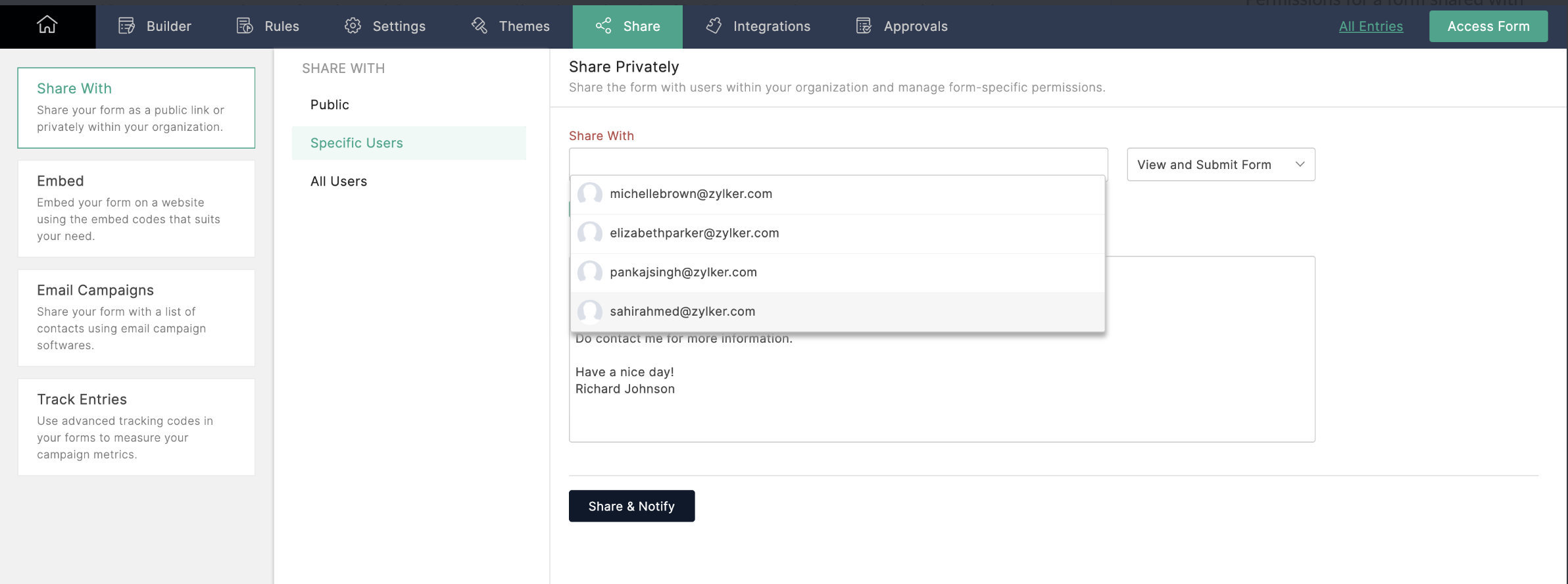
To share a form, navigate to the form's Share tab, select the users you want to share with, and enable the View and Submit permission. Now, users in your organization can access and submit a form directly from their own Zoho Forms accounts.
Editing forms: Collaborating on structures in Zoho Forms
If you want your collaborators to edit the structure of your form, simply enable the Modify Form permission. This will allow other users to make changes to the form's structure, so you can work together to improve the form's design, usability, and effectiveness.
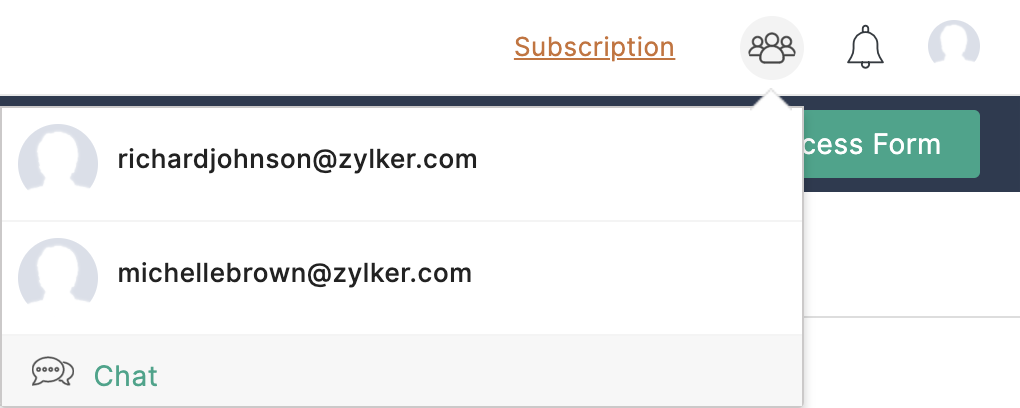
You can even start a Cliq chat with collaborators by clicking on the Collaborator icon at the top of the page.
Refer to this link for more information.
Sharing forms with groups: Multi-user access and submission in Zoho Forms
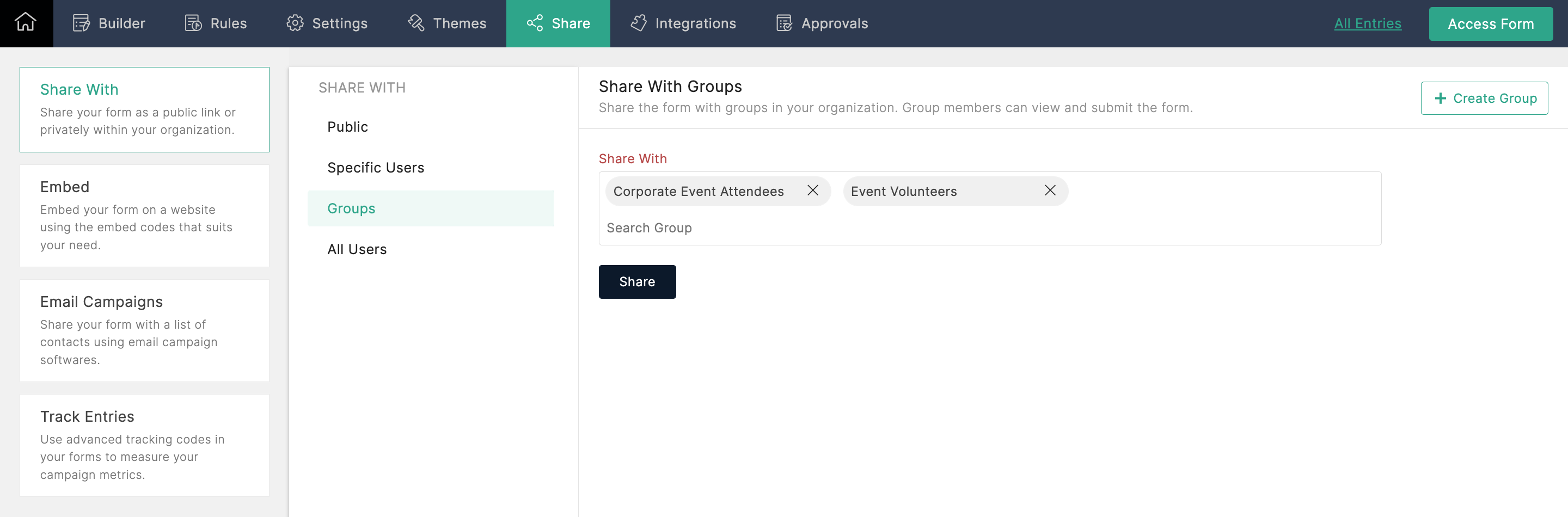
With this option, you can share forms with multiple groups in your organization and allow each group's members to view and submit the form. If you're an Admin, and you're not part of any group, you can create a group in your Zoho Directory by clicking Create Group from the top-right corner.
Sharing entries: Creating dynamic reports for collaboration in Zoho Forms
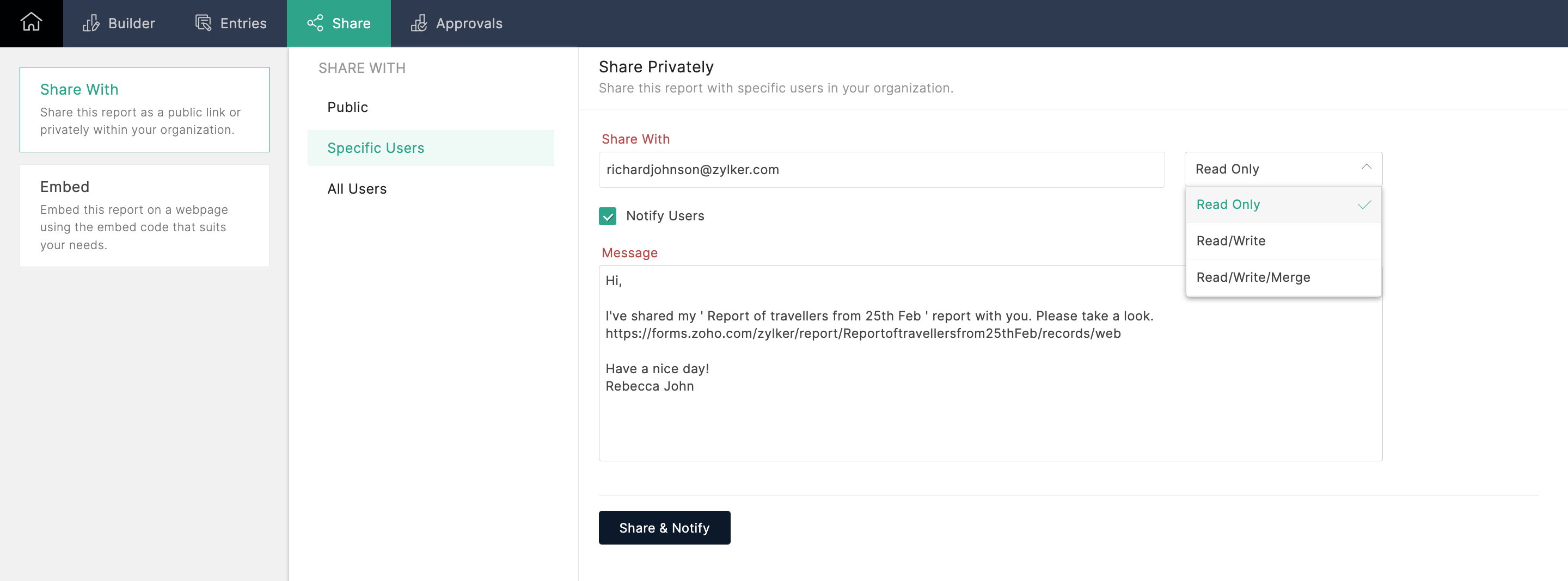
To share form entries with your colleagues, you can create a report from the entries and share it with other users. If the report is shared in Read/Write mode, users can even edit and export entries. Zoho Forms generates dynamic reports, which automatically reflect any changes made or new entries added. This enables your team to work together seamlessly, ensuring that everyone has access to the latest information.
Collaborating with your team members using Zoho Forms has never been easier! Whether you want to share forms, edit form structures, or share form entries, Zoho Forms has got you covered. By leveraging these powerful features, you can streamline your workflows and boost productivity within your organization. Try out these collaboration options today!
Give this tip a try and let me know how it goes. You can also send your thoughts and feedback to support@zohoforms.com.
Until next fortnight,
Niveditha