Introducing Card Forms!
Hello form builders,
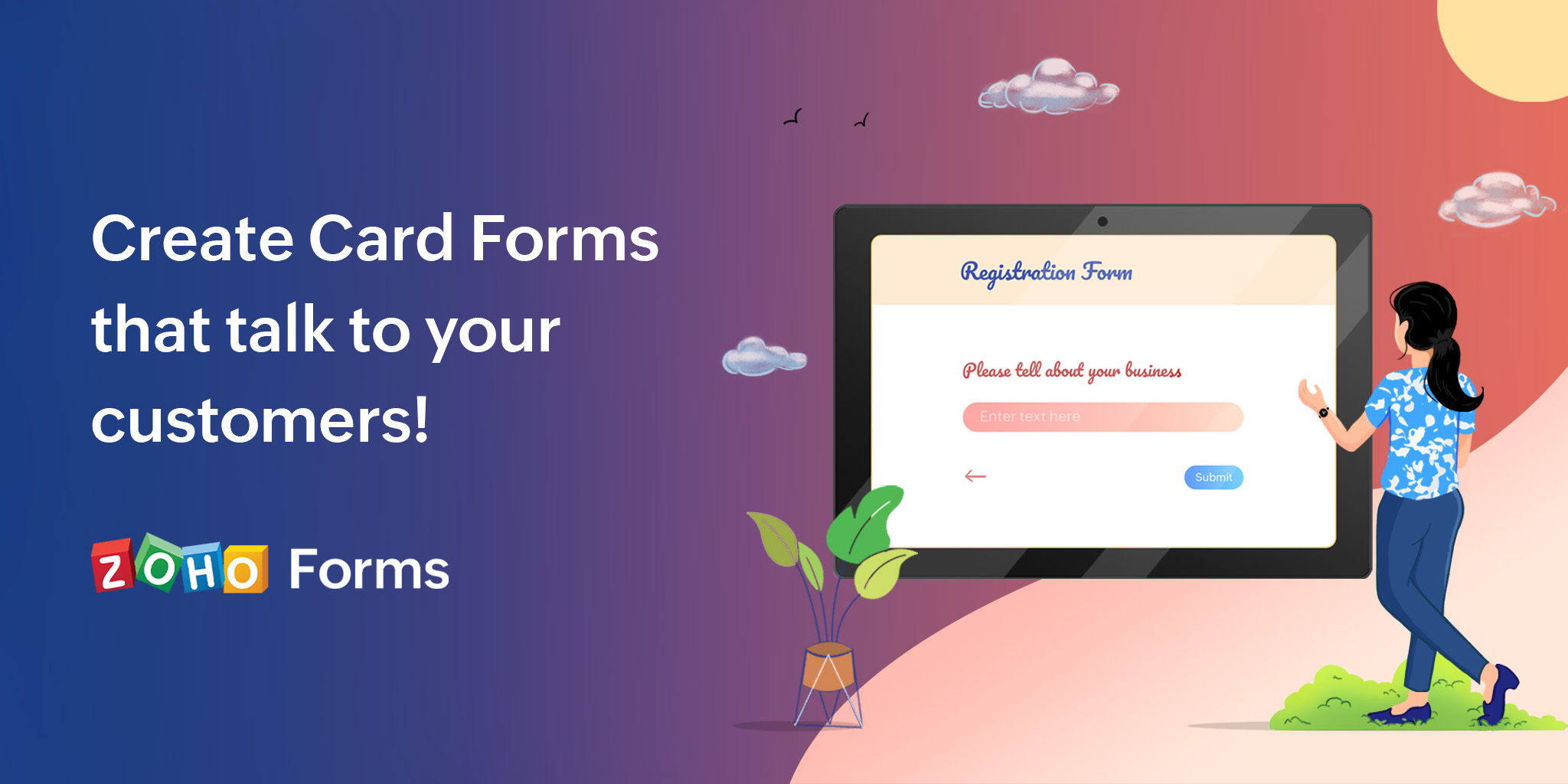
Zoho Forms is now introducing an elegant, free-flowing fluid design of Card forms that will give your forms a visually appealing look, while avoiding any visual clutter for users who are attempting to answer multiple questions at once.
Zoho Forms offers 2 Form Types: Standard and Card
A Standard form has multiple fields on it asking questions all in one page (unless you have a multi-page form), whereas a Card form has only one field per page of your form.
By displaying only one question at a time, Card Forms can spruce up and make your form's interface more user friendly and engaging.
Advantages of Card Forms
- Displaying one field at a time to the users reduces the cognitive load on their eyes and distraction.
- Lets users focus on each question and its answer, resulting in more pertinent responses.
- Card forms make it easier for the users to fix their errors one at a time, making it more convenient to submit the form.
- The user experiences a sense of progression as they move on to the next step, which makes form-filling a satisfying experience.

A Card Form has 3 major components:
- Welcome Page which is exclusively available in Card forms, serves to introduce your motto behind the form before you begin asking questions.
- Questions, one at a time to avoid any visual clutter on your form with a progress bar to indicate the progress through the form.
- Thank You Page where respondents will be taken to after hitting the Submit button on reaching the last question. The Thank You page automatically matches the theme you choose for your Card form.
When you try to create a new form from scratch in your Zoho Forms account, you will find the option to choose the Card Form Type as shown below.
Like a regular Standard Form, you can simply drag and drop fields from the left pane onto your form builder. Each field you add will appear on a separate page.
The form properties will look slightly different from your standard form properties.
You will also have a simplified theme builder specifically designed for Card forms. You can customize your form and play around with custom backgrounds, fonts, effects, and more, or pick a theme from the pre-designed themes available in the Themes Gallery.
The font size you select is dynamically adjusted for all text on your form, including the button text, resulting in a responsive form.
Card Forms have animation effects with subtle movements that are particularly useful when you want to provide visual confirmation of user action, require mandatory fields to be filled out, or highlight error messages as the user navigates through the form to capture the user's attention.
The respondents will have previous and next buttons on each page to navigate through your form, as well as have a side panel (a Fields Pane) that lets them jump between questions on the form.
Know more about Card Forms.
Using Standard or Card form type is a completely personal choice depending on your business objectives. For instance, if you have a long application form which respondents are likely to fill out on a desktop, you could choose the Standard form type and if you have a simple and short form, such as a feedback form, it would be a great choice to go for a Card form.
Over to you...
Try Card Forms today and we'd love to hear how they helped you expand your target audience. If you need assistance with building card forms or have any questions or feedback to share, feel free to leave a comment below or drop us an email at support@zohoforms.com.
Cheers,
Samhita
Topic Participants
Samhita Munukutla
Frank Luchetta
Dilip Kumar Chandra Bose
waikikse
Vipul Vipul Divecha
Sticky Posts
DKIM Now Mandatory - Changes to Zoho Forms Email Policies
Hello Zoho Forms Users, This post is to inform you about an important update regarding the authentication of all email domains in your Zoho Forms account. This year, we are doubling down on our commitment to deliver a secure, seamless, and empoweringCloudflare Turnstile is now available in Zoho Forms!
Hello form builders! We have added a new layer of protection to help you keep your forms free from bots. Instead of forcing users to prove they are human, Cloudflare Turnstile quietly checks browser signals in the background. Your real users glide through,This festive season, offer discounts with coupon code support in Stripe Checkout
Hello form builders! It’s the festive season, the perfect time to spread joy and great deals! Now, with Zoho Forms’ latest enhancement for Stripe Checkout, you can do exactly that with coupon codes! Your payment forms integrated with Stripe Checkout canNew in Zoho Forms: Google reCAPTCHA v3 for smarter spam protection
Hello form builders, Spam submissions are one of the biggest challenges when you share your forms online. They not only clutter your data but can also waste valuable time. To help you combat this without making life harder for genuine respondents, we’reNew in Zoho Forms: Inline OTP Verification
Hello form builders, We are excited to announce the launch of Inline OTP Verification in Zoho Forms, a smarter way to ensure the authenticity of the contact details you collect. Until now, OTP Verification in Zoho Forms worked as a pre-access step: respondents
Recent Topics
How to Move Behavior, Acquisition, Polls & Forms Data from Zoho PageSense to Zoho Analytics?
Hi Zoho Community, I'm looking for a way to transfer data from Zoho PageSense to Zoho Analytics, specifically: Behavioral data (clicks, scrolls, heatmaps, etc.) Acquisition data (traffic sources, campaigns, etc.) Polls and forms data As far as I can tell:Why can't I see images uploaded by other users in the Library for Campaigns
We are several users of zoho Campaign. I have uploaded visuals of our company, but my team members can't see them.zoho sheet stuck
I Need help. ZOHO sheets stuck on the loading screen. I've already deleted the system cache and cookies of my browser (google chrome) but it's still not opening.Tip of the Week #78 – Cut response time with multichannel shared inboxes
If you’ve ever felt your team juggling between multiple email accounts, social pages, and chat apps just to reply to customers, you’re not alone. Managing conversations in multiple channels can quickly turn messy. Important messages across inboxes, repliesNeed a way to run a client script longet than 10 seconds
By The Grace of G-D. Hi, Currently, Client Scripts are Timing out at 10 seconds. We have complex logics that needs more time. Can you add a feature request to increase the timeout?FSM Improvement Idea - Show an Import button when there is no data
I am setting up FSM for a client and I noticed that there is no option to import data, see screenshot below. Even when you click Create Contact there is only an option to Import from Zoho Invoice. It is only after you add at lease 1 record that the ImportUnable to Send Different Email Templates for Different Documents in Zoho Sign
Hello Zoho Community, I am facing a limitation with Zoho Sign regarding email notifications sent to customers when a document is sent for signing. Currently, whenever I send any template/document for signing, the email notification that goes to the customerTimeline Tracking Support for records updates via module import and bulk write api
Note: This update is currently available in Early Access and will soon be rolled out across all data centers (DCs) and for all editions of Zoho CRM. The update will be available to all users within your organization, regardless of their profiles or roles.UI Improvement - Ability to Collapse Flow
The UI for Flow is generally pretty good. However, when multiple decision trees are used, the layout can get pretty convoluted and hard-to-follow (see one of my Flows below): In these cases, even the auto-arrange fails to make this something that a normalTasks Statuses
Hi, The task status "Completed" is a final status which closes the task. We need to have a status "Cancelled". However, when the status is set to "Cancelled", the task prompt still has a blue button to Close Task. When the customer clicks that and closesAdd Lookup Field in Tasks Module
Hello, I have a need to add a Lookup field in addition to the ones that are already there in the Tasks module. I've seen this thread and so understand that the reason lookup fields may not be part of it is that there are already links to the tables (Create New Tasks Layout in CRM
I am able to do this in Leads, Contacts, Meetings, Calls - every other module, but cannot create a new layout in tasks. I have the appropriate access but it's simply not appearing as an option. Only "Standard" option shows. Please help!Whatsapp Connection Status still "Pending" after migration
Hello, I migrated my WhatsApp API to Zoho from another provider a day ago. So far the connection status is still “Pending”. There is a problem? How long does it usually take?Using IMAP configuration for shared email inboxes
Our customer service team utilizes shared email boxes to allow multiple people to view and handle incoming customer requests. For example, the customer sends an email to info@xxxx.com and multiple people can view it and handle the request. How can I configureAuto-sync field of lookup value
This feature has been requested many times in the discussion Field of Lookup Announcement and this post aims to track it separately. At the moment the value of a 'field of lookup' is a snapshot but once the parent lookup field is updated the values diverge.Zoho Recruit Subscription
Hello Zoho Recruit Team, Good day! I would like to inquire about your recruitment subscription plans and would also like to verify the current subscription our company is enrolled in under Zoho Recruit. Thank you, and I look forward to your response.Is it possible to create a meeting in Zoho Crm which automatically creates a Google Meet link?
We are using Google's own "Zoho CRM for Google" integration and also Zoho's "Google Apps Sync" tools, but none of them provide us with the ability to create a meeting in Zoho CRM that then adds a Google Meet link into the meeting. Is this something thatAutomatic Portal invite
We have numerous customers we move through a blueprint in deals, when they get to a certain point we need to give them portal access, how can this be done through deluge or a workflow? Latest Update (December 2025): The option to automate portal invitationsMarketer's Space: Why mobile optimization deserves a place in your email strategy
Hello Marketers, Welcome back to Marketer's Space! Today, we'll talk about the importance of creating mobile-friendly email designs. While mobile phones were once used only to make phone calls, today they're used for almost everything, including texting,Enhancements in Canvas
Dear All, Greetings! Canvas lets you design the record details page to suit your brand or business preferences. We are glad to introduce the following enhancements to uplift your design experience. Reusable Components Style Presets Let's go! ReusableIntroducing Dark Mode / Light Mode : A New Look For Your CRM
Hello Users, We are excited to announce a highly anticipated feature - the launch of Day, Night and Auto Mode implementation in Zoho CRM's NextGen user interface! This feature is designed to provide a visually appealing and comfortable experience forABN with Legal Entity Name
Hi, How can I execute this? The ABN number is entered in Accounts Module and ideally, it should display or suggest the correct Legal Entity Name based on the ABN lookup. ex. Account Name: JPG Resources ABN Number: 65 067 761 871 Legal Entity Name: (autoZoho Cliq not working on airplanes
Hi, My team and I have been having this constant issue of cliq not working when connected to an airplane's wifi. Is there a reason for this? We have tried on different Airlines and it doesn't work on any of them. We need assistance here since we are constantlyUnify Overlapping Functionalities Across Zoho Products
Hi Zoho One Team, We would like to raise a concern about the current overlap of core functionalities across various Zoho applications. While Zoho offers a rich suite of tools, many applications include similar or identical features—such as shift management,Issue: Ticket Export Does Not Include Ticket Threads
Dear Zoho Desk Support Team, I hope you’re doing well. I wanted to bring to your attention that the current ticket export feature in Zoho Desk does not seem to include the ticket threads or conversation history. When exporting tickets, only the summaryPushover Notification Module
Hello, it would be good if there would be a "Pushover" (https://pushover.net/) module besides the standard SMS module. Pushover is now very well known, especially in IT, and is becoming more and more popular. The biggest advantage are the customizableForward - no Ticket Number
Hello, when I send an email to Zoho Desk via Reply or Reply All, the ticket number is in the subject line. But if I use forward then not. Is there an option to change this? We often forward e-mails and a reply to this will of course create a new ticketCheckout: Adding Images
Hello everyone, I’m trying to add a small GoGreen logo in the shipping section of the checkout to promote our sustainable shipping. While I can insert text without any issues, it seems that adding images is not supported in this area. Is there currentlySortie de Zoho TABLE ??
Bonjour, Depuis bientôt 2 ans l'application zoho table est sortie en dehors de l'UE ? Depuis un an elle est annoncée en Europe Mais en vrai, c'est pour quand exactement ??[solved] #original_sender trick not working for us
Hello community ! We really like DESK.. it's working like a charm for us but I have a request. Some users are sending emails personnaly to me (instead of using the support adress).. and I saw there was a possibilty to use : #original_sender {mail@mail.com}SalesIQ Chat Notifications
I am the admin of our salesIQ implementation. About two weeks ago, I started hearing/seeing notification for ALL chats messages from monitored agents/chat participants. I don't need to see these, we have a manager who deals with this. I can't stop theCorrelated subqueries not supported in Zoho Analytics. This creates huge limitations
Running into a major limitation in Zoho Analytics: correlated subqueries simply don’t work, even in completely standard SQL patterns inside a JOIN. Example: LEFT JOIN "Bills" b ON d."Id" = b."Deal ID" AND EXISTS ( SELECT 1 FROM "BillUnknown table or alias 'A1'
I would like to create a subquery but i am getting the following error: Unknown table or alias 'A1' used in select query. This is the sql statement: SELECT A1.active_paying_customers, A1.active_trial_customers, A1.new_paying_signup, date(A1.date_active_customers),Batch Emails in CRM Plus without using a template?
Hi guys. Is it possible to send the same email to multiple people at the same time within CRM Plus without using an email template? At the moment we create a custom view in Contacts to display the people that we need. We then click the boxes on the left, and click 'Send Mail', but always need to select a template. Sometimes its better to write a quick one off message, without needing to set up a template first. Thanks.bank charge
a charge to my account was made that I did not authorize, of $16.46, for something that looks like "computer maintenance or something to that matter". please refund.[Free Webinar] Product Updates: Quick Catch-Up Session - Part II - Creator Tech Connect
Hello Everyone! We welcome you all to the upcoming free webinar on the Creator Tech Connect Series. The Creator Tech Connect series is a free monthly webinar featuring deep-dive technical sessions designed for developers, administrators, and app builders.Introducing Liquid Glass UI on the Zoho Mail iOS app
Hello everyone! We're excited to announce that the Zoho Mail app is now fully optimised for iOS 26's Liquid Glass design on both iPhone and iPad! The updated interface features transparent layers, smooth animations, and refined visual elements that enhancePlan change from Zoho One to Zoho Workplace
Hello Zoho, Following the recent pricing update for Zoho One, we are interested in transitioning to Zoho Workplace products. Please inform us about the necessary steps for this process so we can proceed promptly. Kind regards,Partner with HDFC And Sbi Bank.
Hdfc and sbi both are very popular bank if zoho books become partner with this banks then many of the zoho books users will benefit premium features of partnered banks.Links in Instagram
Hi there, I have been using Later for a while now but keen to come back to Zoho Social as Later doesn't offer tagging of pages on Facebook but they offer something Zoho doesn't. You can add a link to your bio which opens up your profile feed where imagesNext Page