Qntrl Product Updates | Q2, 2022

Qntrl Product Updates | Q2, 2022

We've rolled out quite a few useful features and enhancements this quarter. We’ve also expanded our help materials with new how-to videos. Here's a quick rundown of our recent updates:
 

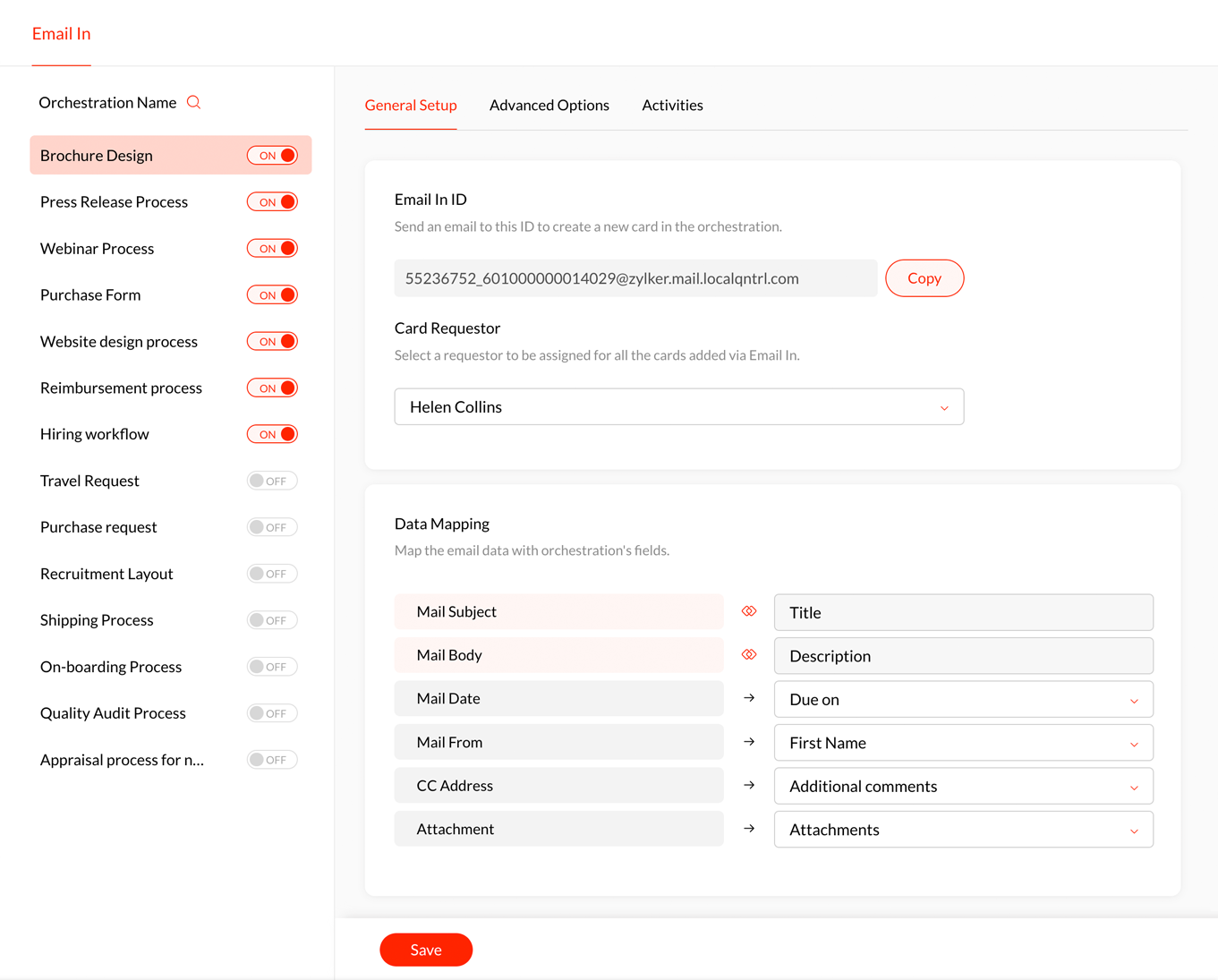
Send emails to create cards using Email In

Qntrl now allows you to create cards and add comments to cards just by sending emails. Each orchestration has a unique Email In ID to which you can email the card details and create cards. Reply to the same emails to add comments to cards. You can also map the data in the email to orchestration fields. Learn more about Email In.


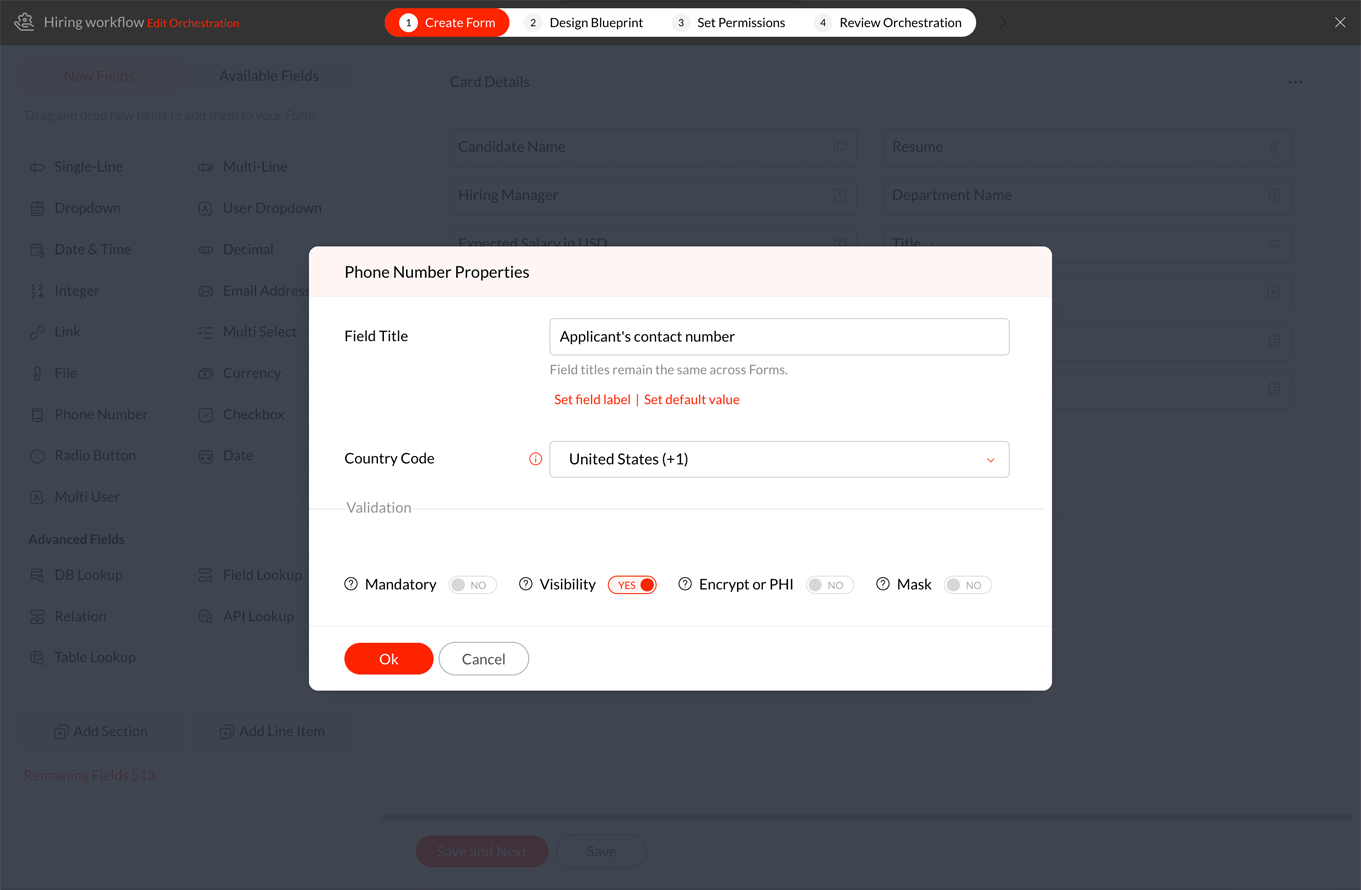
Collect phone numbers in forms

We’ve introduced Phone Number fields in forms that can be used to collect contact numbers with country codes. They can be configured to either set one specific country code for all the forms in the orchestration or allow users to dynamically select country codes when filling in the form. Learn more about phone number custom fields. 


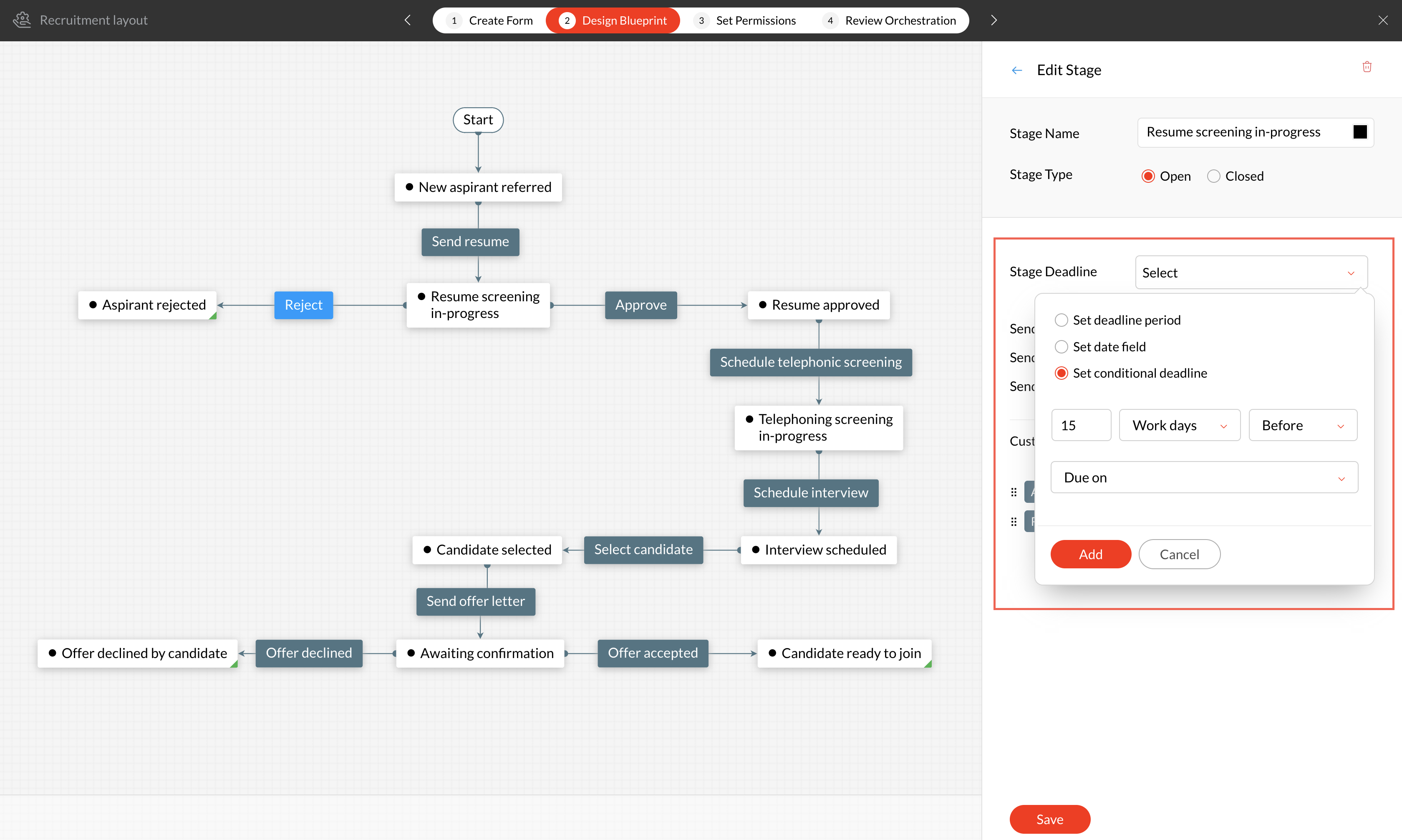
Set deadlines for stages based on fields

Previously, stage deadlines could be set just in minutes/work hours/work days/weeks. Now, we support deadlines to be set as date & time fields or conditions based on these fields. Learn more about stage deadlines. 


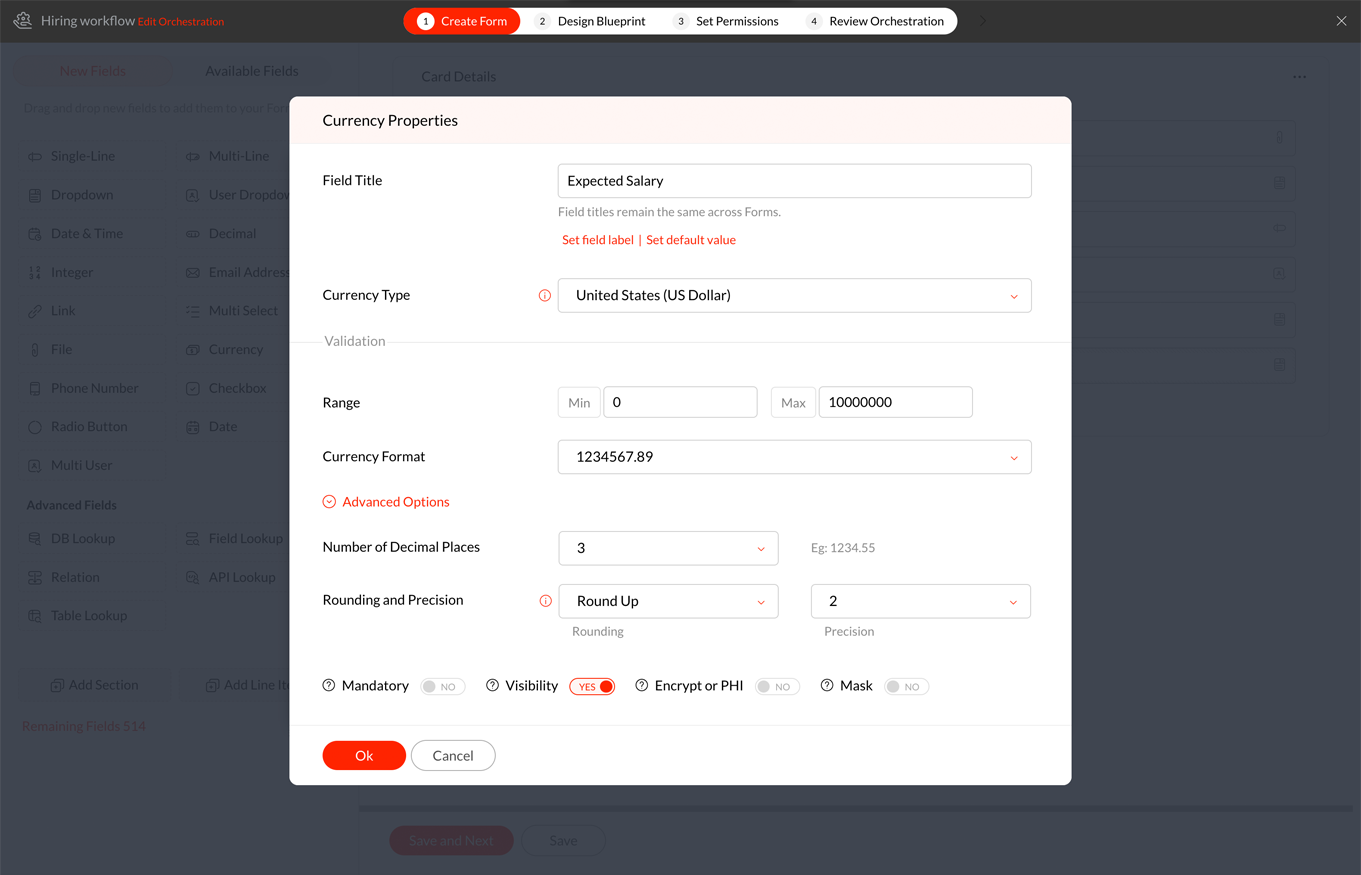
Improved currency fields in forms

We’ve enhanced the currency fields to allow users configure the number of decimal places, rounding, and precision options for each field based on the business requirement. Learn more about currency custom fields. 


Search values in a table lookup

Table Lookups help list the data in a table’s column as a dropdown. Since the data listed can be vast, we’ve included a search feature that allows you to search for the value you are looking for from the dropdown list. Learn more.
 

Increased field limits

We received quite a few customer requests to increase the custom field limits and we went all out to double the field limits now. Visit our help doc to know the new limit. Learn more.
 

New how-to videos

We are constantly improving our help materials to help users get accustomed to Qntrl’s features at ease. Recently, we added a bunch of new how-to videos to this list. Visit our how-to video resources
 

What’s next?

  • New dashboard: We are working on an exciting new dashboard that allows users to create and run orchestrations in simplified steps.
  • Conditional fields: We are developing conditional fields where field values can be displayed based on values selected in other fields.
  • White label: This feature will allow organizations to completely rebrand Qntrl to reflect their organization’s brand identity.
  • Importing and exporting orchestrations will be supported soon.
  • We are also working on enhancing reports, line items, Kanban boards, and much more!

We hope these updates are useful to you. Follow our community to get instant updates and also engage with your peers! If you have any questions or suggestions, please leave a comment below or email us at support@qntrl.com.


    • Sticky Posts

    • Orchestly is now Qntrl

      We are excited to let you know that Orchestly now comes with a brand-new name—Qntrl and a bunch of futuristic features to help you upscale your enterprise.   Qntrl is a workflow orchestration platform to design, automate, and analyze all your business
    • A walk through Orchestly's 2020

      Among the numerous technologies that stood resilient during this pandemic, cloud and automation make it to the top spots. Orchestly, being a cloud-based automation software, has been able to support customers to adapt the changes quickly, ensuring efficiency
    • Beta feature: New fields in Layouts

      Orchestly provides a set of custom fields that can be added in layouts to capture different organizational details. In addition to these existing custom fields, we’ve introduced 3 new fields: Date, Checkbox, Radio button, and Line items.   Note: The new fields are currently released as Beta Features. If you’d like to try it out, please email our support team.  Date Field Orchestly supports Date as well as Date & Time fields. You can either choose to capture only the date or both date and time from
    • Orchestly Product Updates | Q1, 2020

      We hope you are all doing well! Even as the world is experiencing a temporary halt owing to the pandemic, let us be optimistic of the days that lay ahead and hope for the best. This too shall pass!  Inspite of the challenging times, we’ve been up to a
    • Q3 updates for Orchestly- what's happening, what's next?

      This quarter has been quite productive for Orchestly with the release of major features. Meanwhile, we’ve been working on a list of brand-new updates for the next quarter too. Here is a rundown of our recent and upcoming updates: Parallel Transitions
    • Recent Topics

    • Ticket layout based on field or contact

      Hi! I want to support the following use-case: we are delivering custom IT solutions to different accounts we have, thus our ticket layouts, fields and languages (priority, status field values should be Hungarian) will be different. How should I setup
    • Marketer's Space: Proven tips to improve open rates – Part III

      Hello Marketers! Welcome back to another post in Marketer's Space! This is the final post in the "open rate series". In the first and second parts, we discussed topics ranging from sender domains to pre-headers—but we're not done yet. A few more important
    • MCP no longer works with Claude

      Anyone else notice Zoho MCP no longer works with Claude? I'm unable to turn this on in the claude chat. When I try to toggle it on, it just does nothing at all. I've tried in incognito, new browsers, etc. - nothing seems to work.
    • Change Number Field to Decimal Field

      Hi, It would be nice to be able to change the field type without having to delete it and create a new one, messing up the database and history. Thanks Dan
    • How can I add a comment to an existing ticket via API?

      I need to add comments/notes to the history of an existing ticket using the API without overwriting the original ticket description. Thanks!
    • Allow Text within a Formula

      Hi, I would like to be able to use this for others things like taking an existing Date Field and copying its value, so by entering getDay(Date)&"-"&getMonth(Date)&"-"&getYear(Date) it results in 01-02-2026. And then when the Date is changed so is this
    • Zoho Social - Feature Request - Reviewer Role

      Hi Social Team, I've come across this with a couple of clients, where they need a role which can review and comment on posts but who has no access to create content. This is a kind of reviewer role. They just need to be able to see what content is scheduled
    • Notification to customers when I use a Zoho function

      Hi all, I tried searching the community but couldn't find anything about it. I noticed that the customer receives the notification of reopening the old ticket but does not receive the notification of opening a new ticket when I use the function: "separate
    • Zoho Books/Inventory - Update Marketplace Sales Order via API

      Hi everyone, Does anyone know if there is a way to update Sales Orders created from a marketplace intigration (Shopify in this case) via API? I'm trying to cover a scenario where an order is changed on the Shopify end and the changes must be reflected
    • Zoho Inventory / Finance Suite - Add feature to prevent duplicate values in Item Unit field

      I've noticed that a client has 2 values the same in the Unit field on edit/create Items. This surprised me as why would you have 2 units with the same name. Please consider adding a feature which prevents this as it seems to serve no purpose.
    • Zoho CRM for Everyone's NextGen UI Gets an Upgrade

      Hello Everyone We've made improvements to Zoho CRM for Everyone's Nextgen UI. These changes are the result of valuable feedback from you where we’ve focused on improving usability, providing wider screen space, and making navigation smoother so everything
    • Kaizen #224 - Quote-driven Deal Reconciliation Using Zoho CRM Functions and Automation

      Hello everyone! Welcome back to another instalment in the Kaizen series. This post covers quote-driven deal reconciliation, emphasizing Functions and Automation to address practical sales challenges. Business Challenge Sales organizations often mark deals
    • CRM gets location smart with the all new Map View: visualize records, locate records within any radius, and more

      Hello all, We've introduced a new way to work with location data in Zoho CRM: the Map View. Instead of scrolling through endless lists, your records now appear as pins on a map. Built on top of the all-new address field and powered by Mappls (MapMyIndia),
    • Dependent / Dynamic DropDown in ZohoSheets

      Has anyone figured out a way to create a Dropdown, the values of which is dependent on Values entered in the other cell ?
    • Zoho Inventory - Composite Items - Assembly - Single Line Item Quantity of One

      Hi Zoho Inventory Team, Please consider relaxing the system rules which prevent an assembly items from consisting of a single line item and outputting a quantity of 1. A client I'm currently working with sells cosmetics and offers testers of their products
    • Directly Edit, Filter, and Sort Subforms on the Details Page

      Hello everyone, As you know, subforms allow you to associate multiple line items with a single record, greatly enhancing your data organization. For example, a sales order subform neatly lists all products, their quantities, amounts, and other relevant
    • No funcionan correctamente el calculo de las horas laborales para informe de tickets

      Hola, estoy intentando sacar estadísticas de tiempo de primera respuesta y resolución en horario laboral de mis tickets, pero el calculo de horas en horario laboral no funciona correctamente cree los horarios con los feriados : Ajusté los acuerdos de
    • BARCODE PICKLIST

      Hello! Does anyone know how the Picklist module works? I tried scanning the barcode using the UPC and EAN codes I added to the item, but it doesn’t work. Which barcode format does this module use for scanning?
    • Zoho Inventory - Allow Update of Marketplace Generated Sales Orders via API

      Hi Inventory Team, I was recently asked by a client to create an automation which updated a Zoho Inventory Sales Order if a Shopify Order was updated. I have created the script but I found that the request is blocked as the Sales Order was generated by
    • How do I create an update to the Cost Price from landed costs?

      Hi fellow Zoho Inventory battlers, I am new to Zoho inventory and was completely baffled to find that the cost price of products does not update when a new purchase order is received. The cost price is just made up numbers I start with when the product
    • Manage control over Microsoft Office 365 integrations with profile-based sync permissions

      Greetings all, Previously, all users in Zoho CRM had access to enable Microsoft integrations (Calendar, Contacts, and Tasks) in their accounts, regardless of their profile type. Users with administrator profiles can now manage profile-based permissions
    • Zoho OAuth Connector Deprecation and Its Impact on Zoho Desk

      Hello everyone, Zoho believes in continuously refining its integrations to uphold the highest standards of security, reliability, and compliance. As part of this ongoing improvement, the Zoho OAuth default connector will be deprecated for all Zoho services
    • VoC in Zoho CRM is now data savvy: Explore response drilldown, summary components and participation in CRM criteria

      VoC has all the goods when it comes to customer intelligence—which is why we're constantly enhancing it. We recently added the following: A customer drilldown component that shows you the list of prospects and customers behind a chart's attribute Expanded
    • How do I bulk archive my projects in ZOHO projects

      Hi, I want to archive 50 Projects in one go. Can you please help me out , How can I do this? Thanks kapil
    • Error 0x800CCC0F Outlook

      Hello, i cannot send or receive email in outlook. can you please help. 'Sending' reported error (0x800CCC0F) : 'The connection to the server was interrupted. If this problem continues, contact your server administrator or Internet service provider (ISP).'
    • Passing the CRM

      Hi, I am hoping someone can help. I have a zoho form that has a CRM lookup field. I was hoping to send this to my publicly to clients via a text message and the form then attaches the signed form back to the custom module. This work absolutely fine when
    • Can I add Conditional merge tags on my Templates?

      Hi I was wondering if I can use Conditional Mail Merge tags inside my Email templates/Quotes etc within the CRM? In spanish and in our business we use gender and academic degree salutations , ie: Dr., Dra., Sr., Srta., so the beginning of an email / letter
    • Zoho vault instal on windows

      I am trying to use Zoho Vault Desktop for Windows, but I am unable to complete the sign-in process. Problem description After logging in to my Zoho account and clicking Accept on the authorization page, nothing happens. The application does not proceed
    • Zoho Browser??

      hai guys, this sounds awkward but can v get a ZOHO BROWSER same as zoho writer, etc. where i can browse websites @ home and continue browsing the same websites @ my office, as v have the option in Firefox, once i save and close the browser and again when i open it i will be getting the same sites. If u people r not clear with my explanation, plz let me know. Thanks, Sandeep  
    • Let’s Talk Recruit: LinkedIn Cheatsheet

      Welcome to the first edition of Let’s Talk Recruit for 2026. We are kicking off the year by revisiting one of the most asked about topics in Zoho Recruit. How our LinkedIn integrations actually work and how recruiters can get the most value from them.
    • Zoho Forms API

      Is there any way to get all form entry list using API? Looking forward to hear from you
    • Creating a Chart from a Report

      In Zoho Analytics, is it possible to create a chart from a Pivot View report? We are looking to use Zoho Analytics to replace Excel for Sales reports and would like to be able to show both the table and the chart together.
    • Ability to Set Client Name During Portal Invitation

      Hi Zoho Team, We would like to suggest an important enhancement to the Zoho Creator Client Portal functionality. Zoho Creator recently introduced the option to set a client’s display name in the Client Portal settings, which is very helpful for creating
    • Move email between inboxes?

      Is it possible to move emails from one team inbox to another? We would like to be able to have a single "catch-all" inbox for incoming requests, and then move the email to the appropriate department inbox. I was hoping we would be able to accomplish this
    • PDF Attachment Option for Service Reports

      Hello Team, I would like to check with you all if there is an option to attach PDF documents to the service reports. When I try to attach a file, the system only allows the following formats: JPEG, JPG, and PNG. Could you please confirm whether PDF attachments
    • 【Zoho CRM】データ一覧画面でのメモのバッジ機能リリースのお知らせ

      ユーザーの皆さま、こんにちは。コミュニティチームの藤澤です。2026年度もゾーホーユーザーコミュニティをどうぞよろしくお願いいたします! 今回は「Zoho CRM アップデート情報」の中から、新機能のデータ一覧画面でのメモのバッジ機能をご紹介します。 目次 概要 メモのバッジ機能について メモの作成について メモに関する様々な処理について 最近追加したメモについて メモのバッジの非表示について クライアントスクリプトの対応 概要  メモのバッジ機能について 既存の活動バッジに加えて、すべてのタブのデータ一覧表示画面に、各データごとに利用できる「メモのバッジ」(キャプチャ内の赤枠部分)が新たに導入されました。
    • is it possible to add more than one Whatsapp Phone Number to be integrated to Zoho CRM?

      so I have successfully added one Whatsapp number like this from this User Interface it seems I can't add a new Whatsapp Number. I need to add a new Whatsapp Number so I can control the lead assignment if a chat sent to Whatsapp Phone Number 1 then assign
    • Can’t find fsm in zoho one

      Every other app is available to me in Zoho one except fsm
    • Posibility to add Emoticons on the Email Subject of Templates

      Hi I´ve tried to add Emoticons on the Subject line of Email templates, the emoticon image does show up before saving the template or if I add the Emoticon while sending an Individual email and placing it manually on the subject line. Emoticons also show
    • Task Deletion Restriction & Strict Stage Control

      Hello Zoho Community, We have the following two issues currently pending and under testing, for which we require a workable and reliable solution: 1. Task Deletion Restriction We are testing ways to ensure that staff users are not able to delete tasks
    • Next Page